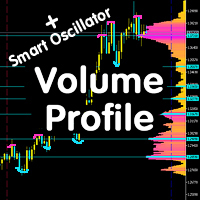
Volume Profile V6
37 USD
Descargado demo:
520
Publicado:
28 agosto 2019
Versión actual:
2.18
¿No ha encontrado el robot adecuado?
Encargue el suyo
en la bolsa Freelance.
Pasar a la bolsa
Encargue el suyo
en la bolsa Freelance.
Cómo comprar un robot comercial o indicador
Inicia el robot en el
hosting virtual
hosting virtual
Pruebe un indicador/robot comercial antes de comprarlo
¿Quieres ganar en el Market?
Cómo ofrecer un producto para que lo compren

Está perdiendo oportunidades comerciales:
- Aplicaciones de trading gratuitas
- 8 000+ señales para copiar
- Noticias económicas para analizar los mercados financieros
Registro
Entrada
Usted acepta la política del sitio web y las condiciones de uso
Si no tiene cuenta de usuario, regístrese
beto_gauer:
Hi, thanks for the indicator. Can you please add the option to highlight the 68.2% value
Уровни в данном индикаторе строятся на максимальных скоплениях объемов-это не уровни Фибоначчи. Чтоб построить уровень 68.2 можете воспользоваться стандартными индикатором уровни Фибоначчи.
Great indicator, would it be possible for you to add a button that can toggle the areas to show/hide?
It can look a bit messy from time to time and it would really help to be able to hide the volume areas instead of removing the indicator.
Great indicator, would it be possible for you to add a button that can toggle the areas to show/hide?
It can look a bit messy from time to time and it would really help to be able to hide the volume areas instead of removing the indicator.
Mt4にはレンジモードがありますが、MT5にはありません。
MT5のレンジモードが欲しいのですが。
すみません。
mt4の「range mode」と「range minutes」のパラメータがあることを願っています。
希望は叶いますか?
Я использовал Google Translate, поэтому формулировка может быть неправильной. Во-первых, спасибо за индикатор. На вкладке «Входные данные» есть 2 переменные, «Цвет 1» и «Цвет 2», что они представляют или означают?
Я использовал Google Translate, поэтому формулировка может быть неправильной. Во-первых, спасибо за индикатор. На вкладке «Входные данные» есть 2 переменные, «Цвет 1» и «Цвет 2», что они представляют или означают?
Это два цвета в которые будет окрашена гистограмма, поробуйте их поменять и все увидите на графике
Example of sets with settings for basic tools:
Этот индикатор вообще не работает и приводит к зависанию всей системы. Удивительно, почему MT5 не тестирует их перед публикацией. Возврат средств был бы вполне приемлемым вариантом.
This Indicator do not work at all and make all system freezes. I am wondering how does MT5 do not test these before they are published. A refund would have been an option