Anand / Profile
- Information
|
10+ years
experience
|
0
products
|
0
demo versions
|
|
144
jobs
|
0
signals
|
0
subscribers
|
Software Engineer
at
Self Employed
Feedbacks:
https://www.mql5.com/en/users/anand_mt4/feedbacks
Finished jobs:
https://www.mql5.com/en/users/anand_mt4/portfolio/jobs_close
Submit a new job for me:
https://www.mql5.com/en/job/new?prefered=anand_mt4
https://www.mql5.com/en/users/anand_mt4/feedbacks
Finished jobs:
https://www.mql5.com/en/users/anand_mt4/portfolio/jobs_close
Submit a new job for me:
https://www.mql5.com/en/job/new?prefered=anand_mt4
Anand
Swing High Single Time Frame Indicator
https://www.mql5.com/en/market/product/13125
Swing High Single Time Frame Indicator is one of the most advanced indicators based on the Swing High trading strategy.
https://www.mql5.com/en/market/product/13125
Swing High Single Time Frame Indicator is one of the most advanced indicators based on the Swing High trading strategy.
Anand
HPC Easy Spread Digger Trade Pad
https://www.mql5.com/en/market/product/12299
This panel is useful for traders dealing with several major symbols at one place (EURUSD, USDJPY, GBPUSD, USDCHF, EURGBP and EURJPY)
Traders can place orders for many symbols clicking a single button
Traders can see the live changes in the symbols (i.e., ask, bid, spread) values in this panel itself
Traders using the same configuration (inputs) for trading can save their configuration and can reset the configuration
Traders can place trades accordingly with the knowledge of live prices of the market and use buttons to simply place a buy/sell order.
https://www.mql5.com/en/market/product/12299
This panel is useful for traders dealing with several major symbols at one place (EURUSD, USDJPY, GBPUSD, USDCHF, EURGBP and EURJPY)
Traders can place orders for many symbols clicking a single button
Traders can see the live changes in the symbols (i.e., ask, bid, spread) values in this panel itself
Traders using the same configuration (inputs) for trading can save their configuration and can reset the configuration
Traders can place trades accordingly with the knowledge of live prices of the market and use buttons to simply place a buy/sell order.
Anand
CCI indicator
https://www.mql5.com/en/market/product/19007
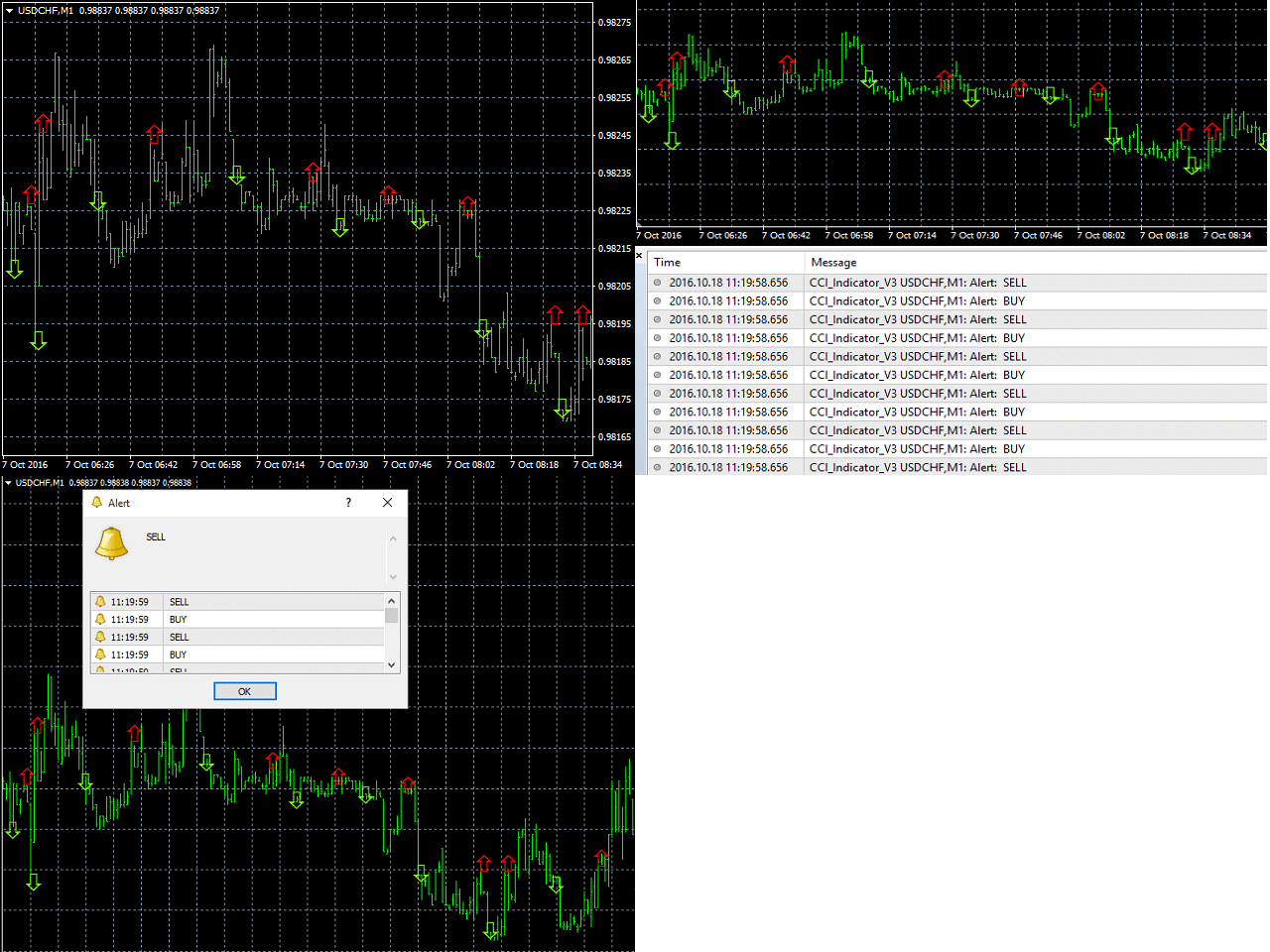
CCI Indicator generates buy or sell signal based on the CCI indicator. It's efficient algorithm generates a entry signal for symbol in consideration. It can be useful as a decision supportive tool.
https://www.mql5.com/en/market/product/19007
CCI Indicator generates buy or sell signal based on the CCI indicator. It's efficient algorithm generates a entry signal for symbol in consideration. It can be useful as a decision supportive tool.
Anand
On Chart Trading Pending Order Window Single
https://www.mql5.com/en/market/product/12348
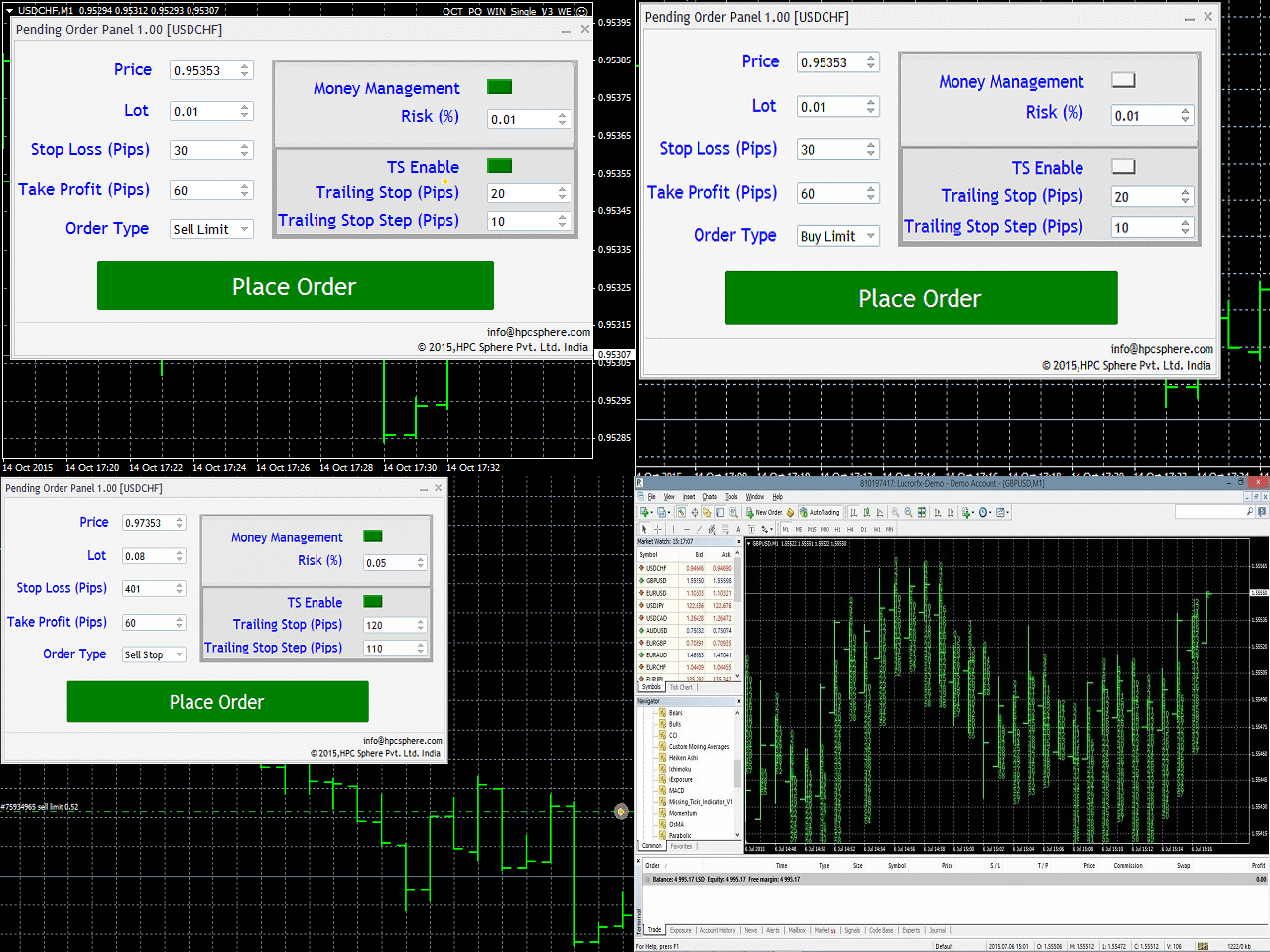
The expert advisor (EA) generates an on-chart trading panel to manually place any of four different types of pending order(s) on the attached chart's current symbol. Before clicking "Place" button, to place a pending order
https://www.mql5.com/en/market/product/12348
The expert advisor (EA) generates an on-chart trading panel to manually place any of four different types of pending order(s) on the attached chart's current symbol. Before clicking "Place" button, to place a pending order
Anand
Binary Option Trading panel
https://www.mql5.com/en/market/product/12282
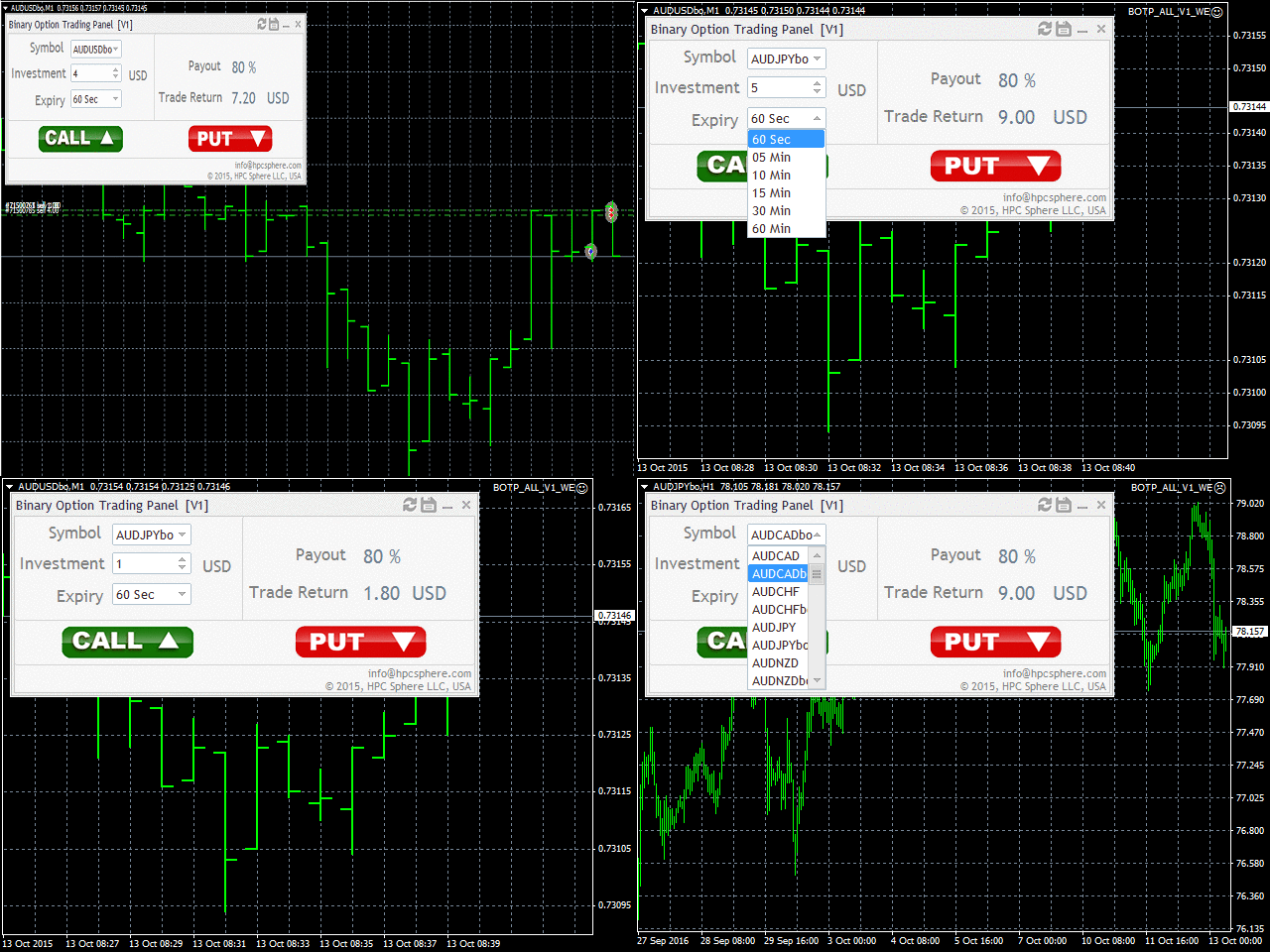
The user can choose from different binary option instruments to trade. The investment amount be easily given and expiry for the instrument can be selected from different expiry options. The available expiry options are 60sec, 5min, 10min, 15min, 30min, 60min.
https://www.mql5.com/en/market/product/12282
The user can choose from different binary option instruments to trade. The investment amount be easily given and expiry for the instrument can be selected from different expiry options. The available expiry options are 60sec, 5min, 10min, 15min, 30min, 60min.
Anand
Bullish and Bearish Bars Indicators
https://www.mql5.com/en/market/product/10727
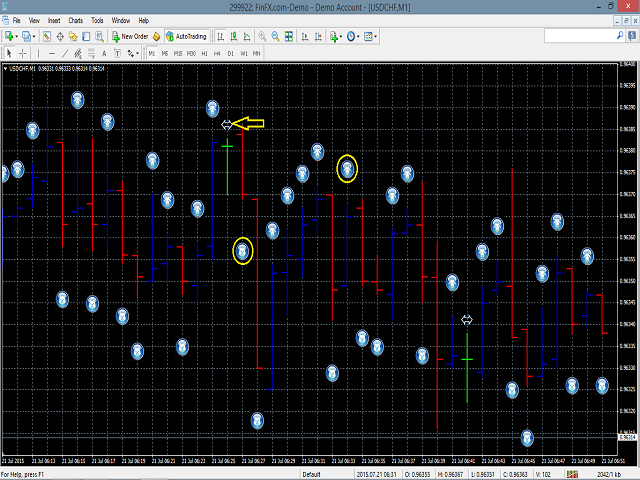
Bullish and Bearish indicator displays the bullish and bearish bars with different color.
• Bullish bars are those who close higher than their opening price and bearish bar closes lower than their opening prices
• It provides the feature of identifying bullish bar with a special symbol of bull drawn at the top of bullish bar.
• It provides the feature of identifying bearish bar with a special symbol of bear drawn at the bottom of bearish bar.
• It identifies the doji bars with arrow symbols drawn at it and the size, color of the arrow can be reset.
• Doji bars are those who close nearly equal to their opening prices.
https://www.mql5.com/en/market/product/10727
Bullish and Bearish indicator displays the bullish and bearish bars with different color.
• Bullish bars are those who close higher than their opening price and bearish bar closes lower than their opening prices
• It provides the feature of identifying bullish bar with a special symbol of bull drawn at the top of bullish bar.
• It provides the feature of identifying bearish bar with a special symbol of bear drawn at the bottom of bearish bar.
• It identifies the doji bars with arrow symbols drawn at it and the size, color of the arrow can be reset.
• Doji bars are those who close nearly equal to their opening prices.
Anand
HPC Smart Traders Panel
https://www.mql5.com/en/market/product/23803
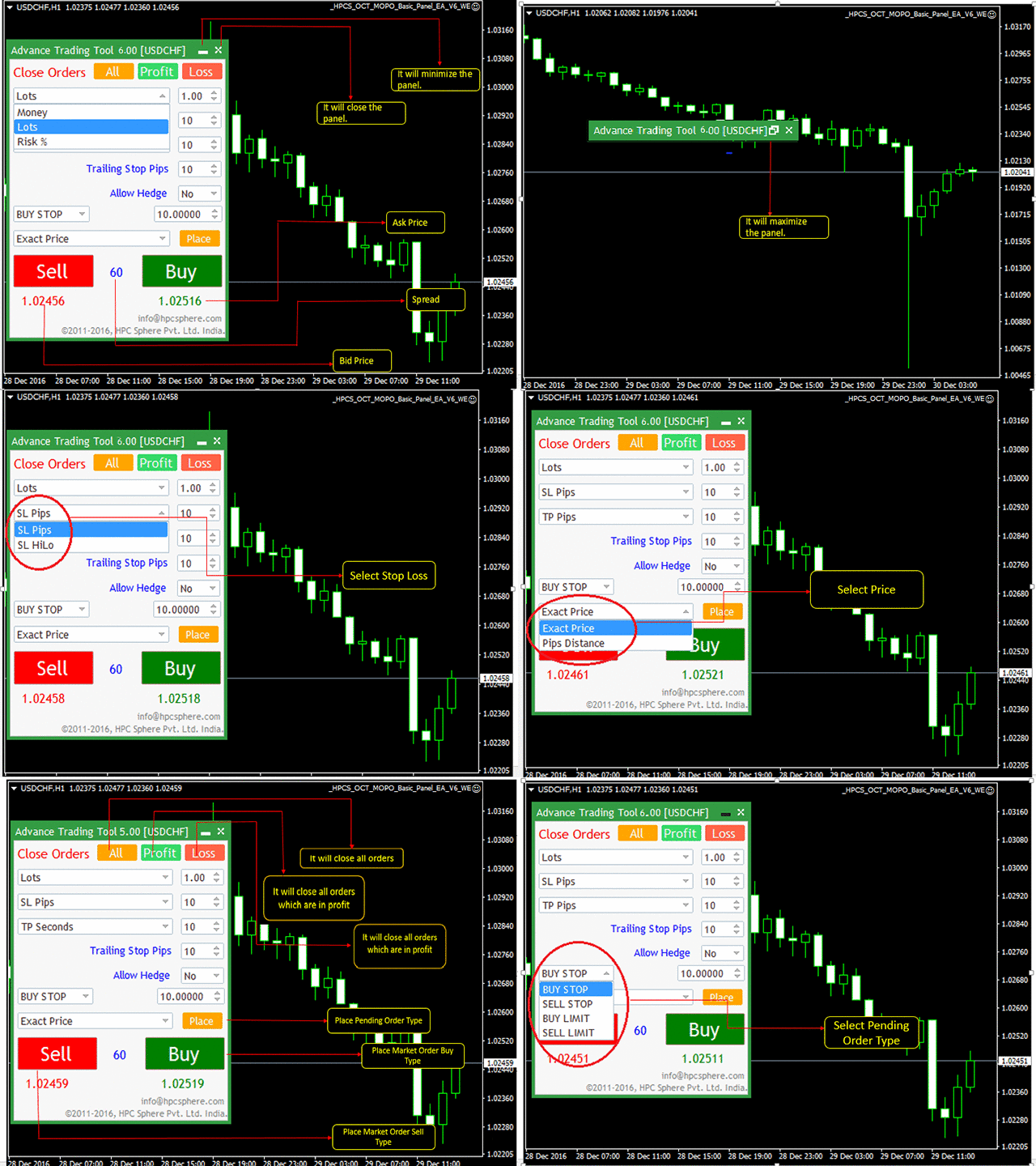
This panel is a one stop solution to all your trading problems
Trading made easy. This panel allows trader to place orders (instant or pending) and close the respective orders (ALL, PROFIT, LOSS) just from one panel
Traders can use it to make any type of trade on the chart itself
https://www.mql5.com/en/market/product/23803
This panel is a one stop solution to all your trading problems
Trading made easy. This panel allows trader to place orders (instant or pending) and close the respective orders (ALL, PROFIT, LOSS) just from one panel
Traders can use it to make any type of trade on the chart itself
Anand
MACD Swing Low Multi Time Frame Indicator
https://www.mql5.com/en/market/product/13283
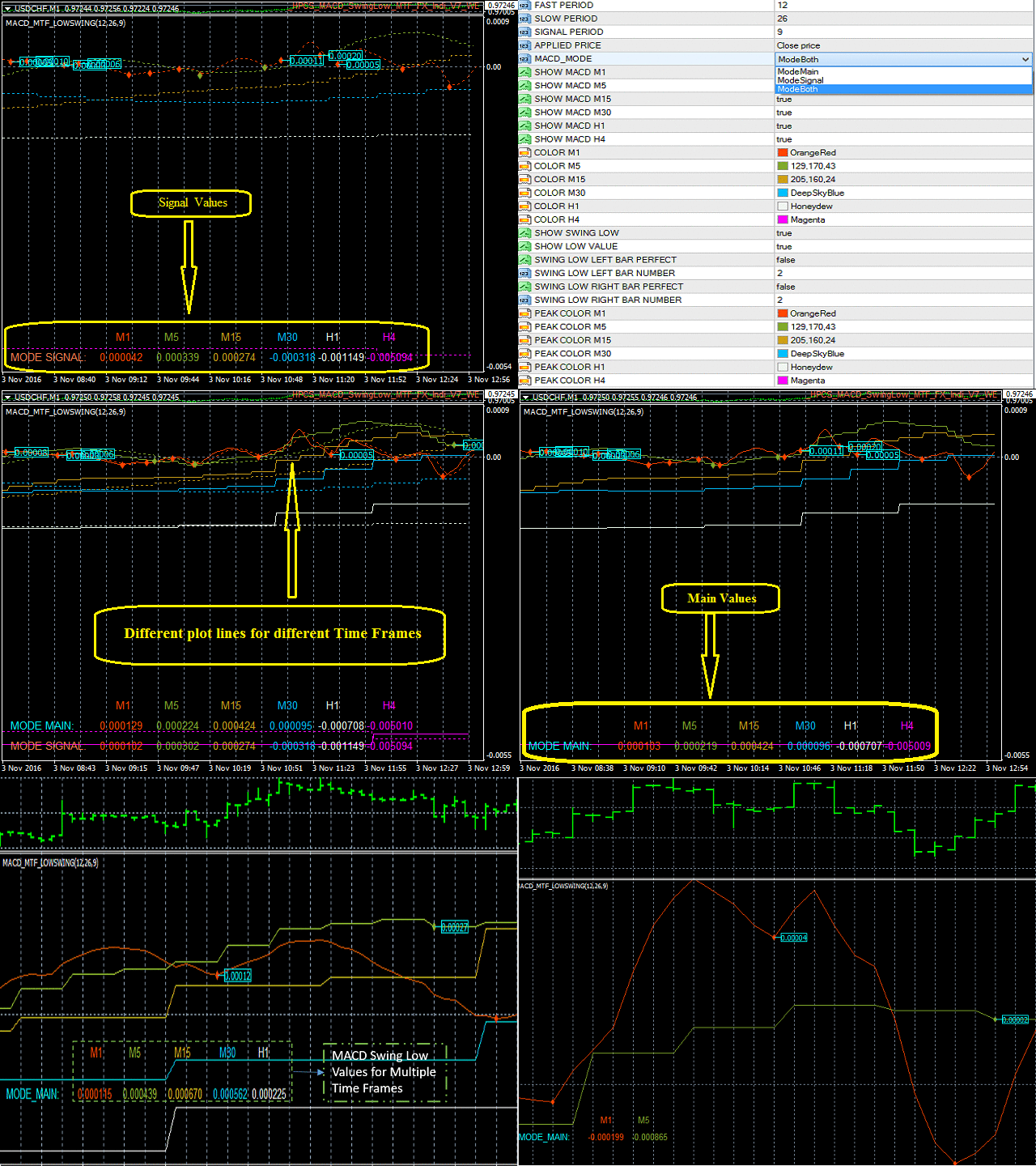
MACD Swing Low Multi Time Frame Indicator is one of the most advanced indicators based on both Swing Low and MACD trading strategies. It supports multiple timeframes, i.e. by attaching the indicator on a single chart, one can see the MACD Swing Low values for all the other timeframes on a single chart. One would just have to select the timeframes, for which he wants to see the calculated values.
https://www.mql5.com/en/market/product/13283
MACD Swing Low Multi Time Frame Indicator is one of the most advanced indicators based on both Swing Low and MACD trading strategies. It supports multiple timeframes, i.e. by attaching the indicator on a single chart, one can see the MACD Swing Low values for all the other timeframes on a single chart. One would just have to select the timeframes, for which he wants to see the calculated values.
Anand
On Chart Trading Market Order Pending Oder
https://www.mql5.com/en/market/product/12541
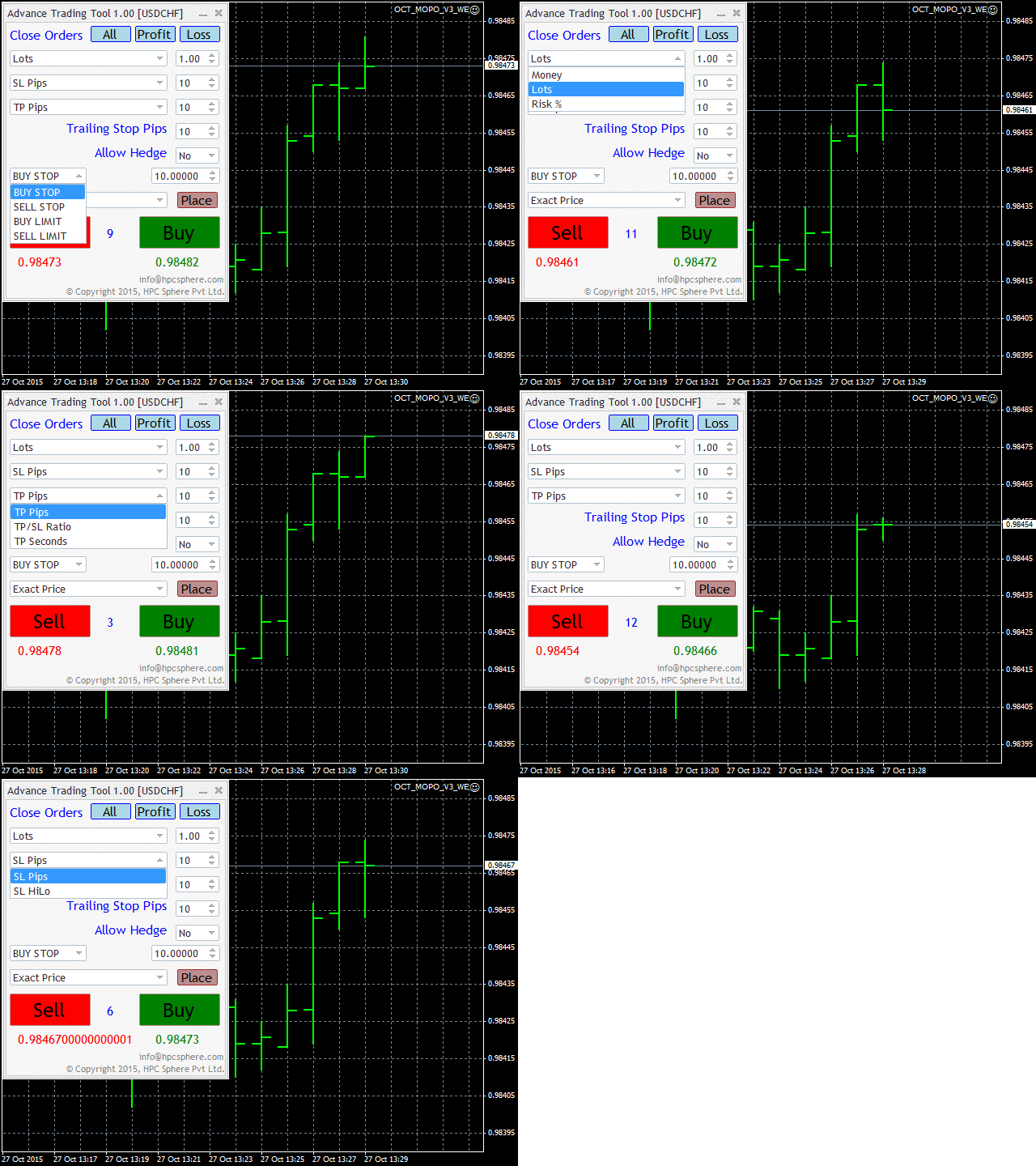
A market order is placed by clicking the appropriate Sell or Buy button. On the other hand, a pending order is placed by selecting a pending order type and thereafter clicking the Place button.
https://www.mql5.com/en/market/product/12541
A market order is placed by clicking the appropriate Sell or Buy button. On the other hand, a pending order is placed by selecting a pending order type and thereafter clicking the Place button.
Anand
TDI Direction Change Indicator
https://www.mql5.com/en/market/product/10597
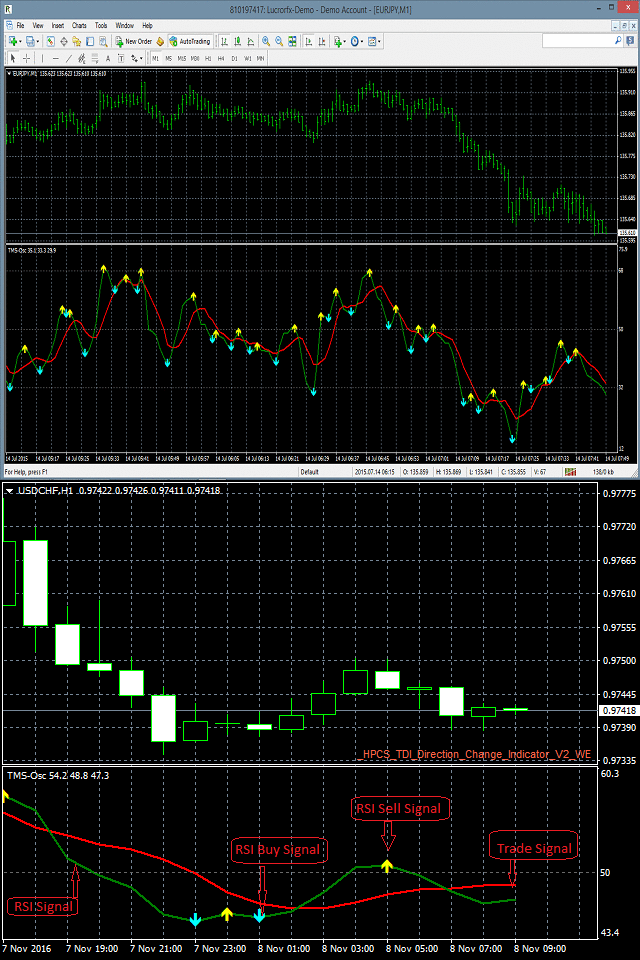
TDI Direction Change Indicator is an oscillator indicator which identifies the market entry point for placing trades by taking into consideration the values of RSI (Relative Strength Index), Trade Signal Method and Market Base Method.
https://www.mql5.com/en/market/product/10597
TDI Direction Change Indicator is an oscillator indicator which identifies the market entry point for placing trades by taking into consideration the values of RSI (Relative Strength Index), Trade Signal Method and Market Base Method.
Anand
Inside Outside Bars Indicator
https://www.mql5.com/en/market/product/10588
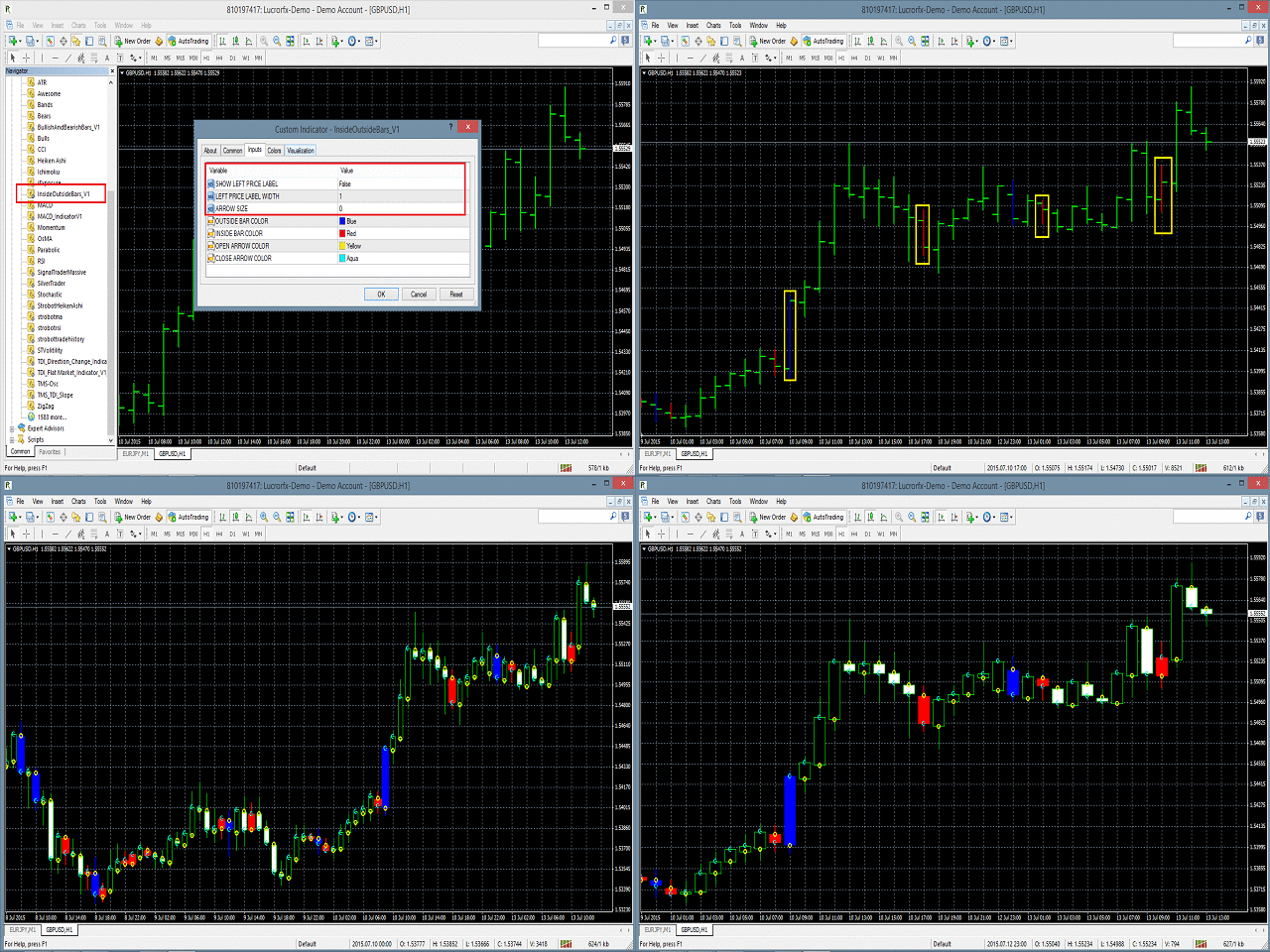
The Inside Outside Bars indicator is drawn in the main window of the chart and displays them in different color with price label displaying on the left of the inside and outside bars.
https://www.mql5.com/en/market/product/10588
The Inside Outside Bars indicator is drawn in the main window of the chart and displays them in different color with price label displaying on the left of the inside and outside bars.
Anand
Elliott Indicator Based Trading EA
https://www.mql5.com/en/market/product/10744
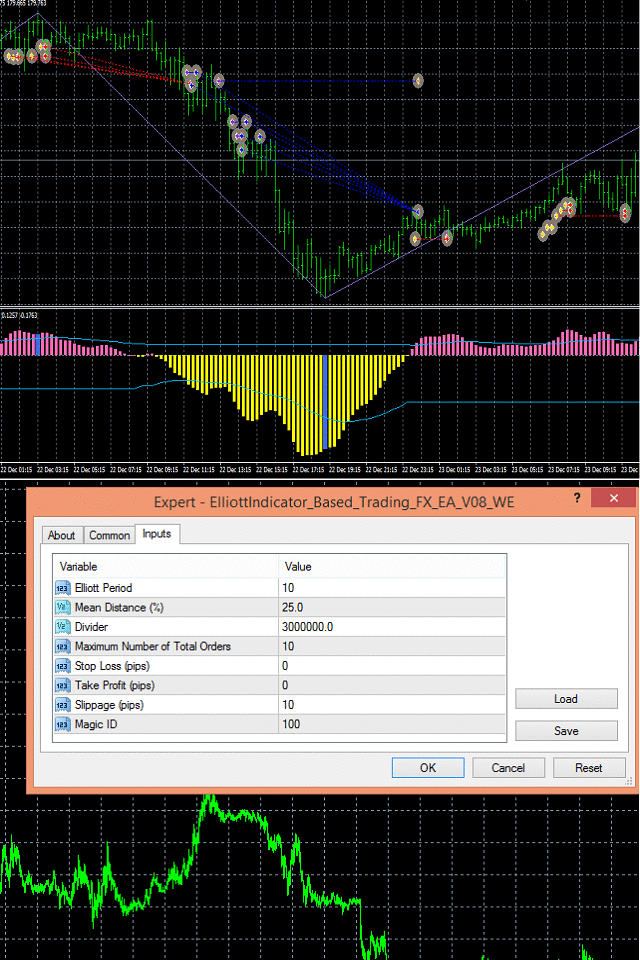
The EA uses Elliott waves indicator to place either buy-stop or sell-stop pending orders at occurrence of a new bar. Limit to the maximum number of total orders that can be placed by EA is set through input.
https://www.mql5.com/en/market/product/10744
The EA uses Elliott waves indicator to place either buy-stop or sell-stop pending orders at occurrence of a new bar. Limit to the maximum number of total orders that can be placed by EA is set through input.
Anand
Virtual Order Panel
https://www.mql5.com/en/market/product/15165
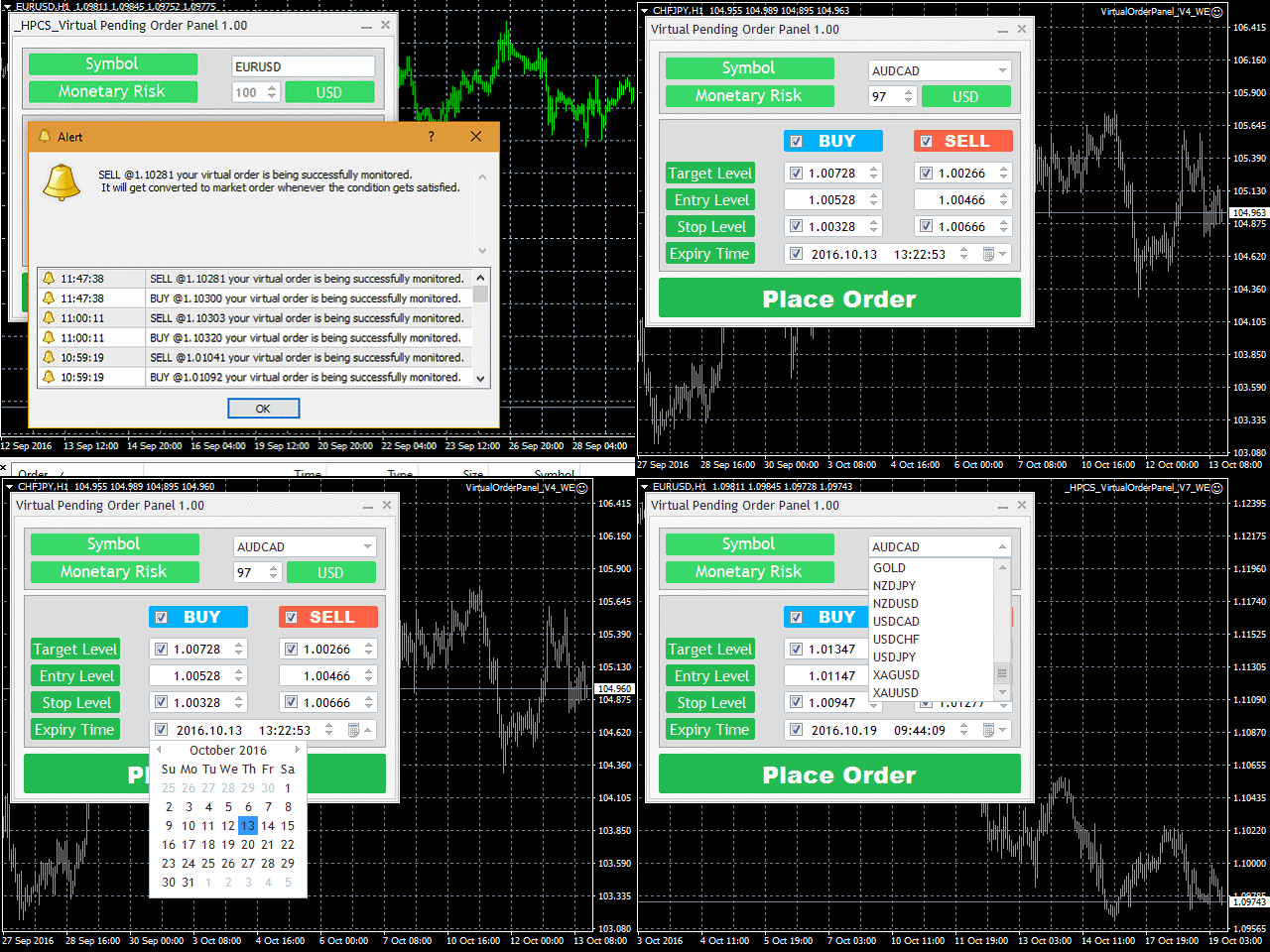
It advanced algorithm allows the user to place a virtual pending order and convert that virtual pending order into a market order whenever the Target Level is reached. The user can choose from different market symbols.
https://www.mql5.com/en/market/product/15165
It advanced algorithm allows the user to place a virtual pending order and convert that virtual pending order into a market order whenever the Target Level is reached. The user can choose from different market symbols.
Anand
Trade Pair Optimization Dashboard
https://www.mql5.com/en/market/product/10741
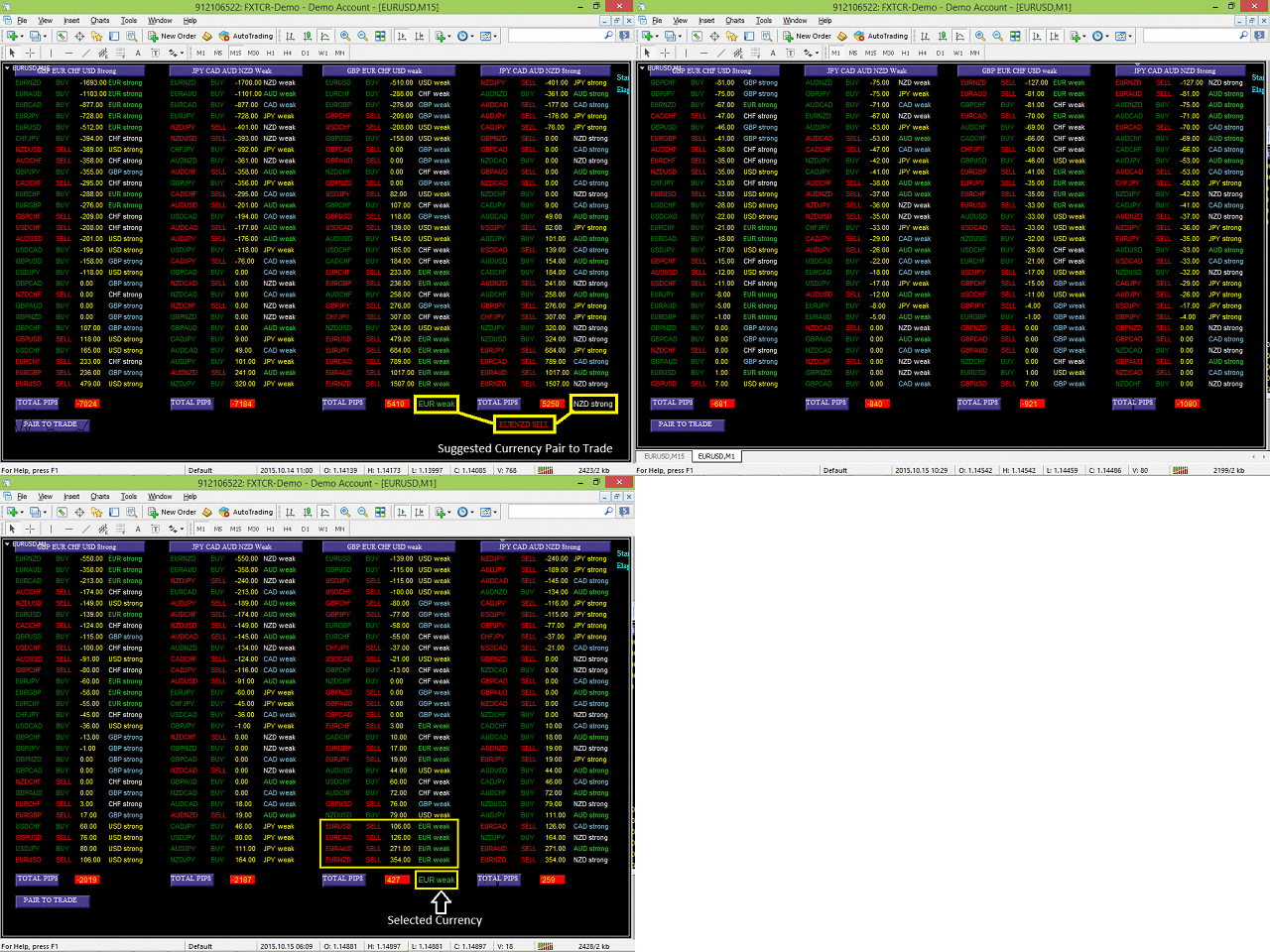
When attached to a chart, it creates a dashboard, that displays profit/loss (in pips) information for different currency pairs with buy or sell trade operation. Profit or loss is calculated, assuming all the shown currency pairs are traded (as per displayed trade type) at the time the script is attached to a chart.
https://www.mql5.com/en/market/product/10741
When attached to a chart, it creates a dashboard, that displays profit/loss (in pips) information for different currency pairs with buy or sell trade operation. Profit or loss is calculated, assuming all the shown currency pairs are traded (as per displayed trade type) at the time the script is attached to a chart.
Anand
HP Three coloured RSI Line Indicator
https://www.mql5.com/en/market/product/21929
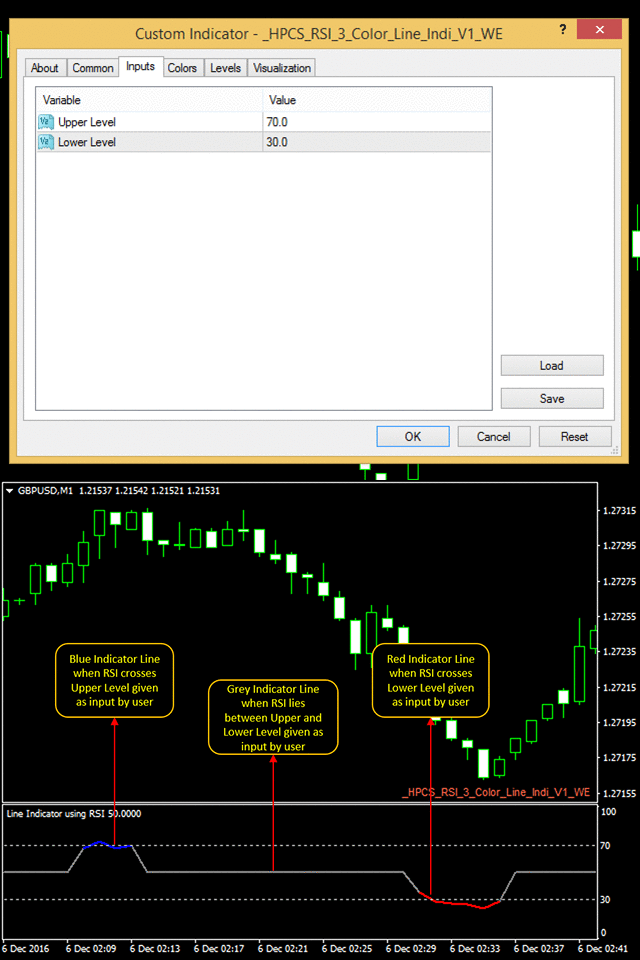
It is a simple to use indicator, in which the color of indicator changes to red or blue when it crosses a specific RSI level given by a user.
It indicates according to a user input and is very easy to customize
https://www.mql5.com/en/market/product/21929
It is a simple to use indicator, in which the color of indicator changes to red or blue when it crosses a specific RSI level given by a user.
It indicates according to a user input and is very easy to customize
Anand
Close Trade Utility
https://www.mql5.com/en/market/product/10276
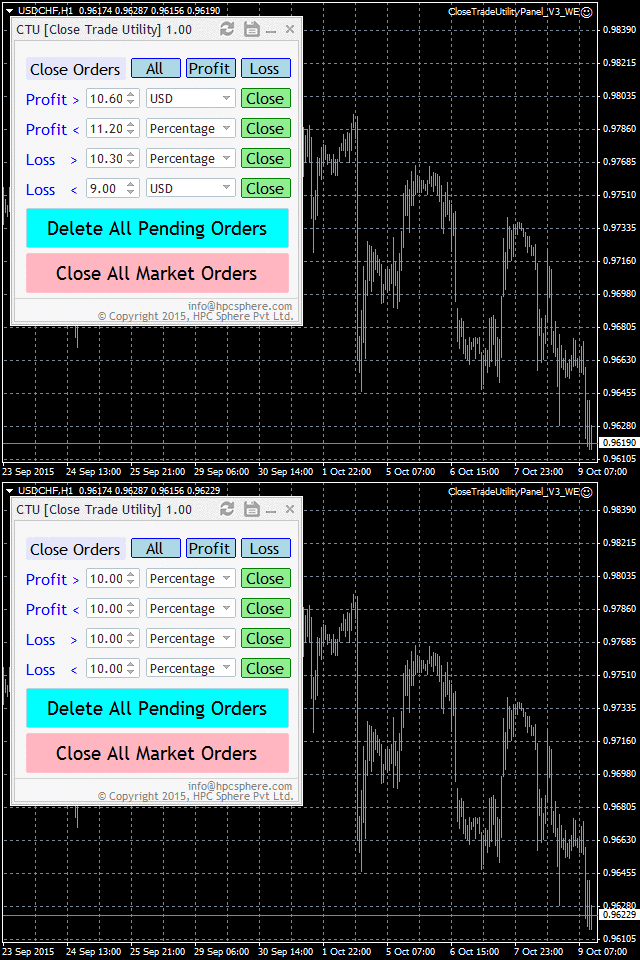
Close trade utility is a panel-based interface which is highly customized to meet the needs of intraday traders, breakout strategy traders, scalpers and almost all other groups of traders.
https://www.mql5.com/en/market/product/10276
Close trade utility is a panel-based interface which is highly customized to meet the needs of intraday traders, breakout strategy traders, scalpers and almost all other groups of traders.
Anand
Swing Single Time Frame Indicator
https://www.mql5.com/en/market/product/13197
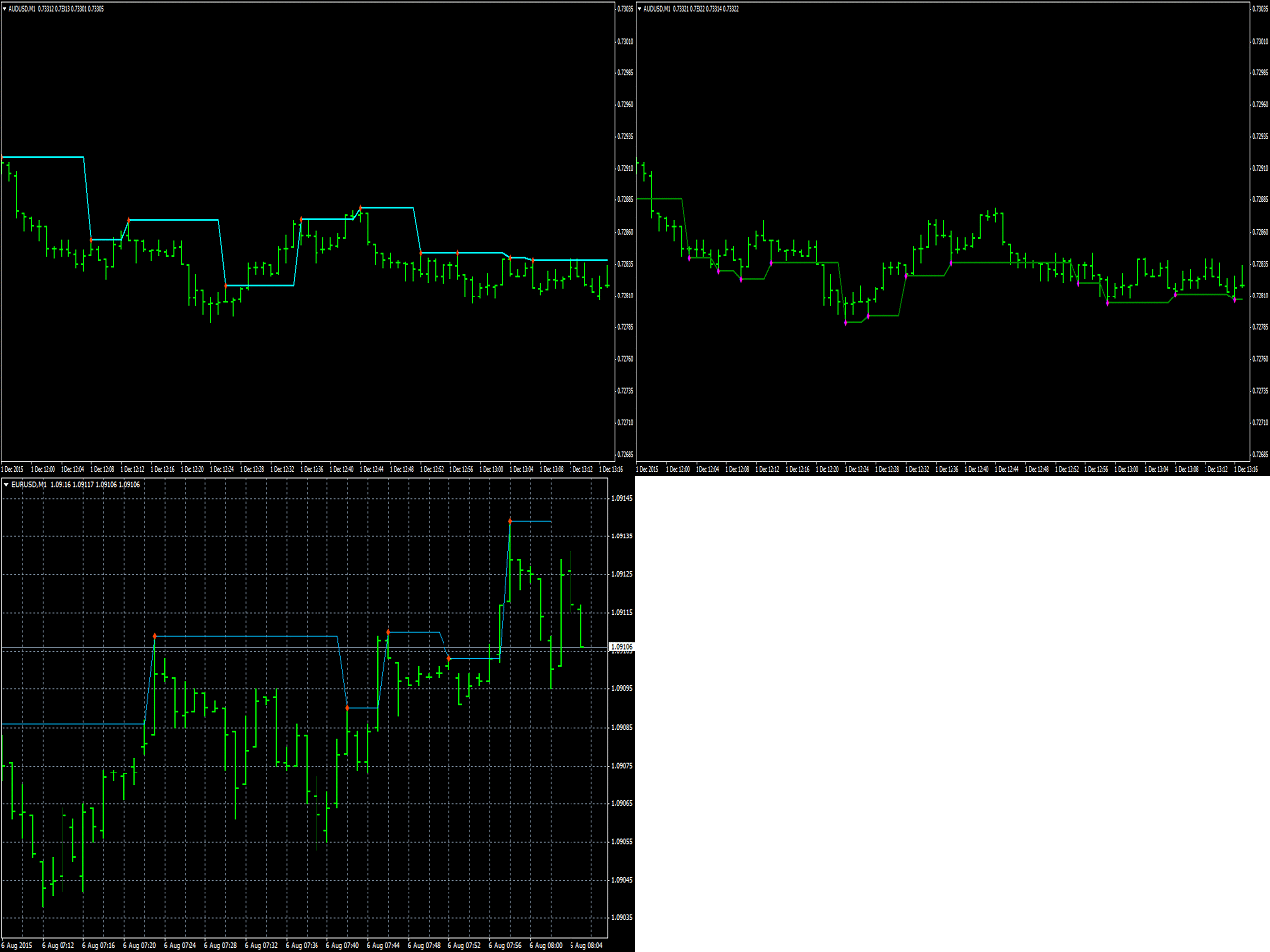
Swing Single Time Frame Indicator is one of the most advanced indicators based on both Swing Low and Swing High trading strategies.
https://www.mql5.com/en/market/product/13197
Swing Single Time Frame Indicator is one of the most advanced indicators based on both Swing Low and Swing High trading strategies.
Anand
On Chart Trading Pending Order Window ALL Symbols
https://www.mql5.com/en/market/product/12355
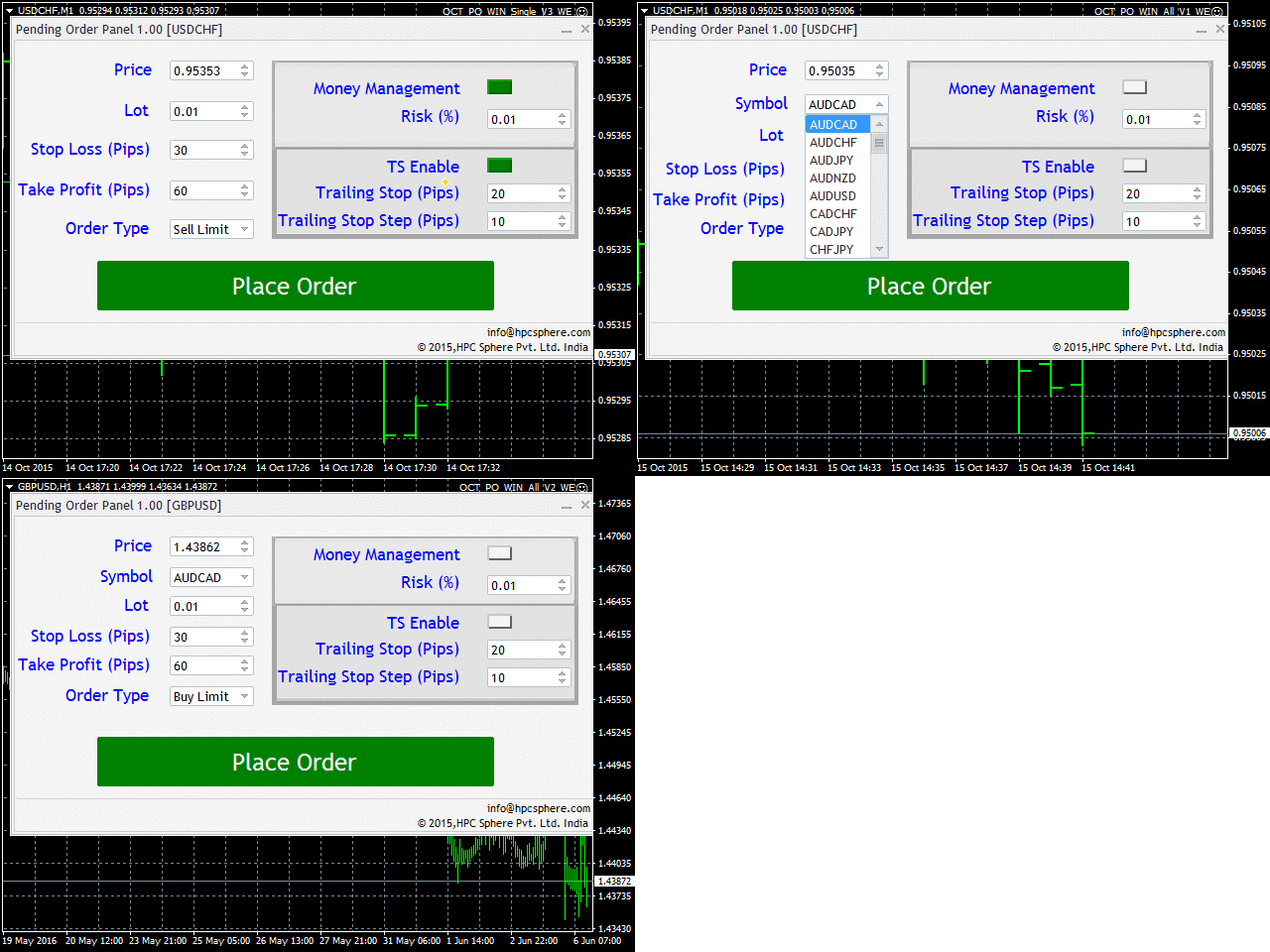
The expert advisor (EA) generates an on-chart trading panel to place pending order(s) on any currency-pair symbol, as selected from its drop-down menu. Before clicking "Place" button, to place a pending order (PO).
https://www.mql5.com/en/market/product/12355
The expert advisor (EA) generates an on-chart trading panel to place pending order(s) on any currency-pair symbol, as selected from its drop-down menu. Before clicking "Place" button, to place a pending order (PO).
Anand
Tick Volume Histogram Indicator
https://www.mql5.com/en/market/product/10517
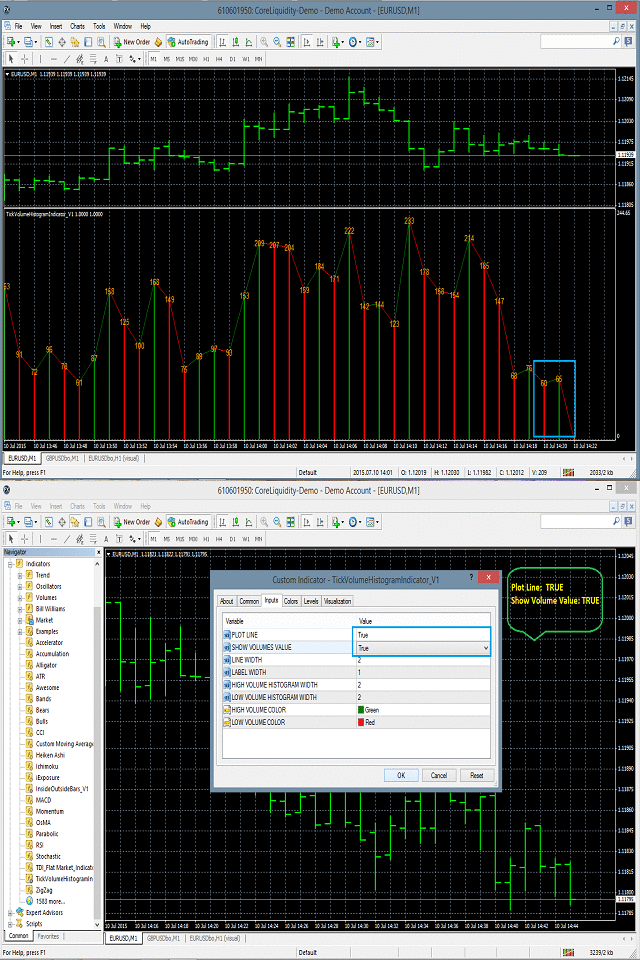
Tick Volume Histogram indicator is drawn in the separate window of the chart.
It basically displays the number of ticks at the peak of the histogram drawn in the separate window.
https://www.mql5.com/en/market/product/10517
Tick Volume Histogram indicator is drawn in the separate window of the chart.
It basically displays the number of ticks at the peak of the histogram drawn in the separate window.
Anand
HP On Chart Trading Pending Order Panel
https://www.mql5.com/en/market/product/23801
This is a panel which can be used by the users to place a pending order in which they can customize their order while working on the chart.
• This panel allows its user to input their trade values.
• It is an easy to use panel from which user can place their pending orders quickly.
https://www.mql5.com/en/market/product/23801
This is a panel which can be used by the users to place a pending order in which they can customize their order while working on the chart.
• This panel allows its user to input their trade values.
• It is an easy to use panel from which user can place their pending orders quickly.
: