Anand / Profile
- Information
|
10+ years
experience
|
0
products
|
0
demo versions
|
|
144
jobs
|
0
signals
|
0
subscribers
|
Software Engineer
at
Self Employed
Feedbacks:
https://www.mql5.com/en/users/anand_mt4/feedbacks
Finished jobs:
https://www.mql5.com/en/users/anand_mt4/portfolio/jobs_close
Submit a new job for me:
https://www.mql5.com/en/job/new?prefered=anand_mt4
https://www.mql5.com/en/users/anand_mt4/feedbacks
Finished jobs:
https://www.mql5.com/en/users/anand_mt4/portfolio/jobs_close
Submit a new job for me:
https://www.mql5.com/en/job/new?prefered=anand_mt4
Anand
Close Trade Utility
https://www.mql5.com/en/market/product/10276
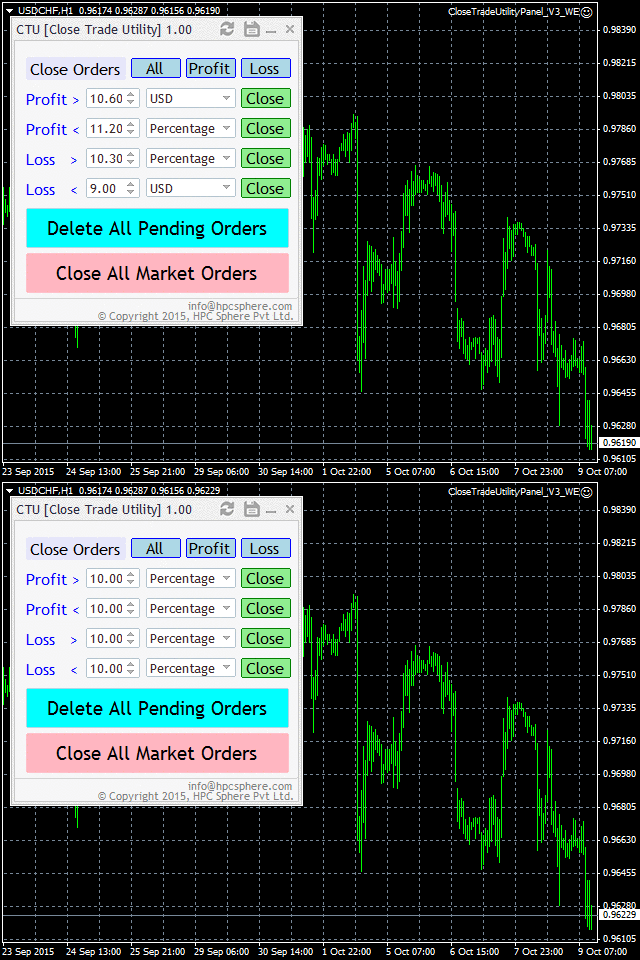
Close trade utility is a panel-based interface which is highly customized to meet the needs of intraday traders, breakout strategy traders, scalpers and almost all other groups of traders.
https://www.mql5.com/en/market/product/10276
Close trade utility is a panel-based interface which is highly customized to meet the needs of intraday traders, breakout strategy traders, scalpers and almost all other groups of traders.
Anand
HP Position Calculator Panel
https://www.mql5.com/en/market/product/23835
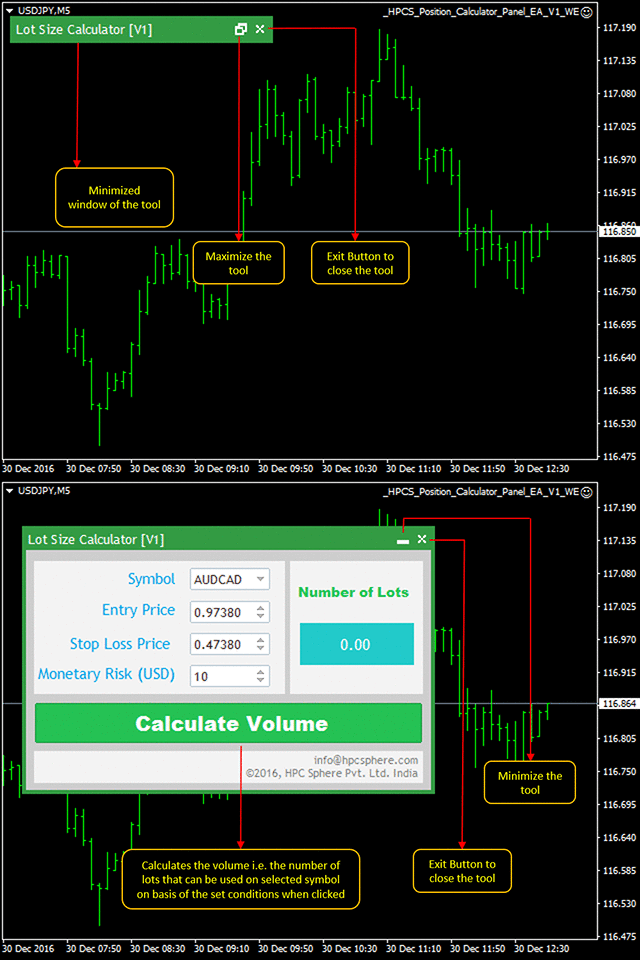
This panel tells you how many lots to trade based on given entry and stop-loss levels, Monetary Risk, Account size(balance or equity) and Account currency.
The default values in the panel are the nearest values on the chart of the time at which the symbol is set using the drop down button.
Users can easily modify the values by using the increase and decrease button or by providing input from keyboard.
https://www.mql5.com/en/market/product/23835
This panel tells you how many lots to trade based on given entry and stop-loss levels, Monetary Risk, Account size(balance or equity) and Account currency.
The default values in the panel are the nearest values on the chart of the time at which the symbol is set using the drop down button.
Users can easily modify the values by using the increase and decrease button or by providing input from keyboard.
Anand
Trade Pair Optimization Dashboard
https://www.mql5.com/en/market/product/10741
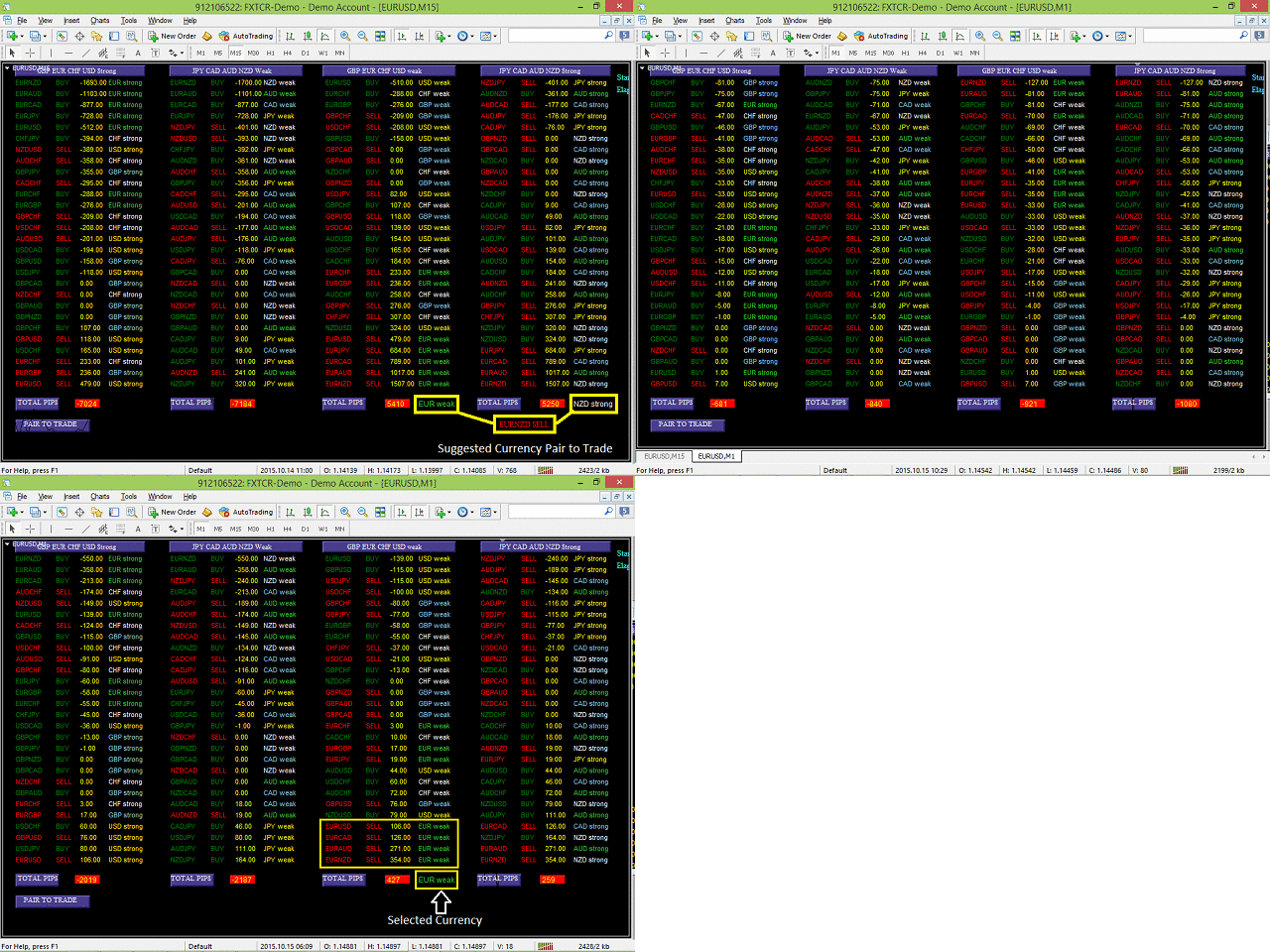
When attached to a chart, it creates a dashboard, that displays profit/loss (in pips) information for different currency pairs with buy or sell trade operation. Profit or loss is calculated, assuming all the shown currency pairs are traded (as per displayed trade type) at the time the script is attached to a chart.
https://www.mql5.com/en/market/product/10741
When attached to a chart, it creates a dashboard, that displays profit/loss (in pips) information for different currency pairs with buy or sell trade operation. Profit or loss is calculated, assuming all the shown currency pairs are traded (as per displayed trade type) at the time the script is attached to a chart.
Anand
On Chart Trading Market Order Panel
https://www.mql5.com/en/market/product/12305
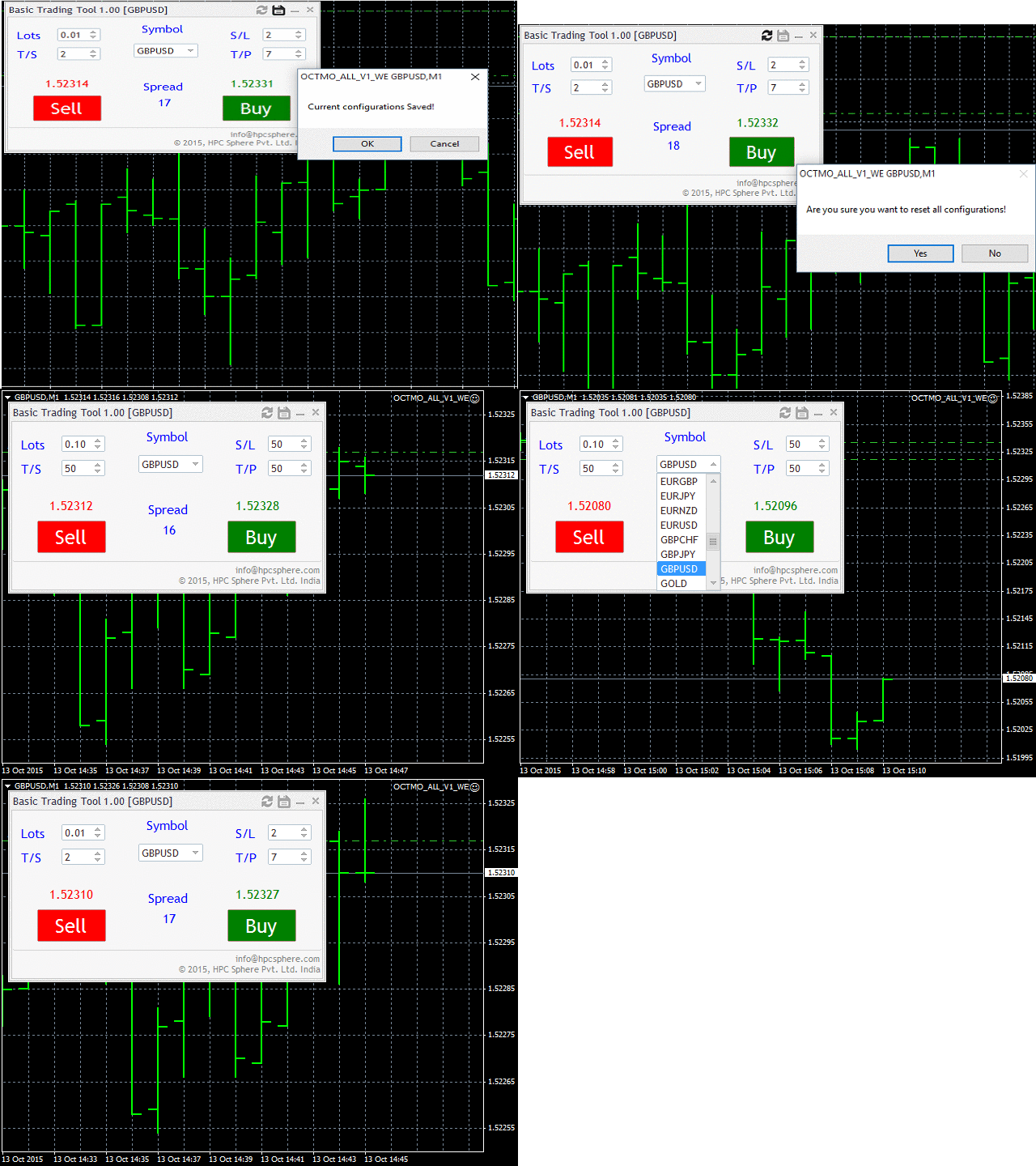
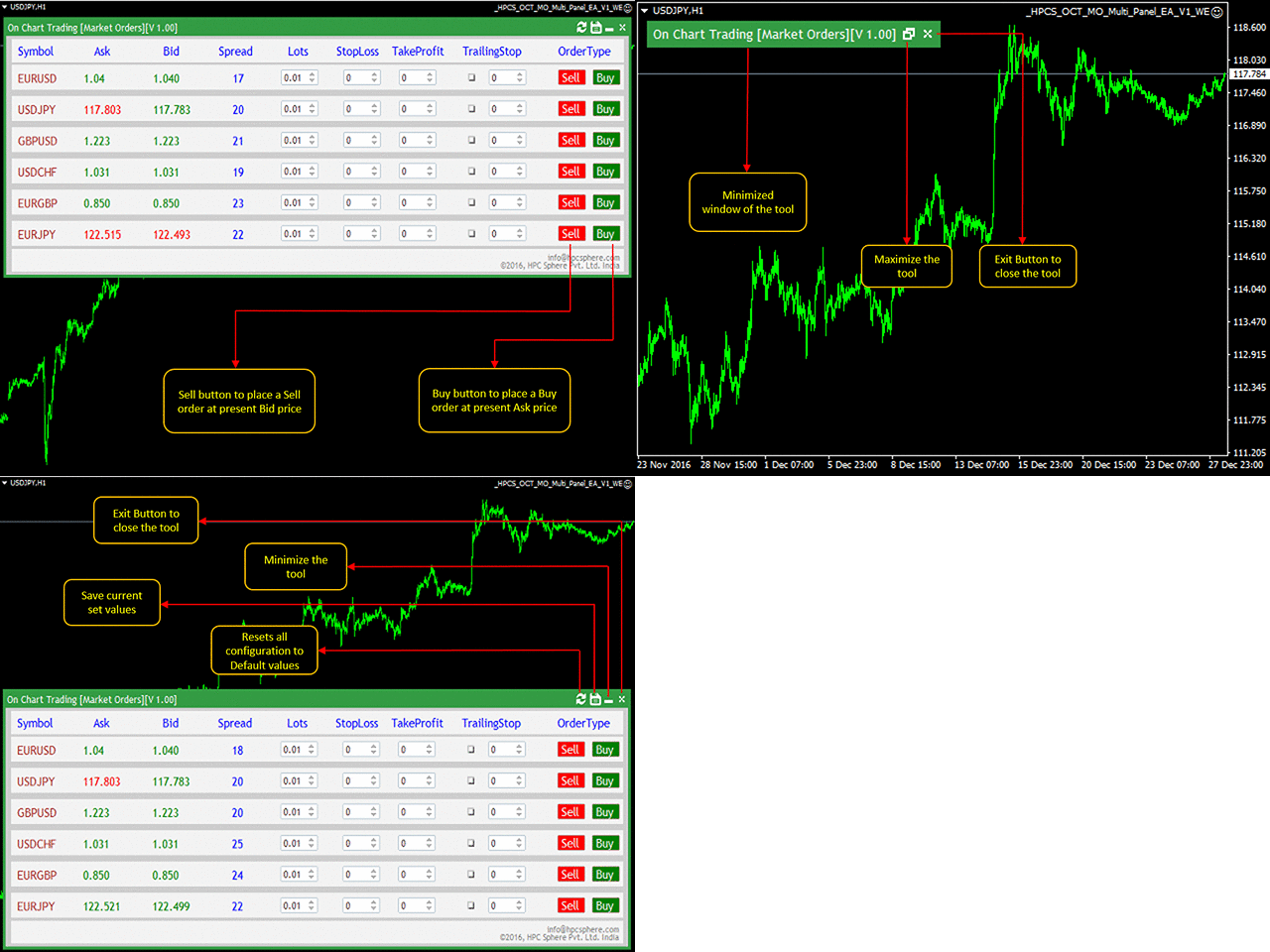
The user can choose from different market symbols. The lot size can be easily given along with the Stop Loss, Take Profit, Trailing Stop parameters. The user only needs to enter the above parameters and then either click on Sell or click on Buy.
https://www.mql5.com/en/market/product/12305
The user can choose from different market symbols. The lot size can be easily given along with the Stop Loss, Take Profit, Trailing Stop parameters. The user only needs to enter the above parameters and then either click on Sell or click on Buy.
Anand
On Chart Trading Pending Order Window ALL Symbols
https://www.mql5.com/en/market/product/12355
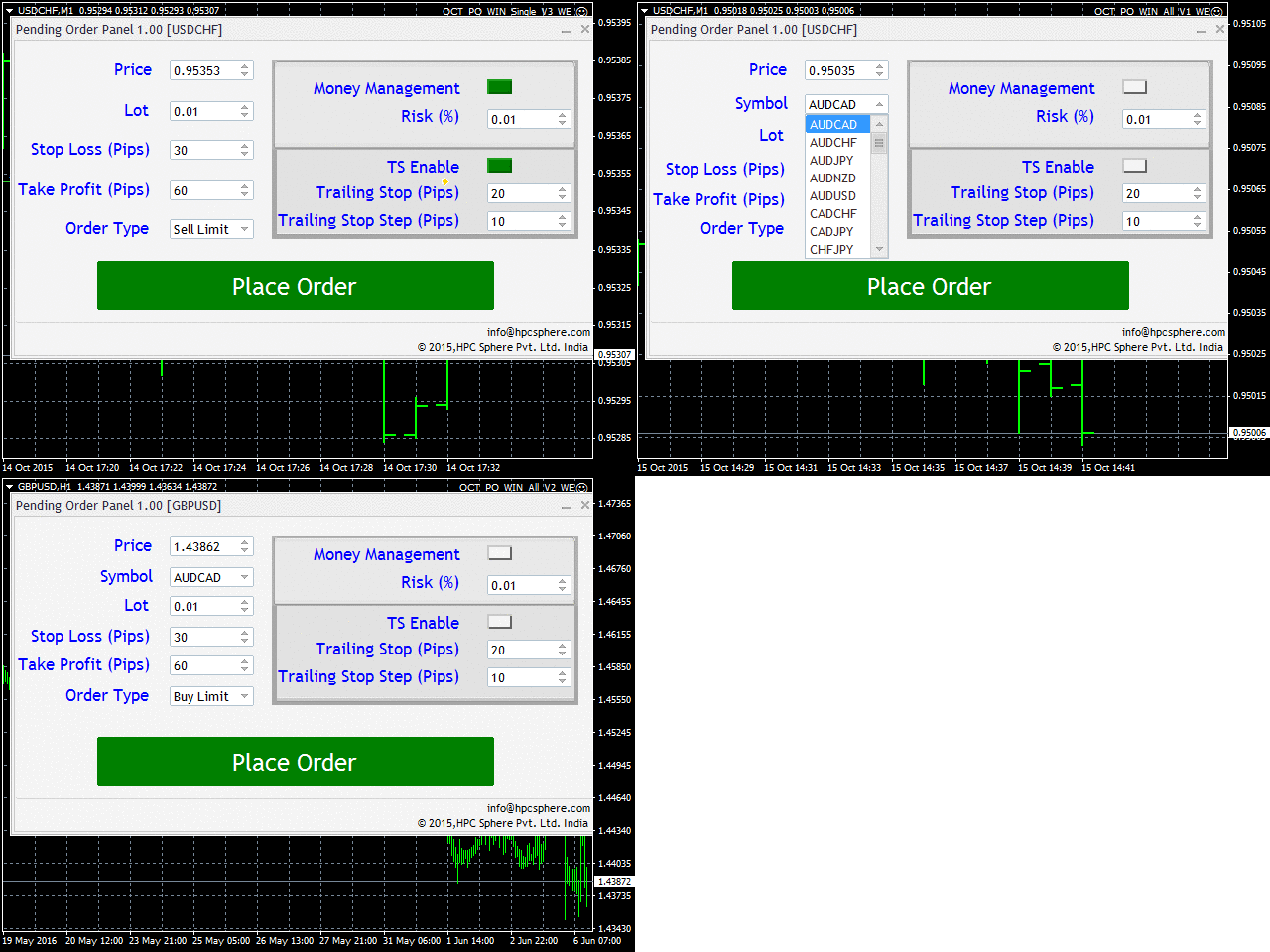
The expert advisor (EA) generates an on-chart trading panel to place pending order(s) on any currency-pair symbol, as selected from its drop-down menu. Before clicking "Place" button, to place a pending order (PO).
https://www.mql5.com/en/market/product/12355
The expert advisor (EA) generates an on-chart trading panel to place pending order(s) on any currency-pair symbol, as selected from its drop-down menu. Before clicking "Place" button, to place a pending order (PO).
Anand
TDI Flat Market Indicator
https://www.mql5.com/en/market/product/10450
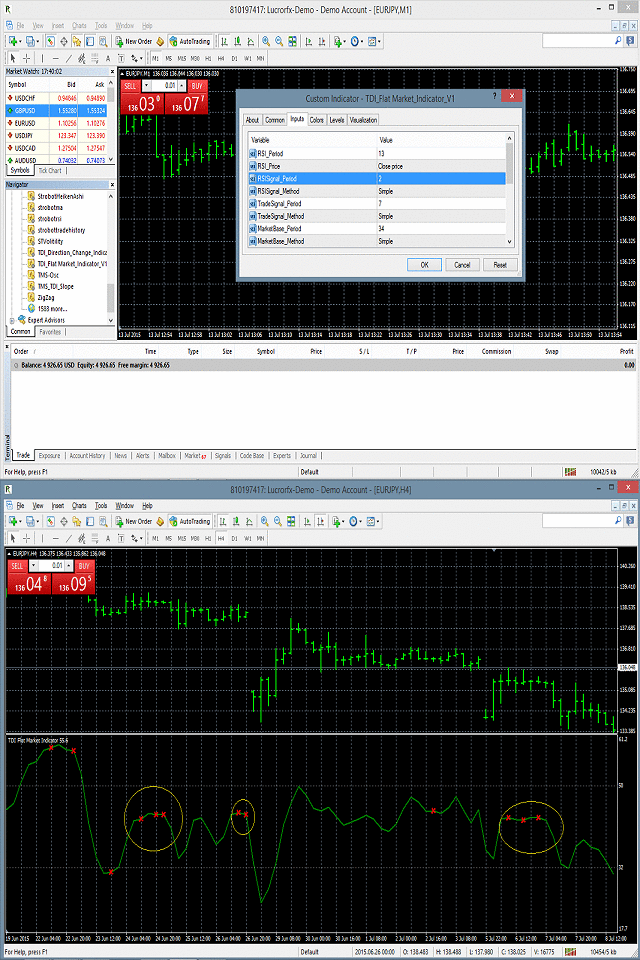
TDI Flat Market Indicator is an oscillator indicator which works in a separate window. It is based on RSI (Relative Strength Index), Trade Signal Method and Market Base Method. It identifies the flat market behavior which helps in determining when to enter the market.
https://www.mql5.com/en/market/product/10450
TDI Flat Market Indicator is an oscillator indicator which works in a separate window. It is based on RSI (Relative Strength Index), Trade Signal Method and Market Base Method. It identifies the flat market behavior which helps in determining when to enter the market.
Anand
RSI Swing Low Multi Time Frame Indicator
https://www.mql5.com/en/market/product/13877
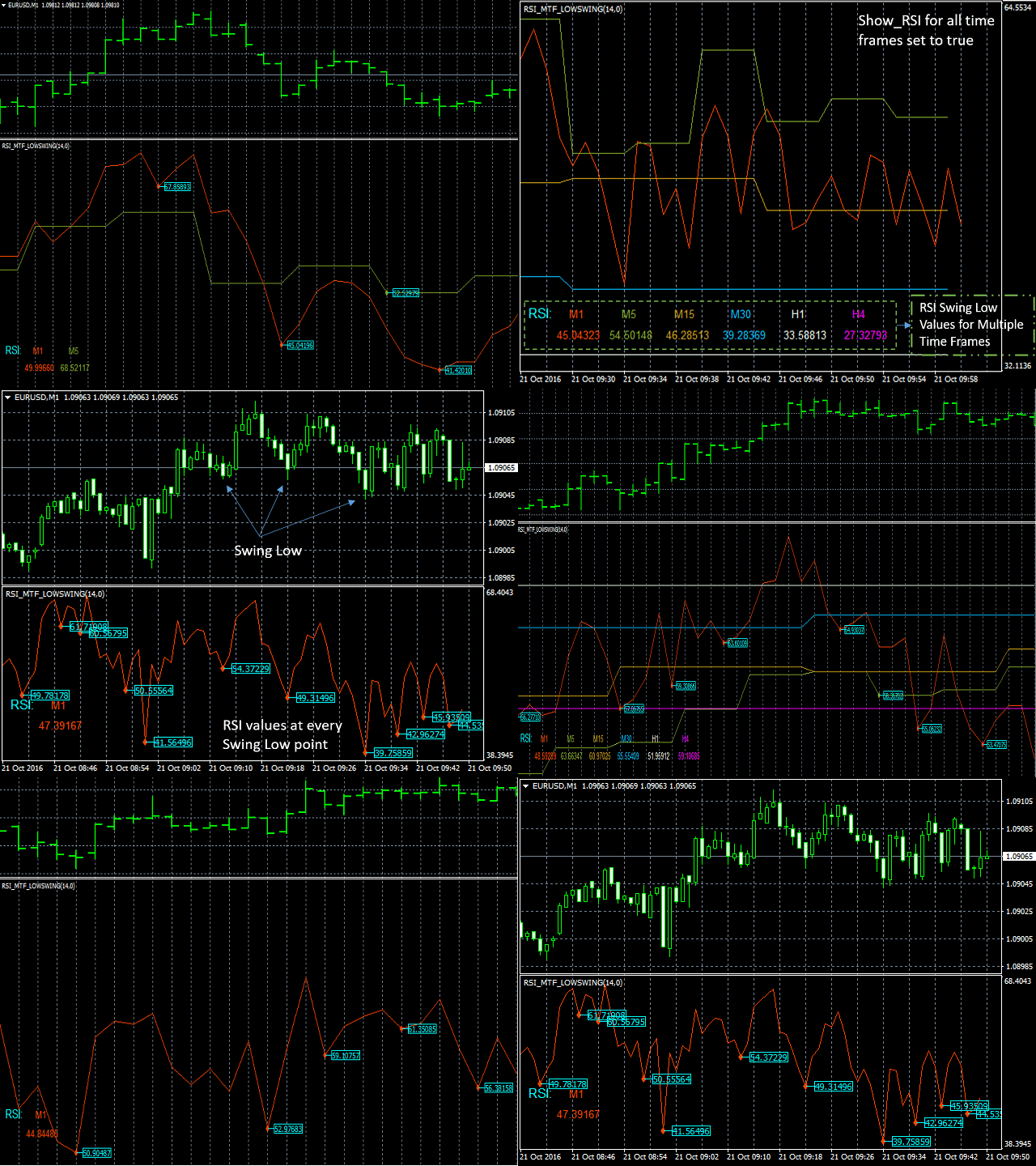
It supports multiple time frames i.e. by attaching the indicator on a single chart one can see the RSI Swing Low values for all the other time frames on a single chart.
https://www.mql5.com/en/market/product/13877
It supports multiple time frames i.e. by attaching the indicator on a single chart one can see the RSI Swing Low values for all the other time frames on a single chart.
Anand
Market Order Panel Major
https://www.mql5.com/en/market/product/23866
This is a simple to use panel used to place market orders on any Symbol without switching the chart from one Symbol to another just by changing the Symbol from a drop down button.
https://www.mql5.com/en/market/product/23866
This is a simple to use panel used to place market orders on any Symbol without switching the chart from one Symbol to another just by changing the Symbol from a drop down button.
Anand
Button Order Close
https://www.mql5.com/en/market/product/10559
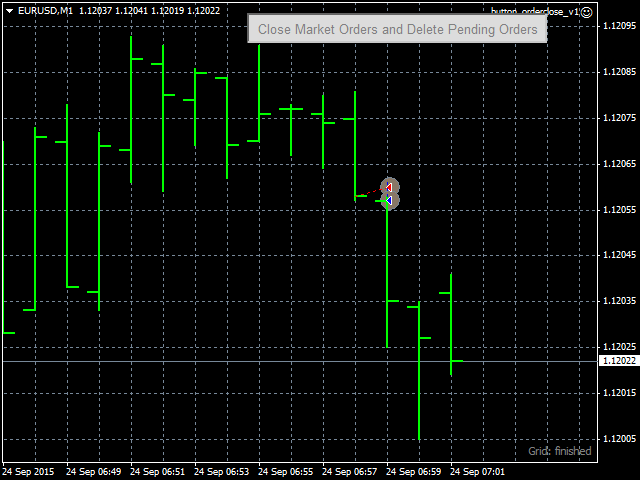
This expert advisor (EA) creates a button on top-right corner of the chart. Whenever this button is pressed, the EA closes all open market orders and deletes all pending orders for the currency-pair that is currently attached on the chart.
https://www.mql5.com/en/market/product/10559
This expert advisor (EA) creates a button on top-right corner of the chart. Whenever this button is pressed, the EA closes all open market orders and deletes all pending orders for the currency-pair that is currently attached on the chart.
Anand
Stochastic Swing Low Multi Time Frame Indicator
https://www.mql5.com/en/market/product/13921
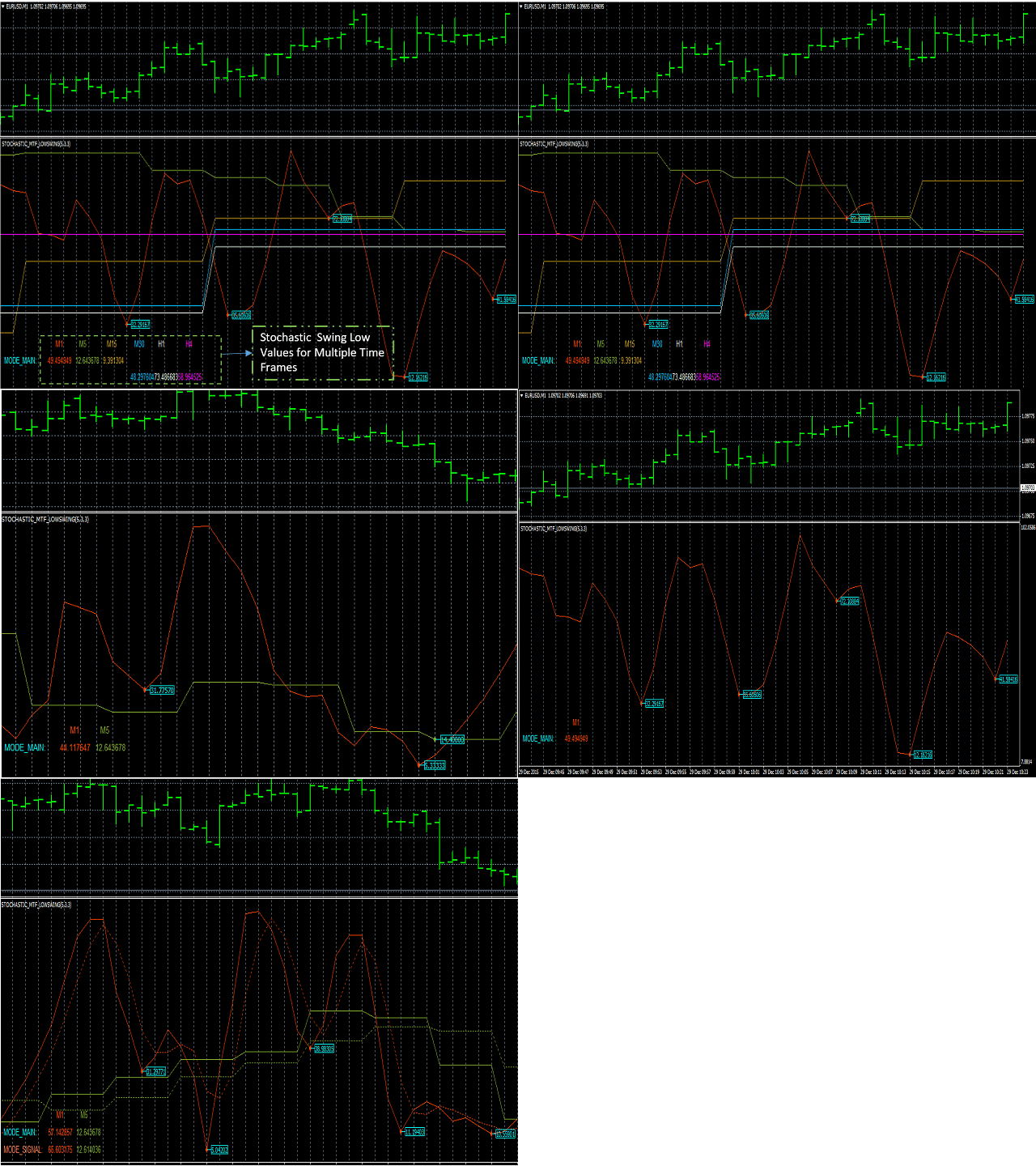
It supports multiple time frames i.e. by attaching the indicator on a single chart one can see the Stochastic Swing Low values for all the other time frames on a single chart.
https://www.mql5.com/en/market/product/13921
It supports multiple time frames i.e. by attaching the indicator on a single chart one can see the Stochastic Swing Low values for all the other time frames on a single chart.
Anand
CCI indicator
https://www.mql5.com/en/market/product/19007
CCI Indicator generates buy or sell signal based on the CCI indicator. It's efficient algorithm generates a entry signal for symbol in consideration. It can be useful as a decision supportive tool.
https://www.mql5.com/en/market/product/19007
CCI Indicator generates buy or sell signal based on the CCI indicator. It's efficient algorithm generates a entry signal for symbol in consideration. It can be useful as a decision supportive tool.
Anand
On Chart Trading Market Order Pending Oder
https://www.mql5.com/en/market/product/12541
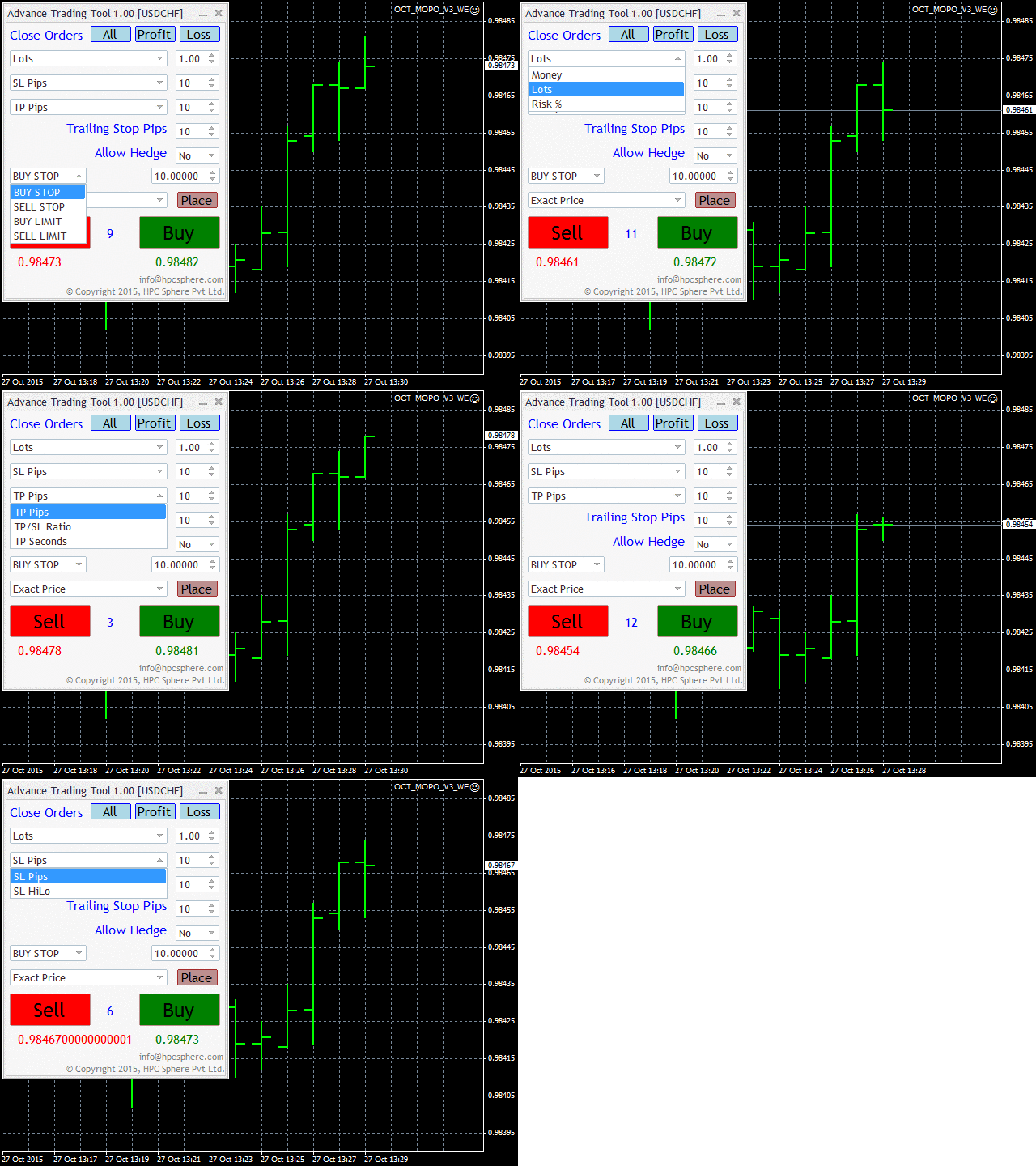
A market order is placed by clicking the appropriate Sell or Buy button. On the other hand, a pending order is placed by selecting a pending order type and thereafter clicking the Place button.
https://www.mql5.com/en/market/product/12541
A market order is placed by clicking the appropriate Sell or Buy button. On the other hand, a pending order is placed by selecting a pending order type and thereafter clicking the Place button.
Anand
All Symbols Trading Panel
https://www.mql5.com/en/market/product/15449
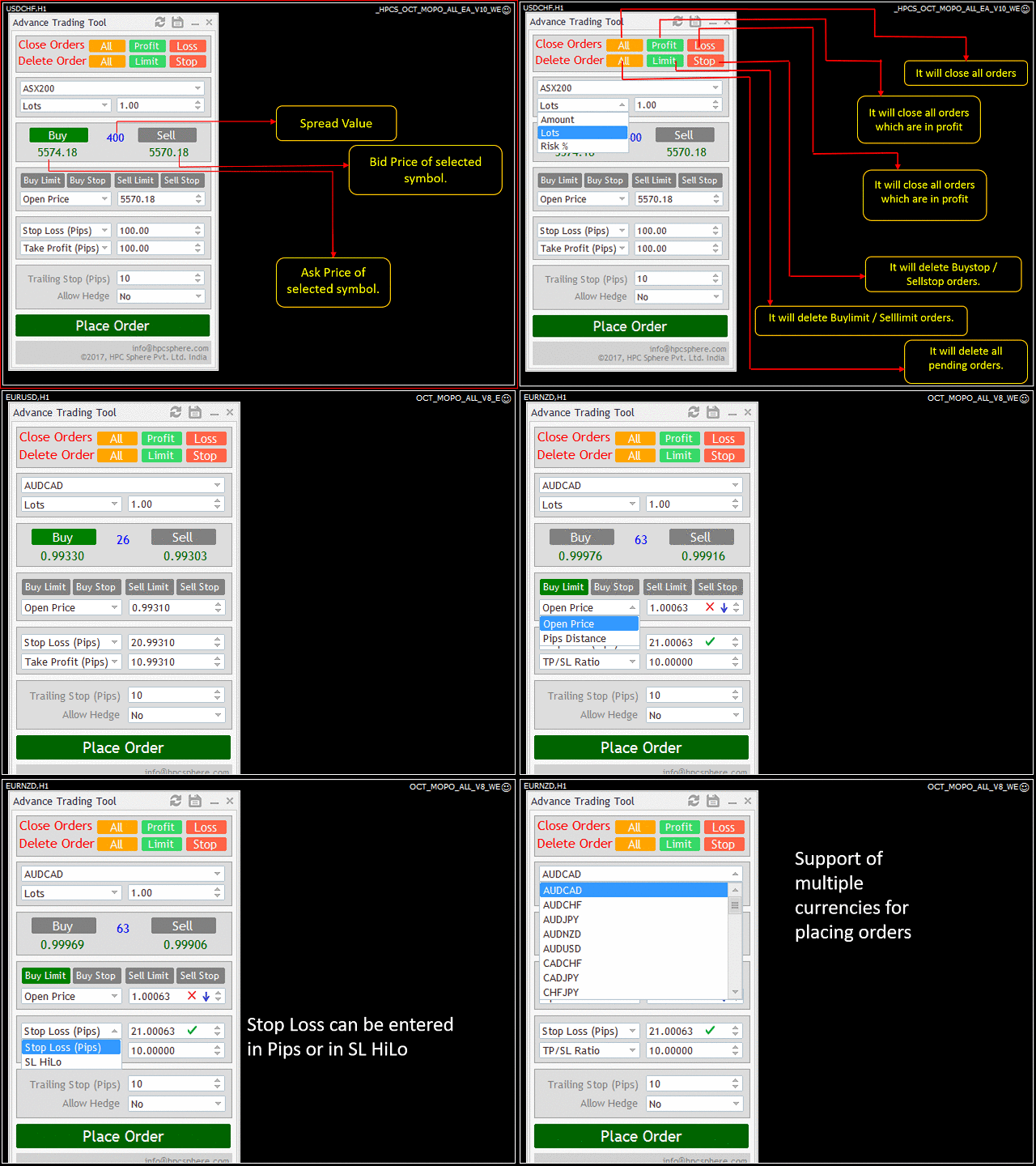
It's highly efficient and user friendly interface allows you to place market orders as well as pending orders for all currency pairs from a single panel.
https://www.mql5.com/en/market/product/15449
It's highly efficient and user friendly interface allows you to place market orders as well as pending orders for all currency pairs from a single panel.
Anand
TDI Direction Change Indicator
https://www.mql5.com/en/market/product/10597
TDI Direction Change Indicator is an oscillator indicator which identifies the market entry point for placing trades by taking into consideration the values of RSI (Relative Strength Index), Trade Signal Method and Market Base Method.
https://www.mql5.com/en/market/product/10597
TDI Direction Change Indicator is an oscillator indicator which identifies the market entry point for placing trades by taking into consideration the values of RSI (Relative Strength Index), Trade Signal Method and Market Base Method.
Anand
Slow Pips OCO Trade Panel
https://www.mql5.com/en/market/product/13082
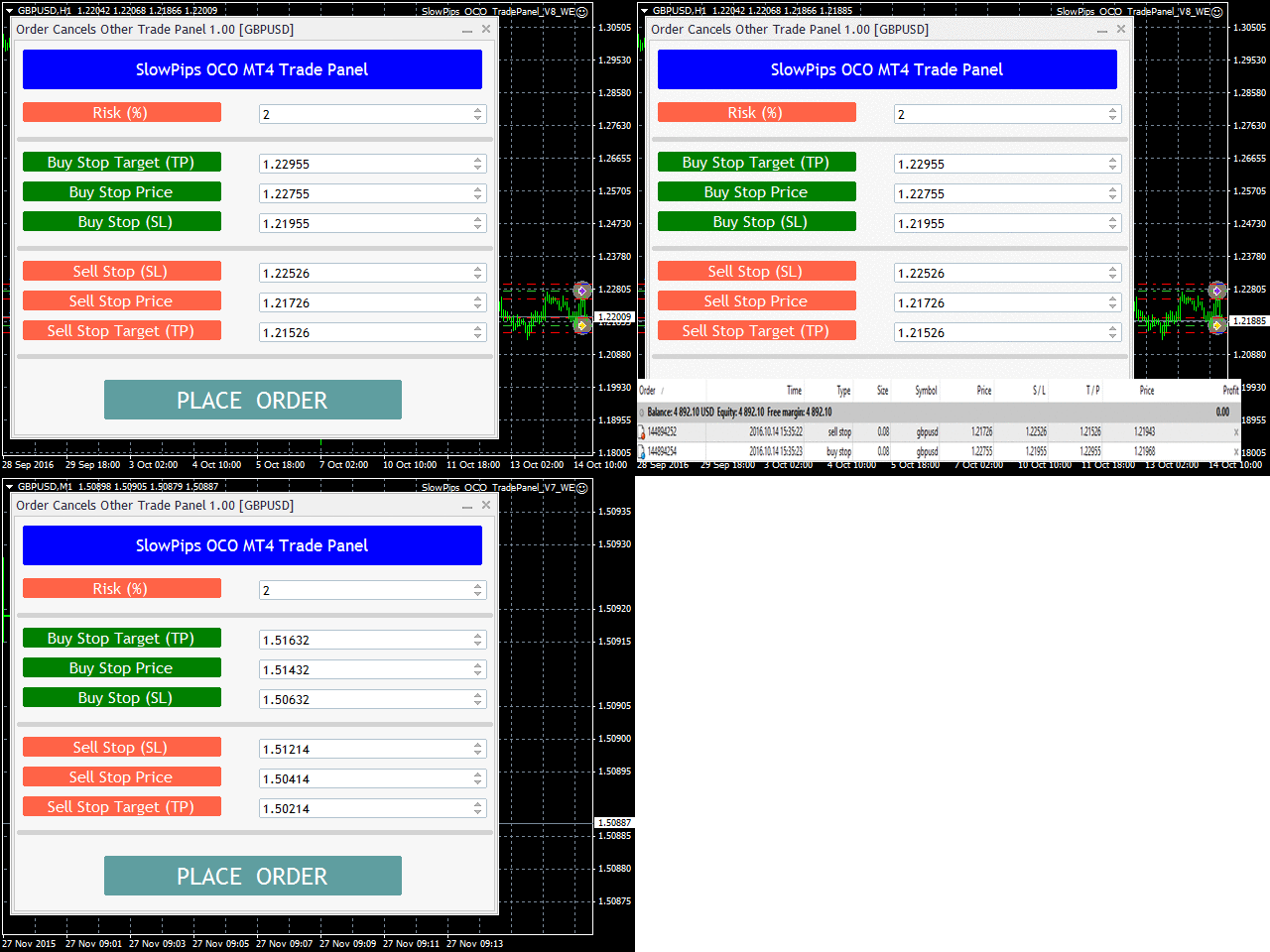
Slow Pips OCO Trade Panel is an advanced trading panel for placing pending orders. Traders can use this panel to place two pending orders at once. One pending order would be of buy entry type and the other one would be of sell entry type. Both orders will have Stop Loss and Take Profit parameters. Since two pending orders are placed at the same time, the pending order for which the price hits first gets converted into a market order and the other pending order gets deleted (one order cancels the other).
https://www.mql5.com/en/market/product/13082
Slow Pips OCO Trade Panel is an advanced trading panel for placing pending orders. Traders can use this panel to place two pending orders at once. One pending order would be of buy entry type and the other one would be of sell entry type. Both orders will have Stop Loss and Take Profit parameters. Since two pending orders are placed at the same time, the pending order for which the price hits first gets converted into a market order and the other pending order gets deleted (one order cancels the other).
Anand
Advance Envelope Indicator
https://www.mql5.com/en/market/product/10952
Envelope Indicator is formed with two Moving Averages, one is shifted upward and another one is shifted downward.
It defines the upper and lower margins of price range.
We need to attach Envelope indicator which is present in MT4 by default
https://www.mql5.com/en/market/product/10952
Envelope Indicator is formed with two Moving Averages, one is shifted upward and another one is shifted downward.
It defines the upper and lower margins of price range.
We need to attach Envelope indicator which is present in MT4 by default
Anand
Elliott Indicator Based Trading EA
https://www.mql5.com/en/market/product/10744
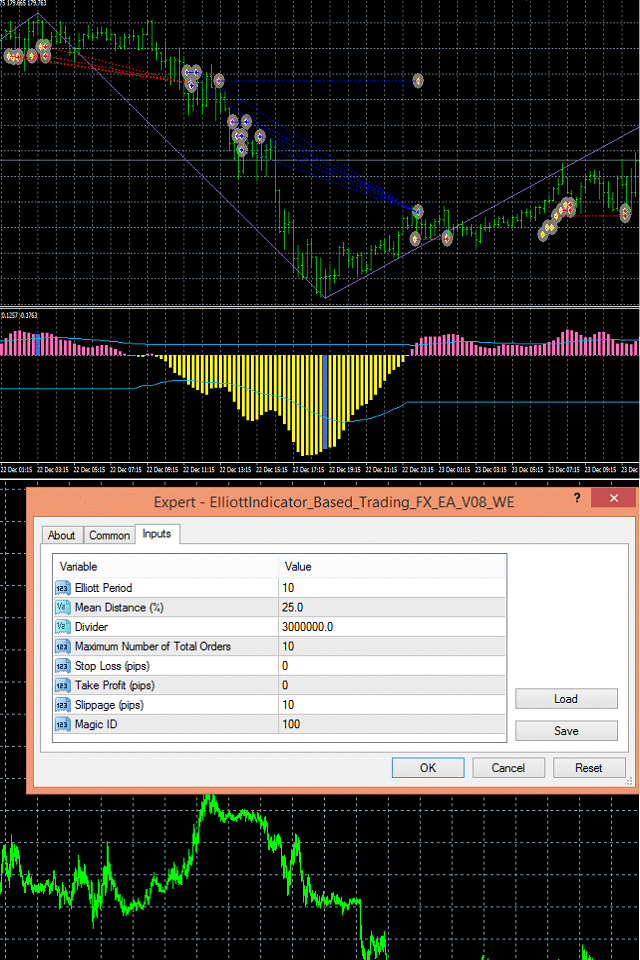
The EA uses Elliott waves indicator to place either buy-stop or sell-stop pending orders at occurrence of a new bar. Limit to the maximum number of total orders that can be placed by EA is set through input.
https://www.mql5.com/en/market/product/10744
The EA uses Elliott waves indicator to place either buy-stop or sell-stop pending orders at occurrence of a new bar. Limit to the maximum number of total orders that can be placed by EA is set through input.
Anand
Market Hour Indicator
https://www.mql5.com/en/market/product/19736
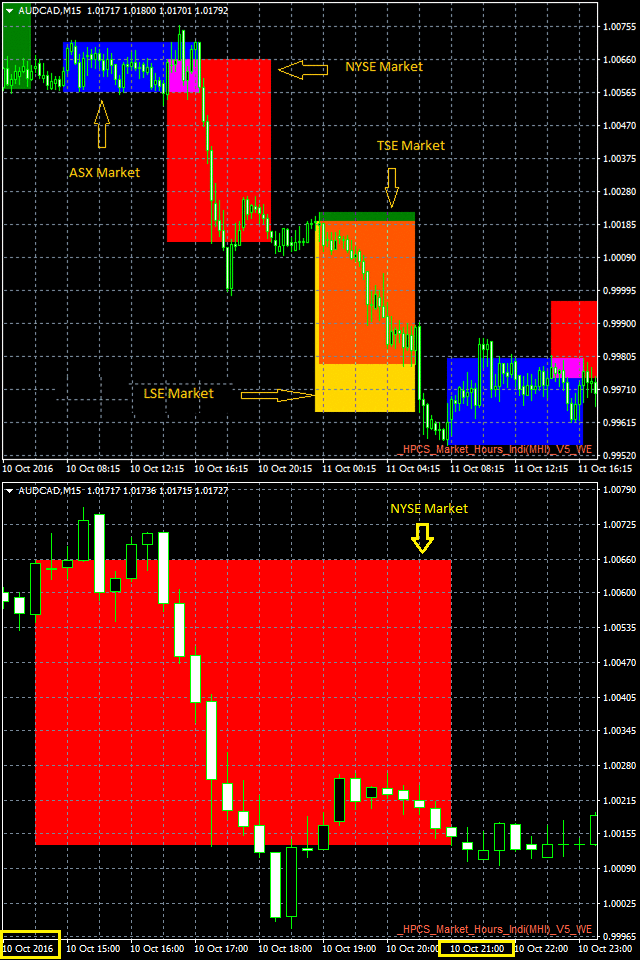
Market Hour Indicator is one the most useful indicators for the traders who trade in different markets. The indicator highlights the area in the chart during which a particular market is open. It operates on four different markets i.e. New York Stock Exchange, Australian Stock Exchange, Tokyo Stock Exchange and London Stock Exchange.
https://www.mql5.com/en/market/product/19736
Market Hour Indicator is one the most useful indicators for the traders who trade in different markets. The indicator highlights the area in the chart during which a particular market is open. It operates on four different markets i.e. New York Stock Exchange, Australian Stock Exchange, Tokyo Stock Exchange and London Stock Exchange.
Anand
Virtual Order Panel
https://www.mql5.com/en/market/product/15165
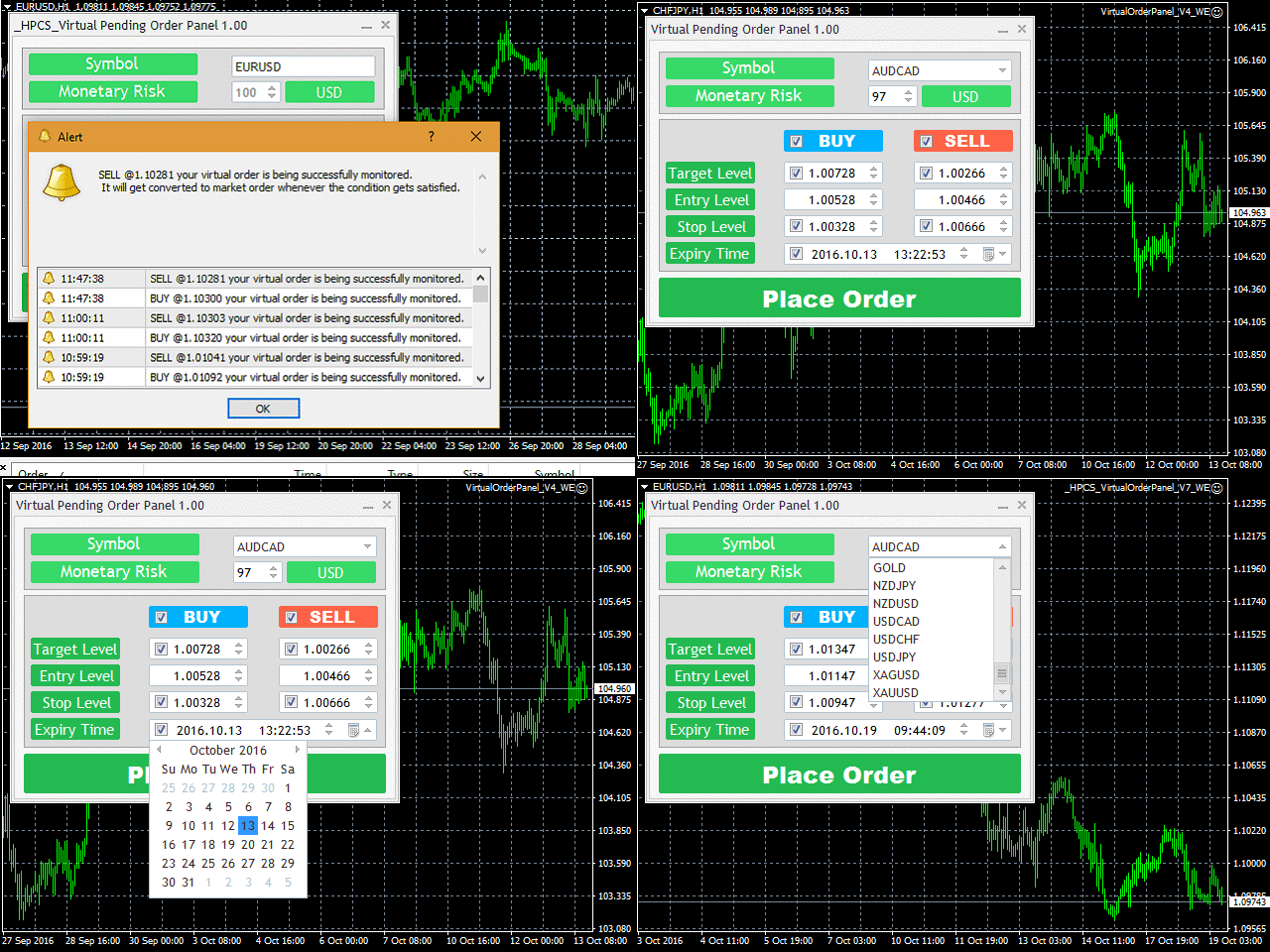
It advanced algorithm allows the user to place a virtual pending order and convert that virtual pending order into a market order whenever the Target Level is reached. The user can choose from different market symbols.
https://www.mql5.com/en/market/product/15165
It advanced algorithm allows the user to place a virtual pending order and convert that virtual pending order into a market order whenever the Target Level is reached. The user can choose from different market symbols.
Anand
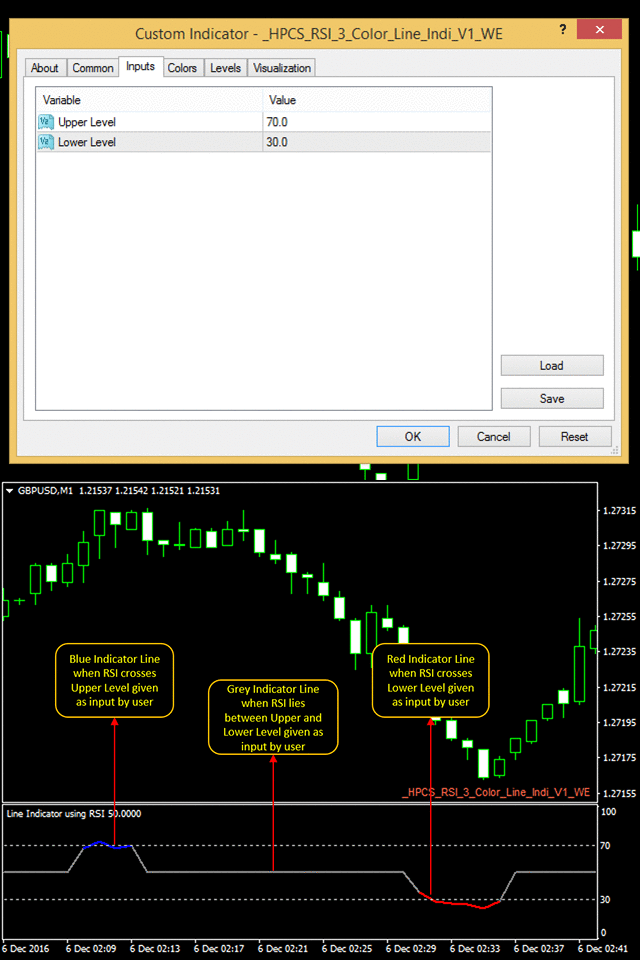
HP Three coloured RSI Line Indicator
https://www.mql5.com/en/market/product/21929
It is a simple to use indicator, in which the color of indicator changes to red or blue when it crosses a specific RSI level given by a user.
It indicates according to a user input and is very easy to customize
https://www.mql5.com/en/market/product/21929
It is a simple to use indicator, in which the color of indicator changes to red or blue when it crosses a specific RSI level given by a user.
It indicates according to a user input and is very easy to customize
: