Trendora Pro
- Indicators
-
Ravshan Chuliev
 Hello! I’m an MQL5 developer with over 5 years of experience, specializing in automated trading robots (EAs), custom indicators, and scripts. My goal is to create efficient and reliable tools tailored to traders’ needs. I offer fast delivery, high-quality solutions, and a personalized approach to
- Version: 5.1
- Updated: 2 November 2026
- Activations: 10
Trendora - Ranking Indicator
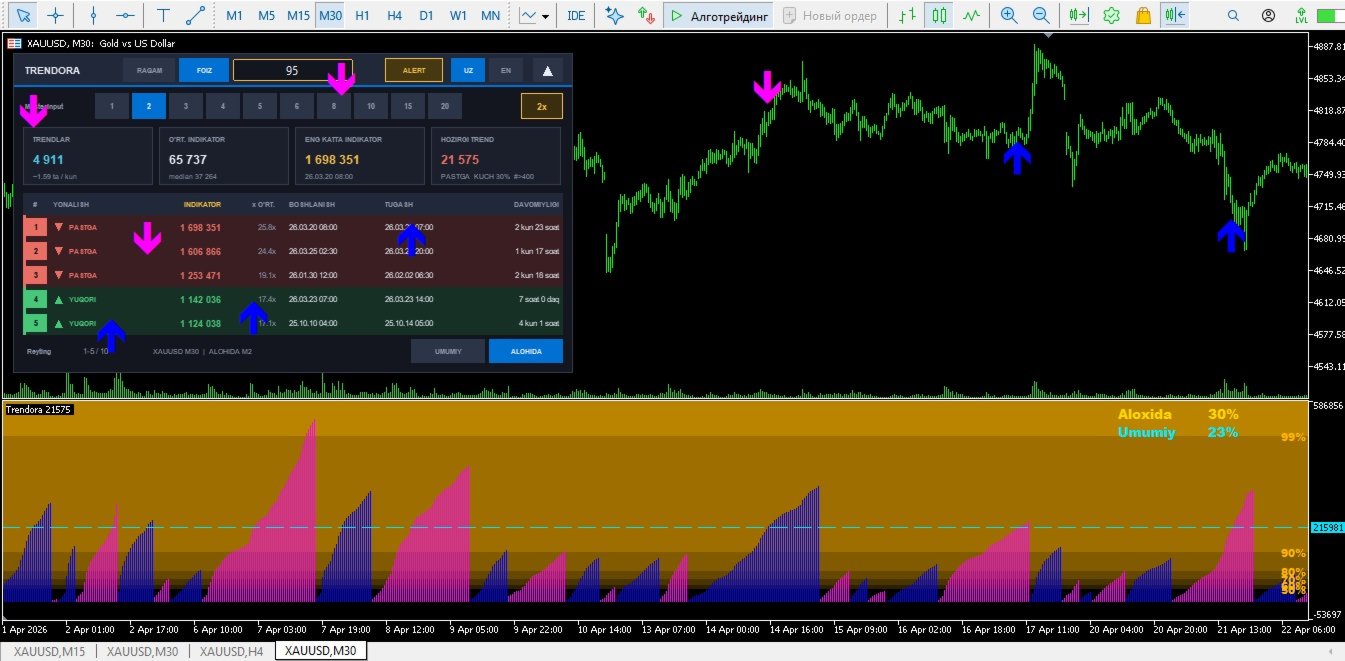
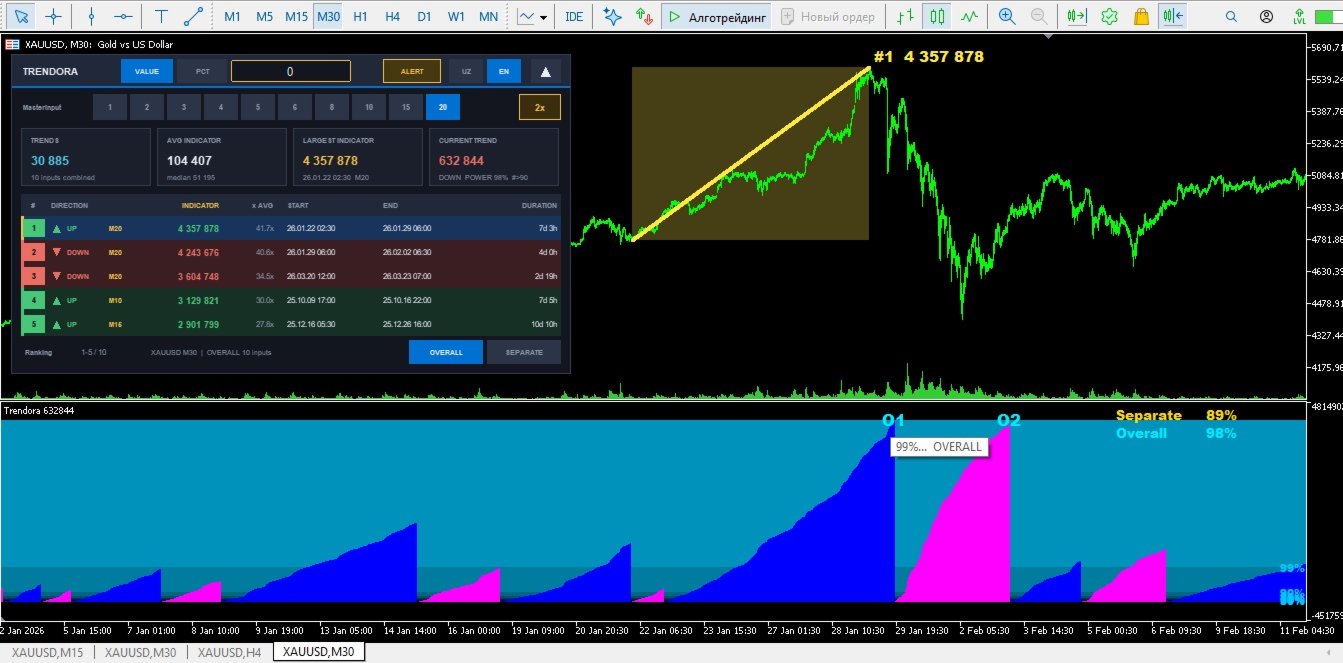
Trendora measures price moves by the volume they produce and ranks them by strength. The current move is shown in a separate window and compared with every previous move on the chart, so you can immediately see whether it is ordinary or one of the strongest in the loaded history. The indicator is an analysis tool only. It does not open, close or modify trades.
WHAT YOU SEE
Wave histogram. Every move is drawn as a volume wave in the separate window. Upward and downward moves use two different colors, which can be changed in the Colors tab.
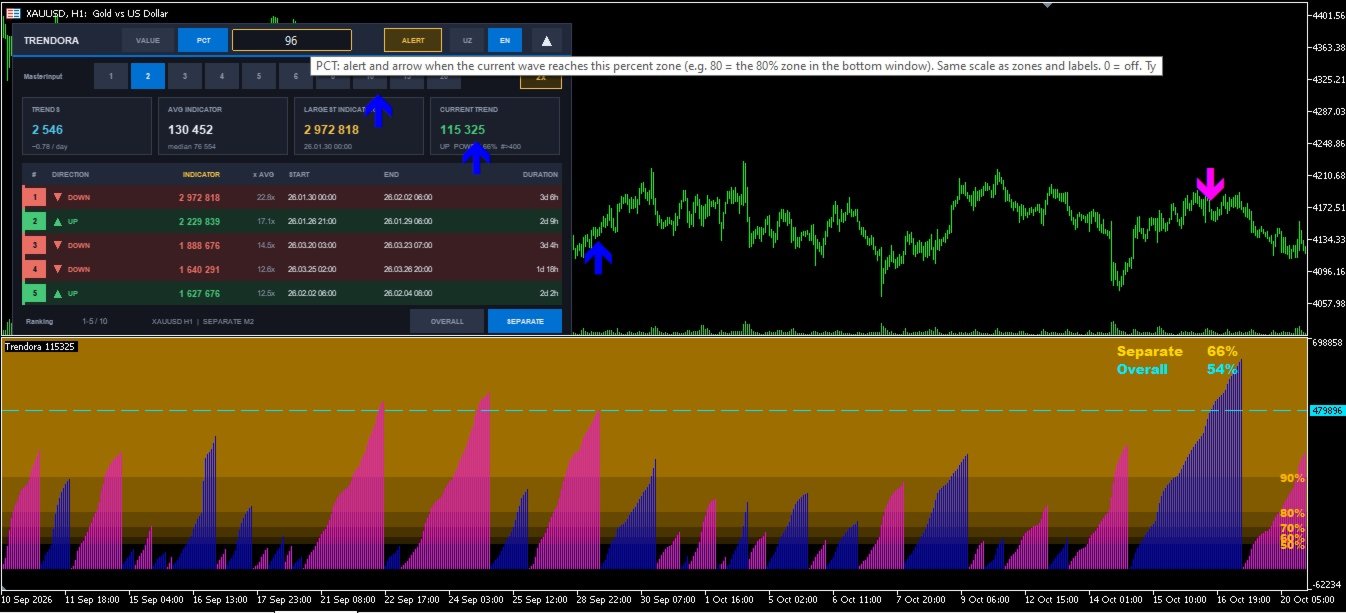
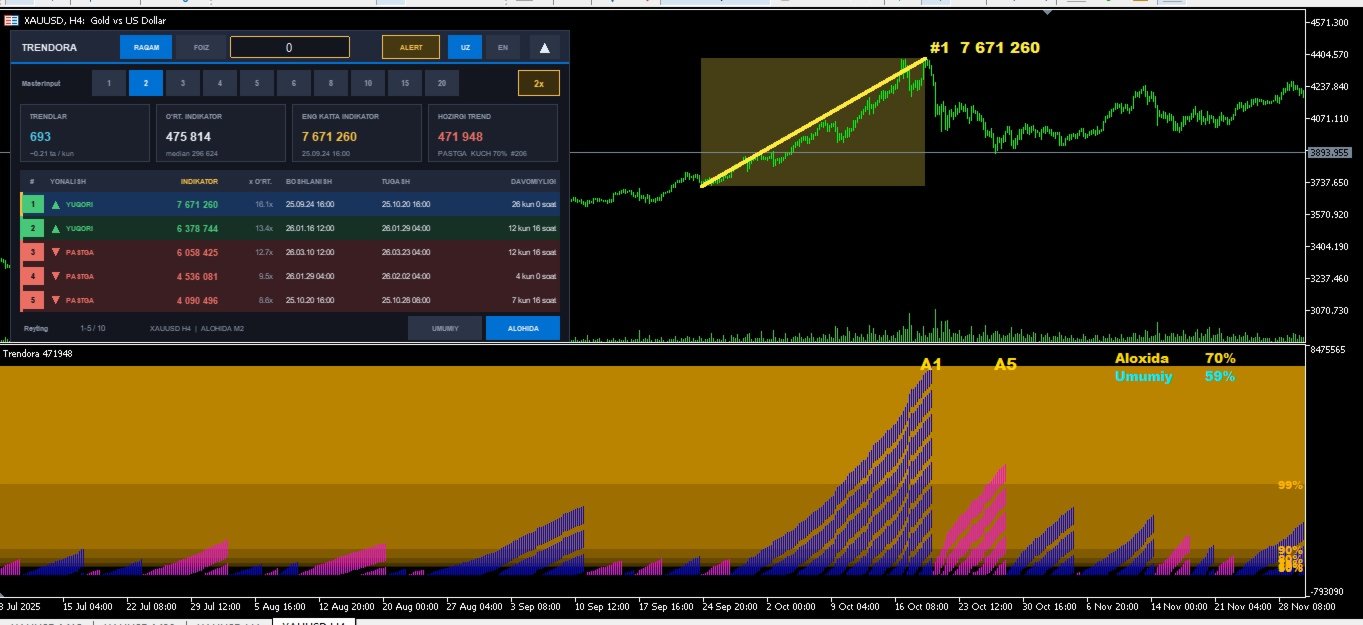
Ranking panel. A compact panel on the main chart lists the strongest moves. Strength is shown in percent. Click any row and the chart jumps to that move. The panel can be collapsed and repositioned.
Two ranking scopes. OVERALL compares moves across all sensitivity values. SEPARATE uses only the sensitivity currently selected. The strength of the current wave is always shown for both scopes.
Strength zones. Shaded bands from the start percent (default 50%) up to 99% show which strength level the current wave has reached. The percent is printed at the right edge, and band colors are adjustable.
Rank labels. The top moves carry their rank above the wave in the separate window.
SENSITIVITY
One setting defines how large a move must be to count as a separate wave. Change it with the panel buttons (1 to 20) without opening the properties window. The selection is kept when you change timeframe.
ALERTS AND ARROWS
Enter a level in a single field, either a volume value or a strength percent. When the current wave reaches this level, an arrow is placed on the main chart and a horizontal level line appears in the separate window. One alert is sent per new arrow: pop-up, sound, push notification and Telegram. Arrow direction can be set to point with or against the wave. Enter 0 to switch the level off.
USAGE NOTES
- Works on any symbol and timeframe that provides tick volume.
- Rankings are based on the bars loaded in the chart, so load enough history.
- The last wave updates in real time while it is forming.
- Panel language: English or Uzbek.
- In the Strategy Tester only the histogram is shown.
- For Telegram alerts, enter the bot token and chat ID in the inputs and allow DLL imports.
MAIN INPUTS
Initial sensitivity, arrows on/off and direction, zones on/off, zone start percent, zone colors, ranking length, visible panel rows, panel position, Telegram token and chat ID.