Experts: Trailing with Close by Button and Profit
Hello,
I installed this EA on a demo account chart and it immediately took a .01 lot trade. Also, the inputs shown on your screenshot don't match the inputs shown on mine. Attached is a screenshot and I don't have the 3 buttons shown on your example chart. Do you know what is wrong?
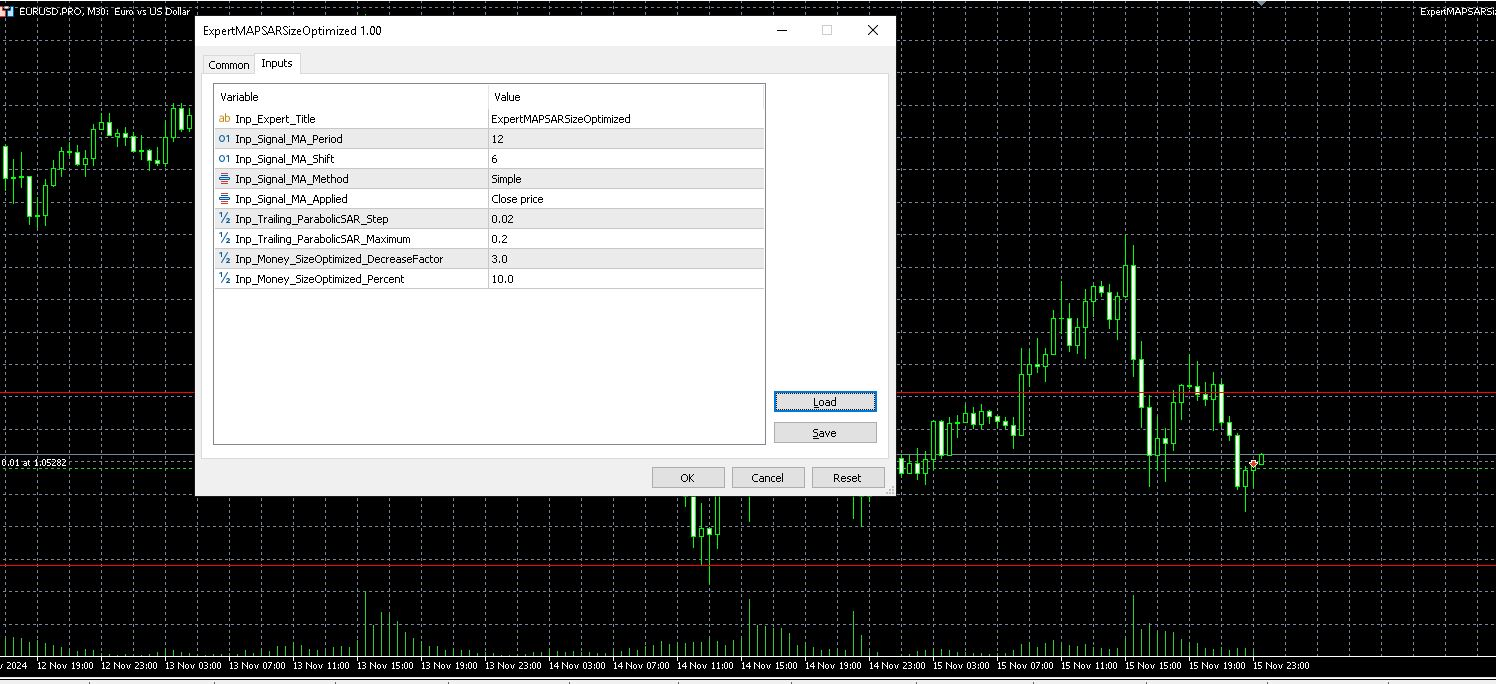
That is a bug in MetaTrader (in recent builds), where the Navigator tree sometimes does not properly match the individual programs and it calls up the wrong program altogether.
So, after compiling the program, right-click the parent section in the navigation tree and choose "Refresh", or close MetaTrader and open it again.
That is a bug in MetaTrader (in recent builds), where the Navigator tree sometimes does not properly match the individual programs and it calls up the wrong program altogether.
So, after compiling the program, right-click the parent section in the navigation tree and choose "Refresh", or close MetaTrader and open it again.
Hello thanks , you can add 2 buttons , one for close all buy orders and one for close all sell orders, and but it in settings too, question this EA close orders on only chart where it or close all orders in all charts.
Hello thanks , you can add 2 buttons , one for close all buy orders and one for close all sell orders, and but it in settings too, question this EA close orders on only chart where it or close all orders in all charts.
Already add 2 more button as you request...
This only affect for 1 chart

- Free trading apps
- Over 8,000 signals for copying
- Economic news for exploring financial markets
You agree to website policy and terms of use
Trailing with Close by Button and Profit:
This EA help you for Auto set the TP & SL by default parameter, Auto trailing stop & step for any order that you place from any device, Easy way to close all orders with 3 Button "Close All" "Close Profit" "Close Lose", Auto close all orders by profit or lose treshold value
Author: Gusti Risyadi Noor