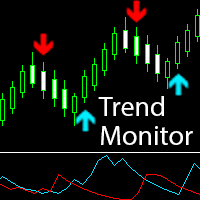
Trend Monitor
30 USD
Demo heruntergeladen:
3 425
Veröffentlicht:
6 Mai 2015
Aktuelle Version:
1.71
Keinen passenden Roboter gefunden?
Geben Sie Ihren Eigenen in Auftrag
auf Freelance!
Gehen Sie zu Freelance
Geben Sie Ihren Eigenen in Auftrag
auf Freelance!
Wie man einen Roboter oder Indikator kaufen kann
Starte Deinen EA im
Virtual Hosting
Virtual Hosting
Teste einen Indikator/Roboter vor dem Kauf
Möchtest Du Geld im Market verdienen?
Wie man Produkte richtig präsentiert

Sie verpassen Handelsmöglichkeiten:
- Freie Handelsapplikationen
- Über 8.000 Signale zum Kopieren
- Wirtschaftsnachrichten für die Lage an den Finanzmärkte
Registrierung
Einloggen
Sie stimmen der Website-Richtlinie und den Nutzungsbedingungen zu.
Wenn Sie kein Benutzerkonto haben, registrieren Sie sich
Шаблон, визуализирующий принцип работы индикатора (для точной настройки):
Does the price include future updates? Thanks
Of course. All updates are free.
The indicator that i downloaded after purchasing it , doesent have all the parameter inputs you show in the screenshot, Please send me the correct version
Indicator settings are greatly simplified, since version 1.2. Now, the whole set of filter settings reduced to a single parameter - the choice of the sensitivity setting "Sensitivity of the indicator". The parameter can have the following values:
All input parameters are shown in the screenshots below:
Indicator settings are greatly simplified, since version 1.2. Now, the whole set of filter settings reduced to a single parameter - the choice of the sensitivity setting "Sensitivity of the indicator". The parameter can have the following values:
All input parameters are shown in the screenshots below:Thanks, suggest you update the product screenshots and des
Thanks for the clarification. Suggest you update the product features/screenshots page to avoid such confusion , like i had
Does it repaint?
Уважаемые трейдеры!
Опубликована версия индикатора "Trend Monitor" для MetaTrader 5. Скачать и протестировать ее можно по этой ссылке.
*****************************************************************************
Dear traders!
Published version of the indicator "Trend Monitor" for MetaTrader 5. Download and test it at this link.
Do you have a Robot version of this indicator ( the one that open trades rather than give alerts)?
I do not use robots, I prefer to make my decision to enter the market or not. And I advise all to confirm entry to look at the larger TF to determine the big trend.
But you can integrate the indicator into a robot and realize there additional conditions to enter the market.
Below, an example of using the indicator in the Expert Advisor (all indicator parameters by default):
double SignUp=iCustom(NULL,0,"Market\\Trend_Monitor",0,1); // BUY-signal
double SignDn=iCustom(NULL,0,"Market\\Trend_Monitor",1,1); // SELL-signal
if(SignUp!=EMPTY_VALUE && SignUp!=0) OrderSend(_Symbol,OP_BUY,...);
else if(SignDn!=EMPTY_VALUE && SignDn!=0) OrderSend(_Symbol,OP_SELL,...);
Hello Pavel,
2 weeks ago I ordered from you a Trend Monitor for MT4 and till yesterday indicator worked without problems. Today I notice, however, that is not active. My name is Ivan Geshev, Thank you for any cooperation
Hello Pavel,
2 weeks ago I ordered from you a Trend Monitor for MT4 and till yesterday indicator worked without problems. Today I notice, however, that is not active. My name is Ivan Geshev, Thank you for any cooperation
Hello, Ivan!
Thank you for buying my indicator!
Sorry, but the indicator can not be inactive. I did not embed it any protection. In the indicator, there is no restriction on the operation time. This requirement MetaQuotes. Please contact to the Service Desk and describe as fully as possible the problem.
Hello,
How can I decide to close open position? (long or short)
Regards,
Ender
How can I decide to close open position? (long or short)
I'm sorry, but I don't understand your question.
Your question relates to my indicator or positions in the terminal?
Опубликована новая версия индикатора Trend Monitor (версия 1.3).
Изменения в новой версии:
1. Многих трейдеров, писавших мне, смущало то, что потенциальный или возможный сигнал, который возникает на текущем баре, может исчезнуть с изменением условий. Теперь в индикатор добавлен параметр "Enable the possible signal (on the current bar)", отключающий потенциальный (вероятный) сигнал на текущем незакрытом баре. В этом режиме индикатор сообщает только об окончательно сформированном сигнале при закрытии бара.
2. В сообщение, которое появляется при возникновении сигнала, добавлено время сигнального бара (благодарю Сэма, принимающего большое участие в улучшении индикатора).
3. Исправлен небольшой баг: Shortname индикатора теперь правильно отображает чувствительность.
Уважаемые трейдеры!
Обращаю Ваше внимание, что начиная с версии 1.2 настройки индикатора не соответствуют описанию на первой странице! Теперь всё множество сложных настроек фильтров сведено к одному простому параметру - выбору чувствительности “ Sensitivity of the indicator ” (см. рисунок):
(к сожалению, описание первой страницы продуктов, опубликованных в Маркете, редактировать невозможно – это требование компании MetaQuotes. Все изменения описываются на вкладке "Что нового")
************************************************************************
Published a new version of the indicator Trend Monitor (version 1.3).
Changes in the new version:
1. Many traders who have written to me, embarrassed that a potential or possible signal that occurs in the current bar may disappear with changing conditions. Now indicator have option "Enable the possible signal (on the current bar)", which disables the potential (probable) signal on the current unclosed bar. In this mode, the indicator reports about the generated signals at the close of the bar only.
2. In the message that appears when the alarm occurs, added time of the signal bar (thanks to Sam, took great interest in the improvement of the indicator).
3. Fixed a small bug: the Shortname of the indicator now correctly displays the sensitivity.
Dear traders!
I draw your attention that since version 1.2 indicator settings do not match the description on the first page! Now, the whole set of complex filter settings reduced to one simple parameter - choice of sensitivity "Sensitivity of the indicator" (see figure):
(Unfortunately, the description of the first page of the products published in the Market cannot be edited – it is a requirement of the company MetaQuotes. All changes are described in the tab "What's New")
hi
just bought this software, but never download on my platform.. can u help..
hi
just bought this software, but never download on my platform.. can u help..