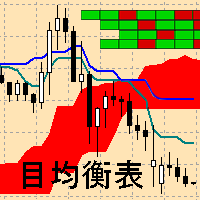
Ichimoku Map MT5
77 USD
Demo heruntergeladen:
67
Veröffentlicht:
24 März 2021
Aktuelle Version:
1.6
Keinen passenden Roboter gefunden?
Geben Sie Ihren Eigenen in Auftrag
auf Freelance!
Gehen Sie zu Freelance
Geben Sie Ihren Eigenen in Auftrag
auf Freelance!
Wie man einen Roboter oder Indikator kaufen kann
Starte Deinen EA im
Virtual Hosting
Virtual Hosting
Teste einen Indikator/Roboter vor dem Kauf
Möchtest Du Geld im Market verdienen?
Wie man Produkte richtig präsentiert

Sie verpassen Handelsmöglichkeiten:
- Freie Handelsapplikationen
- Über 8.000 Signale zum Kopieren
- Wirtschaftsnachrichten für die Lage an den Finanzmärkte
Registrierung
Einloggen
Sie stimmen der Website-Richtlinie und den Nutzungsbedingungen zu.
Wenn Sie kein Benutzerkonto haben, registrieren Sie sich
When I click on a square, the chart doesn't change?
Thanks for the info, a thorough review will be done and an update with a fix will be released if required.
When I click on a square, the chart doesn't change?
The indicator has been updated.
I wish you a successful trade.
If I understand you correctly, using the settings shown in the attached screen shot, then the chart should change (using the nominated template) when I click on a square of the Map?
Yet it still does not work for me? Please can you advise.
If I understand you correctly, using the settings shown in the attached screen shot, then the chart should change (using the nominated template) when I click on a square of the Map?
Yet it still does not work for me? Please can you advise.
Hello. No, when "Current_Chart" is selected, only the symbol and period of the current chart will change. The template will remain unchanged. If "New_Chart" is selected, then a new chart will be opened with the template you have in the photo.
Hello. No, when "Current_Chart" is selected, only the symbol and period of the current chart will change. The template will remain unchanged. If "New_Chart" is selected, then a new chart will be opened with the template you have in the photo.
Sorry if I was not clear, that's what I meant. The Currency pair symbol and time frame does not change when I click on a box in the Map.
I don't understand why. I have concerns this indicator is very resource heavy on the CPU?
Sorry if I was not clear, that's what I meant. The Currency pair symbol and time frame does not change when I click on a box in the Map.
I don't understand why. I have concerns this indicator is very resource heavy on the CPU?
I'll try to help you. I need more information.
1 Please show a screenshot of the settings with which you use the indicator.
2 Screenshot of the MetaTrader window with the indicator table.
2 Also, I'm wondering what processor you have and how much RAM.
3 What percentage of RAM, processor, disk is used. This can be seen in the task manager in the processes tab.
(You can write here or you can in private messages, whichever is more convenient for you.)
Also, please tell me exactly how you have written the name of the indicator? (The name of the indicator file, the file that you throw on the chart)