Nur Nutzer, die das Produkt gekauft oder gemietet haben, können Kommentare hinterlassen
12
ALEKSANDR SHUKALOVICH  

By default it configured best to trade piranhaprofits strategies https://www.piranhaprofits.com/ (Adam Khoo).

Watch this videos to know how to use Currency Strength Meter:

https://www.youtube.com/watch?v=cnYUb2VOPQI

https://www.youtube.com/watch?v=MVI7Jm_abrg


If you trading timeframe M15 than look currency strength meter at H1...

If you trading timeframe H1 than look currency strength meter at H4... And so on.

You should buy strong currency (Currency Strength Meter 60+) and sell weak currency (Currency Strength Meter 40-). 

Also if you have your own strategy you can back-test. Find winning trades on history data and setup CSM to this date and look what are CSM values were at that time. Do this at least 10-20 times. Calculate average value. And when you want to take a trade look to CSM if it shows about same value you should take a trade if not skip this trade. If you will do this your win rate must increase. 

If you want to use history data you should enable "Display history line" on property page. Thus you can see history line. Move it to view CSM data at this history.

When you find the best CMS values according to you strategy you can config notifications. Thus you will be notified when market will have such conditions.


ALEKSANDR SHUKALOVICH  

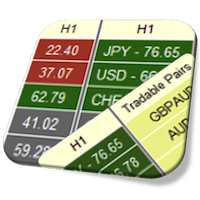
How to know how is the system determine the "Tradable Pairs"?

Tradable Pairs are calculated by formula, which can be changed at any time.

Default combined formula is D:H1:15;D:H4:20;D:D1:15;L:H1:50:50;L:H4:50:50;L:D1:50:50

Let's describe each specified formula one by one separately:

D:H1:15 - Difference between strong and weak currencies at least 15 points at H1 timeframe
D:H4:20 - Difference between strong and weak currencies at least 20 points at H4 timeframe
D:D1:15 - Difference between strong and weak currencies at least 15 points at D1 timeframe
L:H1:50:50 - Weak currency below 50 level and strong currency above 50 level at H1 timeframe
L:H4:50:50 - Weak currency below 50 level and strong currency above 50 level at H4 timeframe
L:D1:50:50 - Weak currency below 50 level and strong currency above 50 level at D1 timeframe

You can changed it as you want.


Tradable Pairs properties


And as always:

Take profit!
ALEKSANDR SHUKALOVICH  
First of all thanks for using of this indicator. I hope it will help you to take profit more frequently.

Answers for your questions:

1. So, could you explain me for more detail about your indicator? For example: The rule and the method which used by indicator... by RSI, by…etc?

Watch this video to know how to use Currency Strength Meter: 
    * https://www.youtube.com/watch?v=cnYUb2VOPQI
    * https://www.youtube.com/watch?v=MVI7Jm_abrg
First of all it was designed to use Adam's Khoo strategies, and also I extend it with different algorithms (by default its RSI).
Also my suggestion is to combine CSM with your strategies. You should find the bests setups according to your strategies at history data. Use history line in CSM to target it to founded strategy setup and then you should collect data from CMS. Do this for 10-20 strategy setups. In that way you have good statistical data for your strategies with CSM. Analyse your statistics to get knowledge which CSM values is the best to your strategy. And at the future as you'll see  potential entry setup watch to CMS. It should have about the same values as in your statistic. If so take this trade if not skip this entry setup and go to find new entry setups.

2. And how about the Activations left: 5 of 5? It will be followed by my MQL5 account or my computer?

Here what MQL says about this:

"During the activation, your software product is bound to the buyer's hardware, so that the copy of the application cannot work on another PC. The application should be re-activated and downloaded again in order to launch it on another computer. This mechanism is designed to protect your application from unauthorized copying. If the activation limit is exceeded, the buyer will have to purchase the product again."

As I understand activation count is number of different computers where your can run indicator.

3. Finally, Please help me if I have issue when using the indicator and notice to customer as me if you have new version!

As I'll develop new version of indicator you'll get notification from MQL in this MQL messenger (messenger where you are reading this message).

Also you can add me to your friends and you will be able to get notifications from all of my activities at MQL portal.


If you find any problems, bugs or ideas how to improve this indicator please let me know. And I'll make new updates.

Thanks and   Take profit!


ALEKSANDR SHUKALOVICH  

New Version 1.10 of Currency Strength Meter Pro Dashboard for MT5 includes list of improvements:

   1) Added auto detection of symbols suffix.


   2) Added scale ration parameter for RSI algorithm.

   3) Restore dashboard state when change chart symbol, timeframe, reconnection to the server and changing indicator properties.


Take profit!

ALEKSANDR SHUKALOVICH  

Watch this instruction to get know how to install MT4 indicator or Experts from market on MacOS:


Have a good day and

Take profit!
ALEKSANDR SHUKALOVICH  
New update for Currency Strength Meter Pro Dashboard for MT5 version 2.00 has been released.
Update changes:
   * Added high resolution screens support (4K);
   * Added User Interface (UI) scaling and Font scaling;
   * Added support of strength identification for Gold;
   * Added expression based tables columns visibility, It allows to customize tables columns;
   * Added possibility to get notification once N period candle is closed;
   * Added expression based notification for levels crossing, which allows to get notifications when there is a cross on many different timeframes all at once;
   * Added averaging CSM values for different timeframe for tradable pairs finder;
   * Added support for all timeframes (M1,M2,M3,M4,M5,M6,M10,M12,M15,M20,M30,H1,H2,H3,H4,H6,H8,H12,D1,W1,MN1,Current);
   * Added new Currencies Strength State Notification which shows strength of all currencies as N period candle is closed;
   * Added averaging CSM values for Currencies Strength State Notification;
   * Improved history data loading. It allows to show indicator data more faster if history data is missed;
   * Improved logging at notifications area;
   * Fixed delay of dashboard data updating after timeframe switching;
   * Fixed updating indicator data when market is closed, when there is not any ticks;
   * Fixed not sending of notifications on some conditions;
   * Fixed typo mistakes;

Watch demo video of current update:


ALEKSANDR SHUKALOVICH  
New update for Currency Strength Meter Pro Dashboard for MT5 version 2.02 has been released.

Update changes:
* Added possibility to use multiple tradable pairs finders;
* Added tradable pairs state to Currency Strength State Notification;
* Added possibility to change visible rows count for tradable pairs table;

Tradable Pairs

Notification

Rows Count


Take profit!
ALEKSANDR SHUKALOVICH  
New update for Currency Strength Meter Pro Dashboard for MT5 version 2.10 has been released
Update changes:

  1. Added navigation through tradable pairs by left mouse click on calls of tradable pairs table.
  2. Added bearish and bullish coloring of tradable pairs table according to expression at indicator properties.
  3. Added possibility to change color for bearish and bullish of tradable pairs cells.
  4. Added bearish or bullish description next to tradable pair for Currency Strength State Notification.
  5. Added new DM (Difference max between currencies' strength) algorithm for tradable pair search engine.
  6. Added Moving Averages Alignment algorithm for tradable pair search engine.
  7. Fixed D (Min Difference between currencies' strength) algorithm for tradable pair search engine for (CCI, RVI and Momentum algorithms).
  8. Fixed indicator initialization if cross level expression is empty at indicator properties.


Watch demo video of current update: 


Take profit!
ALEKSANDR SHUKALOVICH  
New update for Currency Strength Meter Pro Dashboard for MT5 version 2.11 has been released
Update changes:

  1. Fixed tradable pairs finder for MA alignment algorithm if Gold is enabled.
ALEKSANDR SHUKALOVICH  
New update for Currency Strength Meter Pro Dashboard for MT5 version 3.00 has been released
Update changes:

  1. Added possibility to backtest history data with history line at specified time with one minute accuracy (not only with close time of candle).
  2. Added possibility to change Gold symbol. It allows to use any different symbol not only gold but XAG, XAU etc.
  3. Added Bullish or Bearish direction of tradable pairs in tradable pairs notification message.
  4. Sorting of tradable pairs alphabetically.
  5. Adding history line object to visible list of chart objects.
  6. Keeping history line state on chart even if indicator's properties have changed.
  7. Momentum algorithm values for strength calculation is multiplied by 100.
  8. RVI algorithm values for strength calculation is multiplied by 100.
  9. Disabled ray property of history line.


Demo video of current update coming soon.

Take profit!

Tim Escalante  
Can I refund this and purchase one that works on my mt4. 
ALEKSANDR SHUKALOVICH  
Tim Escalante:
Can I refund this and purchase one that works on my mt4. 
There is no ways to do this at my MQL account. Try to write to service desk.

ALEKSANDR SHUKALOVICH  
New update for Currency Strength Meter Pro Dashboard for MT5 version 3.03 has been released
Update changes:

   1) Optimized of CSM values calculation by caching values for every update circle (7 times faster, load of CPU for CSM values calculation is reduced for 85 percent).

opt

   2) Added several algorithms for processing of TradablePair table's cell clicking (open pair at new chart, open pair at other chart or new one if it is not opened yet).

tp

   3) Added auto scrolling of chart to history line time if it is out of view (it allows do not lose history line).
   4) Fixed DeMarker algorithm name.
   5) Speed up of tradable pairs searching with MA algorithm at indicator init time and switching timeframes.
ALEKSANDR SHUKALOVICH  
New update for Currency Strength Meter Pro Dashboard for MT5 version 4.00 has been released
Update changes:


   1) Added possibility to run many instances of indicator to the same chart window.

1

   2) Added application source description for all notifications, it helps to identify from which instance of indicator a notification was thrown.

2

   3) Added possibility to change the names of tradable pairs table's columns.

3

   4) Added tracing for terminal information, broker information, MQL program information and input parameters information.

   5) Added "Get instruments from" property for Simple Table, Sorted Table and Tradable Pairs Table to show strength only for specified instruments.

5

   6) Added possibility to show Cross Lines Notification for instruments from specified symbols or specified instruments.

7.1 7.2

   7) Added possibility to show Cross Level Notification for instruments from specified symbols or specified instruments.

8.1 8.2

   8) Added possibility to show Tradable Pairs Notification for instruments from specified symbols or specified instruments.

9.1 9.2

   9) Added possibility to show Currencies Strength State Notification for instruments from specified symbols or specified instruments.

10.1 10.2

   10) Added possibility to change table head color for all tables (Simple table, Sorted table, Tradable pairs table).

11

   11) Added possibility to highlight tables' timeframes cell for current chart timeframe by different color.

12

   12) Added possibility to highlight tables' instruments cells for current chart symbol by different color.

13

   13) Added cross level notifications for average strength from multiple timeframes.

14

   14) Added cross lines notifications for average strength from multiple timeframes.

15

   15) Added possibility to search crosses lines for cross lines notifications on different timeframe together at the same time (works as AND condition) like it was done for crosses levels notifications.

16

   16) Added new filtering algorithm for tradable pairs searching. It's called  "Symbols". It allows to search tradable pairs with pairs which are listed by user or ignore pairs which are listed by user.

17

   17) Changed MA algorithm rules for search of tradable pairs (If you are using custom tradable pairs expression do not forget to update your expression according new rules for MA algorithm).

   18) Improved indicator initialization stability.

   19) Fixed not getting tradable pairs notifications.

   20) Fixed not showing last tradable pair at tradable pairs table if all pairs should be shown by condition.

   21) Fixed typo mistakes at input parameters of indicator.


Happy new Year and Take profit !

ALEKSANDR SHUKALOVICH  
New update for Currency Strength Meter Pro Dashboard for MT5 version 5.00 has been released
Update changes:

  1. Added possibility to change table header text color for all tables.
    2
  2. Added possibility to change text color of table cells for weak, strong and neutral currencies strengths.
    3
  3. Added "Disabled" log level and it's used by default.
  4. Added possibility to change symbol of current chart by clicking instruments names on headers of simple table rows on dashboard.
    13
  5. Added possibility to change timeframe of current chart by clicking on timeframes on header of simple table columns on dashboard.
    11
  6. Added possibility to change timeframe of current chart by clicking on timeframes on header of sorted table columns on dashboard.
    12
  7. Updated GUI Processor with many graphical improvements and bug fixes of UI processor.
    14
  8. Improved strength calculation speed.
  9. Improved calculation speed of indicator processors for "Time based process" (if possible it passes calculation to "Index base process" which is much faster than "Time based process").
  10. Improved initialization speed of CorrelatedIndicatorProcessor for MT5.
  11. Improved log messages and added new messages to log.
  12. Workaround incorrect symbol parsing by XM broker.
  13. Fixed not updating indicator strength values in some cases (when history time equals to 0, transmitting to "Index base" calculation).
  14. Fixed slow loading data of simple table on dashboard.   
  15. Fixed wrong average strength value calculation in some cases.
  16. Refactoring and many other improvements.


ALEKSANDR SHUKALOVICH  
New update for Currency Strength Meter Pro Dashboard for MT5 version 5.10 has been released
Update changes:

  1. Improved strength value calculation if new candle for some pairs of 28 is appeared and for some pairs of 28 new candle is not appeared yet (haven't received new ticks for some pairs of 28 at time when new candle should be formed).


ALEKSANDR SHUKALOVICH  
New update for Currency Strength Meter Pro Dashboard for MT5 version 5.22 has been released

Update changes:

  1. Added possibility to show label for history line with history line's date and time.
    a

ALEKSANDR SHUKALOVICH  

New update for Currency Strength Meter Pro Dashboard for MT5 version 5.30 has been released
Update changes:
  1. Added better support of x0.5 scaling.
  2. Window's title icon, Window's caption text and Window's main buttons icons are aligned by center


Nur Nutzer, die das Produkt gekauft oder gemietet haben, können Kommentare hinterlassen
12