Black Arbitrage MT4
70 USD
Demo heruntergeladen:
314
Veröffentlicht:
6 Mai 2019
Aktuelle Version:
1.71
Keinen passenden Roboter gefunden?
Geben Sie Ihren Eigenen in Auftrag
auf Freelance!
Gehen Sie zu Freelance
Geben Sie Ihren Eigenen in Auftrag
auf Freelance!
Wie man einen Roboter oder Indikator kaufen kann
Starte Deinen EA im
Virtual Hosting
Virtual Hosting
Teste einen Indikator/Roboter vor dem Kauf
Möchtest Du Geld im Market verdienen?
Wie man Produkte richtig präsentiert

Sie verpassen Handelsmöglichkeiten:
- Freie Handelsapplikationen
- Über 8.000 Signale zum Kopieren
- Wirtschaftsnachrichten für die Lage an den Finanzmärkte
Registrierung
Einloggen
Sie stimmen der Website-Richtlinie und den Nutzungsbedingungen zu.
Wenn Sie kein Benutzerkonto haben, registrieren Sie sich
wonderfully resilient system. makes comebacks always sooner than one may expect.
even more interestingly the comebacks are not from a losing position but from an already positive one.
I think i have not written more supportive words for any product on mql5..not even my own single ea which has fewer posts supporting it from me.
It is a pity though that i became Ruslan's customer only now. i strongly feel that his other products must be as levelly coded.
Hello,
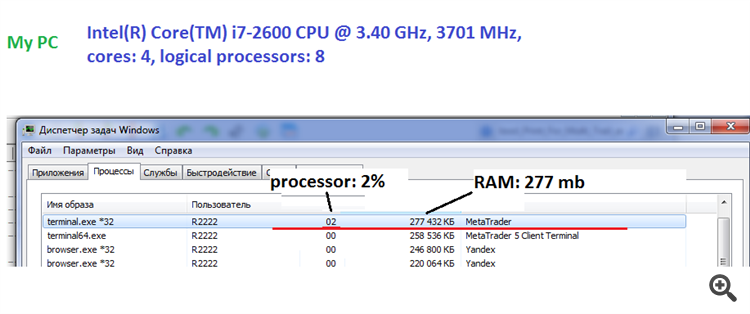
The EA requires up to 400 mb of RAM and a minimum single-core processor.
-----------------------------------------------------------------------------------------------------
-----------------------------------------------------------------------------------------------------
-----------------------------------------------------------------------------------------------------
Have you installed the adviser on one chart?
The EA is attached to one chart and it can trade any currency pair.
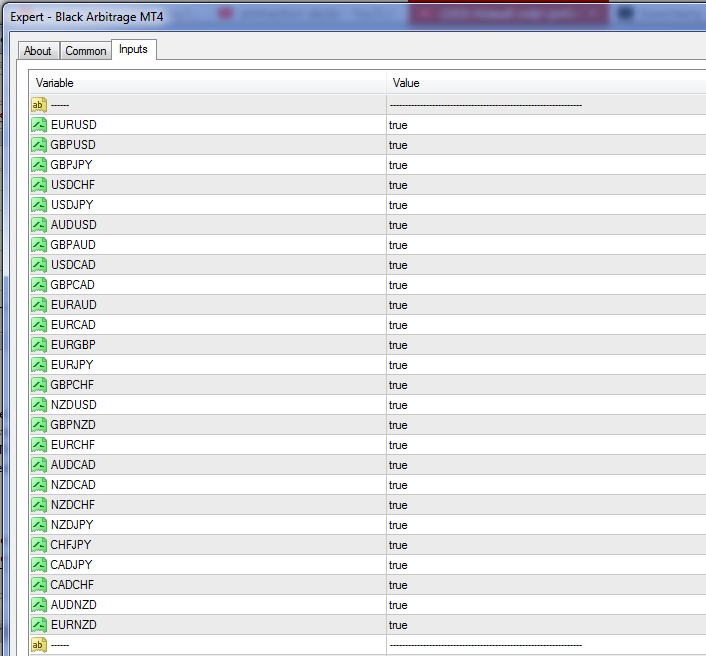
In the settings you can enable and disable currency pair:
Set file:
Hui ruslan,
Hello,
For the EA operation, open "Tools" > "Options" > "Expert Advisors". Check the option "Allow WebRequests for listed URL:". Add https://time.is/UTC and click OK.
Hui ruslan,
For the EA operation, open "Tools" > "Options" > "Expert Advisors". Check the option "Allow WebRequests for listed URL:". Add https://time.is/UTC and click OK.
Hui ruslan,
For the EA operation, open "Tools" > "Options" > "Expert Advisors". Check the option "Allow WebRequests for listed URL:". Add https://time.is/UTC and click OK.
I'm getting this error message: Sell error code: 134
What does it mean? What do I need to do to fix it?
I'm getting this error message: Sell error code: 134
What does it mean? What do I need to do to fix it?
please write in more detail, where exactly does the error appear ?
Please ask a question again.
I use an XM micro account. Is this EA compatible?
I will not place an order once since I got it working yesterday.
Please ask a question again.
I use an XM micro account. Is this EA compatible?
I will not place an order once since I got it working yesterday.
Yes the EA works on all types of accounts. with five-digit and three-digit quotes.