Black Arbitrage MT4
70 USD
Versione demo scaricata:
314
Pubblicato:
6 maggio 2019
Versione attuale:
1.71
Non hai trovato un robot adatto?
Ordina il tuo
su Freelance
Vai alla sezione Freelance
Ordina il tuo
su Freelance
Come acquistare un Robot di Trading o un indicatore
Esegui il tuo EA
hosting virtuale
hosting virtuale
Prova un indicatore/robot di trading prima di acquistarlo
Vuoi guadagnare nel Market?
Come presentare un prodotto per venderlo con successo

Ti stai perdendo delle opportunità di trading:
- App di trading gratuite
- Oltre 8.000 segnali per il copy trading
- Notizie economiche per esplorare i mercati finanziari
Registrazione
Accedi
Accetti la politica del sito e le condizioni d’uso
Se non hai un account, registrati
wonderfully resilient system. makes comebacks always sooner than one may expect.
even more interestingly the comebacks are not from a losing position but from an already positive one.
I think i have not written more supportive words for any product on mql5..not even my own single ea which has fewer posts supporting it from me.
It is a pity though that i became Ruslan's customer only now. i strongly feel that his other products must be as levelly coded.
Hello,
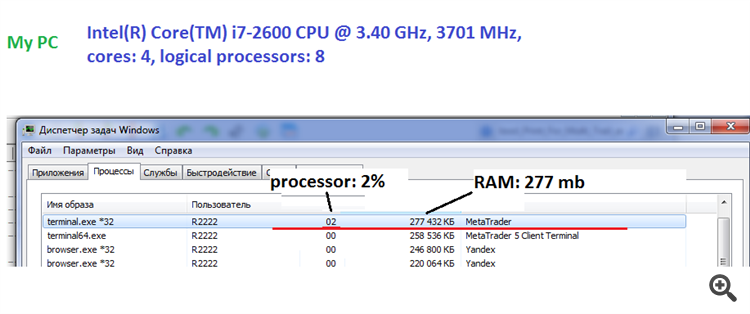
The EA requires up to 400 mb of RAM and a minimum single-core processor.
-----------------------------------------------------------------------------------------------------
-----------------------------------------------------------------------------------------------------
-----------------------------------------------------------------------------------------------------
Have you installed the adviser on one chart?
The EA is attached to one chart and it can trade any currency pair.
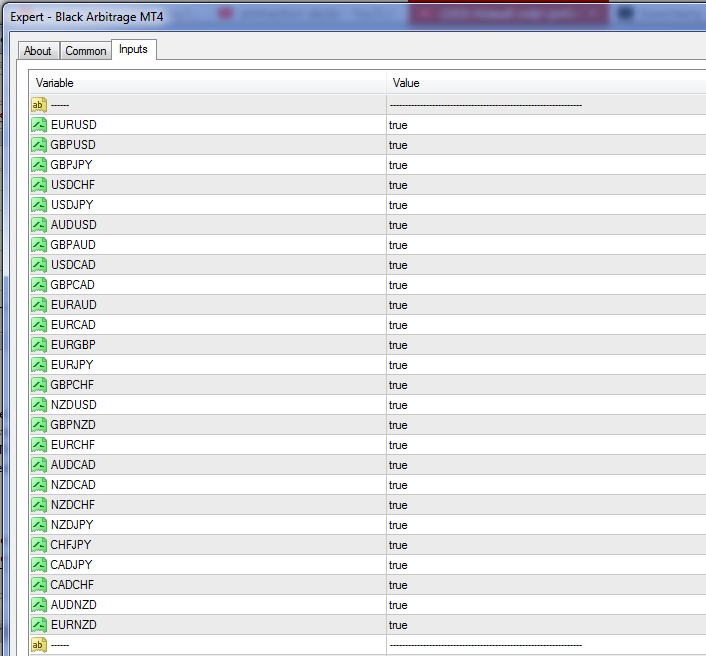
In the settings you can enable and disable currency pair:
Set file:
Hui ruslan,
Hello,
For the EA operation, open "Tools" > "Options" > "Expert Advisors". Check the option "Allow WebRequests for listed URL:". Add https://time.is/UTC and click OK.
Hui ruslan,
For the EA operation, open "Tools" > "Options" > "Expert Advisors". Check the option "Allow WebRequests for listed URL:". Add https://time.is/UTC and click OK.
Hui ruslan,
For the EA operation, open "Tools" > "Options" > "Expert Advisors". Check the option "Allow WebRequests for listed URL:". Add https://time.is/UTC and click OK.
I'm getting this error message: Sell error code: 134
What does it mean? What do I need to do to fix it?
I'm getting this error message: Sell error code: 134
What does it mean? What do I need to do to fix it?
please write in more detail, where exactly does the error appear ?
Please ask a question again.
I use an XM micro account. Is this EA compatible?
I will not place an order once since I got it working yesterday.
Please ask a question again.
I use an XM micro account. Is this EA compatible?
I will not place an order once since I got it working yesterday.
Yes the EA works on all types of accounts. with five-digit and three-digit quotes.