Nur Nutzer, die das Produkt gekauft oder gemietet haben, können Kommentare hinterlassen
Marco Engstermann  

Setfiles for the Buy and Sell ATR

Note! 
You must do your own setfiles to reach the best results of the indicator with your broker.


With the template can load all 3 indicators.

  • Buy and Sell ATR
  • Buy Sell Power
  • MA Filling Indicator

Check my Indicators for download.


Happy Traiding

Marco Engstermann  

Detailed Description of Settings

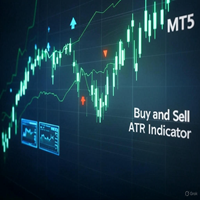
The "Buy and Sell ATR" indicator combines an ATR-based trend line with RSI confirmation and a dynamic flat market filter to generate buy and sell signals. Each setting influences how sensitive or conservative the signals are, and adjustments should reflect the unique characteristics (volatility, trend strength, and noise) of each asset.

1. ATR Settings

These settings control the trend line calculation and signal confirmation based on price movement relative to volatility.

  • ATRPeriod (Default: 14)
    • Purpose: Defines the number of candles used to calculate the Average True Range (ATR), which measures volatility and sets the width of the trend bands.
    • Effect: A shorter period (e.g., 7) makes the trend line more sensitive to recent price changes, while a longer period (e.g., 20) smooths it out, reducing noise but potentially delaying signals.
    • Adjustment Tips:
      • XAUUSD: Use 10–14. Gold has high volatility with sharp moves; a moderate period balances responsiveness and stability.
      • EURUSD: Use 14–20. This pair is less volatile and often trends smoothly, so a slightly longer period reduces false signals.
      • GBPUSD: Use 12–16. GBPUSD can be choppy due to news-driven spikes; a middle ground works well.
      • BTCUSD: Use 7–10. Bitcoin’s extreme volatility requires a shorter period for quicker adaptation to rapid price swings.
  • ATRMultiplier (Default: 3.0)
    • Purpose: Multiplies the ATR value to set the distance of the upper and lower bands from the median price, affecting trend line placement.
    • Effect: A higher multiplier (e.g., 4.0) widens the bands, requiring stronger moves to trigger signals (fewer but stronger signals). A lower multiplier (e.g., 2.0) narrows them, increasing signal frequency but also noise.
    • Adjustment Tips:
      • XAUUSD: 2.5–3.5. Gold’s large price ranges need a moderate multiplier to capture significant trends without overreacting.
      • EURUSD: 3.0–4.0. A higher value suits its calmer movements, filtering out minor fluctuations.
      • GBPUSD: 2.5–3.0. Slightly lower to catch its frequent reversals without missing trends.
      • BTCUSD: 2.0–2.5. Bitcoin’s wild swings need tighter bands to stay responsive.
  • CandleShift (Default: 2)
    • Purpose: Sets the number of consecutive candles that must stay fully above (buy) or below (sell) the trend line to confirm a signal.
    • Effect: Higher values (e.g., 3) make signals more reliable but less frequent; lower values (e.g., 1) increase frequency but risk false positives.
    • Adjustment Tips:
      • XAUUSD: 2–3. Gold’s momentum benefits from confirmation, but too high delays entries.
      • EURUSD: 2. A stable pair like EURUSD works well with the default for reliable signals.
      • GBPUSD: 1–2. GBPUSD’s choppiness may need faster signals, but 2 adds reliability.
      • BTCUSD: 1–2. Bitcoin’s quick reversals favor a lower value for timely entries.

2. Flat Threshold Settings

These settings define when the market is considered "flat" (low volatility), preventing signals during sideways movement.

  • AverageATRPeriod (Default: 100)
    • Purpose: Number of candles used to calculate the average ATR, which sets the baseline for the flat threshold.
    • Effect: A longer period (e.g., 200) smooths the baseline, suitable for stable assets, while a shorter period (e.g., 50) adapts faster to changing volatility.
    • Adjustment Tips:
      • XAUUSD: 50–100. Gold’s volatility shifts quickly; a shorter period keeps the filter relevant.
      • EURUSD: 100–150. A longer period suits its consistent behavior.
      • GBPUSD: 75–100. Balances responsiveness with stability for this pair.
      • BTCUSD: 20–50. Bitcoin’s erratic nature needs a short period to reflect rapid volatility changes.
  • FlatThresholdFraction (Default: 0.5)
    • Purpose: Fraction of the average ATR below which the market is deemed flat, and signals are disabled (e.g., 0.5 means 50% of average ATR).
    • Effect: A lower value (e.g., 0.3) allows signals in lower volatility, while a higher value (e.g., 0.7) restricts them to high-volatility periods.
    • Adjustment Tips:
      • XAUUSD: 0.4–0.6. Gold often has high baseline volatility; a moderate threshold avoids missing trends.
      • EURUSD: 0.5–0.7. Higher to filter out noise in this typically quieter pair.
      • GBPUSD: 0.4–0.5. Slightly lower to catch moves during its active periods.
      • BTCUSD: 0.3–0.5. Bitcoin’s volatility justifies a lower threshold to stay active.

3. Alert/Notification Settings

These control how signals are communicated to the user.

  • EnableAlerts (Default: false)
    • Purpose: Enables pop-up alerts in MT5 when a signal occurs.
    • Effect: Set to true for real-time notifications; useful for all assets when actively monitoring.
  • EnableNotifications (Default: false)
    • Purpose: Sends push notifications to your MT5 mobile app and plays a sound (alert.wav).
    • Effect: Set to true for remote trading; ensure "alert.wav" is in the MT5 Sounds folder.
  • EnableSignalCounter (Default: false)
    • Purpose: Displays the total buy and sell signal counts in the upper-left corner of the chart.
    • Effect: Set to true to track signal frequency; helpful for backtesting and strategy evaluation across all assets.

4. RSI Confirmation Settings

These add an RSI filter to confirm signals, reducing false positives.

  • RSI_Period (Default: 14)
    • Purpose: Number of candles used to calculate the Relative Strength Index (RSI).
    • Effect: Shorter periods (e.g., 7) make RSI more reactive; longer periods (e.g., 20) smooth it out.
    • Adjustment Tips:
      • XAUUSD: 10–14. Moderate period for Gold’s volatile trends.
      • EURUSD: 14–20. Longer for smoother confirmation in this pair.
      • GBPUSD: 12–16. Balances speed and reliability.
      • BTCUSD: 7–10. Shorter for Bitcoin’s rapid momentum shifts.
  • RSI_Buy_Level (Default: 50.0)
    • Purpose: RSI value above which a buy signal is confirmed.
    • Effect: Higher values (e.g., 60) require stronger bullish momentum; lower values (e.g., 40) are less strict.
    • Adjustment Tips:
      • XAUUSD: 50–55. Gold’s strength often aligns with moderate RSI levels.
      • EURUSD: 50–60. Higher to confirm trends in this pair.
      • GBPUSD: 45–50. Slightly lower to catch early moves.
      • BTCUSD: 40–50. Lower to adapt to Bitcoin’s quick rallies.
  • RSI_Sell_Level (Default: 50.0)
    • Purpose: RSI value below which a sell signal is confirmed.
    • Effect: Lower values (e.g., 40) require stronger bearish momentum; higher values (e.g., 60) are less strict.
    • Adjustment Tips:
      • XAUUSD: 45–50. Moderate for Gold’s downside moves.
      • EURUSD: 40–50. Lower to confirm bearish trends.
      • GBPUSD: 50–55. Slightly higher to filter noise.
      • BTCUSD: 50–60. Higher to catch Bitcoin’s sharp drops.
  • Use_RSI_Confirmation (Default: true)
    • Purpose: Toggles RSI filtering on or off.
    • Effect: Set to false to rely solely on ATR; true adds an extra layer of confirmation.
    • Adjustment Tips: Keep true for all assets unless testing pure ATR signals; disable for faster but riskier signals.

5. Arrow Customization

These settings adjust the visual appearance of signals but don’t affect their logic.

  • BuyArrowColor (Default: clrBlue)
    • Purpose: Color of buy signal arrows.
    • Effect: Cosmetic; choose a distinct color (e.g., clrGreen) for visibility.
  • BuyArrowCode (Default: 233)
    • Purpose: Wingdings symbol code for buy arrows.
    • Effect: Cosmetic; 233 is an upward arrow; change to 225 for a different style if desired.
  • SellArrowColor (Default: clrRed)
    • Purpose: Color of sell signal arrows.
    • Effect: Cosmetic; clrRed is standard, but clrOrange could differentiate.
  • SellArrowCode (Default: 234)
    • Purpose: Wingdings symbol code for sell arrows.
    • Effect: Cosmetic; 234 is a downward arrow; 226 is an alternative.

Recommended Settings for Each Asset

Here are tailored settings for XAUUSD, EURUSD, GBPUSD, and BTCUSD, optimized for a 15-minute (M15) timeframe as a starting point. Adjust based on your timeframe and trading style (e.g., scalping vs. swing trading).

Setting XAUUSD EURUSD GBPUSD BTCUSD
ATRPeriod 12 16 14 8
ATRMultiplier 3.0 3.5 2.8 2.2
CandleShift 2 2 2 1
AverageATRPeriod 75 100 100 30
FlatThresholdFraction 0.5 0.6 0.5 0.4
EnableAlerts true true true true
EnableNotifications true true true true
EnableSignalCounter true true true true
RSI_Period 12 14 14 10
RSI_Buy_Level 50 55 50 45
RSI_Sell_Level 50 45 50 55
Use_RSI_Confirmation true true true true
  • XAUUSD: Balanced for volatility with moderate confirmation.
  • EURUSD: Conservative to filter noise in a stable pair.
  • GBPUSD: Slightly aggressive to catch news-driven moves.
  • BTCUSD: Fast and sensitive for crypto’s wild swings.

How to Save and Load .set Files in MT5

.set files store your custom indicator settings, making it easy to apply them to different charts or share them. Here’s how to manage them:

Saving a .set File

  1. Open the Indicator:
    • Attach the "Buy and Sell ATR" indicator to a chart (right-click chart > Indicators List > Add > Custom > "Buy and Sell ATR").
    • Double-click the indicator in the Navigator or drag it onto the chart.
  2. Adjust Settings:
    • In the indicator’s input window, enter the values for your chosen asset (e.g., XAUUSD settings from the table).
    • Click "OK" to apply them to the chart.
  3. Save the Settings:
    • Right-click the chart > Indicators List.
    • Select "Buy and Sell ATR" and click "Edit."
    • In the Inputs tab, click the "Save" button (floppy disk icon).
    • Name the file (e.g., XAUUSD_M15.set) and save it to the default folder (MQL5\Presets or Indicators).
    • Repeat for each asset (e.g., EURUSD_M15.set, GBPUSD_M15.set, BTCUSD_M15.set).

Loading a .set File

  1. Open the Indicator:
    • Attach the indicator to a new chart as above.
  2. Load the Settings:
    • In the indicator’s input window, click the "Load" button (folder icon).
    • Browse to your saved .set file (e.g., XAUUSD_M15.set) and select it.
    • Click "OK" to apply the settings to the chart.
  3. Verify:
    • Ensure the inputs match your saved values and the counter appears in the upper-left corner (if enabled).

Tips for Managing .set Files

  • Organize by Timeframe: Include the timeframe in the filename (e.g., XAUUSD_M15.set, XAUUSD_H1.set) to differentiate settings.
  • Backup Files: Copy .set files to a separate folder outside MT5 to avoid losing them during updates.
  • Share Settings: Send .set files to other traders or use them across multiple MT5 installations.

Final Notes

  • Backtesting: Use MT5’s Strategy Tester to fine-tune these settings for each asset and timeframe. Adjust based on historical signal accuracy.
  • Market Conditions: High-impact news or low-liquidity periods (e.g., weekends for BTCUSD) may require temporary tweaks (e.g., higher CandleShift or FlatThresholdFraction).
  • Monitor Logs: Check the Experts tab for debug messages (e.g., signal counts or errors) to ensure the indicator behaves as expected.

By customizing these settings and saving them as .set files, you can efficiently switch between configurations for XAUUSD, EURUSD, GBPUSD, and BTCUSD, optimizing signals for each asset’s unique behavior. Let me know if you need help testing or refining these further!

Dezss  
спасибо
Nur Nutzer, die das Produkt gekauft oder gemietet haben, können Kommentare hinterlassen