ICT Manual Analyzer Tool

30 USD
Demo heruntergeladen:
16
Veröffentlicht:
29 Mai 2024
Aktuelle Version:
1.8
Keinen passenden Roboter gefunden?
Geben Sie Ihren Eigenen in Auftrag
auf Freelance!
Gehen Sie zu Freelance
Geben Sie Ihren Eigenen in Auftrag
auf Freelance!
Wie man einen Roboter oder Indikator kaufen kann
Starte Deinen EA im
Virtual Hosting
Virtual Hosting
Teste einen Indikator/Roboter vor dem Kauf
Möchtest Du Geld im Market verdienen?
Wie man Produkte richtig präsentiert

Sie verpassen Handelsmöglichkeiten:
- Freie Handelsapplikationen
- Über 8.000 Signale zum Kopieren
- Wirtschaftsnachrichten für die Lage an den Finanzmärkte
Registrierung
Einloggen
Sie stimmen der Website-Richtlinie und den Nutzungsbedingungen zu.
Wenn Sie kein Benutzerkonto haben, registrieren Sie sich
Use Graphical Risk&Reward ratio to place limit orders and manage your Risk!
it's an interesting product but very unstable ...expert disappears and you always have to reinstall it
it's an interesting product but very unstable ...expert disappears and you always have to reinstall it
Please try the new version 1.1, it should works ok. And if you have any problem please write me dm!
Thanks!
New Version 1.2 has been realesed. Please try it and comment!
Thanks a lot!
The left chart is ICTPanelScreener
The right chart is ICTManualAnalyzerTool
NDX D1 example analysis
Hello,
ICT Screener Panel was upload!
With this panel you could navigate from chart to chart, and receive Alerts!
https://www.mql5.com/es/market/product/122306?source=Site+Market+My+Products+Page
And on the other hand it would be great that as in the blocks the text is able to move as one moves on the chart and changes timeframe as in the following example.
When plotting the BOS ChoCH or FVG the text would be able to move if one moves down the timeframe.
Nothing moves here Time Frame H1
M5 does not tell me what that line is from
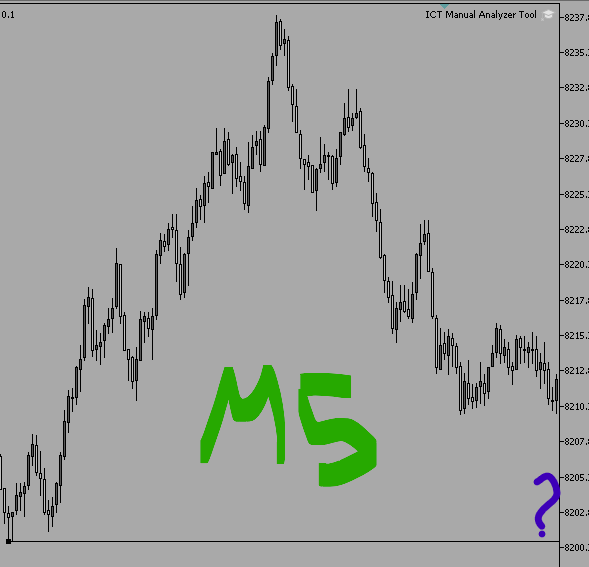
Hello Tyler
Thanks a lot for your comments, I wil consider them on the next version!
Regards!
New Version 1.4 has been released
// Version 1.4:
// - Rectangle on BackGroundb
// - Labels OnOff Fix
// - Labels on ICT level on the left, so you can see them when you zoom in
// - Option to modifify / introduce intermediate TimeFrimes (M2, M3, H2, etc)
Note: In options, you will find a string input with the timeFrames. By default Main TimeFrames appears there. An intermediate Time Frame can be introduce by typing it.
ex: by Default: "PERIOD_CURRENT,PERIOD_M1,PERIOD_M5,PERIOD_M15,PERIOD_M30,PERIOD_H1,PERIOD_H4,PERIOD_D1,PERIOD_W1,PERIOD_MN"
To have M3 and H8 you introduce:
"PERIOD_CURRENT,PERIOD_M1,PERIOD_M3,PERIOD_M5,PERIOD_M15,PERIOD_M30,PERIOD_H1,PERIOD_H4,PERIOD_H8,PERIOD_D1,PERIOD_W1,PERIOD_MN"
New Version 1.5 is available!
// Version 1.5:
// Trend and Arrow Key are now customizable from options
// Color Customizable Options for Blocks,Zones, Levels, etc
// Version 1.4:
// - Rectangle on BackGroundb
// - Labels OnOff Fix
// - Labels on ICT level on the left, so you can see them when you zoom in
// - Option to modifify / introduce intermediate TimeFrimes (M2, M3, H2, etc)
I leave some cools Templates!
if you use ICTPanelScreener
Es justo lo que busco, pero no me aparece nada en el gráfico, pero si aparece en la lista de objetos. Puede ser por necesitar equipo mas potente?
Hola... no hace falta ningún equipo patente. Prueba de reinstalarlo y me cuentas por favor
También puede simplemente arrastrar una imagen al texto o insertarla usando Ctrl+V
También puede simplemente arrastrar una imagen al texto o insertarla usando Ctrl+V
Gracias! he descubierto lo mismo. Hay un error que no pude encontrar. Trabajaré en ello para luego subir nueva versión
Gracias por avisar!