ICT Manual Analyzer Tool

30 USD
Скачано демо:
16
Опубликован:
29 мая 2024
Текущая версия:
1.8
Не нашли подходящего робота?
Закажите собственного
на бирже фрилансеров
Перейти на биржу
Закажите собственного
на бирже фрилансеров
Как купить торгового робота или индикатор
Запусти робота на
виртуальном хостинге
виртуальном хостинге
Протестируй индикатор/робота перед покупкой
Хочешь зарабатывать в Маркете?
Как подать продукт, чтобы его покупали

Вы упускаете торговые возможности:
- Бесплатные приложения для трейдинга
- 8 000+ сигналов для копирования
- Экономические новости для анализа финансовых рынков
Регистрация
Вход
Вы принимаете политику сайта и условия использования
Если у вас нет учетной записи, зарегистрируйтесь
Use Graphical Risk&Reward ratio to place limit orders and manage your Risk!
it's an interesting product but very unstable ...expert disappears and you always have to reinstall it
it's an interesting product but very unstable ...expert disappears and you always have to reinstall it
Please try the new version 1.1, it should works ok. And if you have any problem please write me dm!
Thanks!
New Version 1.2 has been realesed. Please try it and comment!
Thanks a lot!
The left chart is ICTPanelScreener
The right chart is ICTManualAnalyzerTool
NDX D1 example analysis
Hello,
ICT Screener Panel was upload!
With this panel you could navigate from chart to chart, and receive Alerts!
https://www.mql5.com/es/market/product/122306?source=Site+Market+My+Products+Page
And on the other hand it would be great that as in the blocks the text is able to move as one moves on the chart and changes timeframe as in the following example.
When plotting the BOS ChoCH or FVG the text would be able to move if one moves down the timeframe.
Nothing moves here Time Frame H1
M5 does not tell me what that line is from
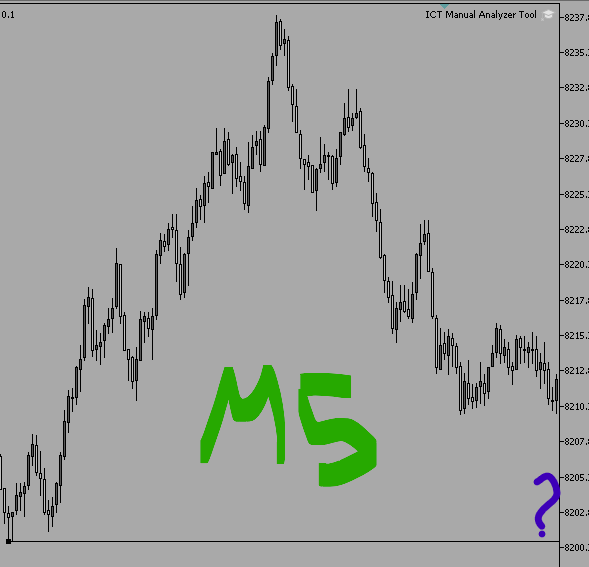
Hello Tyler
Thanks a lot for your comments, I wil consider them on the next version!
Regards!
New Version 1.4 has been released
// Version 1.4:
// - Rectangle on BackGroundb
// - Labels OnOff Fix
// - Labels on ICT level on the left, so you can see them when you zoom in
// - Option to modifify / introduce intermediate TimeFrimes (M2, M3, H2, etc)
Note: In options, you will find a string input with the timeFrames. By default Main TimeFrames appears there. An intermediate Time Frame can be introduce by typing it.
ex: by Default: "PERIOD_CURRENT,PERIOD_M1,PERIOD_M5,PERIOD_M15,PERIOD_M30,PERIOD_H1,PERIOD_H4,PERIOD_D1,PERIOD_W1,PERIOD_MN"
To have M3 and H8 you introduce:
"PERIOD_CURRENT,PERIOD_M1,PERIOD_M3,PERIOD_M5,PERIOD_M15,PERIOD_M30,PERIOD_H1,PERIOD_H4,PERIOD_H8,PERIOD_D1,PERIOD_W1,PERIOD_MN"
New Version 1.5 is available!
// Version 1.5:
// Trend and Arrow Key are now customizable from options
// Color Customizable Options for Blocks,Zones, Levels, etc
// Version 1.4:
// - Rectangle on BackGroundb
// - Labels OnOff Fix
// - Labels on ICT level on the left, so you can see them when you zoom in
// - Option to modifify / introduce intermediate TimeFrimes (M2, M3, H2, etc)
I leave some cools Templates!
if you use ICTPanelScreener
Es justo lo que busco, pero no me aparece nada en el gráfico, pero si aparece en la lista de objetos. Puede ser por necesitar equipo mas potente?
Hola... no hace falta ningún equipo patente. Prueba de reinstalarlo y me cuentas por favor
También puede simplemente arrastrar una imagen al texto o insertarla usando Ctrl+V
También puede simplemente arrastrar una imagen al texto o insertarla usando Ctrl+V
Gracias! he descubierto lo mismo. Hay un error que no pude encontrar. Trabajaré en ello para luego subir nueva versión
Gracias por avisar!