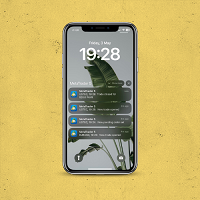
Trade Notifications
FREE
Veröffentlicht:
3 Mai 2024
Aktuelle Version:
2.0
Keinen passenden Roboter gefunden?
Geben Sie Ihren Eigenen in Auftrag
auf Freelance!
Gehen Sie zu Freelance
Geben Sie Ihren Eigenen in Auftrag
auf Freelance!
Wie man einen Roboter oder Indikator kaufen kann
Starte Deinen EA im
Virtual Hosting
Virtual Hosting
Teste einen Indikator/Roboter vor dem Kauf
Möchtest Du Geld im Market verdienen?
Wie man Produkte richtig präsentiert

Sie verpassen Handelsmöglichkeiten:
- Freie Handelsapplikationen
- Über 8.000 Signale zum Kopieren
- Wirtschaftsnachrichten für die Lage an den Finanzmärkte
Registrierung
Einloggen
Sie stimmen der Website-Richtlinie und den Nutzungsbedingungen zu.
Wenn Sie kein Benutzerkonto haben, registrieren Sie sich
Thanks for this cool tool!
But:
How to activate "Trade Notifactions" well?
I'm able to intergrate it into my environment and I'm able to change the settings (see screen shots).
I also got the test notification on my mobile phone.
But after running my Advisor (on a Demo-Account from Pepperstone) it doesn´t send any notifications to my mobile phone....
Concrete: How to run Trade Notification together with my (self developed) Advisor?
Thanks for this cool tool!
But:
How to activate "Trade Notifactions" well?
I'm able to intergrate it into my environment and I'm able to change the settings (see screen shots).
I also got the test notification on my mobile phone.
But after running my Advisor (on a Demo-Account from Pepperstone) it doesn´t send any notifications to my mobile phone....
Concrete: How to run Trade Notification together with my (self developed) Advisor?
Hello Maier! Thanks for your comment!
You look like you know how to activate it, so I won't ask you anything related. I haven't heard anyone have a problem like yours.. Do you see any error in the terminal journal? Can you try the same exact conditions and accounts but on a different terminal, just to make sure you didn't miss a subtle setting? Also, the EA needs to run in any window (symbol) and it'll work across all the terminal/symbols.
Hello Maier! Thanks for your comment!
You look like you know how to activate it, so I won't ask you anything related. I haven't heard anyone have a problem like yours.. Do you see any error in the terminal journal? Can you try the same exact conditions and accounts but on a different terminal, just to make sure you didn't miss a subtle setting? Also, the EA needs to run in any window (symbol) and it'll work across all the terminal/symbols.
Hello Maier! Thanks for your comment!
You look like you know how to activate it, so I won't ask you anything related. I haven't heard anyone have a problem like yours.. Do you see any error in the terminal journal? Can you try the same exact conditions and accounts but on a different terminal, just to make sure you didn't miss a subtle setting? Also, the EA needs to run in any window (symbol) and it'll work across all the terminal/symbols.
Thanks for your answer!
It seems, that Trade Notifications now runs permanantly in the background. Because, now I got messages after starting Meta Trader.
But I still do not get any messages regarding the trades initialized from my advisor. Related to the "Trade Notifications" there are also no entries at all in the journal.
Using any other advisor delivers the same behavior.
You wrote, that also EA needs to run. Does this mean, that I have to start "Trade Notification" somehow in addition to my running Advisor? I thought, that "Trade Notification" is permanently running in the background after setting it up. By the way I use the customized Pepperstone MQL5 environment on my local machine. Here I cannot run advisors in parallel in the same terminal and I didn´t find any way to run more than one terminal on my local machine. Is this a problem?
Hello Konstantinos!
Thanks for your answer!
It seems, that Trade Notifications now runs permanantly in the background. Because, now I got messages after starting Meta Trader.
But I still do not get any messages regarding the trades initialized from my advisor. Related to the "Trade Notifications" there are also no entries at all in the journal.
Using any other advisor delivers the same behavior.
You wrote, that also EA needs to run. Does this mean, that I have to start "Trade Notification" somehow in addition to my running Advisor? I thought, that "Trade Notification" is permanently running in the background after setting it up. By the way I use the customized Pepperstone MQL5 environment on my local machine. Here I cannot run advisors in parallel in the same terminal and I didn´t find any way to run more than one terminal on my local machine. Is this a problem?
Hello Maier and happy new year!
So, did you get any kind of message form the Trade Notifications but not trade-related notifications? As long as the EA is running in a window, no need to re-initialize it. I don't think the terminal from Pepperstone plays a role, you can use any MT5 from any broker and connect to any broker account.. I think you need to trial and error with different setups to understand the root of the problem, as the initial setup is quite easy. It might be a dumb question, but I guess you've turned "true" the parameters you want in the Input tab of the EA, right?
thank you for your answer and wishes for the new your. Also for you the very best for the new year.
- Since I installed Trade Notifications I get sometimes notifations on my mobile phone, that describe when I started MQL5 last. I do not know, whether this notifications come from MQL5 or from Trade Notifications...
Sorry for this new questions:What is an EA for you? Is this the Advisor-Software that runs to perfom trades automatically? or a Terminal, where all the software (MQL5, my advisor and the Terminal Notifications) is running?
Hello Mr. Kalaitzidis,
thank you for your answer and wishes for the new your. Also for you the very best for the new year.
- Since I installed Trade Notifications I get sometimes notifations on my mobile phone, that describe when I started MQL5 last. I do not know, whether this notifications come from MQL5 or from Trade Notifications...
Sorry for this new questions:What is an EA for you? Is this the Advisor-Software that runs to perfom trades automatically? or a Terminal, where all the software (MQL5, my advisor and the Terminal Notifications) is running?
Thank you Maier! So, the notification you get each time you open the terminal comes from MQL and not the notification tool.
thank you for your answers.
Based on your answers I still, do not know, why Trade Notifications do not work in my environment.
Hello Mr. Kalaitzidis,
thank you for your answers.
Based on your answers I still, do not know, why Trade Notifications do not work in my environment.
The settings you have seem okay! However, no EA can function properly in historic data (backtesting). This is a universal truth with very few exceptions! So don't expect it to work unless it's the live market.
In the live charts, just place it on any chart and it'll automatically monitor any trades across any symbol in that terminal.
Do you have the source code of the EA or did you buy it from the marketplace? You need the .mq5 file to achieve such a custom notification, or another EA coded to be tailored to your needs and wants (if possible).
I checked notifications on AUDCAD. I put "true" everywhere. But it gives sound not always. One time I opened pending order, it gives sound. Another time doesn't give. Same story with closing orders. Sometimes works, sometimes not. My internet connection is normal.
How can I solve this problem so that I receive sound alert every time.
Thank you)
Hello, Konstantinos!
I checked notifications on AUDCAD. I put "true" everywhere. But it gives sound not always. One time I opened pending order, it gives sound. Another time doesn't give. Same story with closing orders. Sometimes works, sometimes not. My internet connection is normal.
How can I solve this problem so that I receive sound alert every time.
Thank you)
Hello Ashton, thanks for reaching out! The behavior you’re explaining doesn’t seem to be caused by the EA but rather the device. Are you talking for mobile or/and desktop? Because I also had issues with inconsistent notifications with my last phone, but after changing one it seemed to be the device and not the EA.
Desktop
Desktop
Hmm it's not common to experience this. I've never had this problem. Will try to look for a potential issue that bottlenecks it. Will let you know if I find something!
( "X" and "Y" I choose manually).
For example balance is 100 dollars, X = 80, Y = 120.
When equity is 80 or 120 dollars I receive sound alert on MT5.
Konstantinos, do you have an indicator which gives sound alert when prices reaches "X" and "Y" dollars?
( "X" and "Y" I choose manually).
For example balance is 100 dollars, X = 80, Y = 120.
When equity is 80 or 120 dollars I receive sound alert on MT5.
Hey Ashton, I've already sent you a DM to discuss your indicator there.
Push notifications are broken for android in general, can you add email or telegram alerts?
Hey, thanks for letting me know. However, the push notifications work great for me, and haven't had anyone else report that they don't work. It's 99% an issue with your mobile (I had the same issue with my old phone where push notifications were dysfunctional). As for the email or telegram alerts I will consider it, as they are more complicated. But thanks again :)
Hello!
This tool notify when for example an EA you have working on VPS change SL moving to BE and those modifications?? or its just to be informed about the open and closes??
thanks a lot :)
Hello!
This tool notify when for example an EA you have working on VPS change SL moving to BE and those modifications?? or its just to be informed about the open and closes??
thanks a lot :)
Easy to setup and use as a Trade EA companion.
Just wish it had one extra setting to add a User defined\Custom name.