Pending Line Super Order
30 USD
Demo heruntergeladen:
305
Veröffentlicht:
14 August 2015
Aktuelle Version:
2.0
Keinen passenden Roboter gefunden?
Geben Sie Ihren Eigenen in Auftrag
auf Freelance!
Gehen Sie zu Freelance
Geben Sie Ihren Eigenen in Auftrag
auf Freelance!
Wie man einen Roboter oder Indikator kaufen kann
Starte Deinen EA im
Virtual Hosting
Virtual Hosting
Teste einen Indikator/Roboter vor dem Kauf
Möchtest Du Geld im Market verdienen?
Wie man Produkte richtig präsentiert

Sie verpassen Handelsmöglichkeiten:
- Freie Handelsapplikationen
- Über 8.000 Signale zum Kopieren
- Wirtschaftsnachrichten für die Lage an den Finanzmärkte
Registrierung
Einloggen
Sie stimmen der Website-Richtlinie und den Nutzungsbedingungen zu.
Wenn Sie kein Benutzerkonto haben, registrieren Sie sich
""PROMOTION PRICE!!!! 29$"" FROM 59$
26/8/2015 - 31/8/2015 (ONLY 1 WEEK)
We have new pro version call "Ultimate Panel" All in one features.
- One click trading.
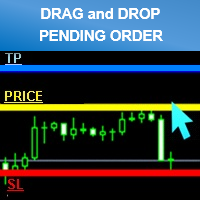
- Drag line to place pending order.
- Hidden stop loss and take profit line.
- Order management.
https://www.mql5.com/en/market/product/11563PROMOTION PRICE 10$ ONLY 1 WEEK!
Hi Siwakon (1) I bought your Pending Order Super Line recently but after loading to GBP/ USD chart & Allow Live Trading & Auto Trading Green & Data feed On , the Yellow Pending line will not drag to where I want it to go . Smiley face top RH corner .
(2) I had an Indicator called " Numbers " from mql5 on FX charts which draws horizontal lines at Hundred & at Fifty lines .
Your EA sometimes makes these Horizontal lines disappear .
Please advise . Email ajwhyte@windowslive.com
Lazarus 30/3/2016
Hi Siwakon (1) I bought your Pending Order Super Line recently but after loading to GBP/ USD chart & Allow Live Trading & Auto Trading Green & Data feed On , the Yellow Pending line will not drag to where I want it to go . Smiley face top RH corner .
(2) I had an Indicator called " Numbers " from mql5 on FX charts which draws horizontal lines at Hundred & at Fifty lines .
Your EA sometimes makes these Horizontal lines disappear .
Please advise . Email ajwhyte@windowslive.com
Lazarus 30/3/2016
First you should to click "Allow Live Trading" before you add Pending Order Super Line. and make sure have the right setting (on attach picture)
And The problem is when you click on "Delete Pending" button from EA that make EA will delete all Horizontal lines so it will delete draw line form you indicator too.
l will fix that problem on version 1.1 for you in soon .
Best Regard.
- Added Line Width input parameter
- Money Management mode (formula calculations = (Account Balance/100)*(Risk Percent Setting/100))
*Attention
Please enable “’Use Alt key to drag trade level’” check box. before use (Menu Tools>Options>Charts)
For Avoid lines overlap.
Hello,
I just purchased this product and trying to learn how to use it best. I am not finding and guide to set this up properly as I am experiencing that when I enter a order send, the bar will pass right through the open price and not trigger a trade until very far away. And when it does trigger it is making "LIMIT ORDER" and I need buy stop and sell stop. how do I correctly set this for buy and sell stop and why is the trade not executing when hits the gold price level I position?
thanks for your help ASAP.
It you placing buy order higher than current price it will be buy stop automatic.
Because buy stop order must higher current price.
and if you placing buy order lower than current price it will be buy limit automatic.
Because buy limit order must lower current price.
No way to placing buy stop lower than current price
Please learn more that common basic Forex trading.
Thank you.
Best Regard.
Zentrader2015:
the snap shot I just placed is showing the bars blowing through the price level I wanted filled? how do I set it properly as none of your vids show this and my one trade filled earlier way past the line and at limit order??? I need to learn how to set up buy and sell stop orders? please help asap
Buy stop order open price that you placing must higher than current price.
Sell stop order open price that you placing must lower than current price.
Buy limit order open price that you placing must lower than current price.
Sell limit order open price that you placing must higher than current price.
That EA auto calculate from your placing.
That common basic Forex trading. you should learn more and try to understand Stop . Limit type of order.
Thank you.
Best Regard.
Explain : Buy Stop and Buy Limit, Sell Stop and Sell Limit Pending Orders on MetaTrader 4
Difference of Buy Stop and Buy Limit
If you place a buy pending order above the market price, that order is know as “Buy Stop”. For example, EUR/USD current price is 1.0495 and you want to buy EUR/USD if the price goes higher and reaches 1.0515. Therefore, you have to set a buy stop order at 1.0515.
Difference of Sell Stop and Sell Limit
The Indicator doesn't work in Demo.
The Demo version for testing can be found here: https://www.mql5.com/en/market/product/11287
Best Regard.