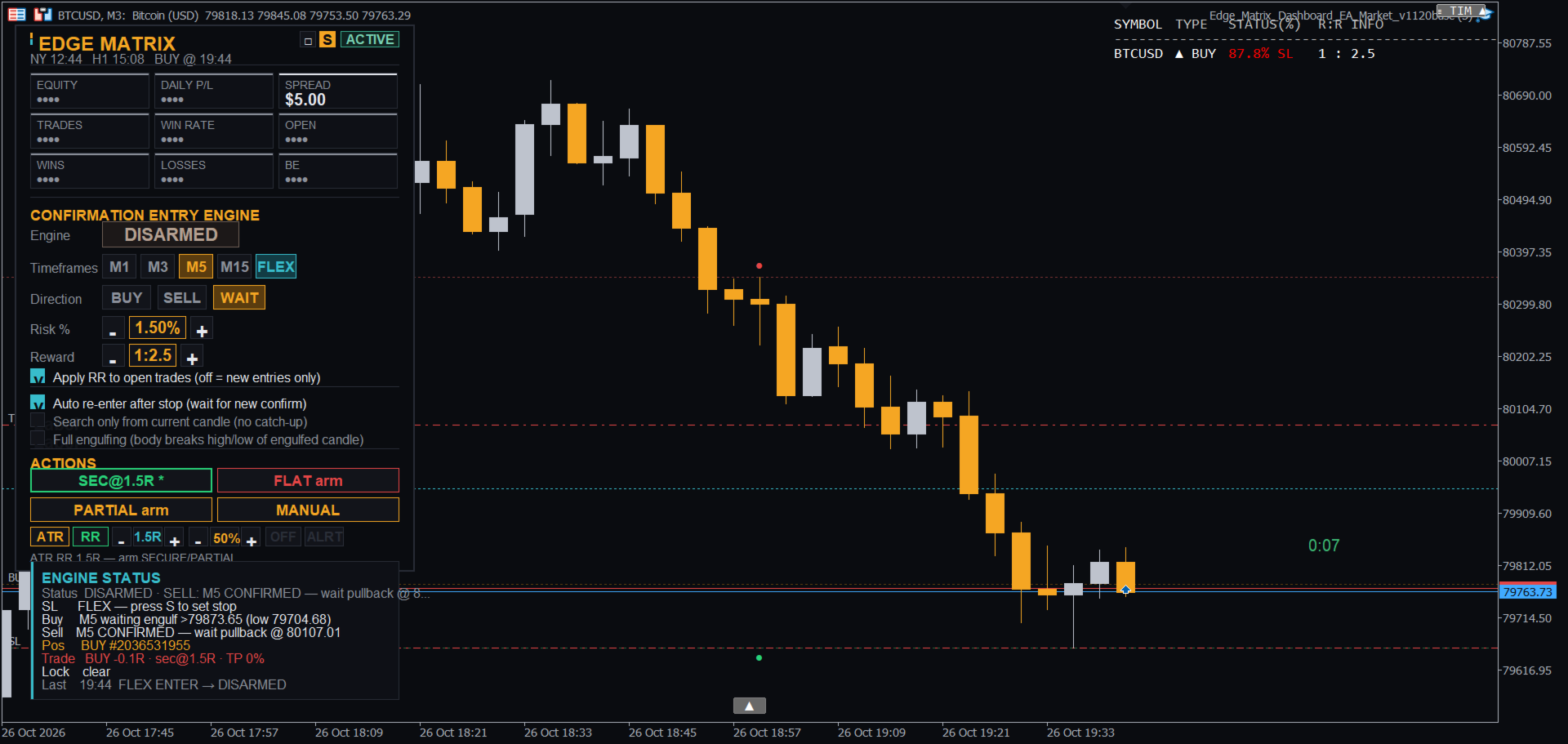
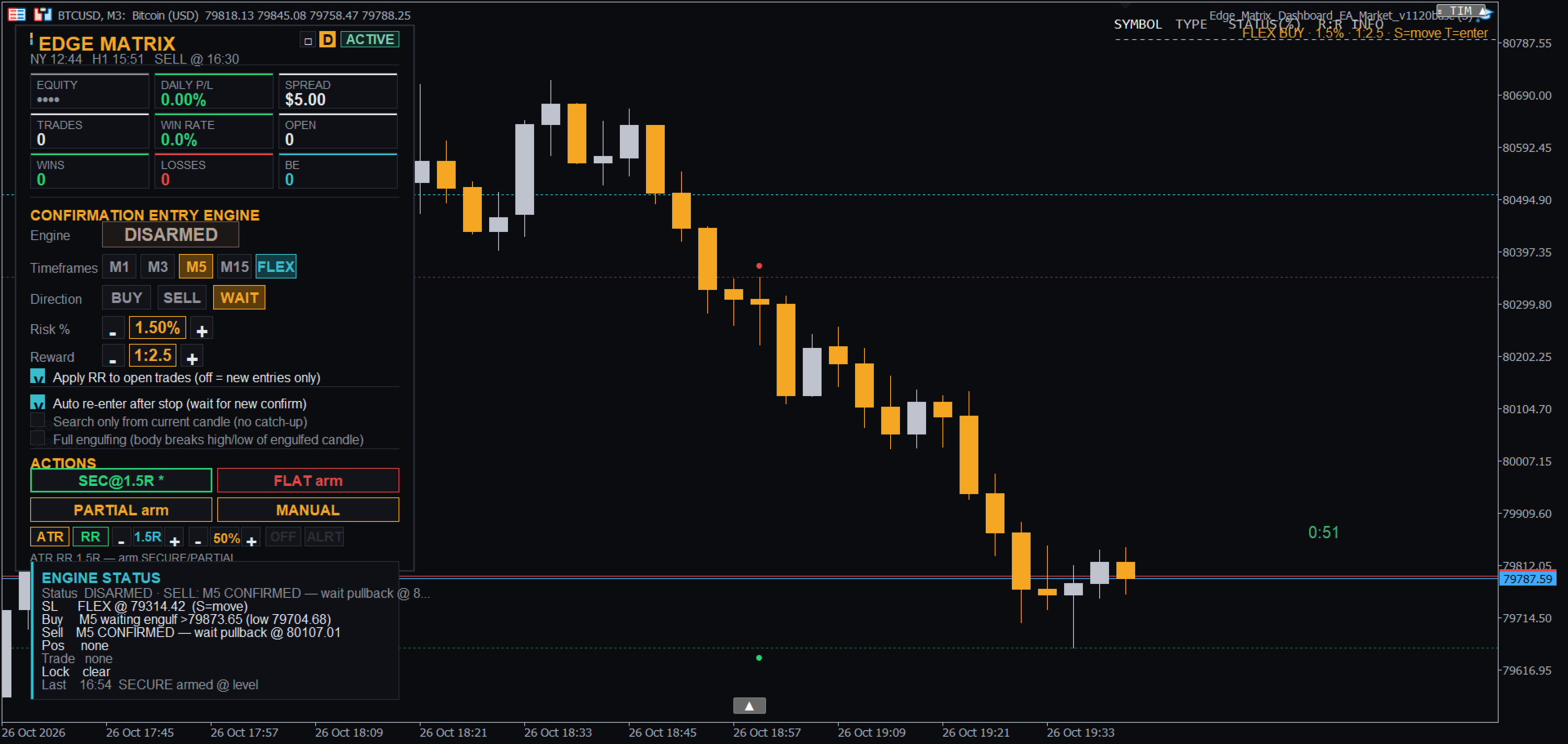
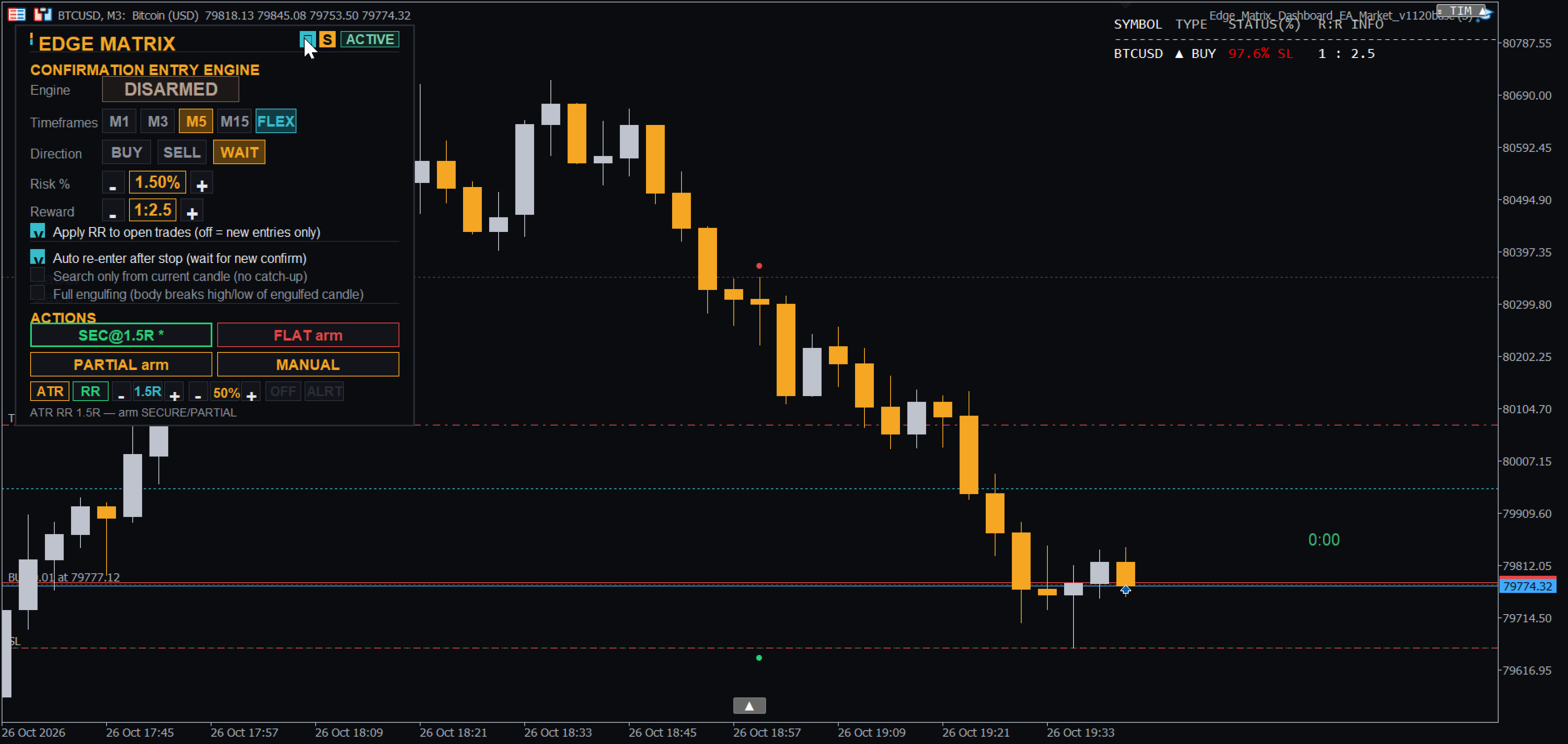
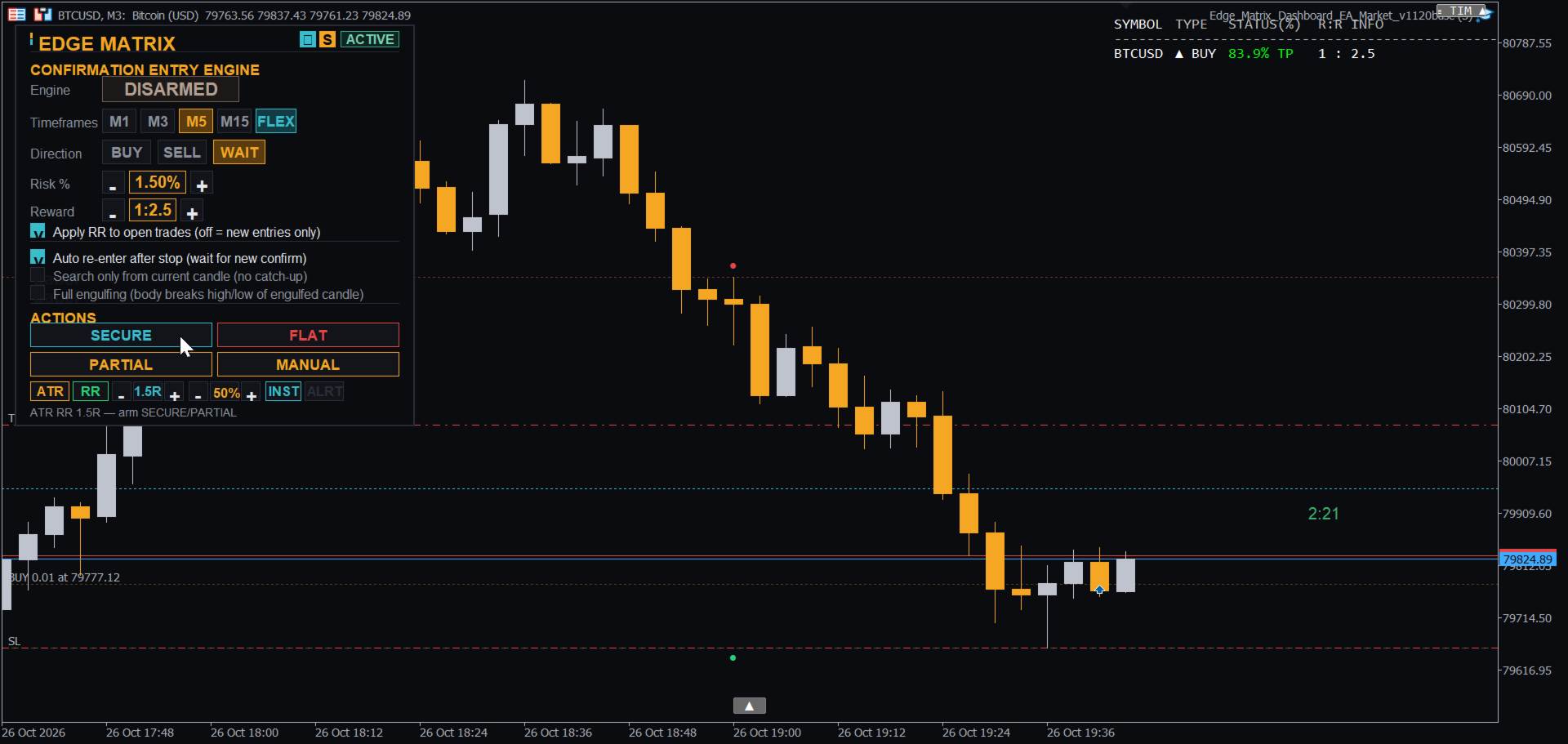
Edge Matrix Trade Manager Panel

计划您的交易,了解风险,管理每一次出场 — 尽在一个清晰的图表控制面板中。

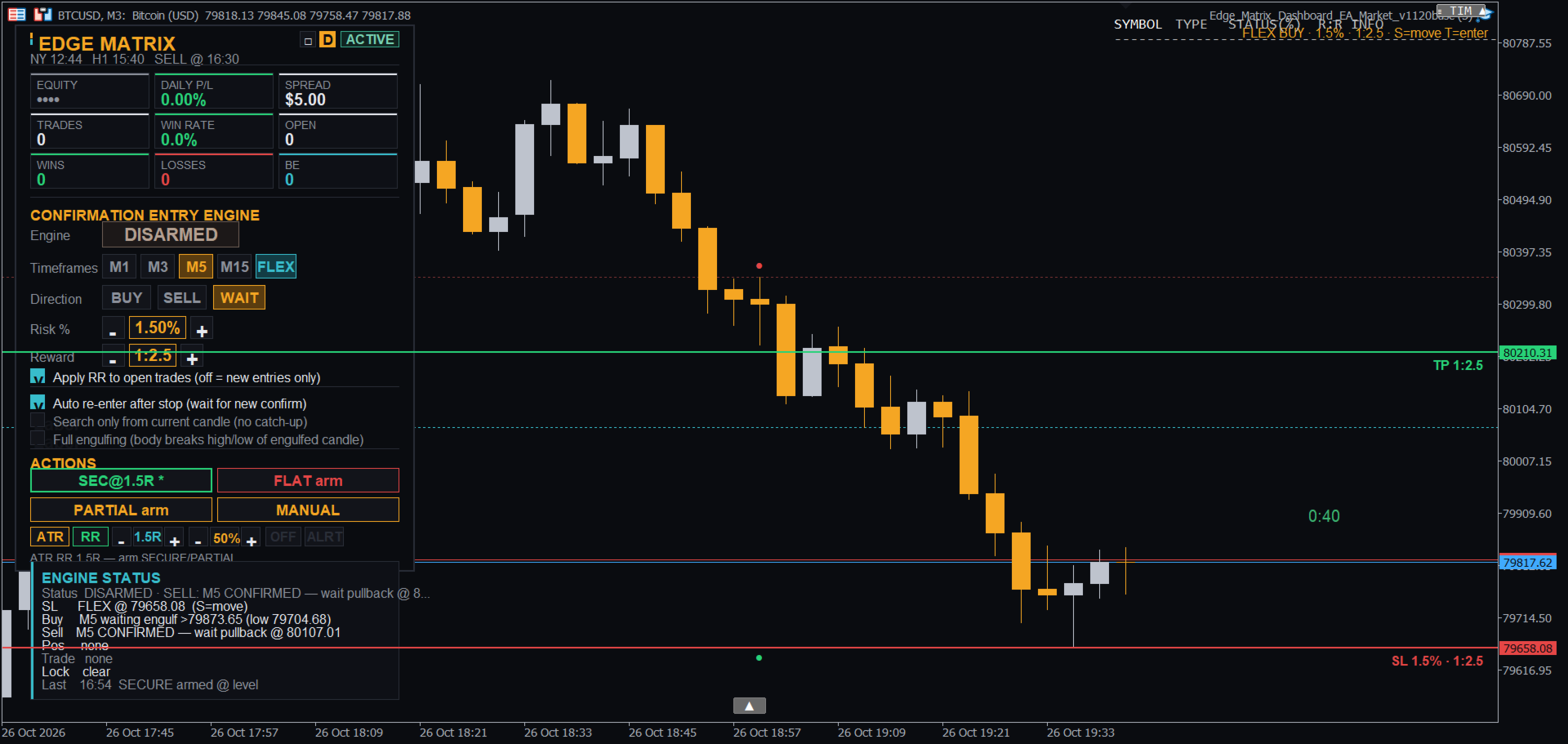
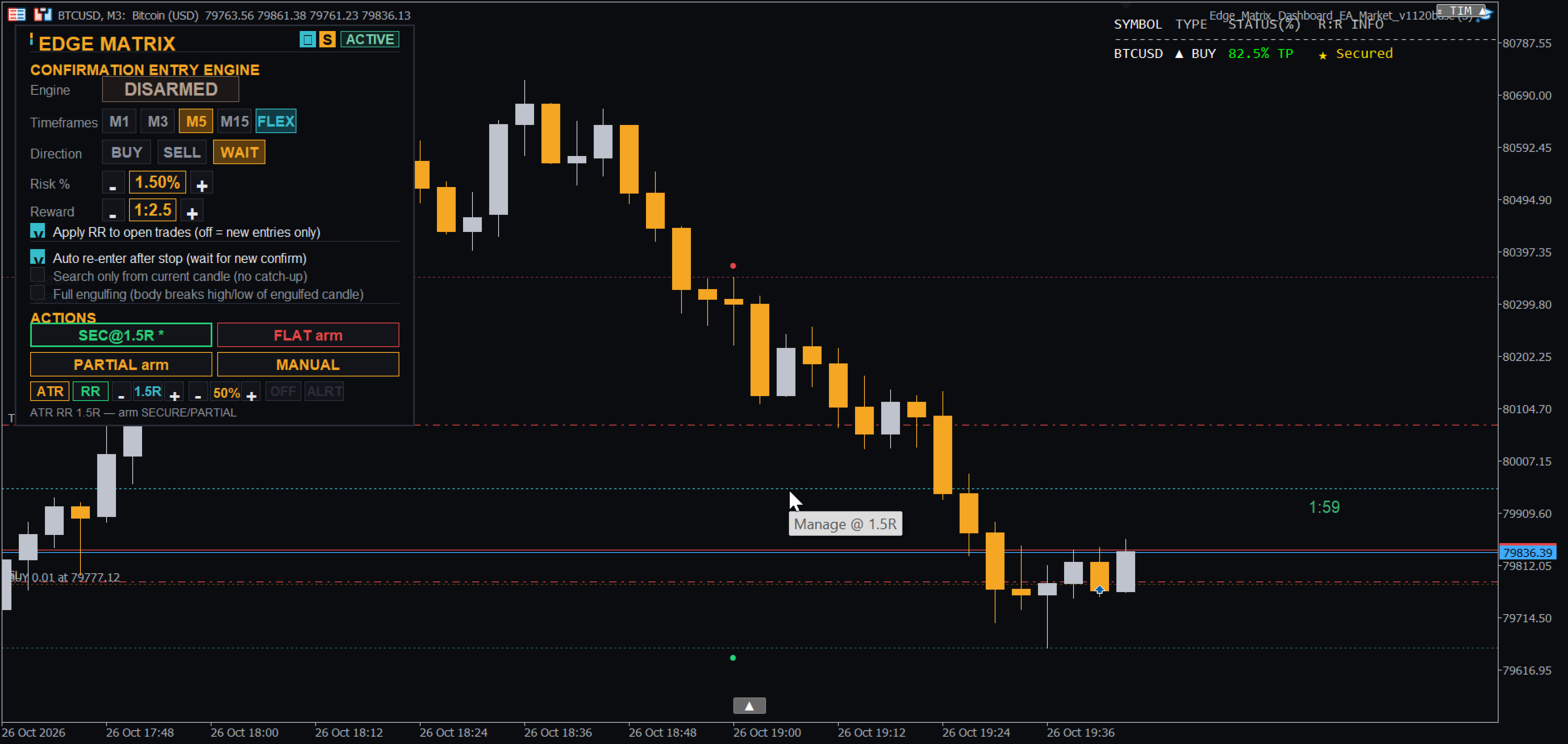
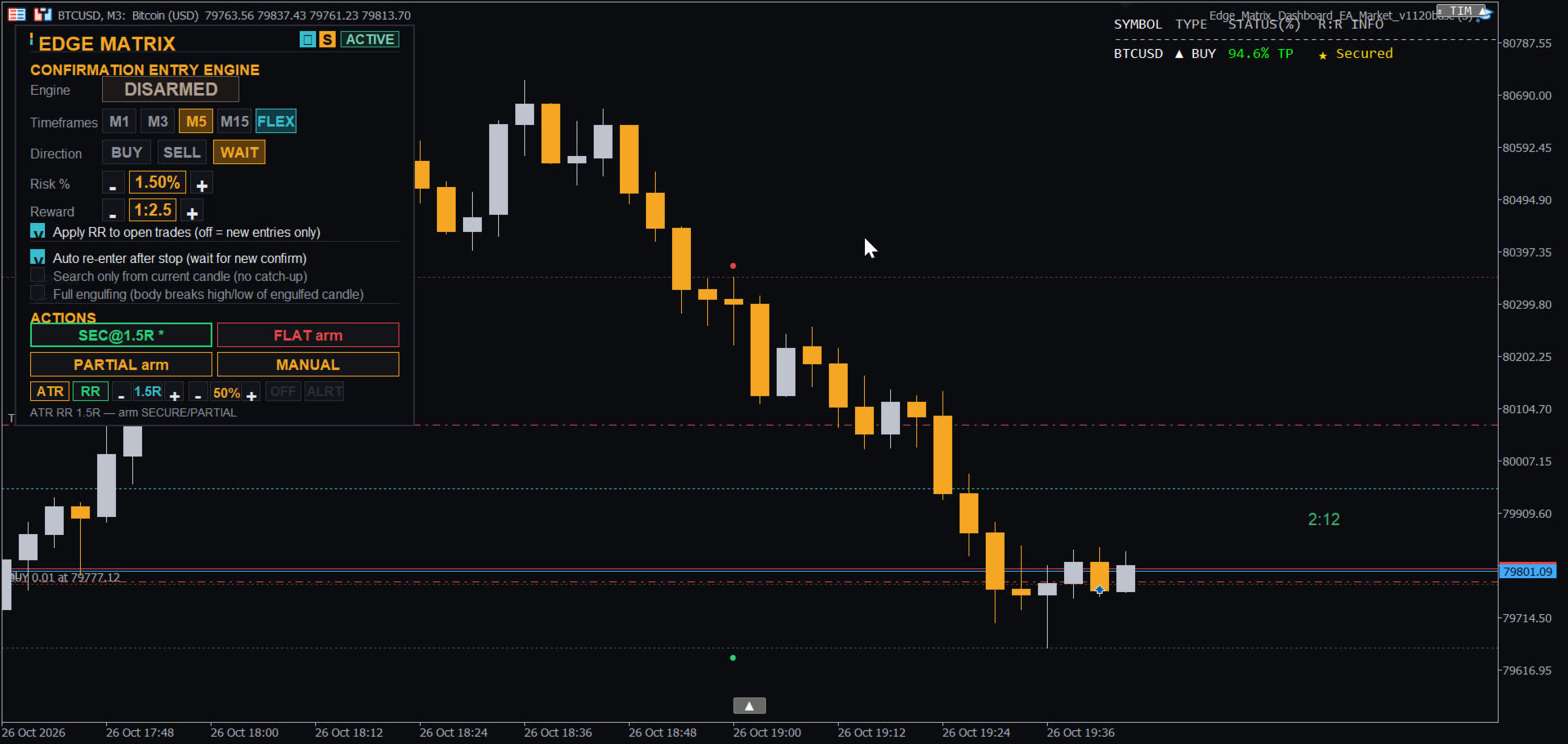
Edge Matrix 是 MetaTrader 5 的交易助手。它将您的交易想法转化为有计划的交易:根据您的风险百分比计算手数,在入场前在图表上绘制止损和目标位,并在开仓后提供清晰的管理工具。让您始终掌控全局;面板消除了盲目猜测和手动计算。 为什么交易者使用它

  • 点击前明确风险。手数根据您的风险百分比(Risk %)和止损位自动计算。止损线、目标线和盈亏比(RR)标签在订单发送前就会显示在图表上。

  • 确认入场,拒绝猜测。内置引擎监控 M1、M3、M5 和 M15 的小时极端K线,仅在出现吞没(engulfing)确认后才入场。实时状态栏会显示当前正在等待的内容。

  • 需要时享受完整的自主控制(FLEX 模式)。一键放置止损,另一键入场,目标位会自动跟随您的盈亏比(RR)。

  • 以您的方式管理交易。SECURE(移至保本)、PARTIAL(部分平仓)和 FLAT(全部平仓)可以在指定的 RR 水平、ATR 水平(H1 / M30)或您自己可拖动的 M 线处触发。

  • 内置纪律性。日内亏损限制、日内目标提醒、最大持仓数量、可选的点差过滤器以及周五收盘保护。

  • 警报功能。带声音或推送通知的价格警报线,以及入场、保本、止盈和止损的声音提示。

  • 干净清爽的暗色或亮色主题仪表盘。 它的独特之处

  • 全程交易只需一个面板:在同一个仪表盘上完成计划、入场、保本、部分获利和平仓,无需在手数计算器、入场工具和交易管理器之间来回切换。

  • 符合您风格的出场计划:在 RR 水平、H1 / M30 ATR 水平或您自己拖动的线上触发 SECURE / PARTIAL / FLAT。

  • 键盘优先的 FLEX 入场:一个键管止损 (S),一个键管入场 (T),手数和 RR 目标瞬间计算完成。

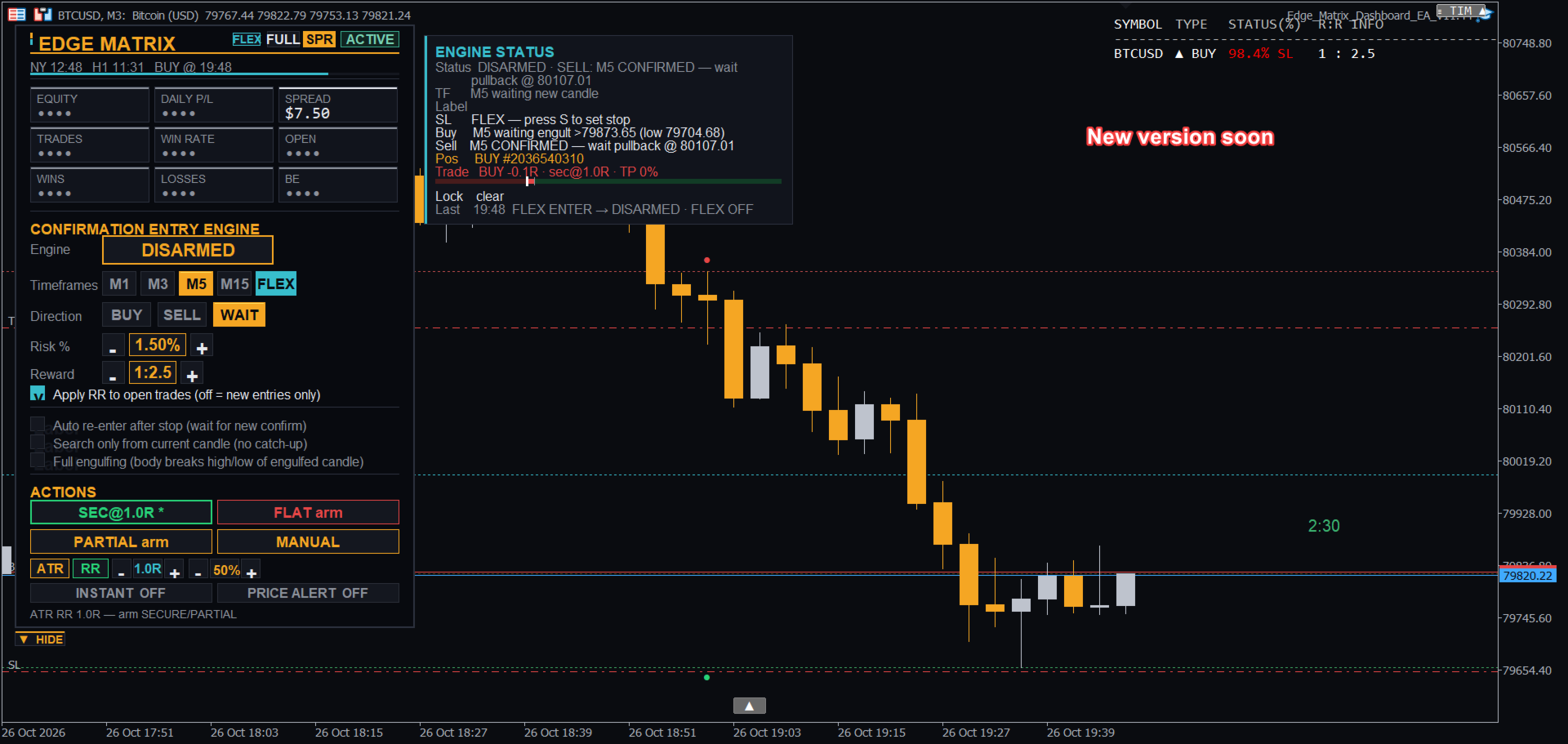
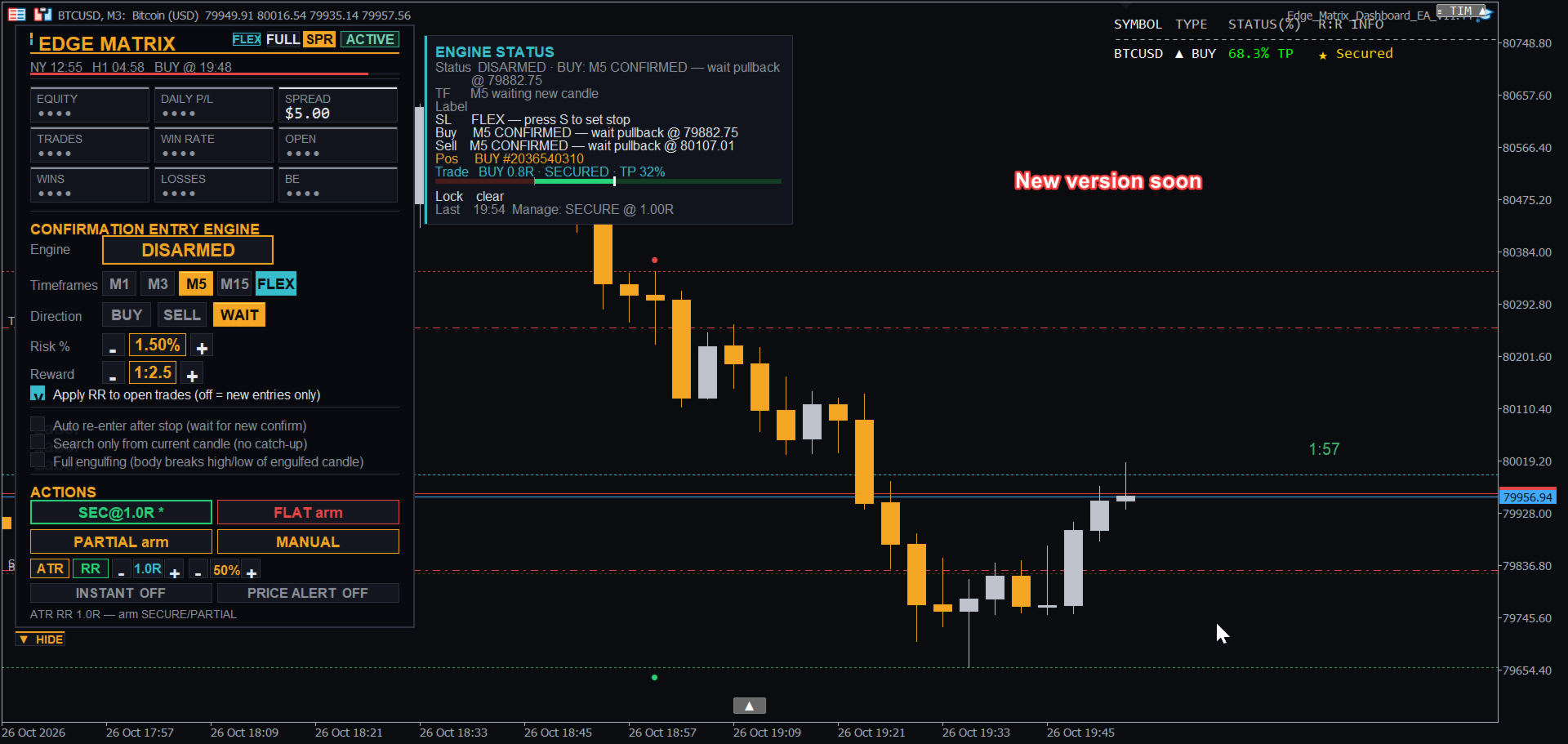
  • 智能感知经纪商的订单 sizing:止损符合经纪商的最小距离要求,当保证金或经纪商的交易量限制不允许时,手数会自动减少。 首发期:面向早期用户的引流特惠价。未来更新中价格可能会上涨。 即将推出 — 所有买家均可获得免费更新 一个更大的更新已经开发完毕,将在发布期后不久向所有购买该产品的用户免费推送。它包含:

  • 可折叠仪表盘:点击一下即可将其缩小为一个小的“EDGE MATRIX”徽标,再点击一下即可恢复。

  • “OTHER SYMBOLS”卡片,列出您在其他品种上的未平仓交易。

  • 每个品种独立的管理计划(SECURE / PARTIAL / FLAT、价位和锁定),因此当您切换到另一个品种时,当前品种的计划仍会继续运行。

  • 引擎状态中的多周期视图:M1、M3、M5、M15 每个周期正在监控什么以及为什么在等待。

  • 更聪明的入场:优先从最小启用的时间周期开始,如果吞没形态已经形成则立即入场。

  • 同样适用于其他品种的价格警报。 标有“COMING IN THE NEXT UPDATE”的预览图位于截图部分。功能和时间可能会有所调整。 新手上路

  1. 将 EA 附加到图表上。在仪表盘上设置风险百分比 (Risk %) 和盈亏比 (RR)。

  2. 选择 BUY 或 SELL 并点击 ARM 让引擎等待确认,或者使用下文的 FLEX 进行手动入场。

  3. 入场后,使用 SECURE / PARTIAL / FLAT 或 M 线来管理交易。 FLEX 模式 — 工作原理

  4. 开启 FLEX(点击仪表盘按钮,或者在选中图表时按 F 键)。

  5. 将鼠标移动到您希望放置止损的价格处并按 S。止损线、目标线和 RR 标签将会出现。这仅为预览:不会发送任何订单,也不会影响现有交易。

  6. 方向会自动检测:止损低于价格 = BUY 计划,止损高于价格 = SELL 计划。

  7. 手数根据您的风险百分比计算,目标设置在您的 RR 处(RR 2 = 目标位于止损距离的两倍处)。再次按 S 可以移动止损,或在仪表盘上更改 RR / Risk %。

  8. 按 T 键入场。入场后引擎将解除布防(disarm),因此不会自动连环触发。 键盘快捷键(请先点击图表) S — 在鼠标价格处放置/移动止损线 T — 使用计划好的止损立即入场(按 S 之后) M — 放置/移动管理线(触及时执行已武装的 SECURE / PARTIAL) A — 放置/移动价格警报线(仅声音/推送) F — 开启/关闭 FLEX 模式 策略测试器 保持“Auto-arm the engine in the Strategy Tester”处于启用状态(默认),以便在策略测试器中无需点击即可运行引擎。它仅影响测试器,对实盘图表无影响。 关键输入参数 (KEY INPUTS) 魔术数字 (Magic Number)、手数模式(风险百分比或固定)、风险百分比 (Risk %)、奖励倍数、日内亏损限制、日内目标、最大持仓数量、最大点差(0 = 关闭)、监控的时间周期、默认方向、FLEX 默认设置、声音与推送选项、仪表盘位置和主题。 注意事项 适用于任何品种。请先在模拟账户上进行测试,并以低风险百分比开始。交易伴随风险,过去或测试过的结果不能保证未来的结果。本工具仅为交易助手,不作盈利承诺。
作者的更多信息
Smart Bulk SL Setter
Muhammad Hassan Muhammad Ahmad Atiyah
Smart Bulk SL Setter MT5 Script – Bulk Stop Loss Management Overview Smart Bulk SL Setter is a trade management script for MetaTrader 5 designed to modify the Stop Loss level of multiple existing open positions at once. The script executes once per attachment and applies a user-defined Stop Loss price based on selected filters. It does not run in the background, does not open trades, and does not generate signals. Core Functionality The script allows setting a unified Stop Loss level for multip
SL Based TP Multiplier
Muhammad Hassan Muhammad Ahmad Atiyah
Smart TP by Risk Ratio MT5 脚本 – 根据止损计算止盈 概述 Smart TP by Risk Ratio 是一款 MetaTrader 5 脚本,根据开仓价与止损的距离,乘以用户定义的系数(R-Multiple)计算止盈水平。 脚本 每次执行一次 ,可应用于当前图表品种或账户所有已开仓位。 不开仓,计算需要已有止损。 功能 TP计算: 根据止损距离和比例系数设置止盈(例如 1:2, 1:3)。 交易品种: 应用于当前图表或所有开仓品种。 达到目标立即关闭: 可选择,如果当前价格已超过目标立即关闭仓位。 输入参数 Ratio Multiplier: 风险距离倍数。 Apply To All Symbols (true/false): 是否应用于所有仓位。 Close If Reached (true/false): 当前价格超过目标时关闭仓位。 重要说明 必须在仓位上设置止损。 仅脚本,不是EA。 不开仓,不管理其他订单。
Lock and Peel Pro Advanced Risk Manager
Muhammad Hassan Muhammad Ahmad Atiyah
Advanced Breakeven & Partial Close Manager MT5 脚本 – 一键交易管理 概述 Advanced Breakeven & Partial Close Manager 是一个用于 MetaTrader 5 的交易管理脚本。 它 仅作用于已打开的仓位 ,并严格按照用户设定的规则执行操作。 该脚本在加载到图表时 只执行一次 ,仅执行在参数中明确启用的操作。 不会后台运行,不会自动交易,也不会生成交易信号。 核心功能 该脚本提供严格的保本止损和部分平仓管理,并包含多重安全检查。 保本止损管理 当达到最小盈利条件时,可将止损移动到计算后的保本位置。 支持在入场价基础上增加可选的利润缓冲。 买单保本设置在入场价之上,卖单设置在入场价之下。 部分平仓管理 每次执行仅允许一次部分平仓,按固定百分比减少仓位。 系统会确保剩余手数不低于最小允许值。 默认情况下,仅对盈利仓位执行部分平仓。 重要说明 本产品为 脚本 ,非 EA。 不负责开仓、不分析市场方向、不生成信号。 所有操作需由用户明确配置。
Smart Bulk TP Setter
Muhammad Hassan Muhammad Ahmad Atiyah
Smart Bulk TP Setter MT5 Script – Bulk Take Profit Management Overview Smart Bulk TP Setter is a trade management script for MetaTrader 5 designed to modify the Take Profit level of multiple existing open positions at once. The script executes once per attachment and applies a user-defined Take Profit price based on selected filters. It does not run in the background, does not open trades, and does not generate signals. Core Functionality The script allows setting a unified Take Profit level fo
Smart Bulk Order Closer
Muhammad Hassan Muhammad Ahmad Atiyah
Smart Bulk Order Closer MT5 脚本 – 按浮动盈亏关闭交易 概述 Smart Bulk Order Closer 是一款 MetaTrader 5 脚本,可根据仓位当前浮动盈亏关闭交易。 脚本在图表加载时 仅执行一次 ,只关闭符合用户定义 PnL 条件的仓位。 不后台运行,不修改止损或止盈,也不开仓。 核心功能 每个仓位单独评估,并可使用以下过滤: PnL 阈值: 仅当浮动盈亏超过设定值时关闭。 交易状态: 仅关闭盈利、仅关闭亏损或全部。 方向: 仅买单、仅卖单或两者。 交易品种: 当前图表品种或账户所有已开品种。 输入参数 CurrentSymbolOnly (true/false): 限制为当前图表品种。 ProfitFilter: 选择要关闭的交易(盈利、亏损、全部)。 Direction: 按买卖方向过滤(买、卖、两者)。 Min_PnL_Amount: 最小浮动盈亏以关闭交易。 例: 10.0 关闭盈亏大于10单位的交易。 例: -4.0 关闭浮动盈亏大于-4的交易,忽略更大亏损。 用户 管理多仓位的交易者、剥头皮交易者和日内交易者,需要基于盈亏精
Apex StopLoss Manager
Muhammad Hassan Muhammad Ahmad Atiyah
Apex StopLoss Manager MT5 脚本 – 止损管理工具 概述 Apex StopLoss Manager 是一款 MetaTrader 5 脚本,可对 已有持仓 的止损进行精确控制。 脚本在图表加载时 仅执行一次 ,所有操作均通过用户输入启用。 不使用自动交易逻辑,不开仓,也不生成交易信号。 核心功能 止损移动至无亏水平 可将止损移动到考虑点差和手续费的无亏水平,仅适用于盈利仓位。 可选择自动点差缓冲或手动固定缓冲。 移除止损 用户明确启用时,脚本可删除选定仓位的止损。 未启用时不删除。 仓位选择 仅对符合条件的仓位应用操作。 不符合条件的仓位将被忽略。 重要说明 本产品为 脚本 ,非 EA。 不开仓,不管理策略,也不生成信号。 所有操作需用户明确配置并手动执行。
Active Trade Monitor
Muhammad Hassan Muhammad Ahmad Atiyah
Stop switching to the terminal tab while price is moving. Active Trade Monitor places a clean, real-time dashboard directly on your chart showing all open positions at once — symbol, direction, lot size, profit in dollars, profit in pips, and current R:R ratio. Everything you need to manage your trades is visible without leaving the chart. FEATURES: — Displays all open positions directly on the chart — Shows: symbol, type (BUY/SELL), lot size — Live profit in dollars and pips — Current R:R r
One Click Symbol Hub
Muhammad Hassan Muhammad Ahmad Atiyah
Twenty open chart tabs is not a workspace — it's noise. One-Click Symbol Hub replaces all of that with a single small button on your chart. Press it and a clean symbol panel appears, centered on your screen. Tap any pair and the chart switches instantly — preserving your current timeframe. Press the button again and everything disappears. FEATURES: — Switch between symbols with a single click — Preserves current timeframe on every switch — Clean pop-up panel — appears and disappears on deman
Session Clock Advanced
Muhammad Hassan Muhammad Ahmad Atiyah
Know exactly where you are in the trading day — at a glance. Session Clock Advanced displays two live clocks directly on your chart: your local time (auto-detected from your PC) and New York time. No manual offset needed. But it goes further than a simple clock. The indicator detects the active trading session in real time — Asia, London, New York, or any overlap — and changes color automatically so you always know the market context without reading the time. A live countdown shows exactly
Equity and Balance
Muhammad Hassan Muhammad Ahmad Atiyah
Your account health deserves a live dashboard — not a number buried in the terminal corner. Equity & Balance Monitor displays your real-time equity, balance, margin usage, drawdown, and growth metrics directly inside your chart window. No extra windows. No switching screens. FEATURES: — Live equity and balance display on chart — Real-time margin and free margin tracking — Drawdown monitoring — Historical growth indicators — Always visible — updates on every tick — Clean dashboard layout — Cus
Time and Spread
Muhammad Hassan Muhammad Ahmad Atiyah
Two numbers define whether your entry is clean or expensive: the spread, and the time left on the current candle. Candle Timer & Spread Monitor tracks both in real time, displayed as a single compact label directly on your chart. See the current spread widen during session transitions. Know when you're entering in the last seconds of a candle. Place it in any corner of your chart. FEATURES: — Live spread display (in points) — Countdown timer to next candle close (MM:SS) — Updates every secon
Ultimate Trade Manager Panel EA
Muhammad Hassan Muhammad Ahmad Atiyah
Stop managing trades manually under pressure. Ultimate Trade Manager (UTM) Pro is a professional trade-management panel for MetaTrader 5. Set your exit rules once, arm the trigger, and let the panel execute them the instant price reaches your level — partial closes, breakeven, profit booking, or full exits, with zero manual clicking and zero emotional decisions. HOW IT WORKS Attach the EA, configure your rules in the panel, and drop a trigger line on the chart (press X , or click "Create Lines"
筛选:
无评论
回复评论