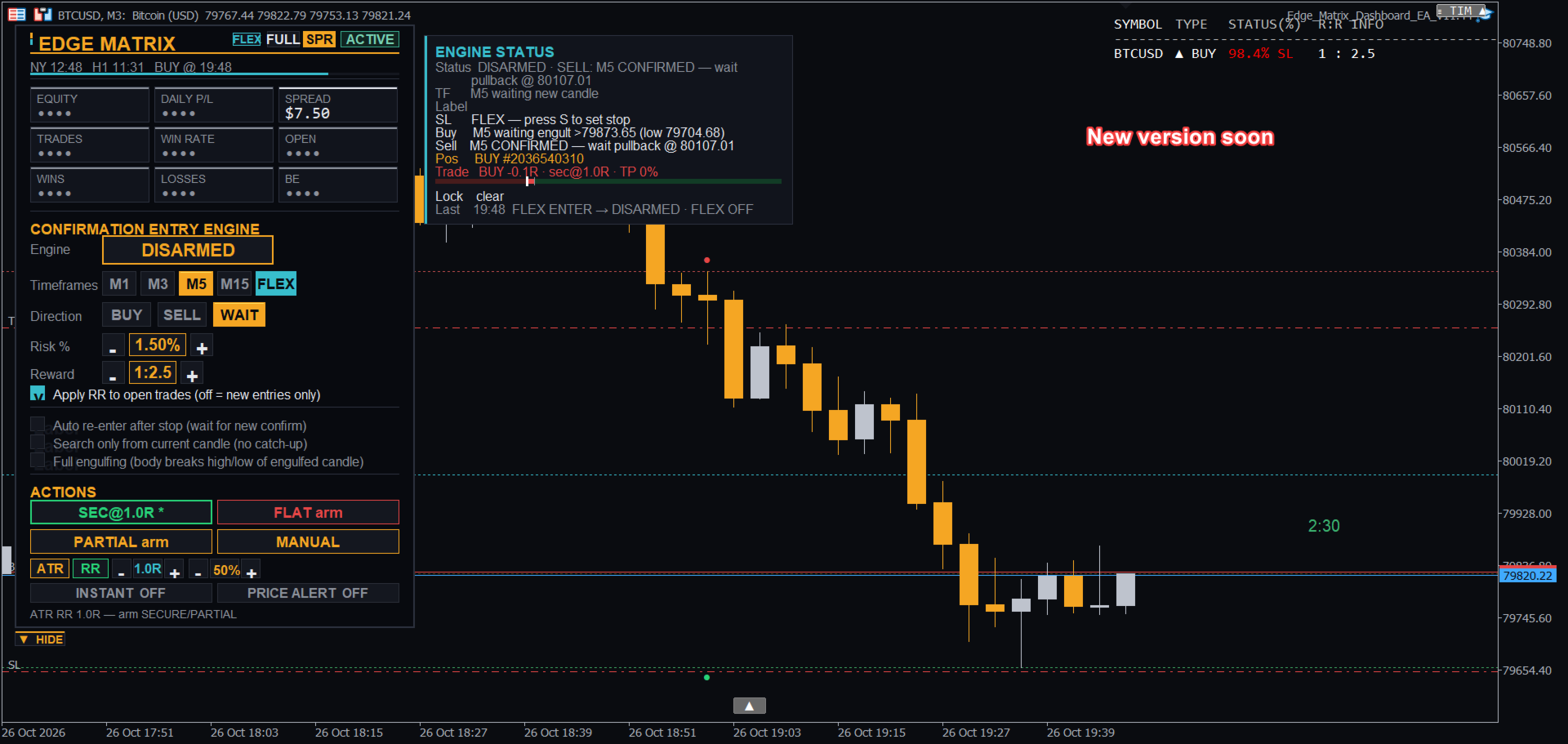
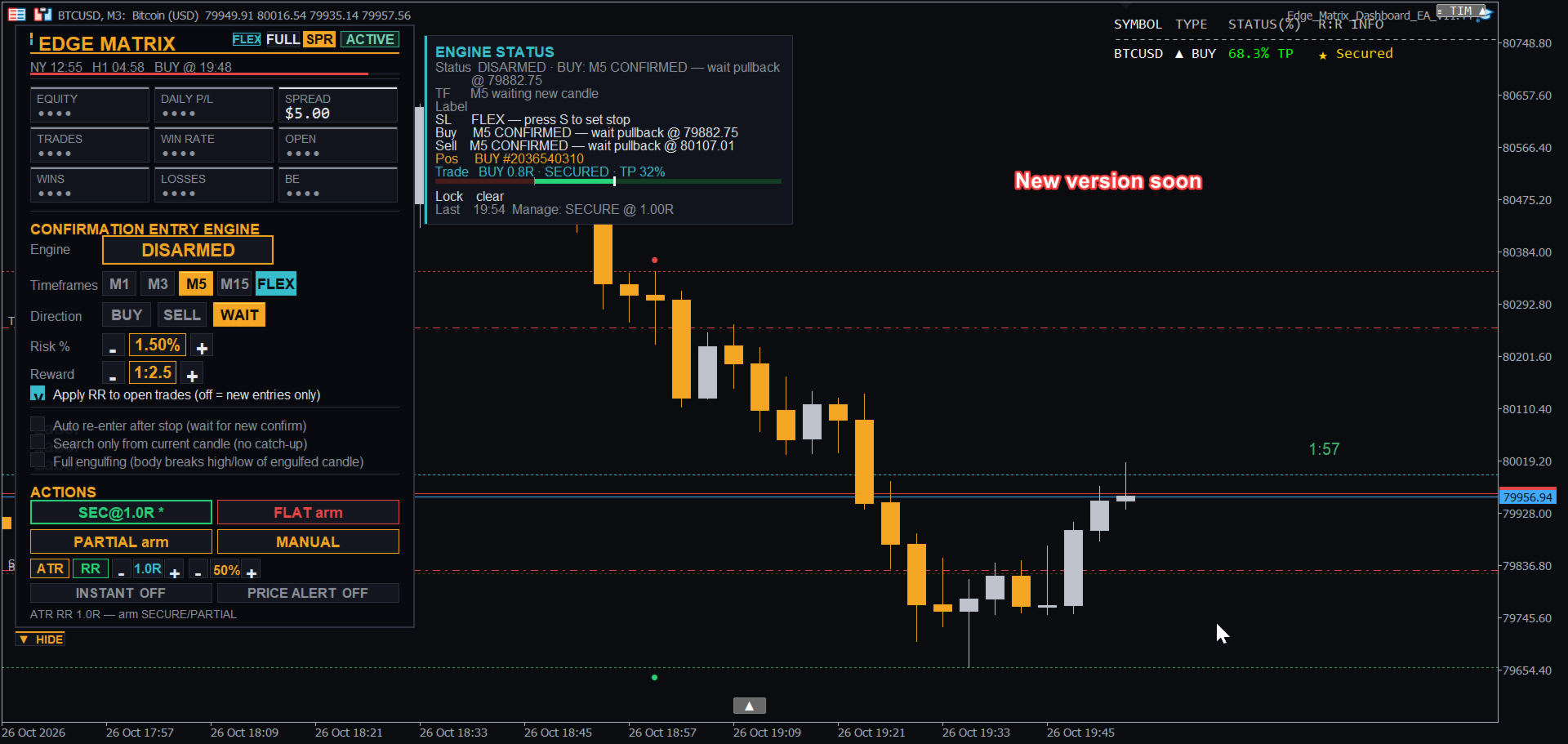
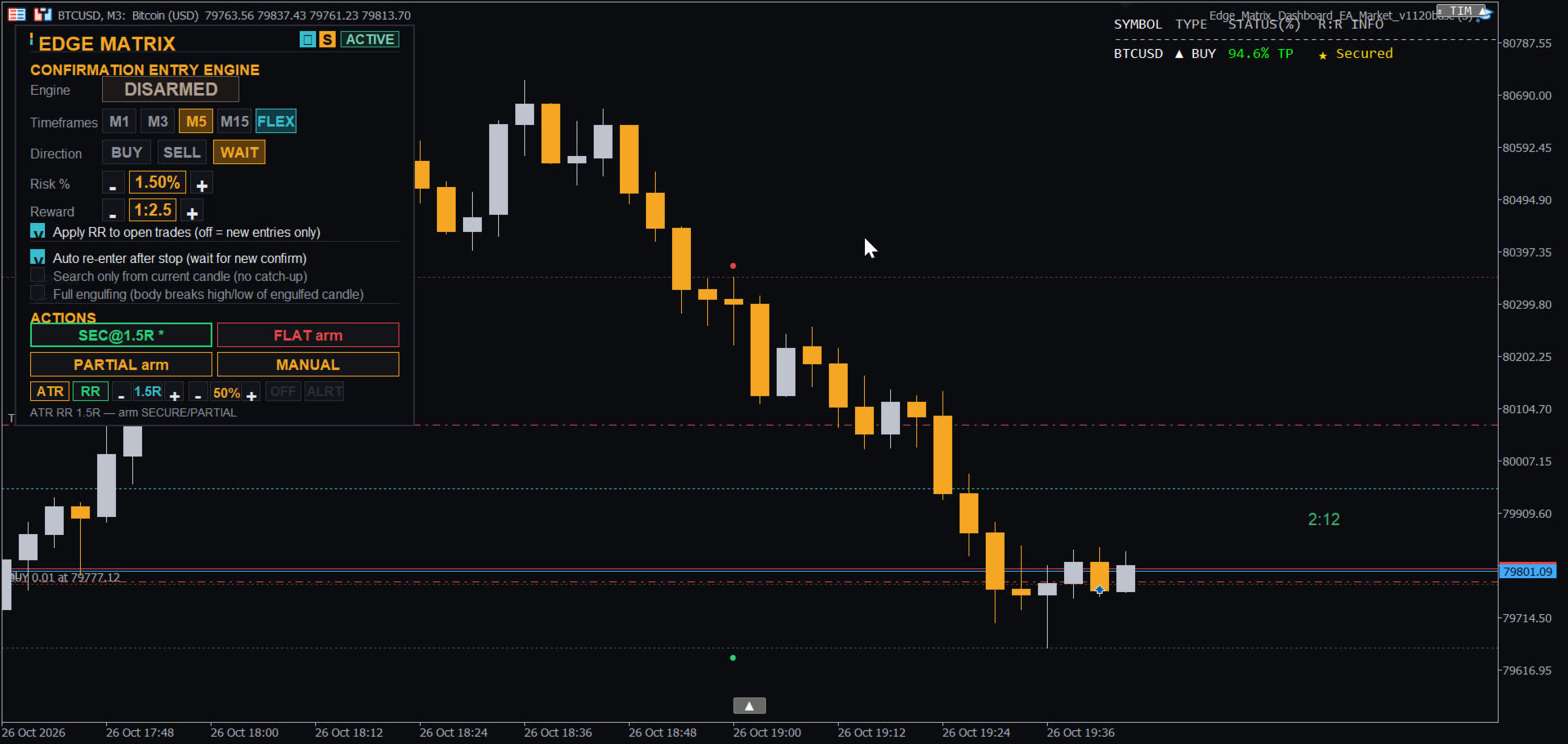
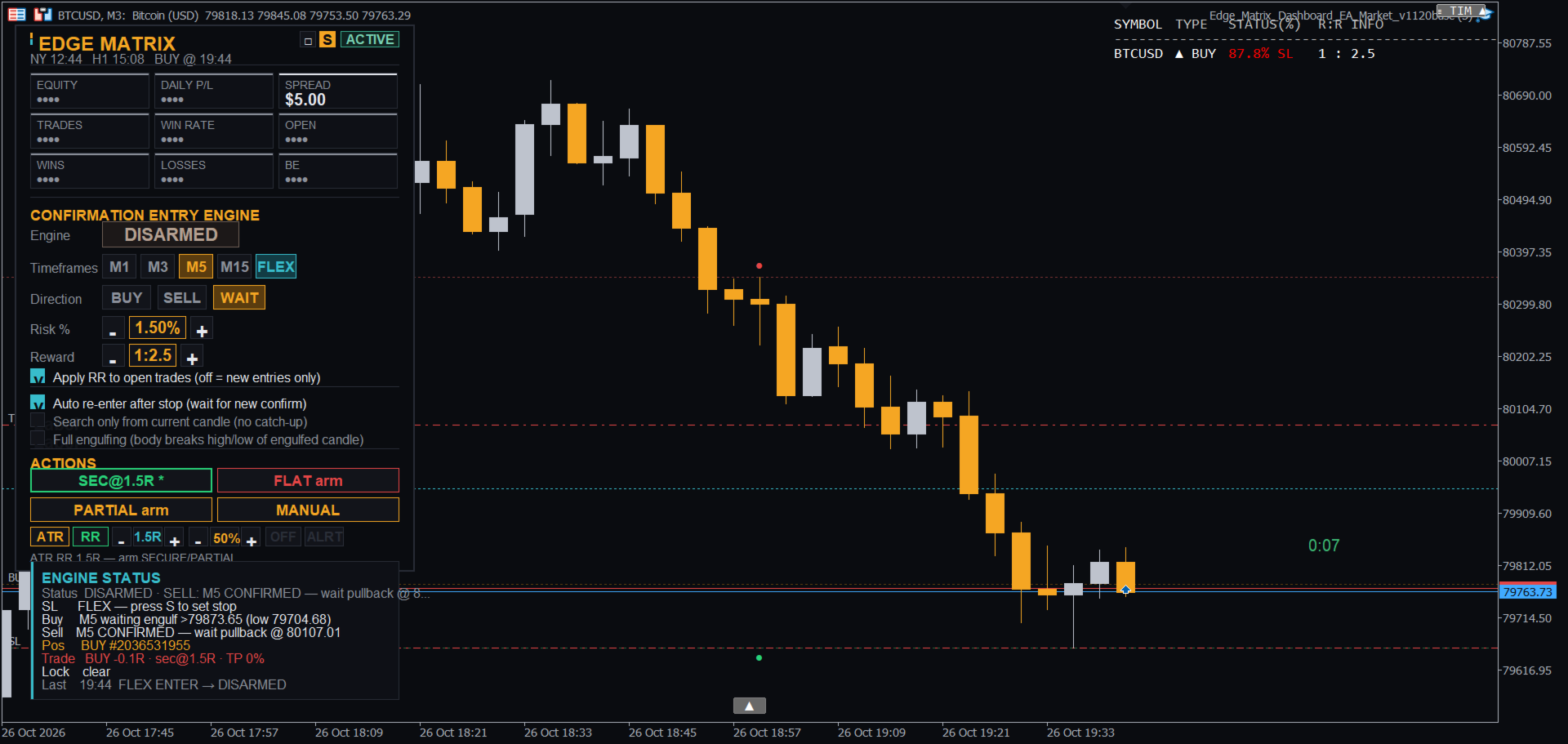
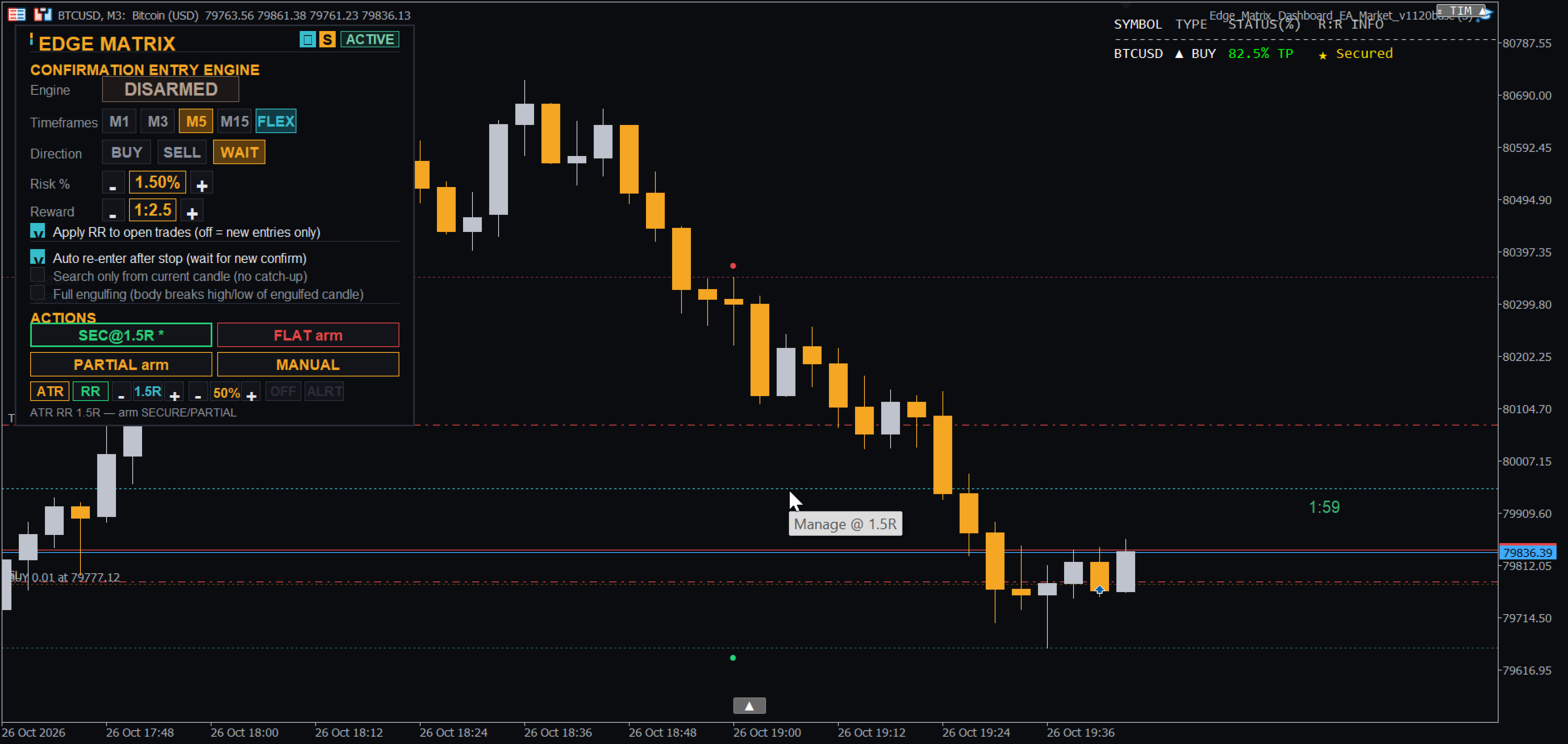
Edge Matrix Trade Manager Panel
- Experts
-
Muhammad Hassan Muhammad Ahmad Atiyah
 Welcome to EDGE Matrix! We specialize in quantitative, rules-based automated trading models for Gold (XAUUSD). Safe, disciplined execution with strict risk management.
 - Version: 1.0
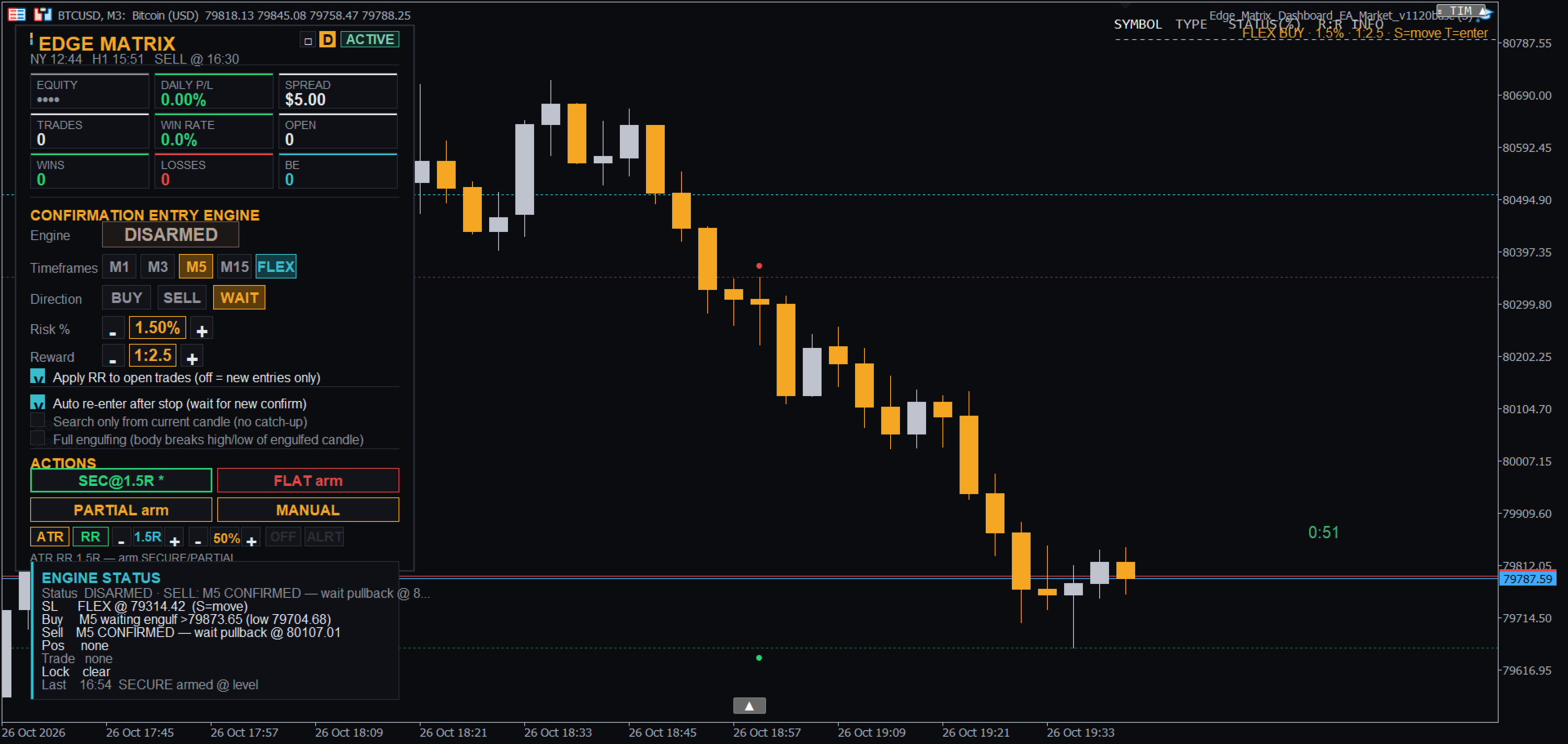
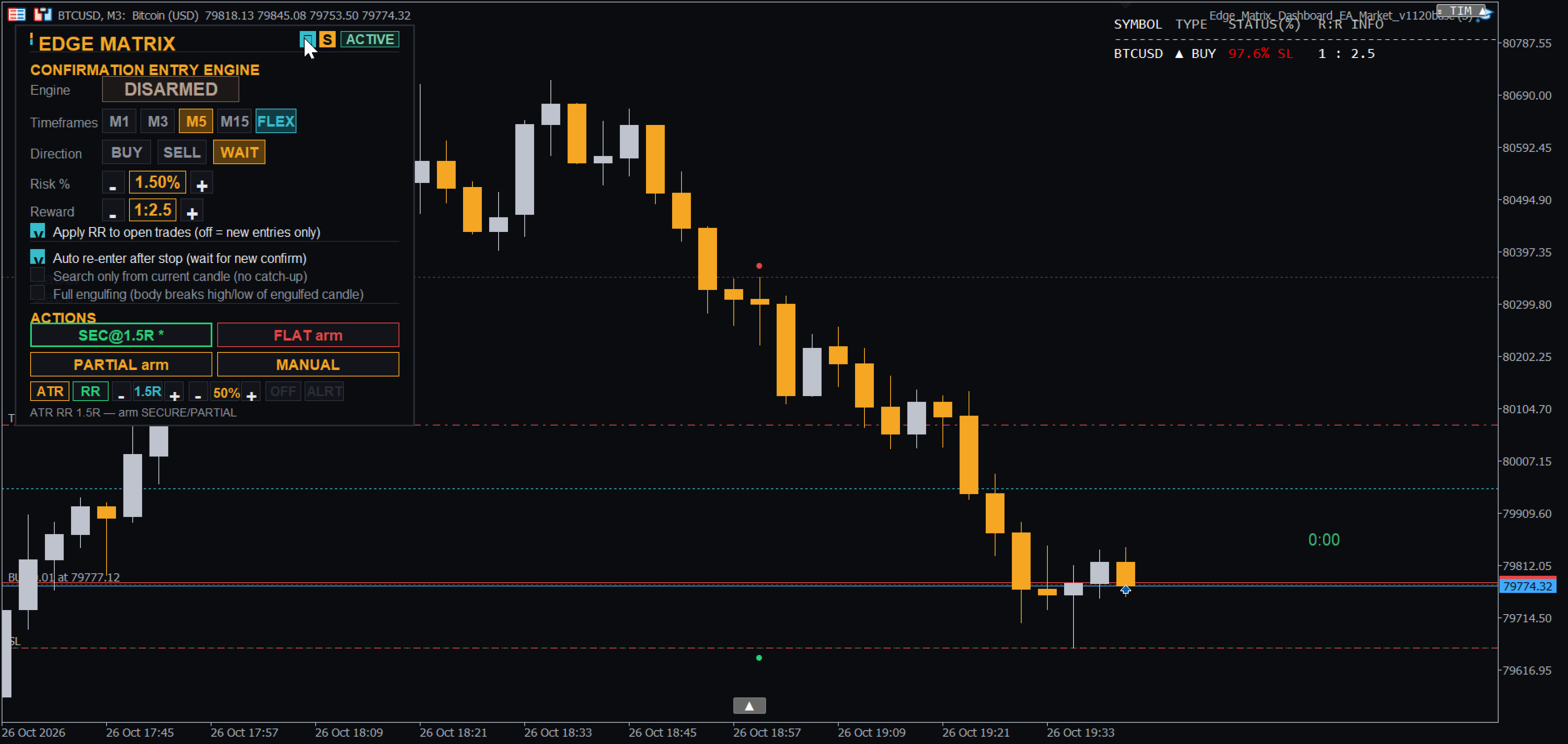
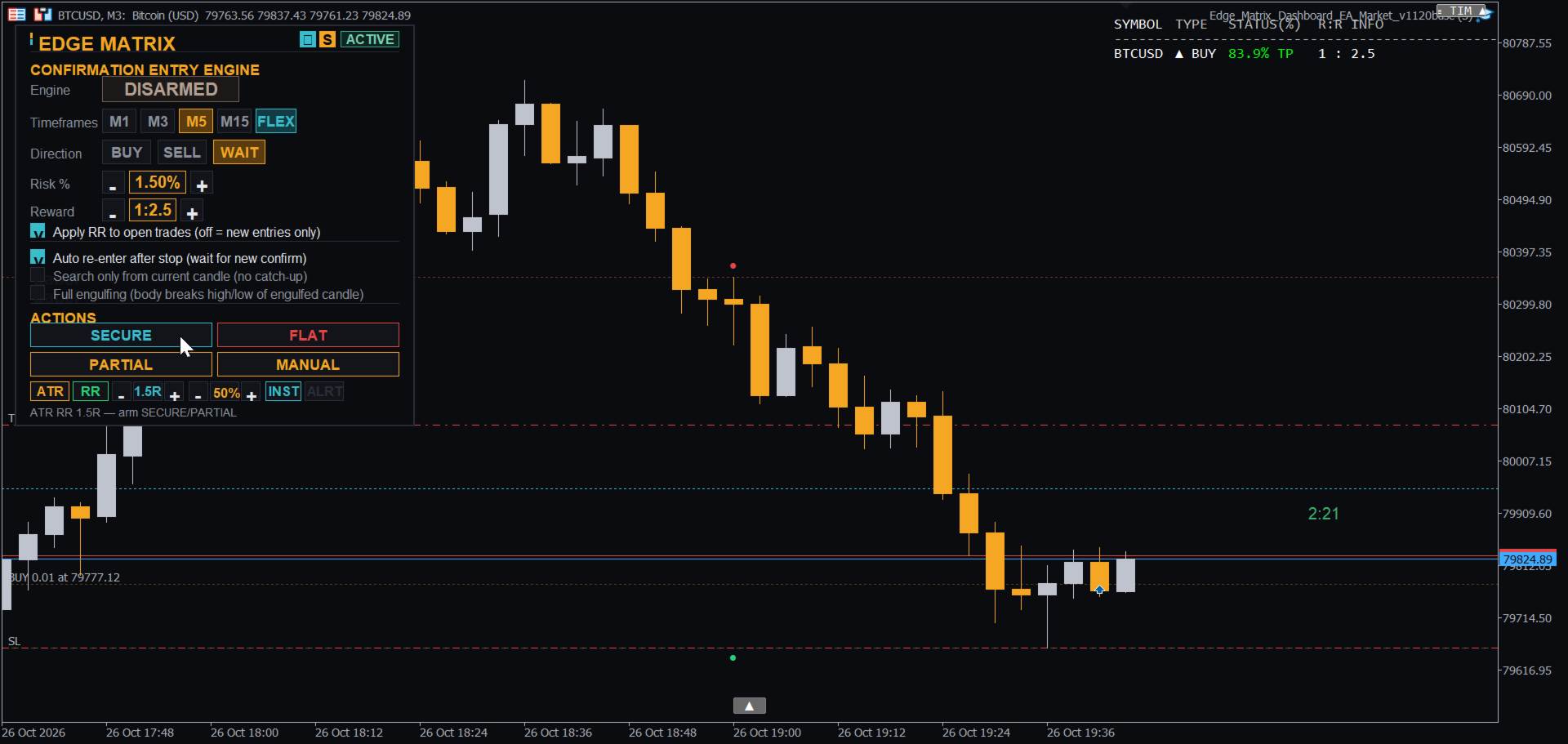
Edge Matrix is a trade assistant for MetaTrader 5. It turns your idea into a planned trade: lot size from your risk %, stop and target drawn on the chart before you enter, and clear tools to manage the trade after it opens. You stay in control; the panel removes the guesswork and the manual math.
COMING SOON - FREE MAJOR UPDATE FOR ALL USERS
We are constantly improving Edge Matrix based on your valuable feedback! A major update is already fully built and will be released as a 100% free update for all active users shortly after the launch period.
What's coming in the next update:
-
Collapsible Dashboard: One click shrinks the panel into a small "EDGE MATRIX" badge; one click brings it back.
-
OTHER SYMBOLS Card: View and manage your open trades across all other symbols directly from one screen.
-
Per-Symbol Management Plans: Independent exit plans (SECURE / PARTIAL / FLAT, levels, and locks) so a plan on one symbol keeps running when you switch to another.
-
Per-Timeframe Engine Status: Transparent view showing what each timeframe (M1, M3, M5, M15) is watching and why it is waiting.
-
Smarter Confirmation Entries: Prioritizes the smallest enabled timeframe and enters immediately if an engulfing pattern has already formed.
-
Multi-Symbol Price Alerts: Price alerts that function across all symbols.
WHY TRADERS USE IT
-
Know your risk before you click: Lot size is calculated automatically from your Risk % and stop loss distance. The stop line, target line, and Risk-to-Reward (RR) label are shown on the chart before the order is sent.
-
Confirmation entries, not guesses: The built-in engine watches M1, M3, M5, and M15 for the hour's extreme candle and enters only after an engulfing confirmation. A live status line shows exactly what it is waiting for.
-
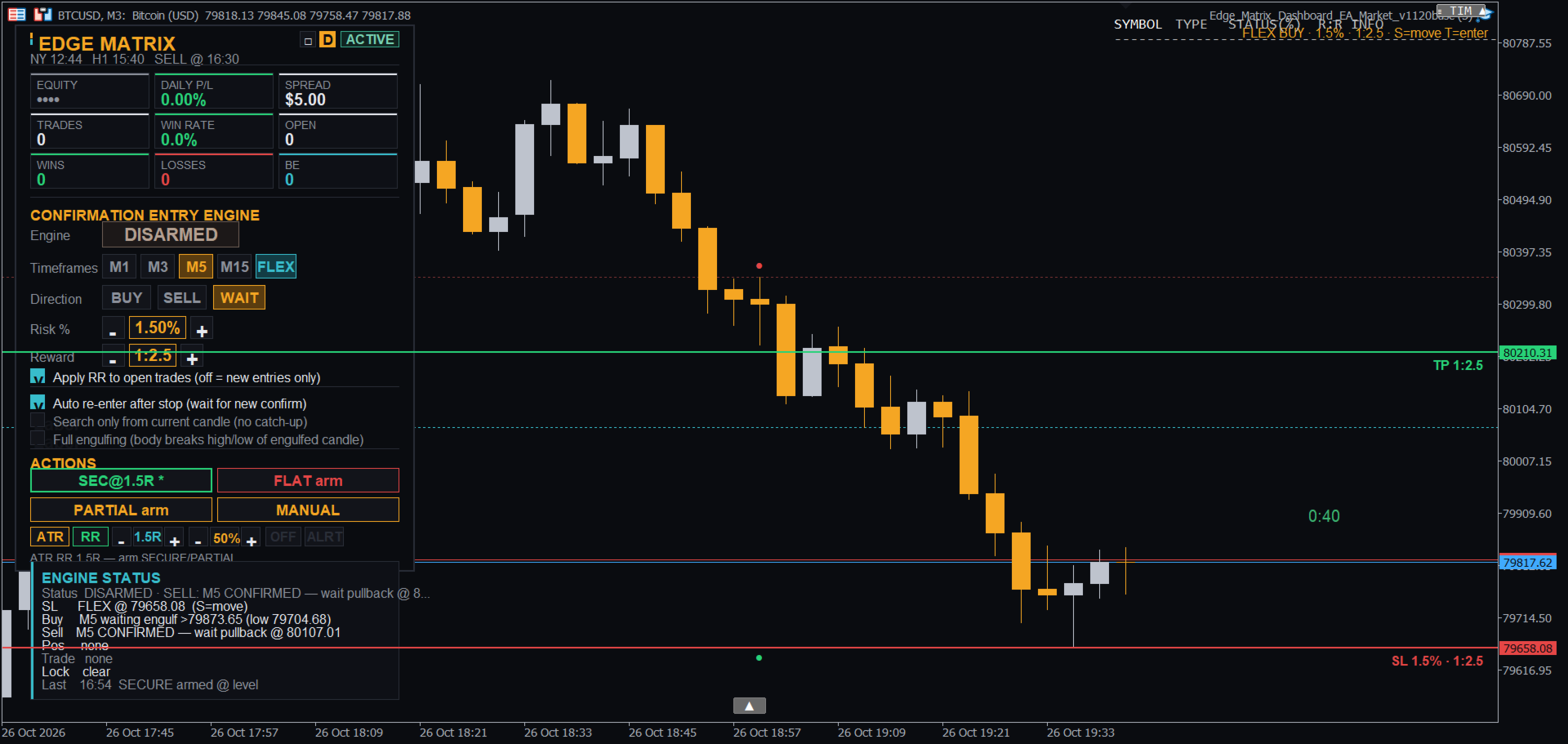
Full manual control when you want it (FLEX mode): Place your stop with one shortcut key, enter with another, and the target follows your RR automatically.
-
Manage trades your way: SECURE (move to breakeven), PARTIAL profit, and FLAT (full close) can fire at a specific RR level, an ATR level (H1 / M30), or a movable M-line.
-
Built-in discipline: Daily loss limit, daily target alert, max open positions, optional spread filter, and weekly-close protection.
-
Alerts: Price-alert line with sound or push notifications, plus audio cues for entry, secure, take-profit, and stop-loss.
-
Clean Dashboard: Sleek UI supporting both dark and light themes.
WHAT MAKES IT DIFFERENT
-
One panel for the whole trade: Plan, enter, secure, take partial profits, and close all from the same dashboard instead of switching between a lot calculator, entry tool, and trade manager.
-
Customizable exit plans: Trigger SECURE / PARTIAL / FLAT based on RR ratios, H1 / M30 ATR volatility, or custom drag-and-drop lines.
-
Keyboard-first FLEX entries: One key for stop loss (S), one key for entry (T), with instant calculations for lot size and RR target.
-
Broker-aware order sizing: Respects broker minimum stop distances and automatically reduces lot size if margin constraints or volume limits require it.
GETTING STARTED
-
Attach the EA to your chart. Set your Risk % and RR (Reward Multiple) on the dashboard.
-
Choose BUY or SELL and press ARM to let the engine wait for confirmation, or use FLEX mode for manual execution.
-
After entering, use SECURE, PARTIAL, FLAT, or the M-line to manage your active trade.
FLEX MODE - HOW IT WORKS
-
Turn FLEX on via the dashboard button or by pressing F on the chart.
-
Move your cursor to your desired stop price and press S. The stop line, target line, and RR label will appear (Preview mode: no orders are sent yet).
-
Trade direction is auto-detected: stop below price = BUY, stop above price = SELL.
-
Lot size is calculated from your Risk %, placing the target at your set RR. Press S again to adjust the stop, or modify settings on the dashboard.
-
Press T to enter the trade. The engine automatically disarms after entry to prevent unintended orders.
KEYBOARD SHORTCUTS (Click the chart first)
-
S — Place / Move the Stop Line at mouse cursor price.
-
T — Enter trade immediately with the planned stop (after pressing S).
-
M — Place / Move the Manage Line (executes armed SECURE / PARTIAL on touch).
-
A — Place / Move the Price Alert Line (Sound / Push notification).
-
F — Toggle FLEX Mode ON / OFF.
STRATEGY TESTER
Keep "Auto-arm the engine in the Strategy Tester" enabled (default) to run tests automatically without manual clicking. This setting applies only to the Strategy Tester and does not affect live charts.
KEY INPUTS
Magic Number, Lot mode (Risk % or Fixed), Risk %, Reward Multiple, Daily Loss Limit, Daily Target, Max Open Positions, Max Spread Filter (0 = OFF), Watched Timeframes, Default Direction, FLEX Defaults, Sound & Push Notification settings, Dashboard Position, and Theme.
NOTES
Works on any symbol. Please test on a demo account first and start with a conservative Risk %. Trading involves financial risk, and past or backtested results do not guarantee future performance. This software is a trading assistant tool and does not guarantee profits.