市场 / MetaTrader 4 / 实用工具 / Trend Line Super Order 3.2 30 USD 演示已下载: 286 已发布: 14 八月 2015 当前版本: 2.1 找不到合适的EA交易?请在自由职业者服务中订购您自己的EA交易 进入自由职业者服务 如何 购买 自动交易或指标 在 虚拟 主机运行您的EA 购买之前测试一个指标/EA交易 想要在市场 赚钱 吗? 如何介绍 用于流通销售的产品 概述 评分 (6) 评论 (43) 新特性 只有购买或租用产品的用户才可以进行评论 123 Siwakon Poonsawat 2015.08.19 13:11 #1 Note : Demo version for testing can be found here: https://www.mql5.com/en/market/product/11289 Siwakon Poonsawat 2015.08.25 20:29 #2 ""PROMOTION PRICE!!!! 39$"" FROM 79$ 26/8/2015 - 31/8/2015 (JUST 1 WEEK) Siwakon Poonsawat 2015.08.31 07:36 #3 Don't forget to click "ORDER CONFIRM" after you drag trend line set breakout already. Anders Pilstrom 2015.09.16 13:18 #4 Is it possible to build in Trailing, i purchased today Siwakon Poonsawat 2015.09.16 13:58 #5 Anders Pilstrom: Is it possible to build in Trailing, i purchased todayThank you for your purchase.Order will open and exit by line. And you can use traling stop loss order also from metatrader by right click on order. Anders Pilstrom 2015.09.17 06:40 #6 Thanks i didn´t know that, good. Nazri Ahmad 2015.09.20 06:17 #7 Hi,If I purchase it , can be used for more 1 account of different brokers? Siwakon Poonsawat 2015.09.20 09:39 #8 Yes, certainly You can use it on 5 different PCs/Servers. On each PC/Server, you can use it on unlimited accounts (as many as you want).Regards Siwakon Poonsawat 2015.10.30 19:23 #9 PROMOTION PRICE 29$ ONLY 1 WEEK! timmbits 2015.12.31 19:17 #10 I see on the picture, "HEGGING LINE". What is HEGGING? Siwakon Poonsawat 2015.12.31 20:28 #11 timmbits: I see on the picture, "HEGGING LINE". What is HEGGING? That mean setting for buy and sell for breakout 2 way (together).Best Regard. Siwakon Poonsawat 2016.01.01 09:50 #12 Describe Hedging ButtonThat setting Higher breakout and Lower breakout for buy and sell order 2 way at the same time. Karl Ritsert 2016.01.19 16:10 #13 Hi SiwakonI bought the EA and it is working fine.One little thing I would ask you to add: Please provide a Comment field, this is useful in praxis.Thank youKaralPS: Sometimes it is hard to distinguish the colors of the buttons (the differences are quit small)Please change the color management, or change the size(?) of the button Siwakon Poonsawat 2016.01.19 19:51 #14 Thank you for your advice.l will update new feature on version 1.2 within one week.Best Regard. [删除] 2016.07.03 21:26 #15 is there a Tralling Stop also ?please conform Siwakon Poonsawat 2016.07.04 08:53 #16 Ifsaah Waseem: is there a Tralling Stop also ?please conformYou can drag SL line to modify stop loss by yourself on real time even trade opening. and you use trailing stop loss setting from metatrader by right click on order. Best Regard Siwakon Poonsawat 2016.08.11 16:13 #17 Update Version 1.20 - 2016.08.11- Can be run for back test (Strategy Tester). You can back test by enabling "Visual Mode" checkbox in Strategy Tester. - Improved performance and screen display. - Added "Line Width" input parameter. Cuong Truong 2016.08.20 18:30 #18 Hello,I like your product, it does have potential.Here are a few suggestions to make your product fantastic. The EA currently have '2 Way Line', the problem is that it closes the opposite order.It's better if you create another button call '2 Way Hedge' that do not prevent the EA to close the opposite order.Create four more buttons, one for 'Buy TP', one for 'Sell TP'one for 'Buy SL', one for 'Sell SL'create a button to 'Hide' all those buttons from screen. Good luck with your future improvement on this product. Cuong Truong 2016.08.20 22:04 #19 The 'Hide' button will prevent the EA to draw objects on screen, this will limit resource consumption when it is use on VPS server. BigFinance 2016.09.26 20:31 #20 Hi, I purchased. How can I stop loss for my position? If it Sell lines; I dont want to open new position with sell position. I only see take profit line. Maybe you can can add only stop loss line. No new reversed position. 只有购买或租用产品的用户才可以进行评论 123 您错过了交易机会: 免费交易应用程序 8,000+信号可供复制 探索金融市场的经济新闻 注册 登录 拉丁字符(不带空格) 密码将被发送至该邮箱 发生错误 使用 Google 登录 您同意网站政策和使用条款 如果您没有帐号,请注册 可以使用cookies登录MQL5.com网站。 请在您的浏览器中启用必要的设置,否则您将无法登录。 忘记您的登录名/密码? 使用 Google 登录
Siwakon Poonsawat 2015.08.19 13:11 #1 Note : Demo version for testing can be found here: https://www.mql5.com/en/market/product/11289
Siwakon Poonsawat 2015.08.25 20:29 #2 ""PROMOTION PRICE!!!! 39$"" FROM 79$ 26/8/2015 - 31/8/2015 (JUST 1 WEEK)
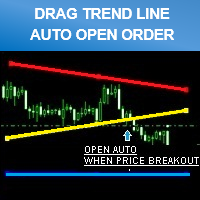
Siwakon Poonsawat 2015.08.31 07:36 #3 Don't forget to click "ORDER CONFIRM" after you drag trend line set breakout already.
Siwakon Poonsawat 2015.09.16 13:58 #5 Anders Pilstrom: Is it possible to build in Trailing, i purchased todayThank you for your purchase.Order will open and exit by line. And you can use traling stop loss order also from metatrader by right click on order.
Nazri Ahmad 2015.09.20 06:17 #7 Hi,If I purchase it , can be used for more 1 account of different brokers?
Siwakon Poonsawat 2015.09.20 09:39 #8 Yes, certainly You can use it on 5 different PCs/Servers. On each PC/Server, you can use it on unlimited accounts (as many as you want).Regards
Siwakon Poonsawat 2015.12.31 20:28 #11 timmbits: I see on the picture, "HEGGING LINE". What is HEGGING? That mean setting for buy and sell for breakout 2 way (together).Best Regard.
Siwakon Poonsawat 2016.01.01 09:50 #12 Describe Hedging ButtonThat setting Higher breakout and Lower breakout for buy and sell order 2 way at the same time.
Karl Ritsert 2016.01.19 16:10 #13 Hi SiwakonI bought the EA and it is working fine.One little thing I would ask you to add: Please provide a Comment field, this is useful in praxis.Thank youKaralPS: Sometimes it is hard to distinguish the colors of the buttons (the differences are quit small)Please change the color management, or change the size(?) of the button
Siwakon Poonsawat 2016.01.19 19:51 #14 Thank you for your advice.l will update new feature on version 1.2 within one week.Best Regard.
Siwakon Poonsawat 2016.07.04 08:53 #16 Ifsaah Waseem: is there a Tralling Stop also ?please conformYou can drag SL line to modify stop loss by yourself on real time even trade opening. and you use trailing stop loss setting from metatrader by right click on order. Best Regard
Siwakon Poonsawat 2016.08.11 16:13 #17 Update Version 1.20 - 2016.08.11- Can be run for back test (Strategy Tester). You can back test by enabling "Visual Mode" checkbox in Strategy Tester. - Improved performance and screen display. - Added "Line Width" input parameter.
Cuong Truong 2016.08.20 18:30 #18 Hello,I like your product, it does have potential.Here are a few suggestions to make your product fantastic. The EA currently have '2 Way Line', the problem is that it closes the opposite order.It's better if you create another button call '2 Way Hedge' that do not prevent the EA to close the opposite order.Create four more buttons, one for 'Buy TP', one for 'Sell TP'one for 'Buy SL', one for 'Sell SL'create a button to 'Hide' all those buttons from screen. Good luck with your future improvement on this product.
Cuong Truong 2016.08.20 22:04 #19 The 'Hide' button will prevent the EA to draw objects on screen, this will limit resource consumption when it is use on VPS server.
BigFinance 2016.09.26 20:31 #20 Hi, I purchased. How can I stop loss for my position? If it Sell lines; I dont want to open new position with sell position. I only see take profit line. Maybe you can can add only stop loss line. No new reversed position.

""PROMOTION PRICE!!!! 39$"" FROM 79$
26/8/2015 - 31/8/2015 (JUST 1 WEEK)
Don't forget to click "ORDER CONFIRM" after you drag trend line set breakout already.
Is it possible to build in Trailing, i purchased today
Hi,
If I purchase it , can be used for more 1 account of different brokers?
Yes, certainly
You can use it on 5 different PCs/Servers. On each PC/Server, you can use it on unlimited accounts (as many as you want).
Regards
PROMOTION PRICE 29$ ONLY 1 WEEK!
I see on the picture, "HEGGING LINE".
What is HEGGING?
I see on the picture, "HEGGING LINE".
What is HEGGING?
Describe Hedging Button
Hi Siwakon
I bought the EA and it is working fine.
One little thing I would ask you to add: Please provide a Comment field, this is useful in praxis.
Thank youKaral
PS: Sometimes it is hard to distinguish the colors of the buttons (the differences are quit small)
Please change the color management, or change the size(?) of the buttonThank you for your advice.
l will update new feature on version 1.2 within one week.
Best Regard.
is there a Tralling Stop also ?
please conform
is there a Tralling Stop also ?
please conform
You can drag SL line to modify stop loss by yourself on real time even trade opening.
and you use trailing stop loss setting from metatrader by right click on order.
Best Regard
Update Version 1.20 - 2016.08.11
You can back test by enabling "Visual Mode" checkbox in Strategy Tester.
- Improved performance and screen display.
- Added "Line Width" input parameter.
Hello,
I like your product, it does have potential.
Here are a few suggestions to make your product fantastic.
The EA currently have '2 Way Line', the problem is that it closes the opposite order.
It's better if you create another button call '2 Way Hedge' that do not prevent the EA to close the opposite order.
Create four more buttons, one for 'Buy TP', one for 'Sell TP'
one for 'Buy SL', one for 'Sell SL'
create a button to 'Hide' all those buttons from screen.
Good luck with your future improvement on this product.