마켓 / MetaTrader 4 / 유틸리티 / Trend Line Super Order 3.2 30 USD 데모 다운로드됨: 286 게시됨: 14 8월 2015 현재 버전: 2.1 적합한 로봇을 찾지 못하셨나요? 프리랜스에서 나만의 로봇을 주문해 보세요 프리랜스로 이동 트레이딩 로봇 또는 지표 구매 구입 방법 EA를 작동시켜보세요 가상 호스팅으로 구매 전에 지표와 트레이딩 로봇을 테스트해보세요 마켓에서 수익 창출을 원하십니까? 제품의 판매량을 나타내는 방법 미리보기 리뷰 (6) 코멘트 (43) 새 소식 제품을 구매하거나 렌트한 사용자만 코멘트를 남길 수 있습니다 123 Siwakon Poonsawat 2015.08.19 13:11 #1 Note : Demo version for testing can be found here: https://www.mql5.com/en/market/product/11289 Siwakon Poonsawat 2015.08.25 20:29 #2 ""PROMOTION PRICE!!!! 39$"" FROM 79$ 26/8/2015 - 31/8/2015 (JUST 1 WEEK) Siwakon Poonsawat 2015.08.31 07:36 #3 Don't forget to click "ORDER CONFIRM" after you drag trend line set breakout already. Anders Pilstrom 2015.09.16 13:18 #4 Is it possible to build in Trailing, i purchased today Siwakon Poonsawat 2015.09.16 13:58 #5 Anders Pilstrom: Is it possible to build in Trailing, i purchased todayThank you for your purchase.Order will open and exit by line. And you can use traling stop loss order also from metatrader by right click on order. Anders Pilstrom 2015.09.17 06:40 #6 Thanks i didn´t know that, good. Nazri Ahmad 2015.09.20 06:17 #7 Hi,If I purchase it , can be used for more 1 account of different brokers? Siwakon Poonsawat 2015.09.20 09:39 #8 Yes, certainly You can use it on 5 different PCs/Servers. On each PC/Server, you can use it on unlimited accounts (as many as you want).Regards Siwakon Poonsawat 2015.10.30 19:23 #9 PROMOTION PRICE 29$ ONLY 1 WEEK! timmbits 2015.12.31 19:17 #10 I see on the picture, "HEGGING LINE". What is HEGGING? Siwakon Poonsawat 2015.12.31 20:28 #11 timmbits: I see on the picture, "HEGGING LINE". What is HEGGING? That mean setting for buy and sell for breakout 2 way (together).Best Regard. Siwakon Poonsawat 2016.01.01 09:50 #12 Describe Hedging ButtonThat setting Higher breakout and Lower breakout for buy and sell order 2 way at the same time. Karl Ritsert 2016.01.19 16:10 #13 Hi SiwakonI bought the EA and it is working fine.One little thing I would ask you to add: Please provide a Comment field, this is useful in praxis.Thank youKaralPS: Sometimes it is hard to distinguish the colors of the buttons (the differences are quit small)Please change the color management, or change the size(?) of the button Siwakon Poonsawat 2016.01.19 19:51 #14 Thank you for your advice.l will update new feature on version 1.2 within one week.Best Regard. [삭제] 2016.07.03 21:26 #15 is there a Tralling Stop also ?please conform Siwakon Poonsawat 2016.07.04 08:53 #16 Ifsaah Waseem: is there a Tralling Stop also ?please conformYou can drag SL line to modify stop loss by yourself on real time even trade opening. and you use trailing stop loss setting from metatrader by right click on order. Best Regard Siwakon Poonsawat 2016.08.11 16:13 #17 Update Version 1.20 - 2016.08.11- Can be run for back test (Strategy Tester). You can back test by enabling "Visual Mode" checkbox in Strategy Tester. - Improved performance and screen display. - Added "Line Width" input parameter. Cuong Truong 2016.08.20 18:30 #18 Hello,I like your product, it does have potential.Here are a few suggestions to make your product fantastic. The EA currently have '2 Way Line', the problem is that it closes the opposite order.It's better if you create another button call '2 Way Hedge' that do not prevent the EA to close the opposite order.Create four more buttons, one for 'Buy TP', one for 'Sell TP'one for 'Buy SL', one for 'Sell SL'create a button to 'Hide' all those buttons from screen. Good luck with your future improvement on this product. Cuong Truong 2016.08.20 22:04 #19 The 'Hide' button will prevent the EA to draw objects on screen, this will limit resource consumption when it is use on VPS server. BigFinance 2016.09.26 20:31 #20 Hi, I purchased. How can I stop loss for my position? If it Sell lines; I dont want to open new position with sell position. I only see take profit line. Maybe you can can add only stop loss line. No new reversed position. 제품을 구매하거나 렌트한 사용자만 코멘트를 남길 수 있습니다 123 트레이딩 기회를 놓치고 있어요: 무료 트레이딩 앱 복사용 8,000 이상의 시그널 금융 시장 개척을 위한 경제 뉴스 등록 로그인 공백없는 라틴 문자 비밀번호가 이 이메일로 전송될 것입니다 오류 발생됨 Google으로 로그인 웹사이트 정책 및 이용약관에 동의합니다. 계정이 없으시면, 가입하십시오 MQL5.com 웹사이트에 로그인을 하기 위해 쿠키를 허용하십시오. 브라우저에서 필요한 설정을 활성화하시지 않으면, 로그인할 수 없습니다. 사용자명/비밀번호를 잊으셨습니까? Google으로 로그인
Siwakon Poonsawat 2015.08.19 13:11 #1 Note : Demo version for testing can be found here: https://www.mql5.com/en/market/product/11289
Siwakon Poonsawat 2015.08.25 20:29 #2 ""PROMOTION PRICE!!!! 39$"" FROM 79$ 26/8/2015 - 31/8/2015 (JUST 1 WEEK)
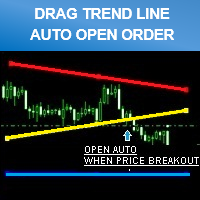
Siwakon Poonsawat 2015.08.31 07:36 #3 Don't forget to click "ORDER CONFIRM" after you drag trend line set breakout already.
Siwakon Poonsawat 2015.09.16 13:58 #5 Anders Pilstrom: Is it possible to build in Trailing, i purchased todayThank you for your purchase.Order will open and exit by line. And you can use traling stop loss order also from metatrader by right click on order.
Nazri Ahmad 2015.09.20 06:17 #7 Hi,If I purchase it , can be used for more 1 account of different brokers?
Siwakon Poonsawat 2015.09.20 09:39 #8 Yes, certainly You can use it on 5 different PCs/Servers. On each PC/Server, you can use it on unlimited accounts (as many as you want).Regards
Siwakon Poonsawat 2015.12.31 20:28 #11 timmbits: I see on the picture, "HEGGING LINE". What is HEGGING? That mean setting for buy and sell for breakout 2 way (together).Best Regard.
Siwakon Poonsawat 2016.01.01 09:50 #12 Describe Hedging ButtonThat setting Higher breakout and Lower breakout for buy and sell order 2 way at the same time.
Karl Ritsert 2016.01.19 16:10 #13 Hi SiwakonI bought the EA and it is working fine.One little thing I would ask you to add: Please provide a Comment field, this is useful in praxis.Thank youKaralPS: Sometimes it is hard to distinguish the colors of the buttons (the differences are quit small)Please change the color management, or change the size(?) of the button
Siwakon Poonsawat 2016.01.19 19:51 #14 Thank you for your advice.l will update new feature on version 1.2 within one week.Best Regard.
Siwakon Poonsawat 2016.07.04 08:53 #16 Ifsaah Waseem: is there a Tralling Stop also ?please conformYou can drag SL line to modify stop loss by yourself on real time even trade opening. and you use trailing stop loss setting from metatrader by right click on order. Best Regard
Siwakon Poonsawat 2016.08.11 16:13 #17 Update Version 1.20 - 2016.08.11- Can be run for back test (Strategy Tester). You can back test by enabling "Visual Mode" checkbox in Strategy Tester. - Improved performance and screen display. - Added "Line Width" input parameter.
Cuong Truong 2016.08.20 18:30 #18 Hello,I like your product, it does have potential.Here are a few suggestions to make your product fantastic. The EA currently have '2 Way Line', the problem is that it closes the opposite order.It's better if you create another button call '2 Way Hedge' that do not prevent the EA to close the opposite order.Create four more buttons, one for 'Buy TP', one for 'Sell TP'one for 'Buy SL', one for 'Sell SL'create a button to 'Hide' all those buttons from screen. Good luck with your future improvement on this product.
Cuong Truong 2016.08.20 22:04 #19 The 'Hide' button will prevent the EA to draw objects on screen, this will limit resource consumption when it is use on VPS server.
BigFinance 2016.09.26 20:31 #20 Hi, I purchased. How can I stop loss for my position? If it Sell lines; I dont want to open new position with sell position. I only see take profit line. Maybe you can can add only stop loss line. No new reversed position.

""PROMOTION PRICE!!!! 39$"" FROM 79$
26/8/2015 - 31/8/2015 (JUST 1 WEEK)
Don't forget to click "ORDER CONFIRM" after you drag trend line set breakout already.
Is it possible to build in Trailing, i purchased today
Hi,
If I purchase it , can be used for more 1 account of different brokers?
Yes, certainly
You can use it on 5 different PCs/Servers. On each PC/Server, you can use it on unlimited accounts (as many as you want).
Regards
PROMOTION PRICE 29$ ONLY 1 WEEK!
I see on the picture, "HEGGING LINE".
What is HEGGING?
I see on the picture, "HEGGING LINE".
What is HEGGING?
Describe Hedging Button
Hi Siwakon
I bought the EA and it is working fine.
One little thing I would ask you to add: Please provide a Comment field, this is useful in praxis.
Thank youKaral
PS: Sometimes it is hard to distinguish the colors of the buttons (the differences are quit small)
Please change the color management, or change the size(?) of the buttonThank you for your advice.
l will update new feature on version 1.2 within one week.
Best Regard.
is there a Tralling Stop also ?
please conform
is there a Tralling Stop also ?
please conform
You can drag SL line to modify stop loss by yourself on real time even trade opening.
and you use trailing stop loss setting from metatrader by right click on order.
Best Regard
Update Version 1.20 - 2016.08.11
You can back test by enabling "Visual Mode" checkbox in Strategy Tester.
- Improved performance and screen display.
- Added "Line Width" input parameter.
Hello,
I like your product, it does have potential.
Here are a few suggestions to make your product fantastic.
The EA currently have '2 Way Line', the problem is that it closes the opposite order.
It's better if you create another button call '2 Way Hedge' that do not prevent the EA to close the opposite order.
Create four more buttons, one for 'Buy TP', one for 'Sell TP'
one for 'Buy SL', one for 'Sell SL'
create a button to 'Hide' all those buttons from screen.
Good luck with your future improvement on this product.