 MetaTrader 5
 专家
专家
 指标
指标
 程序库
程序库
 实用工具
实用工具
 窗口小部件
窗口小部件
 规则
规则
适用于MetaTrader 5的EA交易和指标 - 399
 使用EA交易和指标,使外汇交易获得更多盈利。EA交易可使您自动开启和关闭交易,而指标将帮助您更准确地预测市场行为。
该页面提供MetaTrader 5应用程序的目录。
使用EA交易和指标,使外汇交易获得更多盈利。EA交易可使您自动开启和关闭交易,而指标将帮助您更准确地预测市场行为。
该页面提供MetaTrader 5应用程序的目录。 
NoSwapEA MT5 - Trade Smart, Avoid Swaps Overview
NoSwapEA is a smart and efficient Expert Advisor designed to help traders avoid overnight swap charges by automatically closing and reopening trades based on a customizable schedule. Developed by NeonTrade, this EA is perfect for traders who want to optimize their trading strategy while minimizing costs. Key Features
Swap-Free Trading : Automatically closes trades before swap charges are applied and reopens them the next day, saving you money

Tool for trade with deep neural networks which trains itsef with machine learning , up to 1512 weigthed measures by each symbol, as long the market goes on. It trades in various forex symbols and timeframes , it could be configured for the actual graph too, giving false to all symbols and/or timeframes. It could be configured for dinstintc pairs and you can have diferent neural networks and diferent set of pairs in diferent charts. You can decide which symbols, timeframes, and how risky will be

Institutional Capital Bot – 汇聚10年交易经验与人工智能的自动化交易 限时优惠:本月低价租用,欢迎试用!
购买后请联系我们获取最佳参数设置:EA易于配置,我们会帮您找到最适合您资金规模的方案。
如有需要,您也可根据个人偏好自定义参数,界面直观灵活。 本产品结合了10年以上的真实交易经验与最前沿的人工智能技术。
推荐用于大资金账户(建议1万美元以上),以获得最佳风险回报比;小资金(如低于2000美元)同样可用,但回报相对较低。 功能亮点: 高级时间过滤器:自由设定交易时段,EA自动适应 自动对冲:无需手动干预即可管理风险 无需持续盯盘:一旦启动,自动运行 谨慎的风险管理,低风险模式下回撤小 日目标快速达成,降低市场暴露和操作压力 简单直观的界面,无需编程经验 温馨提示:
如需进一步降低回撤, 建议避免在重大经济事件期间运行EA (如FOMC、NFP、特朗普讲话等),这些时段波动和风险较高。 购买后请联系我们 ,获取适合您券商和资金的专属设置。
我们随时为您提供支持与建议。


FX BOT BUILDER • PRO — Turn Trading Ideas into Actionable Strategies Build. Customize. Dominate the market. Whether you're a seasoned trader or just getting started, FX BOT BUILDER empowers you to craft fully automated strategies tailored exactly to your style — with zero limitations.
New Feature Update: Built-in Dynamic Trendline! Say hello to smarter, cleaner charting and trend-based strategies! What’s new: • Automatic Ascending/Descending Trendline — Dynamic trendlines are now drawn d


BTCUSDm Breakout & Retest Static TP
H4 breakout • M15 retest • fixed TP • 1 % risk per trade Overview The BTCUSDm Breakout & Retest EA implements a simple, robust strategy on the BTCUSDm futures contract: Detects consolidation breakouts on the H4 timeframe. Waits for a retest of the breakout level on the M15 chart. Enters market orders with a static, reward-to-risk TP based on a configurable multiplier. All orders are sized to risk a fixed percentage of account equity, with a hard cap on maxim

DualFlex EA is a versatile MetaTrader 5 Expert Advisor that lets you deploy either Buy/Sell Limit or Buy/Sell Stop pending orders—all with the same proven risk-management engine. Key Features Dual Order Modes : switch on-the-fly between Limit and Stop pending orders Symmetric Entries : places both Buy and Sell pending orders at your defined distance Advanced Risk Controls : dynamic lot sizing by % balance, free-margin and aggregate-volume caps Instrument Support : built-in filters for EURUSD &

QUANTUM NEXUS TRADER
Advanced AI-Powered Expert Advisor For Consistent, Automated Profits. Revolutionary Algorithm that can potentially deliver up to 70% Win Rate with Superior Risk Management TRANSFORM YOUR TRADING JOURNEY TODAY The Quantum Nexus Trader EA represents the pinnacle of automated Forex trading technology, combining cutting-edge algorithmic strategies with advanced machine learning to deliver exceptional results in real market conditions. This isn't just another EA – it's your gate

Smart. Selective. Profitable. The Edge You’ve Been Waiting For. Product Description: RapidEdge Symbolic Trader is an intelligent multi-symbol Expert Advisor engineered for serious traders who want more than random signals — they want results. Built to scan and filter only the highest-probability opportunities across forex, indices, and crypto, this EA trades only when edge and timing align . Whether you're managing a $500 or $50,000 account, RapidEdge acts with sniper-like precision — powered

XAU Dominator Pro – Precision Scalping for GOLD (XAUUSD) on M5 XAU Dominator Pro.mq5 is a high-performance Expert Advisor built specifically for XAUUSD (GOLD), optimized on the M5 timeframe for short-term scalping and trend-based trades. Engineered to dominate the gold market using precision entries and robust risk control, this EA is designed for consistent gains with discipline. Key Features ️ Symbol: XAUUSD / XAUUSDc Timeframe: M5 (5-minute) Trading Style: Scalping + Trend Acco

Fibonacci Scalper Pro is a seller based scalper on a dynamic fibonacci retracement
* look back in hours will control the Fibonacci calculation * trailing loss tracker will keep you happy recommend setting is at least 48hours with with a trailing setting of around 400 and 300 spread of course with your own optimization you can get better and better results but the normal out come from this ea and my buy fibonacci ea are pretty amazing and stable
Im looking forward to here your comments and r

隆重推出 ZENIX EA — 您的黄金市场精英伴侣 欢迎使用 ZENIX — 专为 XAU/USD(黄金)打造的新一代 EA。ZENIX 不仅仅是一个自动交易系统,更是一个精准的引擎,其使命只有一个:
凭借智能、灵活和强大的功能,主宰黄金市场。
***限时特惠 - 即将结束*** 下次价格上涨至 200.46 美元
切勿错过以优惠价购买“Zenix”的机会。
每购买 5 次,价格将上涨 100 美元。
无论您是专业的散户交易者、信号提供商还是投资组合经理,ZENIX 都将彻底改变您的黄金交易方式——将波动转化为机遇,将风险转化为可衡量的控制。
第一阶段:核心理念——智能与黄金的碰撞 ZENIX 的核心是一个多层决策引擎,它:
像经验丰富的交易员一样,利用价格行为、波动性和动量动态解读市场。
从市场背景中学习,过滤噪音,避免假突破。
在统计上有利的区域以外科手术般的精准度执行。
这不是一个静态网格或随机入场机器人。这就是 ZENIX: ️ 为黄金而设计。由数据训练。为胜利而部署。
第二阶段:值得信赖的技术 自适应算法逻辑 ZENIX

Trade Worker PRO is designed to make your trading performance consistent and profitable over time. At the heart of this Expert Advisor is a Linear Regression oscillator providing signals for entries and reversal points for exits. The risk is handled by a DCA mechanism that adds positions until price reverses enough to turn the trade into profit. Such a mechanism provides profitable trades most of the times and is strengthened by a safety algorithm preventing liquidation of positions under heavy

ADR Pro — Auto Adaptive Daily Range & Volatility Indicator (ATR + ADR + Alerts) Auto Adaptation. All Markets. No Guesswork .
Enhance your trading decisions with precise ADR levels — for Forex, Crypto, Stocks, Indices, Metals, Energy, Commodities, and ETFs.
Easy Setup Professional Features Lifetime Free Updates ADR Pro is your personal "volatility compass" that shows the real daily range boundaries for any asset. Forget manual calculations and constant parameter adjustments — the indicator

The Strobe EA , is an Expert Advisor crafted for the trader seeking a professional edge in the financial markets. This sophisticated trading system embodies a multi-strategy philosophy, adeptly navigating market conditions using decisive breakouts, calculated reversals, strategic pullbacks and momentum-driven opportunities. By harnessing an advanced ensemble of technical indicators, including the Hull Moving Average, Keltner Channels, Ichimoku Cloud, and a suite of other precision tools, the Str
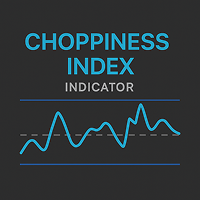
Choppiness Index — Trend or Range Market Indicator(MT5) Analyze market structure with the Choppiness Index. Adjustable settings and band visualization help distinguish between trend and consolidation phases. Overview The Choppiness Index is a volatility-based indicator for MetaTrader 5 that helps traders assess whether the market is currently trending or moving sideways . It does not predict direction but provides a measure of market consolidation or expansion, making it suitable for context-bas

PipsyLock is a turnkey Expert Advisor designed to give traders and prop-firm operators rock-solid protection against exceeding their self-imposed or mandated daily loss limits. Once your live equity falls more than X% below the day’s opening balance , PipsyLock instantly: Closes every open position , Deletes all pending orders , Disables one-click/manual trading UI , Blocks any further trade attempts (EA- or manually-initiated) via a global‐account-wide lock, Sends mobile push & professional em

FVG MASTER Indicator — Smart Money Gaps with Trend, Momentum & Session-Aware Alerts Unlock the Power of Smart Money with Precise Gap Detection Gaps happen all the time — but only a select few matter. The Fair Value Gap (FVG) Indicator is engineered to pinpoint high-probability Fair Value Gaps that align with market structure, trend, and momentum. Using advanced filtering techniques like MACD, ADX (60 angle), and user-defined trading hours, this tool ensures you only get the most meaningful and

This is an advanced Expert Advisor (EA) that combines multiple advanced support/resistance price action models with enhanced Ichimoku analysis—delivering exceptional results, outperforming most EAs on the market. Key Features:
Pure Trend-Following Strategy – No Martingale used ( I absolutely hate Martingale! ).
7+ Years of Backtesting – Proven long-term reliability (live trading results will also be shared).
High Profit Potential – Over 2,000% return in 7 years with modera

"Manual channel drawing? Not anymore. Let the market structure reveal itself automatically." "Track long-term price zones 24/7, in real-time." Real Trader Pain Points Identifying pivot points manually takes huge time and effort Difficult to adapt to high volatility and pinpoint reliable channels Copy Ideas "Markets never sleep. Why should your analysis stop?" "Dozens of assets a day—how do you keep up?" Core Claim AutoChannels automatically reads market structure , reducin

DualLimit EA is a powerful MetaTrader 5 Expert Advisor that places two strategic pending orders — a Buy Limit below and a Sell Limit above the current market price — to capitalize on sudden price reversals or range rejections. This smart approach helps traders anticipate price movement from key zones, minimizing slippage and maximizing order precision. Ideal for ranging markets or scalping strategies, DualLimit EA works on all pairs and timeframes, and is highly customizable. With built-in risk

这个指标采用一种特殊的思路来指示市场方向,指标加载在一小时和15分钟图表效果最好。 当指标显示红色时,表明市场趋势为多头,绿色表明市场趋势为空头,黄色为不明确,此时应避免开单。 我们需要达成共识的一点是:市场行情是随机发展的,无法完全准确预测,我们能做的只有跟随,不和市场趋势对着干,才能做到顺势而为。 本指标就是在这个思路下研发的,紧紧跟随市场行情发展,确认行情展开了才会显示对应的颜色。跟随本指标,只需要按照指示操作即可。 长期跟随的情况下,交易绩效是很不错的。 另外一点:本指标更适合趋势性较强的品种,比如镑日,美日,黄金等。 依据本指标交易镑日的话,可以用在5分钟或15分钟周期,获利30个点离场是比较可行的。

"Niberia" is a modern and highly efficient trading bot designed for Forex market traders. It is a powerful tool for trading automation, ensuring precise and timely execution of strategies with minimal human intervention. Key Features of "Niberia": Use of Pending Orders:
The bot operates with pending orders that activate only when the price reaches a specific level. During price movement, the system automatically adjusts pending orders using trailing techniques. Stop-Loss and Take-Profit:
Onc
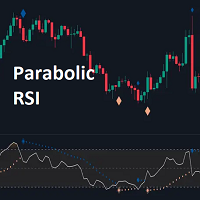
The Parabolic RSI indicator applies the Parabolic SAR directly to the Relative Strength Index (RSI) . This combination helps traders identify trend shifts and potential reversal points within the RSI framework. The indicator provides both regular and strong signals based on whether the Parabolic SAR crosses above or below key RSI thresholds.
KEY FEATURES
Parabolic SAR Applied to RSI – Tracks momentum shifts within the RSI indicator.
Dynamic SAR Dots – Plots SAR levels

Majestic — Premium Trend-Swing EA for XAUUSD
Majestic is a directional swing-trading algorithm designed exclusively for trading GOLD , identifying high-probability trend moves based on a dynamic combination of Risk/Reward ratios, ADR-based volatility filters, and a custom scoring system to confirm trade setups. The EA features both fixed and adaptive stop levels based on real-time market volatility conditions and it can operate with or without stops, allowing for strategic exits either on oppo
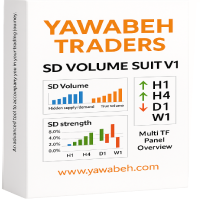
Yawabeh SD Pro – Professional Supply and Demand Indicator Trade Smarter with Volume-Confirmed Supply/Demand Zones Our institutional-grade algorithm identifies high-probability reversal zones before price reacts, giving you the edge in Forex, Crypto, and Stocks. Key Features Multi-Timeframe Confirmation
– View trend strength across multiple timeframes simultaneously
– Align your trades with higher timeframe momentum Smart Alert System
– Real-time notifications for:
– Strong demand/supply zone
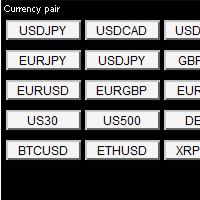
Key Points: One-Click Pair Switching – Instantly change between your favorite currency pairs with a single click, eliminating manual searches. Fully Customizable Layout – Organize up to 8 rows of trading pairs, adjusting button size, spacing, and colors to fit your workflow. Visual Selection Feedback – Clearly highlights the active pair for quick reference, reducing errors in fast-moving markets. Optimized for Speed – Lightweight design ensures smooth performance without
LIVE SIGNAL: https://www.mql5.com/en/signals/2308572 Message me after purchase for the correct setfiles!
The Range Breakout EA for MetaTrader is built on a time-tested, reliable concept — trading breakouts from tight price ranges. This is one of the oldest and most consistently effective principles in trading, used by professionals for decades. Unlike many Expert Advisors you’ll find on MQL5 that show perfect backtests but fail in live trading, this EA was not curve-fitted to produce idealize

Send me a message so I can send you the setfile 移動平均線交叉策略:
使用兩個可設定週期的簡單移動平均線 (SMA)(FastValue 和 SlowValue)
當快速移動平均線穿過慢速移動平均線時,產生買進/賣出訊號
風險管理:
固定手數,可選馬丁格爾系統
可配置停損(SL_Pct)和獲利(TP_Pct)百分比
最大手數限制(MaxAllowedLotSize)
保證金水平監控(MarginThreshold)
馬丁格爾系統:
虧損後增加手數的選用功能(MartingaleFactor)
交易獲勝後重置為基準手數
安全特性:
每日利潤重置
當餘額降至 1 美元或以下時,交易暫停
保證金門檻保護
移動平均線交叉策略:
使用兩個可設定週期的簡單移動平均線 (SMA)(FastValue 和 SlowValue)
當快速移動平均線穿過慢速移動平均線時,產生買進/賣出訊號
風險管理:
固定手數,可選馬丁格爾系統
可配置停損(SL_Pct)和獲利(TP_Pct)百分比
最大手數限制(MaxAllow

Sentinel PRO — 由 RixiRoo 打造的资金保护工具
资金保护的终极方案。 Sentinel PRO 是 Sentinel 的完整版本。
资金保护没有上限。想在购买前试用一下吗?
请查看免费版本 Sentinel Equity Protector Mini MT5 一个错误,就可能触发追加保证金通知。
哨兵凭借Authorooty为您的资金保驾护航。
当您的账户权益跌破设定阈值时,哨兵将立即启动全面停机保护。 Sentinel 的功能: 关闭所有持仓交易。
取消所有挂单。
关闭所有已打开的图表(从而禁用其他EA)。
发送推送通知(需先启用)。 为什么选择 Sentinel: 只需一个输入:EquityToProtect。
无需复杂设置——插上即护。
专为速度与可靠性而设计。
安静运行于后台。
瞬间执行全面停机。 功能 Sentinel 其他 关闭所有持仓交易
取消所有挂单
有时 关闭所有已打开的图表
部分 发送推送通知
通常 极简设置(单一输入)
立即停机
可能会延迟 使

XAU/USD 5 MIN
Matrix PRO EMA – 便捷、审慎、透明的自动交易 注意:每次购买后价格将上涨10%!
首批支持者享受最低价,立即抢购。 Matrix PRO EMA 是为MetaTrader 5设计的新型EA,适合希望用明确策略和审慎风险管理自动化交易的用户。机器人可快速达到每日目标,有效降低操作压力,“低风险”模式下回撤更低。 优势 审慎的风险管理 低风险模式下回撤低 快速实现每日目标 易于使用:购买后联系我们获取最佳设置 价格实惠 达到目标或风险限额后自动暂停,避免过度交易 购买后私信快速支持 使用建议 不要在高波动事件期间使用(如FOMC、NFP、重要讲话) 实盘前请先在模拟账户测试 购买后联系我们获取最佳设置 重要说明:
Matrix PRO EMA 不保证盈利。交易始终存在风险,请仅使用可承受的资金并遵循审慎管理建议。
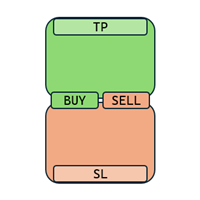
Enough with all these complex and confusing trade assistants and trade managers! Go simple and user-friendly! With One Click Order you set your risk, prepare your long or short trade and submit, DONE in seconds!
One Click Order is very easy to use Set your default risk (in % or amount) Select if you want to go long or short Drag the Open Price to your desired level, or leave as is for market orders Drag the SL to your desired Stop Loss Drag the TP to your desired Take Profit The tool will calcu
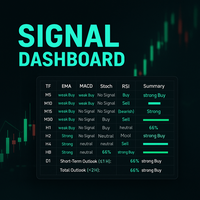
Description:
This powerful script provides traders with a comprehensive, real-time signal overview across multiple timeframes using some of the most trusted technical indicators. Designed as a clean, compact on-chart table, it displays actionable insights for 9 timeframes — from M5 to D1 — helping traders make well-informed decisions based on momentum, trend strength, and market conditions.
How it works:
For each timeframe (M5, M10, M15, M30, H1, H2, H4, H8, D1), the script calculates
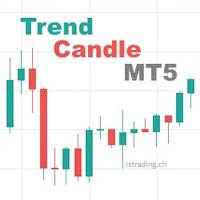
Scalping strategy with candle pattern and stochastic indicator.
The EA tries to identify a trend using a bull or bear candlestick as the main trend. The stochastic indicator is used to filter out an overbought or oversold signal or as a filter to identify a trend.
Trend Scalper MT4 can works always or few hours per day. With Trading Time and Trade Closing Time option, you can set the time to trade and if to close or not the orders.
It’s equipped trailing stop and trailing profit. Take profit

OilBounce OilBounce is a fully automated trading advisor designed for oil assets. It leverages market patterns following price declines, focusing on specific weekdays with a higher probability of technical rebounds. Strategy The advisor enters trades at a predefined time during the trading session, using an adaptive risk management system. Stop Loss and Take Profit levels are calculated based on the previous day’s volatility. Profitable trades may be closed before the session ends to secure resu

Yellowstone FX – 最安全的黄金交易机器人,MT5 平台,XAUUSD H1 图表。 黄石特效 是精密设计的 最安全的黄金交易机器人 MT5 该解决方案专为那些优先考虑资本保护、纪律严明的交易执行和可控风险敞口的交易者而设计。 XAUUSD 市场 。专为……而建 MetaTrader 5 并针对以下方面进行了优化 XAUUSD H1 时间框架 ,这款高级智能交易系统专注于稳定性和结构化自动化,而不是激进和不可预测的交易行为。 对于正在寻找交易者的人来说 安全黄金EA MT5 , 低风险黄金交易机器人MT5 ,或 Yellowstone FX 是一款 具有强大风险管理功能的黄金 EA MT5 交易系统,它采用精细化的系统设计,以一致、逻辑和专业的风险优先方法运行。 专为安全可控的XAUUSD交易而设计 Yellowstone FX 是专门为……开发的 XAUUSD H1 ,使其能够在清晰定义的市场结构内运行,而不是对多个交易品种应用通用逻辑。这种有针对性的方法有助于实现更稳定的业绩

In the vast, ever-shifting tides of the market, there exists a force as gentle as the morning breeze—Soft Edge Bot. Built with the elegance of simplicity and the precision of a master, this bot seeks out trends with effortless grace. It watches, it waits, and at just the right moment, it moves, slipping into the uptrend like a leaf caught in the wind. Soft Edge Bot is more than a tool; it’s an ally, designed for those who crave the flow of momentum without the weight of complexity. No tangled se

Daily Candlestick Statistics Indicator
Are you concerned about how to interpret market data and make informed decisions? Our 365-day daily candlestick statistics indicator offers you a powerful tool for analysis and forecasting!
What it does:
- Daily candlestick count: The indicator analyzes all candles for the past year, providing extensive statistics for each day of the week. - Day of the week statistics: Get visual data on how the markets closed on different days. For example, you will se
使用 FxS Moving Average Pro EA 提升您的交易水平 - 這是一個功能齊全、支援 MQL5 的專家顧問,它在免費版本的六種移動平均線策略的基礎上添加了高級損失恢復系統、靈活的尾隨選項和完全自定義功能。 主要特點 所有 6 種 MA 策略(免費版本) 8種恢復技術: 平均下降 停止和倒車 達朗貝爾體系 修正馬丁格爾 逆馬丁格爾 經典馬丁格爾 大鞅 斐波那契馬丁格爾 可選的追蹤停損和追蹤停盈 完全輸入自訂:神奇數字、應用價格、儀表板樣式、時間過濾器等 使用者友善的儀表板:具有即時狀態的圖表面板(彩色或單色樣式) 包含的策略 MA 交叉-經典的快/慢交叉入口 EMA 趨勢追蹤 – 基於平滑趨勢的訊號 MA 平均回調 – 進入小幅回調 移動平均線 – 動態波段交易突破 MA 作為動態 S/R – 使用 MA 線作為支撐或阻力 多重 EMA – 多個 EMA 的匯合 手動訂單-直接從圖表下達買入/賣出訂單
典型交易條件 趨勢市場:EMA 趨勢追蹤、MA 交叉 區間或回調:MA 包絡線、MA 平均回調 動態支撐/阻力區域:MA 作為支撐
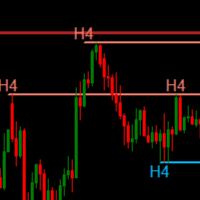
Sniper SR Breakout (Multi-Timeframe) es tu compañero definitivo para atrapar cada giro del mercado con la precisión de un francotirador. Diseñado para traders que exigen exactitud, este indicador: Dibuja líneas nítidas de soporte y resistencia en todas las temporalidades, desde M1 hasta MN1. Actualización dinámica : las líneas se ajustan automáticamente hasta la vela actual, sin necesidad de recargar. Personalización total : elige color, grosor y número de barras a analizar para cada timeframe,
World Of Gold AI is a new EA with a dvanced technology New technology manipulated by AI and machine learning, where it diversifies in the comparison of the price of XAUUSD and Ranges in database , thus destructuring it and finding possible potential orders to do a unique scalping.
Our cross-databases compare the Global price of Gold and Silver with news from the major pairs most used, such as the dollar or the euro , creating an extreme analysis to achieve highly profitable opportunitie

Singgasana Galunggung MT5 is a special expert advisor for USDJPY. This EA is designed with breakout triangle method (my secret) for entry position. This EA is a single entry method use stop loss and take profit.
Performance : While past results don't guarantee future performance, the EA has been tested at various backtest levels. Please do your own research! Price $ 30 only for promotion. Price will increase over time.
Key Features : No History Reader : EA result doesn't manipulation data

Overview Breakout Meter is a price action tool that identifies key breakout zones based on recent daily price activity. It highlights areas where momentum is likely to trigger, helping traders anticipate breakouts or reversals with minimal configuration. How It Works The EA analyzes a user-defined number of recent daily candles and marks high and low zones where price has shown strong reactions. It automatically updates levels with new data and removes outdated zones to keep charts clear. Users

Automatic Trading System.
The first version of the ATS participated in the 2012 Championship.
It has been actively developed since 2015.
The strategy is based on identifying reversals in the movement of trading pairs.
The only variable parameter is the deposit division coefficient.
The goal of making a profit (as in the well-known proverb): a bird in the hand is worth two in the bush.
Work: 1) on various time intervals: from M2 to M20, everything depends on the "behavior" of the ATS on a

The "Latte" EA is ready to trade several symbols in the fully automated mode from 1 chart. The EA uses a "Transformer" neural network to forecast price movements. The main advantage of the Transformer over an LSTM network is its ability to find patterns even across very long sequences of data. While LSTMs often lose information when dealing with sequences longer than 2–3 months, Transformers handle sequences as long as a year with ease.
The Transformer architecture was first introduced by Googl

V 1.1 – Includes range filter and fine-tuned SL/TP/RSI settings based on 2024 – 2025 real tick optimization. V1.2 – Linear Compounding Logic
New in Version 1.2 – Linear Compounding Feature SmartChannelTrader now includes a linear compounding system designed for small accounts and controlled risk escalation. How it works: After each consecutive loss, the risk per trade increases step by step (e.g., 1%, 2%, 3%, …). After the first winning trade, the risk resets to the initial value.

EXPERT for YOUR OWN ACCOUNT - 本智能交易系统专为您的使用而设计、开发和优化。
这是一款功能强大的智能交易系统 (EA),可在 H1 时间框架和 MT5 平台上,在美元兑加元 (EURJPY) 符号的所有趋势阶段,自始至终利用最佳和最大的机会。 在过去 3 年的回溯测试中,其准确性、性能和一致性令人印象深刻。 该 EA 就像一个猎人、一个狙击手,分析价格走势、力度和趋势,耐心等待最佳时机,极其精准地完成任务。 该 EA 以 ICT KILLZONES 策略为基础,还使用了许多本地专有指标。
实时信号在此
主要特点 该 EA 会持续分析价格走势,一旦发现最佳机会,就会发送一个有限订单,从而建立头寸。 每个仓位在开仓时就已设定好固定的止盈(TP)和止损(SL)点位。 手数也是根据输入自动计算和确定的。 始终安全: 该 EA 非常安全,不使用网格、马丁格尔或对冲策略。每笔交易只有一次进场机会,并有严格的止损保护。 该 EA 对影响较大的新闻(FOMC、FED、Payroll、ECB、BOE、SNB、BOC、BOJ、RBA 或 RBNZ)或任何其他突然的价

Fair Value Gap EA on the 1hour chart. Finds Fair value gaps, and places smart trades based on them. No unrealistic bullshit, pure price action, no lagging indicators. steady profit stream.
NSTRUMENT
SPECIFICATIONS Symbol: XAUUSD Timeframe: 1H
ACCOUNT
REQUIREMENTS Type: any Spreads: Low Spread Min Deposit: $2000
Before running on live, do some backtests to find a good setting. or message me. give it a try and leave a positve comment. impress yourself from the DEMO . Better yet, le

RiskShield Hedge EA
TRY ON GBP/USD XAU/USD - 5 MIN
RiskShield Hedge EA 是一款专为黄金(XAUUSD)及其他CFD/外汇等高波动市场打造的智能、自动化、稳健的交易管理专家顾问(EA)。 主要特点: 智能风险管理:
系统持续监控市场波动,根据风险自动调整交易活动,帮助避免在高风险时段进行操作,有效降低极端行情下的暴露。 高级保护机制:
独特的风险过滤功能,可在被判定为潜在危险的交易日自动暂停操作,帮助您在关键时刻保护资金安全。 自动化对冲策略:
RiskShield Hedge EA采用对冲逻辑,有效应对不利行情,即使在突发价格波动时也能保持风险可控。 动态仓位管理:
系统会根据市场状况自动调整下单手数和持仓间距,无需人工干预。 简单且可自定义的参数设置:
只需设置关键参数,如初始手数、倍数、风险过滤、止盈点、交易时间和对冲阈值,即可轻松适配您的交易风格和需求。 透明运行状态:
清晰的面板实时显示系统状态、持仓情况和主要运行条件。 适用人群: 追求稳健、自动化交易的投资者; 需要防范极端行情和异常交

titoincV11 – Advanced Trend Detection and Tracking Module titoincV11 is a custom-built algorithm that dynamically analyzes price movements and determines market direction based on average values and volatility thresholds. It: Clearly identifies the current directional bias, Continuously tracks the relationship between price and algorithmic threshold, Detects directional shifts without delay, Produces a filtered signal line to act as a precise trigger for automated systems. When the price r

瞬时剥头皮「Tick Scalper」
纯价格行为,无指标。始终固定止损止盈,并使用追踪止损。 核心参数 参数 默认值 描述 TakeProfit — 固定止盈点数。 StopLoss — 固定止损点数。 TrailingStop — 追踪止损距离(点数),用于调整仓位。 cSeconds — 信号检查间隔(秒)。 MinPriceShot — 激活信号的最小价格波动(点数)。 MaxOrdersCount — 最大同时开仓订单数(常量)。 RiskPercent — 基于余额的自动手数计算风险百分比。 FixedLotSize — 固定手数(当UseAutoLot = false时)。 UseAutoLot — 基于余额和风险的自动手数计算。 MagicNumber — 交易策略订单的唯一标识符。 MaxSpread — 允许开仓的最大点差(点数)。 下载外汇对的预设和优化集: Яндекс.Диск 使用建议 测试: 历史测试: 使用 “基于真实点数的每个报价” 模式。 模拟账户: 实盘前测试1-2周。 优化: 3个月 + 向
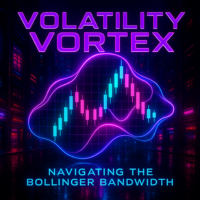
Volatility Vortex - 高级波动性分析系统 系统描述 Volatility Vortex 是一个基于 布林带宽度 分析的高级"多合一"指标,设计用于: 实时检测波动性的 扩张 和 收缩 周期,具有更高的精确度 通过优化的界面进行可视化: BBW区域 具有动态着色和BBW与MA之间的填充(绿色=宽度增加,红色=宽度减少) 可定制的BBW 移动平均线 (EMA/SMA/LWMA/SMMA)用于跟踪波动性趋势 最高扩张 和 最低收缩 区域,具有独立的周期,用于识别历史最大/最小波动性区域 生成具有多阶段算法的高级交易信号: 在BBW↔MA交叉点处的智能 垂直线 ,具有可配置的透明度 精确箭头 遵循一系列完整条件:突破→交叉→平坦→重新进入→摆动模式 防重绘系统 ,仅在已完成的K线上验证信号 动态 价格标签 ,自动适应图表比例 Canvas图形引擎,用于: 高分辨率渲染和优化性能 具有可变透明度的填充区域可视化 高频定时器实现超平滑更新 完整功能 通用兼容性 :适用于MetaTrader 5上的任何金融资产和时间框架(M1-MN) 多条件算法 :信号需要特定顺序的5个条

FDIS v1.08 is a multi-layered trend and signal indicator designed to offer precise insight into market direction, volatility, and momentum. Combining the power of RSI smoothing, volatility bands, and signal cross alerts, FDIS helps traders make faster and more informed decisions. Core Features: Green Line : Smoothed RSI (RSI Price Line) Red Line : Trade Signal Line Orange Line : Market Base Line (dynamic support/resistance) Blue Bands : Volatility Zones (standard deviation-based) Mu
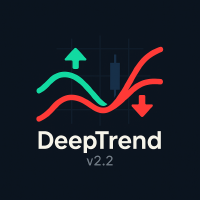
DeepTrend v2.2 is a powerful and enhanced trend-following indicator for MetaTrader 5 that combines the logic of the SuperTrend algorithm with intuitive arrow signals for better entry timing. Designed for both beginners and experienced traders, this indicator helps you visually identify trend direction and spot potential buy/sell opportunities with high precision. Key Features: Displays clear uptrend (green) and downtrend (red) lines. Separate arrow signals for BUY (lime green) and SELL (r

Introducing our advanced Scalping Forex Robot. The scalping algorithm is built to spot high-probability entry and exit points, ensuring that every trade is executed with the highest chance of success within the M30 timeframe . The best pair to use with the Scalping Robot is XAUUSD .This robot is perfect for traders who prefer the scalping method and want to take advantage of rapid price movements without having to manually monitor the charts. It is suitable for both beginners looking for an

CurvedSmoothChannel_Enhanced - 增强型价格通道指标
**CurvedSmoothChannel_Enhanced** 是一款功能强大且外观精美的价格通道指标,专为 MetaTrader 5 设计,可帮助您精准识别趋势、潜在反转和关键价位。此增强版结合了赫尔移动平均线 (HMA) 和 John Ehlers 的超平滑滤波器的强大功能,创建了一个动态自适应的通道,可根据多个时间范围内的市场状况进行调整。 #### 主要特点: - **平滑自适应中线**:该指标的核心是基于 HMA 的超平滑线,可最大限度地减少失真并紧密跟踪价格趋势。 - **多层通道结构**:显示三种类型的通道线: - **外线(紧密,黄色):**表示主通道的边界,可让您确定趋势方向和可能的突破区域。 - **内线(较不紧密,红色和绿色):**用于更清晰地显示外线并确认通道边界。 - **中线(中间,可选,红色和绿色):**位于中线和外线之间,按百分比距离调整,指示主要支撑/阻力区域。 - **可自定义宽度选项:** - 选择以价格百分比或固定点数表示的宽度,并根据每个时间间隔(从M1到D

Introducing my new Expert Advisor Golden Age AI, uses the concept of following trends in conducting market analysis.
This EA is designed to be used on the XAUUSD , which you can use on the 15 Minute Timeframe.
NSTRUMENT
SPECIFICATIONS Symbol: XAUUSD Timeframe: M15
ACCOUNT
REQUIREMENTS Type: any Spreads: Low Spread Min Deposit: $3000 High Profit Factor
The EA is designed for high-performance trading, offering a substantial profit factor which indicates its effectiveness in generating

Main Features Auto Entry & Exit
Automatically enters and closes positions when price reaches a trendline or horizontal line you draw.
Note: Your PC and MT5 must remain running. Quick & Easy Setup
Configure everything via on-chart input fields and buttons. Advanced Entry Controls
Includes trigger lines to refine entry conditions, invalidation lines to block unwanted entries, trailing stops, entry-time restrictions, and time-specified exits. How to Set Up Lines Draw your desired entry, exit, t

HTF PO3 Candle 指标 HTF PO3 Candle 指标将“力量三阶段”概念从高一级别时间框架投射到当前图表,让您无需切换时间框架即可查看更大市场背景下的重要结构水平和潜在进出场区域。
主要功能: 1. 高级别时间框架蜡烛叠加 2. 可自定义外观(实体填充/空心、描边样式、线宽、颜色) 3. 快速切换时间框架:1分钟至1个月 4. 多品种兼容:外汇、大宗商品、加密货币、指数 5. 轻量级优化代码:低CPU占用
使用方法: 1. 在图表中加载指标 2. 在“Inputs”选项卡中选择“Higher timeframe” 3. 自定义样式和颜色 4. 将PO3蜡烛的实体和影线解读为累积、操纵、分配阶段区域
为什么选择 HTF PO3 Candle? - 锚定机构订单流 - 精准反应区域 - 避免频繁切换时间框架

This is a custom indicator for MetaTrader 5 named VPC_SupportResistance.mq5 . Here's a breakdown of what it does: Purpose: The indicator aims to automatically draw horizontal Support and Resistance (S/R) levels on the main chart window. Level Calculation Method: It looks back over a user-defined number of bars ( InpPeriod ). It identifies all the high prices and low prices within that period. It sorts these highs and lows. It then selects the highest unique high prices from the period as Resista

Product Title: Break of Structure (BOS) Signal Indicator (Price Action / SMC) Product Description: Effortlessly identify potential trend continuations with the Break of Structure (BOS) Signal Indicator for MetaTrader 5. Designed for traders using Price Action and Smart Money Concepts (SMC) , this indicator automatically detects and marks potential BOS events directly on your chart. Break of Structure is a key concept where price moves decisively beyond a prior swing high or low, often suggesting

Product Title: CHoCH, EQH & EQL Pattern Indicator (Price Action / SMC) Product Description: Automatically identify critical market structure patterns with the CHoCH, EQH & EQL Indicator for MetaTrader 5. Built for traders utilizing Price Action and Smart Money Concepts (SMC) , this powerful tool highlights potential trend reversals (Change of Character) and key areas of liquidity or support/resistance (Equal Highs/Lows) directly on your chart, saving you valuable analysis time. The indicator use
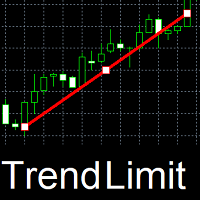
TrendLimit - trading robot for the EURUSD currency pair on the M1 timeframe . Trades with or against the trend. Sets profit and loss limits. Changes limits. Parameters: AgainstTrend. If true, trades against the trend, otherwise trades with the trend. StopLoss. Sets a loss limit in points. If 0, there is no limit. TrailingStop. If true, when the price moves towards profit, it moves the loss limit in this direction. TakeProfit. Sets a profit limit in points. If 0, there is no limit. TrailingTake.

推荐设置 交易品种:XAUUSD(黄金) 账户模式:Netting & Hedging 时间周期:5 分钟 最低入金:200 美元 账户类型:标准(无佣金)、Raw(最优) 推荐经纪商:IC Markets、IC Trading 参数建议 超买阈值(Overbought):70 超卖阈值(Oversold):30 风险管理百分比(RiskPercent):1.0 止盈(TakeProfitPips):300 点 启动移动止损(TrailStartPips):3 点 移动止损距离(TrailStopDistance):3 点 Magic Number:123456 最大手数(MaxLot):0.01 本 EA 在回测时请使用 1 分钟 OHLC 模式,因为策略基于烛线的高低价和收盘价执行,而非逐点逐 tick 执行。 优势 简单规则化策略 使用相对强弱指数(RSI)明确识别超买/超卖信号 避免过于复杂的指标,易于理解和修改 风险管理优化 根据账户余额自动计算开仓手数 按账户保证金检查,防止“资金不足”错误 对黄金等高保证金品种设定最大手数上限,避免风险过大 移动止损锁定利润 当盈

介紹 J-Max_Fx New_Age_A.I-Bullion_Van_($),該交易系統旨在在 H1 時間範圍內交易 XAUUSD_(黃金)。該策略基於超買和超賣區域以及支撐位和阻力位。
交易對:XAUUSD(黃金)
時間範圍:H1
最低存款額:100美元
每週 5 天、每天 24 小時在 VPS 上運行 EA
推薦經紀商:Justmarkets 或任何低點差經紀商
祝您交易順利! ! !!!!!!!!!!!!!!!!!!!!!!!!!!!!!!!!!!!!!!!!!!!!!!!!!!!!!!!!!!!!!!!!!!!!!!!!!!!!!!!!!!!!!!!!!!!!!!!!!!!!!!!!!!!!!!!!!!!!!!!!!!!!!!!!!!!!!!!!!!!!!!!!!!!!!!!!!!!!!!!!!!!!!!!!!!!!!!

Send me a message so I can send you the setfile
Want to get up to 8 free robots? Write to me to find out how. https://www.mql5.com/en/users/lwyxru/seller
Switch to correlation mode 設定文件在我的個人資料中。
在 btcusd h1 圖表上使用它。
EA 根據兩種貨幣對或工具之間的價格相關性進行運作。它可以檢測並交易所選工具之間的正相關性、負相關性或自訂相關性。
主要特點: 符號選擇:
您可以對這兩種工具使用目前圖表符號或自訂符號。
在初始化期間驗證符號的存在。
相關類型:
正相關(0):當一個上漲時,預計另一個也會上漲。
負相關(1):當一個上漲時,預期另一個會下跌。
自訂關聯(2):針對像黃金-BTC 這樣的特定關係。
逆自訂相關性 (3):適用於 SPX-VIX 等逆關係。
風險管理:
基於百分比的止損和獲利。
每天每個方向的最大交易數量。
每小時最大交易次數。
交易

## Signal Types
### Buy Signal - Appears when a bullish reversal pattern is detected - Green arrow appears below the candle - Candles turn green during signal duration - "BUY Signal" label appears with timestamp
### Sell Signal - Appears when a bearish reversal pattern is detected - Red arrow appears above the candle - Candles turn red during signal duration - "SELL Signal" label appears with timestamp
## Best Practices
1. **Timeframe Selection** - Works on all timeframes - Recommen
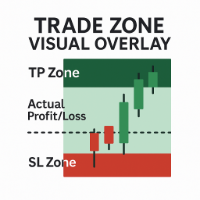
Trade Zone Visual Overlay – MT5 实时交易区域显示工具 即时可视化您的交易表现 —— 抢在为时已晚之前。 Trade Zone Visual Overlay 是一款强大的图表工具,可直接在图表上显示您当前持仓的关键区域。专为重视清晰度的主观交易者设计,此指标显示: 止盈区 – 高亮显示完整的止盈目标区域 止损区 – 明确标示您的风险暴露区域 实际盈亏区 – 根据扣除手续费后的实时盈亏情况进行可视化展示 通过可自定义的颜色和根据手续费调整的阈值,您将获得一目了然的交易快照: 您的交易当前是实际盈利还是亏损(扣除所有成本后) 当前价格距离止损或止盈还有多远 实时在图表上清晰展示风险回报比 功能特点: 自动检测当前持仓 从开仓点绘制向前预测的区域 考虑 手续费和点差 ,反映真实盈亏情况 简洁、不干扰的图层 —— 不会妨碍您的交易操作 兼容所有交易品种与时间周期 无论您是进行剥头皮交易还是波段交易, Trade Zone Visual Overlay 都能为您提供信心与控制所需的交易洞察力。

OrionXAU 是一款为 XAUUSD(黄金) 和 US100 / 纳斯达克 市场开发的算法交易系统。
系统结合了剥头皮策略与波段趋势策略,并具有严格的风险管理框架,旨在实现长期稳定性。 主要支持市场 • XAUUSD(黄金)
• US100 / 纳斯达克 双策略架构 1. 剥头皮策略 • 日内交易
• 短时间持仓
• 针对小幅波动设计
• 风险控制严格 2. 波段趋势交易 • 捕捉趋势性大行情
• 交易频率低
• 小亏损频繁但受控
• 胜利交易通常 盈利巨大 ,驱动整体收益 3.5版本新增功能 OrionXAU 可:
• 仅用于黄金
• 仅用于纳斯达克
• 或在同一账户中运行两个市场 系统限制:
• 每日最多 2 单
• 每个市场最多 1 单
• 第一单亏损时,不会开第二单 尽管具备多市场功能,仍建议一次仅用于一个市场,以降低风险。 运行机制 • 自动结构与动量分析
• 可设置交易时段
• 自动平仓管理
• 根据资金自动调整仓位大小
• 自动止损、止盈与跟踪止损逻辑 推荐设置 • 周期:H1
• 经纪商:低点差 / Zero Spread 推荐
• 最低建议资金:100 US
MetaTrader市场是独有的自动交易和技术指标商店。
阅读MQL5.community用户备忘更多地了解我们提供给交易者的独特的服务:复制交易信号,自由职业者开发的自定义应用程序,通过支付系统完成的自动付款和MQL5云网络。
