文章 "构建K线图趋势约束模型(第8部分):EA的开发(一)"
argatafx28 自定义指标'Trend Constraint V1.09' [4802]
2024.08.15 00:47:15.123 2024.08.01 00:00:00 'Trend_Constraint_Expert.mq5' 中的指标创建错误 (1,1)
- 确保已安装指标 Trend Constraint V1.09,以便 EA 运行。
- Trend Constraint V1.09 使用ShellExecute 整合电报,您能否确保在启动指标时允许依赖 DLL?
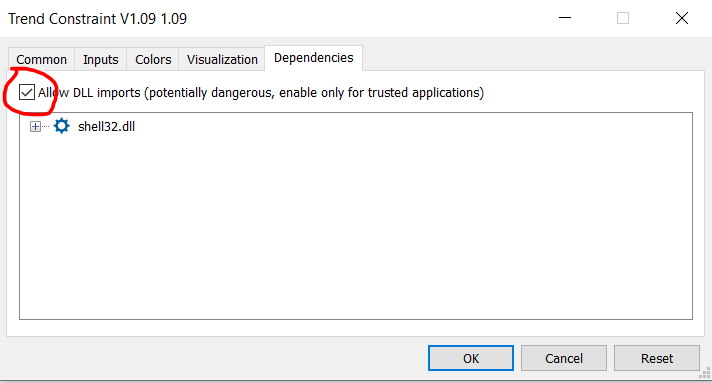
顺便问一下,您使用的是哪个操作系统?

Building A Candlestick Trend Constraint Model (Part 5): Notification System (Part II)
- www.mql5.com
Today, we are discussing a working Telegram integration for MetaTrader 5 Indicator notifications using the power of MQL5, in partnership with Python and the Telegram Bot API. We will explain everything in detail so that no one misses any point. By the end of this project, you will have gained valuable insights to apply in your projects.

新文章 构建K线图趋势约束模型(第8部分):EA的开发(一)已发布:
在本文中,我们将基于前文创建的指标,开发我们的第一个由MQL5语言编写的EA。我们将涵盖实现自动化交易所需的所有功能,包括风险管理。这将极大地帮助用户从手动交易转变为自动化交易系统。
作者:Clemence Benjamin