Ahmad Bin Fawzi Bin Al-akhdar Al-fazai / Profil
- Bilgiler
|
1 yıl
deneyim
|
11
ürünler
|
24
demo sürümleri
|
|
0
işler
|
0
sinyaller
|
0
aboneler
|
📈 8+ Years of Experience in Forex & Gold Markets
🔧 Developer of Advanced MT4/MT5 Expert Advisors & Indicators
🏆 Providing Reliable Trading Tools & Forex Signals
📊 Focused on Consistency, Risk Management & Growth
📢 Follow my Official MQL5 Channel : https://www.mql5.com/en/channels/smarttradingai
This Expert Advisor is a multi-pair grid trading system designed to operate on up to 100 symbols simultaneously from a single chart. It builds an adaptive grid of orders based on customizable step sizes and lot progressions.
✅ Features:
Multi-symbol trading (up to 100 pairs).
Multiple operation modes: Normal, Close in Profit, Emergency Close.
Lot progression: Fixed, Geometrical, Exponential.
Step progression: Static, Geometrical, Exponential.
Info panel with trade monitoring options.
📌 Recommendations:
Use on ECN brokers with low spreads.
Best suited for liquid pairs (EURUSD, GBPUSD, XAUUSD).
Adjust lot size according to account balance (recommended risk Avoid high-impact news events.
Enable “Close in Profit” mode to lock regular profits.
📌 https://www.mql5.com/en/market/product/148141?source=Site+Market+My+Products+Page#!tab=reviews
⚠️ Risk Disclaimer:
Grid systems can be highly profitable but require strict risk and money management. Always test on a demo account before going live.
1. Introduction
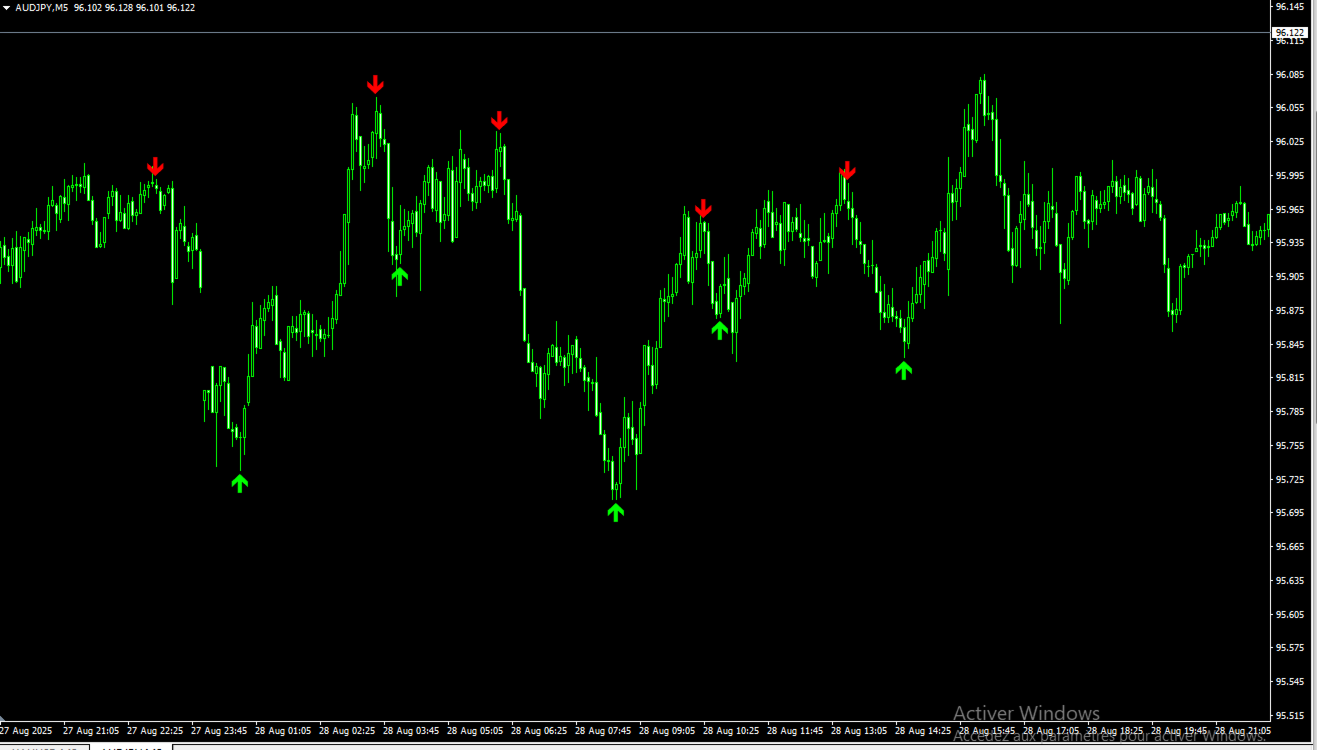
The FX Super Arrow is a custom indicator designed to highlight potential buy and sell opportunities using a confluence of technical signals:
Moving Averages (EMA crossovers)
RSI (Relative Strength Index)
Bollinger Bands
Bulls & Bears Power
The indicator plots arrows on the chart:
Green arrow (Buy) below price → potential bullish signal
Red arrow (Sell) above price → potential bearish signal
⚠️ Important: Arrows may move on the current candle until it closes. Once the candle is closed, the signal does not repaint.
2. How to Use
Attach the indicator to your chart (any symbol, any timeframe).
Adjust settings if needed (default works well for most symbols).
Wait for arrows:
Green arrow = potential Buy
Red arrow = potential Sell
Always confirm signals with your trading rules (price action, higher timeframe trend, support/resistance).
For more reliable signals:
Use M15 timeframe or higher.
Wait for candle close to confirm the signal.
3. Trading Tips
✅ Trend Confirmation: Align arrow signals with the main trend (e.g., use EMA200 or higher timeframe direction).
✅ Avoid Noise: On very low timeframes (M1/M5), signals may be more frequent but less reliable.
✅ Risk Management: Always set Stop Loss and Take Profit according to your trading plan.
4. Alerts
When a Buy or Sell arrow is generated on the latest candle, a popup alert will appear (if enabled).
Alerts can be disabled in the input settings (Alerts = false).
5. Disclaimer
The FX Super Arrow is a technical tool and should not be used alone. Always combine it with proper risk management and additional confirmation. Past performance is not a guarantee of future results.
FX Super Arrow Indicator : https://www.mql5.com/en/market/product/148493?source=Site+Profile+Seller
Line Master – Trend Lines & Direction Arrows Line Master is a professional trend indicator for MetaTrader 5. It helps traders identify market direction by combining fast and slow trend lines and generating arrows at trend change points. Features: Slow Trend Line: Represents the overall market trend. Fast Trend Line: Responds quickly to short-term price changes. Color-Coded Lines: Uptrend: DodgerBlue Downtrend: Crimson Trend Arrows: Signals appear when the trend changes. Adjustable Inputs
Flashscalp EA is an automated trading system designed to operate with precision and risk control under different market conditions. The Expert Advisor applies multiple technical filters and confluence signals to identify suitable entry and exit points. Key Features: • Advanced Entry Logic – combination of technical indicators and price action filters for trade confirmation. • Risk Management System – dynamic stop-loss, take-profit, and breakeven adjustment to protect
Dynamic Range Pro – Indicator Dynamic Range Pro is a technical indicator designed to visualize key market zones by plotting a dynamic channel based on price extremes. Main Features: Dynamic channel calculated using the highest highs and lowest lows over a specified period. Midline representing price equilibrium. Compatible with multiple instruments and timeframes. Inputs: PeriodPR: Sets the number of bars used for channel calculation. Functionalities: Highlights potential breakouts when price
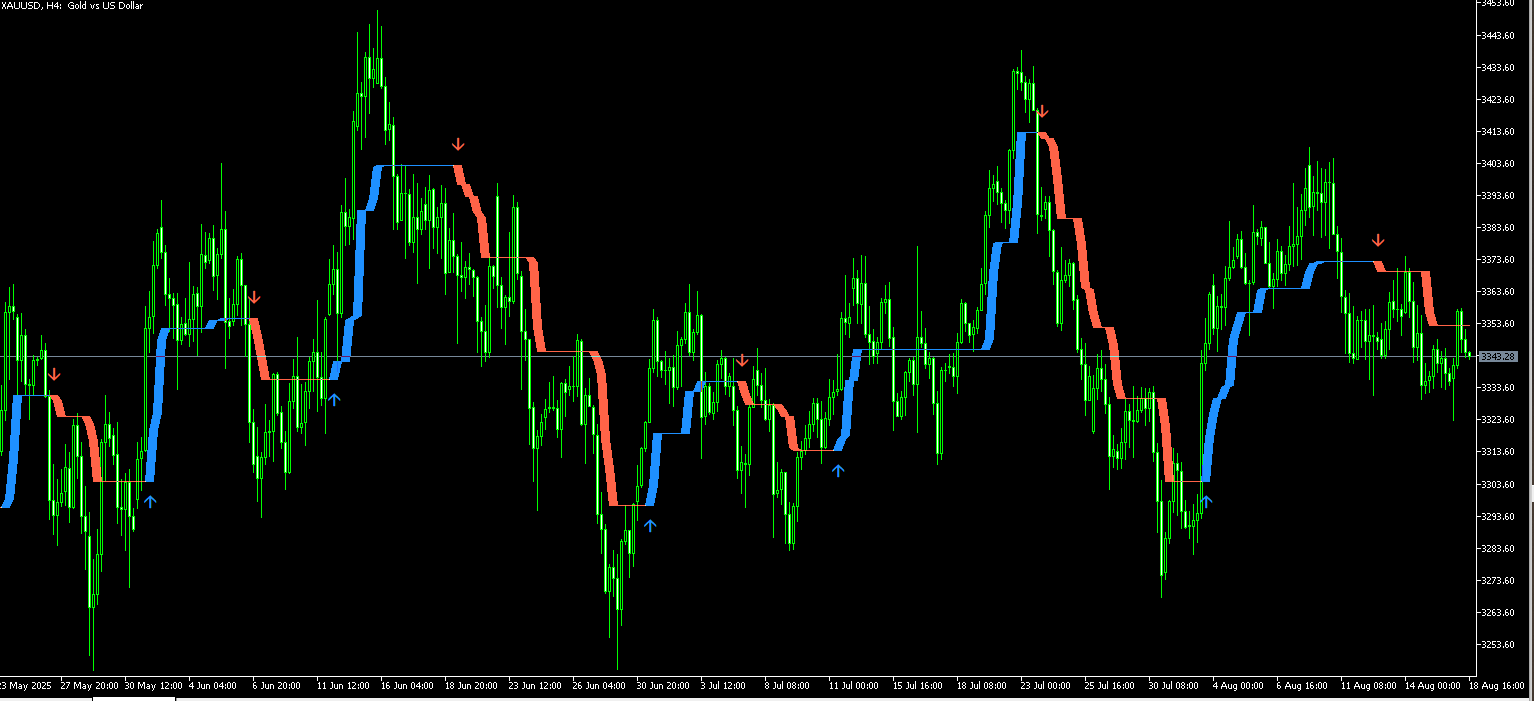
The Fusion Trend is a custom trend-following indicator designed to simplify market analysis and highlight potential buy and sell opportunities. It combines price action with adaptive filtering to provide clear visual signals on the chart.
✅ Features:
Clear trend visualization with dynamic color changes (blue for bullish, red for bearish).
Arrows signals to indicate potential entry zones.
Works on all timeframes and symbols (optimized for Gold / XAUUSD).
Helps traders identify trend reversals and continuation patterns.
📈 How to use:
Blue zone: Market in bullish phase – buyers in control.
Red zone: Market in bearish phase – sellers in control.
Arrows can be used as confirmation signals together with your strategy.
📥 MT5: https://www.mql5.com/en/market/product/147005?source=Site+Profile+Seller
⚠️ Note: This indicator is not a standalone trading system. It is recommended to combine it with risk management and additional confirmation tools.
Fusion Trend – Multi-Signal Indicator Fusion Trend (Alpha Trend) is an advanced technical indicator designed to identify market trends and provide automated buy and sell signals. It combines ATR, RSI, MFI, and trend-following logic for technical analysis on any timeframe. Features: • Alpha & Offset Lines – visualize the main trend and its offset. • Buy & Sell Signals – automatic arrows appear when trend changes are detected. • Adaptive ATR Filter – adjusts
GoldFusion EA Scalper is a professional MQL5 expert advisor designed for scalping. It leverages an advanced, multi-indicator strategy to identify and execute high-probability trades with precision. The EA's core strength lies in its intelligent logic and robust risk management, making it an ideal tool for traders seeking consistent and reliable performance.
Key Features
Multi-Indicator Engine: Combines Moving Average (MA) and MACD for accurate trend and momentum analysis, ensuring trade entries are based on confirmed signals.
Intelligent Market Filters:
Trend Filter (EMA 200): Guarantees trades are aligned with the overarching market trend.
Volatility Filter (ADX & ATR): The ADX and ATR indicators work together to ensure trades are only executed during favorable market volatility.
RSI Filter: Prevents trading in overbought/oversold conditions, enhancing signal quality.
Advanced Position Management: The EA automatically manages open positions to protect profits and minimize risk.
Dynamic Break-Even: Moves the Stop Loss to a profit-securing level after a configurable profit threshold is met.
Smart Trailing Stop: A trailing stop system actively locks in profits as the market moves in your favor, protecting your gains.
Robust Risk Control: Features include daily trade limits (MaxDailyTrades) and a maximum daily loss percentage (MaxDailyLossPercent), providing a solid safety net. The code also supports dynamic lot sizing based on a percentage of your account balance, a best practice for professional risk management.
Fully Customizable: All parameters are configurable, allowing you to optimize the EA to fit your trading style, risk tolerance, and specific market conditions.
How to Use
For optimal performance, it is recommended to run GoldFusion EA Scalper on a VPS to ensure uninterrupted execution and low latency. Please test the EA on a demo account before using it with live capital.
https://www.mql5.com/en/market/product/144592?source=Site+Profile+Seller