Karman

100 USD
Demo indirildi:
277
Yayınlandı:
25 Mart 2019
Mevcut sürüm:
1.0
Uygun bir robot bulamadınız mı?
Freelance üzerinden kendi
robotunuzu sipariş edin
Freelance'e git
Freelance üzerinden kendi
robotunuzu sipariş edin
Bir alım-satım robotu veya gösterge nasıl satın alınır?
Uzman Danışmanınızı
sanal sunucuda çalıştırın
sanal sunucuda çalıştırın
Satın almadan önce göstergeyi/alım-satım robotunu test edin
Mağazada kazanç sağlamak ister misiniz?
Satış için bir ürün nasıl sunulur?

Alım-satım fırsatlarını kaçırıyorsunuz:
- Ücretsiz alım-satım uygulamaları
- İşlem kopyalama için 8.000'den fazla sinyal
- Finansal piyasaları keşfetmek için ekonomik haberler
Kayıt
Giriş yap
Web sitesi politikasını ve kullanım şartlarını kabul edersiniz
Hesabınız yoksa, lütfen kaydolun
Settings
Hello.
Have just rented the EA for a month,
but after downloading and installing it on my chart,
it doesn't work and the 'Alien' icon does not appear.
Autotrading is enabled.
Would anybody know why this the case?
I'm using MT4
Hello.
Have just rented the EA for a month,
but after downloading and installing it on my chart,
it doesn't work and the 'Alien' icon does not appear.
Autotrading is enabled.
Would anybody know why this the case?
I'm using MT4
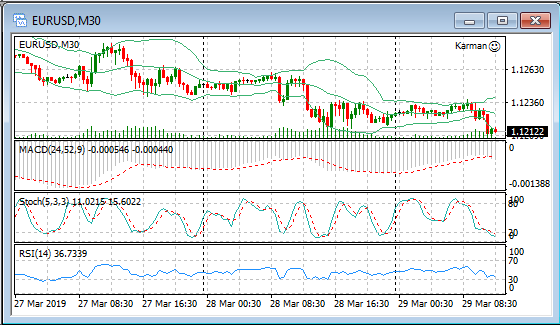
In the photo, I see that the adviser works for you.
If it does not work (the smile is not shown, although you have turned on the auto trade) try ticking the box “common” when attaching the robot to the chart.
In the photo, I see that the adviser works for you.
If it does not work (the smile is not shown, although you have turned on the auto trade) try ticking the box “common” when attaching the robot to the chart.
Hello.
Thank you for getting back to me.
The EA attaches to the chart correctly and under 'Common', Auto Trading is enabled.
What's missing, is the 'Alien' like in the Screenshot.
(Screenshot from another EA I'm using, runs in the VPS, so the 'Smiley' if off, but it shows the 'Alien')
Hello.
Thank you for getting back to me.
The EA attaches to the chart correctly and under 'Common', Auto Trading is enabled.
What's missing, is the 'Alien' like in the Screenshot.
(Screenshot from another EA I'm using, runs in the VPS, so the 'Smiley' if off, but it shows the 'Alien')
Hello! This is a visualization of the robot, I do not have it, so just a smiley should be shown with a smile
Hello! This is a visualization of the robot, I do not have it, so just a smiley should be shown with a smile
Hello.
I'm using the following settings,
but the EA does not trade at all,
not even in the Strategy Tester.
It doesn't open a single trade.
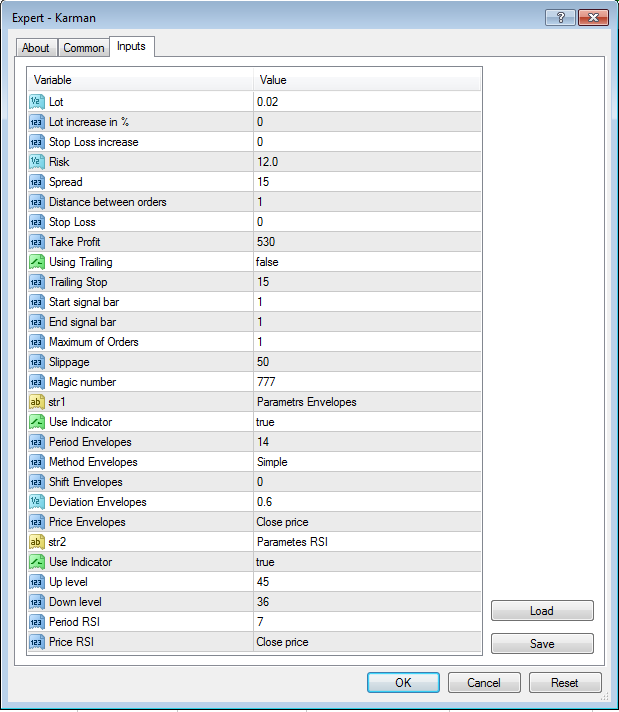
What should the correct settings be?
Hello.
I'm using the following settings,
but the EA does not trade at all,
not even in the Strategy Tester.
It doesn't open a single trade.
What should the correct settings be?
What broker do you trade through? The settings are correct.Hello.
I'm with XM (Ultra Low account)
I can't see why it shouldn't work.
Have been using them for a very long time.
Works with other EAs.
Hello, I hired your EA, but the EA does not have an automated transaction yet? Please give me a fix