BubbleGrid
- Uzmanlar
- Sürüm: 4.14
- Etkinleştirmeler: 5

Full description
BubbleGrid is a grid Expert Advisor for MetaTrader 5. One copy on one chart trades up to ten currency pairs, and each pair uses its own settings.
How it trades. For each pair the EA sets an anchor price and places buy limit orders below it and sell limit orders above it, one grid step apart. All open positions of one side form a basket, and the basket closes together at a take profit that is set from the average entry price.
How the risk is limited. Every basket has a hard stop. It is set at the broker with the first trade, so it stays in place if the terminal or the VPS goes offline. Before each new basket the EA also checks the spread, the trading hours and the number of open pairs. A daily loss limit and an equity stop are available.
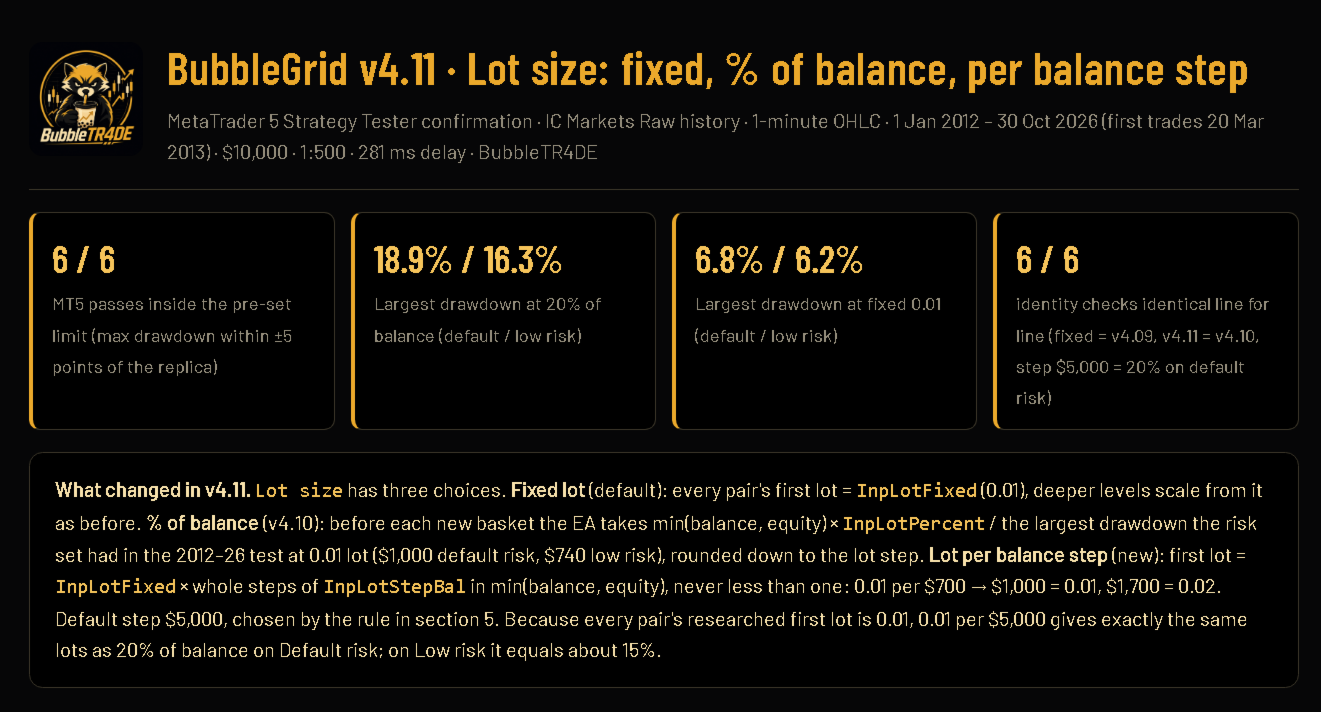
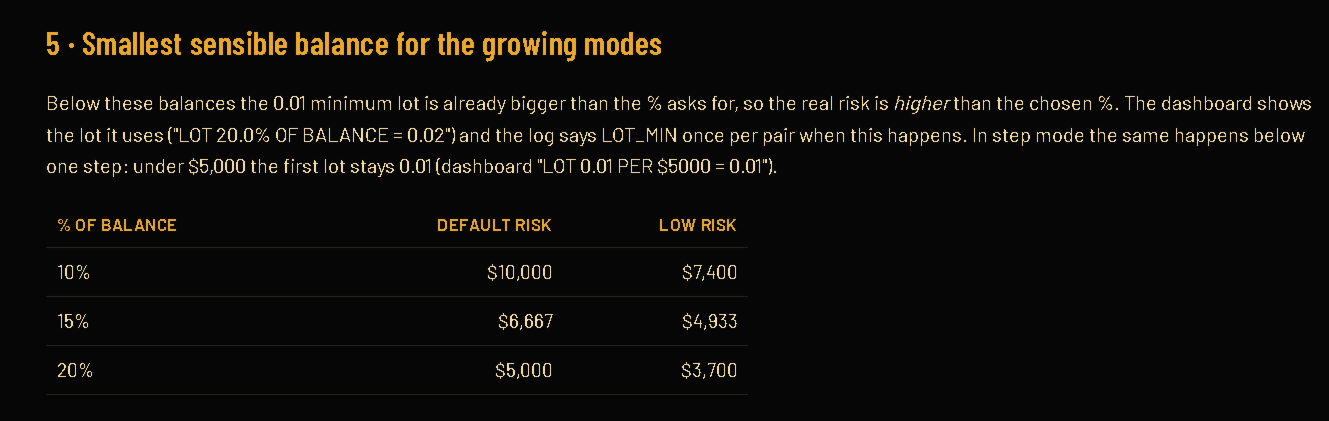
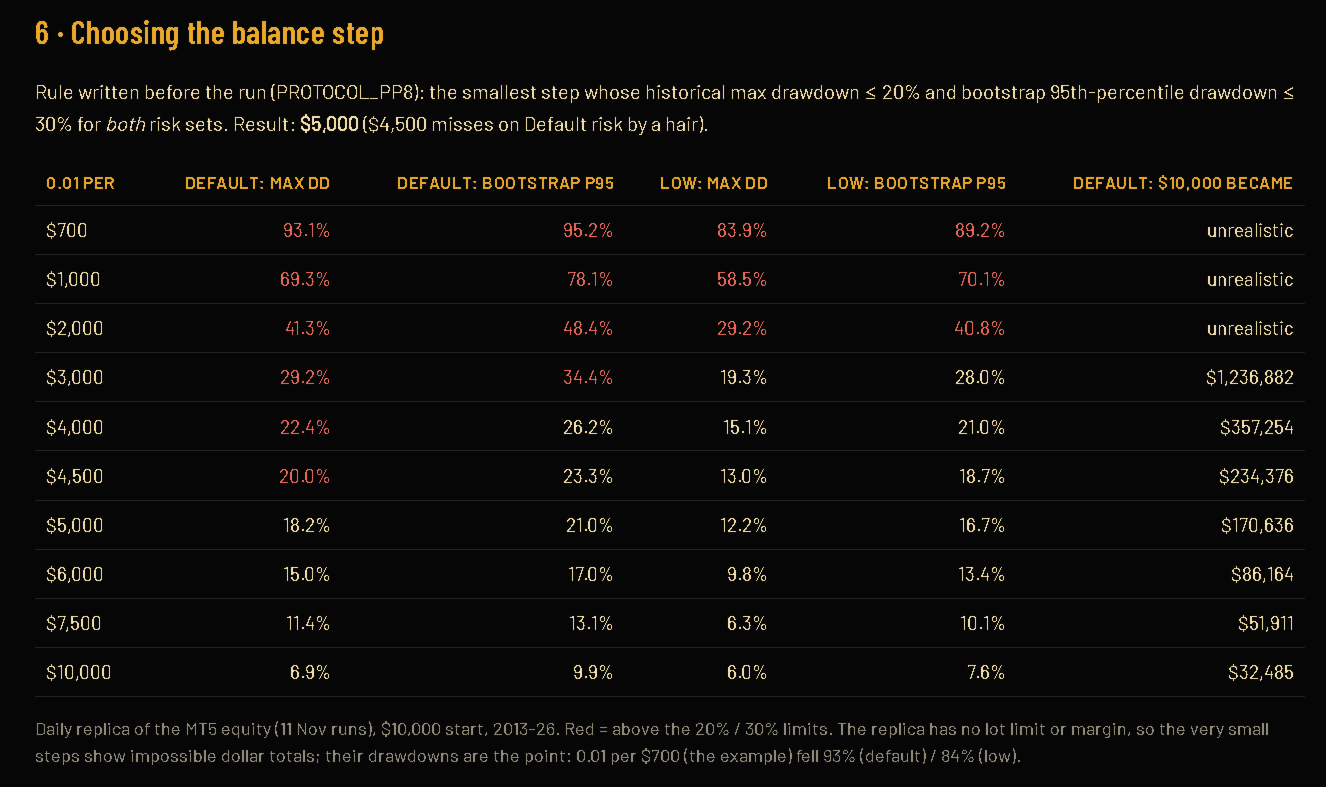
What is included. Ten pairs ready to run: EURCAD, CADCHF, AUDCAD, EURSEK, GBPAUD, EURAUD, NZDCHF, GBPCHF, GBPJPY and NZDJPY. Two risk sets: Default and Low risk. Three ways to set the lot: a fixed lot, a percentage of the balance, or a lot that grows by 0.01 for each step of the balance. A dashboard on the chart shows balance, equity, drawdown and the state of each pair.
Restart and update safe. After a restart or an update, the EA finds its own open trades and rebuilds the grid from the broker's data. Open positions are not left without management.
A grid adds to a losing side by design, and some pairs use a larger lot on the deeper levels. The hard stop is what limits the loss of one basket.
Test results
These are Strategy Tester results on past prices. They are not results of real trading, and they do not show what an account will do in the future.
| Test setting | Value |
|---|---|
| Platform and broker data | MetaTrader 5, IC Markets Raw |
| Chart and timeframe | EURSEK, H1 (the EA trades its own ten pairs) |
| Period | 2012.01.01 to 2026.10.30 |
| Modelling | 1 minute OHLC |
| Deposit and leverage | 10,000 USD, 1:500 |
| Lot | Fixed 0.01 for the first trade of each basket |
| Inputs | Default values, no optimisation |
| Result | Default risk | Low risk |
|---|---|---|
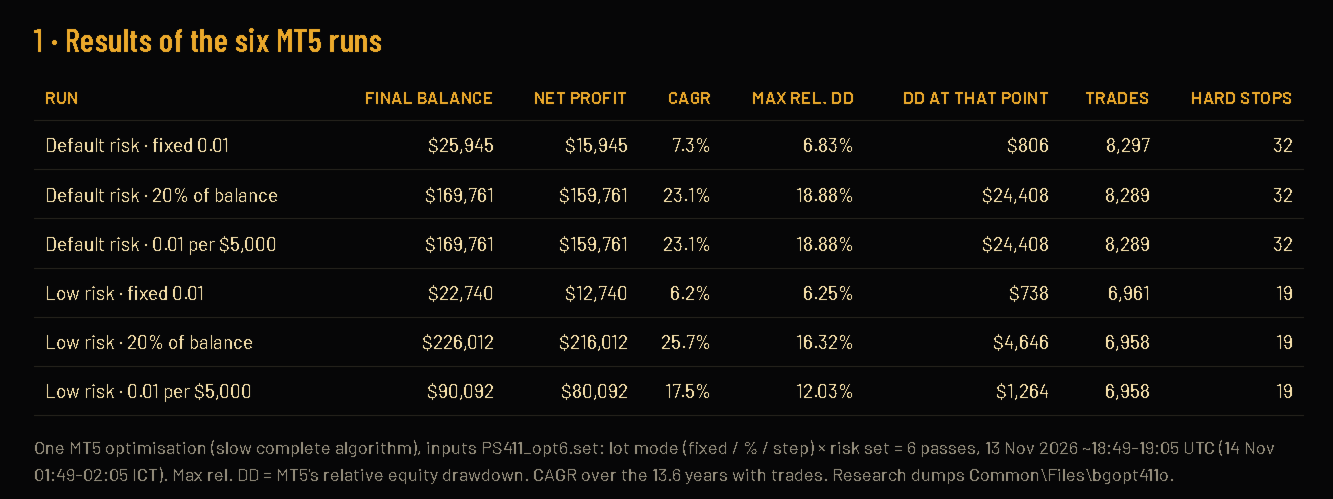
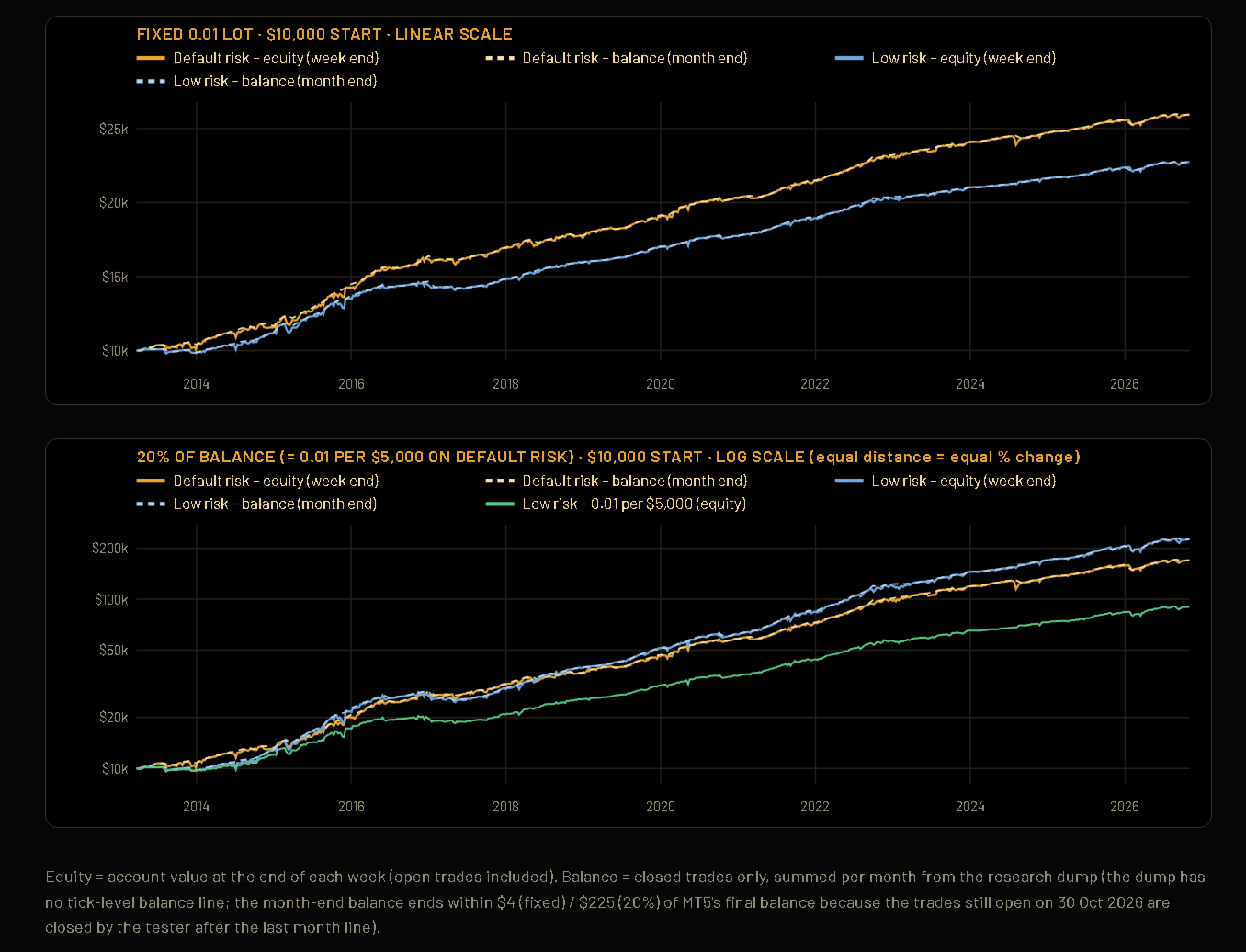
| Net profit (USD) | 15,934.84 | 12,739.90 |
| Trades | 8,295 | 6,961 |
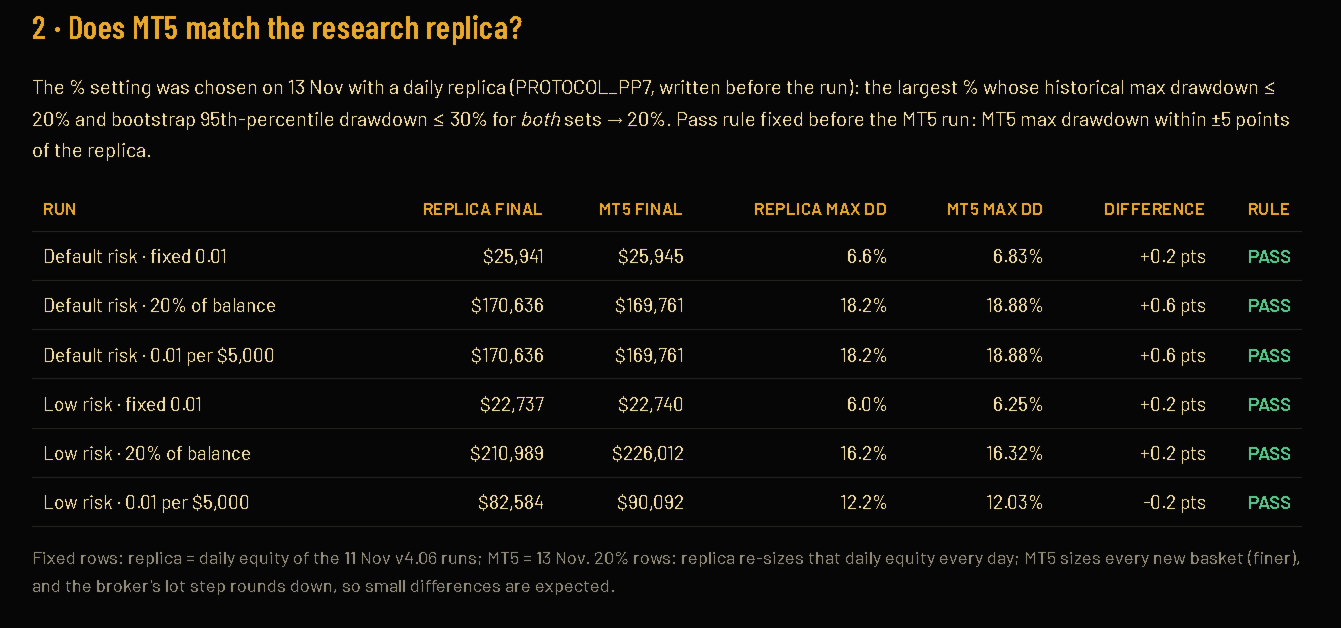
| Maximal relative equity drawdown | 6.84% | 6.25% |
| Largest equity drawdown (USD) | about 1,000 | about 738 |
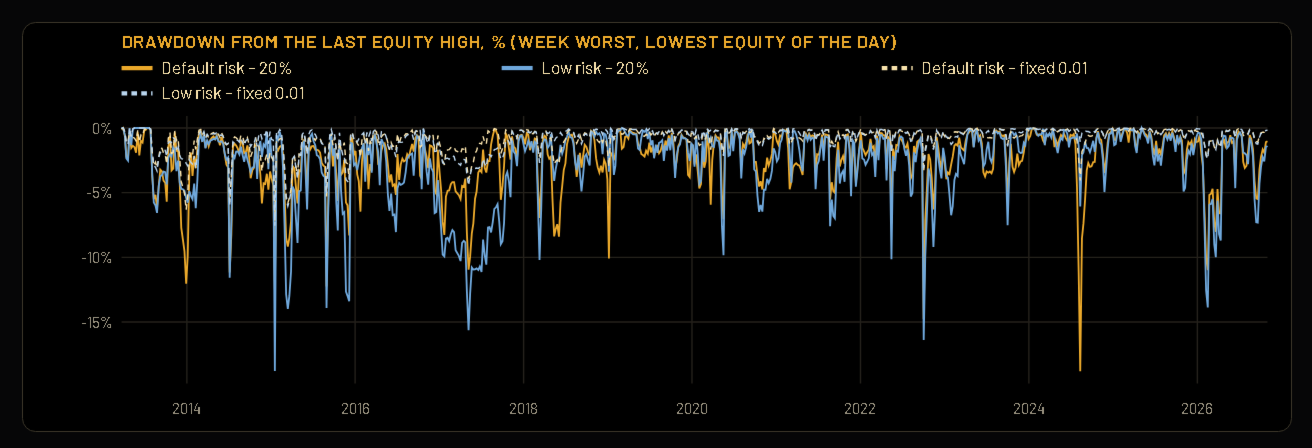
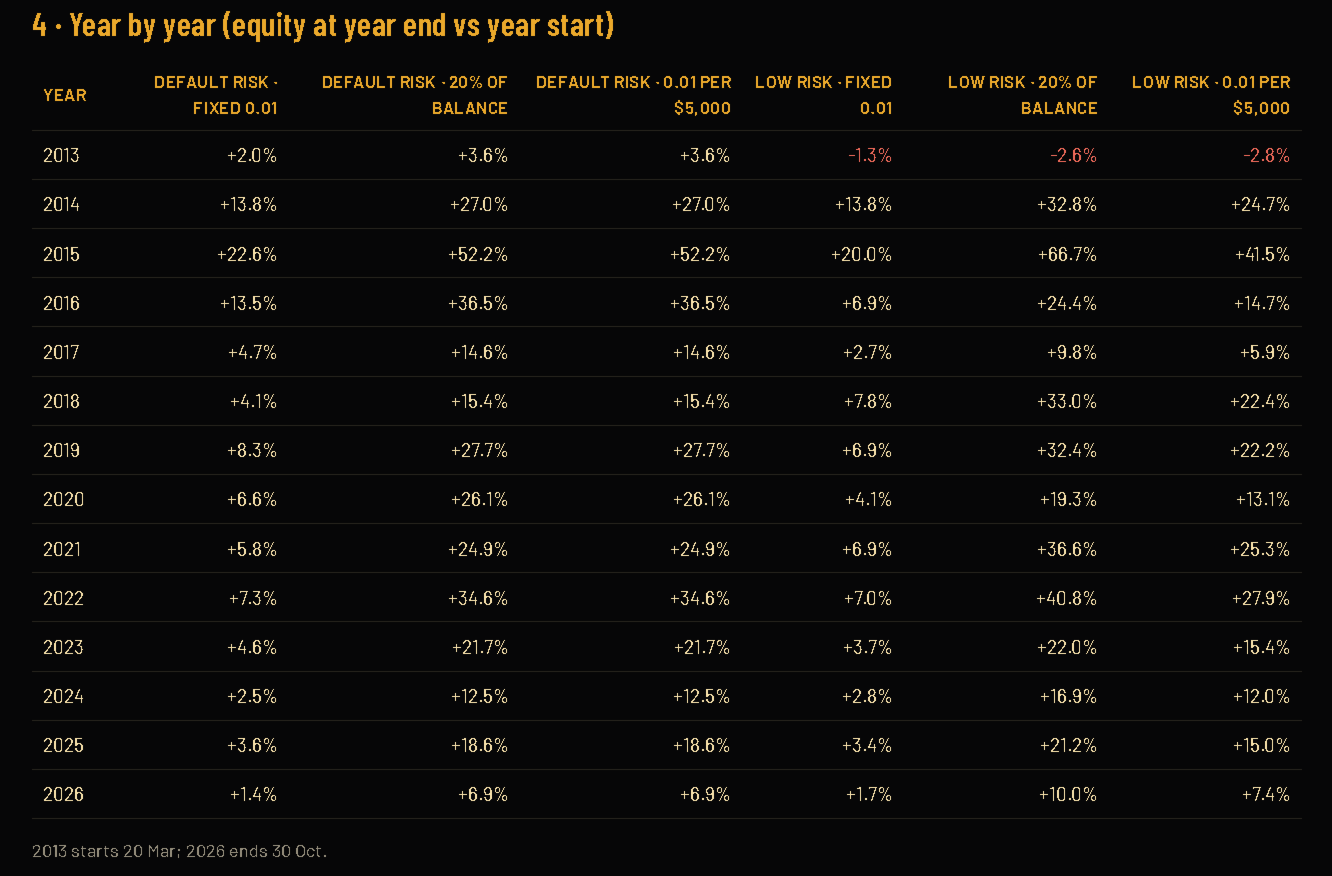
In the Default risk test, 141 of 164 months and every calendar year ended with a profit. In the Low risk test, one year (2013, the first and partial year) ended with a loss. A grid can show long quiet periods and then a sharp loss when a hard stop is hit, so look at the drawdown figures as well as the profit.
The tester uses the swap rates and price history of the broker at the time of the test. Results on your broker, with your spread and commission, will differ. Run the test yourself on your own data before you use the EA on a live account.
Setup
The EA needs a hedging account. Attach one copy to one chart. It trades its own ten pairs, so the chart symbol does not matter. The tests above used an H1 chart.
- Check that the ten pairs are available at your broker. If your broker adds a suffix to symbol names, type it in the input "Broker symbol suffix".
- Attach the EA to one chart and switch Algo Trading on.
- In the inputs, choose the risk set (Default or Low risk) and the lot mode. The default is a fixed lot of 0.01.
- Check the dashboard. It shows the version, the risk set, the number of pairs and the state of each pair.
- Leave the terminal running, preferably on a VPS. Do not run the same account with Algo Trading on in two places.
The settings of each pair are built into the EA. You do not need to optimise anything to start.
A suggested start by account size, with the fixed lot of 0.01:
| Account size | Suggested setting |
|---|---|
| Under 3,000 USD | Low risk. High risk of a large loss; use only money you can afford to lose |
| 3,000 to 5,000 USD | Low risk |
| 5,000 USD and more | Default or Low risk |
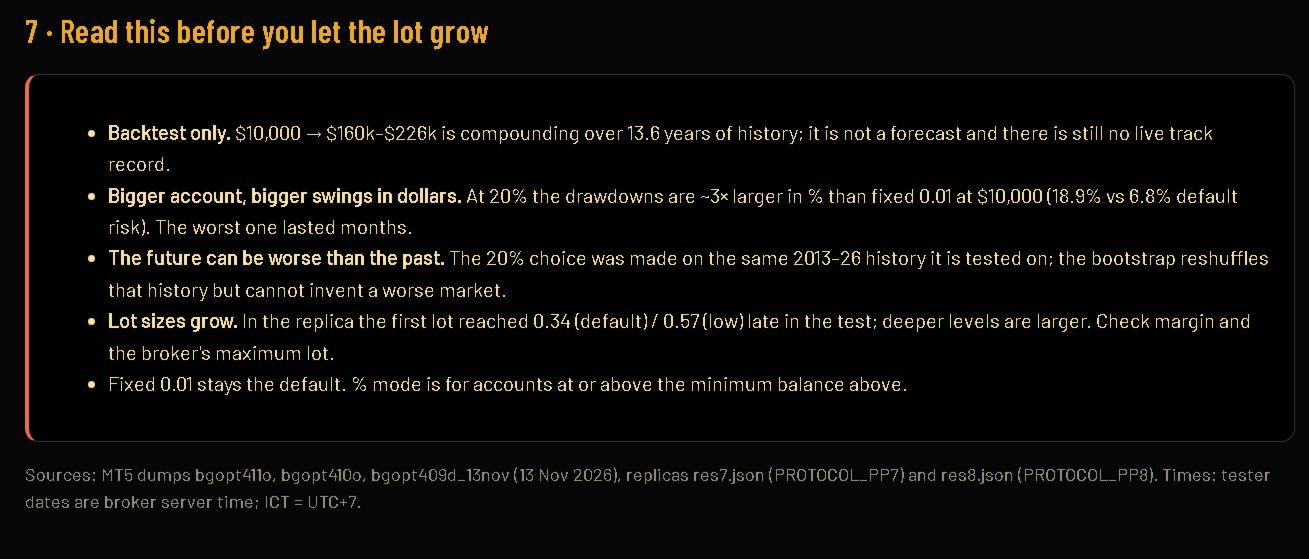
With a larger balance you can choose the percentage or the step lot mode. A larger lot makes the drawdown larger in the same proportion. Test it on a demo account first.
Risk warning and version notes
Risk warning. Trading leveraged currency pairs can lose all the money in an account. A grid strategy adds positions on the losing side by design, and a hard stop closes the whole basket at a loss. Test results from the past do not guarantee future results. This product is not investment advice. Test on a demo account first, and trade only with money you can afford to lose.
Version notes for 4.14. The EA now respects the order and volume limits of the broker or account before it places a pending order. It does not try to cancel or change an order that is too close to the market price, and it waits for a short time after the broker refuses a request instead of sending it again on every bar. Trading rules and results on accounts without such limits are the same as in the earlier version.