A Plus Levels
- Göstergeler
- Sürüm: 1.1
- Etkinleştirmeler: 5

🎯 A+ Levels — Market Structure & Supply/Demand Zones
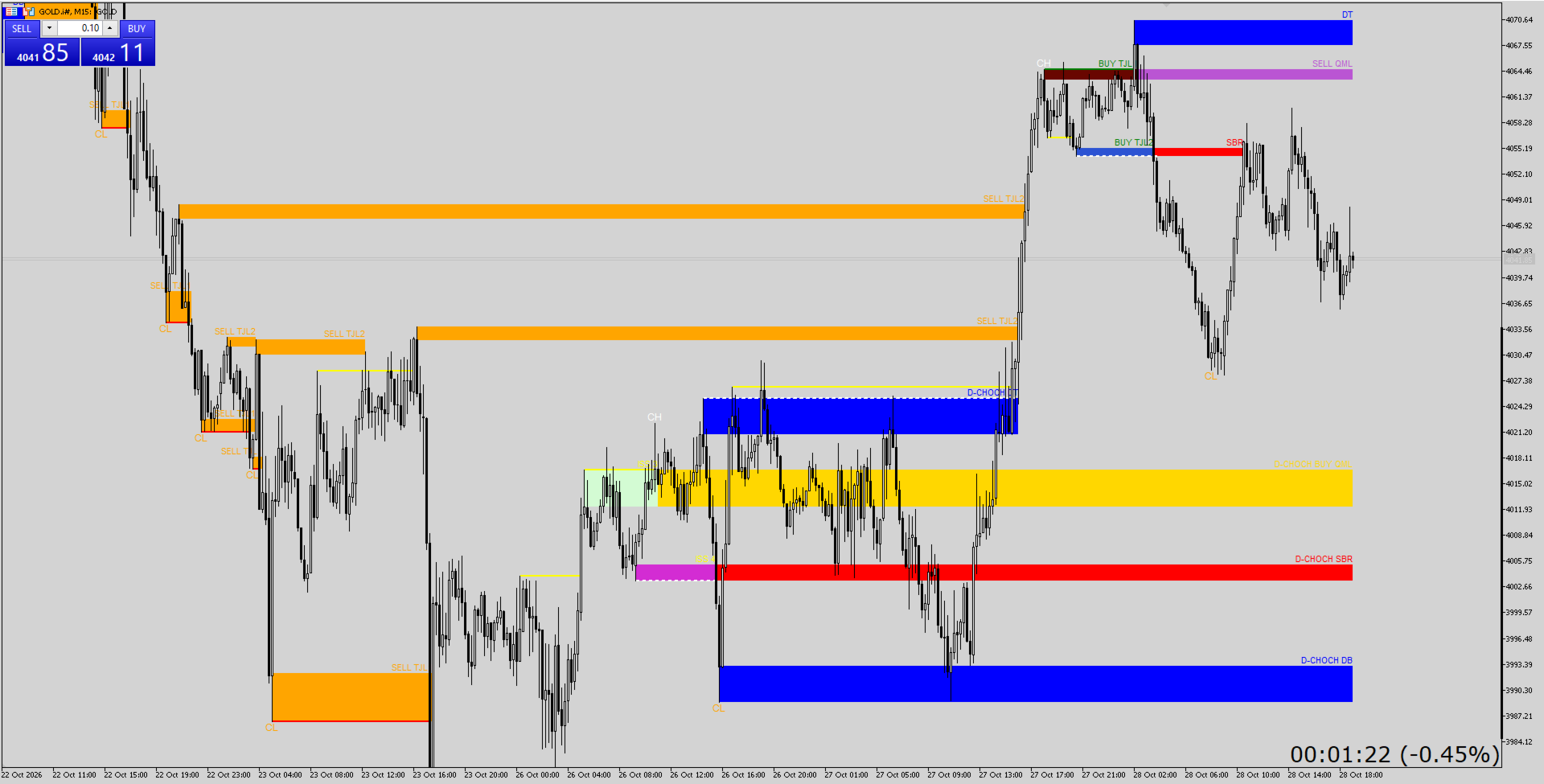
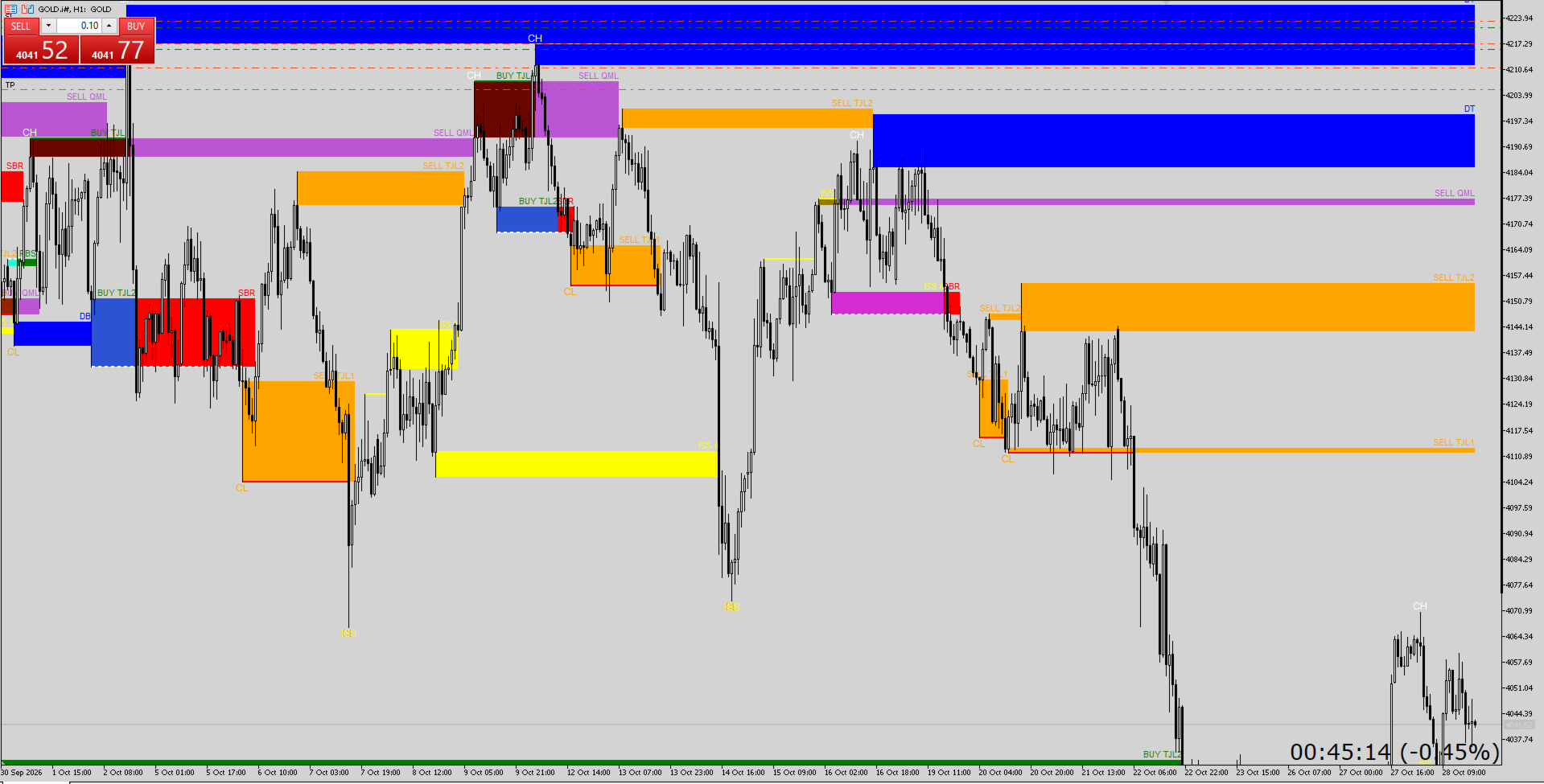
Stop guessing where price will react. A+ Levels reads market structure bar by bar and automatically marks the zones that matter: CHOCH, BOS, ISS, QML, SBR/RBS, double tops/bottoms and more. Clean outlined boxes, no repaint, any symbol, any timeframe.
✅ Why traders choose A+ Levels
- No repaint — everything is calculated on closed bars only
- Clean charts — zones are drawn as outlines, so your candles stay readable (fill is optional)
- Everything in one tool — structure, zones and alerts together
- Fully customizable — show or hide every level type, change every color
- Lightweight — built-in limits on live levels and lines keep your terminal fast
- Works everywhere — Forex, Gold, Indices, Crypto, any timeframe
📊 What it plots
Market structure
- CH / CL swing labels
- BOS lines (bullish and bearish)
- CHOCH lines
- ISS confirmation lines and labels
Zones and levels
| Level | Meaning |
| 🟢 BUY / SELL TJL1 | Trend continuation level formed after a BOS |
| 🟢 BUY / SELL TJL2 | Secondary continuation level from the same BOS |
| 🔴 SBR | Support becomes resistance after a bearish CHOCH |
| 🟢 RBS | Resistance becomes support after a bullish CHOCH |
| 🔵 DT / DB | Double top and double bottom zones |
| 🟣 BUY / SELL QML | Quasimodo levels |
| 🟡 D-CHOCH | Levels promoted on a second consecutive CHOCH, for stronger setups |
| 🟡 ISS 3 / ISS 4 | Levels created when an ISS sequence confirms |
🔔 Smart alerts
- Alert when a new level forms
- Alert on the first tap of a level
- Pop-up, push notification and sound
- Alerts fire only for the newest closed bar, so loading history never floods you
⚙️ Settings
| Group | Options |
| Structure | History bars, ISS on/off, zone body %, tap source (wick or close), stop on tap, max live levels, max lines |
| Zone Style | Fill on/off, outline thickness, outline style |
| Show | Toggle each level type, labels, BOS, CHOCH and ISS |
| Alerts | New level, tap, pop-up, push, sound |
| Colors | A color for every structure and level type |
🚀 How to use
- Attach A+ Levels to any chart.
- Let it load history. It rebuilds the structure automatically.
- Watch for price returning to the marked zones.
- Combine the zones with your own confirmation, entry and risk rules.
📌 Good to know
- This is an analysis tool. It does not open or manage trades.
- It draws chart objects and has no indicator buffers, so it cannot be read from an EA.
- Make sure enough history is downloaded for your chart so the structure can build properly.
- Zones that price has already tapped stop extending to the right.
Trading involves risk. Past levels and results do not guarantee future performance.
💬 Questions or feature requests? Send me a message here on MQL5. Reviews are very much appreciated! ⭐