FinoSR Trinity
- Göstergeler
- Sürüm: 1.20
- Etkinleştirmeler: 5

FinoSR Trinity is a multi-timeframe technical analysis indicator for MetaTrader 5, designed to help traders identify potential trading opportunities using Candle Range Theory (CRT), Liquidity Sweeps, Market Structure Shifts (MSS), and Fair Value Gap (FVG) analysis.
Instead of relying on a single buy or sell signal, FinoSR Trinity combines price action and market structure analysis to provide additional context for trading decisions.
Key Features
-
Candle Range Theory (CRT): Identifies potential reversal setups when price sweeps the previous candle's range and closes back inside.
-
Liquidity Sweep Detection: Analyzes price movements around potential liquidity areas.
-
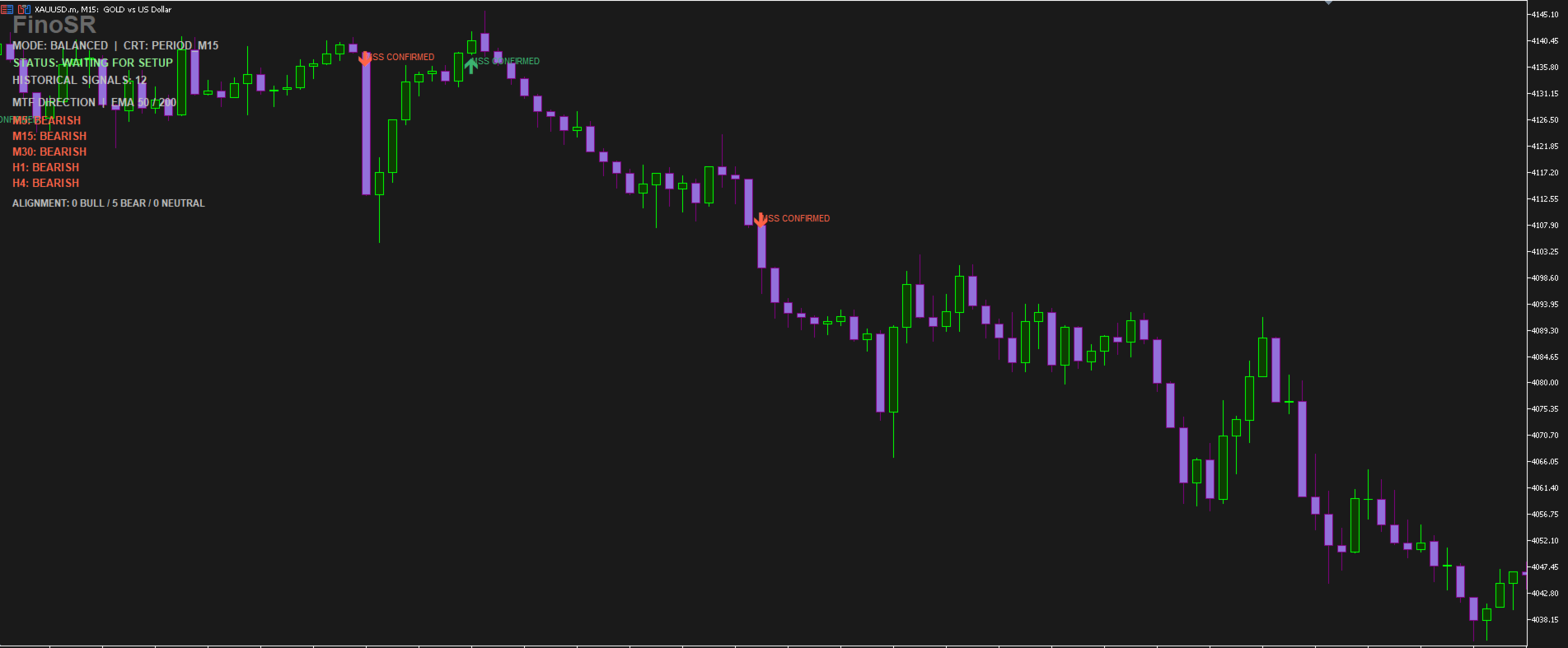
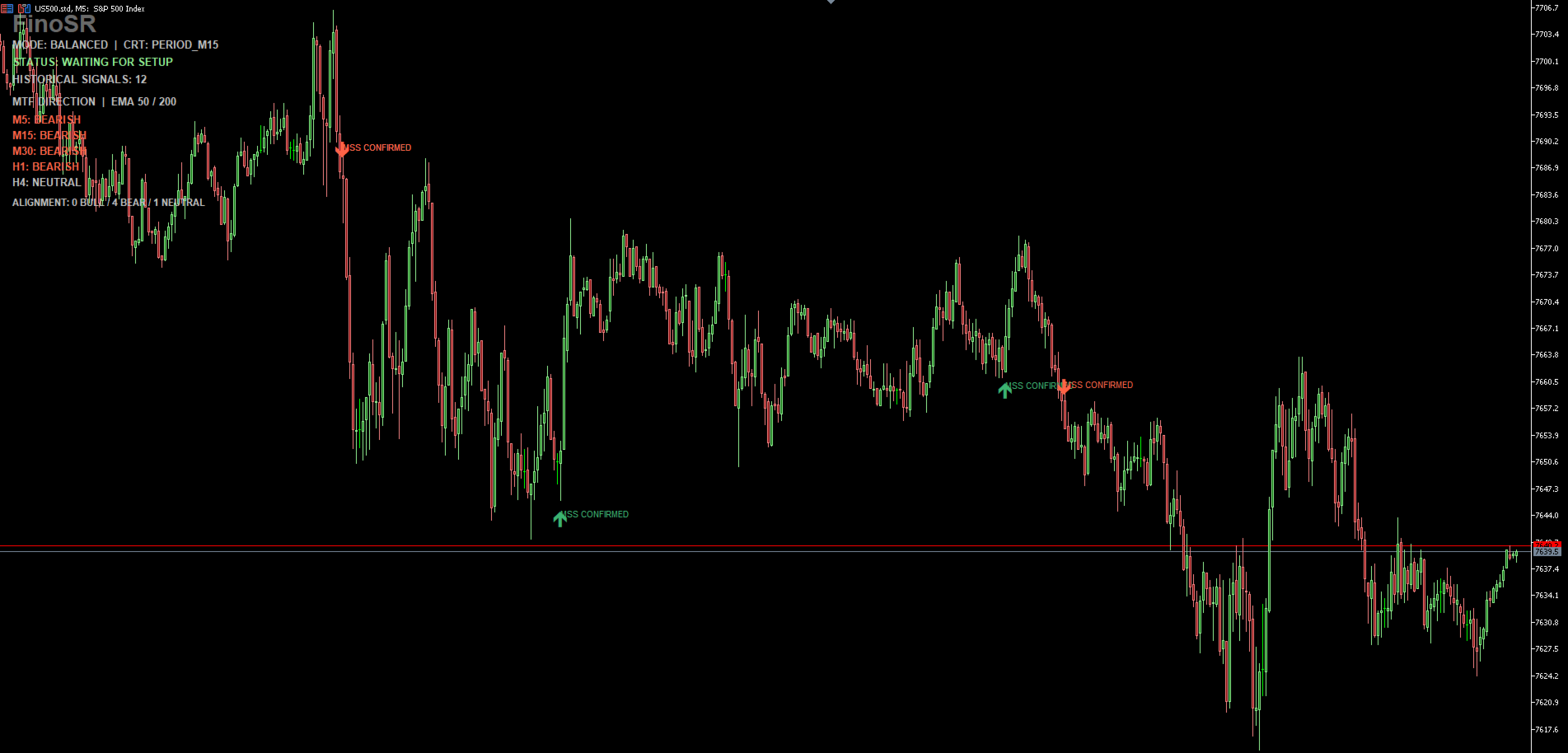
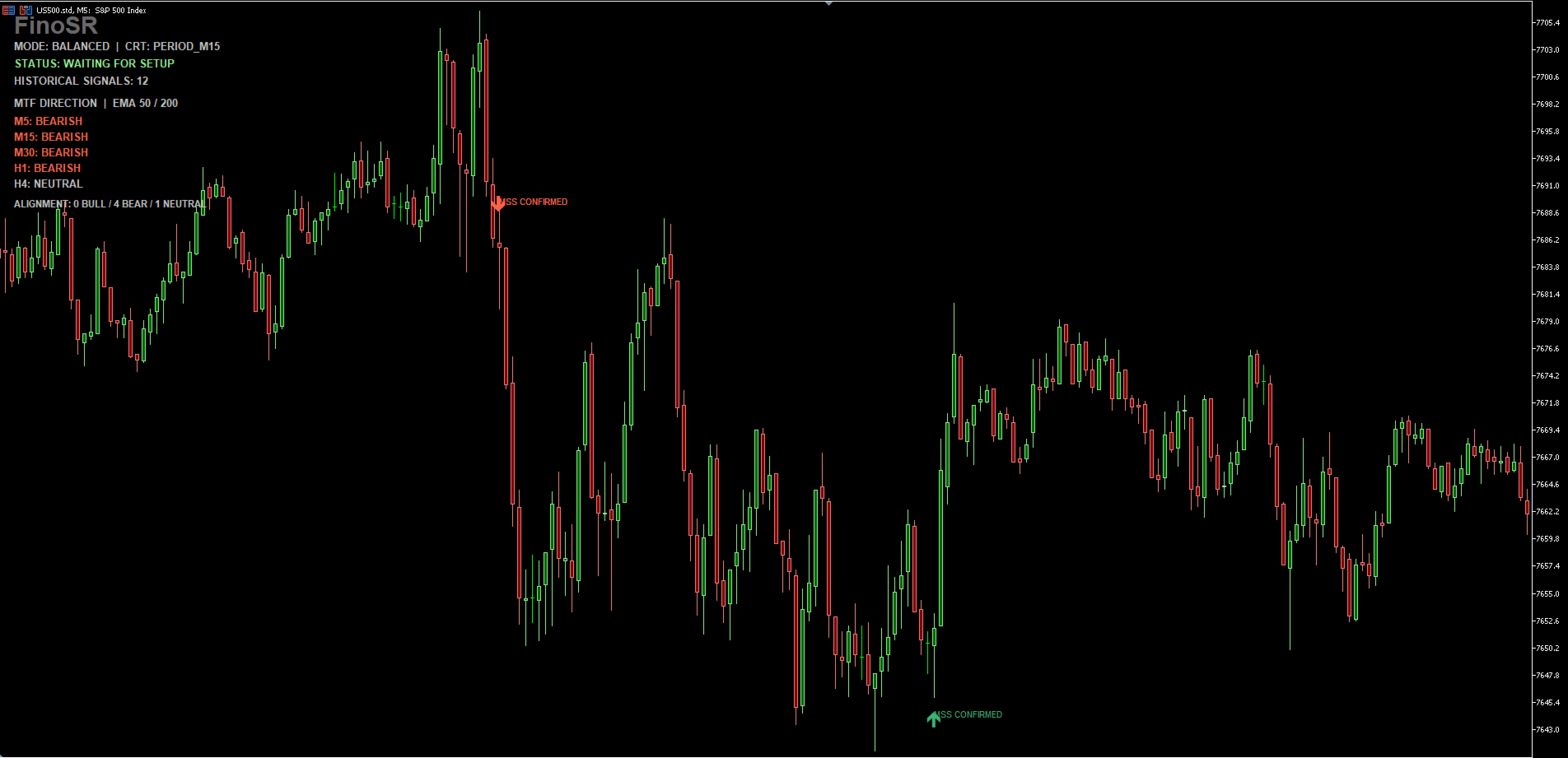
Market Structure Shift (MSS): Highlights bullish and bearish structure confirmations.
-
Fair Value Gap (FVG): Identifies potential imbalance and retracement areas.
-
Multi-Timeframe Trend Dashboard: Displays bullish, bearish, or neutral direction across M5, M15, M30, H1, and H4 using EMA 50 and EMA 200.
-
Three Trading Modes: Aggressive, Balanced, and Sniper.
-
Chart Dashboard: Displays the selected trading mode, setup status, and historical signal count.
-
Customizable Settings: Adjust timeframes, confirmation parameters, chart appearance, and alerts.
Three Trading Modes
1. Aggressive Mode
Uses CRT and liquidity sweep conditions to identify potential setups earlier, without requiring MSS confirmation.
2. Balanced Mode (recommended)
Combines CRT, liquidity sweep detection, and MSS confirmation. Designed for traders who prefer additional market structure confirmation.
3. Sniper Mode
Applies additional confirmation conditions, including FVG retest and higher-timeframe alignment, to identify more selective setups.
Multi-Timeframe Direction Analysis
FinoSR Trinity includes an MTF direction dashboard covering M5, M15, M30, H1, and H4.
Using EMA 50 and EMA 200, the dashboard classifies each timeframe as Bullish, Bearish, or Neutral, helping traders compare potential setups against broader market direction.
Developer's Recommended Settings
The following configuration reflects the developer's personal trading preference and is provided as a starting point for testing.
| Parameter | Recommended Setting |
|---|---|
| Trading Mode | Balanced |
| CRT Timeframe | M15 |
| Higher Timeframe | H1 |
| Entry Chart Timeframes | M5 or M15 |
| MTF Direction Dashboard | Enabled |
| Session Filter | Optional |
| Confirmation | CRT + Liquidity Sweep + MSS |
Developer's Preferred Trading Instruments
The developer primarily uses FinoSR Trinity to analyze:
-
XAUUSD (Gold) — Gold price action and liquidity-based setups.
-
US500 (S&P 500 Index) — Intraday index structure and liquidity movements.
-
US100 (Nasdaq 100 Index) — Short-term index price action and market structure.
Other supported MetaTrader 5 instruments, including forex pairs and cryptocurrencies, may also be analyzed.
Developer's Personal Trading Approach
My preferred configuration is Balanced Mode with M15 CRT analysis and H1 higher-timeframe context.
I generally monitor potential entries on the M5 and M15 charts.
My process is to wait for the indicator to identify a qualifying setup, review the MSS confirmation, check the multi-timeframe direction dashboard, and evaluate whether the price action offers an acceptable trading opportunity.
I prefer waiting for confirmation rather than taking every signal displayed on the chart.
Important: These are personal preferences, not verified optimal settings. Traders should test and adapt the configuration to their own trading approach, instruments, and risk tolerance.
How to Use FinoSR Trinity
-
Attach FinoSR Trinity to a MetaTrader 5 chart.
-
Select the preferred trading mode.
-
Configure the CRT and higher timeframes.
-
Review the multi-timeframe direction dashboard.
-
Observe CRT, liquidity sweep, and MSS confirmations.
-
Evaluate potential entries on the preferred chart timeframe.
-
Apply independent risk management before making any trading decision.
Important Information
FinoSR Trinity is a technical analysis indicator. It does not automatically execute or manage trades.
Signals are not guarantees of future price movements or profitability. Historical chart examples do not establish live trading performance.
Trading involves financial risk. Users should test the indicator in the MetaTrader 5 Strategy Tester and on a demo account before considering live trading.