Kinagi EA
- Эксперты
-
Mitsushi Yoshida
 I’m the developer of KINAGI EA, a MetaTrader 5 Expert Advisor for gold. I share backtest comparisons of its Tight, Balance, and Wide modes, along with a step-by-step guide to testing the free demo before you buy. If you have questions about setup or testing, feel free to ask.
- Версия: 1.6
- Активации: 20
KINAGI EA is an automated trading Expert Advisor for MetaTrader 5 designed for gold quoted in US dollars. It offers three operating modes: Tight, Balance, and Wide.
Settings to test for lower drawdown
- Tight has the lowest concurrent position limit. If drawdown is the priority, start by comparing Tight in the Strategy Tester or on a demo account.
- Balance is the default mode. Wide has the highest concurrent position limit.
- To test smaller orders, reduce both reference lot inputs (Lot1 and Lot2) or lower the lot cap (MaxLots). The EA may skip a trade if the calculated size is below the broker's minimum.
- Change one setting at a time and keep the symbol, dates, and initial deposit the same to make the results easier to compare.
Backtest comparison under the same conditions
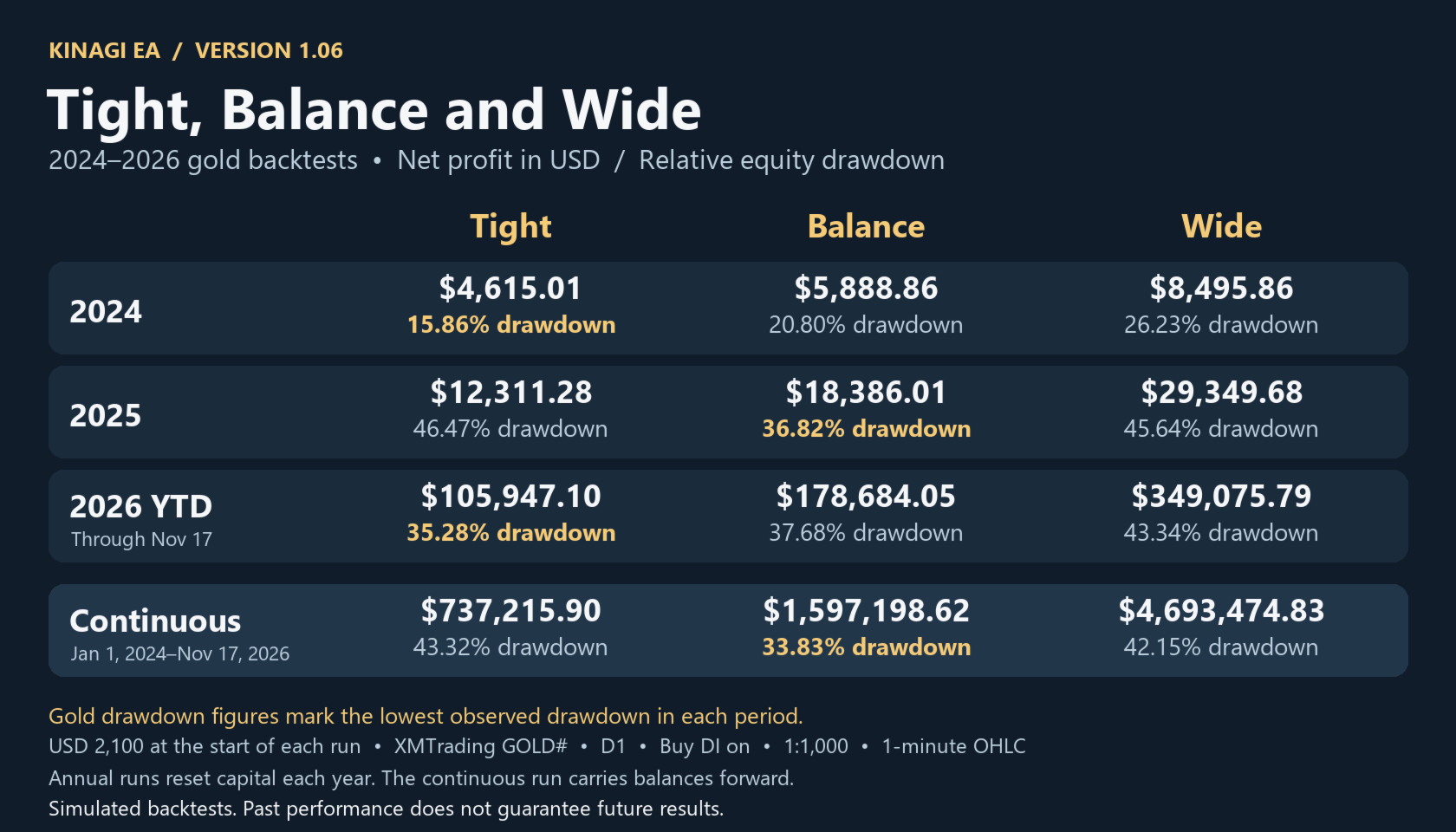
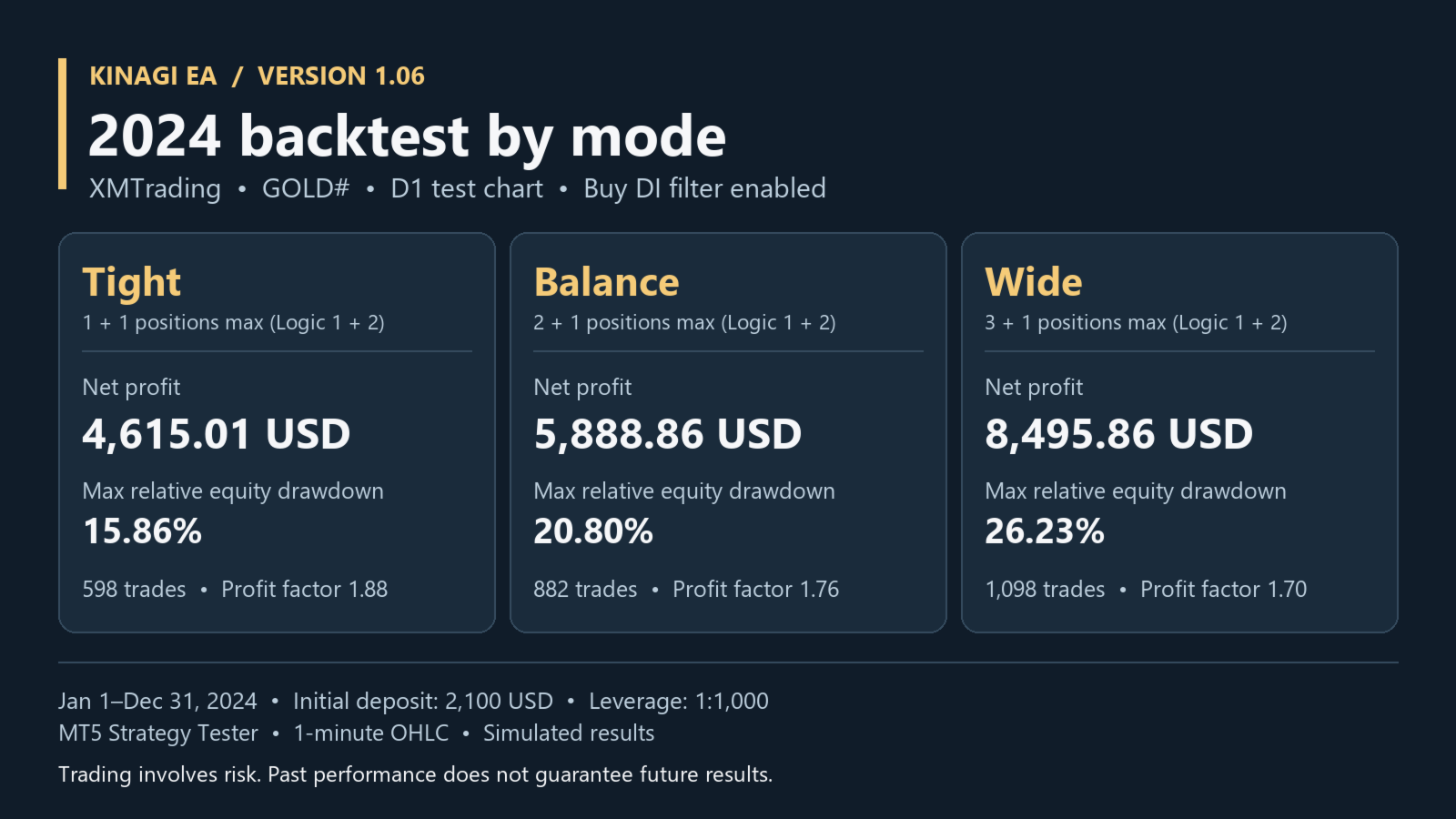
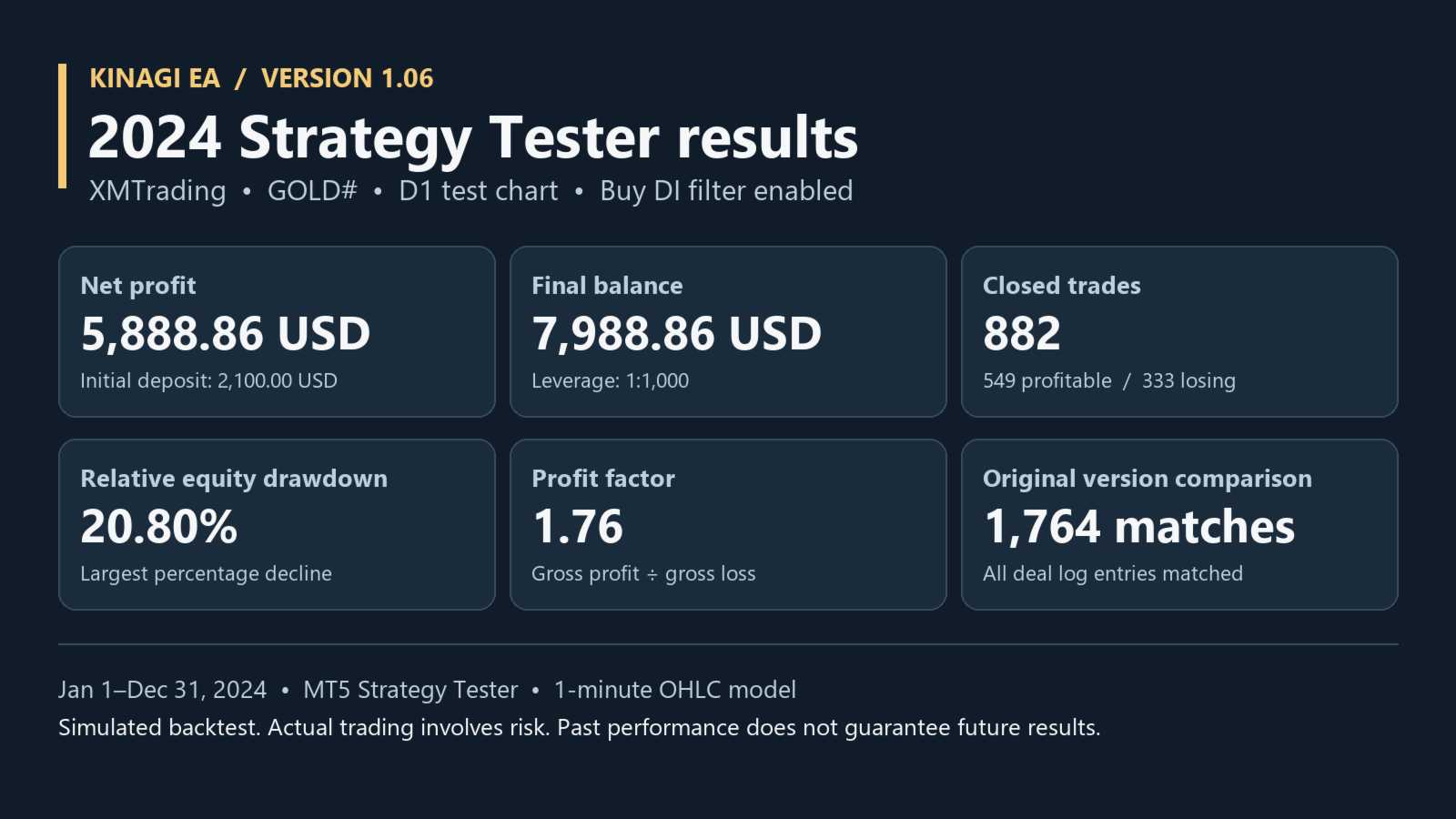
In the 2024 simulation, maximum relative equity drawdown was 15.86% for Tight, 20.80% for Balance, and 26.23% for Wide. The comparison used XMTrading GOLD# on a D1 test chart, the MT5 Strategy Tester's 1-minute OHLC model, a USD 2,100 initial deposit, 1:1000 leverage, and the buy DI filter enabled.
Account requirements and defaults
Use a USD-denominated hedging account. If your broker uses a different name for gold, enter it in TradeSymbol. The buy DI filter is enabled by default (EntryScreen = 1). Order placement on live accounts is disabled by default.
Risk notice
Automated trading involves risk of loss. A backtest is a simulation and does not guarantee future profits or drawdown levels. Results can vary with market and execution conditions.
Frequently asked questions
What if my broker uses a different symbol name for gold?
Find your broker’s USD-quoted gold symbol in MT5 Market Watch and select it in the Strategy Tester. If TradeSymbol is explicitly set in Inputs, match the exact broker symbol, including any suffix.
What if the backtest shows zero trades?
Start with the Strategy Tester Journal and check for errors. Verify the symbol and available history, then check the date range, starting deposit, and leverage. Margin requirements and minimum lot sizes vary by broker.
Which mode should I try first?
Use the default Balance mode as your baseline. Then change only the mode to Tight and Wide. Keep the symbol, dates, deposit, leverage, and modeling method the same. Compare net profit, relative equity drawdown, and total trades.