Fox Multi Timeframe Pivots
- Индикаторы
- Версия: 3.0
- Активации: 10

Fox Multi Timeframe Pivots is a professional, institutional-grade indicator for MetaTrader 5 that calculates and displays Daily (D1), Weekly (W1), and Monthly (MN1) pivot levels simultaneously on a single chart.
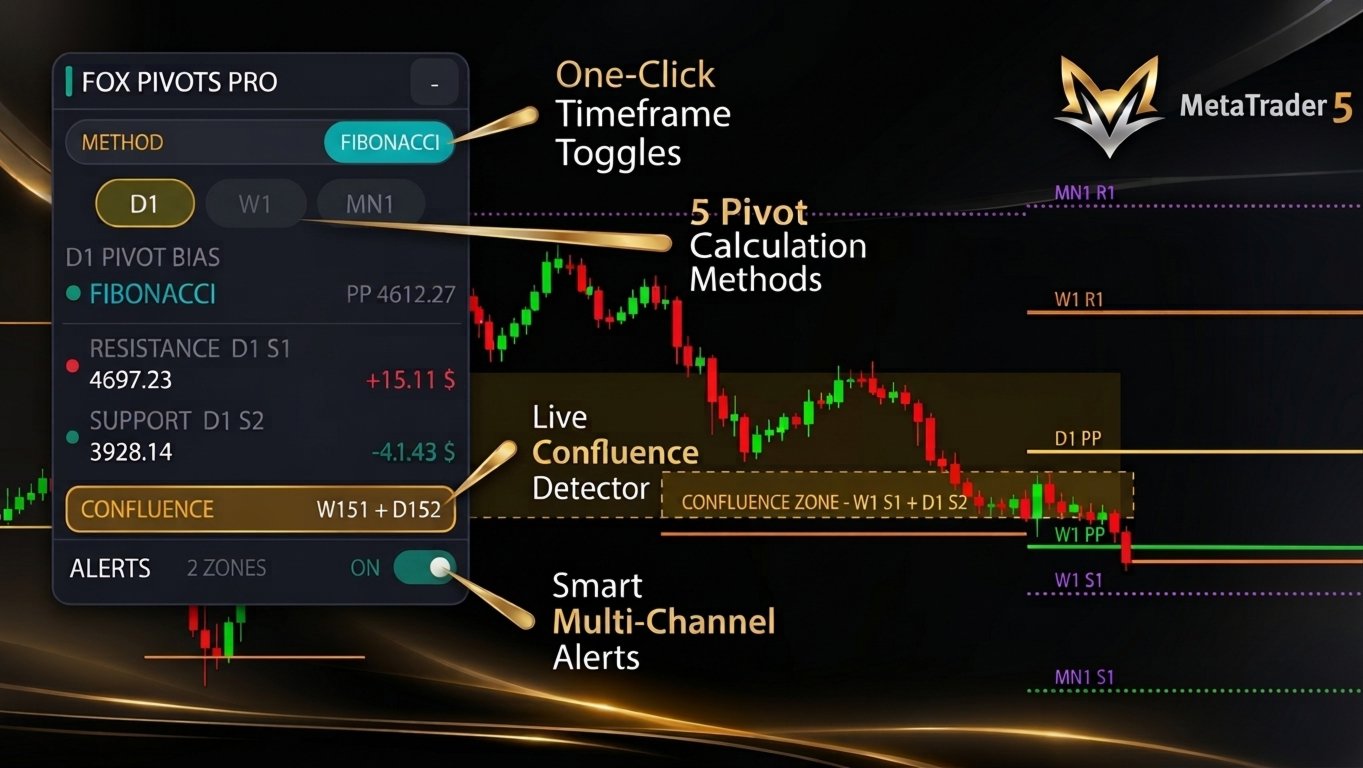
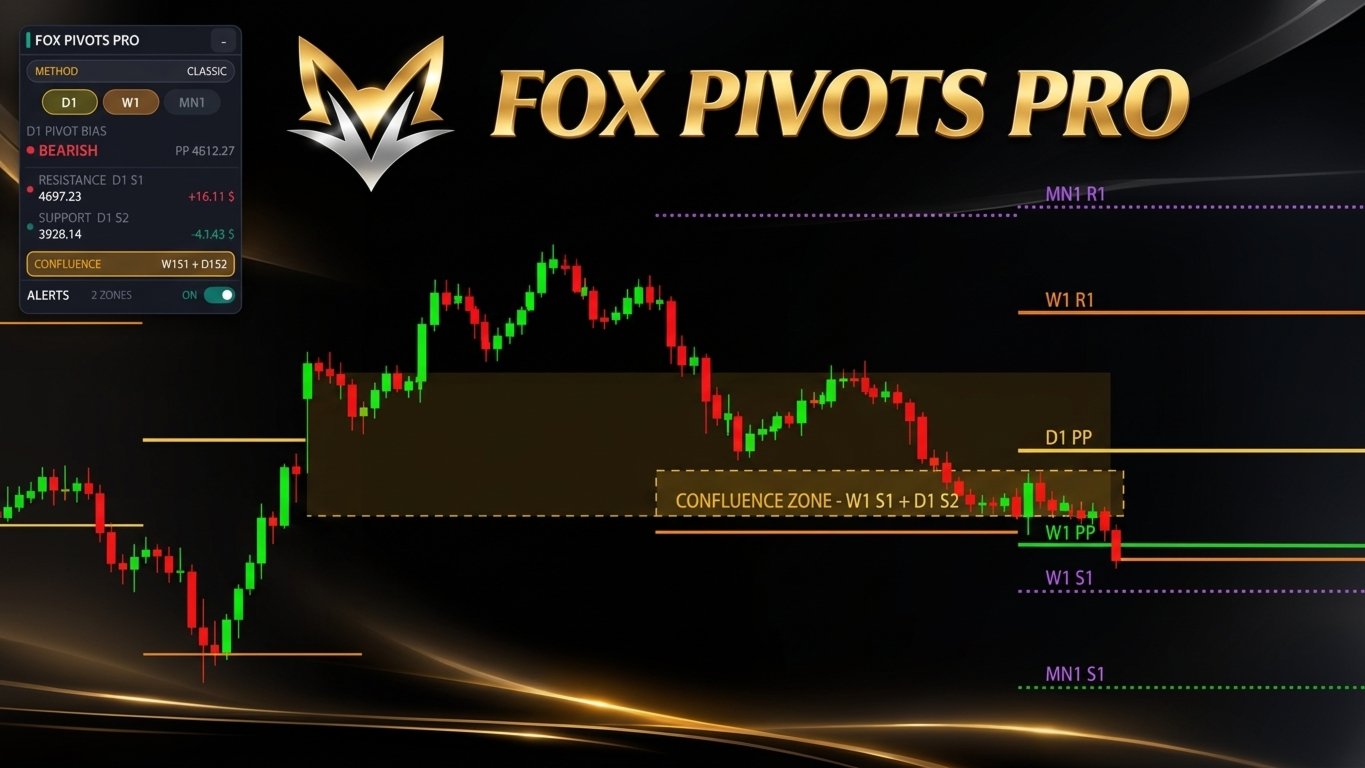
Built around a sleek, High-DPI interactive canvas dashboard (FOX PIVOTS PRO), an automatic Confluence Zone detector, and smart multi-channel alerts, it helps intraday and swing traders spot high-probability reaction areas without chart clutter.
Key Features
- Five Pivot Calculation Methods: Switch instantly between Classic, Fibonacci, Camarilla, Woodie, and DeMark formulas directly from the chart panel.
- Simultaneous Multi-Timeframe Display: View D1, W1, and MN1 levels together on the same chart, each with independent colors, line styles, and widths.
- Interactive Canvas Dashboard: A modern, draggable, and collapsible dark panel with full High-DPI scaling and an opaque background so chart lines never bleed through the text.
- Institutional Confluence Zone Detector: Automatically highlights high-probability zones where pivot levels from different timeframes align, using adaptive D1 ATR(14) thresholds or custom point values.
- Smart Market Readouts: Live market bias (Bullish above PP / Bearish below PP) and exact distance to the nearest resistance and support levels—formatted automatically in pips for Forex pairs and in dollars ($) for Gold and Indices.
- Non-Spamming Multi-Channel Alerts: Receive instant MetaTrader popups, mobile push notifications, or emails upon pivot touches or confluence zone entries, throttled to once per bar per level.
- Historical Period Backtesting: Optionally display previous pivot periods on the chart to study historical price reactions.
Pivot Levels Included
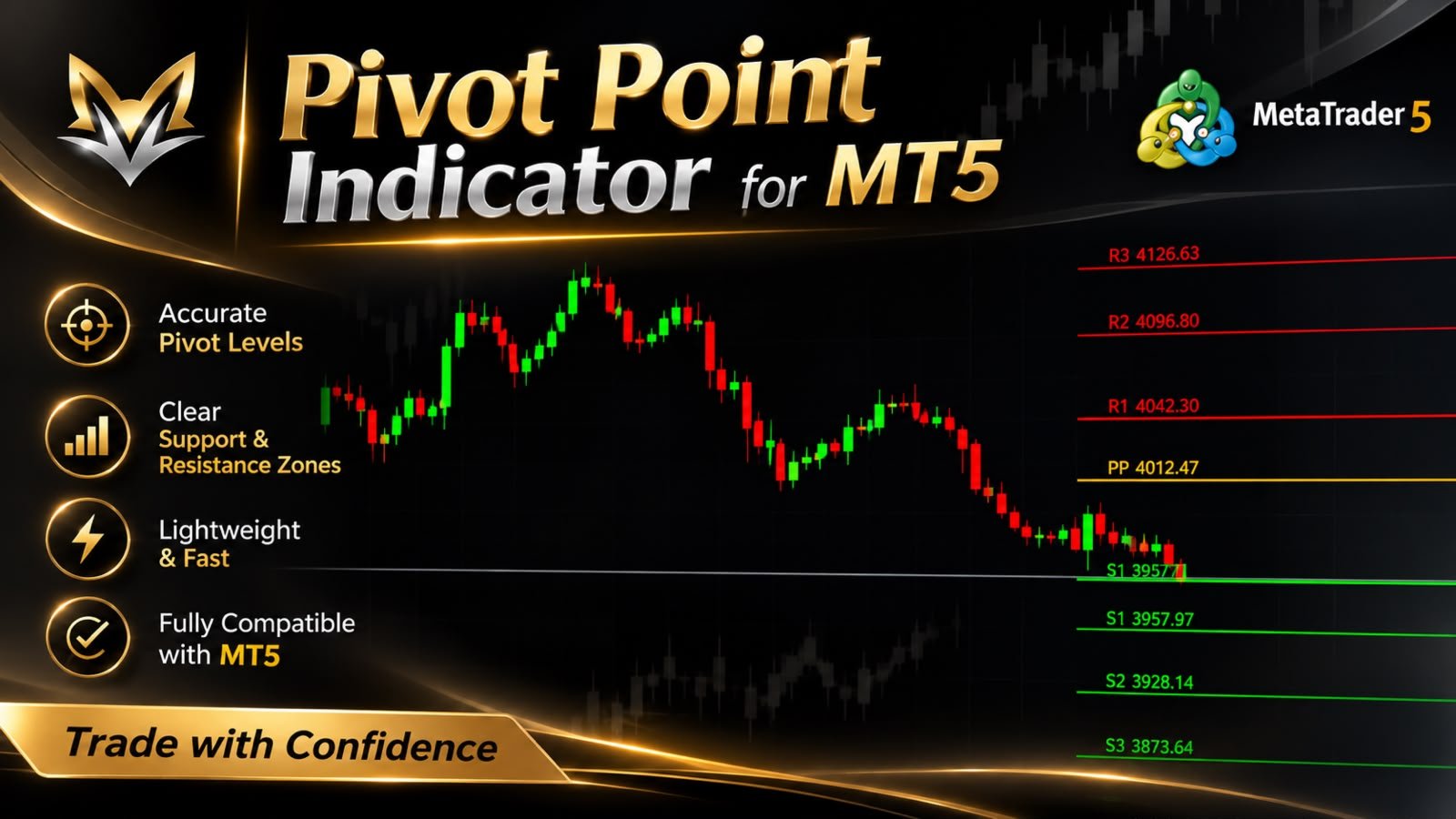
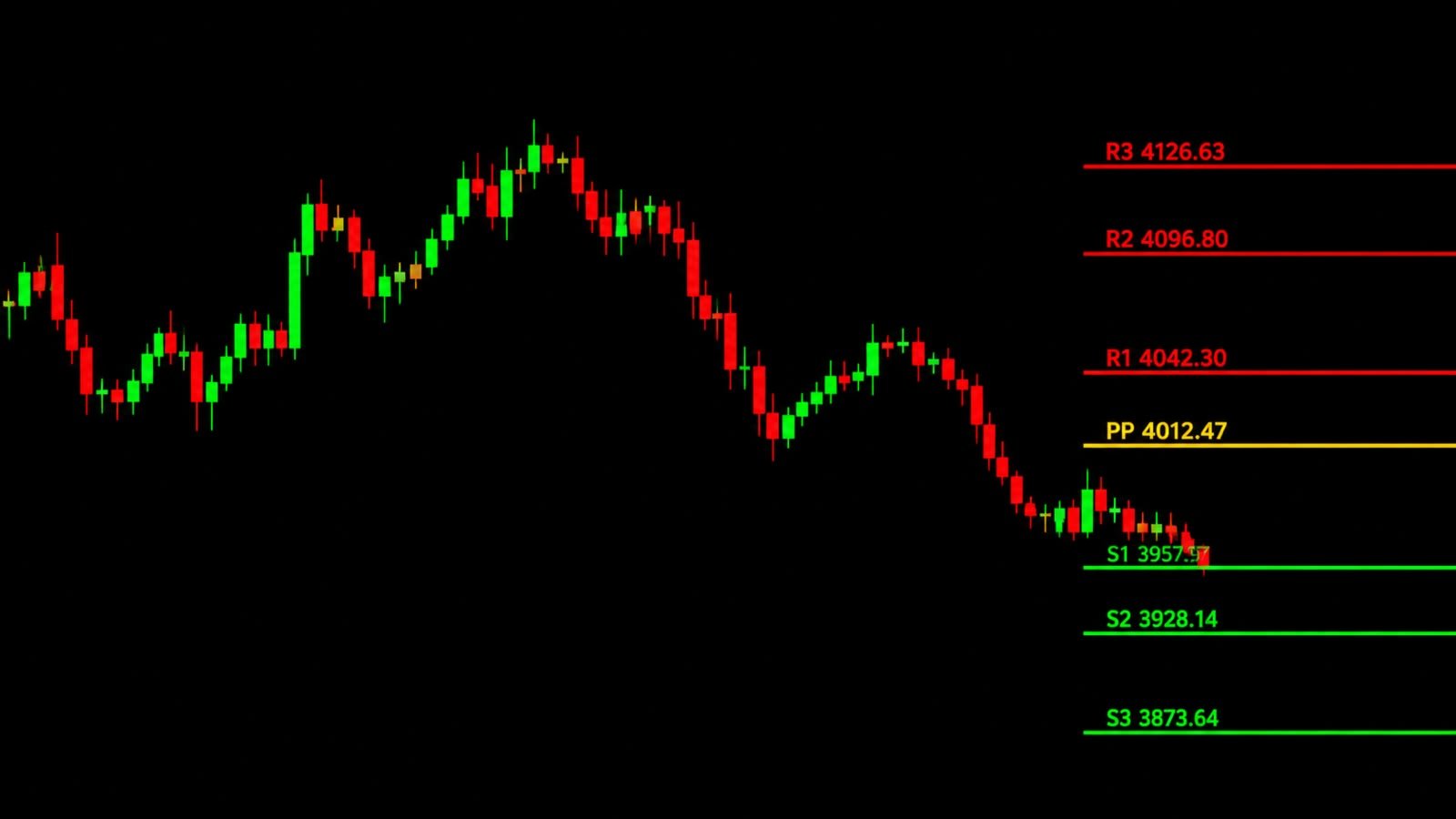
- PP (Pivot Point): Primary equilibrium and directional bias reference level.
- R1 – R4: Overhead resistance targets (R4 available in Camarilla mode).
- S1 – S4: Underlying support targets (S4 available in Camarilla mode).
On-Chart Dashboard Controls
- Drag & Collapse: Drag the header bar smoothly anywhere on the chart (chart scrolling pauses automatically while dragging) or click (- / +) to minimize the panel.
- One-Click Method Switcher: Click the active method badge (Classic, Fibonacci, Camarilla, Woodie, DeMark) to cycle through formulas instantly.
- Quick Timeframe Toggles: Enable or disable D1, W1, and MN1 lines with a single click.
- Live Confluence Badge: Displays the exact overlapping levels closest to current price (e.g., D1 R1 + W1 PP).
- Master Alert Switch: Toggle all alerts ON or OFF directly from the panel.
Main Input Parameters
- Calculation Method: Choose between Classic, Fibonacci, Camarilla, Woodie, or DeMark.
- Timeframe Toggles & History: Enable/disable D1, W1, MN1 levels and set the number of historical periods to display (1–50).
- Confluence Settings: Enable/disable Confluence Zones, toggle ATR-based Auto Threshold (1–50% of D1 ATR), set manual point thresholds, and limit maximum visible zones.
- Visual & Label Customization: Full control over line styles, widths, individual level colors, right-aligned price labels, and dashboard scale/position.
- Alert Channels & Cooldown: Configure Popup, Mobile Push, and Email notifications, touch tolerance in points, and minimum cooldown seconds between alerts.
How to Trade With This Indicator
- Directional Bias: Use the Daily Pivot Point (D1 PP) as your intraday filter—look for long setups above PP and short setups below PP.
- High-Probability Reversals: Watch for price rejections inside golden Confluence Zones where Daily and Weekly/Monthly levels overlap.
- Breakout & Mean Reversion: Use Fibonacci pivots for trend breakout targets and Camarilla R3/S3 levels for mean-reversion fades.
Note: Please attach only one instance of the indicator per chart. Current-period pivot levels update automatically when a new trading period opens, while historical levels remain fixed.
Disclaimer: This indicator is an analytical tool that displays mathematical reference levels and informational alerts. It does not provide financial advice or guarantee trading profits.