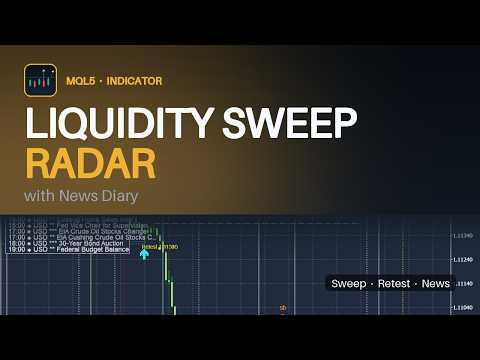
Liquidity Sweep Radar with News Diary
- Индикаторы
- Версия: 1.11
- Активации: 10

Liquidity Sweep Radar with News Diary is a chart indicator that shows where stop loss liquidity is taken and how price reacts afterwards, and it keeps the upcoming economic calendar releases in the same view. The indicator draws on the chart only. It does not open, modify or close orders. Liquidity sweeps A confirmed swing high is treated as buy side liquidity and a confirmed swing low as sell side liquidity. A sweep is registered when a bar trades through the level and closes back on the original side. The sweep is marked with an arrow, a level line and a short code. Untapped liquidity levels can be displayed as well. Liquidity entry After a sweep the indicator looks for a displacement candle whose body closes fully outside the sweep bar extreme and is larger than the average body of the previous candles. The entry is printed when the swept level is retested within the configured number of bars. Four codes are used on the chart: ss - sell side sweep, lows taken sb - buy side sweep, highs taken ds - sell entry after a buy side sweep db - buy entry after a sell side sweep Economic calendar diary Upcoming releases are read from the MetaTrader 5 economic calendar and drawn as vertical lines with an impact marker. A panel shows the server time, the open sessions, the next holiday, the current spread and the next releases for the symbol currencies. Releases can be filtered by importance and by currency. A sweep is tagged with the news symbol when a release is close to it. Sessions, holidays and context Sydney, Tokyo, London and New York session open and close markers are drawn for the last days. Bank holidays are drawn from an editable list. The indicator also marks spread spikes, ATR compression with range breakouts, liquidity retests and H1/H4 structure closes. Signal buffers for Expert Advisors The indicator exports three buffers that can be read with iCustom and CopyBuffer: buffer 0 - Sweep: the swept level price on the sweep bar. Positive means sell side liquidity was taken, negative means buy side liquidity was taken. Use MathAbs to read the price. buffer 1 - Entry: plus one for a buy entry (db), minus one for a sell entry (ds) on the signal bar. buffer 2 - News: the importance of the release on that bar, 1 low, 2 medium, 3 high. All buffers store EMPTY_VALUE when the condition is not met. Alerts Terminal popup alerts and optional push notifications can be enabled for sweeps, entries, retests, news releases, spread spikes, ATR breakouts and structure closes. Push notifications are off by default and are throttled. Notes Signals are calculated on closed bars, so a marker appears after the bar that confirms it. The economic calendar is provided by the MetaTrader 5 terminal; if the terminal or the broker does not deliver calendar data, the news part stays empty and the panel reports it. The server GMT offset is detected automatically and can be set manually, including half hour offsets. The indicator works on any symbol and timeframe. It is an analysis tool and does not guarantee any result. How to install Open the MetaTrader 5 terminal, press Ctrl+O, open the Indicators tab and drag LiquiditySweep_NewsDiary to a chart, or use Insert - Indicators - Custom. All settings are in the indicator properties dialog. Support Questions and reports are handled in the Comments section of this product page.