InRangeVP
- Индикаторы
-
Yuxin Lyu
 I build chart and volume tools for MetaTrader 5 — session volume profiles, order-flow style strength visuals, and lightweight manual trading panels.
- Версия: 4.1
- Активации: 5
Overview
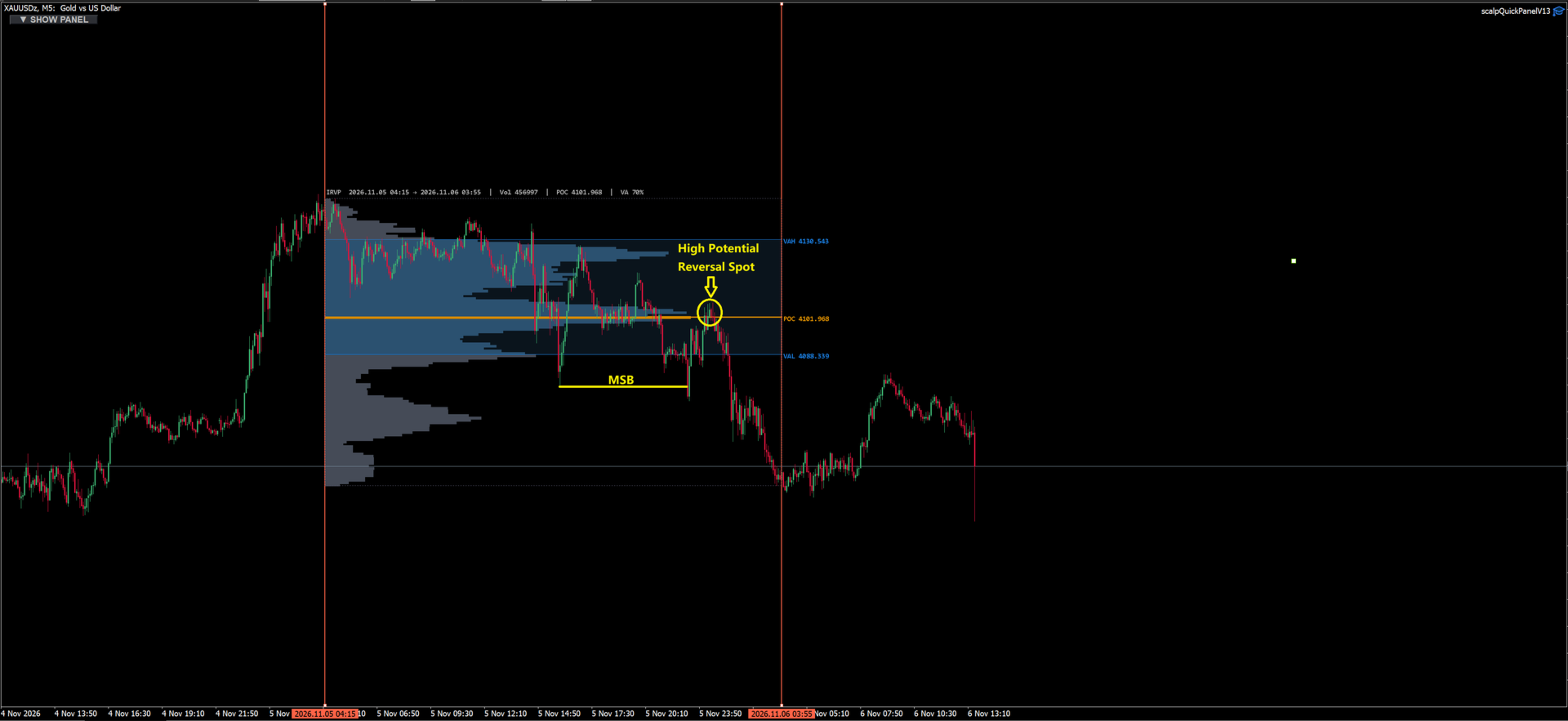
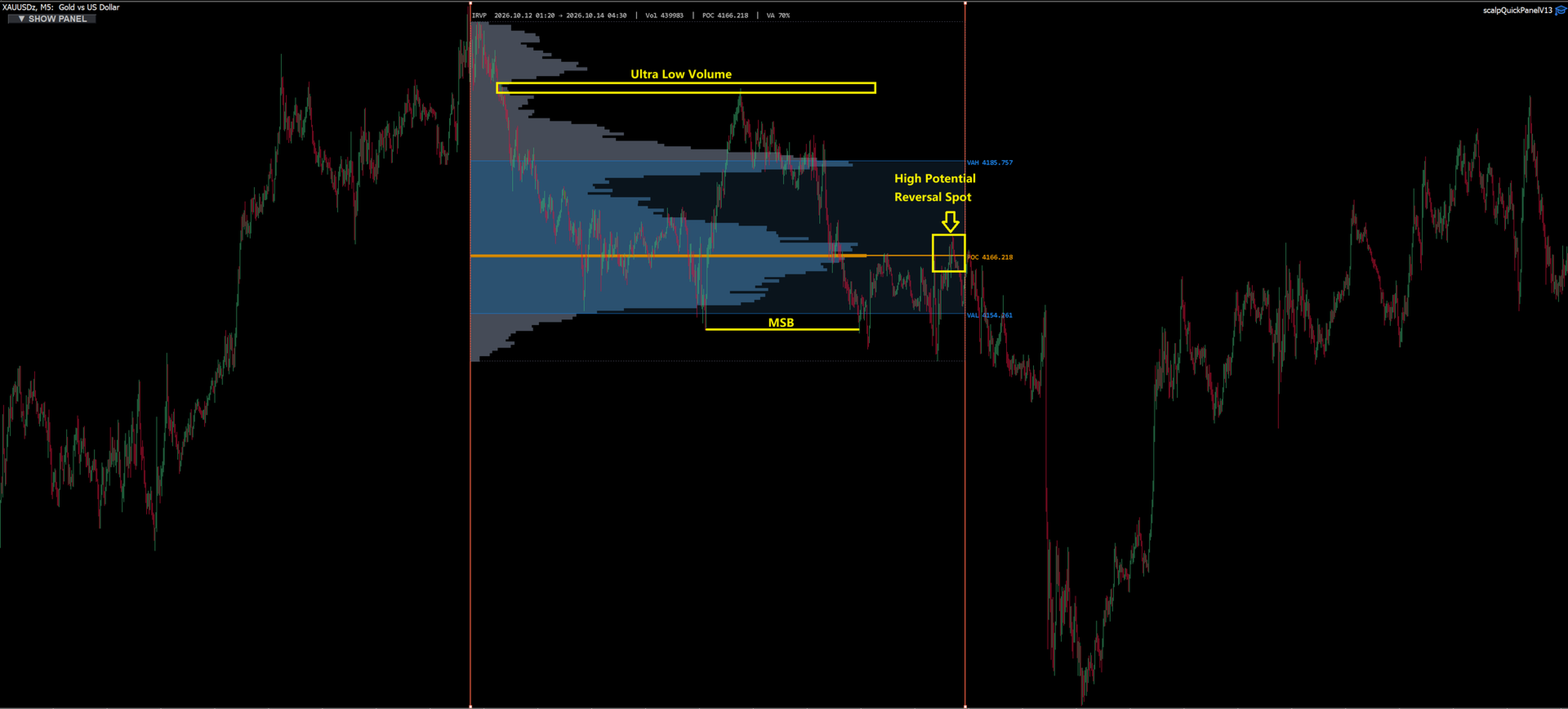
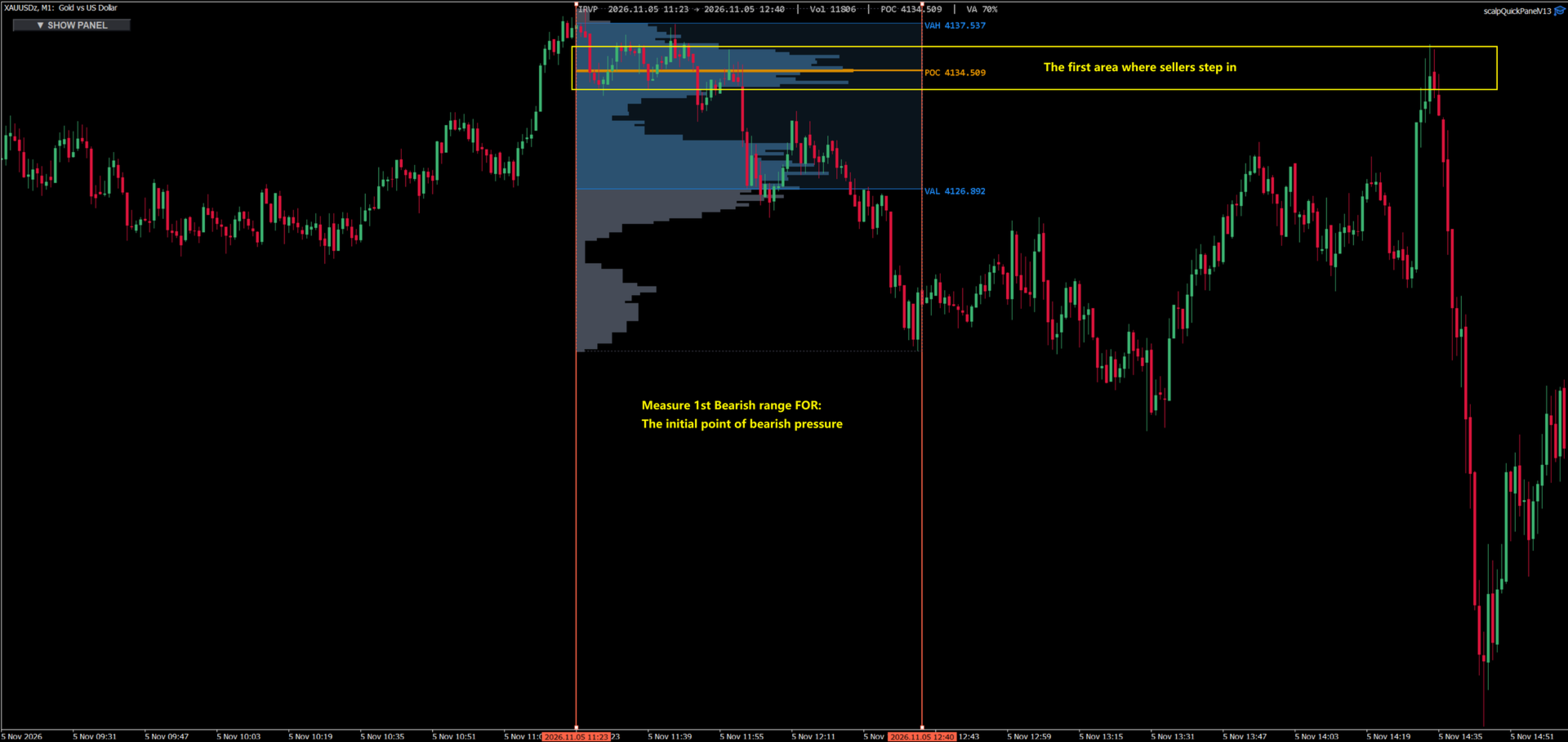
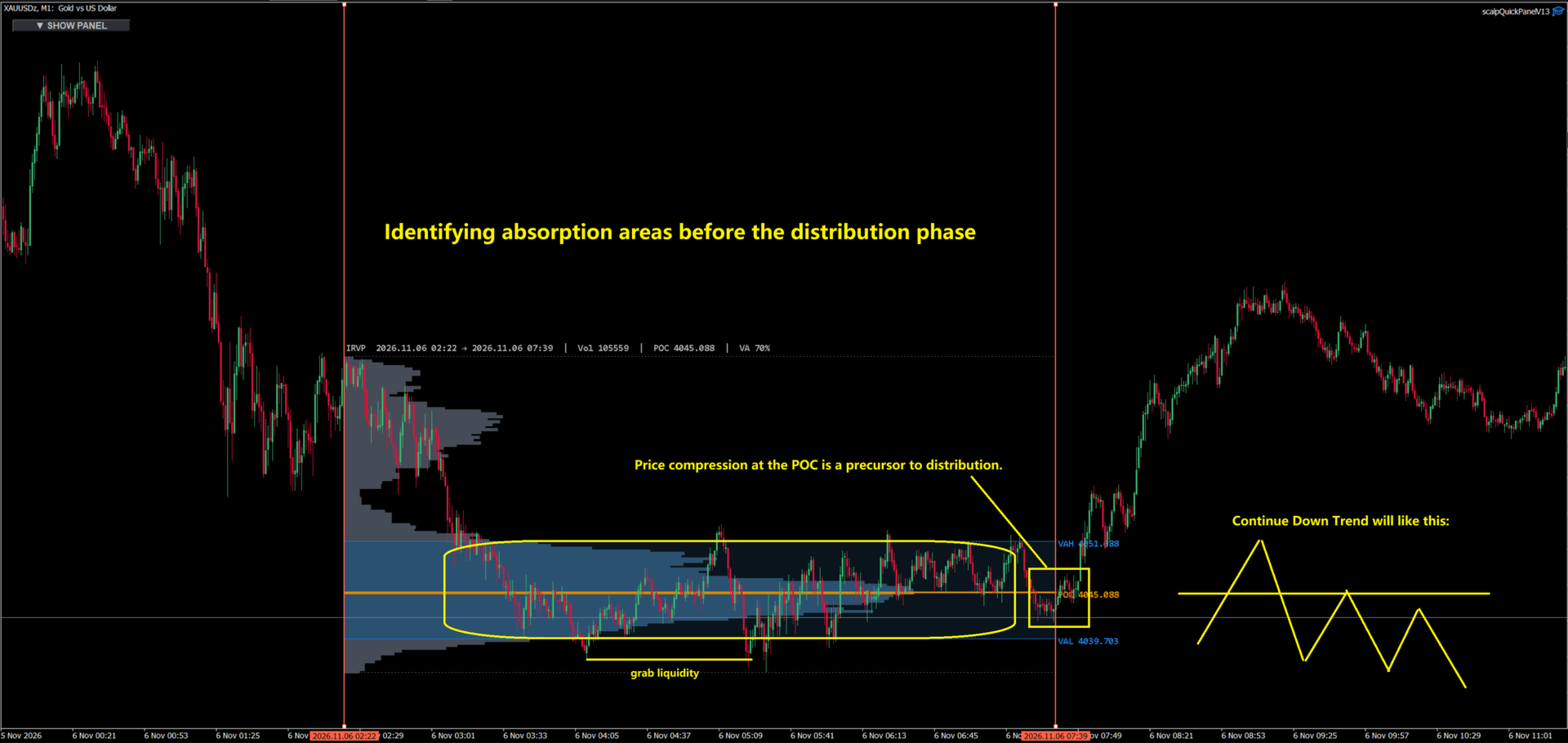
InRangeVP is an MT5 main-chart indicator designed for interactive Range Volume Profile. It allows you to select any time window using two vertical lines or a range rectangle. The indicator then constructs a true cumulative Value Area within that specific window, rendering the POC, VAH, VAL, a Canvas histogram, and a compact info bar.
It is built for discretionary traders who need to study acceptance and rejection inside a custom swing, impulse, or consolidation—rather than relying on fixed session splitters.
Data Source & Honest Limits
Volume data is sourced directly from the chart symbol via Applied Volume (Real volume, with an automatic Tick fallback when Real volume is unavailable). Please note that on most FX/CFD brokers, tick volume serves as a participation proxy, not exchange-traded volume.
Please Note:
- Not an exchange Level 2 / DOM tool.
- Not a fixed session Volume Profile product (no Asia / Europe / US templates).
- Not a trading signal generator; it is strictly an analysis overlay.
- Results depend on your broker's feed and the specific range you select.
Main Features
- True Value Area: Accumulates outward from the POC until reaching the Value Area percent (default 70%) of the total range volume, accurately plotting POC, VAH, and VAL.
- Interactive Range: Drag the Start/End vertical lines or the range rectangle to define your analysis window.
- Canvas Histogram: Clipped to the selected range (supports Inside-range or Right-edge alignment).
- Visual Clarity: Translucent VA band, highlighted POC, VAH/VAL lines with price labels.
- Info Bar: Displays unique ID, range times, total volume, POC, and VA%.
- Right-Edge Follow: When the finish line is near the last bar, the profile refreshes dynamically as new bars form.
- Multi-Instance Support: Unique ID prefix allows multiple InRangeVP copies to coexist on a single chart.
- Drag Preview: Optional coarse bins while dragging for smooth performance, switching to full precision upon release.
- No Expiry Lock: English input groups, fully compliant with Market safety standards.
Installation & Usage
- Navigate to MetaTrader 5 → Navigator → Indicators and open InRangeVP (or drag it directly onto a chart).
- For best results, use a liquid symbol (e.g., XAUUSD, major FX pairs, index CFDs) on M5–H1 timeframes.
- On first attach, leave settings at default and click OK.
- Drag either vertical line (or the rectangle) to set your desired analysis window.
- Upon release, the Canvas histogram, blue VA band, orange POC, and blue VAH/VAL lines will update automatically.
- HiDPI Displays: Increase Font size / Info font size, or remove and re-add the indicator after updating the .ex5 file.
- Live Developing Range: Set "Follow right edge" to true and park the End line near the last bar.
Chart Operations
- Drag Start VLine: Adjusts the left boundary (time).
- Drag End VLine: Adjusts the right boundary. If near the last bar + Follow is enabled, it triggers live updates.
- Drag Range Rectangle: Moves or resizes both boundaries simultaneously.
- Chart Scroll / Zoom: Uses native MT5 controls; the Canvas redraws seamlessly with the price scale.
- Multiple Copies: Re-attach the indicator with a different Unique ID (e.g., IRVP2 ) to avoid conflicts.
Recommended Starter Settings
- General: Precision = 120, Value Area percent = 70, Applied volume = Real (Tick fallback), Follow right edge = true.
- Gold (XAUUSD) M5–M15: Precision 100–150; Histogram alignment = Inside range; Max bar width ratio = 0.70–0.85.
- FX Majors H1–H4: Precision 80–120; Follow right edge = true for developing ranges.
- Clean Dark Chart: Default Colors; Alpha 140–180; VA band alpha 30–50.
- Readable Labels: Font size 14–18, Info font size 15–18.
- Smooth Dragging: Drag preview bins = 40 (Set to 0 for always full precision).
Parameters Configuration
Identity
- Unique ID: Object / Canvas prefix for multi-instance support (default: IRVP ).
Calculation
- Calculation timeframe: PERIOD_CURRENT or a higher timeframe.
- Profile bins (Precision): 80–200 recommended (default: 120).
- Value Area percent: Default 70 (must be > 0 and ≤ 100).
- Applied volume: VOLUME_REAL preferred; includes Tick fallback.
- Follow right edge: Refreshes profile when End is near the last bar.
Display
- Layer toggles: Histogram / VA band / POC / VAH·VAL / labels / info bar / rectangle.
- Histogram alignment: Inside range or Right edge.
- Max bar width ratio: Default 0.80.
- Alpha / VA band alpha: 0–255.
- Label / info font size: Defaults 14 / 15.
Colors
- Customizable colors for: Histogram bar, VA bar, POC, VAH/VAL, VA fill, Start/End VLine, rectangle, and info text.
Advanced
- Drag preview bins: Default 40 (Set to 0 for full Precision while dragging).
- Follow bars tol: Default 2.
- POC / VAH / VAL line width: Adjustable.
Expected Behavior & Complements
Empty or near-zero volume ranges will appear flat—simply widen the window or change the symbol/session. Changing Precision or VA% will rebuild the profile. After replacing the .ex5 file, please remove and re-add the indicator so OnInit applies the new defaults.
Complements: This tool works seamlessly with footprint / delta tools and separate Session Volume Profile products. InRangeVP is designed as the interactive any-window profile—it does not replace fixed session VP products.
Disclaimer:
For chart analysis only. No profit or signal claims are made. Always manage your own risk and conduct your own due diligence.