MSM Local Trade Copier
- Эксперты
- Версия: 1.14
- Активации: 10

MSM Local Trade Copier copies trades from one MetaTrader 5 account (Master) to one or more MetaTrader 5 accounts (Slave) running on the same Windows computer or VPS. You decide the trades on the Master; the copier repeats them on the Slave with your own lot and risk settings.
One file works in both roles. Set Mode = Master on the source terminal and Mode = Slave on the receiving terminal, and use the same Channel name on both. Trades are passed through a small local file, without DLL and without internet transfer.
What is copied
- Market orders, pending orders (place, modify, delete) and closes
- Stop Loss and Take Profit changes, partial closes
- Trades from any source: manual trading, Expert Advisors, scripts or trade panels
Lot and symbol settings
- Lot modes: fixed lot, multiplier, balance ratio, equity ratio, risk percent by Stop Loss
- Lot rounding (down, nearest, up), minimum and maximum lot, fractional lots, cent accounts, different contract sizes
- Symbol map, prefix and suffix, automatic symbol matching (for example EURUSDm to EURUSD)
- Reverse copy, Buy or Sell only, filters by symbol, magic number and comment
Spread protection for Stop Loss
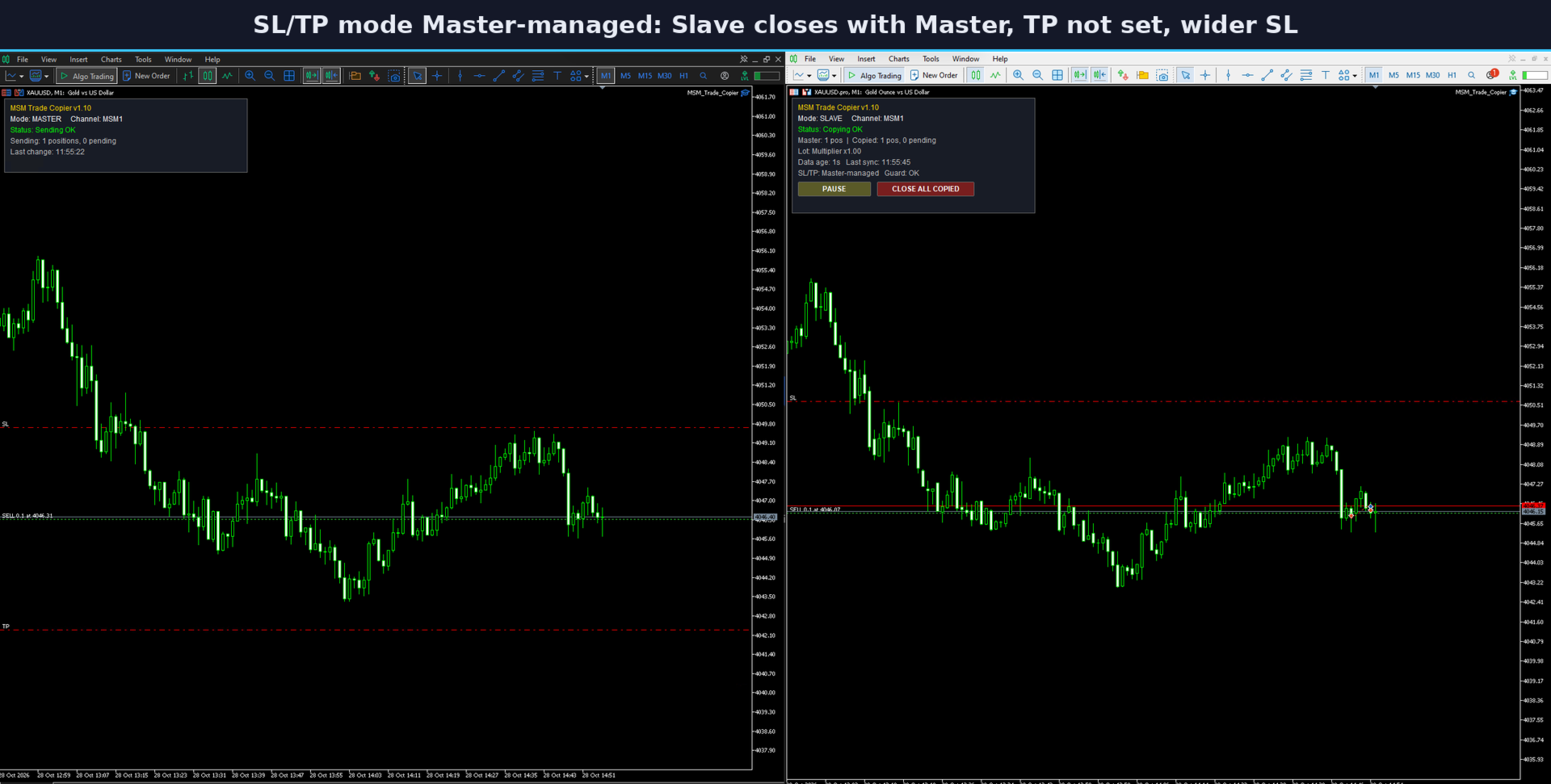
A wider spread on the Slave can close a copied trade earlier than on the Master. Four SL/TP modes handle this: exact levels, wider Stop Loss with a buffer, same distance from the Slave entry price, or Master-managed (the Slave closes together with the Master and keeps only an emergency Stop Loss). The buffer can include the spread difference between the two accounts automatically. When the Master holds equal Buy and Sell volume on a symbol (a lock), no emergency Stop Loss is placed, so the Slave stays locked in the same way.
Safety and control
- Copied trades are kept when the Master goes offline; trades older than a set age are not copied late
- Protection against duplicate copies after a connection drop and against two Masters on one channel
- Each Slave manages only the trades it opened itself, so several Masters can run on different channels
- Risk guard: daily loss limit, equity floor, maximum copied trades and total lot
- Time filter for new copies, push notifications to MetaTrader mobile
- On-chart panel with status, Pause/Resume button and Close All Copied button
How to start
- Run two MetaTrader 5 terminals (installed in different folders) on the same computer or VPS.
- Attach the copier to any chart in both terminals: Mode = Master in one, Mode = Slave in the other, same Channel.
- Enable Algo Trading in both terminals. The Slave panel shows "Copying OK" when it is ready.
Requirements and notes
All terminals must run on the same Windows computer or Windows VPS (the built-in MetaTrader virtual hosting cannot be used, because it runs each terminal separately). A hedging account is recommended for the Slave. Copy speed depends on your broker and computer. In the Strategy Tester the copier cannot receive trades from another terminal; it only opens a small demo trade so that the program can be checked.
Trading on margin involves a high risk of loss. This tool follows your own trades and settings. It cannot guarantee profit. Please test on a demo account first.