Price Density Profile
- Индикаторы
-
Vahidreza Heidar Gholami
 Я - инженер-программист с более чем 15-летним опытом программирования и разработки ПО. Как активный участник сообщества MQL5, я стремлюсь предоставлять продукты высокого качества. Моя цель - создавать эффективные и продуктивные инструменты для трейдеров, и у меня есть множество инновационных идей
 - Версия: 2.16
Price Density Profile
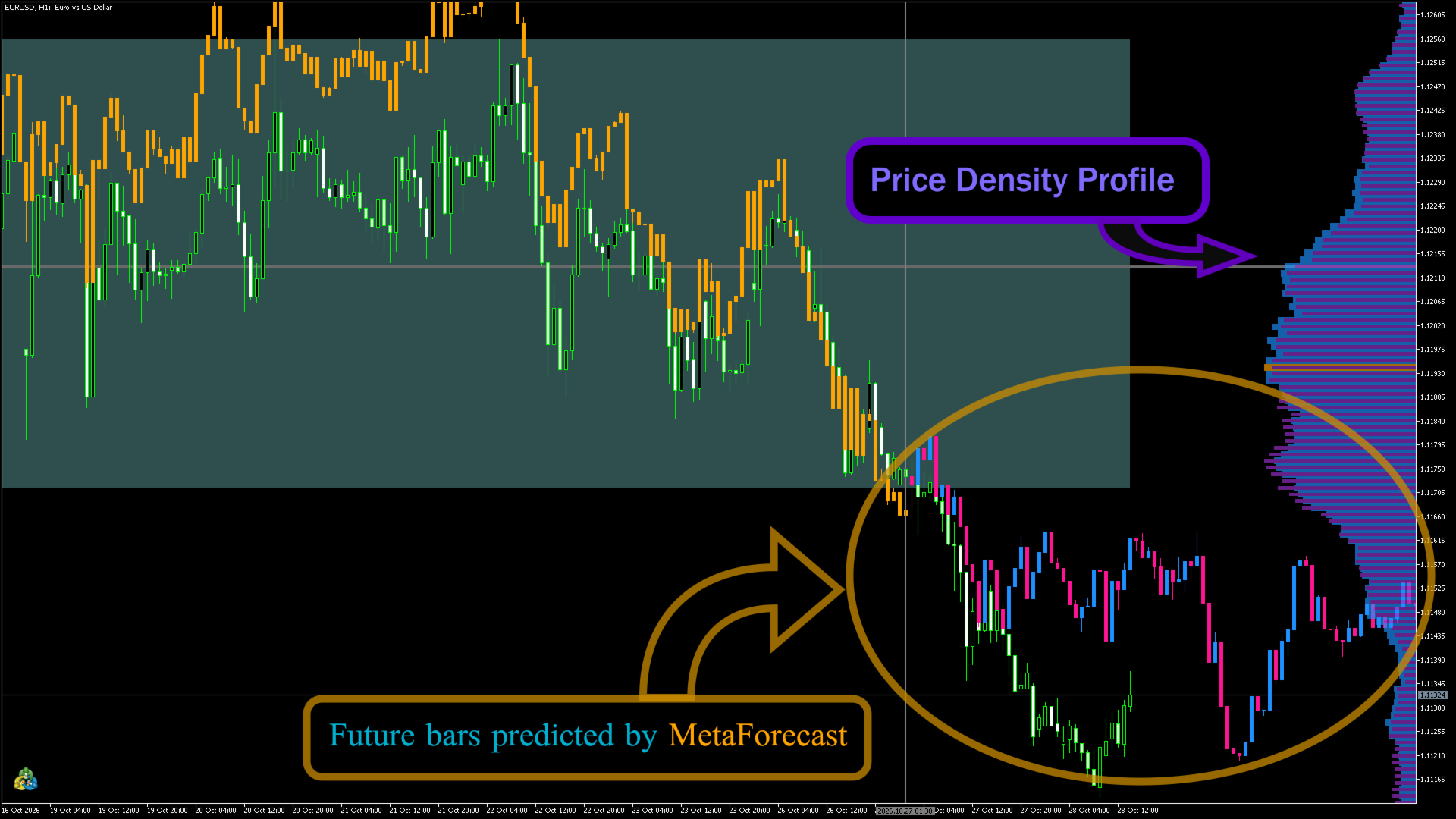
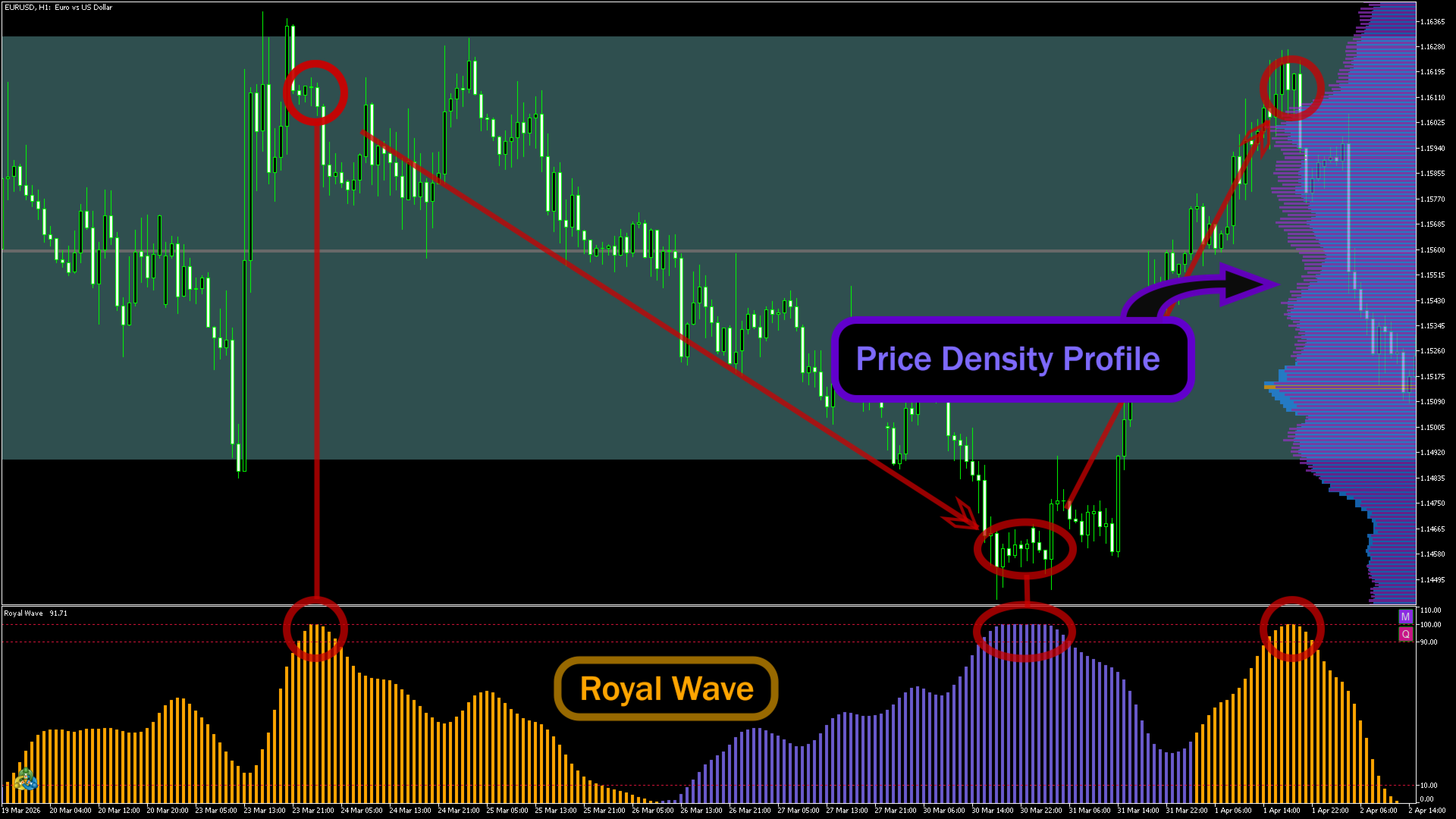
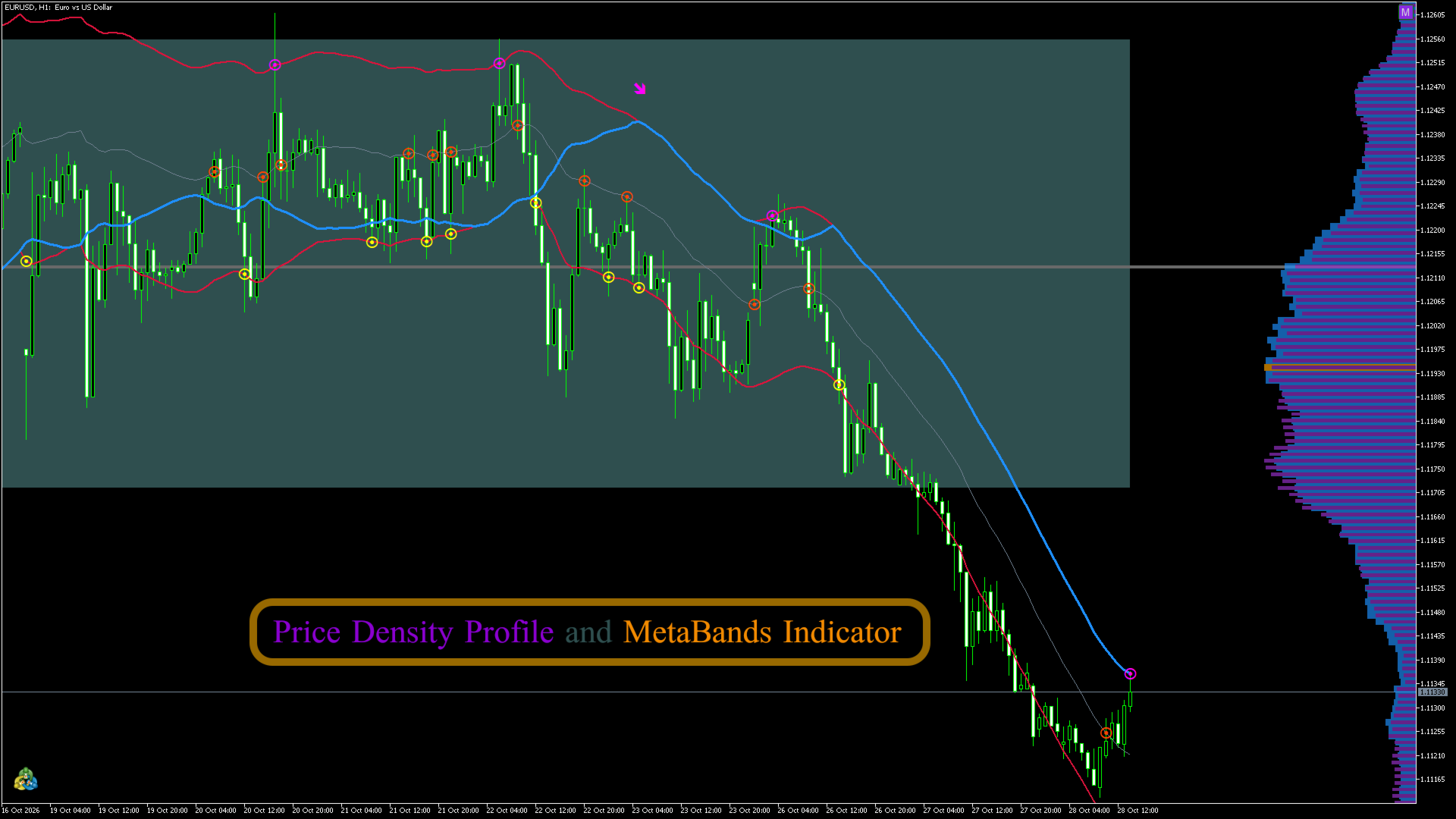
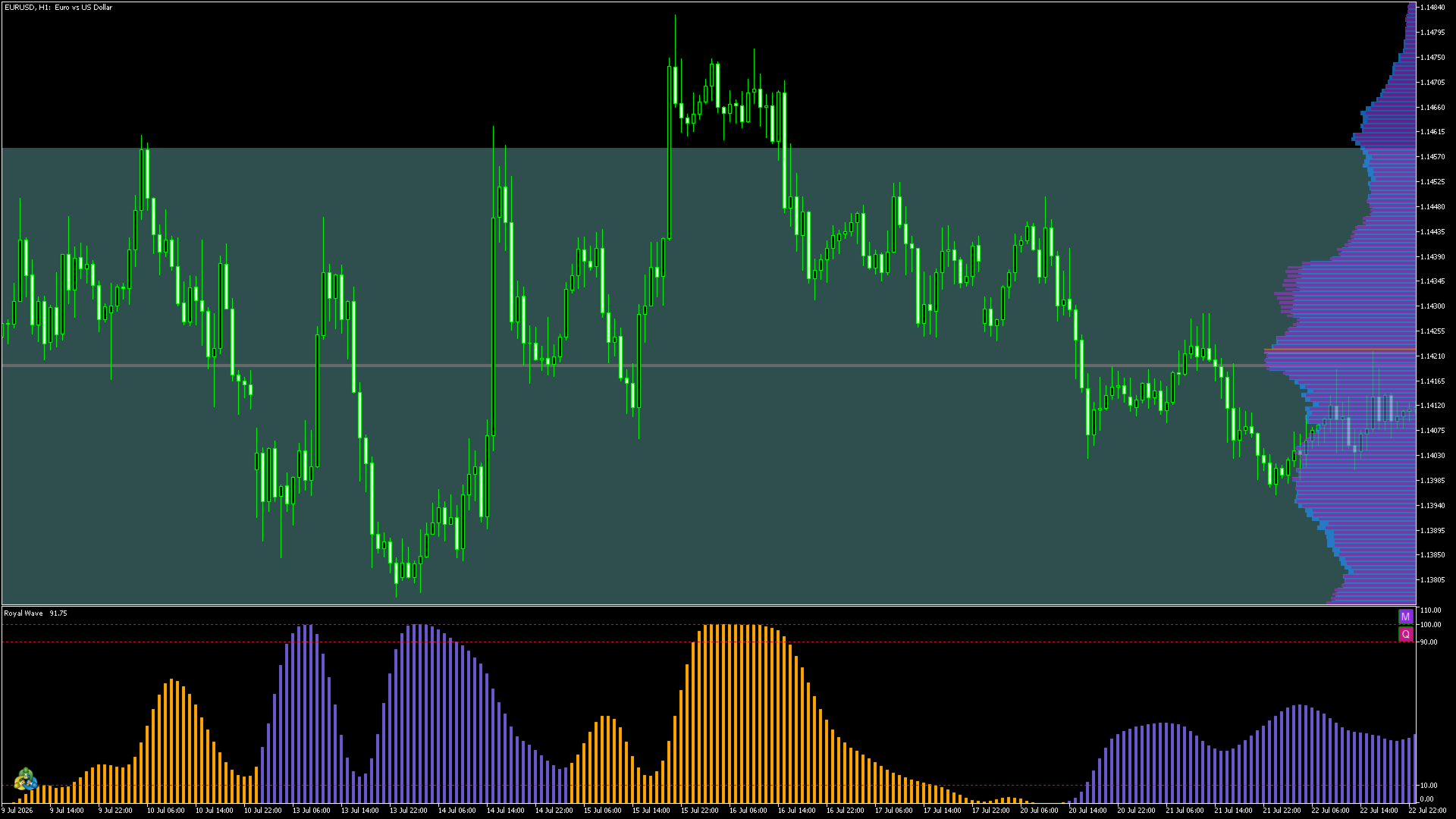
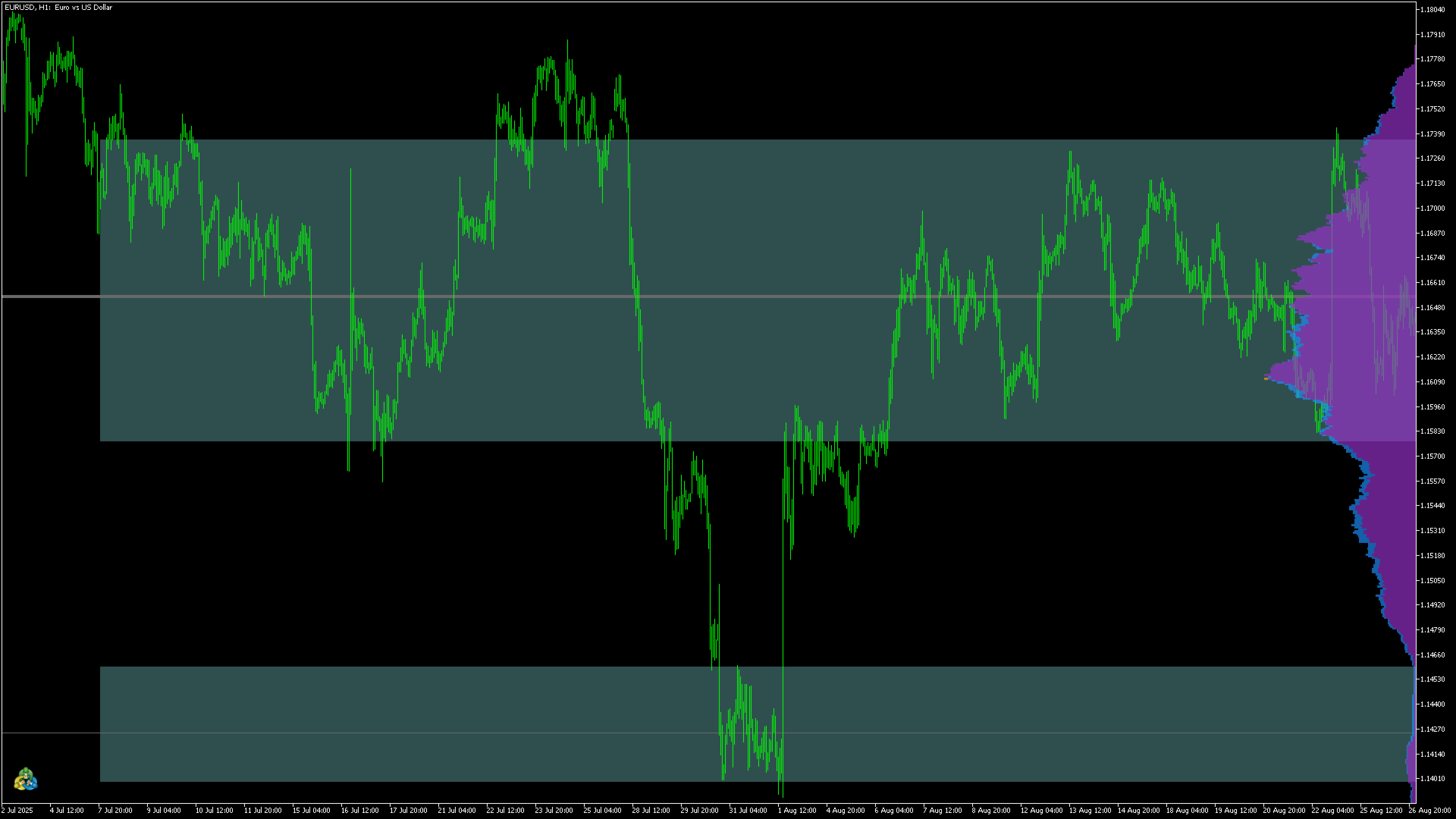
Draws a horizontal histogram on the right side of the chart, showing where price spent most of its time, and uses it to mark key price zones as lines and bands. Similar to a Volume Profile, Market Profile / TPO, or price histogram, it helps you identify high-activity zones, support and resistance levels, the point of control, and low-activity gaps where price moved through quickly.
Explore my other products to find all the tools you need to build and optimize your trading strategy.
What you see
Histogram: a long bar means price visited that level often, and a short bar means price moved through it quickly. The longest bar is highlighted.
Levels: each hump of the histogram is a zone where price lingered. The indicator marks the biggest ones with a line at the peak and a band around it.
History: the profile is based on the last N bars and follows the chart while you scroll, so you can check how price reacted to these zones in the past.
Measures
Touches: a bar counts for every price row between its low and high.
Tick volume: the activity of each bar, spread over the rows it covered.
Both: touches with a thinner volume bar on top.
Inputs
| Input | Default | Description |
|---|---|---|
| Window size (N bars) | 1000 | Number of bars used for the profile. |
| Update while scrolling | true | true: the window ends at the rightmost visible candle and moves as you scroll. false: always the last N bars, and levels stay in place when you scroll. |
| Calculate | Once per candle | Once per candle (closed candles only), or on every tick (includes the forming candle). |
| Divide price range into | Fixed number of rows | Fixed number of rows, or fixed row height in points. |
| Number of rows | 500 | Used with a fixed number of rows. More rows give a finer histogram. |
| Row height in points | 100 | Used with a fixed row height. |
| Histogram measure | Both | Touches, tick volume or both. |
| Weight of oldest bar % | 100 | 100 counts all bars equally. A lower value makes older bars count less. |
| Number of levels | 3 | How many levels to draw, up to 20. 0 means none. |
| Levels are | Density clusters | Density clusters: one level per bump of the histogram. Most dense rows: simply the most active rows. |
| Level style | Band + line | Line, band, or both. |
| Band covers % of cluster density | 80 | How much of the bump the band covers. A higher value gives a wider band. |
| Level line color | Dim Gray | Color of the lines. |
| Band color | Dark Slate Gray | Color of the bands. |
| Histogram max width (pixels) | 200 | Width of the longest bar. |
| Touch bar color | Dodger Blue | Color of the touch bars. |
| Volume bar color | Dark Orchid | Color of the volume bars. |
| Most-active row color | Orange | Color of the longest bar. |
| Bar opacity (0-255) | 170 | 255 is fully solid. |