Sessions Volume Profile
- Индикаторы
-
Domantas Juodenis
 Are you looking for a reliable and skilled EA developer who can bring your trading ideas to life with precision and performance?
 - Версия: 2.0
- Активации: 5
SVP Session Volume Profile HD for MT5
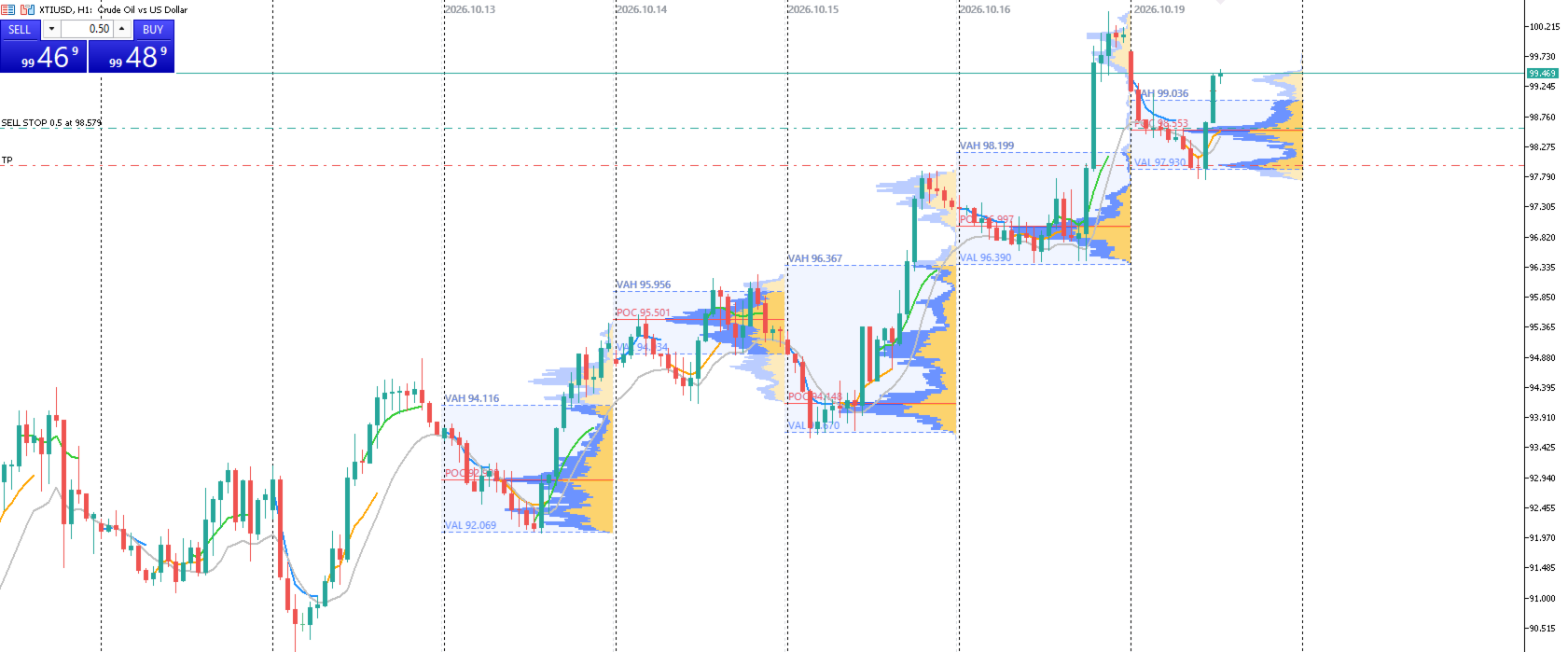
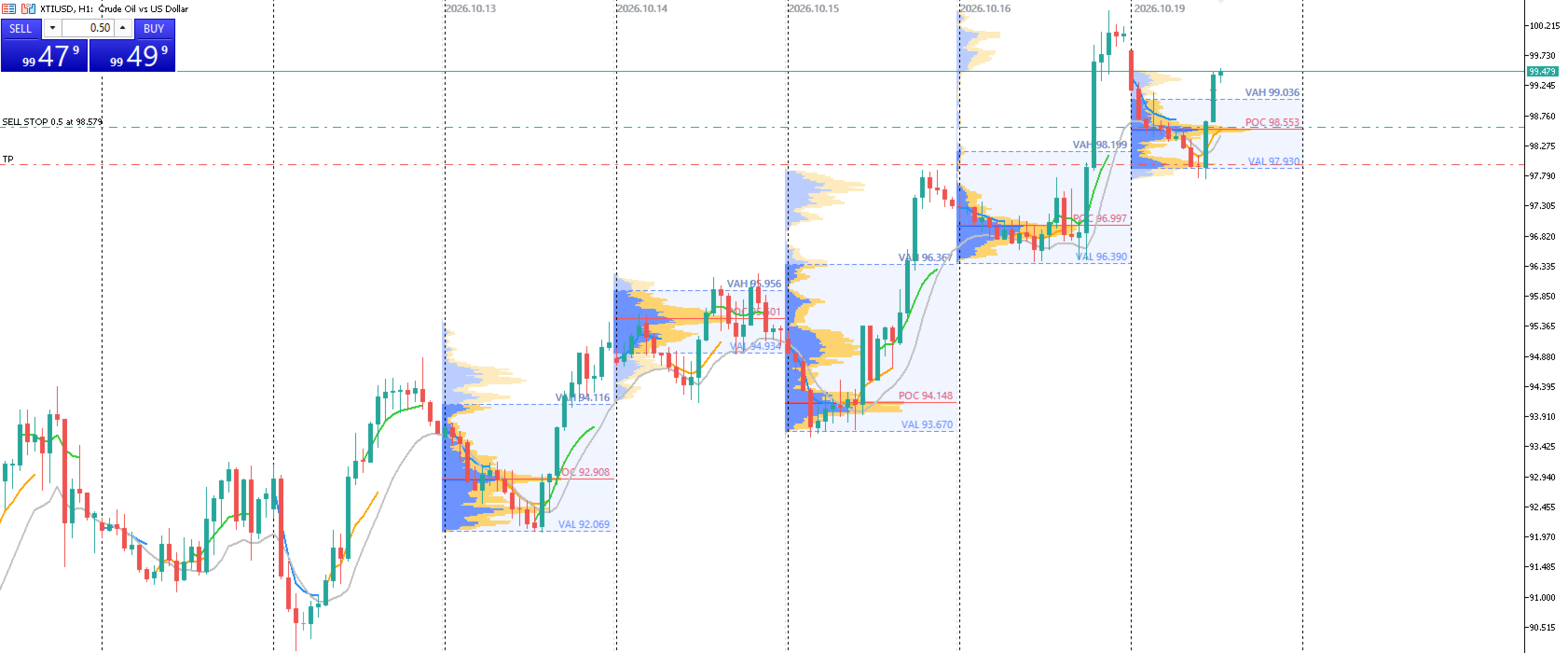
SVP Session Volume Profile HD is a session-based volume profile indicator for MetaTrader 5, styled after TradingView’s “Session Volume Profile HD”. It shows where volume traded during each session, so you can see the price levels the market accepted and rejected.
How it works
For each session, the indicator loads high-resolution data (M1 by default) and spreads each bar’s volume across its price range. The result is a detailed histogram, with up and down volume shown separately. From that histogram it calculates:
- POC (Point of Control): the price level with the most traded volume.
- Value Area: the range containing a set share of the session’s volume, 70% by default, with its VAH (high) and VAL (low).
Features
- Up to 14 profiles on the chart at once, with 5 as the default.
- Session types: Daily, Weekly, Monthly, or Custom hours (server time, overnight sessions supported).
- HD calculation: choose the data timeframe, tick or real volume, and how volume is distributed across each bar.
- Row size: automatic scaling by number of rows, or a fixed size in ticks.
- Up/Down volume split: blue and yellow by default, or a single-colour histogram.
- Value Area styling: rows inside it are more opaque, and the area has an optional background shade.
- Levels: a solid POC line and dashed VAH/VAL lines, each with a price label. They can be extended to the right edge of the chart.
- Session markers: a dotted separator and date label at each session start.
- Alignment: the histogram can grow from the session start or from the session end.
- Transparent canvas rendering: candles stay visible, and the profile redraws smoothly on scroll, zoom and resize.
- Live updates: the current session refreshes every few seconds, and closed sessions are cached to keep the chart responsive.
- Customisation: colours, opacity, width, line thickness, font size and label visibility are all adjustable.
Typical uses
- Finding high-volume nodes, low-volume gaps, and areas of acceptance or rejection.
- Using the previous session’s POC, VAH and VAL as support and resistance.
- Judging whether price is trading inside or outside the Value Area.
- Planning entries, exits and targets around volume-based levels.
Notes
- Session times use broker server time.
- Forex and CFD volume is tick volume, which is a proxy for real volume.
- For long sessions (monthly, or 14 profiles), use M5 or M15 data to keep calculation fast.
- It needs enough M1 history in the terminal.
Installation
- Copy SVP_Session_Volume_Profile_HD.mq5 to MQL5/Indicators .
- Compile it in MetaEditor (F7).
- Attach it to a chart from the Navigator.