FT Local Copier MT4
- Эксперты
- Версия: 1.6
- Обновлено: 5 октября 2026

Copy trades between MetaTrader terminals on the same PC or VPS—no cloud, no external servers, no DLLs. Lightning-fast, reliable, and completely private in local environment.
MT5 version: https://www.mql5.com/en/market/product/195281Why Traders Choose FT Local Trade Copier
-
Blazing fast – Local copying with as little as 1 ms overhead. No waiting for cloud round trips.
-
Totally private – No external servers, no internet bridge, no DLLs. Your trades stay on your computer.
-
Never duplicates – Intelligent restart protection means positions are never reopened after a restart.
-
Works with any broker – Handles different symbol names, prefixes, suffixes, and even lot multipliers.
-
Full SL/TP sync – Stop-loss and take-profit changes are mirrored automatically.
-
Safety-first – If the master goes offline, the slave keeps your trades safe and never closes them unexpectedly.
-
Easy to monitor – A clean dashboard shows status, pings, today's profit, and more at a glance.
-
Cross Platform - Copy trades from MT4 -> MT5 / MT5 -> MT5 / MT4 - MT4 / MT5 -> MT4
Key Features
Speed & Performance
-
Fast Execution - 1 ms polling with minimal CPU
- Event-driven detection – The master only updates when something changes, so the slave stays in sync without constant heavy processing.
-
No backlog – Reconciliation sends only what differs, so bursts of changes converge quickly without flooding your broker.
Lot Sizing & Risk Control
-
Five lot sizing modes – Fixed, Multiplier, Risk Percent, Master Copy, and Balance Proportional.
-
Risk percent mode – Risk a percentage of your balance between entry and the master's stop-loss.
-
Hard caps – Set a maximum lot size per trade and a maximum number of open positions.
-
Spread filter – Skip trades when the spread is too wide; the copier retries until the trade becomes too old.
Symbol Handling
-
Cross-broker compatibility – Copy between brokers with different symbol names using explicit maps, prefix/suffix rules, or automatic matching.
-
External map file – Add unlimited custom symbol mappings in a simple text file.
-
Ambiguity protection – Ambiguous symbol matches are refused and logged, so you never trade the wrong instrument.
-
Blacklist / Whitelist Symbols - Only copy the symbol(s) you want and the symbol is must be the same from slave account, NOT master symbol. (Input format: XAUUSD,EURUSD,GBPUSD)
Safety & Reliability
-
Restart protection – Every copied position is recorded before it's opened. On restart, the copier checks the account and never reopens positions that are already gone.
-
Position adoption – If the copier's memory is lost, it automatically adopts its own open positions.
-
Single instance per account – A second copier for the same account and master removes itself automatically.
-
Smart rejection handling – Permanent rejections (invalid volume, no money) are ignored; temporary issues (requotes, connection problems) are retried with back-off.
-
SL/TP clamping – Stops that are too close to the current price are automatically adjusted to the broker's minimum distance.
Dashboard & Monitoring
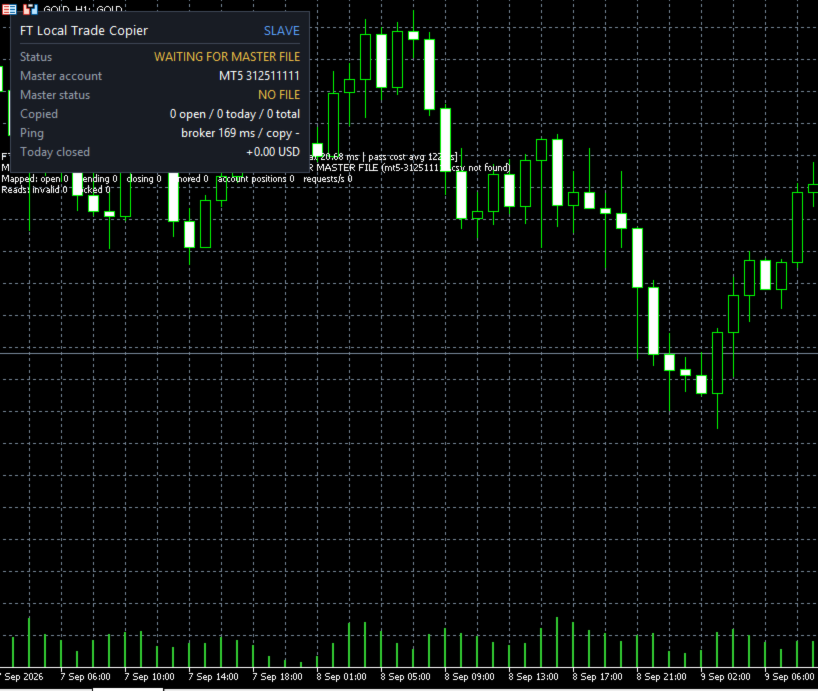
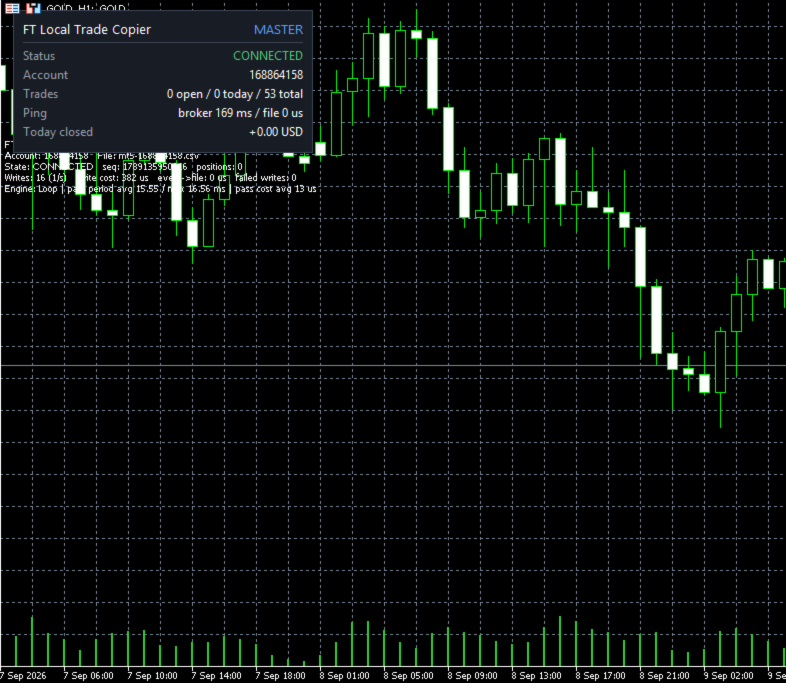
A compact panel in the top-left corner of your chart shows everything you need:
-
Status – Running, paused, master offline, and more.
-
Master account – Which account you're copying from.
-
Master status – Online, offline, disconnected, reconnecting.
-
Copied trades – Positions open now, trades opened today, and all-time totals.
-
Ping – Terminal-to-broker and master-file-to-slave read times.
-
Today's closed profit – Profit of copied trades closed today, including swap and commission.
Trades are counted from deal history, so the numbers survive even if the copier's memory is reset. The panel refreshes every second.
How It Works
-
Set up the Master – Attach the EA to any chart in your master terminal and set it to Master mode. It begins broadcasting your open positions locally.
-
Set up the Slave – Attach the EA to any chart in your slave terminal, set it to Slave mode, and enter the master's account number. It connects and starts mirroring.
-
Watch it run – The slave polls the master continuously, compares states, and sends only the orders that are needed. Closes happen first, then SL/TP updates, then new opens.
Everything happens on your local machine or VPS. No internet connection is required for the copying itself—only for your broker's normal trading operations.
Setup in Minutes
-
Same Windows user – Both terminals must run under the same Windows user account.
-
Master terminal – Attach the EA to any chart, set Mode = Master. No trading permissions needed.
-
Slave terminal – Attach the EA to any chart. Set Mode = Slave, choose the master platform (MT4/MT5) and enter the master account number. Enable AutoTrading and allow algo trading. The slave must be a hedging account.
-
Done – The panel will show "RUNNING" within seconds.