Orderflow Tick Volume Breakout EA
- Эксперты
- Версия: 1.20
- Активации: 10

Orderflow Tick Volume Breakout EA
Orderflow Tick Volume Breakout EA is an automated MetaTrader 5 Expert Advisor designed to identify short-term market opportunities using tick pressure, tick volume imbalance, and price breakout analysis.
The EA continuously analyzes incoming market ticks and classifies directional price movement to estimate short-term buying and selling pressure. It then compares bullish and bearish tick volume to detect potential market imbalance.
In parallel, the EA monitors recent price highs and lows to identify bullish and bearish breakout conditions.
The trading system combines these market signals with configurable risk management and multiple execution-safety checks before attempting to open a position.
Key Features
Tick Pressure Analysis
The EA analyzes real-time tick movements to identify directional market pressure.
Each incoming tick is evaluated according to its price movement. Upward and downward movements are accumulated separately to estimate short-term buying and selling activity.
Tick Volume Imbalance
The EA calculates the relationship between buying and selling tick volume.
A configurable Imbalance Threshold determines how strong the difference between buying and selling pressure must be before a directional pressure signal is generated.
This allows traders to adjust the sensitivity of the order flow model according to the selected market and trading conditions.
Breakout Analysis
The EA analyzes recent candle highs and lows to detect potential price breakouts.
A configurable Breakout Bars parameter determines how many previous candles are used when evaluating the current breakout level.
Bullish and bearish breakout conditions are evaluated independently.
Dynamic Risk Based Position Sizing
The EA can calculate trading volume based on the configured Risk Percent and the monetary loss associated with the selected stop-loss distance.
The calculation uses the broker’s symbol specifications and OrderCalcProfit() to estimate the potential loss for one lot.
This makes the position-sizing mechanism adaptable to different instruments and contract specifications.
Automatic Stop Loss and Take Profit
Stop Loss and Take Profit levels are calculated automatically from the configured point distances.
Before execution, the EA checks the broker’s minimum stop distance to help prevent invalid trade requests.
Spread Protection
The EA includes a configurable Maximum Spread filter.
If the current spread exceeds the specified limit, the EA will not attempt to open a new position.
Margin Validation
Before submitting an order, the EA calculates the required margin and compares it with available free margin.
A safety buffer is also applied to the calculated margin requirement.
Broker Volume Validation
The trading volume is adjusted according to the broker’s:
- Minimum volume
- Maximum volume
- Volume step
This helps maintain compatibility with different symbol specifications.
Trading Session Validation
The EA checks the symbol’s configured trading sessions before attempting to open a new position.
This helps prevent unnecessary trade attempts outside the available trading session.
Position Protection
The EA checks for an existing position managed by the same Magic Number on the current symbol.
If such a position already exists, the EA will not open another position.
One Trade Attempt Per Bar
The EA limits trade attempts to one per current chart candle.
This helps prevent repeated entry attempts from multiple ticks during the same candle.
Trading Logic
The EA follows a structured automated decision process:
Market Tick Data
↓
Directional Tick Classification
↓
Buying and Selling Tick Volume
↓
Volume Imbalance Analysis
↓
Price Breakout Analysis
↓
Trading Signal
↓
Risk Based Volume Calculation
↓
Spread, Margin and Broker Validation
↓
Automated Trade Execution
A Buy opportunity can be generated when bullish tick pressure reaches the configured imbalance threshold or when price breaks above the recent breakout range.
A Sell opportunity can be generated when bearish tick pressure reaches the configured imbalance threshold or when price breaks below the recent breakout range.
When both directional conditions occur simultaneously, the EA compares the relative pressure ratios and selects the stronger directional condition.
Input Parameters
Risk Management
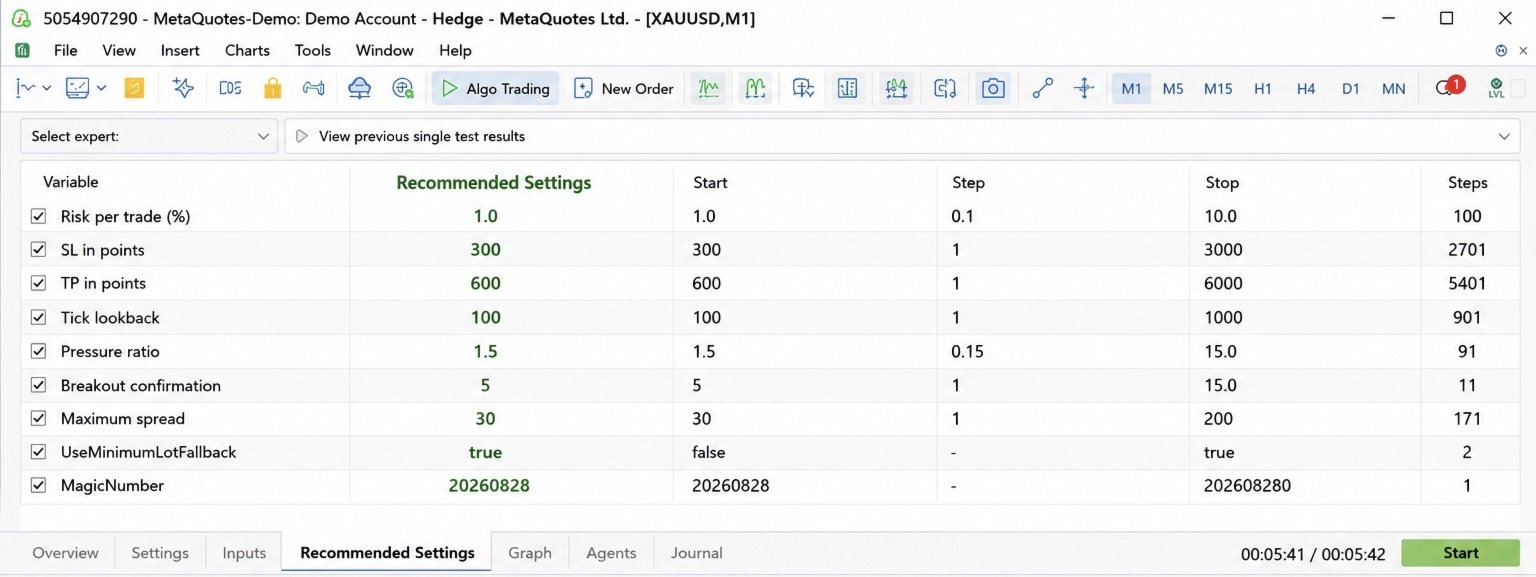
RiskPercent
Percentage of account balance used for risk-based position sizing.
StopLossPoints
Stop Loss distance measured in points.
TakeProfitPoints
Take Profit distance measured in points.
UseMinimumLotFallback
Allows the EA to use the broker’s minimum permitted volume when the calculated risk-based volume falls below the broker’s minimum volume.
Order Flow Analysis
LookbackTicks
Number of recent directional ticks used for tick-pressure and volume analysis.
ImbalanceThreshold
Minimum buying-to-selling or selling-to-buying tick-volume ratio required to generate an imbalance signal.
Breakout Analysis
BreakoutBars
Number of previous candles used to determine the recent high and low breakout levels.
Execution Control
MaxSpreadPoints
Maximum permitted spread in points for opening a new trade.
MagicNumber
Unique identifier used to distinguish positions managed by this Expert Advisor.
Designed for MetaTrader 5
Orderflow Tick Volume Breakout EA is designed for MetaTrader 5 and can be evaluated on different broker-supported trading instruments.
The strategy can be tested on markets such as:
- Forex
- Gold
- Silver
- Indices
- CFDs
- Other MetaTrader 5 supported instruments
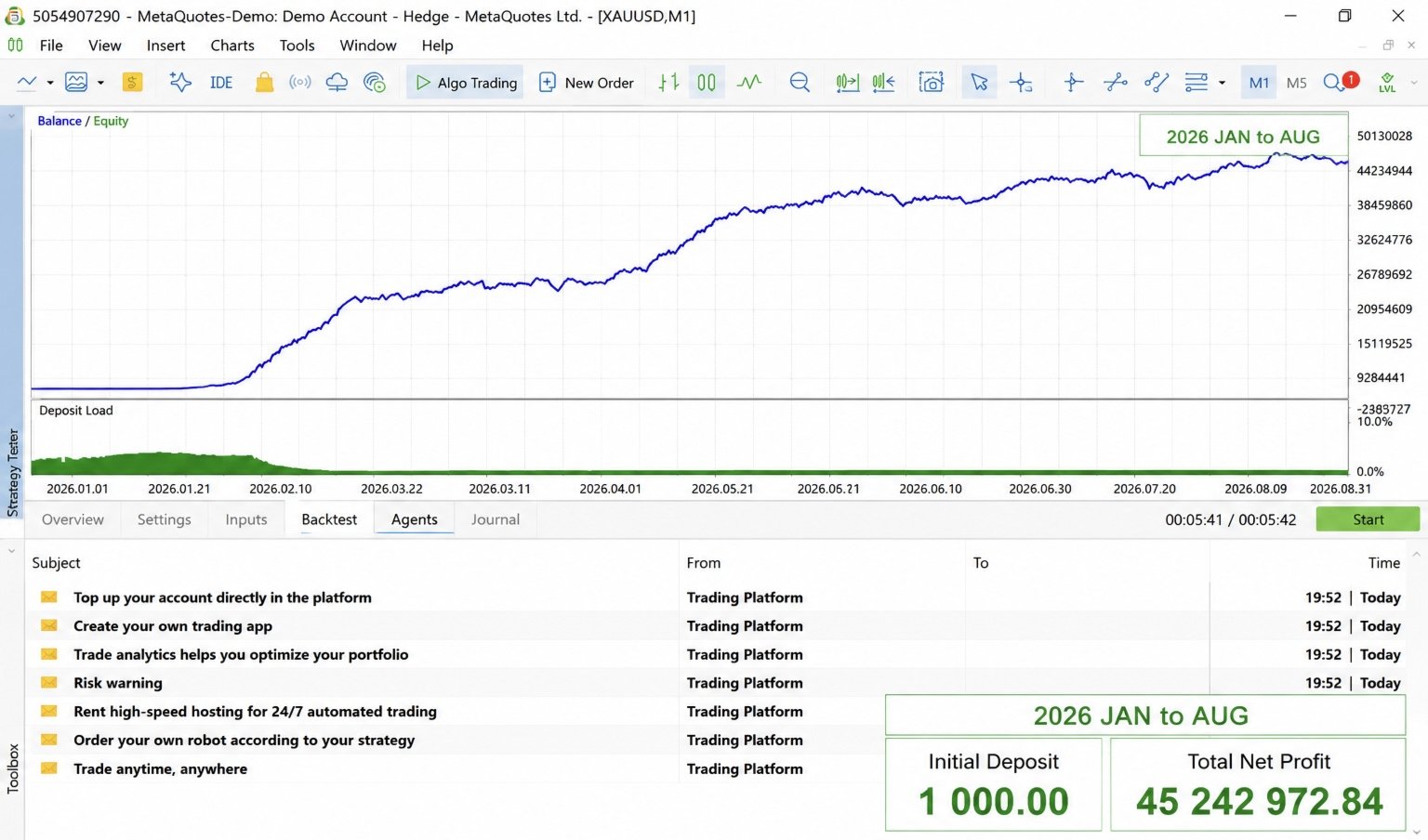
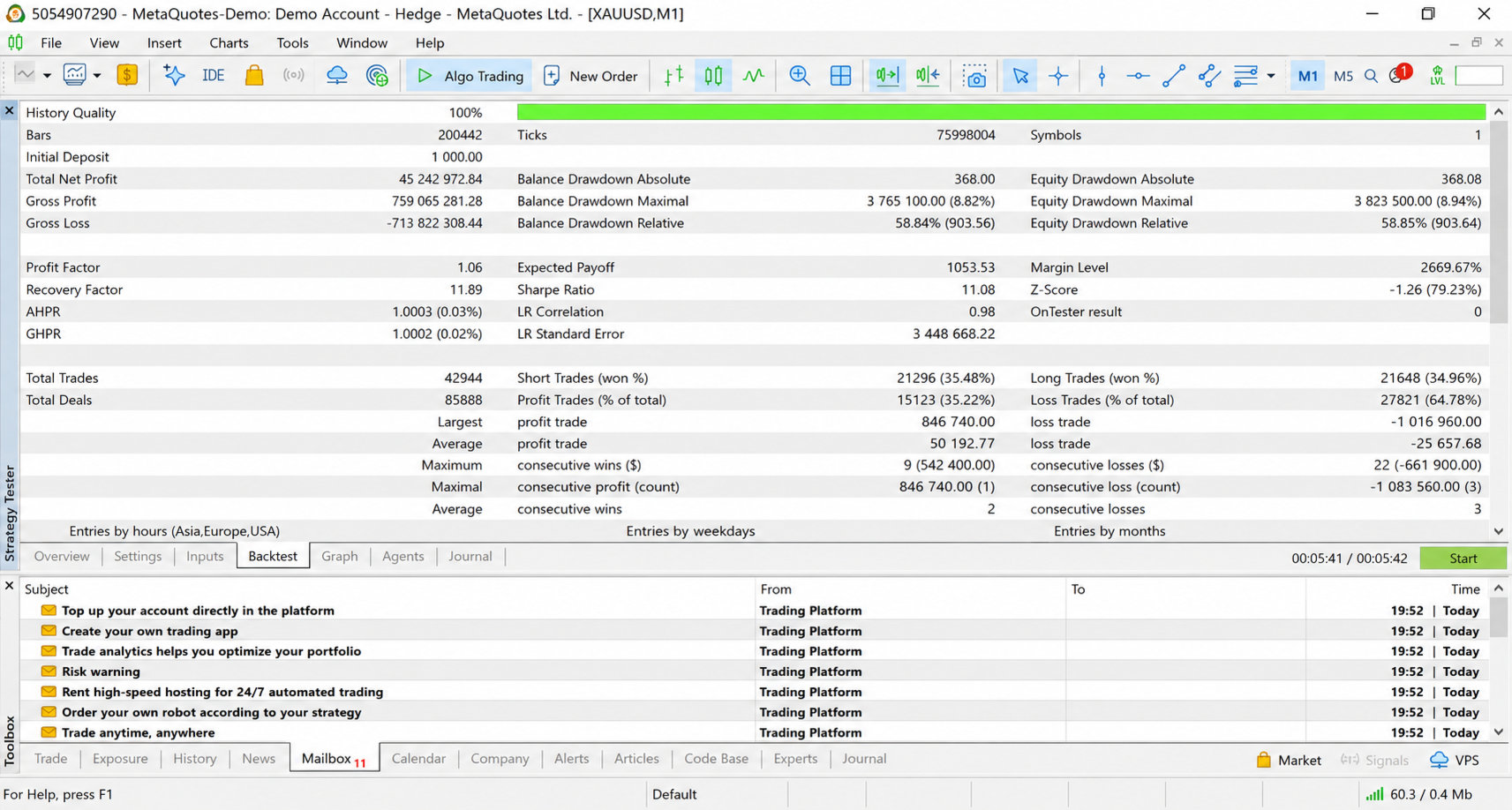
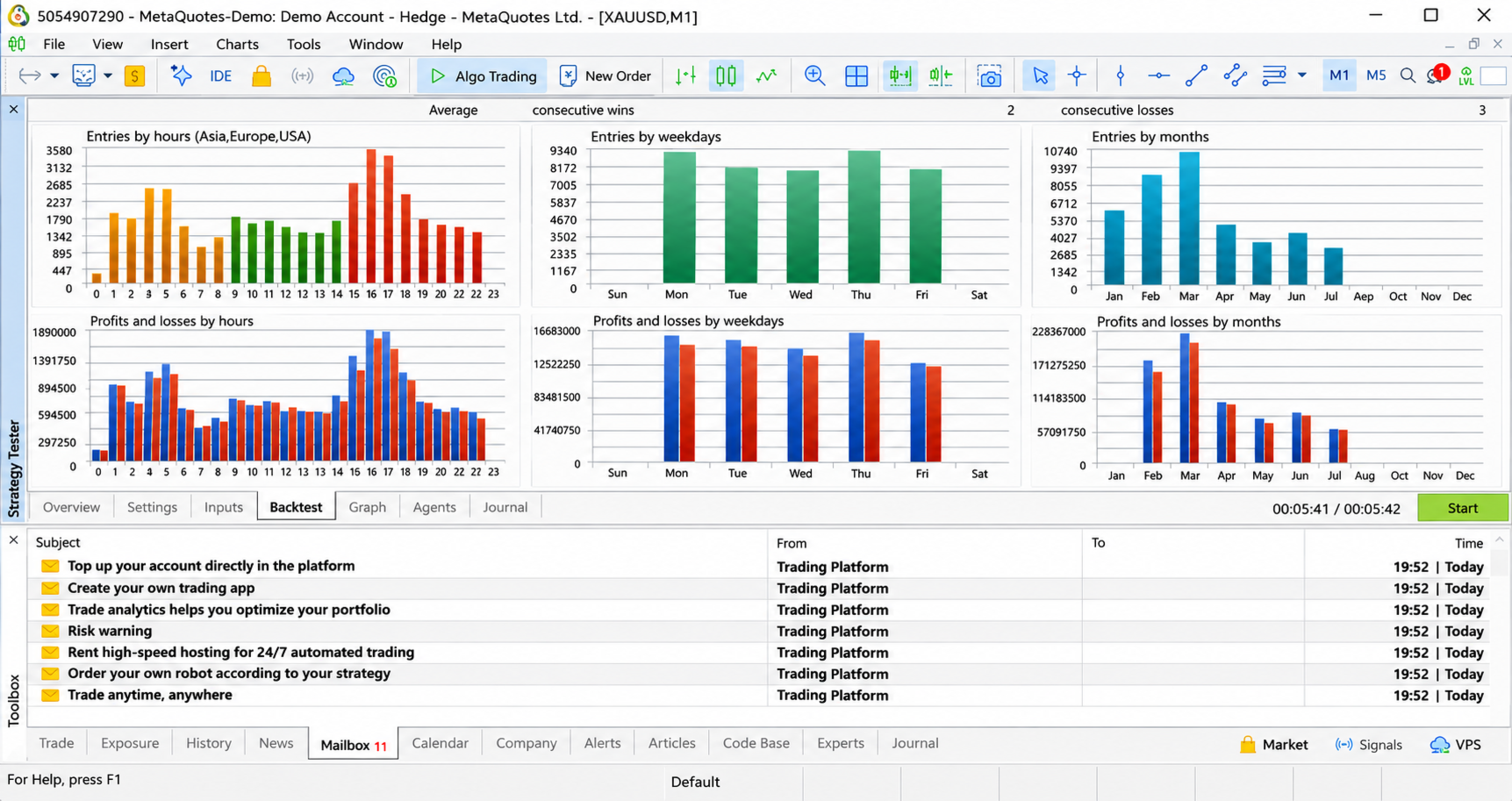
Actual results may vary depending on the broker, symbol specifications, tick feed, spread, liquidity, execution conditions, commissions and market volatility.
Risk Management
Risk management is an integral part of the EA’s architecture.
The position-sizing calculation considers:
- Account balance
- Configured risk percentage
- Entry price
- Stop Loss distance
- Symbol contract specifications
- Broker volume restrictions
The EA also checks available margin before submitting an order.
Important: When the calculated risk-based volume is below the broker’s minimum permitted volume and UseMinimumLotFallback is enabled, the EA may use the broker minimum volume. In this situation, the actual monetary risk can be higher than the configured RiskPercent.
Execution Protection
Before opening a trade, the EA verifies several conditions:
✓ Trading terminal connection
✓ Automated trading permission
✓ Expert Advisor trading permission
✓ Symbol trading availability
✓ Trading session availability
✓ Maximum spread condition
✓ Broker volume requirements
✓ Stop distance requirements
✓ Available free margin
✓ Existing EA-managed position
These checks are designed to reduce avoidable trade-request errors and provide a more controlled automated execution process.
Important Information About Order Flow
This Expert Advisor uses tick-direction and tick-volume analysis to estimate short-term market pressure.
It does not use a complete Level II order book, exchange-native order flow, or institutional market-depth data.
Therefore, the order-flow component should be understood as a tick-based market-pressure model.
Tick volume and tick behavior can differ between brokers and data feeds. For this reason, traders should evaluate the EA using the same broker, symbol and trading environment intended for live deployment.
Backtesting and Optimization
Before using the EA on a live trading account, it is recommended to perform:
- Historical backtesting
- Real-tick testing where available
- Forward testing
- Demo-account testing
- Broker-specific validation
- Spread analysis
- Execution analysis
- Parameter optimization
- Different market-condition testing
Optimization should be performed carefully to avoid overfitting historical market data.
Risk Disclaimer
Automated trading involves substantial financial risk.
No Expert Advisor, trading strategy, algorithm or indicator can guarantee profits.
Trading performance can be affected by market volatility, spreads, slippage, commissions, liquidity, execution latency, broker conditions, tick-feed differences and changing market regimes.
Past performance and backtest results do not guarantee future results.
Use responsible risk management and trade only with capital you can afford to lose.
Orderflow Tick Volume Breakout EA
Tick Pressure | Volume Imbalance | Breakout Analysis | Dynamic Risk Management | Automated MetaTrader 5 Trading