PostgreSQL Client
- Библиотеки
- Версия: 1.0
- Активации: 5

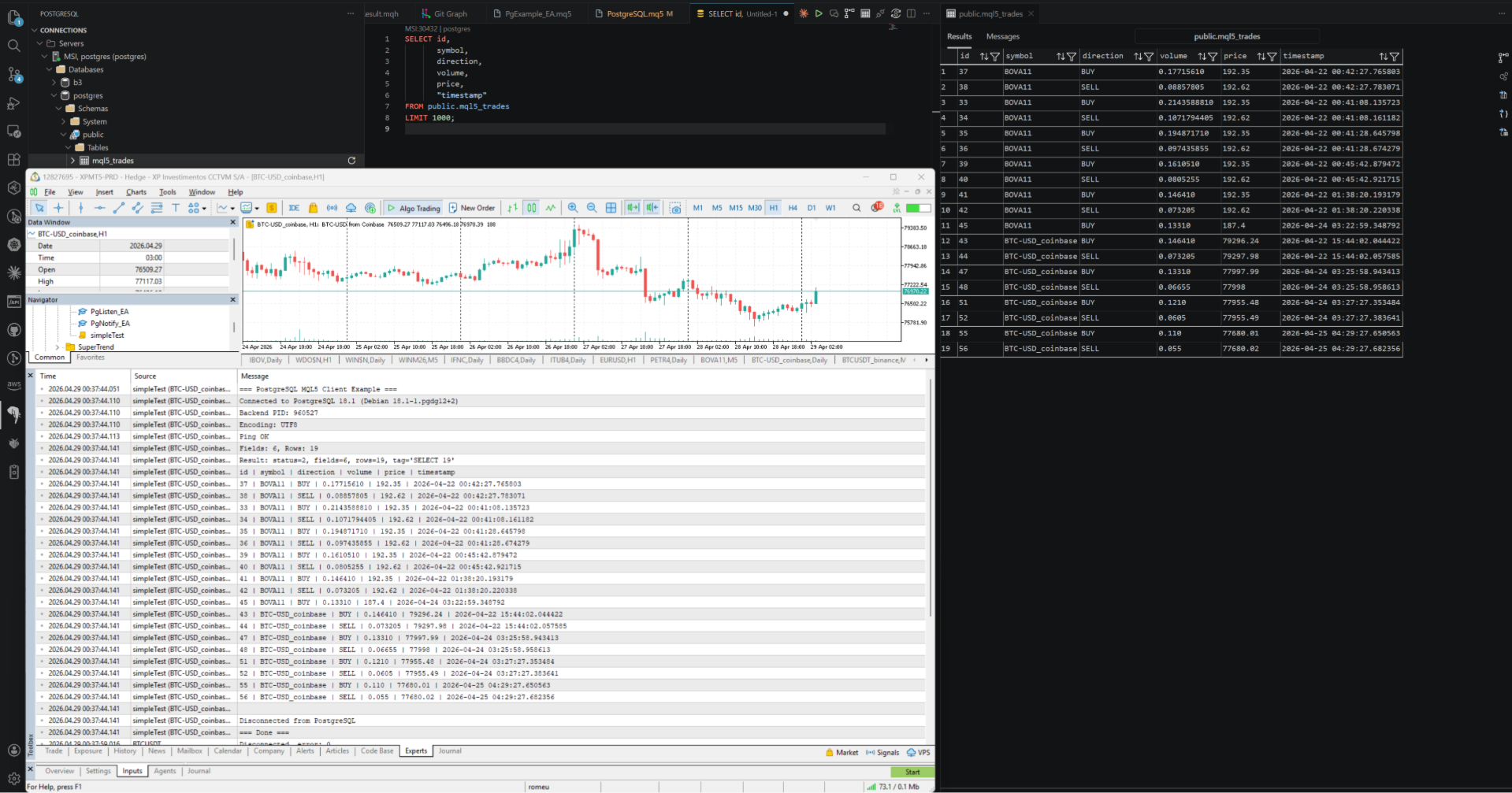
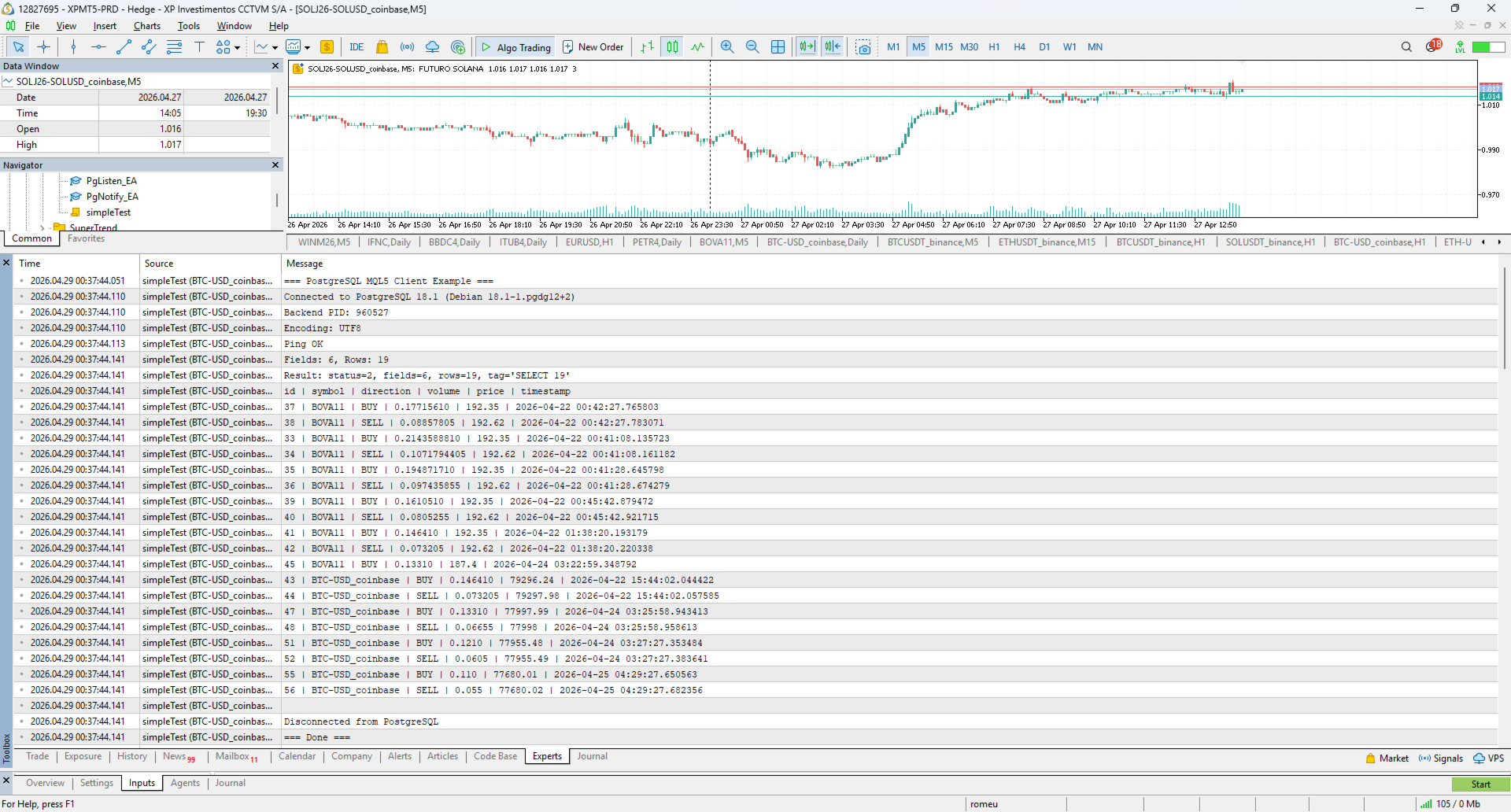
A complete PostgreSQL client implemented in pure MQL5 over native MetaTrader 5 TCP sockets.
The library implements the PostgreSQL client with MD5 and SCRAM-SHA-256 authentication, SSL/TLS, the Simple Query Protocol, and explicit transactions.
No DLLs, no external dependencies, no third-party services.
Features
- Direct TCP connection to any PostgreSQL-compatible database
- MD5 and SCRAM-SHA-256 authentication, auto-detected
- SSL/TLS via PostgreSQL's SSLRequest flow
- Full transaction support
- Typed result accessors with NULL detection
- Bad-handle safe — never crashes your EA
Compatibility
Designed for PostgreSQL > 7.4 through 18
- RDS PostgreSQL
- Amazon Aurora PostgreSQL
- Google Cloud SQL for PostgreSQL
- Azure Database for PostgreSQL
- Supabase (cloud and self-hosted)
- CockroachDB
- CrateDB
- YugabyteDB
Getting Started
Pass useSSL = true to Pg_Connect. The library performs the standard PostgreSQL SSLRequest negotiation and upgrades to TLS via SocketTlsHandshake. If the server rejects the request the client logs a warning and continues unencrypted.
Run any SQL statement — INSERT , UPDATE , DELETE , DDL — through a single Pg_Query call. Each call returns a result handle whose lifecycle is managed by the client: the previous result on the same client is freed automatically when the next query runs.
Pg_Begin , Pg_Commit , and Pg_Rollback provide one-call wrappers around the standard SQL transaction commands. For nested error recovery use savepoints ( SAVEPOINT name / ROLLBACK TO name ) via Pg_Query.
Client functions| Function | Description |
|---|---|
| Pg_Version() | Returns the library version string. |
| Pg_Create() | Allocates a new client handle. Returns 0 on failure. |
| Pg_Destroy(h) | Frees the client handle and its current result. |
| Pg_Connect(h, host, port, db, user, pass, ssl, app) | Connects and authenticates against the server. |
| Pg_Disconnect(h) | Sends a Terminate message and closes the socket cleanly. |
| Pg_IsConnected(h) | True only when the connection is in READY state. |
| Pg_IsAlive(h) | True if the socket is open and the protocol is at least READY. |
| Pg_Ping(h) | Executes SELECT 1 to verify the connection is healthy. |
| Pg_Query(h, sql) | Runs any SQL statement and returns a result handle. |
| Pg_Begin(h) | Starts a transaction and returns a result handle. |
| Pg_Commit(h) | Commits the current transaction. |
| Pg_Rollback(h) | Rolls back the current transaction. |
| Pg_LastError(h) | Returns the last protocol- or socket-level error message. |
| Function | Description |
|---|---|
| Res_IsOk(r) | True if the query succeeded. |
| Res_HasRows(r) | True if the result contains at least one row. |
| Res_CommandTag(r) | Server command tag, for example INSERT 0 1 or UPDATE 3. |
| Res_AffectedRows(r) | Rows affected by INSERT, UPDATE, or DELETE. |
| Res_NumRows(r) | Number of rows in the result. |
| Res_NumFields(r) | Number of columns in the result. |
| Res_FieldName(r, col) | Column name at the given index. |
| Res_FieldIndex(r, name) | Column index for a given name. Returns -1 if not found. |
| Res_Next(r) | Advances the row iterator. Returns true while rows remain. |
| Res_ResetIterator(r) | Resets iteration to before the first row. |
| Res_IsNull(r, col) | True if the current row's value at col is NULL. |
| Res_GetValue(r, col) | Current row value as string by column index. |
| Res_GetValueByName(r, name) | Current row value as string by column name. |
| Res_GetInt(r, col) | Parses the current value as int. |
| Res_GetLong(r, col) | Parses the current value as long. |
| Res_GetDouble(r, col) | Parses the current value as double. |
| Res_GetBool(r, col) | Parses the current value as bool. |
| Res_GetDatetime(r, col) | Parses the current value as datetime. |
| Res_ErrorMessage(r) | Server error message text when Res_IsOk is false. |
| Res_ErrorSQLState(r) | 5-character PostgreSQL SQLSTATE code. |
#include <PostgresLib.mqh>

void OnStart()
{
   long h = Pg_Create();
   Pg_Connect(h, "127.0.0.1", 5432, "postgres", "postgres", "postgres", false, "MQLPgClient");

   long r = Pg_Query(h, "SELECT symbol, price, timestamp FROM trades LIMIT 10");
   while(Res_Next(r))
      Print(Res_GetValueByName(r, "symbol"), " @ ", Res_GetDouble(r, Res_FieldIndex("price")), " at ", Res_GetValue(r, 2));

   Pg_Disconnect(h);
   Pg_Destroy(h);
}