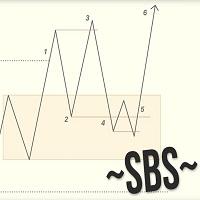
Swing breakout sequence SBS with Stoic trader
59 USD
Скачано демо:
56
Опубликован:
24 июня 2024
Текущая версия:
2.1
Не нашли подходящего робота?
Закажите собственного
на бирже фрилансеров
Перейти на биржу
Закажите собственного
на бирже фрилансеров
Как купить торгового робота или индикатор
Запусти робота на
виртуальном хостинге
виртуальном хостинге
Протестируй индикатор/робота перед покупкой
Хочешь зарабатывать в Маркете?
Как подать продукт, чтобы его покупали

Вы упускаете торговые возможности:
- Бесплатные приложения для трейдинга
- 8 000+ сигналов для копирования
- Экономические новости для анализа финансовых рынков
Регистрация
Вход
Вы принимаете политику сайта и условия использования
Если у вас нет учетной записи, зарегистрируйтесь
As you see by now, I'm a believer :) Your indicators are really giving language to useful concepts.
I'm using your advise placing 2 settings for the ind. sbs_p1 and sbs_p2, but I wish the dashboard could be placed with an X Y so we can see both indicators on chart.
Thank you one more time for quality indicators
As you see by now, I'm a believer :) Your indicators are really giving language to useful concepts.
I'm using your advise placing 2 settings for the ind. sbs_p1 and sbs_p2, but I wish the dashboard could be placed with an X Y so we can see both indicators on chart.
Thank you one more time for quality indicators
I'm using both M1 and M5 for the indicator and when alert trigger I don't know which TF has triggered the alert. Please add to the alert chart time frame where the indicator triggered.
Also maybe consider adding the prefix to the alert message so we know what settings the alert is for.Thank you
As you see by now, I'm a believer :) Your indicators are really giving language to useful concepts.
I'm using your advise placing 2 settings for the ind. sbs_p1 and sbs_p2, but I wish the dashboard could be placed with an X Y so we can see both indicators on chart.
Thank you one more time for quality indicators
Hello Wessam Adib
I upgraded indicator to add possition for panel:
+ Corner of panel on chart: we have 4 corner option.
+ we can move panel vertical or horizontal by 2 addition setting.
Hope it helps. Thank for advice!
Hello Wessam Adib
I upgraded indicator to add possition for panel:
+ Corner of panel on chart: we have 4 corner option.
+ we can move panel vertical or horizontal by 2 addition setting.
Hope it helps. Thank for advice!
Highly appreciate, thank you