 MetaTrader 5
 Эксперты
 Индикаторы
 Библиотеки
 Утилиты
 Виджеты
 Правила
Смотри обучающее видео по маркету на YouTube
Как купить торгового робота или индикатор
Запусти робота на
виртуальном хостинге
виртуальном хостинге
Протестируй индикатор/робота перед покупкой
Хочешь зарабатывать в Маркете?
Как подать продукт, чтобы его покупали
Торговые утилиты для MetaTrader 4 - 29
 Ниже представлены торговые программы, упрощающие торговлю на форексе в MetaTrader 4. Наведите курсором на товар из списка ниже, чтобы прочесть описание и его предназначение.
RSI Signalz ---------------------------------------------------------------------------------------------------------------------------------------------------------------------------------------------------------------------------------------------------------------------------------------------------------------------- NOW FREE FOR EVERYONE! TUNABLE IN THE INPUT SETTINGS - ENJOY :)
(IT DOES NOT TRADE FOR YOU. THIS IS TOO JUST HELP WITH MANUAL TRADING)
Fully Automated EA for marking good en
FREE
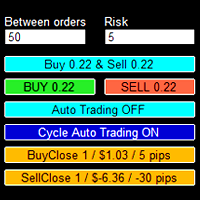
Торговая панель призвана помочь трейдеру в управлении сделками в терминале МТ4. Имеется возможность: Открывать сделки по кнопкам BUY и SELL ; В режиме Auto Traiding On производится усреднение уже открытых позиций по их типу до момента получения прибыли (размер прибыли, при которой будут закрыты ордера устанавливается в настройках - в пунктах или процентах от депозита); В режиме Cycle Auto Trading On - советник изначально открывает два противоположных ордера и делает две разнонаправленные сетки

P Y R A M I D E X P E R T This Forex utility is a complex exit strategy and order management tool that executes four trading methods; scalping, pyramid style, hedging, and scaling method to close trades with a profit.
V E R Y I M P O R T A N T This is not a stand alone expert advisor. Use it with your own volatility-based strategy. Once you found the currency pair to trade, you can just attach this tool to the chart of the chosen pair and it will do the
This is the simplest Lot Multiplier to manage trades open by signal, expert or manually. How The Program Works: When a new trade is open in the terminal from any source (advisor, manually, signal), the program opens an additional trade (duplicates / copies the source with the specified parameters) in the same terminal and controls it as per source, when the source trade parameters (SL, TP) change, the program will automatically change the parameters of additional trade as well, when closing th

Order management can become difficult, especially when many orders are open at the same time, long and short. With the standard tools from Metatrader, only one order can be changed at the time.
In case you want to change the stop loss level or the take profit level of all your open orders this tool is for you. This tool allows to change easily the Stop loss level of ALL the open orders with a simple "Drag and Drop" on the chart.
All the orders with the same chart symbol will be modified. Add thi
FREE
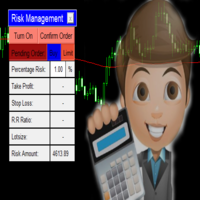
Every trading guru, every YouTube tutorial, every trading book and every experienced trader tells us to risk a certain predetermined percentage of our account on a trade. (This isn't gambling! They said). But what they don't tell us is the number of computations it takes to balance the calculations of lot size, percentage risk and risk reward ratio all while ensuring the stoploss is the right number of pips away. Enter The Forex Calculator. This Expert adviser is designed to make your trading s

这里是最大的自动交易应用商店。是自动交易和技术指标的开发人员能够获得他们辛勤工作应得奖赏的地方。在成功发布市场产品方面,很难高估标识,描述和截图的角色。如果应用设计简陋,潜在买家将很容易忽视它。决定性的购买之所以产生,得益于市场展窗上吸引眼球的产品标识。标识必须具有让潜在买家想要下载的吸引力。这就是恰当的设计是成功的关键的原因。 因为产品标识整体大小不能超过200x200像素(实际上在主要橱窗展示的大小比那个更小),在有限的空间充分展示是非常重要的,以便于潜在买家获得良好的第一印象。例如,让我们看一下EA交易。它不仅有一个设计精美的标识,并且在光标悬停的时候还会弹出主要理念的简要说明。 很好解决。

My Account Brokers Details List This script displays the account data and broker terms regarding its operation. For example, broker name, account number, financial leverage, account currency, automatic trading approval, minimum lot, lot step, maximum number of lot, margin call, stop out and many other important data. It is easier to display such data on the chart in one moment with a click of the mouse, than to look for it in the contract or call the broker. Details are printed not on the scree
FREE

Bitcoin Alert utility : This utility provides helpful Bitcoin infomation including : Order Book from 3 brokers Bitfinex, Binance and Bitmex help you make the decisions to open any long or short. https://c.mql5.com/31/424/bitcoin-alert-screen-7997.jpg
For retail traders, we couldn’t know the real incoming volume in currency market from big brokers. But in cryptocurrency, there are many brokers offer us the information. And from my perspective Bids and Asks volume from many bitcoin borker have a

Tradingscenes Trading Panel
How will Trading Panel work ? Trading Panel is created as an Expert Advisor, which will enable traders to set pending orders, or mass pending orders in different types Limit orders with additional functions for taking profit as partial, trailing stop and also taking profit with differences price levels; let’s explain in every single functions for you as following parts: Read the full description here: https://drive.google.com/file/d/10O10dBLLUcdT3MdPvKqO7L3CIFR

Introduction 'Virtual OCO Pending' - a semi automatic order management utility tool (expert adviser) with risk assessment which let's you quickly place pending stops or limits with a button click at current price with virtual take profit and stop loss using OCO pending rule (One Cancel Other). Visual levels drawn on chart for easy visual confirmation. You can use this utility from one single chart to send orders on any other symbol you want, no need to attach it to the corresponding chart (optio
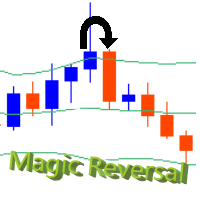
This utility will help you graphically to configure and setup your buy stops and sell stops by this EA. Instead of configure a SELL STOP or BUY STOP this EA will monitor a reversal trend just to open when getting CONFIRMATION about the reversal. STEPS:
1) Select a chart for the time desired to work the candles
2) Drag the EA to your chart
3) Press button "RESET". It will display all lines to configure our setup (Lines for buy stop, sell stop and stop loss/take profit for each).
These lines ar

A W Grids Maker служит для выстраивания сеток из отложенных ордеров. Утилита универсальная, имеет гибкие настройки и понятный интерфейс панели. Программа выстраивает сети из STOP и LIMIT-ордеров с необходимым шагом, использует мультипликатор объема позиции. MT5 версия -> ЗДЕСЬ / Решение проблем -> ЗДЕСЬ Преимущества: Использует отложенные ордера всех типов. Простая и гибкая настройка. Проработанная и многофункциональная панель утилиты. Продуманный информационный модуль Особенности работы:

Менеджер символов или Сеточный менеджер, разработан для группировки ордеров в одну позицию (по символу и по направлению). Эта утилита будет полезна сеточникам и мультивалютникам, тем у кого может быть открыто множество ордеров по нескольким парам. Вы сможете видеть общее количество лотов, общую прибыль, и устанавливать виртуальные стоплосс и тейкпрфит. Для установки реального ТП (или СЛ) необходимо сначала задать виртуальное значение, а затем ввести в этой ячейке команду: "set". Если вы хотите
VR Template Switcher это мощная утилита для работы с шаблонами графиков в терминале MetaTrader. Вам больше не нужно делать много действий для загрузки, сохранения и удаления шаблонов. Утилита VR Template Switcher позволяет сохранить текущий шаблон графика со всеми индикаторами, уровнями и настройками и загрузить другой в один клик. У Вас есть шаблоны для разных финансовых инструментов? VR Template Switcher при загрузке шаблона установит нужный период и финансовый инструмент. VR Template Switcher

The Expert Advisor will send notifications via Discord when orders are opened/modified/closed on your MetaTrader 4 account. - Send message and screenshot to Discord group/channel. - Easy to customize message. - Support custom message for all languages - Support full Emoji. - Send report Daily, Weekly, Monthly ( must show all history of orders )
Parameters - Discord url Webhook - create webhook on your Discord channel. - Magic number filter - default all, or input magic number to notify with
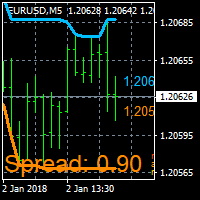
On Screen Display that shows highest highs and lowest lows on chart. Very helpful with manually trading.
DEFAULT SETTINGS (INPUTS) Highest high candle -10 meaning it goes back 10 candles on the timeframe you are on, to get the highest high point of that candle. Lowest low candle - 10 meaning it goes back 10 candles on the timeframe you are on, to get the lowest low point of that candle. Colors- you can change the colors of the lines. IT THEN TRACES THE LINE SO IT MAKES IT EASIER TO SEE WHATS
FREE
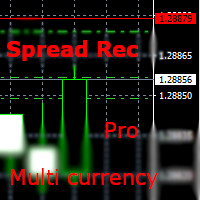
With this EA you are able to record the spread of any currency pair you place in the input parameter. Just drag and drop the EA to one currency. You can record all currencies from ONE chart. There is no need to open multiple charts! But fill the market watch with all specified symbols! Double click on the background of the panel. So you can move it to another position. parameters: RunEA >>> Rec yes/no right from the beginning Export Folder Export Filename Appendix >>> None / Date / Day of Week U
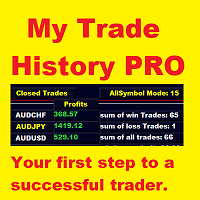
My Trade History PRO Разбор собственных сделок - первый шаг к тому, чтобы стать успешным трейдером. Успешные трейдеры не просто торгуют - они разбирают, анализируют и извлекают уроки из каждой позиции. My Trade History PRO делает такой разбор простым и наглядным. Торгуете ли вы вручную, по сигналам или с помощью советника - индикатор даёт полную историю ваших сделок прямо на графике вместе с практической аналитикой, для MetaTrader 4 и MetaTrader 5 с одинаковым набором функций. Версия MT4: https:

Closing partial open orders is very tricky strategy and users usually want to make this after few intervals of time. This Script does the exact opposite with entry point partial opennig in the beginning. It help us when we need to open three market positions with selected order type and favorite lot size if you choose to trade with percentage lot size exposure like 40% for 1st, 30% for second, 30%. for the 3rd. You can customize it with Take Profit, Stop Loss and more parameters.

If you want the system to work when the computer is turned off, you must use a VPN
"Partial exits" is a widely used expression in trading, more specifically in Trade Management.
Making a partial exit from the market means liquidating a fraction of the initial contracts of a market operation, for example, suppose that you buy one hundred thousand Euros, valued in American Dollars, or what is the same to say, you go long in EUR / USD with a standard lot (100K) and after half an hour of purchase
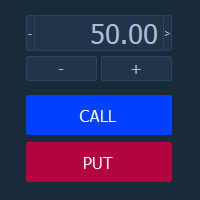
Торговая панель "BinaryOptionsPanel" предназначена для торговли бинарными опционами на платформе mt4.
Содержит в себе 4 блока:
Время экспирации Размер ставки Установка ордера Таблица ставок Так же на панели отображается торгуемый символ и таймер экспирации.
Ставка, как и таблица ставок, имеет два режима ручной и автоматический. Расчёт ставок производится по 4-м формулам.

Tool sends trades when open and close with chart to telegram channel. Tool can send multiple charts and magic numbers and pairs from a single chart. Send information of all type of orders: Opened (including Pending Orders), closed tiggered, and modified orders.
Telegram Setup instruction Open your Telegram APP and search for "BotFather". Type /start and click/type /newbot to create a new bot. Give your bot a nickname and username (e.g., nickname: Bestnavisignal and username: Bestnavisignal

Forex Trading Profit Panel allow you to place trades with easy peasy way with a maximum profit, it has many many features.
Advantages
You can choose any time period and it'll display all detail.
You can see your whole accounts details, the profit and loss with exact $figure and ratio as well.
Each pair shows the profit they've earned or lose,
The winning and losing trades
Winning VS losing %
and many more
Parameters
HTextColor- Heading Text color for the Account details
DTextColor - Details p

MarketSqueezeEURUSD EA Utility MarketSqueezeEURUSD EA Utility is an Utility EA that works in line with a particular Trading system to remove stress of measuring the pips for distance, take-profit and stop-loss. Upon just a click, it will open both the Buystop and Sellstop pending orders at once. The system states that whenever there is a squeeze market pattern on EURUSD on 15M Time-frame, just place an horizontal line on the highs of the long line of the squeeze and place another horizontal l
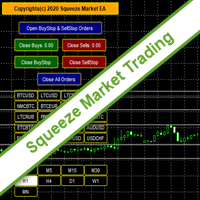
SqueezeMarket EA Utility is an Utility EA that works normally in the environment where the market direction could not be ascertained. It helps the trader to open both the Buystop and Sellstop pending orders at once.
After you see the market squeezed for a particular period on any currency pair, then, you will first of all plot an upper channel line on your chart window and do the same for the lower channel line, then open your SqueezeMarket EA Utility parameter settings by right clicking on the
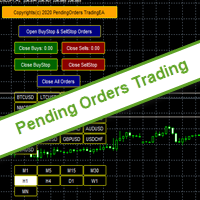
PendingOrders EA Utility is an Utility EA that works by opening both the Buystop and Sellstop pending orders at once.
When you get to a point where you can't really tell where the price will go next or after the release of a big news, what you need is simply plot your pending orders both up and down so that when the price move away from the point of stagnation, it will either move up or down, by this, you will catch most of the moves. All the default setting are defined as the System demands bu
Trade Clone MT4 EA
User description in MQL5 blog
New version 1.57 Read updates
MT5 version download here
With Trade Clone EA you can trade on multiple MetaTrader 4 and MetaTrader 5 accounts simultaneously, clone the trades of any trading robot from server account to your friends and family accounts. Note: All MetaTrader 4 and MetaTrader 5 must run in same computer, or you need copy the trade file to the Client computer. You can run multiple Trade Clone EA as server, and you can

Equity Protection EA MT4
Общие характеристики: Полный контроль над результатами торговой сессии. Контролирует общий результат для всех валютных символов, индексов, металлов, акций и т. Д. Контроль осуществляется над глобальным капиталом. Закройте все сделки по всем символам при достижении уровня прибыли или убытка. Изменяемые конфигурации как в количестве, так и в процентах. Защита результатов глобальным трейлинг-стопом. Запись достигнутых результатов за сессию (большее и меньшее эквити). Все ра

Action Scanner is a market scanner. It’s yet another product in my "Can’t trade with out it" series. Do you want to know what is moving right now? Action Scanner scans your watchlist and opens the 10 currently most moving charts. You can chose between, most moving in points, most moving in your account currency(if you were to trade it with a standard lot size 1.00) and most moving in percentage. The standard version is a complete tool with no limitations. However the pro version has additiona

In the current version this filter will only work with my night scalpers and the EA Profitection Filter or with other EAs that utilize the global variables set by this EA. An MT5 version is availalble here .
Many scalpers these days have a "normal" news filter, which filters calendar news such as interest rate decisions or CPI releases. However, this breaking news filter is able to filter non-standard breaking news. It will check every minute for news and if it finds a news event, it w

The EA Protection Filter ( MT5 version here ) provides a news filter as well as a stock market crash filter, which can be used in combination with other EAs. Therefore, it serves as an additional protective layer for other EAs that do provide such filters. During backtest analysis of my own night scalpers, which already use a stock market crash filter, I noticed that the historic drawdown, especially during stock market crash phases like 2007-2008, was reduced significantly by using such a fil

This utility is designed to help you with your Manual Trading. It allows different ways of closing trades. It can display total number of BUY and SELL orders individually and also their individual profits. It can enter trades without stopl loss and take profits. However upon selecting UseStopLossTakeProfit from the settings it can use best possible stop loss and take profits based on the market conditions. Upon selecting the CloseOppositeTrades from the settings it can close opposite trades. Fo

Disciplina disciplina, quante volte hai sentito dire che e' la chiave del successo nel trading
Tutto vero... ma facile a dirsi , difficile a farsi; sopratutto se sei il tipico trader che usa le lot size in maniera errata o peggio ancora si dimentica totalmente di inserire lo stop loss...
Zerodrawdown.com ti viene incontro con Companion un expert advisor per mt4 che: inserisce automaticamente dopo un tempo configurabile dall'apertura della posizione lo stop loss in tutti quei trade dove:ti sei

Пусть робот просканирует для вас весь рынок и найдет лучшие торговые возможности, пока вы живете своей обычной жизнью. Сканер отклонения рынка измеряет отклонение цен от заданного среднего значения в процентах. Рекомендуемая настройка для всех средних значений - 200 ПРОСТЫХ ПЕРЕМЕЩЕНИЙ В ДЕНЬ СРЕДНЕГО, однако любой параметр можно изменить по желанию - Сканер полностью настраивается. Есть возможность установить e-mail, MQL push или оповещение в случае нарушения определенного уровня отклонения це

EXTERNAL EA MANAGER - это программа, предназначенная для помощи в управлении торговлей. Если вы хотите, чтобы какой-либо советник прекратил торговлю в определенный момент, например в ПЯТНИЦУ вечером, и вы хотели бы сделать это удаленно и автоматически ... EXTERNAL EA MANAGER - программа для вас. Он деинициализирует весь терминал и все работающие советники. В процессе деинициализации есть возможность убить все сделки и открытые ордера. Вы можете использовать максимум 20 магических чисел.
FREE
Серия продуктов под маркой FiboPlusWave Готовая торговая система на основе волн Эллиотта и уровней Фибоначчи . Просто и доступно. Отображение разметки волн Эллиотта (основной или альтернативный вариант) на графике. Построение горизонтальных уровней, линий поддержек и сопротивления, канала. Наложение уровней Фибоначчи на волны 1, 3, 5, A Система алертов (на экран, E-Mail, Push уведомления). Особенности: не вникая в волновую теорию Эллиотта, можно сразу открыть один из возможных вариантов вхо

红盘手交易助手,该EA不会自动交易,属于辅助工具,参考4小时图表波动率参数,自动给订单设置止损和止盈,以及追踪止损。策略带有风控标准,如下<1K为50 >1K<1W为100, >1W<5W为500, >5W<10W为1000, >10<20为2000。最大的特色是资金管理和风控功能。显示信号为5日平滑均线方向,布林线中轨平仓功能,开仓警报提醒功能,手数资金恢复功能,该EA可以在历史数据测试时下单,所以它相当于复盘工具。注意EA会修改所不带止损和止盈品种的定单,并执行风控标准。EA参数经过实盘反复验证和优化,可以直接使用默认参数。 参数与功能: FixBuy_target 指定后统一修改当前品种所有多单的止盈价; FixSell_target 指定后统一修改当前品种所有空单的止盈价; 一比一恢复资金 默认不启用,启用盈利按固定亏损金额数字平仓; Boll_close_order 默认不启用,启用后价格遇到布林线(周期30)中轨平仓; Lots 设置固定手数,开启UseMM后无效; UseMM 默认启用资金管理; 风险系数 启用; ATR止损基数 默认按4小时
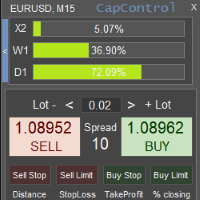
CapControl – это профессиональный подход к управлению капиталом. У каждого трейдера появляется возможность выйти на новый уровень своей торговли, т.к. с его помощью устраняются психологические барьеры, которые мешают полноценно торговать и максимизировать прибыль. 3 деструктивных психологических барьера: 1. Страх относительных рисков . Просадка в размере 10% на счёте в $100 это $10. Но те же 10% на счете в $5000 может психологически вывести трейдера из равновесия, т.к. в денежном эквивалент
MT4 To Telegram Signal Pro
MT4 To Telegram Signal Pro allows you to broadcast your trades to a Telegram Channel or Group.
Can be used to build, support and expand your own network of traders. A Group can have 200.000 members, A Channel can have an unlimited number of subscribers. The messages are send to Telegram in HTML5 format, which is the preferred language. Ability to broadcast newly opened trades, trades that were closed, and sending out status reports on set intervals. This EA also has

Welcome to MTS Trading Tools MTS Trading Tools are essential tools for your daily trading in Metatrader 4. MTS Trading Tools consists of: MTS Trading Panel for Metatrader MTS Trading Journal for Windows Every registered user of MTS Trading Panel gets MTS Trading Journal for Windows.
MTS Trading Panel MTS Trading Panel is the essential tool you need for your daily trading in Metatrader: Faster and safer execution of trades with an easy to use input mask. Minimize type errors with automati
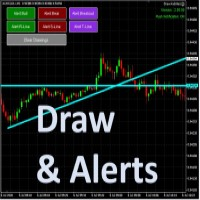
Draw your technical lines, click and received system alert on your MT4 Platform, or on your mobile phone. No longer need to sit in-front on your screen to wait for prices. Supported : 1. Support Line - alert when price is near drawn support line. Current price above drawn line. 2. Resistance Line - alert when price is near drawn resistance line. Current price below drawn line. 3. TrendLine - alert when price is near drawn trendline. 4. Breakout Lines - alert when price crosses and closed

Are you a multipair / multitimeframe chartist ? If so, this tool is specially designed for you! Squeeze the most out of your charts!
This tool allows you to quickly link your charts into groups, so that you can quickly change the symbol / timeframe of all the selected charts at once. No need for visual panels or anything to clutter your chart space anymore!
Sit back and take advantage of your keyboard when trading ! Use the Up / Down arrows to change the Symbol, and the Left / Right arrows to

The Expert Advisor will help you forward all alert from MetaTrader 4 to discord channel. Parameters Discord url webhook - create webhook on your discord channel. Use multi webhook url - use file to input multi webhook url, with each line, input one link, input symbol before link to send only alert from the symbol to the channel. Example: EURUSD=link1 Forward alert - default true, to forward alert. Send message as caption of screenshot - default true, one message include alert and screenshot For
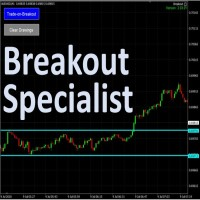
The tool is specialized in trading breakouts strategy, it is the easily way to trade breakouts. Works on Strategy Tester too. Usage: 1. Draw the two lines the price is ranging (consolidating). 2. Click on the "Trade-on=Breakout". 3. The EA will monitor for price breakouts of the drawn lines. 3. It will enter the trade automatically upon next confirmation candle. Other features: -- Either a fixed lot size or a dynamic calculated lot size based on risk percentage. -- Configurable Take-Pro

Easily trade chart patterns and trendlines you draw on the chart.
You can trade :
Harmonic Patterns By using Buy the Support / Sell the Resistance
Breakout Patterns By using breakout lines
You can trade :Triangles (Symmetrical, Ascending, and Descending),Flags,Double Top and Double Bottom,Head and Shoulders and Inverse Head and Shoulders,Rising and Falling Wedges,Bullish and Bearish Rectangles,Bearish and Bullish Pennants (Symmetrical, Ascending, and Descending),Trendline breakouts,Cup with

Dashboard Trading Pro is tools to help you with manual trading.
Feature : 1. You can create an order where the lot size will be automatic calculate from the percentage balance at stake if you lose. 2. You can specify how many pips for stop loss and Take Profit. 3. You can close all trades for active pair . 4. You can close all trades for all pairs. 5. You can set alerts when the equity loss reaches a certain percentage.
6. Information for today profit/loss in percentage and value. 7. Inform

Отличная панель для аналитики рынка. Панель помогает анализировать значения индикатора Bollinger Bands и цены.
С помощью данной панели вы сможете: смотреть текущий сигнал с Bollinger Bands по всем таймфреймам; смотреть текущий сигнал с Bollinger Bands по разным символам; смотреть на каком расстоянии находится Bollinger Bands от цены; смотреть на сколько изменилось значение Bollinger Bands; несколько типов сигналов для аналитики.
Значения в ячейке таблицы (переключается кнопкой на графике):

Отличная панель для аналитики рынка. Панель помогает анализировать значения индикатора Envelopes и цены.
С помощью данной панели вы сможете: смотреть текущий сигнал с Envelopes по всем таймфреймам; смотреть текущий сигнал с Envelopes по разным символам; смотреть на каком расстоянии находится Envelopes от цены; смотреть на сколько изменилось значение Envelopes; несколько типов сигналов для аналитики.
Значения в ячейке таблицы: значение Envelopes верхняя линия; значение Envelopes нижняя лини

With this Utility you will have the option to see trading information’s on your chart.
It will show you your Profit (Total Profit) BuyProfit/SellProfit and Count the different types of trades you made.
You can specify if its only going to count the symbol or if you use lots of EA’s you can set UseMagicnumber to true and then specify which magic number you want the information to show.
When using UseMagicnumber it filters by Symbol and Magic Number. This means if you have an EA without a Infor

when using EA you do not need to set SL and TP. EA will look for orders that are already running and then execute them. EA will move the SL to the entry point when price move is 30pip. after the price goes 40pip EA will move SL to 20pip. then EA will move SL every 20pip. How it works: https://msg1.mql5.com/attach/0x01D65EA5DDD93801 You can see how to install EA : HERE . You can get 70% rebate when trade with Hotforex: HERE Channel Rebate: Click Stay tuned for my next EA.

Introduction
News is basic requirement for trading now a days. Due to its biased impact on the market a trader should be proactive to deal such scenarios before they arises. In this news alert indicator you have multi currency option to scan news for different pairs and notify you on Telegram, email, mobile push notification and chart alert. You can turn on/off any of the alert you need. It has two different option one is alerting you X min (user input) before the news and second is alerting you

Это полуавтоматический советник, не использующий никаких индикаторов и параметры просты.
Включает в себя мастер-ордер (первый ордер, который вы загружаете на график на покупку или продажу) и вы можете использовать два обратных ордера для хеджирования.
Главный ордер : Называется начальным ордером (при достижении SL советник останавливает торговлю, пока вы не перезапустите его на графике).
Первый обратный ордер : Открывается напротив основного ордера на желаемом расстоянии пун

Risk Order Panel
Торговая панель для выставления отложенных ордеров при ручной торговле. Панель позволяет не задумываться о расчетах параметров ордера, типа сделки, размера лота. При необходимости выставления ордера достаточно мышью определить точки входа, Stop Loss, Take Profit, указать сумму риска и нажать на кнопку выставления ордера. Всё остальное панель сделает сама.
Основные возможности: Установка точек входа, Stop Loss, Take Profit путем перетаскивания линий прямо на графике. Автоматиче

This EA Utility allows you to manage (with advanced filtering) unlimited open orders (manual or EA) with 16 trailing stop methods: fixed, percent, ATR Exit, Chandelier Exit, Moving Average, Candle High Low Exit, Bollinger Bands, Parabolic, Envelope, Fractal, Ichimoku Kijun-Sen, Alligator, Exit After X Minutes or Bars, RSI and Stochastic. The trailing stop can be either real or virtual, and you can exit fully or with a partial close percent on touch or bar close.
Moreover, you can add (overrid

Отличный Мультиплатформенный Копировщик сделок. Сам пользуюсь регулярно на VPS (Копирую из Mt5 в Mt4).
Мультиплатформенность: копирование из MetaTrader 4 в MetaTrader 4; копирование из MetaTrader 4 в MetaTrader 5; копирование из MetaTrader 5 в MetaTrader 4; копирование из MetaTrader 5 в MetaTrader 5.
Режимы работы: master - текущий терминал - источник сделок (с него копируются сделки); slave - текущий терминал - приемник сделок (на него копируются сделки). from myself - режим "

Time Line (Traders Club)
機能: 昨日高値、安値、本日始値、高値、安値の時間から線を引きます。 時間足により表示する時間が変わります。 1分、5分足では1時間ごとの表示 15分、30分足では4時間ごとの表示 1時間、4時間は12時間ごとの表示 日足以降は時間は表示されません。 高値安値は週足より下位足で表示されます。 各ラベルを変更可能になります。 更新頻度を変更できるのでチャート表示が 重くなることはありません。
各パラメータの説明: Difference hours form Server Time: サーバとの時間差を入力します。 Yesterday High Label:昨日高値のラベルを設定します。 Yesterday Low Label:昨日安値のラベルを設定します。 Show open line:true 始値の線を表示するかどうか Today Open Label:本日始値のラベルを設定します。 Today High Label:本日高値のラベルを設定します。 Today Low Label:本日安値のラベルを設定します。 Lim

Ultimate No Nonsense FX Backtester - You can Run Forward Test Simulation with this tool! Do Not Download the Demo Here, Please Read Below!
Step by Step Manual Guide PDF for this backtester PDF List of Commands(Shortcuts) for this backtester
Ultimate NNFX Backtester is a powerful utility tool that significantly reduces the length of backtesting process for NNFX followers. As well as for Forex traders that operates their entries and exits at the close of a candle and manage the risk using ATR.

Отличная удобная панель для аналитики рынка.
С помощью данной панели вы сможете: смотреть сигналы с различных индикаторов по всем таймфреймам ; смотреть сигналы с различных индикаторов по разным символам .
В данной панели: 9 индикаторов (10 в версии Mt5); 27 сигналов (29 в версии Mt5); Страница с "итогами".
Индикаторы и сигналы: MOVING AVERAGE MA cross Price - пересечения MA и цены; MA more/less Price - MA выше/ниже чем цена; BOLLINGER BANDS BB crosses Price (in) - цена пересекает Bo
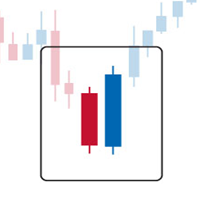
Engulfing Dashboard is a forex system that can help you generate forex profits easily without having to work hard to learn forex knowledge because this Dashboard is complete with all the facilities and functions that are sophisticated and effective.
This system is made based on Supply and Demand techniques to measure Market Direction (trend) more accurately than using indicators such as Moving Average, MACD, trendline and so on. It is made using a certain formula so that the accuracy of the mar

Утилита предназначена для закрытия и удаления позиций при достижении указанных значений убытка/прибыли в валюте/процентах от депозита. На графике отображается панель с информацией: прибыль/убыток на счете, количество открытых позиций, суммарные позиции в лотах. Параметры SHOW THE DASHBOARD - Показ информационной панели: TRUE - Да, FALSE - Нет. CURRENCY PAIRS - Валютные пары: TRUE - Все, FALSE - Текущая. STOP PROFIT IN $ OF THE DEPOSIT - Значение прибыли в валюте депозита. STOP LOSS IN $ OF
FREE

Introduction
What should be the Lot Size of our next trade ? is a very common and an important question. We don't want to burn our account by placing higher lots or neither want less profit by placing small lots even when we have capacity to place a reasonable lot size. The Risk Lot Calculator is a simple and efficient small tool that will assist your trading and help you choosing lot size by risking your account balance of your own choice. It will tell you how much lot size will risk your how

Angry Bull Option Binary
This is a Binary Options robot, which contains 7 strategies, you can backtest it to check what the best strategies are Settings Initial Batch Value Dynamic Investment = If activated it will use an automatic lot according to its capital Balance ($) w/ backtest = Starting balance to backtest PorcRiscoInvestment = It will be the value of % for the automatic lot if it is activated Expiration (in minutes) = It will be the expiration time of orders in Binary Options Magic

Utility for know all informations and settings of account where the platform is connected The informations that you can know are for example:
- The difference from server time and time of your PC
- The limit orders that you can place at market
- The credit that you have
- The stopout mode of your broker
- The exact name of company of your broker
and other informations
FREE

Utility for know the performance of your acoount. From dialog you can filter data in this modes: - You can include or not include the open positions
- You can include or not the closed positions
- You can filter the data by date (from, to)
- You can filter the data by simbols (multi selection)
- You can filter the data by magic number (multi selection) On bottom of table, are show the total of: - Number of data
- Total size
- Total commissions paid
- Total swap paids
- Total profits
- Total net

Utility for know all informations and settings of terminal where the utility is loaded. The informations that you can know are for example:
- The path of folder where the terminal start
- The path of folder where the terminal store the indicators, experts advisors etc
- The path of common folder
- The permission to use DLL, to automated trading etc
- The permission to send email, FTP or notifications to smartphone
and many other informations
FREE

Script to load on chart the orders, starting from "Signal history report" downloaded from MQL5. If you found a good signal on "Signals" section of this site and you want to see the history orders on chart, you can do it, following this steps: - Download the csv file of history orders - Copy file in the common folder - Launch the script and set the input that are: - Report type (MT4 or MT5) - File name - Delimiter (default is ;) - Name of symbol to load (if symbol on file is for example EURUSDi,
FREE

Utility for know all informations and settings of all symbols available on your broker The informations that you can know are for example:
- Spread
- Digits
- Tick value
- Size step
- Size minimum
- Size maximum
- Swap buy and sell
- Margin required (for 1 standard lot)
- Rollover day
- Execution mode
and many other informations You can filter the symbols by group or you can also choose to see the informations only of symbols available on market watch.
FREE

Отличная панель для аналитики рынка. Панель помогает анализировать значения индикатора MACD и его сигналы.
С помощью данной панели вы сможете: смотреть текущий сигнал с MACD по всем таймфреймам; смотреть текущий сигнал с MACD по разным символам; смотреть текущее значение MACD (главная и сигнальная линия); смотреть расстояние между главной и сигнальной линией; несколько типов сигналов для аналитики.
Значения в ячейке таблицы: значение Macd главная линия; значение Macd сигнальная линия;
г

Smart Trendline Order is an EA to set pending orders using Trendline from your chart. Main Features: 1 . Create Invisible or Visible pending order. Visible pending order means, it will open BuyLimit/SellLimit/BuyStop/SellStop and update the OpenPrice along the Trendline. 2 . Identify BuyLimit/SellLimit/BuyStop/SellStop if you change line direction above or below running price. 3 . Delete previous pending order and open new pending order if you change line direction above or below running price.
MetaTrader Маркет позволяет максимально безопасно покупать программы для платформы MetaTrader. Вы можете скачать демо-версии понравившихся роботов и индикаторов прямо из терминала и проверить их в тестере стратегий.
Протестируйте программы в различных режимах перед покупкой для получения максимального представления о продукте и оплатите понравившийся продукт через платежную систему MQL5.community.
Платежная система MQL5.community обеспечивает оплату продавцам, а возможность тестирования программ в различных режимах позволяет покупателям получить максимальное представление о продукте.

Вы упускаете торговые возможности:
- Бесплатные приложения для трейдинга
- 8 000+ сигналов для копирования
- Экономические новости для анализа финансовых рынков
Регистрация
Вход
Вы принимаете политику сайта и условия использования
Если у вас нет учетной записи, зарегистрируйтесь