Midas EventLens
- 지표
- 버전: 1.0
- 활성화: 5

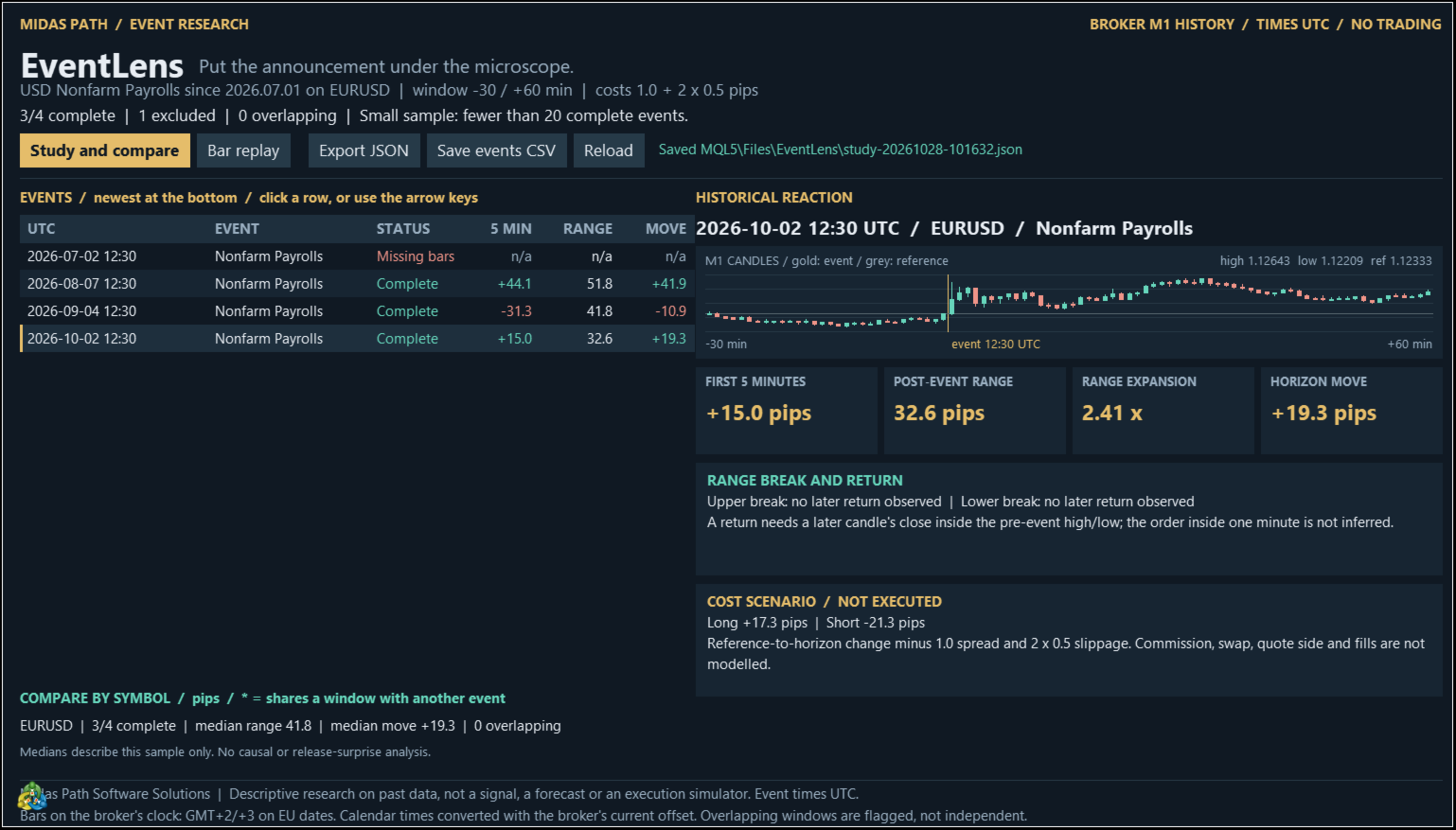
Midas EventLens is an economic-event research desk for MetaTrader 5. Select past releases from the terminal's built-in economic calendar, or import your own UTC event list, and inspect the surrounding one-minute candles from your broker. Compare reactions and replay a window one minute at a time. This indicator never opens, changes or closes trades.
Study past reactions
- Choose a currency and event name, a start date, a symbol and an importance filter. Exact event-name matches take priority; a partial name may match multiple event series. Separate several names with semicolons.
- Measure the first five-minute move, post-event range, range expansion and move at the end of your selected window.
- Inspect whether a break of the pre-event range was followed by a later close back inside it. The sequence within a one-minute candle is not inferred.
- Compare complete-event counts and median reactions by symbol. Overlapping event windows are flagged and are not independent samples.
Replay and evidence
- Reveal post-event candles one minute or five minutes at a time. The replay plot hides later candles; the study table and full export still contain final results, so this is not a blind trading test.
- Export JSON with settings, source, input hash, results, exclusion reasons and the candles used.
- Save the event list as CSV for a repeatable study. Files are saved under MQL5/Files/EventLens in the terminal data folder.
Inputs and data
- Calendar mode uses the terminal's economic calendar and needs an online terminal. Event names follow the terminal's calendar language.
- CSV mode reads a UTF-8 file under MQL5/Files with the exact header utc,symbol,event. Use UTC timestamps such as 2026-10-02T12:30:00Z and exact broker symbols, including suffixes.
- A study accepts at most 200 events and eight symbols. Calendar mode keeps the most recent 200 matching past releases.
- Choose 1-240 minutes before and 5-240 minutes after the event. The first five-minute measure uses the fifth post-event close relative to the last pre-event close.
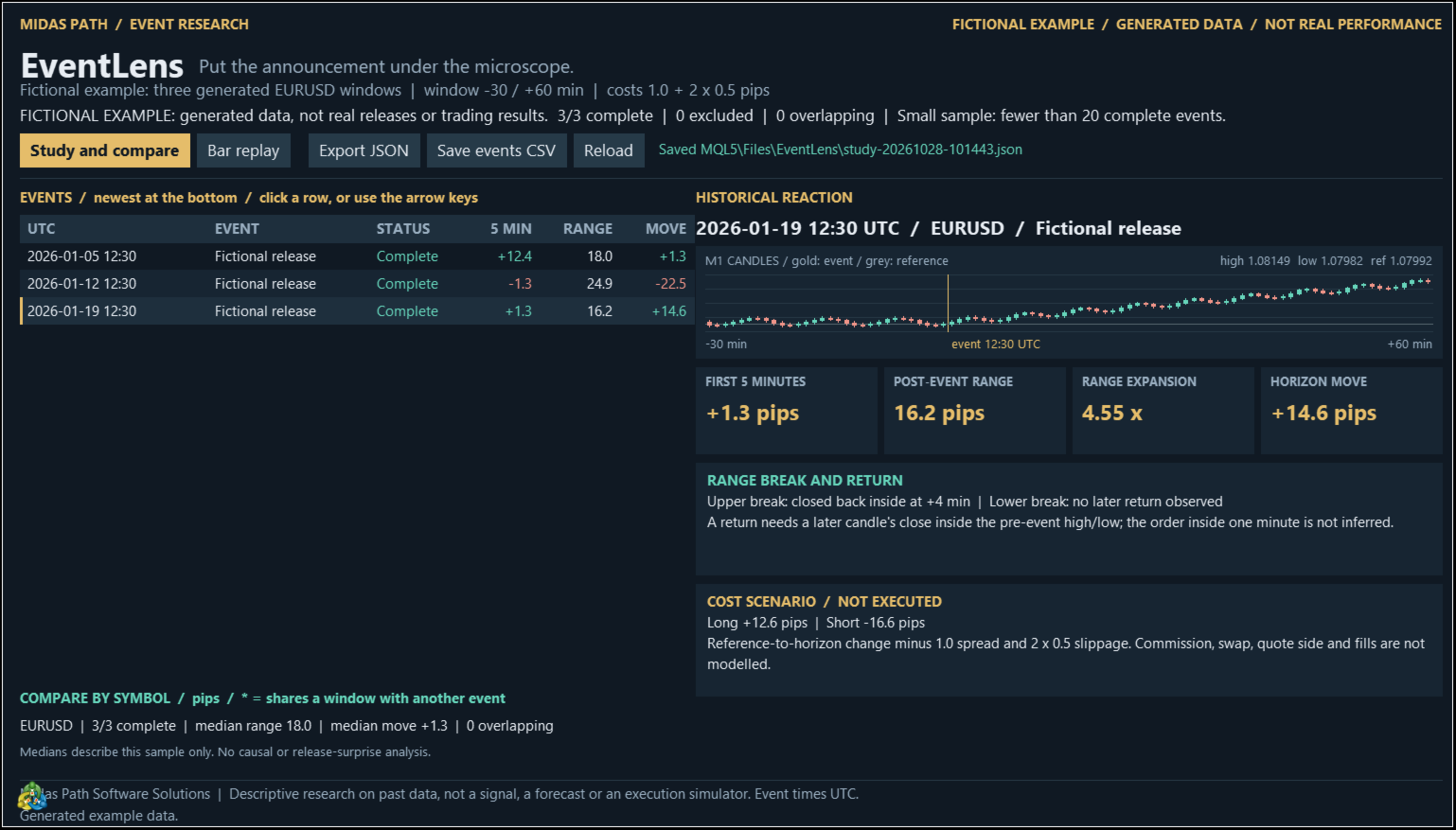
- A fictional example is included and clearly labelled. The Strategy Tester displays this generated example, not a historical calendar backtest.
History and clock limits
- Every one-minute bar in a window must exist and be closed. Incomplete, missing or invalid windows are excluded without filling gaps. An old event may exceed the terminal's Max bars in chart setting or the history supplied by your broker.
- Calendar timestamps use the current server offset. Historical bar timestamps use the selected broker-clock rule. Automatic clock detection is an estimate: confirm the broker's daylight-saving convention, or explicitly select New York close, EU daylight saving, a fixed offset or UTC.
- Maximize the chart: the research desk needs at least 1200 by 760 chart pixels at the default font. Increase screen space for larger fonts.
Interpretation
- These are descriptive historical observations, not a prediction, trading signal or proof of an edge. Small samples and overlapping events limit interpretation.
- Hypothetical long and short figures deduct the supplied spread plus slippage on both sides. They do not model commission, swap, quote side or execution and are not actual trading results.
- No DLL, separate API key or external subscription is required. Calendar coverage and broker history determine which events can be studied.