제품 게시

Currency Pulse — MetaTrader 4용 통화 강약 순위 패널 용도 Currency Pulse는 차트 위의 하나의 콤팩트한 패널에서 지금 어떤 통화가 강하고 어떤 통화가 약한지를 여러 시간대에 걸쳐 동시에 보여 줍니다. 이 순위를 바탕으로 통화 간 괴리가 가장 큰 통화쌍을 알려 줍니다. 강한 통화를 매수하고 약한 통화를 매도하는 방식입니다. 인디케이터는 적용된 차트의 종목과 무관하게 작동합니다. MT5 -version: https://www.mql5.com/en/market/product/200977
작동 방식 선택한 통화들은 활성화한 각 시간대에서 서로 비교되어 강한 순서대로 정렬됩니다. 색상 막대는 움직임의 크기를 나타냅니다. Total 열은 모든 시간대를 각 통화의 하나의 종합 점수로 합칩니다. Open chart 열은 순위에서 가장 유망한 통화쌍(강한 통화 대 약한 통화)을 골라 방향(buy 또는 sell)을 표시합니다. 행을 클릭하면 차트가 열립니다. 사용

Elliott Live 는 MetaTrader 5용 인디케이터로, 과거 차트와 현재 봉 모두에서 엘리엇 파동을 자동으로 표시합니다. 완성된 파동은 실선으로, 형성 중인 파동은 점선과 물음표 라벨(예: "3?")로 그려지며, 피보나치 목표 구간과 무효화 레벨도 함께 표시됩니다. MT5-version: https://www.mql5.com/en/market/product/200604
작동 방식 먼저 스윙(ZigZag)을 만듭니다. 가격이 극값에서 ATR × 배수 이상 되돌림하면 반전으로 인식합니다. 마지막 점은 현재의 극값으로, 아직 확정되지 않았으며 움직일 수 있습니다. 이 스윙 위에서 엘리엇 규칙에 따라 충격파 1-2-3-4-5를 찾습니다. 2파는 1파의 시작점을 넘지 않고, 3파는 가장 짧은 파동이 되지 않으며, 4파는 1파의 영역에 들어가지 않습니다. 충격파 다음에는 조정파 A-B-C를, 그다음에는 다음 충격파를 찾습니다. 최근 스윙이 패턴의 일부(예: 1-2)만 이루고 있으

Smart Phase Box (SPB) — Indicator Description Smart Phase Box automatically locates consolidation zones (bases, flats) on the chart and analyzes the candle microstructure inside each zone — wicks, tick volume, body-to-range ratio, and where price closes relative to the zone — to estimate whether the zone looks more like accumulation (buyers absorbing supply) or distribution (sellers absorbing demand), based on classic Wyckoff / Smart Money concepts. MT5-version: https://www.mql5.com/en/market/p

%R TREND EXHAUSTION INDICATOR - USER GUIDE The indicator displays three Williams %R lines (Fast, Slow, Average) in the range from 0 to -100 and generates visual signals when extreme zones are reached.
INDICATOR ZONES Overbought zone: above -20 Middle zone: from -20 to -80 Oversold zone: below -80 TRADING SIGNALS ARROW UP (blue) - MAIN BUY SIGNAL Appears when both lines (Fast and Slow) simultaneously exit the oversold zone. Indicates upward trend reversal, exh

TrendMorph — 진입 화살표가 있는 적응형 추세 지표
개요 TrendMorph는 색깔 선으로 추세 방향을 보여 주고, 전환 지점을 Buy/Sell 화살표로 표시하며, 각 신호에 신뢰도 점수와 Stop/Target 레벨을 제공합니다. 현재 시장 상태에 맞춰 선의 민감도를 자동으로 조정할 수 있어, 같은 설정으로 잔잔한 시장과 변동성이 큰 시장 모두에서 사용할 수 있습니다. 차트에는 정보 패널이 표시되고, 중요한 값은 모두 EA용 버퍼로 제공됩니다. MT4-version: https://www.mql5.com/en/market/product/202707
작동 방식 추세선은 가격을 따라갑니다. 파란색은 상승 추세, 빨간색은 하락 추세입니다. 추세가 전환되고 신호가 필터(RSI, 거래량, 레벨 품질, 신호 간격)를 통과하면 화살표가 나타납니다. 화살표는 봉이 마감된 후 그려지며 이후에는 이동하거나 사라지지 않습니다. Auto-Tune을 켜면 선의 민감도(Band Width와 S
FREE

목표 수익 도달 시 자동 수익 실현 EquityTargetCloser — 는 MetaTrader 5용 유틸리티 전문가 어드바이저(EA)로, 순자산(Equity)이 현재 잔고를 지정된 수익 금액만큼 초과하면 모든 시장 포지션을 청산하고 예약 주문을 삭제합니다. 모든 포지션을 청산한 후 목표는 자동으로 상향 조정됩니다. 새 임계값 = 새 잔고 + 지정된 수익. EA는 거래를 시작하지 않고 기존 포지션만 관리하여 수익을 확실하게 고정하고 축적된 자금을 보호합니다. MT5-version: https://www.mql5.com/en/market/product/169839
작동 방식 전문가 어드바이저는 순자산(Equity) 을 동적 목표와 지속적으로 비교합니다. 목표 = 현재 잔고(Balance) + plusMoney (미국 달러). 순자산이 이 금액 이상이 되면 보호 기능이 작동합니다. 모든 시장 포지션 (모든 심볼)을 청산합니다. 매개변수 Delete p

Rating Meter: 26개 지표를 하나의 종합 레이팅으로 Rating Meter 는 인기 있는 26개 지표의 신호를 자동으로 계산해 "매도 / 중립 / 매수"라는 간단한 레이팅으로 종합해 줍니다. 지표 창을 하나하나 열어 수치를 직접 비교할 필요가 없습니다. 패널을 한 번만 보면 선택한 시간대에서 시장이 어느 쪽으로 기울어 있는지 알 수 있습니다. Our products: https://www.mql5.com/en/users/trendhunter/seller 패널에 표시되는 내용 Oscillators 게이지: 11개 오실레이터 그룹의 레이팅입니다. RSI, Stochastic, CCI, ADX, Awesome Oscillator, Momentum, MACD, Stochastic RSI, Williams %R, Bulls/Bears Power, Ultimate Oscillator가 포함됩니다. Moving Averages 게이지: 15개 추세 지표 그룹의 레이팅입니다. 기간 10
FREE

TrendMorph — 진입 화살표가 있는 적응형 추세 지표
개요 TrendMorph는 색깔 선으로 추세 방향을 보여 주고, 전환 지점을 Buy/Sell 화살표로 표시하며, 각 신호에 신뢰도 점수와 Stop/Target 레벨을 제공합니다. 현재 시장 상태에 맞춰 선의 민감도를 자동으로 조정할 수 있어, 같은 설정으로 잔잔한 시장과 변동성이 큰 시장 모두에서 사용할 수 있습니다. 차트에는 정보 패널이 표시되고, 중요한 값은 모두 EA용 버퍼로 제공됩니다. MT5-version: https://www.mql5.com/en/market/product/202699
작동 방식 추세선은 가격을 따라갑니다. 파란색은 상승 추세, 빨간색은 하락 추세입니다. 추세가 전환되고 신호가 필터(RSI, 거래량, 레벨 품질, 신호 간격)를 통과하면 화살표가 나타납니다. 화살표는 봉이 마감된 후 그려지며 이후에는 이동하거나 사라지지 않습니다. Auto-Tune을 켜면 선의 민감도(Band Width와 S
FREE
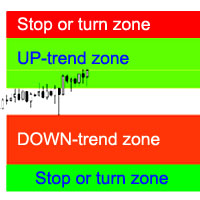
지표는 가장 가능성이 높은 추세 정지/반전 영역, 확실한 추세 이동 영역을 계산합니다.
계산은 다음을 고려합니다.
가격 변화율; 차트의 상대 편차 각도; 가격 움직임의 평균 진폭; "안락 지대"를 떠나는 가격; ATR 표시기의 값. 가격이 정지/반전 영역에 들어갈 때 표시기가 경고를 생성할 수 있습니다. 설정 전체 길이를 그립니다. - 차트가 끝날 때까지 영역을 그립니다. 정지 상승 추세 표시 - 상승 추세의 정지/반전 영역을 표시합니다. Show UP-trend - 자신감 있는 상승세 영역을 표시합니다. 하락 추세 표시 - 확실한 하락 추세 영역을 표시합니다. 정지 하락 추세 표시 - 하락 추세의 정지/반전 영역을 표시합니다. 영역 변경 경고 - 가격이 추세 중지/변경 영역에 들어갈 때 경고를 생성합니다. 다음은 각 거래 영역에 대한 색상 설정입니다.

Pivot Tide — 파동 피벗, 자동 추세선, 추세선 기반 추세 방향 판단 Pivot Tide 는 MetaTrader 4용 인디케이터입니다. 차트를 자동으로 파동 단위로 나누고, 각 파동의 고점과 저점에 마커를 표시하며, 이를 이어 추세선을 그리고, 추세선의 상태로 추세 방향을 판단합니다. 모든 내용은 차트 위에 바로 표시되며, 간결한 정보 패널도 함께 제공됩니다. 모든 종목, 모든 시간 프레임에서 사용할 수 있습니다. MT5-version: https://www.mql5.com/en/market/product/199662
기능 파동을 감지합니다. 파동은 두 이동평균선의 관계로 정의됩니다. 빠른 SMA와 느린 LWMA입니다. 빠른 선이 느린 선 위에 있는 동안은 상승 파동, 아래에 있는 동안은 하락 파동입니다. 피벗을 표시합니다. 파동이 끝나면(이동평균선이 교차하면) 그 극값에 마커를 놓습니다. 상승 파동의 고점 또는 하락 파동의 저점입니다. 추세선을 그립니다. 연속된 같은

How the Indicator Works MultiMarket Direction is a powerful and versatile indicator for the MetaTrader platform, designed to help traders visualize market trends and identify potential entry points. By combining time-tested technical analysis tools such as Exponential Moving Averages (EMAs) and high/low levels, this indicator provides a clear and comprehensive view of market dynamics. The indicator displays the following on the chart: EMA 21, EMA 81, and EMA 200 : Three moving averages with cust

AlphaCore System is a professional trading advisor for MetaTrader 4 , utilizing a trading strategy based on dynamic analysis of local extremes and statistical breakout forecasting . === Buy AlphaCore System for MT5 and get AlphaCore System for MT5 for free! === For more details, contact me via private message! Trading Concept The advisor operates using the methodology of adaptive price corridors .
The system continuously monitors the formation of local liquidity accumulation zones

MasterUS30 - Automated Trading System for US30 MasterUS30 is a professional trading advisor developed specifically for trading the US30 index (Dow Jones Industrial Average) . The system uses a comprehensive technical analysis algorithm to identify trading opportunities and manage positions. Low price, high quality! Fast code! No chart decorations, as they slow down performance! Check the advisor's performance on real ticks in MT5 : https://www.mql5.com/en/market/product/156804 The advisor can

Smart Wave Trend Analyzer 스마트 웨이브 트렌드 분석기 웨이브 분석과 프랙탈 패턴을 기반으로 고품질 추세선을 자동으로 식별하고 그리는 고급 추세 감지 시스템입니다. MT5-version: https://www.mql5.com/en/market/product/164383
주요 구성 요소: 1. 메이저 라인 (파란색/빨간색, 굵은선) SMA(70)와 LWMA(10) 교차를 기반으로 한 장기 추세 가격 움직임에서 주요 고점과 저점을 식별 파란색 선 = 저항 (고점 연결) 빨간색 선 = 지지 (저점 연결) 스윙 트레이딩과 포지션 트레이딩에 적합 2. 마이너 라인 (청록색/주황색, 얇은선) SMA(21)와 LWMA(4) 교차를 기반으로 한 단기 추세 빠른 시장 움직임 포착 청록색 선 = 저항 (고점 연결) 주황색 선 = 지지 (저점 연결) 데이 트레이딩과 스캘핑에 이상적 3. 프랙탈 라인 (녹색/보라색, 중간 굵기) 여러 프랙탈 포인트를 통과하는 추세선의 자동 감지

Dual View HTF Patterns Pro 는 프라이스 액션(Price Action)과 멀티 타임프레임 분석을 중시하는 수동 트레이더를 위해 설계된 하이엔드 분석 도구입니다. 하위 시간대 차트에서 상위 시간대(HTF)의 시장 구조와 캔들 패턴을 직접 모니터링할 수 있게 함으로써 트레이딩 시 발생하는 "터널 시야" 문제를 효과적으로 해결해 줍니다. MT5-version: https://www.mql5.com/en/market/product/166759 왜 이 지표가 필요한가요? M15나 H1과 같은 낮은 시간대에서의 매매는 일봉이나 주봉 등 상위 시간대의 맥락과 일치할 때 훨씬 더 효과적입니다. 이 지표는 상위 시간대의 흐름을 시각화하여 강력한 상위 시그널에 역행하는 매매를 방지해 줍니다. 차트를 계속 전환할 필요가 없어 시간을 절약하고 작업 공간을 깔끔하고 전문적으로 유지할 수 있습니다. 주요 특징: 히스토리컬 HTF 오버레이: 현재 차트에 상위 시간대(예: 일봉) 캔들의

이 지표는 시장이 현재 어떤 상태에 있는지(상승 추세, 하락 추세, 횡보)를 보여줍니다. 상태는 가격 차트 위에 색상 영역으로 직접 표시되며, 정보 패널에도 같은 내용이 표시됩니다. MT5 version: https://www.mql5.com/en/market/product/70409
차트 읽는 방법 청록색 영역 — 상승 추세. 빨간색 영역 — 하락 추세. 회청색 영역 — 횡보. 영역은 두 개의 선으로 구분됩니다. 굵은 선은 느린 선, 가는 선은 빠른 선입니다. 두 선 모두 시장 상태에 따라 색이 바뀝니다. 경계에서 상태가 깜빡이지 않습니다. 시장이 새로운 상태로 확실하게 전환되어야 색이 바뀝니다. 활용 방법 거래 필터. 영역이 추세 색을 띠는 동안에는 추세 방향으로 거래하고, 횡보가 나타나면 거래를 줄이거나 전략을 바꿉니다. 전략 선택. 추세에서는 진행 방향 진입이나 조정 구간 진입이 적합합니다. 횡보에서는 박스권 경계에서의 거래나 돌파 대기가 적합합니다. 국면 전환. 횡보에

Confluence Meter: 26개 지표를 하나의 종합 레이팅으로 Confluence Meter 는 인기 있는 26개 지표의 신호를 계산해 "매도 / 중립 / 매수"라는 간단한 레이팅으로 종합해 줍니다. 수십 개의 창을 열어 수치를 직접 비교할 필요가 없습니다. 패널을 한 번만 보면 선택한 시간대에서 시장이 어느 쪽으로 기울어 있는지 알 수 있습니다. MT5-version: https://www.mql5.com/en/market/product/199466
Our products: https://www.mql5.com/en/users/trendhunter/seller 차트에 표시되는 내용 Oscillators 게이지. 11개 오실레이터의 레이팅입니다. RSI, Stochastic, CCI, ADX, Awesome Oscillator, Momentum, MACD, Stochastic RSI, Williams %R, Bulls/Bears Power, Ultimate Oscillat
피보나치 확장의 힘을 발휘하여 더 스마트한 트레이딩을 실현하세요
피보나치 확장 도구로 트레이딩 전략을 한 단계 업그레이드하세요. 이는 기술적 분석의 강력한 무기입니다. 이 지표는 검증된 피보나치 수열을 기반으로 하여 중요한 지지선과 저항선을 정확히 식별합니다. 주요 고점 또는 저점에서 23.6%, 38.2%, 50%, 61.8%, 100%의 피보나치 비율을 확장함으로써 시장 움직임을 자신 있게 탐색하려는 트레이더에게 명확하고 실용적인 통찰력을 제공합니다. MT5-version: https://www.mql5.com/en/market/product/139812 이 도구의 특별한 점은 무엇인가요?
피보나치 확장 지표는 기본적으로 10일의 회고 기간을 사용하여 해당 기간 내 최고가와 최저가를 식별하고, 다섯 개의 정확한 확장 레벨을 계산합니다. 그런 다음, 이 레벨을 차트에 표시하여 잠재적인 돌파 목표와 주요 지지 및 저항 구역을 강조합니다. 전용 돌파 목표 라인은 높은 확률의 트레

Retest Pivot Signals 는 MetaTrader 5용 인디케이터로, 중요한 피벗 레벨의 돌파를 감지하고 그 레벨이 리테스트된 뒤에만 신호를 줍니다. 즉 가격이 돌파된 선으로 되돌아와 그 선에서 반등했을 때 신호가 나옵니다. 이렇게 하면 가짜 돌파의 일부를 걸러낼 수 있습니다. 신호는 돌파 순간이 아니라 레벨이 확인된 뒤에 나옵니다. MT5-version: https://www.mql5.com/en/market/product/200224
작동 방식 인디케이터는 피벗 고점과 피벗 저점을 찾습니다. 어떤 고점(또는 저점) 양쪽으로 설정한 수만큼의 캔들이 더 낮은 고점(또는 더 높은 저점)을 가지면 피벗으로 확정됩니다. 차트에 두 개의 계단형 선이 그려집니다. 빨간색 은 마지막 피벗 고점, 초록색 은 마지막 피벗 저점입니다. 주황색 선은 EMA입니다. Long: 종가가 마지막 피벗 고점 위에서 마감하고(상향 돌파), 이후 가격이 그 레벨로 돌아와 허용 구간에 닿은 뒤 다시

ApexConverge 는 삼각형 패턴(상승형, 하락형, 대칭형)을 자동으로 찾아 경계선과 음영 영역을 그리고, 돌파한 봉에 화살표를 표시하는 MetaTrader 5용 인디케이터입니다. MT5-version: https://www.mql5.com/en/market/product/200424
작동 방식 인디케이터는 스윙 고점과 저점을 찾아 이를 지나는 두 개의 추세선을 긋고 형태를 검증합니다. 상단이 수평이고 하단이 상승하면 상승형 삼각형, 상단이 하락하고 하단이 수평이면 하락형, 기울기가 비슷한 두 선이 수렴하면 대칭형입니다. 돌파 전까지 가격은 패턴 안에 머물러야 합니다. 패턴은 몇 개의 봉이 지난 뒤에 나타나며( Swing confirmation (bars after) 참조), 확정된 신호는 다시 그려지지 않습니다. 매매 활용법 상승형 (수평 저항): 보통 상방 돌파를 주시합니다. 하락형 (수평 지지): 보통 하방 돌파를 주시합니다. 대칭형 : 중립이며, 돌파 방향을 따라 매매
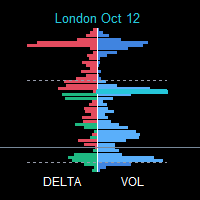
SessionFlowMap — POC 레벨이 포함된 멀티 세션 거래량·델타 프로파일 SessionFlowMap은 외환 거래일의 각 세션(아시아, 런던, 뉴욕, 그리고 선택 사항으로 시드니와 사용자 지정 세션)에 대해 거래량 프로파일과 델타 프로파일(매수와 매도의 불균형)을 만들어 차트에 표시합니다. 각 세션마다 POC(Point of Control, 가장 많이 거래된 가격)와 Value Area(VAH와 VAL, 거래량 대부분이 모인 구간)를 찾아 이 레벨들을 수평선으로 오른쪽으로 연장합니다. 각 세션에서 시장이 어디에 시간과 자금을 썼는지, 어떤 레벨이 다시 중요해질 수 있는지 한눈에 볼 수 있습니다. MT5-version: https://www.mql5.com/en/market/product/200942
작동 방식 각 세션은 고유한 시간대에 따라 M1 히스토리에서 잘라냅니다. 아시아, 런던, 뉴욕, 시드니의 시간은 GMT로 설정하며 브로커의 서버 시간으로 자동 변환됩니다. 사

ValueOrbit은 현재 기간의 '적정 가격'이 어디에 있는지, 그리고 시장이 그로부터 얼마나 멀어졌는지를 보여줍니다. 상황 파악용 도구로, 중앙선 Value Core와 그 주위의 세 쌍의 오빗(±1σ, ±2σ, ±3σ)을 그리며, 패널에서 가격이 얼마나 늘어났는지 알려줍니다. 진입 신호는 제공하지 않습니다. MT5-version: https://www.mql5.com/en/market/product/201292
작동 방식 Value Core는 각 기간(세션, 주, 월)이 시작될 때부터 형성되고, 새 기간이 시작되면 다시 시작되는 기준 레벨입니다. 오빗은 이 레벨로부터의 표준 거리를 σ 단위로 표시합니다. 가격이 코어에 가까울수록 시장은 균형 상태이고, 멀어질수록 과도하게 늘어난 상태입니다. 기간이 바뀔 때 수직 점프가 생기지 않도록 선이 끊깁니다. 사용 방법 차트에 적용하고 투자 스타일에 맞게 Value Anchor를 선택합니다. 데이트레이딩(M1–H1)은 Session, 스

Ribbon Pilot — 트레이드 존, 신호 기록, 워치리스트를 갖춘 트렌드 리본 용도 Ribbon Pilot은 MetaTrader 4용 차트 인디케이터로, 추세 방향을 한눈에 보여 주고 진입 신호를 화살표로 표시하며 진입가, 손절가, 최대 4개의 목표가로 이루어진 거래 계획을 즉시 그려 줍니다. 또한 최근 신호의 통계를 기록하고, 차트를 떠나지 않고도 다른 종목을 확인할 수 있게 해 줍니다. MT5-version: https://www.mql5.com/en/market/product/201869 작동 방식 8개의 부드러운 선으로 이루어진 리본이 가격을 따라갑니다. 청록색은 상승 추세, 주황색은 하락 추세를 뜻합니다. 선 사이의 음영으로 방향과 강도를 쉽게 읽을 수 있습니다. 금색 점선 기준선은 장기적인 배경을 보여 줍니다(시각적 참고용이며 신호에는 사용되지 않습니다). 리본이 방향을 바꾸면 봉이 마감된 뒤 (매수) 또는 (매도) 화살표가 나타납니다. 신호는 다시 그려지거나

TrendLadder — 멀티 타임프레임 패널이 있는 적응형 추세 인디케이터
목적 TrendLadder는 추세 방향을 깔끔한 "계단형 선"으로 보여줍니다. 시장이 단순한 노이즈일 때는 선이 움직이지 않고, 가격이 의미 있는 확정된 움직임을 보일 때만 움직입니다. 따라서 지금 누가 시장을 주도하는지(매수 측인지 매도 측인지), 그리고 추세가 실제로 바뀌었는지를 한눈에 파악할 수 있습니다. MT5-version: https://www.mql5.com/en/market/product/203073
차트에 표시되는 내용 계단형 선 : 녹색은 상승 추세, 빨간색은 하락 추세, 회색은 방향이 아직 정해지지 않음을 뜻합니다. 그라데이션 캔들 : 색의 진하기가 추세의 강도를 나타냅니다. 가격이 추세 방향으로 선에서 멀어질수록 캔들이 선명해지고, 선으로 돌아오면 회색에 가깝게 옅어집니다. 가격과 선 사이의 채우기(선택) : 추세의 "여유 폭"을 시각적으로 보여줍니다. 화살표 : 추세가 상승으로

REBOUND CORRIDOR — MetaTrader 4 인디케이터 Rebound Corridor는 가격 주위에 적응형 채널을 만들고, 가격이 채널 경계를 벗어났다가 중심 방향으로 되돌아오는 순간을 표시합니다. 되돌림 매매와 평균 회귀 매매에 적합합니다. MT5-version: https://www.mql5.com/en/market/product/203386 차트에 표시되는 내용 중심선(채널의 축) : 색상은 현재 시장의 성향을 나타냅니다. 하늘색 — 상승, 분홍색 — 하락, 보라색 — 중립. 안쪽 밴드(실선) : 가격의 일반적인 움직임 구간. 바깥쪽 밴드(점선) : 극단적인 이탈 구간. 캔들 아래의 위쪽 화살표 : 매수 신호(하단 경계에서의 반등). 캔들 위의 아래쪽 화살표 : 매도 신호(상단 경계에서의 반등). 화살표 옆 텍스트 : 신호 방향, 등급, 점수. 신호 라벨의 의미 (예: "BUY A 72") 이 인디케이터에는 별도의 패널이 없으며, 모든 정보가 화살표 옆 라벨에 표

Wave Markers: 적응형 웨이브 맵과 멀티 타임프레임 대시보드 노이즈가 아닌 시장의 진짜 구조를 보세요. 확정된 스윙 고점과 저점, 이를 잇는 추세선, 그리고 M1부터 W1까지 모든 시간대의 상황을 하나의 패널에서 확인할 수 있습니다. 이 인디케이터는 무엇인가요 Wave Markers는 MetaTrader 5용 차트 구조 인디케이터입니다. 가격의 전환점(스윙 고점과 스윙 저점)을 찾아 깔끔한 화살표로 표시하고, 그 주변에 실용적인 도구를 제공합니다. 추세선, 전체 시간대 표, 그리고 실시간 스프레드와 스왑 표시입니다. "매수"나 "매도" 지시는 내리지 않으며, 어떤 결과도 약속하지 않습니다. 한 가지 일을 꼼꼼하게 합니다. 시장이 실제로 어디에서 반전했는지 보여 주어, 구조를 더 빠르고 일관되게 읽을 수 있도록 돕습니다. MT5-version: https://www.mql5.com/en/market/product/199158 흔한 ZigZag와 다른 이유 전통적인 ZigZa

Trend Guardian Pro – 추세 조기 예측 인디케이터 Trend Guardian Pro 는 전문 수학자, 분석가 및 트레이더 팀의 협업으로 탄생한 결과물입니다. 수년간의 시장 데이터 분석을 토대로 제작되었으며, 고급 수학적 모델링 기법을 활용하여 추세의 잠재적 변화를 조기에 식별합니다. 주요 특징: 조기 예측 – 시장의 변화가 명확해지기 전, 다양한 시장 요인을 분석하여 추세 전환 신호를 포착합니다. 종합 분석 – 여러 시간대(Multi-Timeframe)를 동시에 분석하여 신호의 신뢰도를 높입니다. 적응형 알고리즘 – 현재 시장의 변동성에 맞춰 알고리즘이 자동으로 조정됩니다. 노이즈 필터링 – 고급 필터링 기술을 통해 시장 노이즈를 제거하고 가짜 신호(데드 캣 바운스 등)를 최소화합니다. 직관적인 인터페이스 – 필요한 모든 정보를 차트 위에 시각적으로 명확하게 표시합니다. 핵심 기능: 추세 강도 식별 (약함 / 중간 / 강함); 거래량 분석 을 통한 신호 확증; 내장 알
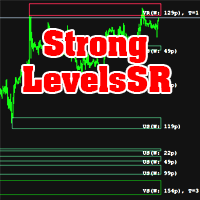
The indicator calculates support and resistance levels. There is a hint in the upper left corner. This hint can be removed. Hint in two languages (English and Russian). The width of support and resistance levels is shown. The number of levels touched is displayed. Works on all timeframes. Can be used as an independent trading system, and as an addition to another system. Download the demo version of the indicator right now and try it in the strategy tester!

FalconRidge는 MetaTrader 4용 올인원 오버레이 인디케이터입니다. 스윙 구조, 핵심 가격 레벨, 변동성 구간, 가격 채널, 추세 패널을 하나의 차트에 모아 보여 주므로, 여러 도구를 따로 다루지 않고도 시장 상황을 한눈에 파악할 수 있습니다. MT5-version: https://www.mql5.com/en/market/product/203426 차트에 표시되는 내용 스윙: 확정된 스윙 고점(빨간색, 아래쪽 화살표)과 스윙 저점(초록색, 위쪽 화살표)을 화살표로 표시합니다. 연속된 스윙을 선으로 연결해 현재 시장의 파동을 보여 줍니다. 확정된 화살표는 다시 그려지지 않으며, 실시간 가격을 따라 움직이는 것은 선의 마지막 구간뿐입니다. 레인지 레벨: 최근 며칠, 몇 주, 몇 달의 최고가와 최저가를 라벨이 붙은 수평선(D, W, M)으로 표시합니다. 전일 밴드: 전일의 주요 가격으로 만든 음영 구간이며, 상단선과 하단선이 함께 표시됩니다. 일일 피벗(선택): 중심 피벗,
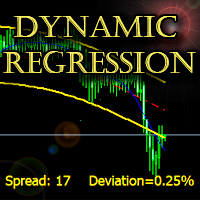
The indicator builds a dynamic regression channel with high accuracy without lagging.
Channel deviation is calculated using a unique formula and displayed on the graph.
Support: https://www.mql5.com/en/channels/TrendHunter
Can be used on any timeframe and any instrument. MT5-version: https://www.mql5.com/en/market/product/64257 Can be used as a ready-made trading system, as well as an addition to the existing one.
Settings: Fast Period - Fast smoothing period; Slow Period - Slow smoothin

A trend trading expert uses a breakout strategy in the direction of the main trend. The EA has a unique deposit protection system that allows you to safely exit the drawdown in the event of a trend reversal. The Expert Advisor uses an indicator (built into the Expert Advisor): https://www.mql5.com/en/market/product/64252 Trading instruments (TF 5m): GBPUSD. Torn for MT5: https://www.mql5.com/ru/market/product/64476/ The Expert Advisor has been successfully tested with 99% quality quotes, floa
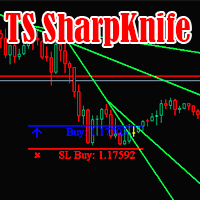
The SharpKnife trading strategy is formed into one indicator. The indicator informs with a message (Alert or mail) about the need to make deals.
Check it out in the strategy tester right now! Support: https://www.mql5.com/en/channels/TrendHunter The indicator is completely ready for operation immediately after installation.
Can be used on any trading instrument.
Recommended for use on timeframes 1H and higher. Settings: Signal Trend direction - Alert of the trend direction; Number of last si

The Expert Advisor is designed to work autonomously without human intervention.
The strategy is based on short-term forecasting of the nearest price extremes using dynamic calculations.
The author's system for monitoring open positions allows you to multiply the positive trading result. Support: https://www.mql5.com/en/channels/TrendHunter To choose the optimal broker, write me a request in private messages, please.
The default settings are suitable for trading instruments (5M): EURUSD; GBPU
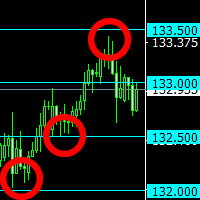
The indicator plots "round" levels, the step of which is specified in the settings.
Perfect as an addition to any trading systems.
Very low price - only $ 30! Round levels often become price support or resistance. MT5-version: https://www.mql5.com/en/market/product/67255
This allows you to either fix a profit, or open a position after a breakdown of the level, work towards a rebound in price. The indicator will be an excellent tool in a trader's arsenal!
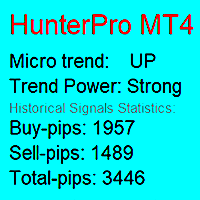
The trend indicator notifies about the direction of the microtrend, the beginning of a new trend or correction.
Suitable for any trading instruments: currency pairs, stocks, cryptocurrencies, futures, etc. The indicator does not change readings (does not redraw). A signal about a trend change comes as quickly as possible. Support: https://www.mql5.com/en/channels/TrendHunter Exiting a trade with the opposite signal is indicated for an example. You can close your trades in other places to maximiz

The trend expert determines the patterns of price consolidation and works towards the continuation or change of the trend.
The best results are achieved when trading on trading instruments (TF 5M) EURUSD, GBPUSD, USDJPY .
It is important that your broker's spread does not exceed: EURUSD 10 pips; GBPUSD 20 pips; USDJPY 80 pips. The Expert Advisor does not use dangerous trading methods: there is no martingale system, no averaging.
Each trade has a stop loss and a take profit.
The Expert Advis

IronPet is an innovative scalper that has been developed by me for 3 months with the involvement of other specialists and experienced traders. The Expert Advisor uses a unique algorithm for entering calm market hours.
The main detail is that the expert uses risk control, which allows you to close unprofitable positions with minimal loss and move on.
This is not a tester grail. No big words.
Dynamic rules for opening and closing positions allow you to maximize profitability and reduce losses.

스캘핑 거래 로봇.
EA는 추세의 안정적인 방향을 모니터링하고 그 방향으로 작동합니다.
어드바이저의 최대로 최적화된 코드를 사용하면 지연을 최소화하고 터미널 로드를 최소화하면서 작업할 수 있습니다. Expert Advisor는 2015년부터 기본 설정으로 성공적으로 테스트되었습니다.
EURUSD 및 GBPUSD 거래 상품(접두사 및 접미사 포함)에 대한 기본 설정을 사용하는 것이 좋습니다. 기간은 5분입니다.
낮은 스프레드와 낮은 수수료로 거래 결과가 더 좋아질 것입니다.
설정: 위험 = false인 경우 로트 - 위험 = false인 경우 거래 로트; 위험 켜기/끄기 - 자동 할당을 활성화합니다. 위험 비율 - 거래당 위험 비율; 이익을 얻으십시오 - 이익을 얻으십시오. 손절매 - 손절매; 후행 정지 - 후행 정지; 주문에 대한 코멘트 - 주문에 대한 코멘트; Bulls Period - Bulls 지표의 기간. 곰 기간 - 곰 지표의 기간; 매직 넘버 - 주문을 구별하는

Trading expert with real trading results. Hydrobot is a hedging scalper that identifies safe entry points during trend waiting periods. The Expert Advisor was developed for long-term work.
A system of resistance to any market situations has been carefully worked out - explosions of volatility, long-term trends without recoil, disconnections with the server.
Averaging is not used, because it is less effective in this strategy than hedging.
Each trade has a stop loss and a take profit.
Marti

Pythagorean — 추세 방향 전환 지표 개요 Pythagorean은 가격을 따라가는 색깔 점들로 현재 추세 방향을 가격 차트 위에 바로 보여 줍니다. 초록색 점은 상승, 빨간색 점은 하락을 의미합니다. 점의 색이 바뀌면 추세 방향이 전환되었다는 뜻입니다. 모든 종목과 모든 시간 단위에서 사용할 수 있습니다. 마감된 봉의 값은 다시 그려지지 않습니다. MT5-version: https://www.mql5.com/en/market/product/207024 보는 방법 초록색 점: 추세가 위쪽을 향합니다. 빨간색 점: 추세가 아래쪽을 향합니다. 빨간색에서 초록색으로 변경: 상승 추세가 시작될 수 있습니다. 초록색에서 빨간색으로 변경: 하락 추세가 시작될 수 있습니다. 활용 방법 방향 필터. 점이 초록색일 때는 매수만, 빨간색일 때는 매도만 진입합니다. 진입 신호. 마감된 봉에서의 색 변화를 새로운 방향으로 진입하는 신호로 사용합니다. 포지션 관리 및 청산. 보유 포지션과 반대 방

The TickCounter indicator counts up and down ticks on each new bar.
The calculation starts from the moment the indicator is placed on the chart.
Histogram bars represent: Yellow bars - total number of ticks; Blue bars - ticks UP; Red bars - ticks DOWN. If the blue bar is not visible, then there are more down ticks and the red bar is displayed on top of the blue one (the red layer is above the blue one). MT5 version: https://www.mql5.com/en/market/product/82625
Each reinitialization of the i

Multicurrency Expert Advisor works on the basis of determining several candlestick patterns, which should simultaneously form on several trading instruments. This Expert Advisor is similar to the MT5 version ( https://www.mql5.com/en/market/product/62515 ). For quality testing of this EA, please use the version for MT5. Please test the Expert Advisor with 100% quality of quotes!
Built-in hedging system allows you to increase the stability of the work, reduces the drawdown and greatly increas

The trading expert works out the regular movements of the AUDCAD currency pair in the channel.
The Expert Advisor is completely ready for work. Additional configuration is not required. Trading signals : https://www.mql5.com/en/signals/author/trendhunter The MetaTrader5 terminal must be installed on a remote server for smooth operation. The EA works based on the indicator: https://www.mql5.com/en/market/product/62956 Install the Expert Advisor on the AUDCAD chart, timeframe 1H. Options:
C
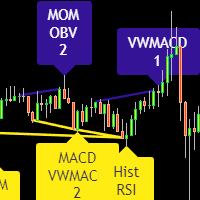
Divergence indicator 10 different indicators. Finding and displaying classic and hidden divergences.
Indicators in which divergences are searched: MACD MACD Histogram; RSI; Stochastic; CCI; momentum; OBV; VWmacd; Chaikin Money Flow; Money Flow Index. This is a replica of the indicator from the tradingview resource, adapted for the MT4 terminal.
MT5 version available here: https://www.mql5.com/en/market/product/87879
Settings: Bars in history for analysis - number of bars for analysis; D
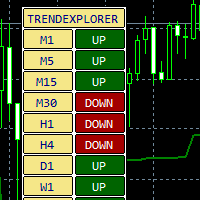
An indicator of the trend direction of a trading instrument on different timeframes. The author's method of calculating the trend is used.
You can enable and disable different timeframes.
Suitable for working with currency pairs, stocks, futures, cryptocurrencies.
Settings:
ATR Multiplier - ATR multiplier; ATR Period - ATR indicator period; ATR Max Bars (Max 10.000) - Number of bars to calculate; Candle shift to Calculate - Report start bar; On/Off Timeframe M1 - Enable different t
DepoControl – Full Control Over the Deposit Closers Expert Advisor controls the overall account status and closes ALL market orders on the account when certain conditions occur. The trading robot closes ALL orders on the account in the following cases (by profit): Close ALL orders by a total profit on the account in monetary terms . For example, suppose that the settings specify that positions should be closed when profit of 100 is reached. In this case, the Expert Advisor closes all mark
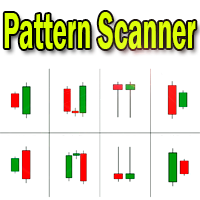
Candlestick pattern indicator - display found candlestick patterns on the chart. MT5-version: https://www.mql5.com/en/market/product/103134 Bearish patterns: Bearish Pattern Designations Pattern name SS
Shooting Star STR(S) Evening Star DJ(E) Evening Doji Star DC Dark Cloud Veil BEP Bearish Engulfing Bullish patterns: Designation of bullish patterns Pattern name HMR
Hammer pattern
STR(M) Morning Star DJ(M) Morning Doji Star PRL Piercing Line BEP Bullish
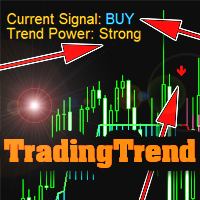
The indicator is not redrawn.
Can be used as a ready-made trading strategy.
Shows: Trend direction; Trend strength; Points of trend reversal or fading. Settings: Trend sensitivity (the lower, the more accurate) - operating sensitivity (the higher, the more accurate); Calculation method - calculation method; Info position - angle of location of the info label (or remove); Text Color - text color; Trend Color Buy - color of the BUY text; Trend Color Sell - SELL text color; Sound Aler
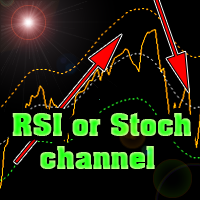
The indicator plots Stochastic or RSI levels in the price channel of a trading instrument.
Download the indicator for FREE right now and test it in the strategy tester.
It is easy to determine the trend direction and overbought or oversold levels.
The settings are standard for any of these indicators.
It is possible to change settings for each trading instrument separately.
You can use currencies, stock markets, futures or cryptocurrencies.
The indicator can be used as an independent tool
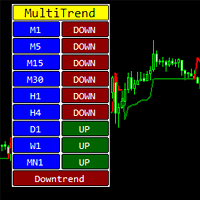
The indicator shows the direction of the trend on different timeframes.
Timeframes can be disabled in the settings.
The bottom line of the indicator reports the prevailing trend - up or down.
The indicator can be used on any trading instruments - currencies, stocks, futures, indices, metals, cryptocurrencies.
This indicator can be used as an independent trading system or as an addition to another system.
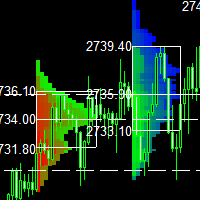
This indicator is a classic implementation of the Market Profile (Volume Profile Visible Range), allowing for the display of price density over time while highlighting the most significant price levels, the value area, and the control price within a specific trading session. MT5-version: https://www.mql5.com/en/market/product/125308 The indicator can be applied across timeframes from M1 to D1, enabling the analysis of market profiles for daily, weekly, monthly, or intraday trading. Utilizing l

Big MACD는 최대 네 개의 시간대(타임프레임)의 MACD 지표를 가격 차트 위의 컴팩트한 패널에 동시에 표시합니다. 차트를 전환하지 않고도 M15, M30, H1, H4 또는 원하는 시간대의 시장 상황을 한눈에 확인할 수 있으며, 여러 시간대의 전체 그림을 바탕으로 판단할 수 있습니다. MT5 -version: https://www.mql5.com/en/market/product/205373
차트에 표시되는 내용 컨트롤 바. 패널 위에 얇은 바가 있습니다. 마우스로 드래그하면 전체 블록을 차트의 원하는 위치로 옮길 수 있습니다. 바 오른쪽 끝의 버튼은 패널을 접고(바만 남음) 다시 펼칩니다. 위치와 접힘 상태는 차트마다 따로 기억됩니다. 패널. 각 패널은 하나의 시간대에 해당하며, 이름이 왼쪽에 표시됩니다(15, 30, 1H, 4H, D, W, M). 패널 네 개를 켜면 2x2 격자로 배치되고, 그보다 적으면 한 열로 쌓입니다. 패널의 구성 요소: 히스토그램: MACD 선과

Big BB — 하나의 차트에 네 개 시간대의 볼린저 밴드를 표시하는 미니 패널 Big BB는 가격 차트 위에 작은 패널을 직접 배치합니다. 각 패널에는 선택한 시간대의 최근 캔들과 해당 시간대의 볼린저 밴드가 표시됩니다. M15, M30, H1, D1 사이를 오갈 필요 없이 모든 시간대를 동시에 볼 수 있습니다. 볼린저 밴드의 기간과 편차는 시간대마다 따로 설정할 수 있습니다. MetaTrader 5 버전: https://www.mql5.com/en/market/product/206940 차트에 표시되는 내용 인디케이터 이름과 접기 버튼 [-] / [+]이 있는 제목 표시줄. 최대 네 개의 패널. 1~3개를 켜면 세로로 쌓이고, 네 개를 모두 켜면 2 × 2 격자로 배치됩니다. 각 패널의 왼쪽에는 시간대 라벨(15, 30, 1H, D, W, M), 최근 봉의 캔들, 그리고 상단선, 중간선, 하단선의 세 선이 표시됩니다. 패널에는 항상 인디케이터가 적용된 차트의 종목이 표시되며 자
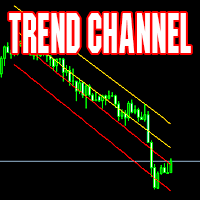
Channel indicator. Calculated dynamically. Suitable for both working in the direction of the trend and inside the channel. Excellent results when working on timeframes from 4H towards the center of the channel.
Example of use: when the price touches one of the extreme lines - opening a deal in the center of the channel with a take profit on the nearest middle line of the indicator. MT5 version The indicator can be used in expert advisors (4 buffers), receiving data in a standard way. Support:

Smart Wave Trend Analyzer 스마트 웨이브 트렌드 분석기 웨이브 분석과 프랙탈 패턴을 기반으로 고품질 추세선을 자동으로 식별하고 그리는 고급 추세 감지 시스템입니다. MT4-version: https://www.mql5.com/en/market/product/164395
주요 구성 요소: 1. 메이저 라인 (파란색/빨간색, 굵은선) SMA(70)와 LWMA(10) 교차를 기반으로 한 장기 추세 가격 움직임에서 주요 고점과 저점을 식별 파란색 선 = 저항 (고점 연결) 빨간색 선 = 지지 (저점 연결) 스윙 트레이딩과 포지션 트레이딩에 적합 2. 마이너 라인 (청록색/주황색, 얇은선) SMA(21)와 LWMA(4) 교차를 기반으로 한 단기 추세 빠른 시장 움직임 포착 청록색 선 = 저항 (고점 연결) 주황색 선 = 지지 (저점 연결) 데이 트레이딩과 스캘핑에 이상적 3. 프랙탈 라인 (녹색/보라색, 중간 굵기) 여러 프랙탈 포인트를 통과하는 추세선의 자동 감지 알

Dual View HTF Patterns Pro 는 프라이스 액션(Price Action)과 멀티 타임프레임 분석을 중시하는 수동 트레이더를 위해 설계된 하이엔드 분석 도구입니다. 하위 시간대 차트에서 상위 시간대(HTF)의 시장 구조와 캔들 패턴을 직접 모니터링할 수 있게 함으로써 트레이딩 시 발생하는 "터널 시야" 문제를 효과적으로 해결해 줍니다. MT4-version: https://www.mql5.com/en/market/product/166824 왜 이 지표가 필요한가요? M15나 H1과 같은 낮은 시간대에서의 매매는 일봉이나 주봉 등 상위 시간대의 맥락과 일치할 때 훨씬 더 효과적입니다. 이 지표는 상위 시간대의 흐름을 시각화하여 강력한 상위 시그널에 역행하는 매매를 방지해 줍니다. 차트를 계속 전환할 필요가 없어 시간을 절약하고 작업 공간을 깔끔하고 전문적으로 유지할 수 있습니다. 주요 특징: 히스토리컬 HTF 오버레이: 현재 차트에 상위 시간대(예: 일봉) 캔들의

Trend Guardian Pro – 추세 조기 예측 인디케이터 Trend Guardian Pro 는 전문 수학자, 분석가 및 트레이더 팀의 협업으로 탄생한 결과물입니다. 수년간의 시장 데이터 분석을 토대로 제작되었으며, 고급 수학적 모델링 기법을 활용하여 추세의 잠재적 변화를 조기에 식별합니다. 주요 특징: 조기 예측 – 시장의 변화가 명확해지기 전, 다양한 시장 요인을 분석하여 추세 전환 신호를 포착합니다. 종합 분석 – 여러 시간대(Multi-Timeframe)를 동시에 분석하여 신호의 신뢰도를 높입니다. 적응형 알고리즘 – 현재 시장의 변동성에 맞춰 알고리즘이 자동으로 조정됩니다. 노이즈 필터링 – 고급 필터링 기술을 통해 시장 노이즈를 제거하고 가짜 신호(데드 캣 바운스 등)를 최소화합니다. 직관적인 인터페이스 – 필요한 모든 정보를 차트 위에 시각적으로 명확하게 표시합니다. 핵심 기능: 추세 강도 식별 (약함 / 중간 / 강함); 거래량 분석 을 통한

목표 수익 도달 시 자동 수익 실현 EquityTargetCloser — 는 MetaTrader 5용 유틸리티 전문가 어드바이저(EA)로, 순자산(Equity)이 현재 잔고를 지정된 수익 금액만큼 초과하면 모든 시장 포지션을 청산하고 예약 주문을 삭제합니다. 모든 포지션을 청산한 후 목표는 자동으로 상향 조정됩니다. 새 임계값 = 새 잔고 + 지정된 수익. EA는 거래를 시작하지 않고 기존 포지션만 관리하여 수익을 확실하게 고정하고 축적된 자금을 보호합니다. MT4-version: https://www.mql5.com/en/market/product/169850
작동 방식 전문가 어드바이저는 순자산(Equity) 을 동적 목표와 지속적으로 비교합니다. 목표 = 현재 잔고(Balance) + plusMoney (미국 달러). 순자산이 이 금액 이상이 되면 보호 기능이 작동합니다. 모든 시장 포지션 (모든 심볼)을 청산합니다. 매개변수 Delete p

Smart Phase Box (SPB) — Indicator Description Smart Phase Box automatically locates consolidation zones (bases, flats) on the chart and analyzes the candle microstructure inside each zone — wicks, tick volume, body-to-range ratio, and where price closes relative to the zone — to estimate whether the zone looks more like accumulation (buyers absorbing supply) or distribution (sellers absorbing demand), based on classic Wyckoff / Smart Money concepts. MT4-version: https://www.mql5.com/en/market/p

Wave Markers: 적응형 웨이브 맵과 멀티 타임프레임 대시보드 노이즈가 아닌 시장의 진짜 구조를 보세요. 확정된 스윙 고점과 저점, 이를 잇는 추세선, 그리고 M1부터 W1까지 모든 시간대의 상황을 하나의 패널에서 확인할 수 있습니다. MT4-version: https://www.mql5.com/en/market/product/199284
이 인디케이터는 무엇인가요 Wave Markers는 MetaTrader 5용 차트 구조 인디케이터입니다. 가격의 전환점(스윙 고점과 스윙 저점)을 찾아 깔끔한 화살표로 표시하고, 그 주변에 실용적인 도구를 제공합니다. 추세선, 전체 시간대 표, 그리고 실시간 스프레드와 스왑 표시입니다. "매수"나 "매도" 지시는 내리지 않으며, 어떤 결과도 약속하지 않습니다. 한 가지 일을 꼼꼼하게 합니다. 시장이 실제로 어디에서 반전했는지 보여 주어, 구조를 더 빠르고 일관되게 읽을 수 있도록 돕습니다. 흔한 ZigZag와 다른 이유 전통적인 ZigZ

Confluence Meter: 26개 지표를 하나의 종합 레이팅으로 Confluence Meter 는 인기 있는 26개 지표의 신호를 계산해 "매도 / 중립 / 매수"라는 간단한 레이팅으로 종합해 줍니다. 수십 개의 창을 열어 수치를 직접 비교할 필요가 없습니다. 패널을 한 번만 보면 선택한 시간대에서 시장이 어느 쪽으로 기울어 있는지 알 수 있습니다. MT4-version: https://www.mql5.com/en/market/product/199466
Our products: https://www.mql5.com/en/users/trendhunter/seller 차트에 표시되는 내용 Oscillators 게이지. 11개 오실레이터의 레이팅입니다. RSI, Stochastic, CCI, ADX, Awesome Oscillator, Momentum, MACD, Stochastic RSI, Williams %R, Bulls/Bears Power, Ultimate Oscillat

Pivot Tide — 파동 피벗, 자동 추세선, 추세선 기반 추세 방향 판단 Pivot Tide 는 MetaTrader 4용 인디케이터입니다. 차트를 자동으로 파동 단위로 나누고, 각 파동의 고점과 저점에 마커를 표시하며, 이를 이어 추세선을 그리고, 추세선의 상태로 추세 방향을 판단합니다. 모든 내용은 차트 위에 바로 표시되며, 간결한 정보 패널도 함께 제공됩니다. 모든 종목, 모든 시간 프레임에서 사용할 수 있습니다. MT4-version: https://www.mql5.com/en/market/product/199656
기능 파동을 감지합니다. 파동은 두 이동평균선의 관계로 정의됩니다. 빠른 SMA와 느린 LWMA입니다. 빠른 선이 느린 선 위에 있는 동안은 상승 파동, 아래에 있는 동안은 하락 파동입니다. 피벗을 표시합니다. 파동이 끝나면(이동평균선이 교차하면) 그 극값에 마커를 놓습니다. 상승 파동의 고점 또는 하락 파동의 저점입니다. 추세선을 그립니다. 연속된 같은

Retest Pivot Signals 는 MetaTrader 5용 인디케이터로, 중요한 피벗 레벨의 돌파를 감지하고 그 레벨이 리테스트된 뒤에만 신호를 줍니다. 즉 가격이 돌파된 선으로 되돌아와 그 선에서 반등했을 때 신호가 나옵니다. 이렇게 하면 가짜 돌파의 일부를 걸러낼 수 있습니다. 신호는 돌파 순간이 아니라 레벨이 확인된 뒤에 나옵니다. MT4-version: https://www.mql5.com/en/market/product/200236
작동 방식 인디케이터는 피벗 고점과 피벗 저점을 찾습니다. 어떤 고점(또는 저점) 양쪽으로 설정한 수만큼의 캔들이 더 낮은 고점(또는 더 높은 저점)을 가지면 피벗으로 확정됩니다. 차트에 두 개의 계단형 선이 그려집니다. 빨간색 은 마지막 피벗 고점, 초록색 은 마지막 피벗 저점입니다. 주황색 선은 EMA입니다. Long: 종가가 마지막 피벗 고점 위에서 마감하고(상향 돌파), 이후 가격이 그 레벨로 돌아와 허용 구간에 닿은 뒤 다시

ApexConverge 는 삼각형 패턴(상승형, 하락형, 대칭형)을 자동으로 찾아 경계선과 음영 영역을 그리고, 돌파한 봉에 화살표를 표시하는 MetaTrader 5용 인디케이터입니다. MT4-version: https://www.mql5.com/en/market/product/200443
작동 방식 인디케이터는 스윙 고점과 저점을 찾아 이를 지나는 두 개의 추세선을 긋고 형태를 검증합니다. 상단이 수평이고 하단이 상승하면 상승형 삼각형, 상단이 하락하고 하단이 수평이면 하락형, 기울기가 비슷한 두 선이 수렴하면 대칭형입니다. 돌파 전까지 가격은 패턴 안에 머물러야 합니다. 패턴은 몇 개의 봉이 지난 뒤에 나타나며( Swing confirmation (bars after) 참조), 확정된 신호는 다시 그려지지 않습니다. 매매 활용법 상승형 (수평 저항): 보통 상방 돌파를 주시합니다. 하락형 (수평 지지): 보통 하방 돌파를 주시합니다. 대칭형 : 중립이며, 돌파 방향을 따라 매매

Elliott Live 는 MetaTrader 5용 인디케이터로, 과거 차트와 현재 봉 모두에서 엘리엇 파동을 자동으로 표시합니다. 완성된 파동은 실선으로, 형성 중인 파동은 점선과 물음표 라벨(예: "3?")로 그려지며, 피보나치 목표 구간과 무효화 레벨도 함께 표시됩니다. MT4-version: https://www.mql5.com/en/market/product/200613
작동 방식 먼저 스윙(ZigZag)을 만듭니다. 가격이 극값에서 ATR × 배수 이상 되돌림하면 반전으로 인식합니다. 마지막 점은 현재의 극값으로, 아직 확정되지 않았으며 움직일 수 있습니다. 이 스윙 위에서 엘리엇 규칙에 따라 충격파 1-2-3-4-5를 찾습니다. 2파는 1파의 시작점을 넘지 않고, 3파는 가장 짧은 파동이 되지 않으며, 4파는 1파의 영역에 들어가지 않습니다. 충격파 다음에는 조정파 A-B-C를, 그다음에는 다음 충격파를 찾습니다. 최근 스윙이 패턴의 일부(예: 1-2)만 이루고 있으
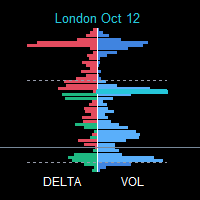
SessionFlowMap — POC 레벨이 포함된 멀티 세션 거래량·델타 프로파일 SessionFlowMap은 외환 거래일의 각 세션(아시아, 런던, 뉴욕, 그리고 선택 사항으로 시드니와 사용자 지정 세션)에 대해 거래량 프로파일과 델타 프로파일(매수와 매도의 불균형)을 만들어 차트에 표시합니다. 각 세션마다 POC(Point of Control, 가장 많이 거래된 가격)와 Value Area(VAH와 VAL, 거래량 대부분이 모인 구간)를 찾아 이 레벨들을 수평선으로 오른쪽으로 연장합니다. 각 세션에서 시장이 어디에 시간과 자금을 썼는지, 어떤 레벨이 다시 중요해질 수 있는지 한눈에 볼 수 있습니다. MT4-version: https://www.mql5.com/en/market/product/200941
작동 방식 각 세션은 고유한 시간대에 따라 M1 히스토리에서 잘라냅니다. 아시아, 런던, 뉴욕, 시드니의 시간은 GMT로 설정하며 브로커의 서버 시간으로 자동 변환됩니다. 사

Currency Pulse — MetaTrader 5용 통화 강약 순위 패널 용도 Currency Pulse는 차트 위의 하나의 콤팩트한 패널에서 지금 어떤 통화가 강하고 어떤 통화가 약한지를 여러 시간대에 걸쳐 동시에 보여 줍니다. 이 순위를 바탕으로 통화 간 괴리가 가장 큰 통화쌍을 알려 줍니다. 강한 통화를 매수하고 약한 통화를 매도하는 방식입니다. 인디케이터는 적용된 차트의 종목과 무관하게 작동합니다. MT4 -version: https://www.mql5.com/ru/market/product/201191
작동 방식 선택한 통화들은 활성화한 각 시간대에서 서로 비교되어 강한 순서대로 정렬됩니다. 색상 막대는 움직임의 크기를 나타냅니다. Total 열은 모든 시간대를 각 통화의 하나의 종합 점수로 합칩니다. Open chart 열은 순위에서 가장 유망한 통화쌍(강한 통화 대 약한 통화)을 골라 방향(buy 또는 sell)을 표시합니다. 행을 클릭하면 차트가 열립니다. 사용

ValueOrbit은 현재 기간의 '적정 가격'이 어디에 있는지, 그리고 시장이 그로부터 얼마나 멀어졌는지를 보여줍니다. 상황 파악용 도구로, 중앙선 Value Core와 그 주위의 세 쌍의 오빗(±1σ, ±2σ, ±3σ)을 그리며, 패널에서 가격이 얼마나 늘어났는지 알려줍니다. 진입 신호는 제공하지 않습니다. MT4-version: https://www.mql5.com/en/market/product/201304
작동 방식 Value Core는 각 기간(세션, 주, 월)이 시작될 때부터 형성되고, 새 기간이 시작되면 다시 시작되는 기준 레벨입니다. 오빗은 이 레벨로부터의 표준 거리를 σ 단위로 표시합니다. 가격이 코어에 가까울수록 시장은 균형 상태이고, 멀어질수록 과도하게 늘어난 상태입니다. 기간이 바뀔 때 수직 점프가 생기지 않도록 선이 끊깁니다. 사용 방법 차트에 적용하고 투자 스타일에 맞게 Value Anchor를 선택합니다. 데이트레이딩(M1–H1)은 Session, 스

Ribbon Pilot — 트레이드 존, 신호 기록, 워치리스트를 갖춘 트렌드 리본 용도 Ribbon Pilot은 MetaTrader 5용 차트 인디케이터로, 추세 방향을 한눈에 보여 주고 진입 신호를 화살표로 표시하며 진입가, 손절가, 최대 4개의 목표가로 이루어진 거래 계획을 즉시 그려 줍니다. 또한 최근 신호의 통계를 기록하고, 차트를 떠나지 않고도 다른 종목을 확인할 수 있게 해 줍니다. MT4-version: https://www.mql5.com/en/market/product/201908 작동 방식 8개의 부드러운 선으로 이루어진 리본이 가격을 따라갑니다. 청록색은 상승 추세, 주황색은 하락 추세를 뜻합니다. 선 사이의 음영으로 방향과 강도를 쉽게 읽을 수 있습니다. 금색 점선 기준선은 장기적인 배경을 보여 줍니다(시각적 참고용이며 신호에는 사용되지 않습니다). 리본이 방향을 바꾸면 봉이 마감된 뒤 (매수) 또는 (매도) 화살표가 나타납니다. 신호는 다시 그려지거나

TrendLadder — 멀티 타임프레임 패널이 있는 적응형 추세 인디케이터
목적 TrendLadder는 추세 방향을 깔끔한 "계단형 선"으로 보여줍니다. 시장이 단순한 노이즈일 때는 선이 움직이지 않고, 가격이 의미 있는 확정된 움직임을 보일 때만 움직입니다. 따라서 지금 누가 시장을 주도하는지(매수 측인지 매도 측인지), 그리고 추세가 실제로 바뀌었는지를 한눈에 파악할 수 있습니다. MT4-version: https://www.mql5.com/en/market/product/203097 차트에 표시되는 내용 계단형 선 : 녹색은 상승 추세, 빨간색은 하락 추세, 회색은 방향이 아직 정해지지 않음을 뜻합니다. 그라데이션 캔들 : 색의 진하기가 추세의 강도를 나타냅니다. 가격이 추세 방향으로 선에서 멀어질수록 캔들이 선명해지고, 선으로 돌아오면 회색에 가깝게 옅어집니다. 가격과 선 사이의 채우기(선택) : 추세의 "여유 폭"을 시각적으로 보여줍니다. 화살표 : 추세가 상승으로 전

REBOUND CORRIDOR — MetaTrader 5 인디케이터 Rebound Corridor는 가격 주위에 적응형 채널을 만들고, 가격이 채널 경계를 벗어났다가 중심 방향으로 되돌아오는 순간을 표시합니다. 되돌림 매매와 평균 회귀 매매에 적합합니다. MT4-version: https://www.mql5.com/en/market/product/203401 차트에 표시되는 내용 중심선(채널의 축) : 색상은 현재 시장의 성향을 나타냅니다. 하늘색 — 상승, 분홍색 — 하락, 보라색 — 중립. 안쪽 밴드(실선) : 가격의 일반적인 움직임 구간. 바깥쪽 밴드(점선) : 극단적인 이탈 구간. 캔들 아래의 위쪽 화살표 : 매수 신호(하단 경계에서의 반등). 캔들 위의 아래쪽 화살표 : 매도 신호(상단 경계에서의 반등). 화살표 옆 텍스트 : 신호 방향, 등급, 점수. 신호 라벨의 의미 (예: "BUY A 72") 이 인디케이터에는 별도의 패널이 없으며, 모든 정보가 화살표 옆 라벨에 표

FalconRidge는 MetaTrader 4용 올인원 오버레이 인디케이터입니다. 스윙 구조, 핵심 가격 레벨, 변동성 구간, 가격 채널, 추세 패널을 하나의 차트에 모아 보여 주므로, 여러 도구를 따로 다루지 않고도 시장 상황을 한눈에 파악할 수 있습니다. MT4-version: https://www.mql5.com/en/market/product/203421 차트에 표시되는 내용 스윙: 확정된 스윙 고점(빨간색, 아래쪽 화살표)과 스윙 저점(초록색, 위쪽 화살표)을 화살표로 표시합니다. 연속된 스윙을 선으로 연결해 현재 시장의 파동을 보여 줍니다. 확정된 화살표는 다시 그려지지 않으며, 실시간 가격을 따라 움직이는 것은 선의 마지막 구간뿐입니다. 레인지 레벨: 최근 며칠, 몇 주, 몇 달의 최고가와 최저가를 라벨이 붙은 수평선(D, W, M)으로 표시합니다. 전일 밴드: 전일의 주요 가격으로 만든 음영 구간이며, 상단선과 하단선이 함께 표시됩니다. 일일 피벗(선택): 중심 피벗

Big MACD는 최대 네 개의 시간대(타임프레임)의 MACD 지표를 가격 차트 위의 컴팩트한 패널에 동시에 표시합니다. 차트를 전환하지 않고도 M15, M30, H1, H4 또는 원하는 시간대의 시장 상황을 한눈에 확인할 수 있으며, 여러 시간대의 전체 그림을 바탕으로 판단할 수 있습니다. MT4-version: https://www.mql5.com/en/market/product/205527 차트에 표시되는 내용 컨트롤 바. 패널 위에 얇은 바가 있습니다. 마우스로 드래그하면 전체 블록을 차트의 원하는 위치로 옮길 수 있습니다. 바 오른쪽 끝의 버튼은 패널을 접고(바만 남음) 다시 펼칩니다. 위치와 접힘 상태는 차트마다 따로 기억됩니다. 패널. 각 패널은 하나의 시간대에 해당하며, 이름이 왼쪽에 표시됩니다(15, 30, 1H, 4H, D, W, M). 패널 네 개를 켜면 2x2 격자로 배치되고, 그보다 적으면 한 열로 쌓입니다. 패널의 구성 요소: 히스토그램: MACD 선과 시

지표 작동 방식 Big Stoch는 최대 4개의 스토캐스틱(Stochastic) 미니 패널을 메인 가격 차트에 표시합니다. 각 패널은 지정된 시간 프레임의 데이터를 기준으로 독립 계산되며, %K, Slowing, %D 설정도 각각 따로 가집니다. 따라서 메인 차트의 시간 프레임을 바꾸지 않고 M15, M30, H1, H4 등을 동시에 확인할 수 있습니다. 오실레이터 값의 범위는 0~100입니다. MT4-version: https://www.mql5.com/en/market/product/205729 트레이더의 활용 방법 이 지표는 단기 모멘텀과 상위 시간 프레임의 시장 흐름을 비교하는 데 도움을 줍니다. 정보를 시각적으로 보여줄 뿐 매매 결정을 자동으로 내리지는 않습니다. 상위 시간 프레임 확인. 먼저 H1 또는 H4 패널에서 모멘텀이 범위의 상단, 하단 또는 중간 중 어디에 있는지 확인합니다. 그런 다음 M15 또는 M30에서 단기 움직임을 더 자세히 살펴봅니다. 선 교차 확인.

Big BB — 하나의 차트에 네 개 시간대의 볼린저 밴드를 표시하는 미니 패널 Big BB는 가격 차트 위에 작은 패널을 직접 배치합니다. 각 패널에는 선택한 시간대의 최근 캔들과 해당 시간대의 볼린저 밴드가 표시됩니다. M15, M30, H1, D1 사이를 오갈 필요 없이 모든 시간대를 동시에 볼 수 있습니다. 볼린저 밴드의 기간과 편차는 시간대마다 따로 설정할 수 있습니다. MetaTrader 4 버전: https://www.mql5.com/en/market/product/206941 차트에 표시되는 내용 인디케이터 이름과 접기 버튼 [-] / [+]이 있는 제목 표시줄. 최대 네 개의 패널. 1~3개를 켜면 세로로 쌓이고, 네 개를 모두 켜면 2 × 2 격자로 배치됩니다. 각 패널의 왼쪽에는 시간대 라벨(15, 30, 1H, D, W, M), 최근 봉의 캔들, 그리고 상단선, 중간선, 하단선의 세 선이 표시됩니다. 패널에는 항상 인디케이터가 적용된 차트의 종목이 표시되며 자동

MasterUS30 - Automated Trading System for US30 MasterUS30 is a professional trading advisor developed specifically for trading the US30 index (Dow Jones Industrial Average) . The system uses a comprehensive technical analysis algorithm to identify trading opportunities and manage positions. Low price, high quality! Fast code! No chart decorations, as they slow down performance! The advisor can work with a minimum deposit (preferably from $100 with any leverage), as there is no averaging and no l

AlphaCore System is a professional trading advisor for MetaTrader 5 , utilizing a trading strategy based on dynamic analysis of local extremes and statistical breakout forecasting . === Buy AlphaCore System for MT5 and get AlphaCore System for MT4 for free! === For more details, contact me via private message! Trading Concept The advisor operates using the methodology of adaptive price corridors .
The system continuously monitors the formation of local liquidity accumulation zones (highs and low

%R TREND EXHAUSTION INDICATOR - USER GUIDE
The indicator displays three Williams %R lines (Fast, Slow, Average) in the range from 0 to -100 and generates visual signals when extreme zones are reached.
INDICATOR ZONES
Overbought zone

How the Indicator Works MultiMarket Direction is a powerful and versatile indicator for the MetaTrader platform, designed to help traders visualize market trends and identify potential entry points. By combining time-tested technical analysis tools such as Exponential Moving Averages (EMAs) and high/low levels, this indicator provides a clear and comprehensive view of market dynamics. The indicator displays the following on the chart: EMA 21, EMA 81, and EMA 200 : Three moving averages with cust

Big KC — 멀티 타임프레임 켈트너 채널 패널 Big KC는 최대 4개 타임프레임의 켈트너 채널을 가격 차트 위의 간결한 패널에 동시에 표시합니다. 차트를 전환하거나 별도 창을 열 필요 없이 여러 타임프레임의 변동성과 방향을 한눈에 확인할 수 있습니다. 각 타임프레임마다 독립적인 채널 설정을 사용할 수 있습니다. MetaTrader 5 version: https://www.mql5.com/en/market/product/207053
작동 방식 인디케이터는 차트에 하나의 패널을 그리며, 그 안에 최대 4개의 미니 창이 들어갑니다. 각 미니 창은 하나의 타임프레임에 해당하고, 현재 차트 종목의 최근 캔들과 켈트너 채널의 세 선(상단, 중간, 하단)을 보여줍니다. 4개 타임프레임을 모두 켜면 2x2 격자로 배치되고, 그렇지 않으면 한 열로 쌓입니다. 패널 크기는 차트와 화면 해상도에 맞게 자동으로 조정되며, 차트 너비의 비율(%)로 직접 지정할 수도 있습니다. 데이터는 1초마다 갱
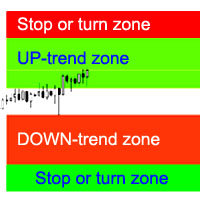
표시기는 추세 정지/반전의 가능성이 가장 높은 영역, 확실한 추세 움직임의 영역을 계산합니다.
다음 사항이 고려됩니다.
가격 변화율; 그래프의 상대 편차 각도; 가격 변동의 평균 범위; 가격은 "안락지대"에서 벗어납니다. ATR 표시기 값. 표시기는 가격이 정지/반전 영역에 진입할 때 경고 신호를 보낼 수 있습니다.
설정 전체 길이를 그립니다. - 그래프의 끝에 영역을 그릴지 여부; 정지 UP 추세 표시 - UP 추세 정지/반전 영역을 표시합니다. UP-트렌드 표시 - 자신감 있는 UP-트렌드 영역을 표시합니다. DOWN 추세 표시 - 확실한 DOWN 추세 영역을 표시합니다. Stop DOWN-trend 표시 - DOWN 추세의 정지/반전 영역을 표시합니다. 영역 변경 알림 - 가격이 중지/추세 변경 영역에 들어갈 때 알림을 활성화합니다. 다음은 각 무역 영역에 대한 색상 설정입니다.
The algorithm of the adviser calculates zones of consolidation of the price and the most tentative variants of price movements.
Due to the unique method of determining candlestick patterns in the near past, a trade expert adapts to changing market conditions with minimal delay. This allows you to trust the adviser to work offline for quite a long time without the need for frequent monitoring.
The Expert Advisor was developed in the conditions of "floating" delay in the execution of trade order

The basis of the strategy is the identification of quick corrective movements between the crosses of a working currency pair or metal. At the moment of differences in prices of trading instruments, the adviser analyzes the possible direction of price movement on a working instrument and starts work.
Each position has a stop loss and take profit.
A unique position tracking algorithm allows you to control the superiority of profit over loss.
The adviser does not use dangerous trading methods.
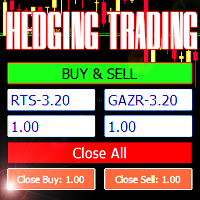
Advisor for hedging trading or pair trading.
A convenient panel allows you to open positions on the necessary trading instruments and lots.
Automatically determines the type of trading account - netting or hedging.
Advisor can close all its positions upon reaching profit or loss (determined in the settings).
A negative value is required to control losses (for example, -100, -500, etc.). If the corresponding fields are 0, the EA will not use this function. Settings: Close profit (if 0 here

다중 통화 Expert Advisor는 거래 수단과 포지션 볼륨 간의 상관 관계 시스템을 기반으로 합니다.
핵심 역할은 자본 관리 시스템과 열린 거래의 수와 방향의 고유한 비율에 의해 수행됩니다.
Expert Advisor는 스캘퍼가 아닙니다. Expert Advisor의 자신감 있는 운영에는 주문 실행 속도가 중요하지 않습니다.
거래 수단: EURUSD, GBPUSD, EURJPY, USDCAD, USDJPY, GBPJPY, EURGBP, AUDCHF, USDCHF, AUDCAD, AUDUSD, AUDJPY, CADCHF, CHFJPY, CADJPY.
EA는 완전 자동화된 거래를 위한 준비가 되어 있습니다. 추가 설정이 필요하지 않습니다. Live signal: https://www.mql5.com/en/signals/1328312
시작하려면 하나의 차트에 Expert Advisor를 설치해야 합니다. 설정: 작업 쌍 - 거래 수단; 신호 TF - 메인 타임프레임; 이

The indicator identifies two most important patterns of technical analysis - Pin Bar and Engulfing. MT4-version: https://www.mql5.com/en/market/product/53591 Settings: Mincandle size for PinBar - The minimum size of the Pin-Bar candlestick; Percentage of candle body on size - The percentage of the candle body in relation to its length; PinBar Alert - Alert when a Pin-Bar is detected; PinBar Mail - Sends an email when a Pin Bar is found; PinBar Notification - Sends a push notificati

Multicurrency Expert Advisor works on the basis of determining several candlestick patterns, which should simultaneously form on several trading instruments.
Please test the Expert Advisor with 100% quality of quotes!
Built-in hedging system allows you to increase the stability of the work, reduces the drawdown and greatly increases the probability of reaching the take profit, specified in the settings of the expert. Version for MT4: https://www.mql5.com/en/market/product/84876
Check that
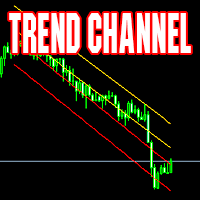
Channel indicator. Calculated dynamically. Suitable for both working in the direction of the trend and inside the channel. Excellent results when working on timeframes from 4H towards the center of the channel.
Example of use: when the price touches one of the extreme lines - opening a deal in the center of the channel with a take profit on the nearest middle line of the indicator. MT4 version The indicator can be used in expert advisors (4 buffers), receiving data in a standard way. Support:
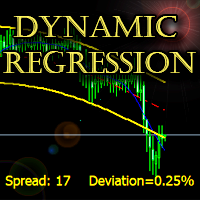
The indicator builds a dynamic regression channel with high accuracy without lagging.
Channel deviation is calculated using a unique formula and displayed on the graph.
Support: https://www.mql5.com/en/channels/TrendHunter
Can be used on any timeframe and any instrument. MT4-version: https://www.mql5.com/en/market/product/64252 Can be used as a ready-made trading system, as well as an addition to the existing one.
Settings: Fast Period - Fast smoothing period; Slow Period - Slow smoot

지표 작동 방식 Big Stoch는 최대 4개의 스토캐스틱(Stochastic) 미니 패널을 메인 가격 차트에 표시합니다. 각 패널은 지정된 시간 프레임의 데이터를 기준으로 독립 계산되며, %K, Slowing, %D 설정도 각각 따로 가집니다. 따라서 메인 차트의 시간 프레임을 바꾸지 않고 M15, M30, H1, H4 등을 동시에 확인할 수 있습니다. 오실레이터 값의 범위는 0~100입니다. MT5-version: https://www.mql5.com/en/market/product/205700 트레이더의 활용 방법 이 지표는 단기 모멘텀과 상위 시간 프레임의 시장 흐름을 비교하는 데 도움을 줍니다. 정보를 시각적으로 보여줄 뿐 매매 결정을 자동으로 내리지는 않습니다. 상위 시간 프레임 확인. 먼저 H1 또는 H4 패널에서 모멘텀이 범위의 상단, 하단 또는 중간 중 어디에 있는지 확인합니다. 그런 다음 M15 또는 M30에서 단기 움직임을 더 자세히 살펴봅니다. 선 교차 확인.

A trend trading expert uses a breakout strategy in the direction of the main trend. The EA has a unique deposit protection system that allows you to safely exit the drawdown in the event of a trend reversal. The Expert Advisor uses an indicator (built into the Expert Advisor): https://www.mql5.com/en/market/product/64252 Trading instruments (TF 5m): GBPUSD. Torn for MT4: https://www.mql5.com/ru/market/product/64432/ The Expert Advisor has been successfully tested with 99% quality quotes, floati
Plumbum This is a grid Expert Advisor. It detects the most probable points of stop/pullback/reverse of a trend and places a grid of limit orders. Uses the Martingale system. Uses stop losses. That is why long waiting out for unprofitable positions is out of the question. Optimize the EA on open prices (it works with open prices)
Settings: CommentToOrder - comment to orders; start_lot - initial lot; distance - distance between limit orders in points; level - number of pending orders; multiplier

이 지표는 시장이 현재 어떤 상태에 있는지(상승 추세, 하락 추세, 횡보)를 보여줍니다. 상태는 가격 차트 위에 색상 영역으로 직접 표시되며, 정보 패널에도 같은 내용이 표시됩니다. MT4 버전: https://www.mql5.com/ru/market/product/3793 차트 읽는 방법 청록색 영역 — 상승 추세. 빨간색 영역 — 하락 추세. 회청색 영역 — 횡보. 영역은 두 개의 선으로 구분됩니다. 굵은 선은 느린 선, 가는 선은 빠른 선입니다. 두 선 모두 시장 상태에 따라 색이 바뀝니다. 경계에서 상태가 깜빡이지 않습니다. 시장이 새로운 상태로 확실하게 전환되어야 색이 바뀝니다. 활용 방법 거래 필터. 영역이 추세 색을 띠는 동안에는 추세 방향으로 거래하고, 횡보가 나타나면 거래를 줄이거나 전략을 바꿉니다. 전략 선택. 추세에서는 진행 방향 진입이나 조정 구간 진입이 적합합니다. 횡보에서는 박스권 경계에서의 거래나 돌파 대기가 적합합니다. 국면 전환. 횡보에서 추세로 전환

The TickCounter indicator counts up and down ticks on each new bar.
The calculation starts from the moment the indicator is placed on the chart.
Histogram bars represent: Yellow bars - total number of ticks; Blue bars - ticks UP; Red bars - ticks DOWN. If the blue bar is not visible, then there are more down ticks and the red bar is displayed on top of the blue one (the red layer is above the blue one). MT4 version: https://www.mql5.com/en/market/product/82548
Each reinitialization of the i

The trading expert works out the regular movements of the AUDCAD currency pair in the channel.
The Expert Advisor is completely ready for work. Additional configuration is not required. Trading signals : https://www.mql5.com/en/signals/author/trendhunter The MetaTrader5 terminal must be installed on a remote server for smooth operation. The EA works based on the indicator: https://www.mql5.com/en/market/product/62951 Install the Expert Advisor on the AUDCAD chart, timeframe 1H. Options:
C
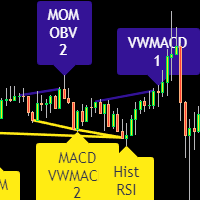
Divergence indicator 10 different indicators. Finding and displaying classic and hidden divergences.
Indicators in which divergences are searched: MACD MACD Histogram; RSI; Stochastic; CCI; momentum; OBV; VWmacd; Chaikin Money Flow; Money Flow Index. This is a replica of the indicator from the tradingview resource, adapted for the MT5 terminal.
MT4 version available here: https://www.mql5.com/en/market/product/87846
Settings: Bars in history for analysis - number of bars for analysis; D

The trading expert works on the strategy of inverse correlation of trading instruments. Trades in trading instruments are opened inside a virtual channel. The unique position management system allows you to avoid long drawdowns and fully controls the trading deposit. The EA works right out of the box with default settings. Set files are not required.
Installation:
The Expert Advisor must be installed only on the chart of the first trading pair, timeframe 1M. By default, this is the AUDNZD pair
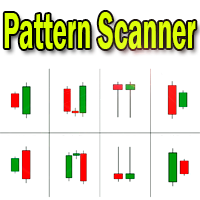
Candlestick pattern indicator - display found candlestick patterns on the chart. MT4-version: https://www.mql5.com/en/market/product/103345 Bearish patterns: Bearish Pattern Designations Pattern name SS
Shooting Star STR(S) Evening Star DJ(E) Evening Doji Star DC Dark Cloud Veil BEP Bearish Engulfing Bullish patterns: Designation of bullish patterns Pattern name HMR
Hammer pattern
STR(M) Morning Star DJ(M) Morning Doji Star PRL Piercing Line BEP Bullish Engulfing The Sh
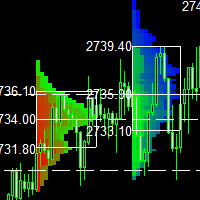
This indicator is a classic implementation of the Market Profile (Volume Profile Visible Range), allowing for the display of price density over time while highlighting the most significant price levels, the value area, and the control price within a specific trading session. MT4-version: https://www.mql5.com/en/market/product/125261
The indicator can be applied across timeframes from M1 to D1, enabling the analysis of market profiles for daily, weekly, monthly, or intraday trading. Utilizing
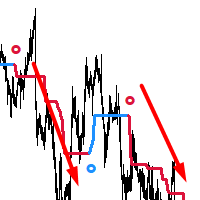
AdaptiveTrendHunter - 적응형 트렌드 감지 지표
주요 특징: 색상 코딩을 통한 쉬운 트렌드 식별 (상승 트렌드는 파란색, 하락 트렌드는 빨간색) 화살표로 표시되는 명확한 진입 신호 시장 변동성에 대한 스마트한 적응 사용자 정의 가능한 트렌드 확인 설정 새로운 거래 신호에 대한 선택적 알림 사용 방법: 트렌드 추종: 잠재적 상승 트렌드를 나타내는 파란색 라인 관찰 잠재적 하락 트렌드를 나타내는 빨간색 라인 관찰 트렌드 반전 확인을 위한 색상 변화 대기 진입 신호: 위쪽 화살표는 매수하기 좋은 시점을 제시 아래쪽 화살표는 매도하기 좋은 시점을 제시 항상 화살표가 주요 트렌드 라인의 색상과 일치하는지 확인 거래 관리: 트렌드 라인을 동적 지지/저항 레벨로 활용 잠재적 트렌드 반전을 위한 색상 변화 모니터링 자체 청산 전략 및 리스크 관리 규칙과 결합하여 사용 중요 참고사항: 신호는 현재 봉에서 형성되며, 봉이 발달함에 따라 재그림이 될 수 있습니다 항상 적절한 리스크 관리
피보나치 확장의 힘을 발휘하여 더 스마트한 트레이딩을 실현하세요
피보나치 확장 도구로 트레이딩 전략을 한 단계 업그레이드하세요. 이는 기술적 분석의 강력한 무기입니다. 이 지표는 검증된 피보나치 수열을 기반으로 하여 중요한 지지선과 저항선을 정확히 식별합니다. 주요 고점 또는 저점에서 23.6%, 38.2%, 50%, 61.8%, 100%의 피보나치 비율을 확장함으로써 시장 움직임을 자신 있게 탐색하려는 트레이더에게 명확하고 실용적인 통찰력을 제공합니다. MT4-version: https://www.mql5.com/en/market/product/139795 이 도구의 특별한 점은 무엇인가요?
피보나치 확장 지표는 기본적으로 10일의 회고 기간을 사용하여 해당 기간 내 최고가와 최저가를 식별하고, 다섯 개의 정확한 확장 레벨을 계산합니다. 그런 다음, 이 레벨을 차트에 표시하여 잠재적인 돌파 목표와 주요 지지 및 저항 구역을 강조합니다. 전용 돌파 목표 라인은 높은 확률의 트레
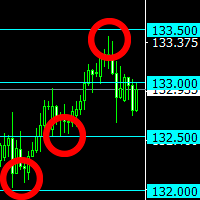
The indicator plots "round" levels, the step of which is specified in the settings. Perfect as an addition to any trading systems.
Very low price - only $30! Round levels often become price support or resistance. MT4 version: https://www.mql5.com/en/market/product/67245
This allows you to either fix a profit, or open a position after a breakdown of the level, work towards a rebound in price. The indicator will be an excellent tool in a trader's arsenal!

2 copy of 10 left at this price. Next 10 copies $549. Arda is a trading Expert Advisor based on the dissonance of technical indicators and price patterns. Support: https://www.mql5.com/en/channels/TrendHunter The Expert Advisor was tested on real historical data of EURUSD, GBPUSD and XAUUSD (Gold).
You can download a demo version of any program (for example, tickstory - there is a free version) that provides quotes with 99.9% quality and check it yourself.
The trading strategy does not cont

The EA's strategy is based on the price movement from the support line to the resistance line, as implemented in the indicator: https://www.mql5.com/en/market/product/27135 Each position has a stop loss and take profit. BONUS: I will provide all buyers with an absolutely free trading expert for working with gold: https://www.mql5.com/ru/market/product/61919 To get it, after the purchase, write me a Private message, please. The EA does not use a grid and martingale system. Support: https://www
Gold Standart - a trading expert for the XAUUSD (Gold) trading instrument. The Expert Advisor is tested on real ticks on any part of history. No hazardous trading methods are used.
Each trade has a stop loss and a take profit. Support: https://www.mql5.com/en/channels/TrendHunter
Recommended trading instrument (TF 1M): XAUUSD (Gold).
We recommend using a remote server (VPS).
Settings: This LOT: - This lot For each of this amount (if> 0) - For each of this amount of balance; MaxLot - You can

The trading statistics indicator notifies the trader of the aggregate income of the trading account for different time intervals. The indicator has wide display settings on the graph. There is a choice of one of the two display languages on the chart- English and Russian.
Settings Indicator language (ENG, RUS) - Select the language to display on the chart; To control the magic (-1: any magic) - Entering the Magic for control (-1: any Magic); Angle of indicator tie - Selecting the angle of the c

The advisor works on the basis of a strategy for determining the calm and volatile market conditions, as well as the phases of redistribution of trading activity.
In moments of increased volatility, the adviser analyzes similar price behavior (patterns) in the recent past, and if matches are found (the number of matches is configured by the user in the Strategy Accuracy parameter), the advisor decides to start trading.
Advisor does not use dangerous trading strategies based on lot increase and

The advisor determines the candle formations of the two timeframes (current and one timeframe below) and starts working towards the most likely price move. Main analyzable ligaments: Head-shoulders + flag; Head-shoulders + double top; Flag + tapering triangle; Absorption + hammer. Each transaction has a Stop-loss and Take-Profit. Each transaction is independent. Hazardous methods of work are not used. It is recommended to use currency pairs for the default settings: GBPUSD 15m и EURUSD 15m. You

Advisor trades inside the channel of the standard technical indicator Bollinger Bands. Advisor can work both in one and two sides simultaneously (option in the settings).
Closing of all positions on the trading instrument is made either by the total number of points, or when the profit is reached in percent of the balance.
Advisor is suitable for trading on relatively calm trading instruments.
You can see the principle of the adviser in a video. Settings:
Comment to Orders - Comments on open

The advisor algorithm calculates the correlation between the built-in algorithms for determining the patterns of price movements. When the dynamically calculated required correlation level is reached, the adviser enters the market.
Each transaction is controlled by a short trailing stop, which accompanies each market order in both zones - profitable and unprofitable.
Advisor is recommended to use simultaneously on the following trading instruments: EURUSD M5, GBPUSD M5, EURGBP M5, USDCAD M5. P
The Expert Advisor places a grid of limit orders above and below the current price according to the settings. After the orders are triggered, the adviser controls the current state of profit. In case of reaching the profit specified in the settings (in the deposit currency), the adviser closes market and pending orders and opens the grid again. Settings Initial trading lot - Trading lot for the first order; LotKoef - The multiplication factor for each subsequent order; The distance to the firs
The EA's algorithm determines the current state of the market - a bullish trend, bearish, or sideways movement and opens positions in the direction of the intended price movement.
In addition, at the time of making a trading decision, the adviser analyzes 4 and 5 candlestick formations for a certain period of time. If more than 2 formations coincide with a positive result, the adviser makes an entry into the market.
The SAR indicator is used as a filter. The best results are achieved on tradin

The Expert Advisor works on the basis of the principle of determining peak price loads in the moments of increasing volatility in the presence of relevant price patterns typical of the current market situation. It is recommended to use a 5-digit flow of quotes. Recommended trading tools: GBPUSD 15m, EURUSD 15m. Settings
Comment to order - comment to orders; Risk for Lot - risk percentage for lot calculation; If Risk = 0, lot will be - If Risk = 0, the lot will be like this. Max lot - You can li
The EA's algorithm determines the stop / reversal trend levels by calculating the absolute difference between the wave segments in the last 48 trading hours. The RSI indicator plays a supporting role when deciding to open a trade.
Signal advisor in real time HERE . Recommended: EURUSD 15m for default settings, VPS server. Settings: Commentary to orders - Comments to orders; Profit in points - Take profit in points; Take% if> 3 orders - Take % profit if orders are more than 3; Risk for autolot -

Duality is an autonomous automated trading system that does not use dangerous methods of trading (no martingale, no averaging, no increase in the lot).
The basis of the adviser's strategy is the correlation difference between candlestick formations and average price values at different points in time relative to the main points of the report.
Recommended use: EURUSD 5m, GBPUSD 5m, USDJPY 5m. Settings: Risk for Lot - risk percentage for the calculation of the trading lot; If MaxRisk = 0, lot
TetraScalp is an automated trading system using a smart scalping strategy. The basis of the system is fixing the fact of price consolidation in certain price channels with the definition of false punctures and straight-line trend movement.
The complex mathematical algorithm of the adviser allows you to work completely autonomously without additional manipulations. ECN-performance and VPS recommended.
Recommended use: EURUSD 15m, GBPUSD 15m, USDCAD 15m. Settings:
Comment to order - comments to

LeopardAdaptive is an advisor that works on the basis of candlestick analysis with simultaneous dissonance of three different embedded algorithms that determine the trend direction. The default settings of the advisor are optimal for working with four recommended trading instruments. The lot size or risk percentage can be selected by the trader. Every trade order has a stop loss and take profit. Recommended: EURUSD 15m, GBPUSD 15m, USDCAD 15m, USDJPY 15m. Settings:
Comment to order - comment t
The multitime frame channel indicator in automatic mode provides a visual display of support and resistance lines.
It will be useful to all traders who use technical analysis in their work. The indicator can be used as a standalone market analysis tool, or as part of a trading strategy.
Settings
TimeFrame - timeframe to build the channel; Line color - The color of the channel lines; Mark the intersection? - Mark with a marker the price crossing the channel borders?

A fully autonomous trading expert works on the principle of calculating counter divergences of averaged price values simultaneously on two timeframes. An additional filter for opening trading positions is the Bollinger Bands indicator.
Each position has a stop loss and take profit.
Used trailing stop.
For the full and stable operation of this trading expert, you must have a stable VPS.
Recommended trading tools - 5m: EURUSD, GBPUSD, USDJPY, USDCAD. Settings: Comment to orders - Comment to

Advisor works on the basis of determining the impulse movements in wide price ranges.
The algorithm of the adviser determines the size of wave movements, the frequency of touches of the boundaries of the price channels and the amplitude of the price.
If there are sufficient data indicating a strong trend movement, the adviser starts working.
Each position of the adviser has a stop loss and take profit.
Recommended trading tools for working with default settings: 5 minutes timeframe: GBPUSD,
The Expert Advisor uses the dissonance analysis strategy between the wave formation of the price movement of the lower level and the fractals of two consecutive upper levels.
The data of the MACD indicator are confirmatory and decisive when making a decision to enter a transaction.
Each trading position has a stop loss and take profit.
Dangerous trading methods are not used.
The Expert Advisor has a non-linear trailing stop system.
Recommended trading tools for default settings: 5M: EURGBP,

The Expert Advisor uses the dissonance analysis strategy between the wave formation of the price movement of the lower level and the fractals of two consecutive upper levels.
The data of the Stochastic indicator are confirmatory and decisive when making a decision to enter a transaction.
Each trading position has a stop loss and take profit.
Dangerous trading methods are not used.
The Expert Advisor has a non-linear trailing stop system. Recommended trading tools for defaults: 15M: EURGBP, E

The strategy of the adviser is based on the theory of falsals: a fractal is a set that has the property of self-similarity (an object that exactly or approximately coincides with a part of itself, that is, the whole has the same shape as one or more parts).
A trading expert analyzes four fractal orders of price formations - one fractal order down, the fractal order of the current timeframe and two orders of fractals higher than the timeframe.
Recommended trading tools for the default settings
The Expert Advisor uses 3 different trading strategies at the same time to determine market entry points. It is recommended to install the Expert Advisor simultaneously on the recommended trading instruments (currency pairs) with the default settings. Due to the simultaneous operation, the drawdown of various trading instruments is leveled by the profit of others, which ensures a smooth growth of the deposit. Recommended trading tools - 15m: GBPUSD, AUDUSD, USDCAD, EURUSD, EURGBP, EURCHF, EURJPY
A self-learning advisor can adjust to changing market algorithms with minimal latency.
With built-in analytical systems, the expert monitors the effectiveness of trading decisions.
In case of decreasing productivity of work, the adviser produces a new self-study based on the new market phase. Recommended trading tools - 5m: EURUSD, GBPUSD, EURJPY, USDCAD, USDJPY. Settings:
Comment to orders - Comment on trading positions; MaxRisk - Risk level for the calculation of the trading lot; Lot will be

The work of the expert is based on identifying zones of price consolidation in the presence of multiple multidirectional divergences. As the price leaves the narrow price range, the adviser starts working. The SAR indicator acts as an additional filter for making decisions about the direction of the transaction.
It is recommended to use the adviser with the following trading tools - 5m: EURUSD, GBPUSD, USDCAD. Standard settings are recommended for EURUSD and USDCAD . For GBPUSD , set the TRUE -

The Expert Advisor builds channels based on the data obtained using ATR and MA indicators according to the equations: Upper channel border = MA + ATR * (FIBO); Lower channel border = MA - ATR * (FIBO), where FIBO has the following values: Style of Trade - Aggressive = 1.61852; Style of Trade - Average = 3.26704; Style of Trade - Calm = 4.85556. Trades are opened inside the channel with the intervals defined in the settings. Long and short positions are opened independently. Positions are closed

This Expert Advisor works using a grid in the direction of a trend movement with the step between opened positions defined in the settings. The positions are closed by the total take profit. The Parabolic SAR standard indicator is used to filter order opening, which comes in the MetaTrader 4 package. The EA has been developed and tested using 99,9% quality of quotes. Operation of the EA in real time can be viewed in the signals . The best trading results have been achieved on CHFJPY M15.
Settin

Советник работает по принципу хеджирования с периодическими "перекосами" в сторону трендовых направлений. Направления тренда советник определяет на основании стандартного индикатора Parabolic Stop and Reverse system (SAR). Уникальная стратегия установки балансирующих позиций позволяет избегать больших просадок даже при самых не благоприятных рыночных условиях. Параметры по умолчанию рекомендуется использовать на торговом инструменте: GBPJPY 15m. Разработка и оптимизация параметров производились

The strategy of this Expert Advisor is based on a hedging system, which implies placing opposite orders. The EA algorithm determines trend beginning and opens a position in the trend direction. In case of a wrong entry, the EA tries to neutralize the drawdown through opposite (hedging) orders at a preset interval (Coefficient of counter orders). Orders are closed when one of the two values is reached - profit in percent or profit in points. The EA does not use lot increase. The EA wast tested

The Supertrend Expert Advisor The Supertrend Expert Advisor with averaging elements. It has been developed during three months until I finally got good results. It is not a scalper. The minimum balance to start trading - 100 $. Is automatically adjusted to the 4 and 5-digit prices. Has an efficient risk management system. The lot and limit on the maximum lot is automatically calculated based on the settings specified in the EA. As a result, you have a complete automated trading system. Download

StarDust searches for divergences in the values of several indicators considering them as signs of flat and enters the market if a relatively steady trend is detected. The Expert Advisor trades "basic" symbols with a low spread. The best results are achieved on М15. The EA automatically adjusts to 4 and 5-digit quote flows.
Settings Comment_to_orders – comment to a placed order. The field can be left blank if no comment is required. MM – enable money management with automatic setting of a worki

The EA catches the price when it moves against the trend in an effort to open an order in an opposite direction (direction of the main trend). Screenshots illustrate examples of entries and the strategy gist. The EA uses stop losses depending on values of ATR.
Settings: Lot_ - if Risk_ = 0, the EA will trade this lot; Risk_ - risk per one trade. Stop loss is taken into account; koeff_ATR - coefficient multiplied by the ATR value to calculate stop loss (the bigger the value, the bigger stop loss

The FastBoom EA finds the most probable points of price pullback/reverse and places an order. It places averaging orders if the price moves further against take profit.
Settings of the EA: Lots - initial lot; LotExponent - multiplier for following orders (Martingale). 1 - no multiplier. TakeProfit - take profit in points; Stochastic Settings
InpKPeriod - K Period of Stochastic InpDPeriod - D Period of Stochastic InpSlowing - Stochastic Slowing LevHigh - level for sell positions of Stochastic L

The Expert Advisor calculates the double/triple divergence of volumes, and starts trading. It uses a unique formula of lot calculation, which greatly improves stability of trading. Recommended TF - 1h. Currency pair - EURUSD , but the EA can be used on any trading instruments which are not subject to high volatility.
Settings mode - trading direction can be set manually; close - order close level (details on the screenshot); Step between orders - step between orders in points; Maximum orders -
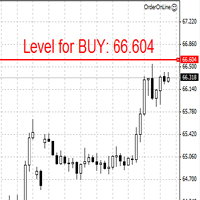
The Expert Advisor opens orders from the horizontal line, the a trader can set on any level by dragging using the mouse or by changing the line properties. For example, when a horizontal line is above the current price, the EA will open a Buy order once the horizontal line is reached. And vice versa: If the line is below the current price, the EA will open a sell order once the line is crossed. A buy crossover of the line is: opening of the current candlestick below the horizontal line; the curr

The Expert Advisor only sells. Recommended currency pairs : EURUSD; GBPUSD; USDCHF; USDJPY; USDCAD; AUDUSD; EURGBP; EURAUD; EURCHF; EURJPY; GBPCHF; CADJPY; GBPJPY; AUDNZD; AUDCAD; AUDCHF; AUDJPY; CHFJPY; EURNZD; EURCAD; CADCHF; NZDJPY; NZDUSD. Timeframe: H1. Percent% manages closing both loss-making and profitable deals based on the account overall status. Using the EA on 23 symbols mentioned above allows the robot to cope with the drawdown in case of a long trend. While positions on some pairs

The Illusion EA uses the probability theory - after a series of consecutive virtual losses - i.e. right during a flat the EA already starts trading in the trend. In addition, the EA considers the ratio of bullish/bearish candles on the higher timeframes to determine the greatest probability of the price movement direction. Only 1 order can be opened at a time. In case of a loss the following order will be placed with an increased lot (the multiplication coefficient is set in the parameters). The
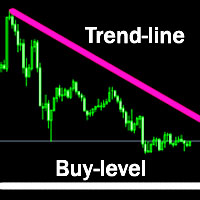
The indicator plots a trend line and determines the levels for opening trades, in case the price goes "too far" away from the trend level. More detailed information is available in the screenshots.
Settings Away from the trend line - distance from the trend line to the trades level; Arrow Signal for deals - enable displaying an arrow when the price reaches the trades level; Size of Arrow - size of the arrow; Alert Signal for deals - enable generating alerts when the price reaches the trades lev

The axiom of the Forex market is that any trend will be broken. The Expert Advisor determines trend direction (the pink line), and calculates levels for opening opposite orders depending on the settings. The value of Away from the trend line for Deal will be different for each pair and timeframe, depending on the volatility of the trading instrument. Next orders can be opened with an increased lot (a static lot is used by default). See the screenshots to understand the idea of the Expert Advisor

The automatic trading system ReactorScalpig is made in order to completely exclude the trader from routine transactions to make transactions. Advisor independently monitors the market.
With each arrival of a new quote, the trading expert analyzes the market situation for compliance with one of the embedded trading systems.
If the adviser's algorithm determines the probability of making a profit on a transaction of more than 80%, the adviser opens a position.
Each position has a take profit an

The Expert Advisor determines the moments of strong movements and opens a position in the direction of the most probable price movement. The strategy always uses stop loss and take profit. Several independent orders can be in the market (the maximum number is set in parameters). The goal of the EA's underlying trading system is the quantitative excess of the number of profitable deals over the number of losing ones. Recommended: EURUSD 5m; GBPUSD 5m; USDJPY 5m. The Expert Advisor is able to work

Twinkle is a trend-based scalper using stop loss and take profit invisible to the broker. The EA does not look for trend reversals. The EA catches strong market movements and opens orders in the direction of the trend. Your broker will not see the order closing levels. The EA closes orders independently when reaching the take profit or stop loss levels specified in the settings. Recommended trading symbols: EURUSD M5, GBPUSD M5. ECN accounts with 5 digits quotes are recommended.
Expert Advisor

This Expert Advisor implements elements of the Martingale system. Orders are opened at a specified distance from the moving average. The Parabolic SAR indicator and certain technical details are used to ensure the most accurate entries. The EA is highly customizable. It is recommended for simultaneous use on 4 currency pairs: EURUSD M15; GBPUSD M15; USDJPY M15; USDCAD M15. Despite good stability, it is advisable to disable the EA operation during the days rich in news releases.
Configurations P
LuckyCase is an Expert Advisor with martingale elements. The EA strategy is based on a significant "deviation" of the price from SAR inadicator and the Bands levels breakthrough point. The money management system is an essential part of the EA. It starts working after a trade is opened. Trades are closed after accumulating specified points of market orders, by deposit % or after an opposite side of the channel is broken through. The default EA settings are meant for: EURUSD M15; USDJPY M15. The
The Elize Expert Advisor has been designed to work with the EURCHF currency pair. It considers the peculiarities of this trading instrument, its behavior and dependence on the behavior of other currencies. In particular, when the currencies of the European countries (EURUSD, GBPUSD, EURNOK, EURCHF) move in the same direction, the EA starts its operation and opens a deal in the trend direction of the European currencies. In the event of price rollbacks, the EA uses a unique method for making the
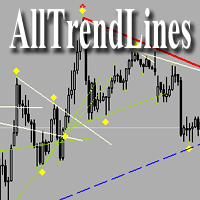
Brief Description of the All Trend Lines Indicator The indicator analyzes the wave structure of the market. What it displays on the chart: First. Wave pivots (semaphores)
• Red markers – wave highs
• Yellow markers – wave lows
• Yellow-green markers – additional local extremes Second. Trend lines
• Purple/blue lines – trends based on highs (resistance/support)
• Beige/green lines – trends based on lows
• Lines are built automatically by connecting wave pivots of the same type Third. Main trend

The Expert Advisor has been specifically developed for trading gold (Spot Gold). The strategy is based on Fibo levels calculated from the previous (first) candle High/Low and the width of the current and lower timeframes channel. If important Fibo levels of different orders are located in a single price channel (within a spread), the EA defines this channel as the target for price movement and starts operation. Martingale and averaging are not used. Each order is independent and is accompanied b
The algorithm of this Expert Advisor determines the significant price levels, where the trend often turns into a flat or reverses. Stochastic Oscillator serves as an additional filter of overbought/oversold zones. The EA sets stop loss and take profit after opening an order. The underlying trailing strategy applies a trailing stop. The EA is recommended for simultaneously use on three trading instruments: EURUSD M5, GBPUSD M5, EURCHF M5. Settings:
Comment to order - comment to orders. MaxRisk -
The Expert Advisor looks for technical analysis patterns formed on the higher (hourly) timeframe to start working on the 5-minute chart. Technical analysis patterns used: double top/double bottom, head/shoulders, flag, expanding/narrowing triangles. The Relative Vigor Index technical indicator is used as the filter for opening deals. It is based on the idea that on the bull market the closing price is, as a rule, higher, than the opening price. It is the other way round on the bear market. This
The Expert Advisor calculates the divergence on the current and higher timeframes. In case the divergences coincide, the EA starts its operation. Deals have strict take profit and stop loss levels. Each deal is managed by trailing stop. The strategy involves the use of a tight stop-loss. Therefore, losing deals and/or series of losing deals are not uncommon. This EA is not suitable for those who have difficulties coping with losing deals. The EA is recommended for simultaneous use on the followi
The Expert Advisor algorithm determines on daily charts those candlestick patterns, which set the intraday trading direction. The trading EA determines how long the price is moving in overbought/oversold zones and starts working in the direction of the expected trend movement. Each position is accompanied with a tight stop loss and take profit. Only one active position can be open in the market. The EA was developed and tested using 99% quality quotes. The Expert Advisor has a built-in news filt
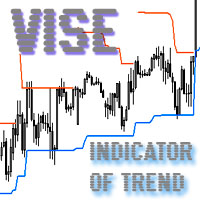
Vise is a trend indicator. The upper and lower lines follow the price showing the prevailing price direction. Frequent breakthroughs of the upper line indicate a bullish trend, while frequent breakthroughs of the lower line indicate a bearish one.
Parameters Points for UpLine - initial number of points for the upper line; Points for DownLine - initial number of points for the lower line. During the breakthrough of the upper level (line), this level shifts upwards by Points for UpLine. If the up
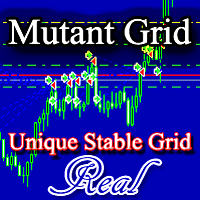
The Expert Advisor works on the principle of building small grids, from which one common (large) grid of orders can be formed. Lot increase occurs for each small grid separately. Closing orders - according to the total profit of all small grids: Profit in points (setting Profit points); Profit as a percentage of the deposit (setting Take profit percent), if the condition is met - open orders are more or equal than specified in the setting "How many orders to close a project by percentage?". Thi
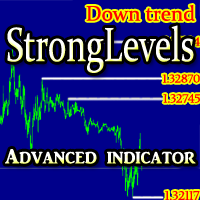
The indicator determines and reflects the significant support / resistance levels based on the algorithm for determining the volatility and the pattern in which the body of the candle is more than 2 times smaller than the size of the candle.
In addition, based on the received data, the indicator determines the prevailing current market movement. Settings: TimeFrame - timeframe to calculate; Candles in history - How many candles to take for analysis; Line color - the color of the support / resis

The trading robot works on the basis of determining price consolidation zones due to three overlapping Ishimoku indicator readings with different settings according to the Golden Ratio number. This analysis method allows you to predict price movement with high accuracy.
Each position has Stop Loss and Take Profit. Each position is controlled by a short trailing stop. Recommended trading tools, 5m: EURUSD, GBPUSD, USDJPY, USDCAD. Settings: MaxRisk - Percentage risk for the calculation of the tr
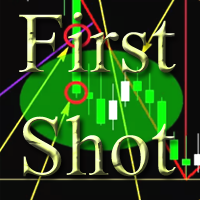
The Expert Advisor is a trend scalper. The martingale is not used. The strategy is based on defining the volatility level change as compared to a certain time period in the recent past. When a price movement becomes unusually active within a certain time period up to this point, the EA begins its work. A simple Moving Average serves as a movement direction filter. The EA settings allow limiting its operation during spread and slippage expansions. A trading lot is calculated depending on a stop

The EA uses a unique non-linear formula for calculating market entry points and a unique algorithm for fixing the result of work.
The trading expert does not use the increase in the volume of transactions to block unprofitable positions.
Mandatory take profit and stop loss levels are used. Support: https://www.mql5.com/en/channels/TrendHunter The adviser controls the spread increase by the broker and skips trading until the spread returns to its "normal" values.
The best results are achieved

The RedStar trading robot combines a unique system for determining the increase in the amplitude of trend movements and a unique system for tracking market positions within these trends. The built-in algorithm for determining narrow price ranges at the stages of their origin allows the adviser to gently exit the drawdowns with minimal losses and continue to increase profits. It is recommended that you use a VPS server. Trading Instruments (TF - 5M): EURJPY, EURGBP, EURUSD, USDJPY, USDCAD, GBPUS
The Expert Advisor works on the basis of wave-like changes in price movements. The dynamic regression channel allows you to accurately predict the price movement in the short term.
The Expert Advisor uses the indicator in its trading: https://www.mql5.com/en/market/product/64252
Trading instruments (TF 5m): GBPUSD, EURUSD, USDJPY.
The Expert Advisor has been successfully tested with 99% quality quotes, floating spread and random ping since 2003.
Optimization of the advisor is not required.

The automated trading system is developed based on the "Comfort Range" theory. According to this theory, the chart of each trading instrument has its own dynamically changing range of movement.
The skill of determining such a range allows you to use this information as a leading indicator and predict price movement in the near future.
The Rapture Expert Advisor determines the "Comfort Range" of the trading instrument and works in the direction of the expected future movement.
The EA does not

The indicator identifies two most important patterns of technical analysis - Pin Bar and Engulfing. MT5-version https://www.mql5.com/en/market/product/53701 Settings: Mincandle size for PinBar - The minimum size of the Pin-Bar candlestick; Percentage of candle body on size - The percentage of the candle body in relation to its length; PinBar Alert - Alert when a Pin-Bar is detected; PinBar Mail - Sends an email when a Pin Bar is found; PinBar Notification - Sends a push notification when a Pin

The automated trading system determines the direction of the trend in accordance with the author's algorithm for determining wave movements. The EA processes each trend movement with a grid of market transactions in the direction of the trend. To minimize drawdown, the trading robot uses opposite buy and sell-grids of deals. This method allows you to compensate for the floating loss from trades in the previous trend. The author's system for enabling trailing stop is an additional part of the sy

The EA uses a complex non-linear formula for calculating market entry points and a unique algorithm for fixing the result of work.
The trading expert does not use the increase in the volume of transactions to block unprofitable positions.
Mandatory take profit and stop loss levels are used.
The adviser controls the spread increase by the broker and skips trading until the spread returns to its "normal" values.
The best results are achieved when working with trading instruments with default

The Expert Advisor works on the principle of a reverse breakdown of price levels. The unique formula for determining the direction of microtrends allows the expert to enter the market with a high degree of accuracy.
Filter of patterns of higher timeframes allows you to skip trades towards the ending trend.
Every trade is protected by a stop loss. Support: https://www.mql5.com/en/channels/TrendHunter
No dangerous trading methods.
Trading instruments (TF 5M): EURUSD, GBPUSD.
Recommended depo
Indicator of correlation of two trading instruments.
Ideal for pair trading.
Example of use: if there is a significant divergence of correlated trading instruments, open two deals in the direction of each of them. Trades are closed when the correlation lines are crossed. Settings: First symbol (if empty - current) - The first trading instrument (if empty, the current one); Second tool (if empty - current) - Second trading instrument (if empty - current); Number of bars - Number of bars for ca

The trading expert "Space Reptile" was developed on the basis of three trading strategies that were tested on PAMM accounts and showed high performance.
Algorithms for determining the phases of a trend direction allow a trading expert to accurately enter the market in the right direction.
The built-in profit and loss control mechanism ensures stable profit superiority over losses.
Each transaction is accompanied by a mandatory stop loss and take profit.
The expert’s strategy does not provid
The script analyzes the size of the extreme closed candles of the selected timeframe (by default - W1).
If the candlestick size is higher than in the settings, the script opens the chart of this trading instrument.
In addition, the script calculates the average candle size for the number of candles specified in the settings.
An example of using the script: On Monday morning, activate the script on any trading instrument; Determine which instrument's weekly candle is above average; This week,

The Expert Advisor calculates the channel of the price direction and the zones of extreme price exits beyond its usual amplitude.
In these zones, the EA calculates the increased activity of the price movement and starts working when the probability of price movement in the desired direction is higher than the Volatility level parameter. The EA does not use dangerous trading methods. Recommended trading instruments (TF 5m): USDJPY, EURUSD, GBPUSD, USDCAD.
In addition to traditional stop loss a
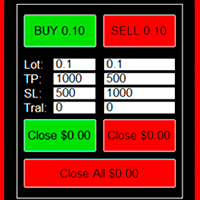
Convenient trading panel for quick trading. Suitable for any trading instrument.
Capabilities Data entry is possible both in the corresponding fields of the panel and in the properties of the utility; Implemented the ability to enable trailing stop (if 0 - it does not work); Buttons for quickly opening buy or sell trades; Buttons for closing buy and sell separately; Button to close all deals at the current price. Settings: Buy Lot - Trading lot for a buy deal; Sell Lot - Trading lot for a se

The Expert Advisor's strategy is based on proactive forecasting of the most likely price movement. The method for determining this movement is the calculation and ratio of such factors as: short-term OHLC candlestick patterns, the direction of the microtrend, the rate of price change.
Only 1 deal on one trading instrument can be opened at a time. Support: https://www.mql5.com/en/channels/TrendHunter
No hazardous trading methods are used.
The Expert Advisor has minimal settings, which allow

The strategy of the Expert Advisor is based on a non-standard method of reading the Bollinger bands indicator data.
The algorithm of the advisor determines the zones of market consolidation (squeeze) and a subsequent sharp increase in volatility. After a decrease in the level of increased volatility, the EA starts working in the direction of the most probable price movement.
The EA does not use dangerous trading methods. Every trade is protected by a stop loss. Recommended currency pairs (TF
The indicator displays the Stochastic oscillator indicator readings of four time frames simultaneously in the lower window of the chart.
An example of a possible use: the direction of all indicator lines in one direction is a sign of a strong trend. The use of the lag factor - in the case of the indicator lines staying in one area for a long time - is a sign of trend "fatigue", its stop or reversal. The indicator is redrawn only within the candlestick of its own timeframe.
The indicator has f

The indicator is designed to determine the momentum of the price.
The Stochastic is recommended to be used during the lateral movement phase together with other indicators. However, some Stochastic signals have worked well in the trending market.
Overbought and oversold zones
Oscillator zones above 80% and below 20% are called overbought and oversold zones, respectively. When the price enters the overbought zone (that is, trades near the upper border of the range), if it bounces down, then w

Indicator of strong levels. Usually, price either bounces off them or breaks out powerfully with a strong move. Also, often in areas of such levels, the price turns into sideways movement, gaining strength before a new impulse.
Settings: Timeframe - Select a timeframe; TopColor - Color of support zones; BotColor - Color of resistance zones; Price_mark - Color of price labels; Price_Width - The size of price labels.

The algorithm of the advisor calculates the important support and resistance levels.
Next, the Expert Advisor calculates the probability of price movement "to" or "away" from this price level. Support: https://www.mql5.com/en/channels/TrendHunter If a high probability of price movement in the desired direction is determined, the advisor opens a deal.
Each trade is protected by a stop loss. Dangerous trading methods are not used. Recommended instruments (5M): GBPUSD, EURUSD, USDJPY, USDCAD. Ad
The Expert Advisor algorithm calculates the trend direction and determines its peak value. At the points where the probability of the formation of a peak value is the highest, the EA starts working. The Expert Advisor has an algorithm for tracking open positions and a risk control system. Each trade has a stop loss and a take profit. No hazardous trading methods are used. Recommended trading instruments: XAUUDS (Gold, spot), EURUSD, GBPUSD, USDCAD . Timeframe - 5 minutes. Installation procedure

Plodder stand-alone trading strategy works on the basis of a unique system for detecting increased market volatility. During periods of high impulse movements, as well as after false breakouts and price rollbacks before a strong movement, the EA starts working.
The Expert Advisor has been successfully tested with 99% quality quotes, floating spreads and random ping since 2010. Support: https://www.mql5.com/en/channels/TrendHunter Optimization of the advisor is not required. In the process, t
The leading indicator calculates the most likely places for a trend reversal or stop.
An example of use is shown on the screenshot using the ChainVector trading panel ( https://www.mql5.com/en/market/product/49155 ).
Support: https://www.mql5.com/en/channels/TrendHunter This indicator can be used as a stand-alone trading system or as an additional part of another trading system. Support : https://www.mql5.com/en/channels/TrendHunter
More products are available here: https://www.mql5.com/en

Pythagorean — 추세 방향 전환 지표 개요 Pythagorean은 가격을 따라가는 색깔 점들로 현재 추세 방향을 가격 차트 위에 바로 보여 줍니다. 초록색 점은 상승, 빨간색 점은 하락을 의미합니다. 점의 색이 바뀌면 추세 방향이 전환되었다는 뜻입니다. 모든 종목과 모든 시간 단위에서 사용할 수 있습니다. 마감된 봉의 값은 다시 그려지지 않습니다. MT4-version: https://www.mql5.com/en/market/product/80110 보는 방법 초록색 점: 추세가 위쪽을 향합니다. 빨간색 점: 추세가 아래쪽을 향합니다. 빨간색에서 초록색으로 변경: 상승 추세가 시작될 수 있습니다. 초록색에서 빨간색으로 변경: 하락 추세가 시작될 수 있습니다. 활용 방법 방향 필터. 점이 초록색일 때는 매수만, 빨간색일 때는 매도만 진입합니다. 진입 신호. 마감된 봉에서의 색 변화를 새로운 방향으로 진입하는 신호로 사용합니다. 포지션 관리 및 청산. 보유 포지션과 반대 방향으

The Expert Advisor identifies the beginning of a wave movement and starts working according to the direction of the new wave. It uses tight stop loss and take profit. Built-in protection against spread widening. Control of profit is performed by the tight trailing stop feature. Lot calculation is based on stop loss. For example, if stop loss is 250 points and MaxRisk = 10%, the lot size will be calculated in such a way that triggering the stop loss would lead to a loss equal to 10% of the deposi

A unique trading strategy is based on controlling trading volumes at various levels of volatility. The trade expert automatically determines the zones of purchases and sales and the degree of mathematical probability of successful forecasting of each transaction. If there are sufficient conditions and a high degree of probability of profit, the adviser starts work. Hazardous trading methods are not used. Each trade is protected by stop loss. Profit control is carried out by a special strategy f

The tactics of the work is based on determining the definition of price patterns, confirming a long trend movement. Thanks to a unique algorithm, a trading expert controls the “market pulse” and, in determining patterns of attenuation or trend reversal, stops trading until the next protracted wave movement appears.
Each position of the adviser has a stop loss and take profit.
The martingale method is NOT used. The grid is NOT used.
The default settings are recommended for use on EURUSD (15m)

The Expert Advisor works on the basis of a strategy for calculating the difference in amplitudes of price fluctuations and the Average True Range indicator. A trading expert determines the periods of anomalous discrepancies between these data (an entity resembling a divergence) and is included in the work. It is recommended to use on the 5 minute timeframe, trading instruments: GBPUSD, EURUSD, USDCAD. For stable operation, it is recommended to use a VPS server and a 5-digit flow of quotes. Setti

The trend scalper is based on the head-shoulder micropatterns and the relative strength index. The unique algorithm of the adviser determines the most possible directions of price movement, false impulses and the force of movement are calculated.
Each position has a stop loss and take profit.
Dangerous trading methods are not used.
It is recommended to use the advisor with the default settings on the following trading instruments (timeframe 5 minutes): GBPUSD, USDCAD, EURUSD. Recommended bro

A trading expert studies the volume indicator patterns and their relationship to the main price movement.
In case of detection of three or more similar patterns of price behavior, the adviser starts working. After each closed position, the adviser repeats the self-learning procedure.
Each position has a stop loss and take profit.
Each position is controlled by a trailing stop.
Not scalping, NOT a grid, NOT a martingale.
Recommended: Use on trading instruments (timeframe 5 minutes, default

An automatic trading system is based on calculating the difference between key Fibonacci levels and their ratio to the size of Fibo order candles.
A unique tracking algorithm for each position allows you to control the price behavior. If it is recognized that it is not advisable to hold the position further, it will be closed.
Advisor controls ping and slippage of the trading server and adapts to them. Trading instruments (timeframe m5): EURUSD, GBPUSD, USDCAD.
Recommended: VPS; low spread;

The MT4 trading advisor calculates the formed Gartley Butterfly shapes and makes a decision at the start of trading.
"Butterfly Gartley" - one of the figures of graphical analysis, popularized by technical analyst Larry Pesavento, taken from the author's publication "Profit in the stock market", published in the mid-thirties. To date, there are 12 basic "Gartley patterns" - graphic figures with the construction, based on the application of Fibonacci levels and ratios.
The algorithm of trackin

The strategy of the adviser determines the direction, the strength of the trend and the behavior of prices in the zone of "round" price levels. If several factors coincide, the adviser starts working in the direction of the most likely price movement.
The Expert Advisor uses a unique algorithm for tracking open positions.
Each position advisor has a stop loss and take profit.
Dangerous trading methods are NOT used. Recommended trading instruments (TF 5m): GBPUSD, EURUSD. For 24/7 advisor oper

A fractal is a set that has the property of self-similarity (an object that exactly or approximately coincides with a part of itself, that is, the whole has the same shape as one or more parts).
Advisor works on the basis of the theory of self-similarity. The advisor algorithm determines similar fractal patterns on three timeframes at the same time (lower, current and upper). In the case of coincidences found, the adviser begins to work in the direction of the price following the fractal model.

The Expert Advisor algorithm determines the formed trend movement, and starts working in the direction of the existing trend. To determine the direction of price movement, the EA uses candlestick analysis, certain technical analysis patterns, significant price levels, trading volatility both separately and combined with the obtained data. Each deal is managed by a tight trailing stop, which is applied to both profitable and unprofitable orders. An example of the correct installation of the EA is

The unique algorithm of the trading expert calculates the nature of price movements over a certain period of time and builds tactics of work depending on the current market situation.
The auto-tuning algorithm for changing market trends allows the adviser to work non-linearly and with minimal delay to follow the price. Recommended Trading Instruments ( 5M ): GBPUSD, EURUSD, USDJPY. The best trading results are achieved on ECN accounts with a low spread.
Installing the adviser on a VPS server

The Expert Advisor identifies the most probable direction of the price based on the divergence of volumes and consolidation of prices in the overbought/oversold areas. Filtering for opening trades is carried out by using a unique formula for calculating the price level - "magnet" (based on the Ichimoku indicator), where the price is highly probable to come within a few bars in the future. The EA contains a minimum of settings, which facilitates its usage. Recommended symbols: EURUSD 15m ; GBPUSD

The Expert Advisor is designed to work simultaneously on two specially correlated trading instruments for three strategies: EURAUD and EURUSD.
A unique system for calculating correlating price movements allows the adviser to enter the market with a high degree of probability of profit.
Trading Instruments: 5m EURAUD and EURUSD;
Recommended deposit of 10.000.
Settings: Money Management - Enabling Money Management; Lot - Trading Lot; [Lot] for every - If MM is enabled, there will be [Lot] for
The basis of the strategy is the identification of quick corrective movements between the crosses of a working currency pair or metal. At the moment of differences in prices of trading instruments, the adviser analyzes the possible direction of price movement on a working instrument and starts work.
Each position has a stop loss and take profit.
A unique position tracking algorithm allows you to control the superiority of profit over loss.
The adviser does not use dangerous trading methods.
The indicator combines several types of calculation: calculation of price channels and determining the direction of the trend. The green line is a buy signal ; The magenta line is a signal for sales . Two yellow lines of the "small" channel above the middle green line - getting ready for sales; Two yellow lines below the magenta line - getting ready to shop. Blue channel lines - the higher the distance between the lines, the closer the price rollback or trend reversal. The indicator can be used
The EA uses a combination of several different trading systems.
The unique trading expert algorithm allows you to choose the direction of positions with the highest probability of their profitable closing.
The risk control system allows profitable transactions to prevail over the total amount of loss.
Advisor is ready for full independent work without the intervention of a trader.
Recommended trading tools: TF 5m: EURUSD, GBPUSD, USDJPY, USDCAD, EURGBP. Settings:
MaxRisk - Percentage of ris

The adviser includes three independent strategies that work according to the methods of distributing trend phases for working out each of the strategies. The averaging mode is applied, which allows you to bring a group of orders to close without loss.
The EA has the option of emergency closing of all orders, when they reach the amount and total profit in the deposit currency specified in the settings.
The adviser automatically determines the 4 and 5-digit stream of quotes. Recommended trading
A trading expert works on the basis of a unique author’s methodology for determining the end / stop of a trend.
At the moment of completion of strong impulsive or long protracted trend movements, the EA starts its work by placing pending limit orders.
Recommended trading tools for working with default settings (TF 15M): EURUSD, USDJPY, USDCAD, EURCHF .
After the pending orders are triggered, the adviser monitors and fixes the profit when one of the profit reaches profit: Profit of money ; P

The trading robot uses a unique system for determining critical price levels. In these areas, the adviser determines the most likely price movement and begins its work.
An advanced system of profit and loss control allows the amount of profit to prevail over the amount of loss.
Each advisor order has a stop loss.
Hazardous trading methods are not used. The default settings are suitable for (5M timeframe): EURGBP, USDCAD, EURUSD, AUDUSD, USDJPY, EURJPY. No additional set files are
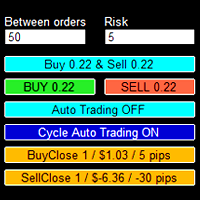
The trading panel is designed to help the trader in managing transactions in the MT4 terminal.
There is a possibility: Open deals using BUY and SELL buttons; In Auto Traiding On mode, already opened positions are averaged by their type until profit is received (the amount of profit at which orders will be closed is set in the settings - in points or percent of the deposit); In Cycle Auto Trading On mode - the EA initially opens two opposite orders and makes two multidirectional grids until pro

The Expert Advisor is a trend scalper.
The Expert Advisor's strategy determines the buy and sell zones, where further price consolidation and the degree of probability of price movement in the direction of the trend are calculated.
The EA does not use dangerous trading methods. Support: https://www.mql5.com/en/channels/TrendHunter In addition to traditional stop loss and take profit, each trade is controlled by a trailing stop. In addition, trades are closed when the price moves from one le

The trading Expert Advisor's strategy is based on one of the most powerful technical analysis signals - the Pin Bar.
When determining this figure, a trading expert studies the current market situation and, if there is a combination of certain factors, it starts working.
It is recommended to start working with a small trading lot . As you become familiar with the work of an expert, the trading lot can be increased (use money management) to a psychologically acceptable size.
Attention : the fo

The strategy of the Expert Advisor is based on one of the strongest signals of technical analysis - Engulfing .
When determining this figure, a trading expert studies the current market situation and, if there is a combination of certain factors, starts working.
It is recommended to start working with a small trading lot . As you become familiar with the work of an expert, the trading lot can be increased (use money management) to a psychologically acceptable size.
Attention : the format of

The EA’s unique algorithm calculates the average price (reflected in the form of a trend line on the chart), which is the center of price attraction in the framework of the traded timeframe.
At times of increasing volatility, the adviser begins work with the goal of fixing profit in the region of the center of attraction of the price.
Advisor does not use dangerous trading methods.
It is recommended to install a trading expert on a remote server (VPS). Recommended Trading Instruments (TF 5M)

Big KC — 멀티 타임프레임 켈트너 채널 패널 Big KC는 최대 4개 타임프레임의 켈트너 채널을 가격 차트 위의 간결한 패널에 동시에 표시합니다. 차트를 전환하거나 별도 창을 열 필요 없이 여러 타임프레임의 변동성과 방향을 한눈에 확인할 수 있습니다. 각 타임프레임마다 독립적인 채널 설정을 사용할 수 있습니다. MetaTrader 4 버전: https://www.mql5.com/en/market/product/207054 작동 방식 인디케이터는 차트에 하나의 패널을 그리며, 그 안에 최대 4개의 미니 창이 들어갑니다. 각 미니 창은 하나의 타임프레임에 해당하고, 현재 차트 종목의 최근 캔들과 켈트너 채널의 세 선(상단, 중간, 하단)을 보여줍니다. 4개 타임프레임을 모두 켜면 2x2 격자로 배치되고, 그렇지 않으면 한 열로 쌓입니다. 패널 크기는 차트와 화면 해상도에 맞게 자동으로 조정되며, 차트 너비의 비율(%)로 직접 지정할 수도 있습니다. 데이터는 1초마다 갱신됩니다. 무