KT Range Breakout EA MT4
- Experts
-
KEENBASE SOFTWARE SOLUTIONS
 Keenbase Trading은 트레이더가 더욱 정확하고 신뢰할 수 있는 거래 결정을 내릴 수 있도록 MetaTrader 4 및 MetaTrader 5용 전문 지표와 Expert Advisor(EA)를 개발합니다.
당사의 제품은 실전에서 활용할 수 있는 거래 로직과 직관적인 사용자 경험을 결합하여 안정성, 사용 편의성, 그리고 체계적인 리스크 관리에 중점을 두고 설계되었습니다. 모든 도구는 철저한 테스트를 거쳐 실제 시장 환경에서도 일관되고 안정적인 성능을 제공할 수 있도록 개발됩니다. - 버전: 1.0
- 활성화: 10
Range breakout EA that catches the day's breakout for you on any symbol: your range, your times, and a stop loss on every trade, on any broker. Type the range in London, New York or broker time, set your risk, and the EA follows the same plan every day.
What happens every day
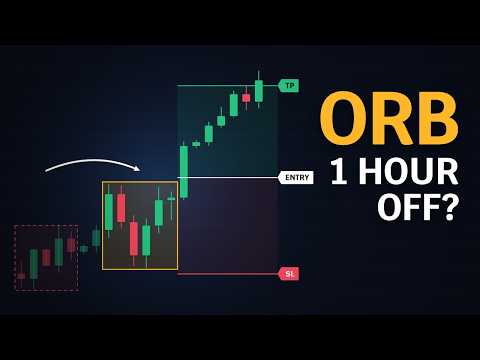
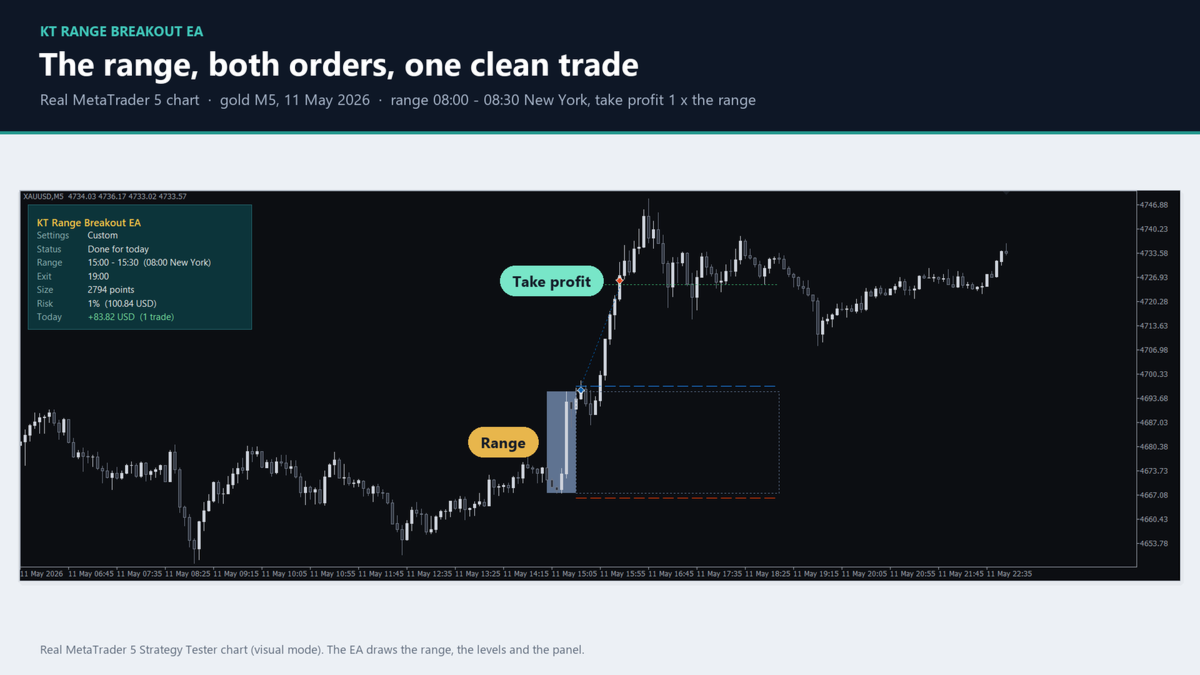
The EA waits for the end of the range, places a buy stop above it and a sell stop below it, and lets the first breakout decide. The other order is removed, the stop loss is already set, and the trade ends at its target, at its stop loss or at the end of the trading window. One trade a day per chart.
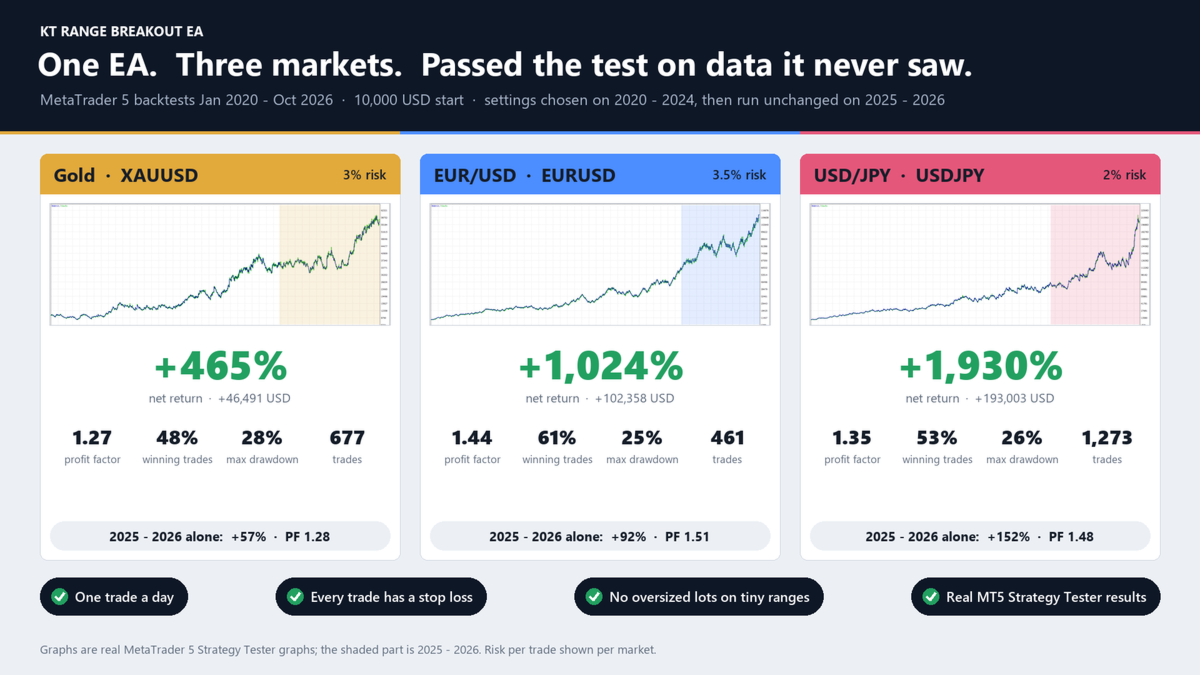
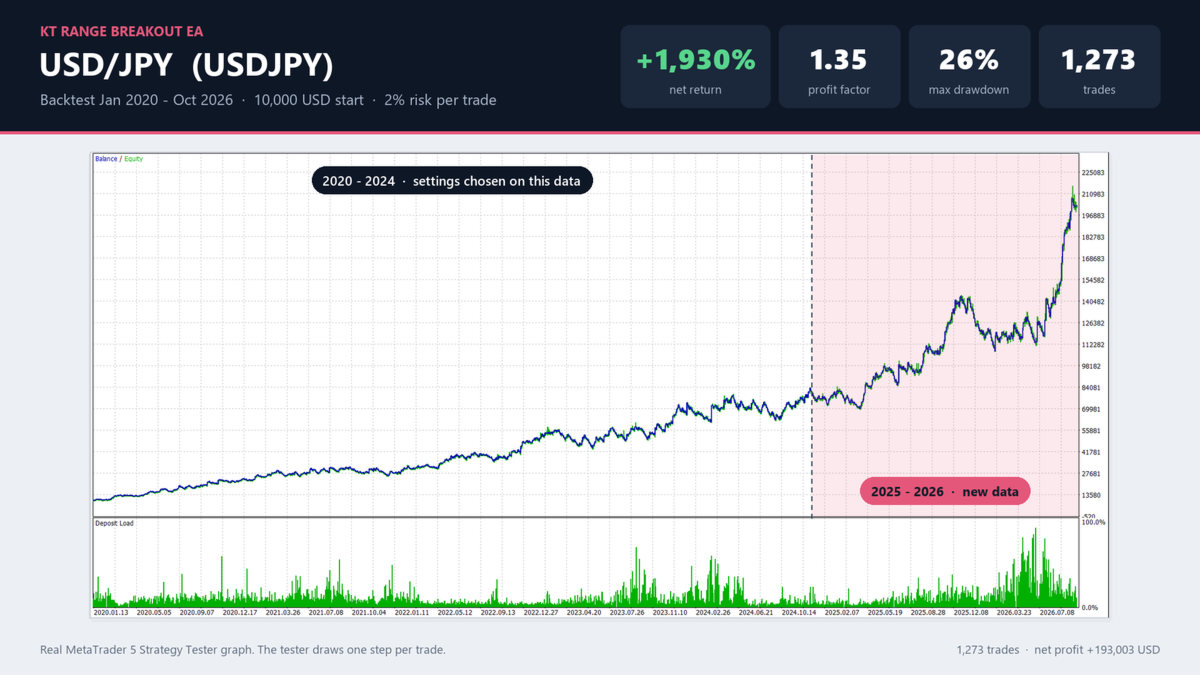
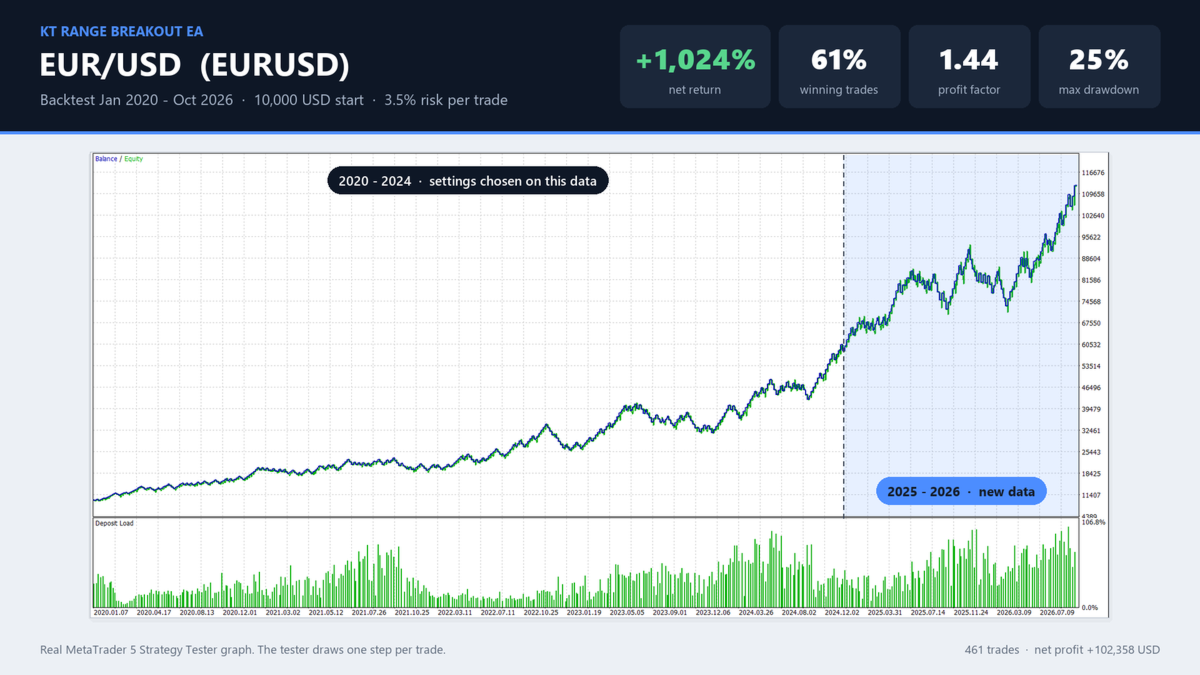
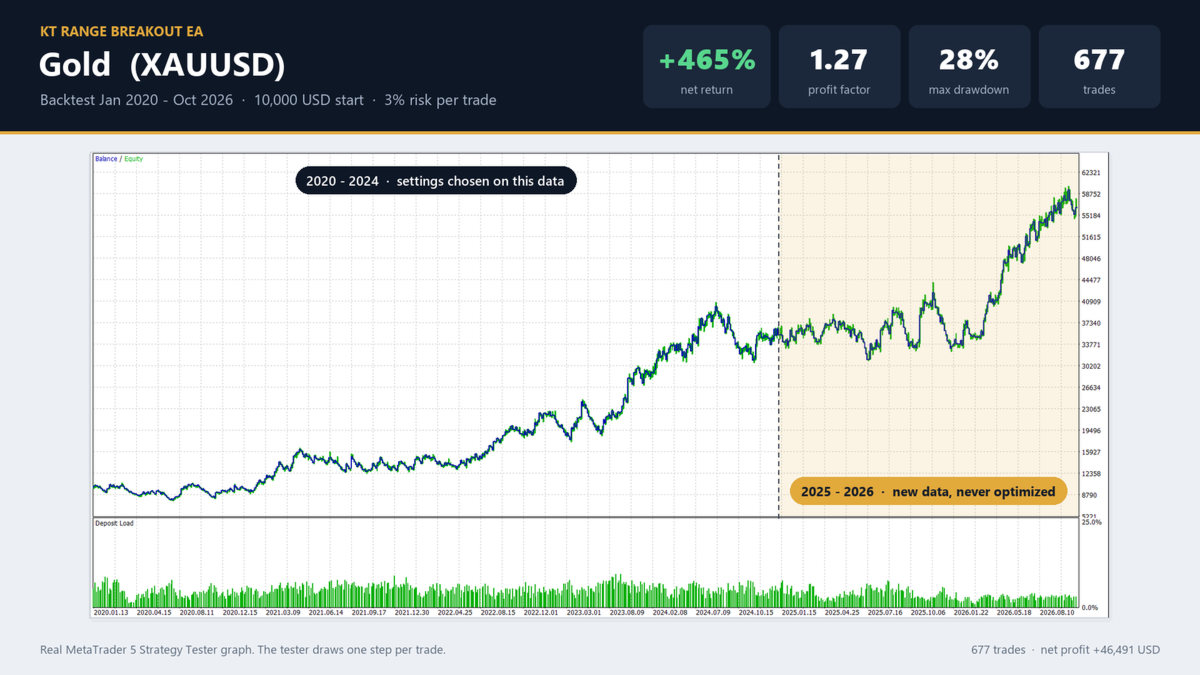
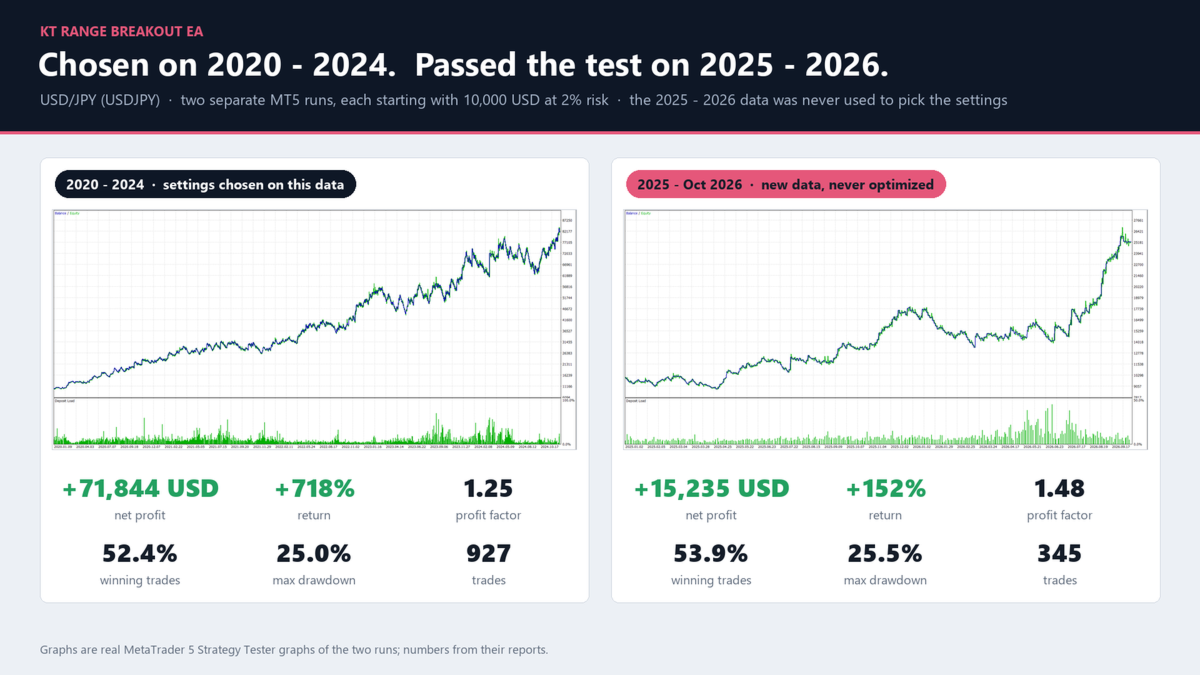
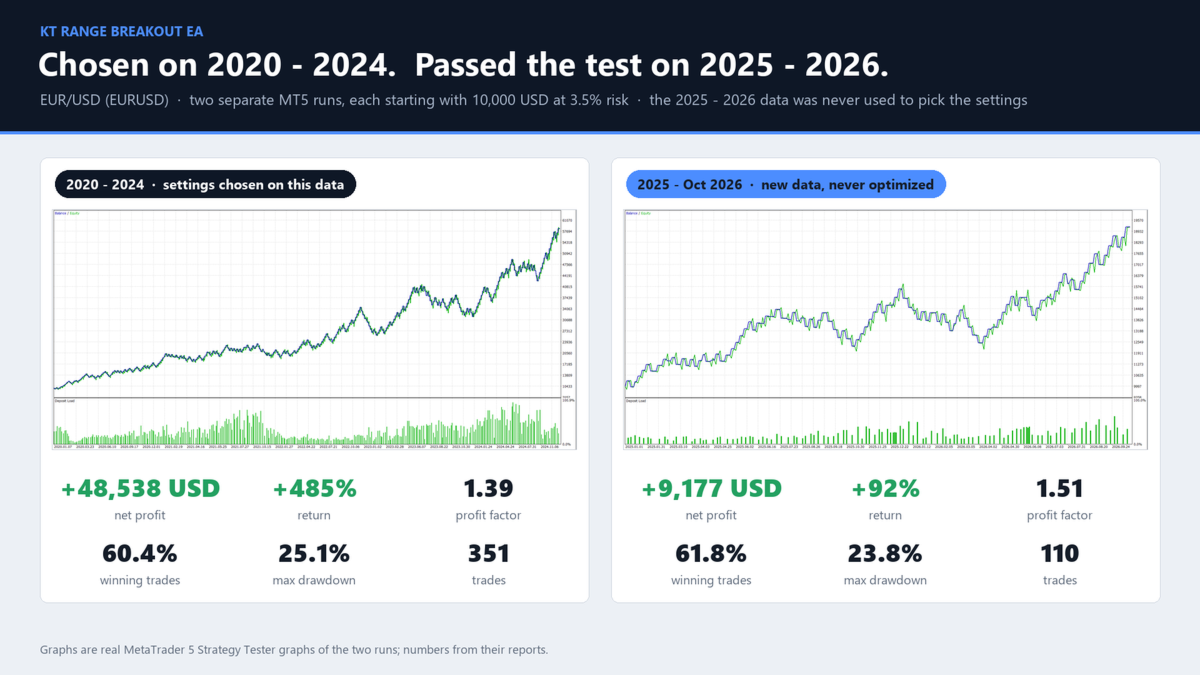
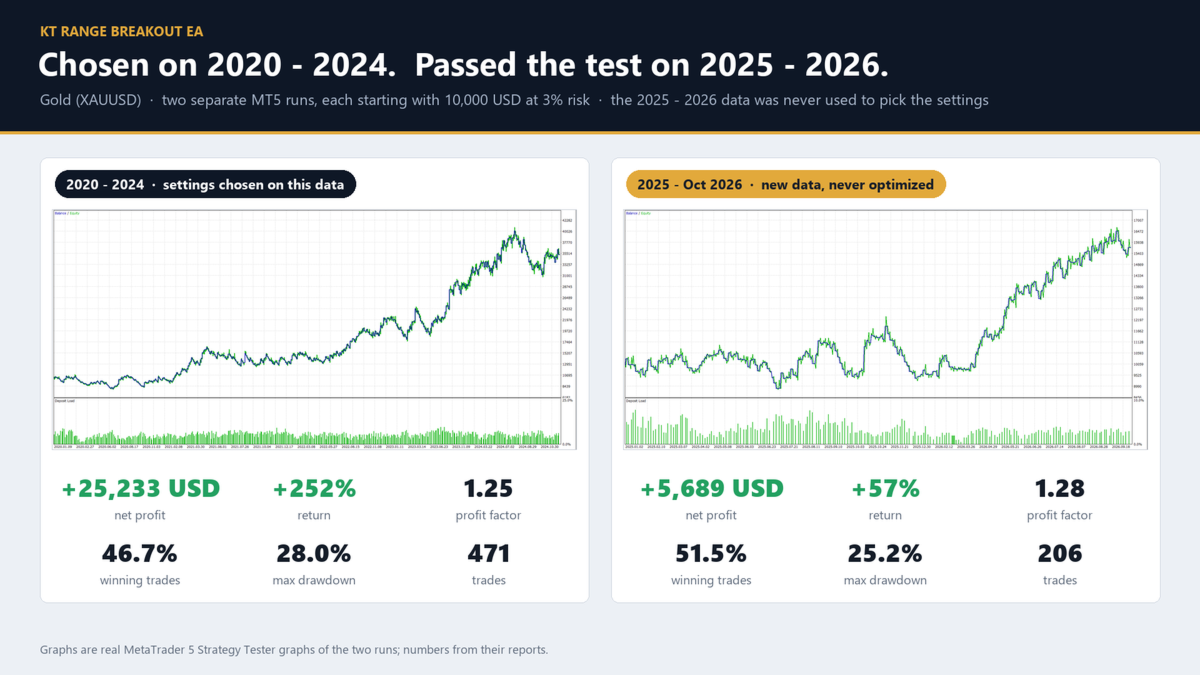
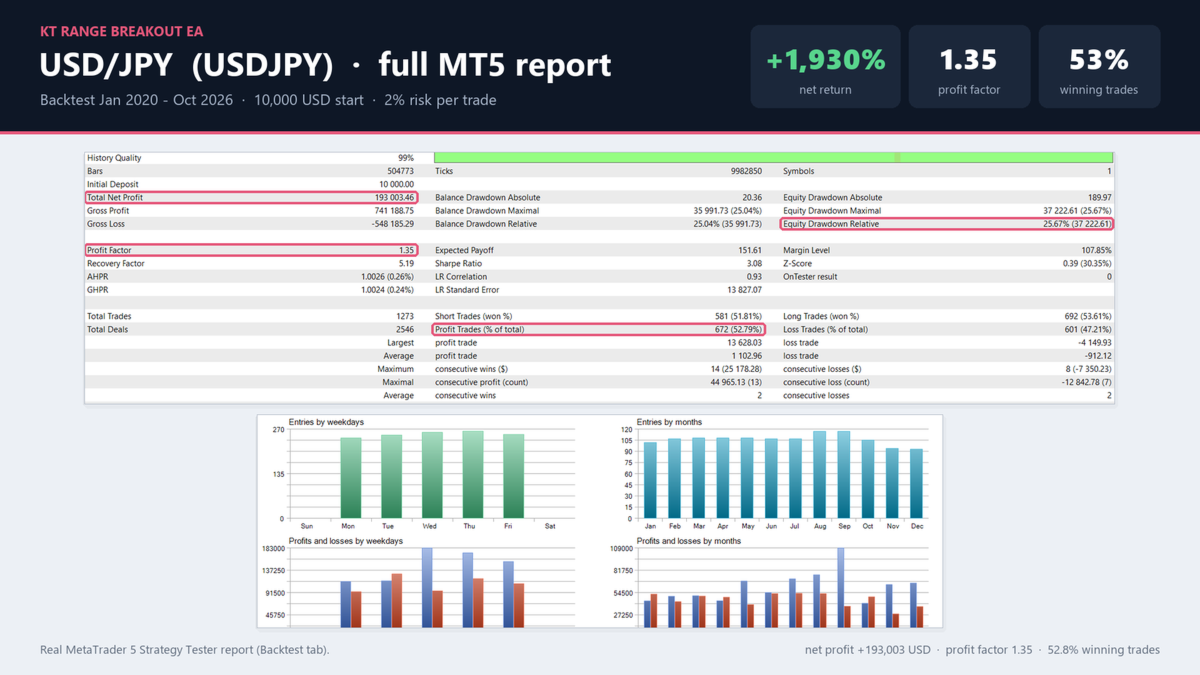
Tested settings for gold, EURUSD and USDJPY come built in as a head start. They were chosen on 2020 to 2024 prices, then tested on January 2025 to October 2026 prices they had never seen. The screenshots show the result of each market, with the risk per trade printed on each one.
Why traders choose it
- Any symbol, any range: Custom settings for your own range and exits, or the tested settings for gold, EURUSD and USDJPY.
- Always on time: the range stays at the same London or New York time all year, on any broker and through every daylight saving change.
- Protected from the first second: the stop loss is sent with every order. No grid, no martingale, no averaging.
- Your risk, your rules: risk a percent of the balance, a fixed amount or a fixed lot. Ranges too small for the day are skipped, so the lot never grows out of control.
- Confirmation if you want it: wait for a candle to close outside the range instead of using stop orders.
- Always informed: the chart shows the range, the orders and the reason for any quiet day, with pop-up, push and email alerts.
Getting started
Attach the EA to a chart of any timeframe. On XAUUSD, EURUSD or USDJPY choose that market in Settings; on any other symbol choose Custom and type your range. Then set your risk. Keep Broker time on Automatic on a live chart. It also runs next to KT Equity Protector EA: a trade closed by another EA or by hand ends the day.
Recommendations
XAUUSD, EURUSD and USDJPY with the built-in settings, any other symbol with your own range, at 1% risk per trade to start, on hedging or netting accounts. A VPS keeps the EA running at the end of the range and at the end of the trading window.
Input parameters
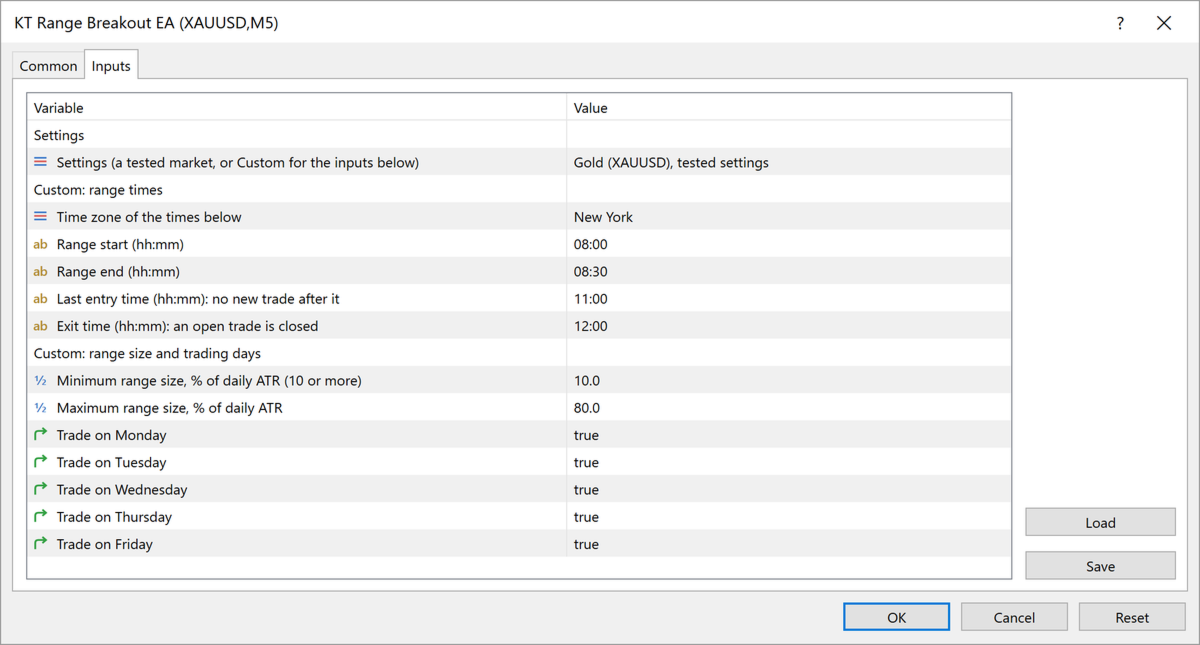
- Settings: Gold (XAUUSD), EURUSD or USDJPY tested settings, or Custom.
- Custom range times: time zone (New York, London or broker), range start, range end, last entry time, exit time.
- Custom range size and trading days: minimum and maximum range size in percent of the daily ATR, Monday to Friday.
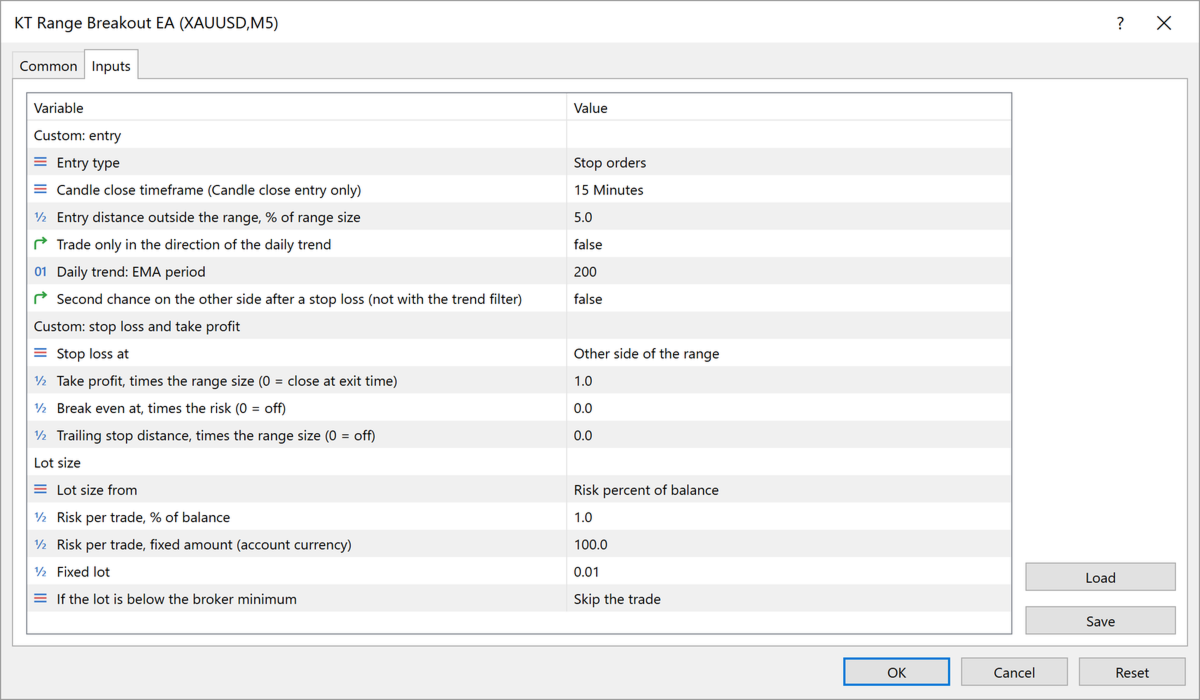
- Custom entry: stop orders or candle close, candle close timeframe, entry distance outside the range, daily trend filter, second chance after a stop loss.
- Custom stop loss and take profit: stop loss at the other side or the middle, take profit as a multiple of the range, break even, trailing stop.
- Lot size: risk percent, fixed amount or fixed lot, and what to do below the broker's minimum lot.
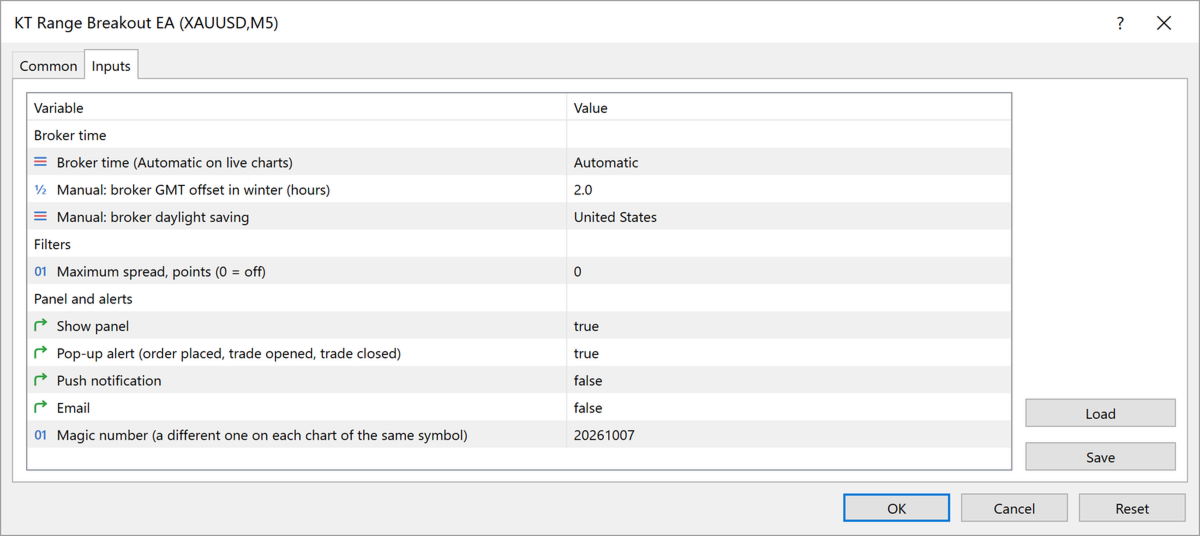
- Broker time: Automatic, or Manual offset and daylight saving for the Strategy Tester.
- Filters: maximum spread, and on MetaTrader 5 the high impact news filter from the economic calendar.
- Panel and alerts: panel, pop-up, push and email alerts, magic number.
Your breakout, every day
Set your range and your risk, and KT Range Breakout EA is there for every breakout, on the right hour, with a stop loss on every trade.