RMT Visual Trade Planner
- 유틸리티
- 버전: 1.0
- 활성화: 10

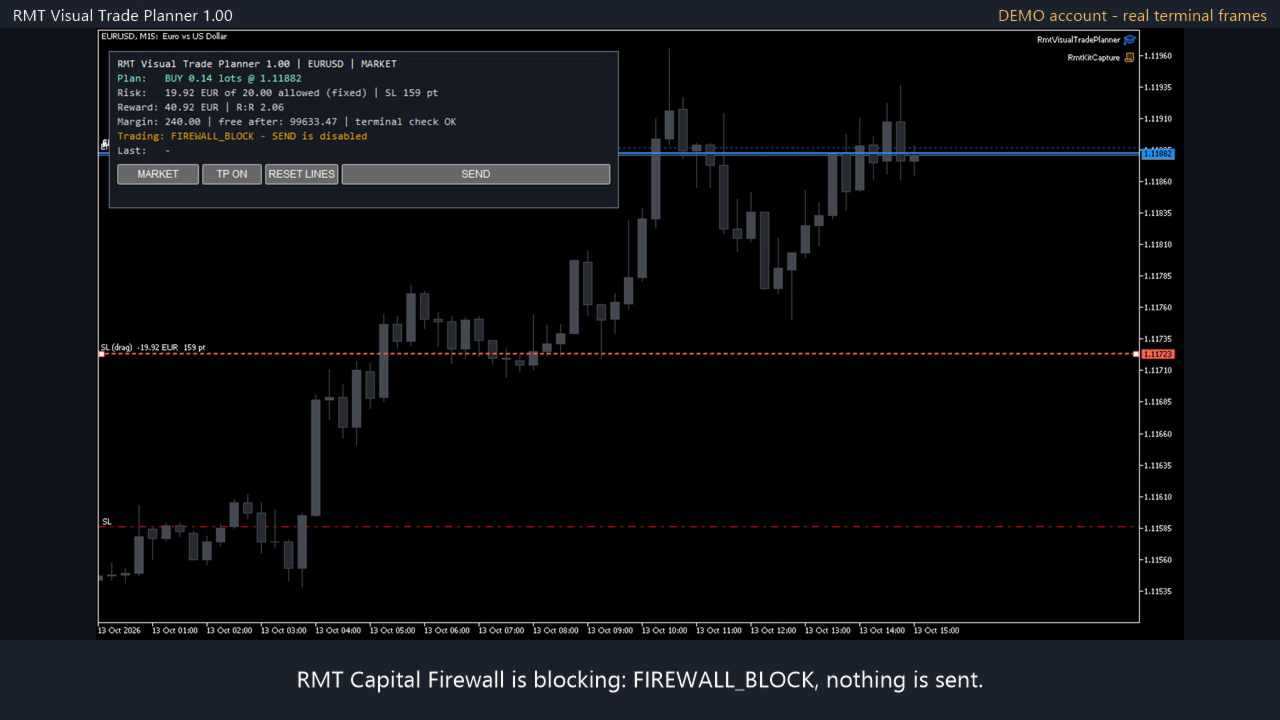
RMT Visual Trade Planner is a position size calculator and order planner for MetaTrader 5: you plan a trade with three lines on the chart. Drag the stop loss and take profit, and it shows the lot size for your risk, the money at risk, the reward and the margin. The order is sent only after you press SEND and then CONFIRM.
The problem it solves
Working out the lot size for a given stop and a given risk takes a calculator, and a mistake there costs more than a bad entry. The order window of MetaTrader does not show the money you are risking. RMT Visual Trade Planner does the arithmetic on the chart, with your broker's own contract data, and shows it before anything is sent.
How it works
- Attach it to a chart. Three lines appear: ENTRY, SL and TP.
- Drag SL to where your stop belongs. If it is below the price the plan is a buy; above, a sell.
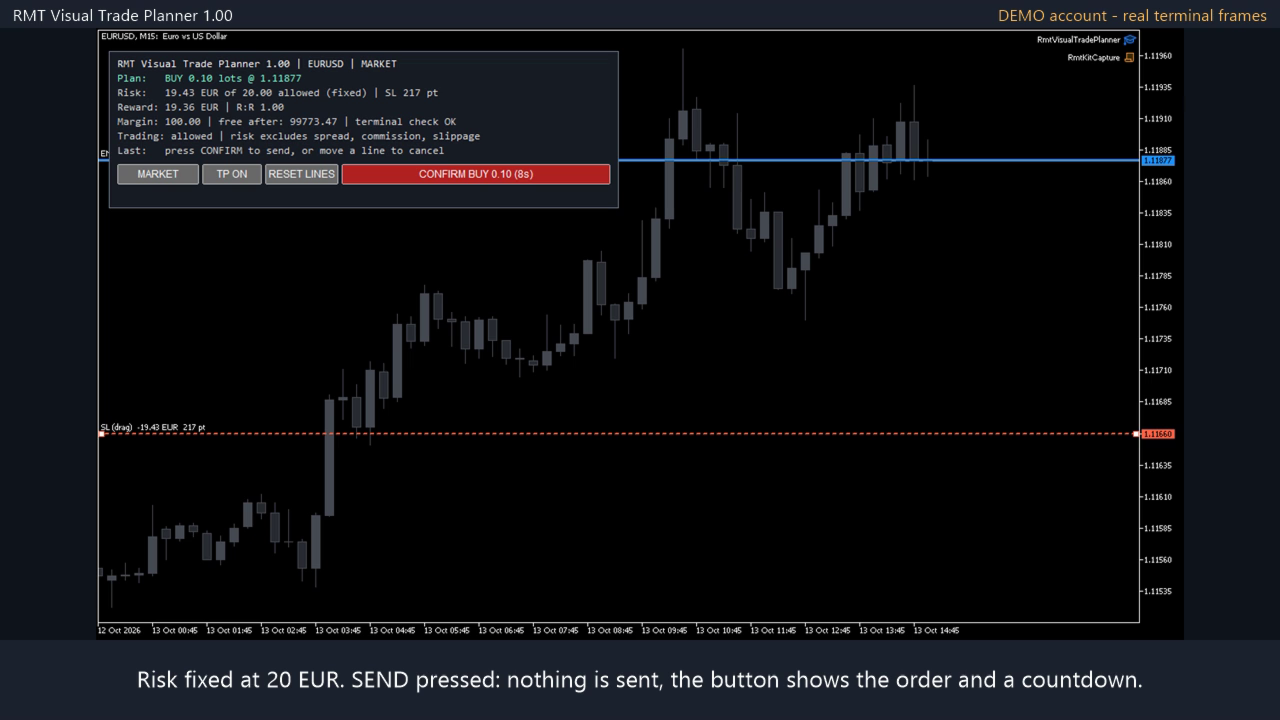
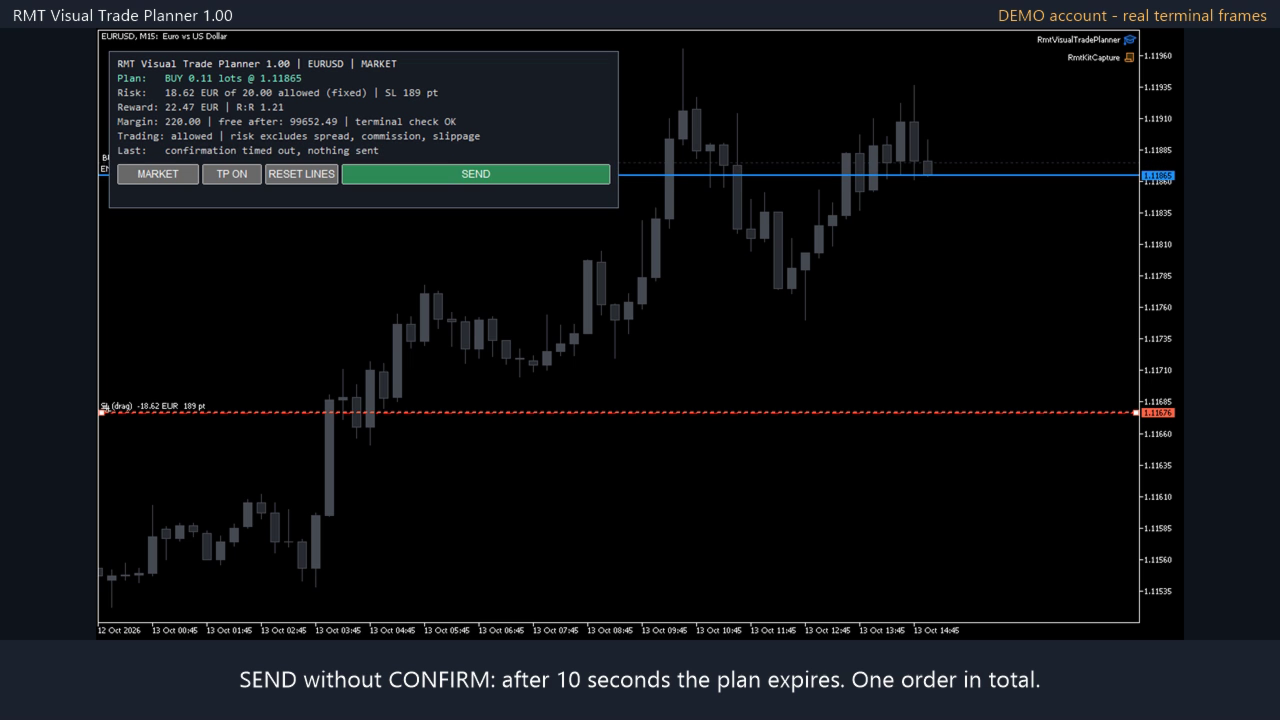
- The panel shows the volume, the money at risk against the amount you allow, the reward and R:R, and the margin from the terminal's own pre-check.
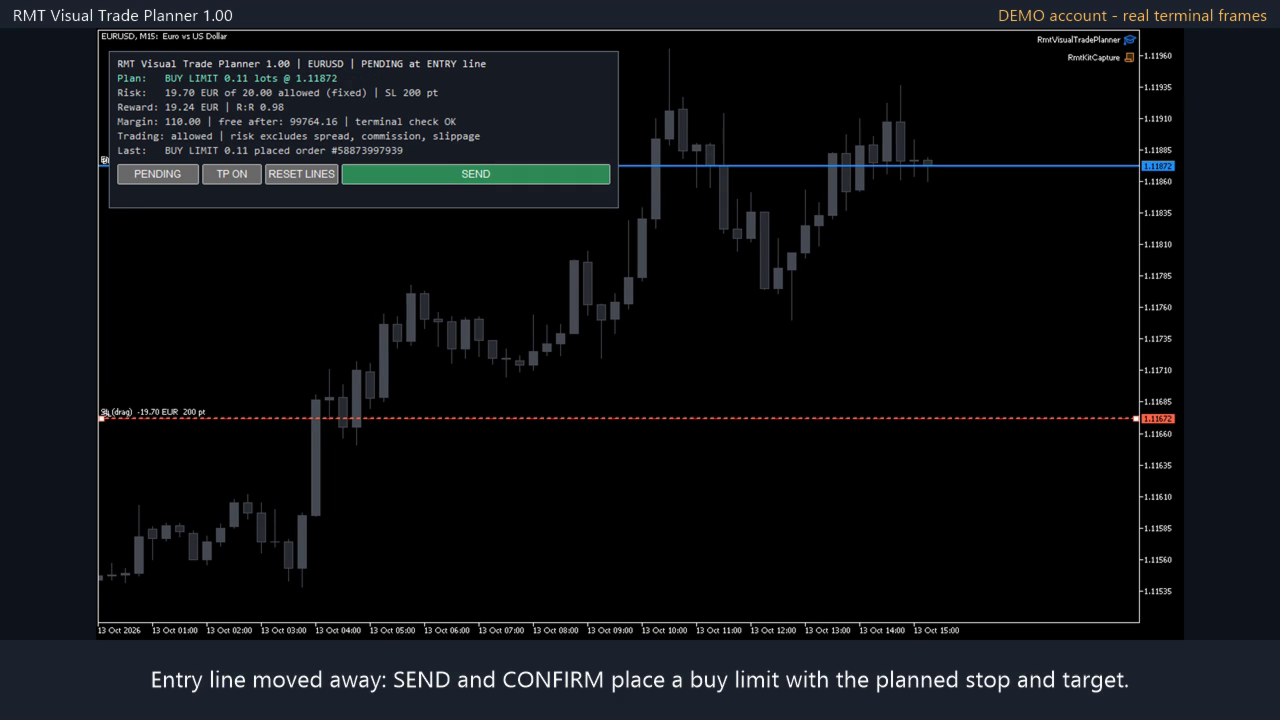
- Choose MARKET, or PENDING to place the order at the ENTRY line. The type (limit or stop) follows from where the line is.
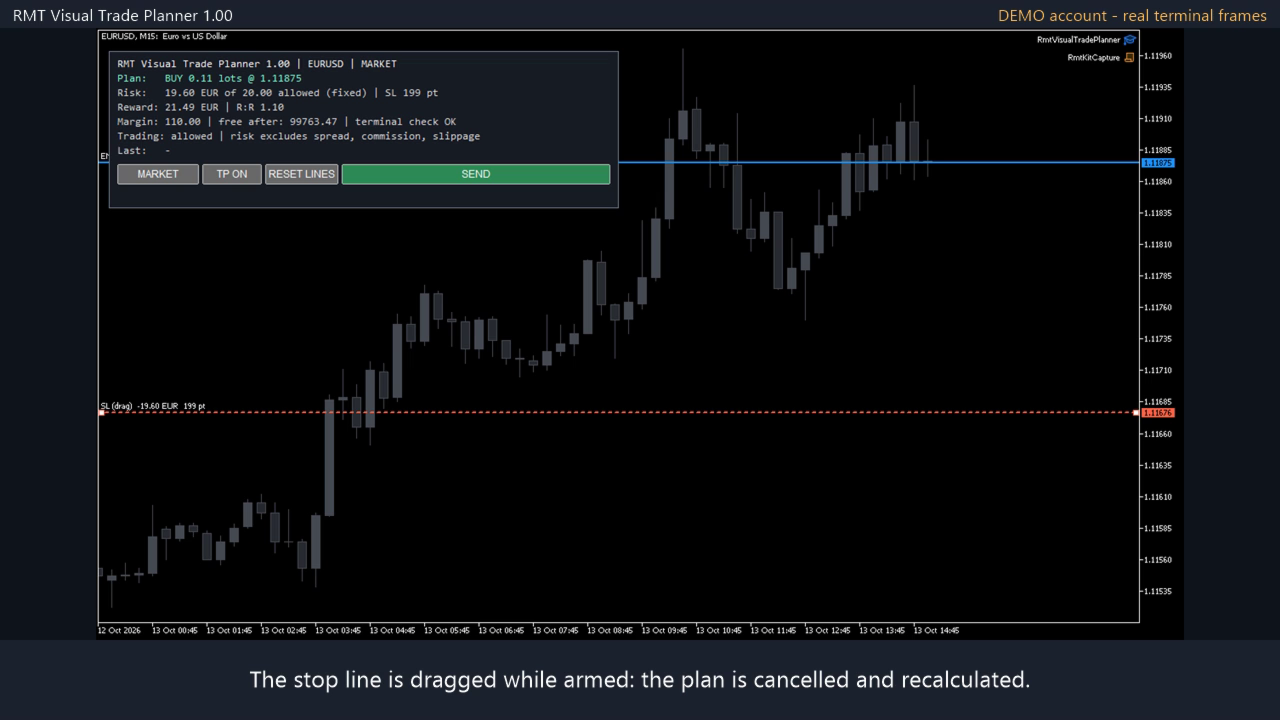
- Press SEND. The button changes to CONFIRM with the exact order. Press it within 10 seconds to send. Moving a line, changing mode or waiting cancels it.
Sizing rules
- Risk is a percent of balance, a percent of equity, or a fixed amount, with an optional money cap and volume cap.
- The volume is the largest one whose loss at the stop fits the risk, rounded down to the broker's lot step. It is never rounded up.
- If even the minimum lot would lose more than you allow, the plan is refused and the panel shows what the minimum lot would risk.
- The loss per lot comes from the terminal's profit calculation for your symbol and account currency, so crosses, metals and indices are handled the same way.
Checks before an order can be sent
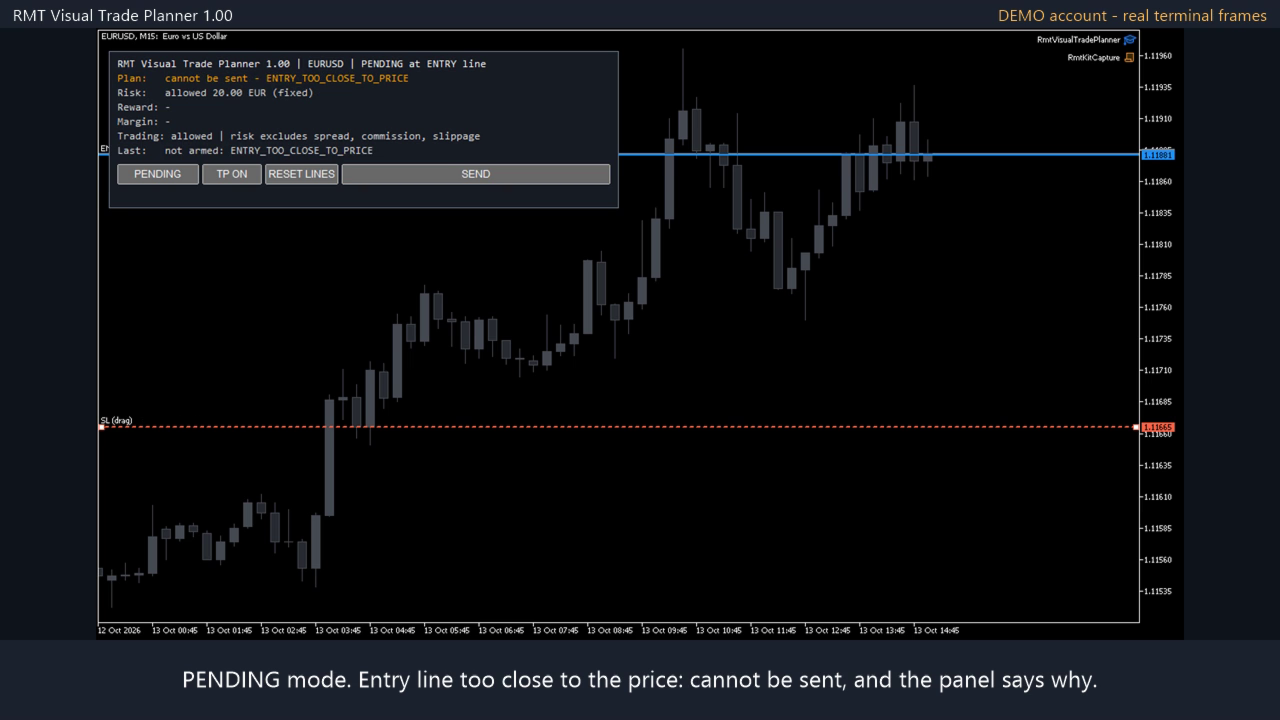
- Stop loss on the wrong side, take profit on the wrong side, stop or entry closer than the broker's stop level.
- Quote older than 30 seconds for market orders.
- The terminal's order pre-check, including margin.
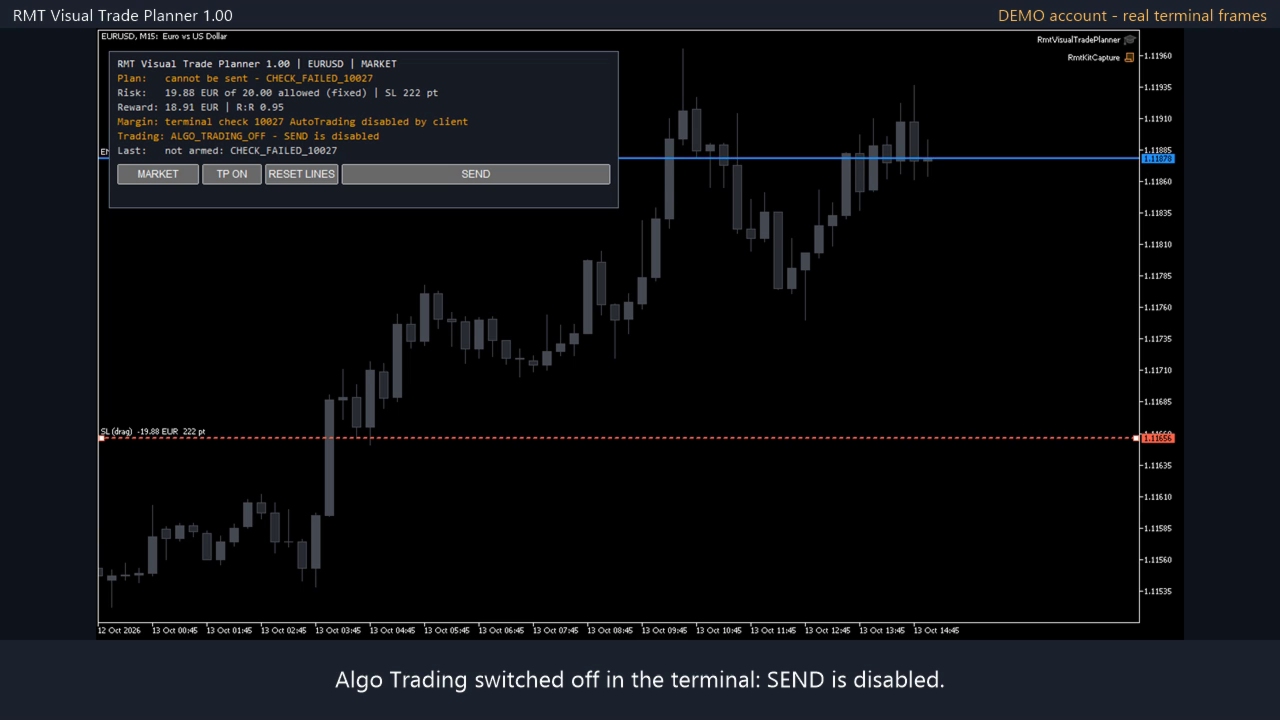
- Algo Trading and account permissions.
- A block published by RMT Capital Firewall in the same terminal, if you use it: SEND stays disabled until the Firewall is re-armed.
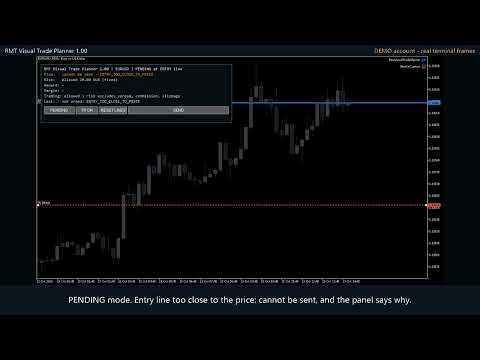
If any check fails the SEND button stays grey and the panel says why.
Why two presses
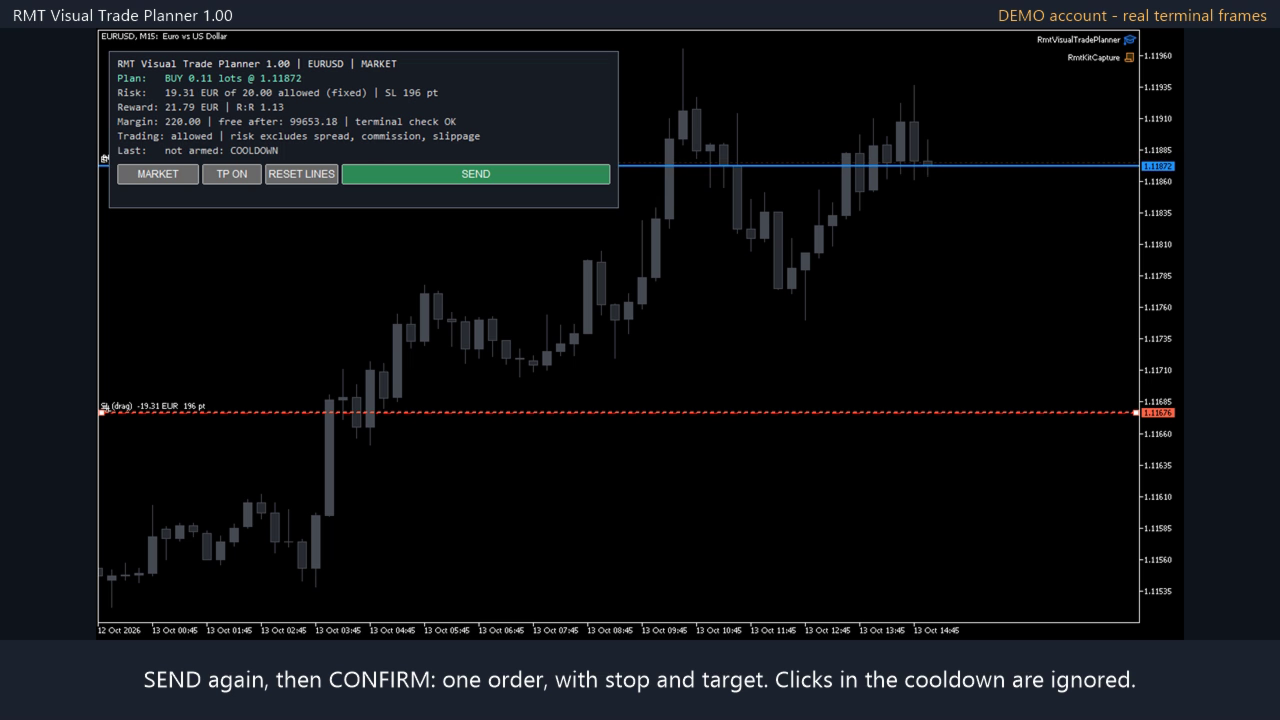
The first press shows the exact order on the button and sends nothing. The second press sends it only if the lines are where they were; if the price has moved, the order carries at most the volume you confirmed and never more than your risk allows. Clicks during the pause after a send do nothing. This flow was run with the real mouse on a demo terminal with this exact file: one confirmation, one order.
What it does not do
- A line drag never sends an order. There are no automatic entries and no signals.
- One confirmation sends one order. A refused order is not retried.
- It does not manage the position after entry. For breakeven, trailing and partial closes use a position manager.
- The risk shown is the loss from entry to stop. Spread, commission, swap and slippage are not included, and a stop can be filled at a worse price.
- It does not promise profit.
Requirements
MetaTrader 5, Algo Trading enabled to send orders. Tested on hedging accounts; netting accounts are not certified. No DLLs, no WebRequest. It needs a live chart: the Strategy Tester does not deliver mouse clicks.
Leveraged trading involves risk of loss. Try it on a demo account first.