RMT Execution Inspector
- 유틸리티
- 버전: 1.0
- 활성화: 10

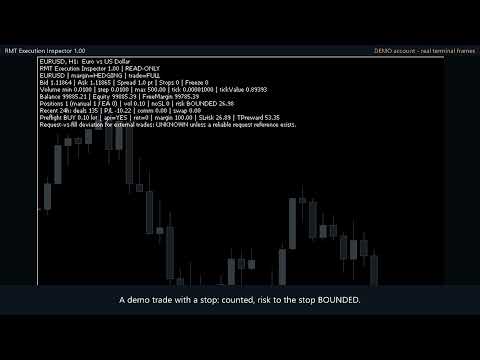
RMT Execution Inspector is a read-only diagnostics tool for MetaTrader 5. For one symbol it shows the broker's trading conditions, an OrderCheck preflight of a reference order, open positions with a missing-stop-loss flag, and recent trading costs — without ever sending an order.
The problem it solves
Before you trust an EA or a manual setup on a new broker or symbol, you need to know what the broker will actually accept: minimum lot, lot step, stop level, freeze level, spread, margin for your size, and whether any open position is running without a stop loss. MetaTrader spreads that information over several windows. RMT Execution Inspector puts it in one panel and never touches your trades.
What it shows (one symbol per instance)
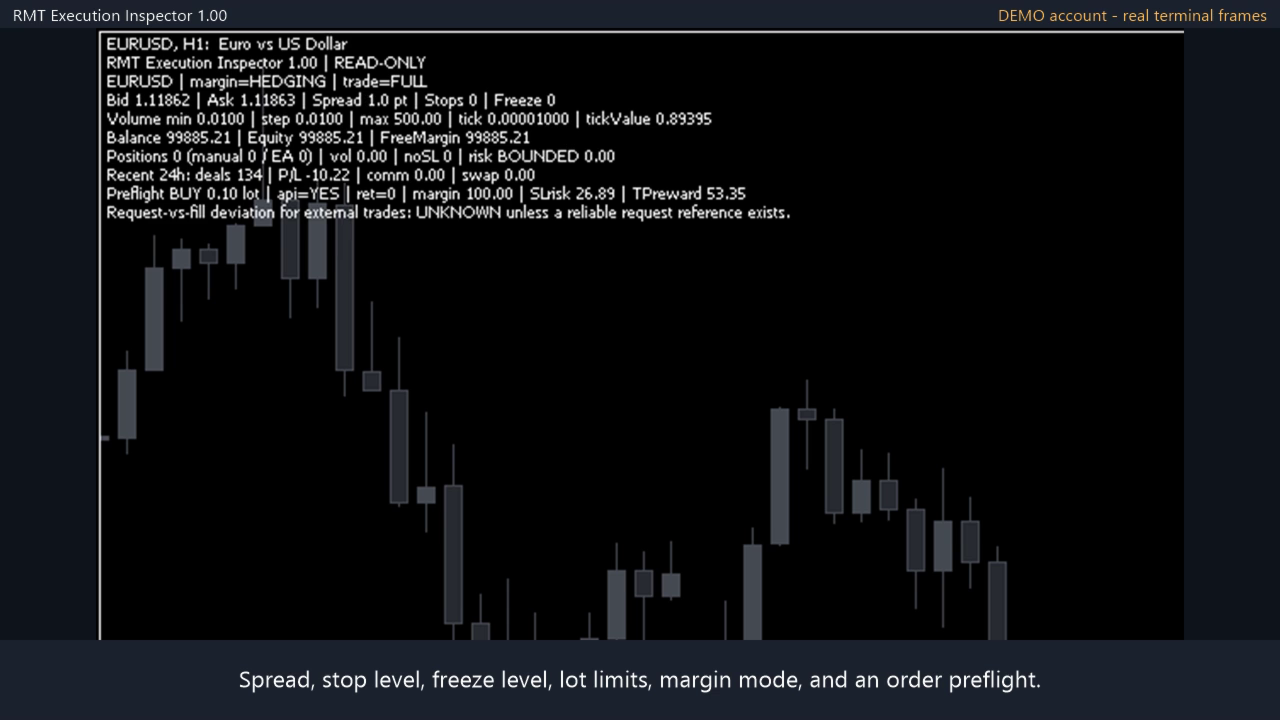
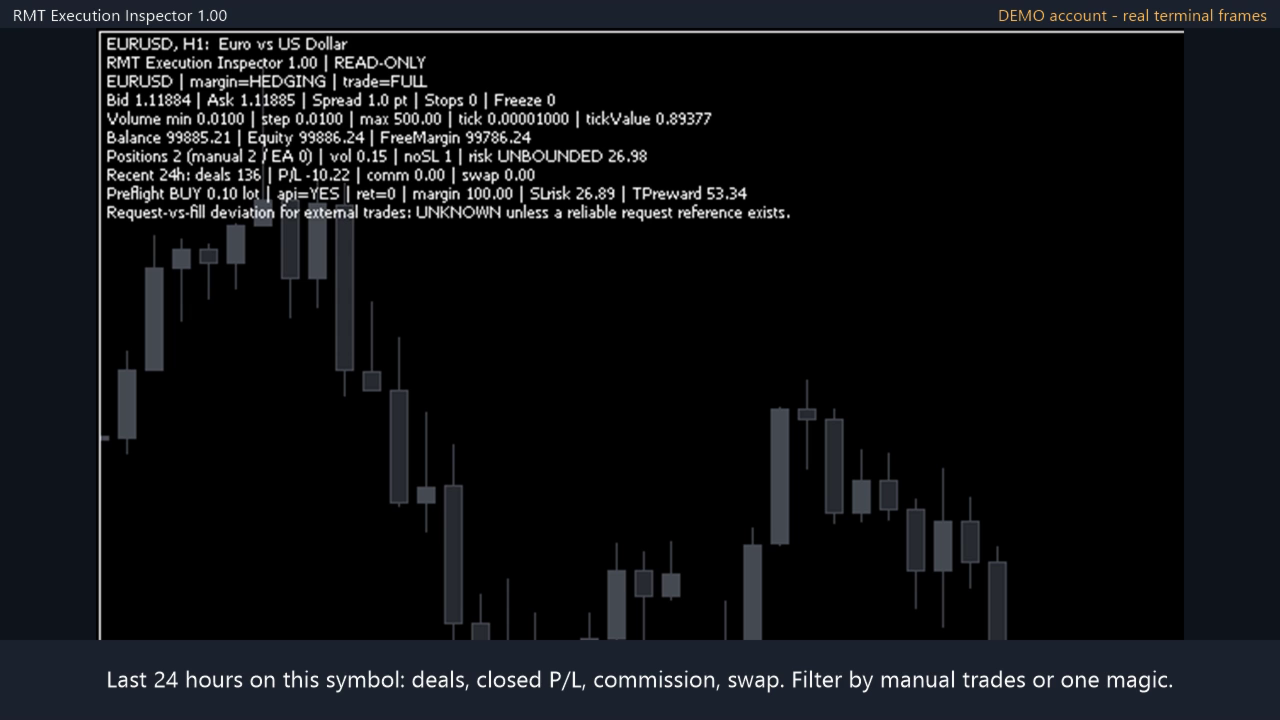
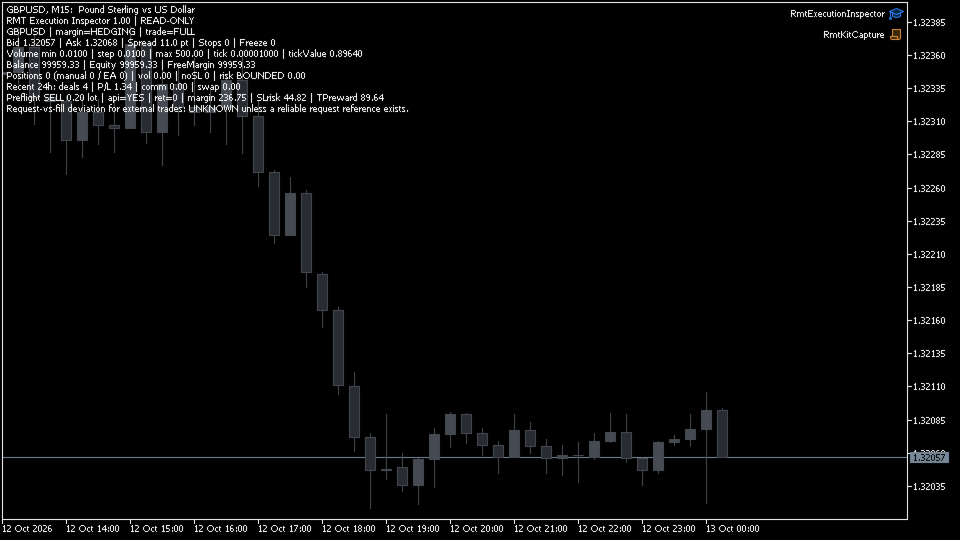
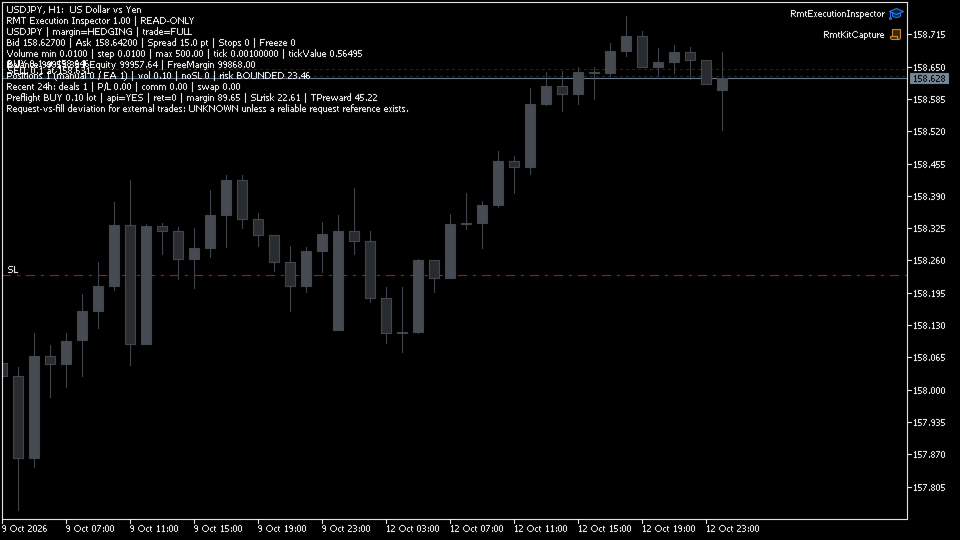
- Trading conditions of the inspected symbol: bid, ask, spread in points, stop level, freeze level, minimum / step / maximum volume, tick size, tick value, account margin mode (netting or hedging) and symbol trade mode (full, close-only, disabled).
- Account line: balance, equity and free margin.
- Hypothetical preflight of a reference order you define (direction, volume, SL and TP distance): the terminal's OrderCheck() return code, the margin reported by OrderCalcMargin, and the money at risk to the SL and reward to the TP reported by OrderCalcProfit. The order is never sent.
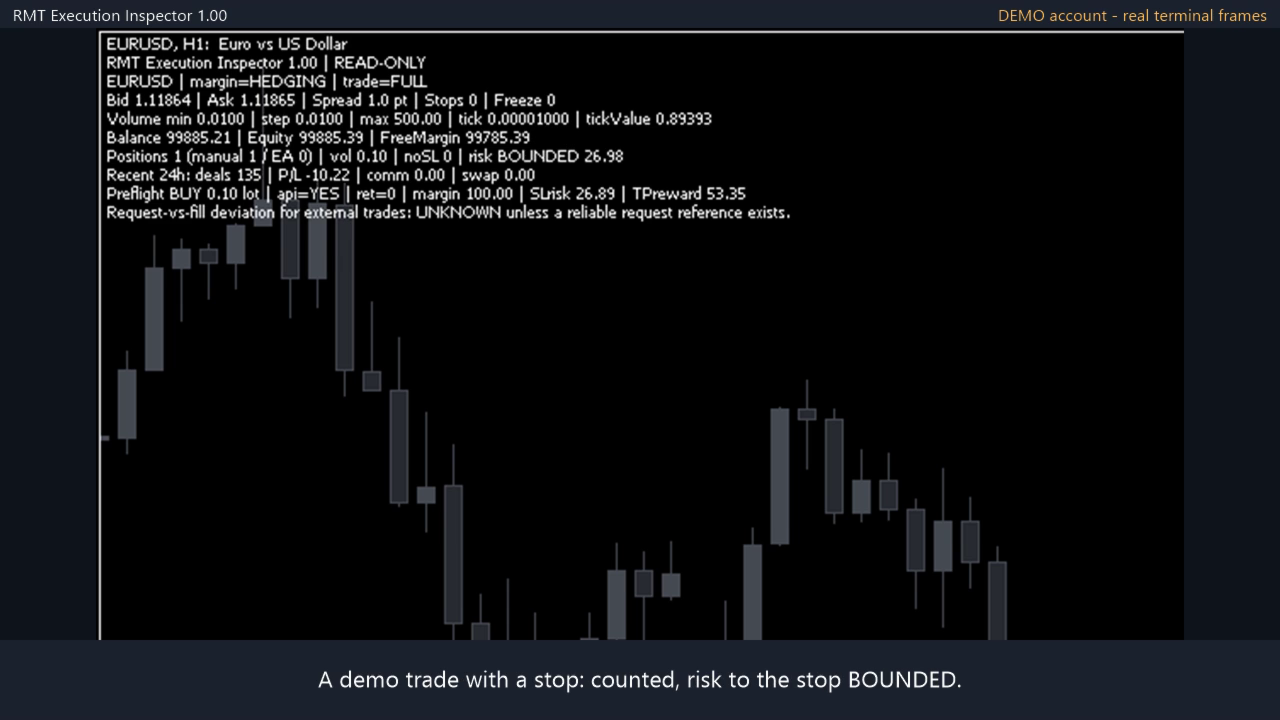
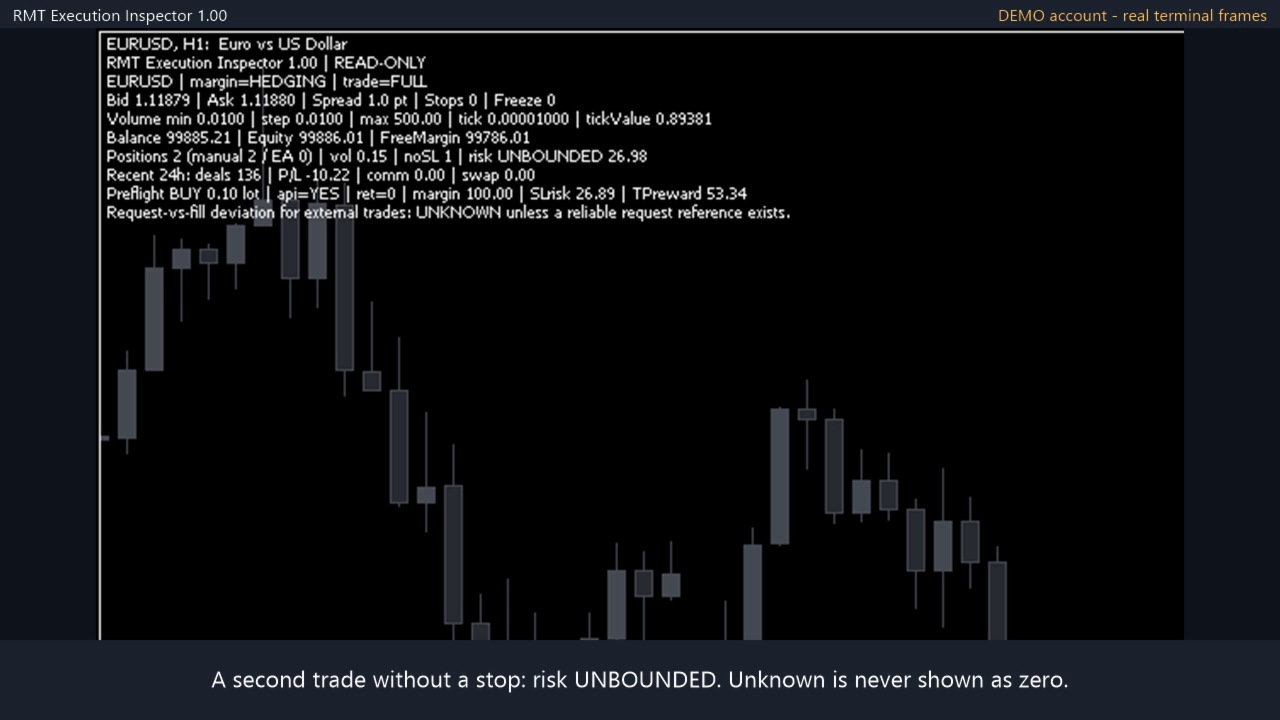
- Open positions on the inspected symbol: count, manual vs EA split, total volume, number without a stop loss, and open risk to the stop in account currency. If any position has no stop loss the risk state reads UNBOUNDED; if a value cannot be calculated it reads UNKNOWN, never zero.
- Recent history on the inspected symbol: number of deals, profit and loss, commission and swap over a look-back window you choose (1 to 720 hours).
- Optional magic filter: all positions, manual only, or one EA's magic number.
How it works
Attach it to a chart. By default it inspects the chart symbol; you can type another symbol in the inputs. It refreshes on a timer (1 to 60 seconds) and after each trade event, prints the panel on the chart and logs changes to the Experts journal. To inspect several symbols, attach one instance per chart.
What kind of tool this is
It is a check you run before trading a symbol: what the broker allows and what the terminal answers for your order size. It is not a log of past fills: it does not measure slippage, latency or execution quality of orders already executed.
What it is not
- It does not open, modify, close or hedge positions.
- It does not predict slippage, spread or fill price. OrderCheck is the terminal's pre-check, not a promise that a real order will be filled.
- It is not a whole-account portfolio monitor: positions and history are reported for the inspected symbol only.
- It makes no profitability or performance claims.
Scope and safety
- No DLLs, no WebRequest, no external services.
- The source contains no OrderSend call and no trade library; read-only behaviour is covered by automated tests.
- Screenshots are real demo-account panels.
Start on a demo account. Leveraged trading involves risk of loss.