Malik Naveed Volume Multi Timeframe Pro
- 지표
-
Malik Muhammad Naveed
 ========================================================
ABOUT THE SELLER / AUTHOR (for MQL5 profile & products)
========================================================
----------------------------------------
SHORT VERSION (profile "About me" / signature) - 버전: 1.0
Malik Naveed Volume — Better Volume Multi Timeframe
Malik Naveed Volume shows you what the volume is really doing. It reads each candle's
volume and price range, splits it into buying vs selling pressure, and colours the bars so
you can instantly see climax moves, absorption (churn), and low-volume exhaustion. It then
draws support/resistance levels from those key bars and alerts you when price breaks and
retests them — across six timeframes at once, on any symbol.
Works on ANY symbol and ANY timeframe. Non-repainting on closed bars.
===================== WHAT IT DOES =====================
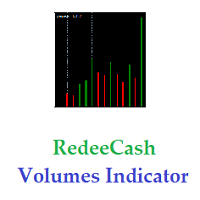
- Colour-codes every candle by its volume signature:
Red = Volume Climax Up (heavy buying)
White = Volume Climax Down (heavy selling)
Orange = High Churn at a TOP (distribution — possible reversal down)
Green = High Churn at a BOTTOM (accumulation — possible reversal up)
Yellow = Low Volume (no interest / exhaustion)
Blue = Neutral
- Splits volume into BUYING and SELLING pressure using the original Better Volume method,
so climax up/down is accurate (not just "close above midpoint").
- Knows the difference between churn at a TOP and churn at a BOTTOM — the same volume
signature means opposite things depending on where it happens.
===================== KEY FEATURES =====================
- Auto Support/Resistance levels drawn from low-volume and churn bars.
- BREAK detection: alerts when price CLOSES through a level (with a candle-strength filter).
- First-RETEST alert: the highest-quality entry — when price comes back to the broken level.
- 6-timeframe dashboard (M5, M15, H1, H4, D1, W1) showing BUY / SELL / waiting on each.
- Big, colour-coded dashboard that is easy to read at a glance.
- Feed Quality meter: shows average tick volume and history depth so you can compare brokers.
- Loud alerts: pop-up, sound, and phone push notification.
- Fully adjustable colours, fonts, panel size and position.
===================== HOW TO USE =====================
1. Attach it to any chart (M5 is a good default).
2. Watch the coloured candles/bars for climax, churn and low-volume signals.
3. Trade the break and retest of the drawn levels, in the direction the dashboard confirms.
4. Turn on alerts to be notified the moment a signal happens.
This is an analysis tool. It does not place trades and does not promise profit.
Use it with your own risk management.
===================== INPUTS =====================
CALCULATION
- LookBack (20) — how many bars back to measure climax, churn and low volume.
- SwingLen (8) — bars each side used to decide if a churn bar is at a swing high or low.
- ScanBack (60) — how far back the dashboard looks for the last churn on each timeframe.
DISPLAY
- OnlyChurn (false) — MT5 only: paint ONLY the churn candles, dim the rest.
- ShowDashboard (true) — show the multi-timeframe dashboard panel.
- BrandName ("MALIK NAVEED VOLUME") — title shown on the panel.
- FontSize (14) — dashboard text size (raise for larger text).
- FontName ("Arial Black") — dashboard font.
- PanelX (12) / PanelY (22) — panel position from the top-left corner, in pixels.
- PanelWidth (440) — panel width in pixels.
AUTO LEVELS
- DrawLevels (true) — draw support/resistance lines from key bars.
- UseYellow (true) — low-volume bars create levels.
- UseChurn (true) — churn bars create levels.
- AlertMode (1) — 0 = alert on retest only, 1 = alert on break AND retest.
- BreakBodyPct (0.5) — a break candle's body must be at least this fraction of its range
(0.5 = 50%). Set 0 to switch the filter off; raise for stronger breaks only.
- MaxLevels (30) — how many active level lines to keep on the chart.
- LevelBars (1500) — how many bars back to scan for levels (MT5).
- ResColor (OrangeRed) — colour of resistance lines.
- SupColor (Lime) — colour of support lines.
ALERTS
- ConfirmAlerts (true) — show a pop-up alert on a confirmed signal.
- IntrabarWarn (true) — early warning the moment price pierces a level (before candle close).
- PlaySoundAlert (true) — play a sound on alerts.
- AlertSound ("alert2.wav") — sound file for confirmed signals.
- WarnSound ("tick.wav") — softer sound for the early pierce warning.
- PushNotify (false) — send a push notification to the MetaTrader mobile app
(set your MetaQuotes ID in Tools > Options > Notifications).