Phoenix Yen Trader
- Experts
- 버전: 5.0
- 업데이트됨: 6 5월 2026
- 활성화: 5

| Subscribe to our Telegram channel for free Expert Advisors and system advice |
Dollar Japan Phoenix Trader — Automated USDJPY Trading for MetaTrader 5
Fully automated USDJPY trading on H4. Attach, set your lot size, and let it run. No martingale. No grid.
Overview
Dollar Japan Phoenix Trader is a fully automated trading robot for USDJPY, running on the MetaTrader 5 platform. Designed for traders who want a hands-off approach to USDJPY without configuring complex parameters or monitoring charts throughout the day.
Risk Controls
• Every trade carries a hard stop loss from the moment it opens.
• No martingale, no grid, and no position averaging.
• Drawdown is controlled by fixed stop-loss levels on each trade.
• Configurable daily loss limits close all positions automatically if a threshold is breached.
• The robot trades both long and short positions across multiple independent strategies simultaneously.
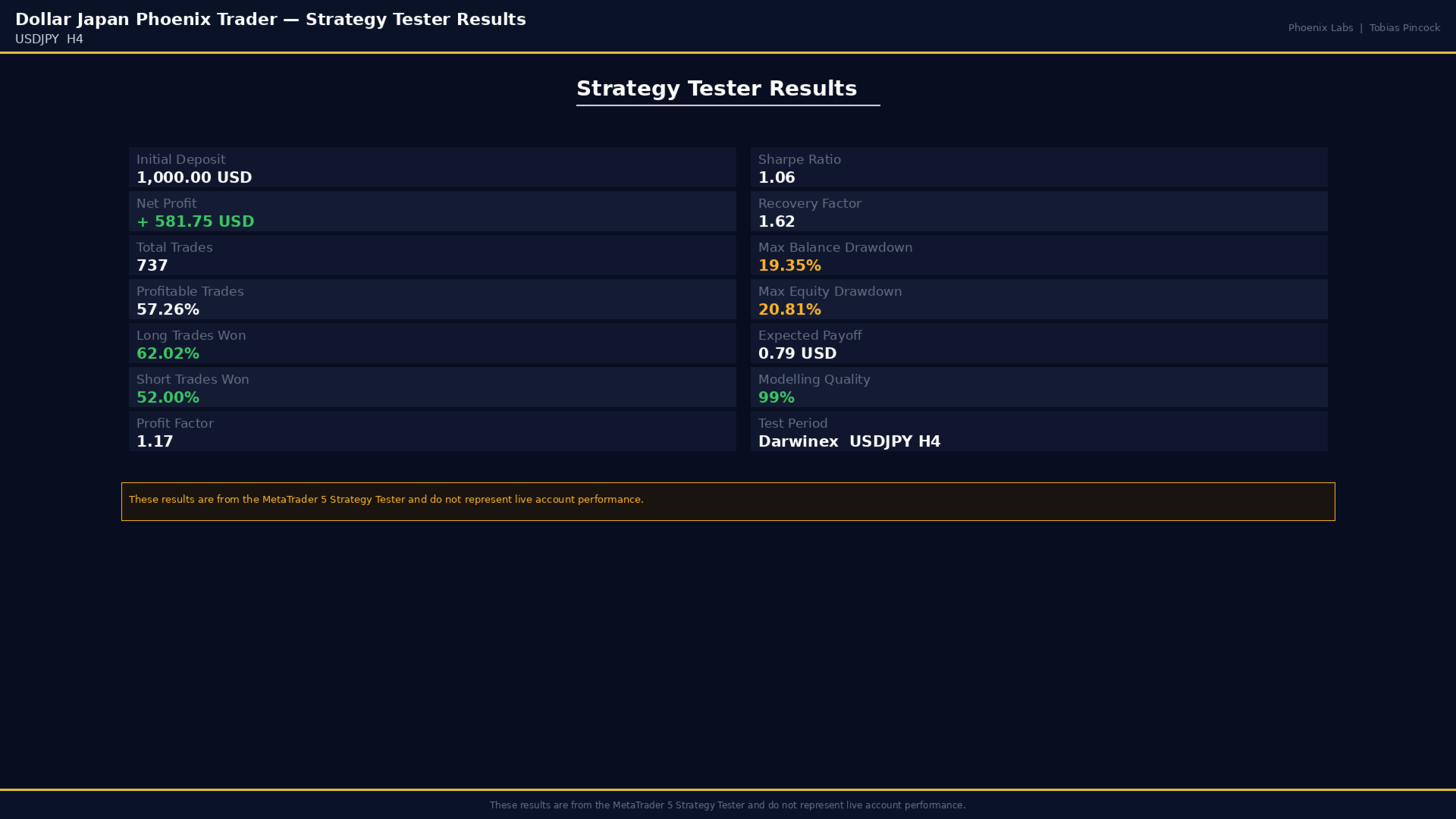
Strategy Tester Results
| Metric | Value |
| Symbol and Timeframe | USDJPY H4 |
| Initial Deposit | 1,000.00 USD |
| Total Trades | 737 |
| Profitable Trades | 57.26 percent |
| Long Trade Win Rate | 62.02 percent |
| Short Trade Win Rate | 52.00 percent |
| Net Profit | 581.75 USD |
| Profit Factor | 1.17 |
| Sharpe Ratio | 1.06 |
| Maximum Balance Drawdown | 19.35 percent |
| Maximum Equity Drawdown | 20.81 percent |
| Recovery Factor | 1.62 |
| Modelling Quality | 99 percent |
These results were produced in the MetaTrader 5 Strategy Tester using 99 percent quality tick data. They are backtesting results and do not represent live account performance. Buyers can reproduce these results by running the demo version in the Strategy Tester with matching historical data.
Calibration Note
The robot was calibrated using tick data from Darwinex. Results will be most consistent on Darwinex live and Darwinex Zero accounts. It can be used on other hedging brokers, but results may differ depending on spread and execution quality.
Quick Start
1. Open a new USDJPY H4 chart in MetaTrader 5.
2. Drag Dollar Japan Phoenix Trader onto the chart. Set Entry lots to 0.01 per 1,000 USD of account balance, or use a fixed lot size that reflects your risk tolerance.
3. Set Max spread to 30 points. Wider spreads increase slippage risk on entry.
4. Set Max open positions to 5 for accounts above 1,000 USD, or 3 for smaller accounts.
5. Leave Daily protections at default zero unless you want an automatic session shutdown on loss. For a 10,000 USD account a recommended daily loss limit is 200 to 300 USD.
6. Leave Account protections at default zero unless your broker requires a minimum equity floor or you want a hard drawdown ceiling.
7. For News priority, select High news filter as a starting point. To enable the news feed, open MetaTrader 5, go to Tools then Options, click the Expert Advisors tab, tick Allow WebRequest for listed URL, and add: nfs.faireconomy.media
8. Set News currencies to USD,JPY to filter events relevant to USDJPY.
9. Leave Before and After minutes at defaults: 2 minutes for medium, 2 before and 5 after for high impact events.
10. Leave Position stats and Trading stats enabled to feed the live information panel.
Live Panel
The live information panel displays:
• Current account balance
• Equity with floating profit or loss
• Number of active trades and open lot total
• Open profit and current spread in points
• Daily drawdown percentage and daily loss in currency
• News filter status
The panel can be switched off in settings.
Account Requirements
• Account type required: MetaTrader 5 hedging account. The robot does not function on netting accounts.
• No DLL imports are required.
| Subscribe to our Telegram channel for free Expert Advisors and system advice |