ORB Seeker

4

한정 수량 판매 및 제품 희소성 유지를 위한 특별 가격입니다!

단돈 599달러!

구매 후 저에게 연락 주시면 보너스 ORB Seeker EA와 개인 최적화 설정 파일을 보내드립니다.


깔끔한 세션 브레이크아웃을 자신감 있게 활용하세요!

ORB Seeker는 정확성, 단순성, 유연성 및 명확한 차트 구조를 원하는 트레이더를 위해 개발된 전문적인 시가 범위 돌파(ORB) 지표입니다.

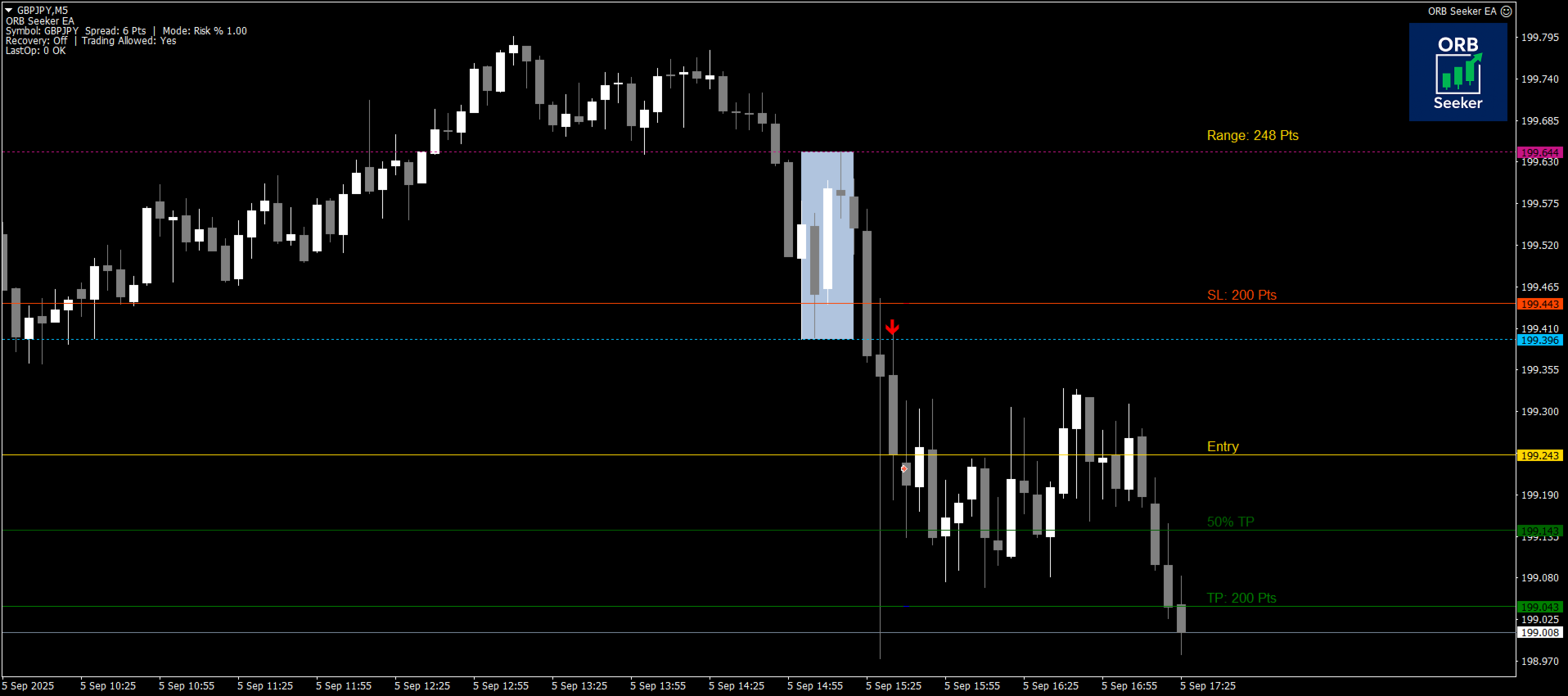
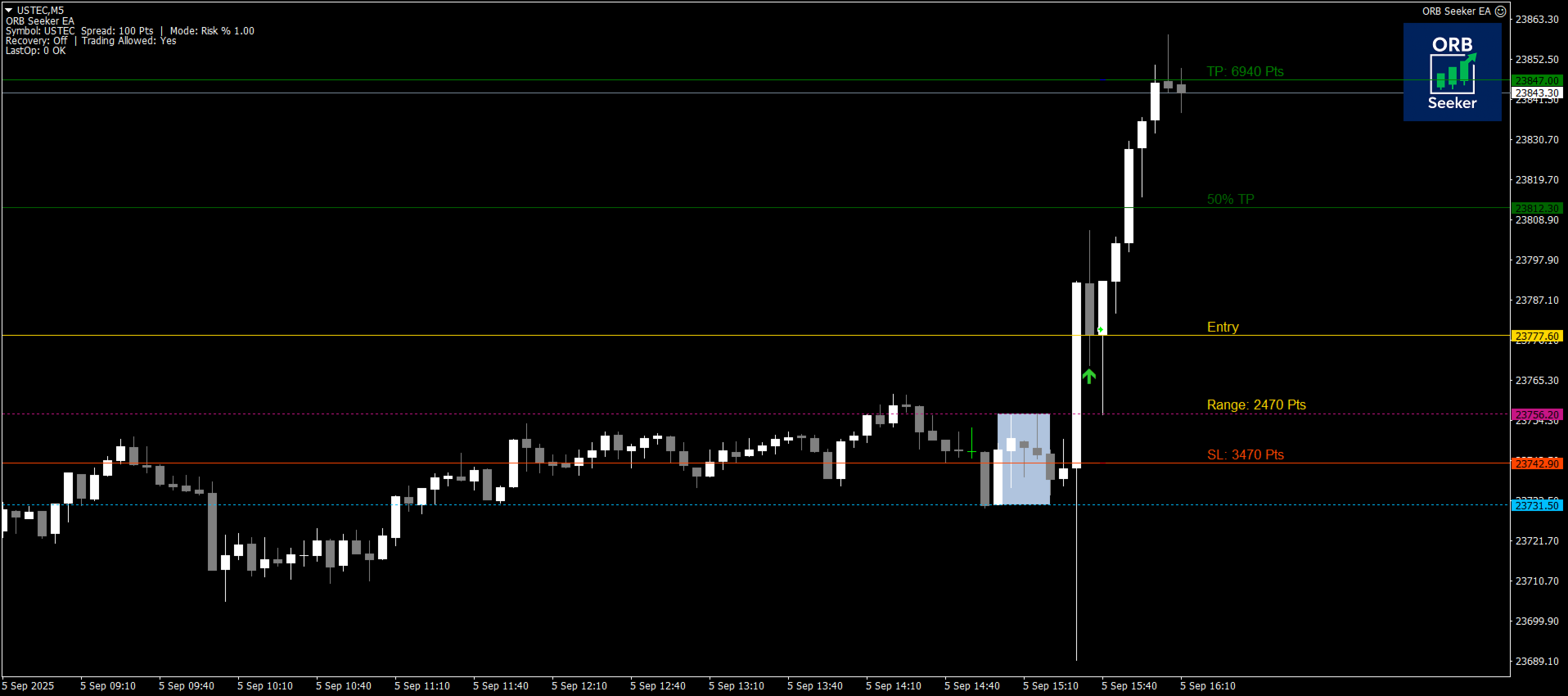
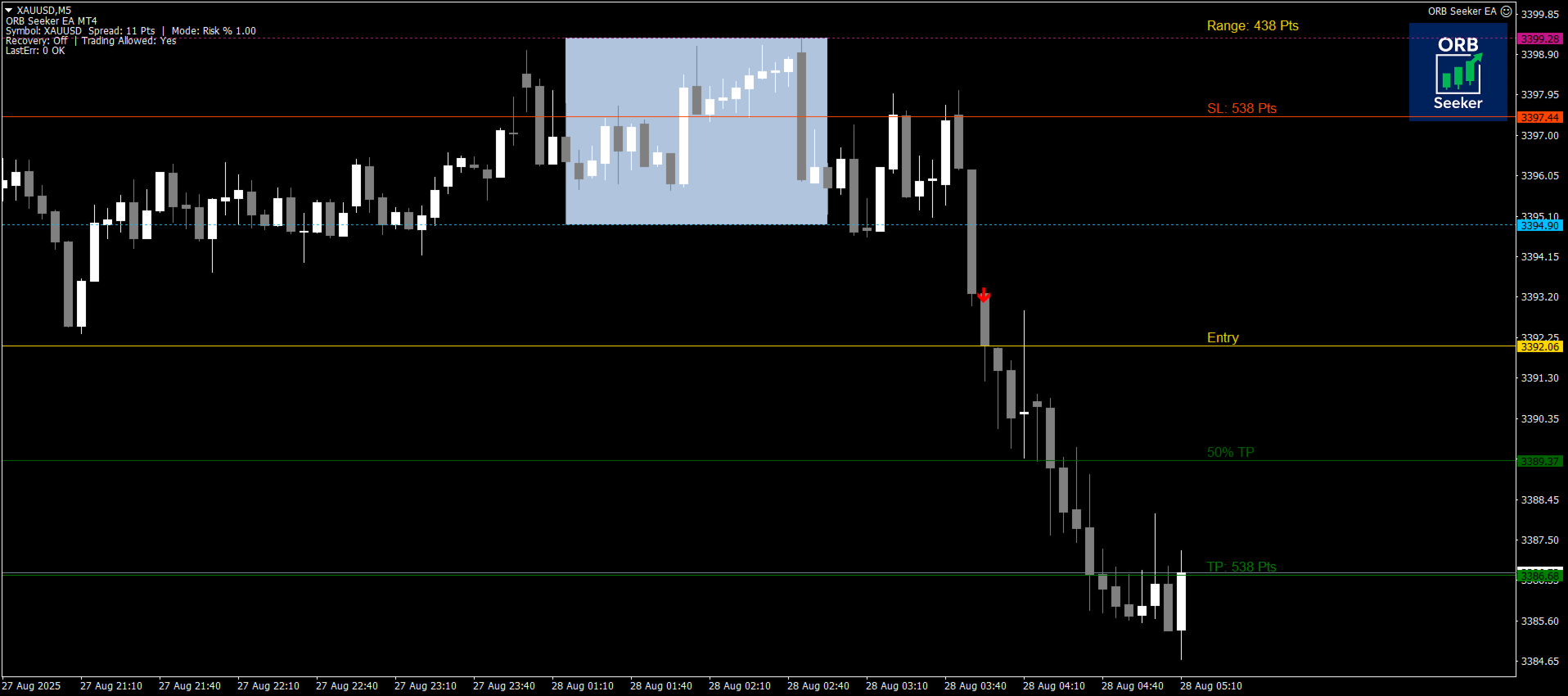
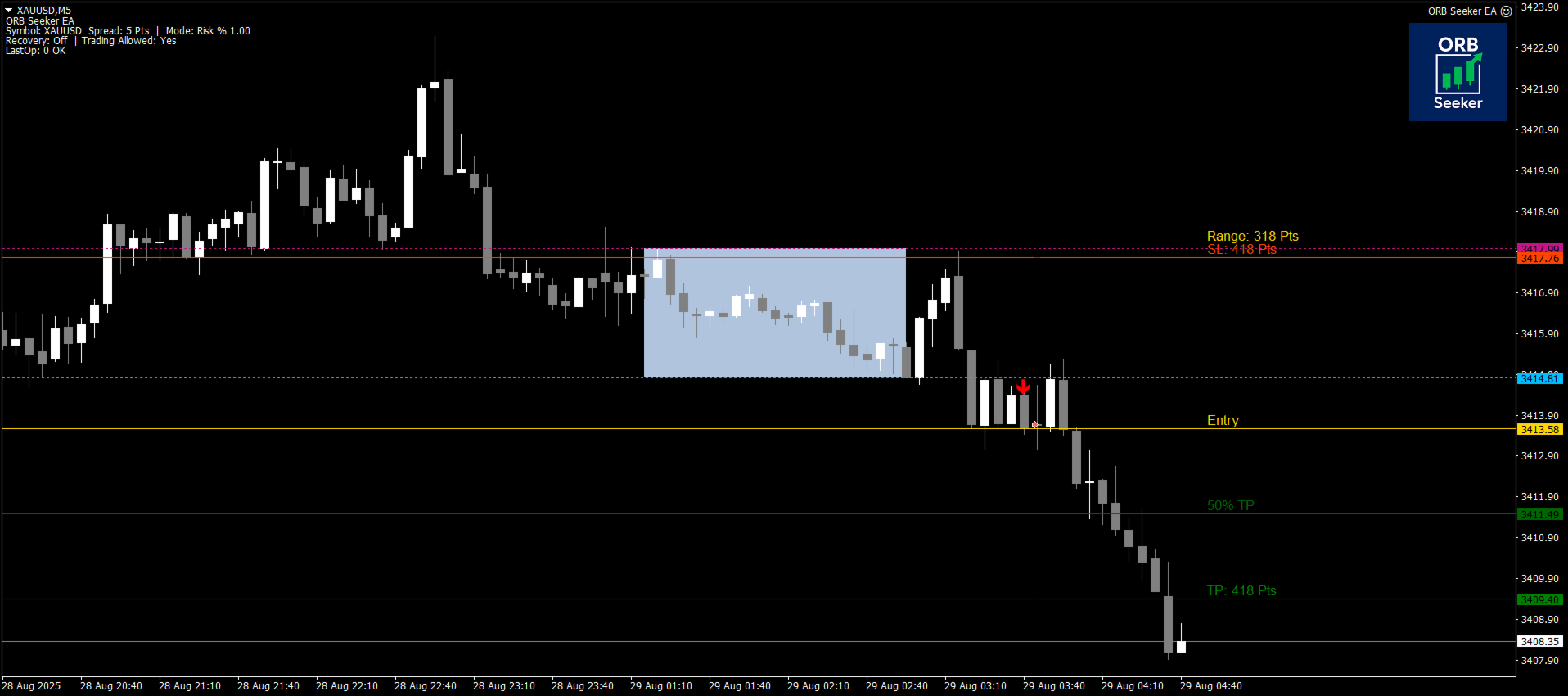
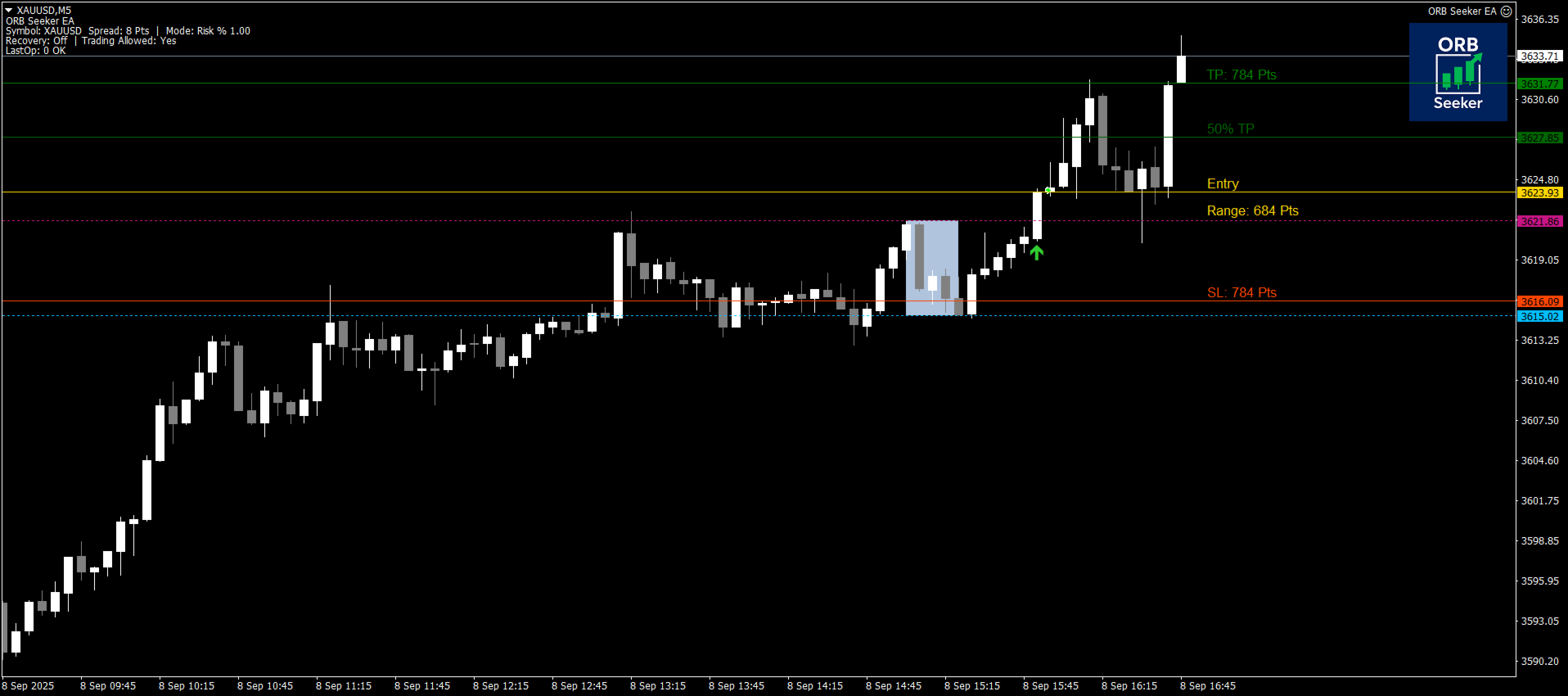
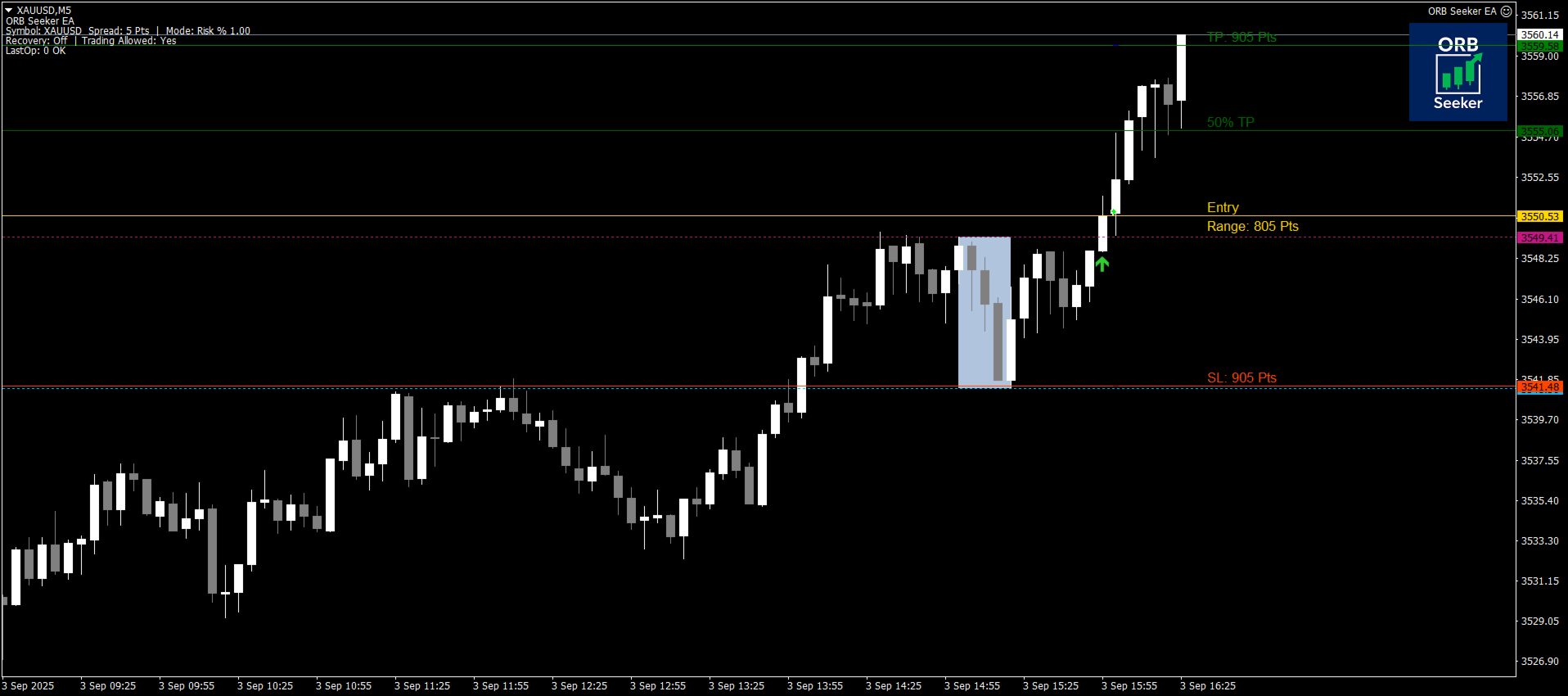
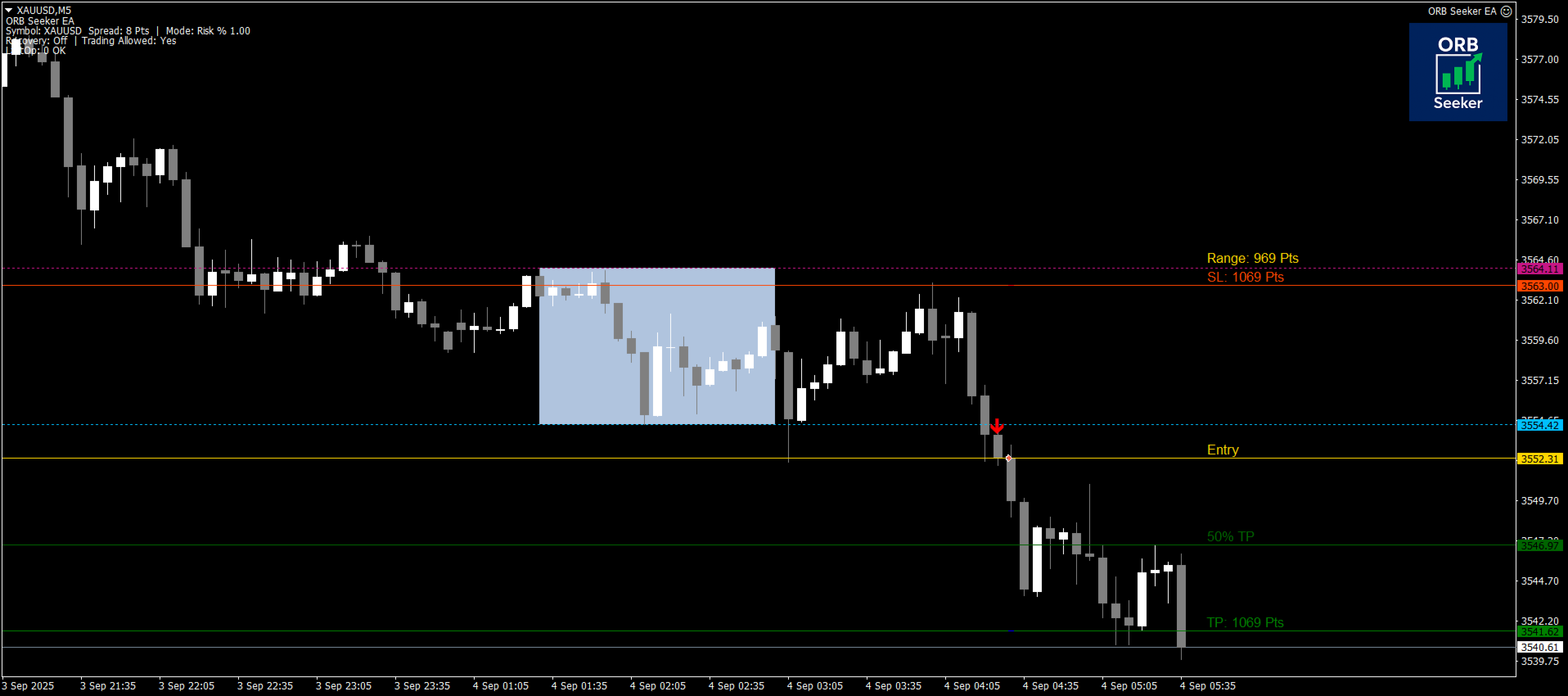
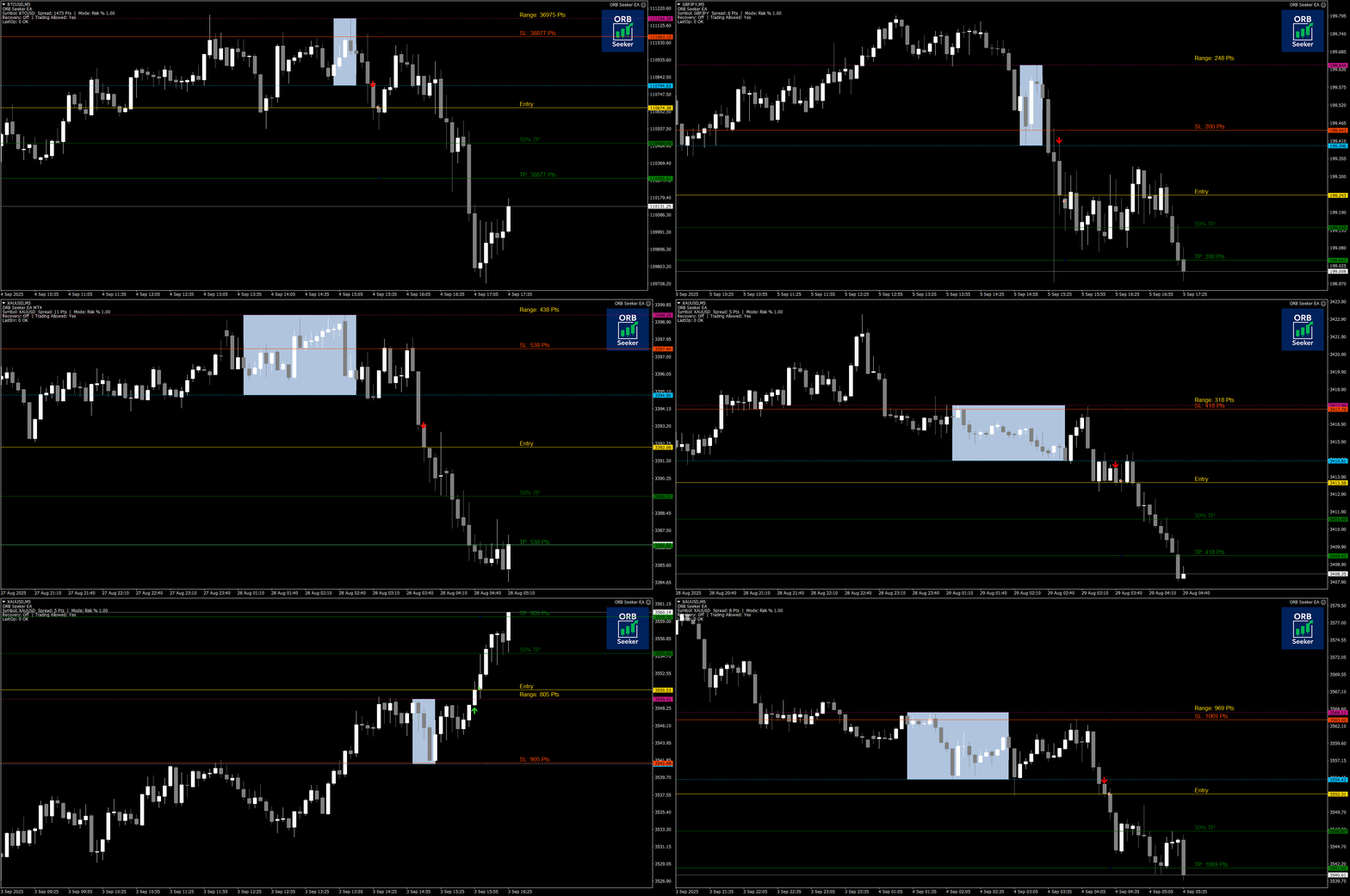
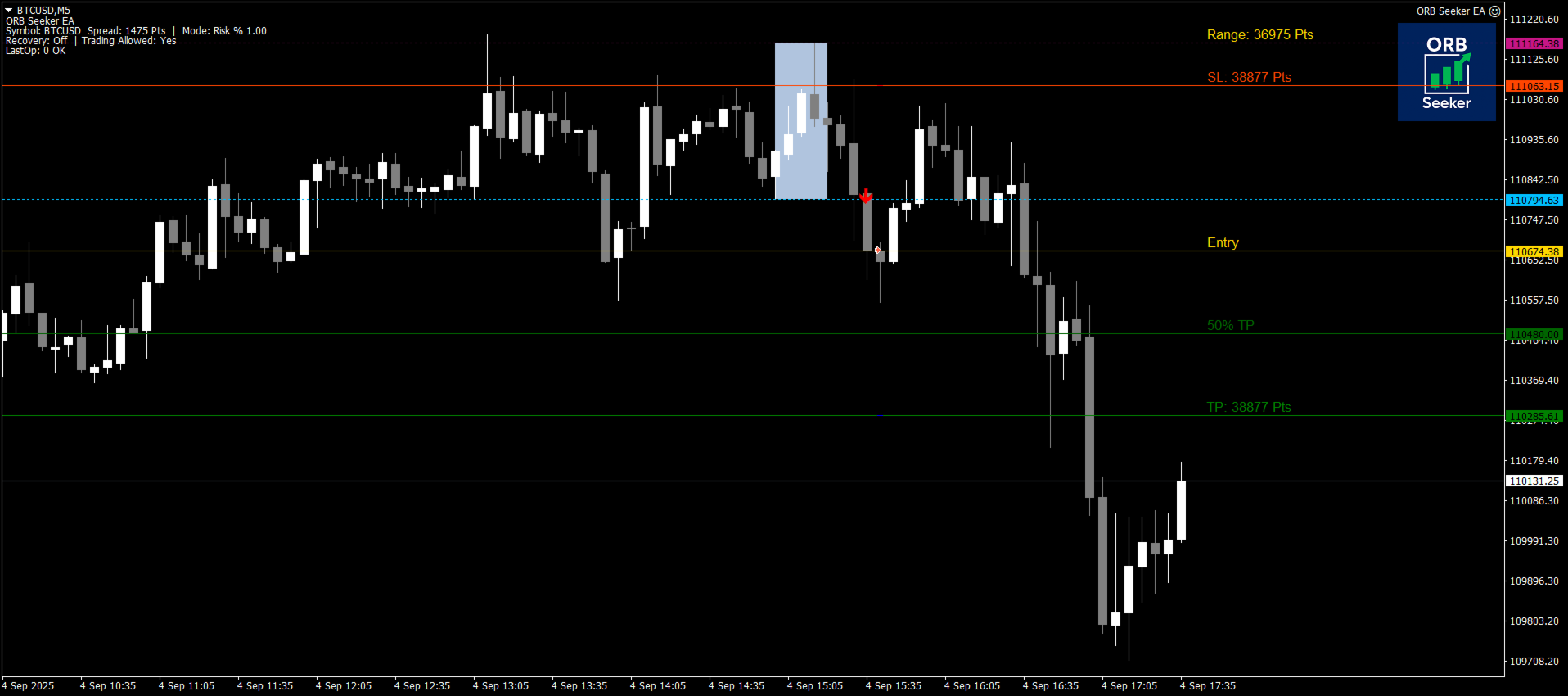
이 프로그램은 모든 금융 상품에 대해 장전 거래 또는 사용자 지정 세션 범위를 자동으로 표시하고, 진입, 손절매, 목표 수익 및 선택적으로 50% 부분 목표 수익 수준을 포함한 명확한 돌파 신호를 제공합니다. 모든 계산은 실시간으로 차트에 직접 표시됩니다.

런던 개장, 뉴욕 세션, 아시아 세션 또는 사용자 지정 시장 시간대를 선택하여 거래하세요. ORB Seeker는 사용자가 선택한 세션 시간에 맞춰 작동하므로 시장 범위, 돌파 수준 및 거래 레벨을 정확하게 확인할 수 있습니다.

모든 구매 시 ORB Seeker EA가 무료 보너스로 제공됩니다. 이 EA는 지표의 돌파 신호를 읽어 자동으로 거래를 실행하므로, 수동으로 거래하거나 지표의 신호 로직을 사용하여 EA가 진입을 처리하도록 선택할 수 있습니다.


ORB Seeker를 선택해야 하는 이유

  • 다중 세션 지원 - 런던, 뉴욕, 아시아 또는 사용자 지정 거래 세션에 대해 개장 전 시간과 세션 시간을 직접 설정할 수 있습니다.
  • 완벽한 돌파 시각화 자료 - 세션 고가 및 저가선, 범위 박스, 돌파 화살표, 진입선, 손절매/익절매 라벨, 그리고 선택적으로 50% 익절매 표시기를 포함합니다.
  • 두 가지 돌파 모드 - 캔들 확인을 위한 종가 돌파 모드 또는 더 빠른 돌파 감지를 위한 터치 돌파 모드를 사용하세요.
  • 재시험/되돌림 모드 - 선택적 재시험 로직은 새로운 돌파가 인정되기 전에 가격이 범위 내로 되돌림될 때까지 기다림으로써 재진입 신호를 필터링하는 데 도움이 됩니다.
  • 유연한 손절매/익절매 옵션 - 고정 손절매/익절매 수준, ATR 기반 수준 또는 기존의 1:0.5, 1:1, 1:2 및 1:3 위험/보상 목표 중에서 선택하십시오.
  • 브레이크아웃 버퍼 제어 - 세션 최고가 또는 최저가에 더해 사용자 지정 버퍼를 추가하여 조기 브레이크아웃 신호를 줄입니다.
  • 내장 필터 - 이동평균 추세 필터, 상대강도지수(RSI) 모멘텀 필터, 거래가중평균(VWAP) 필터를 사용하여 추가적인 거래 확인을 하세요.
  • 차트 재도색 없음 - 유효한 돌파 신호가 발생하면 해당 신호는 차트에 고정됩니다.
  • 스마트 차트 처리 - 자동 세션 재설정, 깔끔한 객체 관리, 세션당 여러 개의 돌파 신호 지원.
  • 종합 알림 시스템 - 팝업 알림, 푸시 알림, 거래 상세 정보가 포함된 이메일 알림 기능을 제공합니다.
  • 보너스 EA 포함 - 포함된 보너스 ORB Seeker EA를 사용하여 지표의 돌파 신호를 자동으로 거래하세요.
  • 프롭 트레이딩 회사 안전성 - 프롭 트레이딩 회사 평가 및 자금 지원 거래 계좌에 안전하게 사용할 수 있습니다.


권장 사용법:

시장: 외환, 상품, 지수, 암호화폐 및 주식.

시간 프레임: M1, M5, M15, M30, H1.


ORB Seeker는 깔끔하고 실용적인 방식으로 시가 범위 돌파(Opening Range Breakout, ORB) 매매를 원하는 트레이더를 위해 설계되었습니다. 수동 매매 계획, 알림 기반 매매 또는 무료 보너스 EA를 사용한 자동 매매 등 다양한 용도로 활용할 수 있습니다.

거래 세션 시작과 돌파 매매를 선호하신다면, ORB Seeker는 범위, 돌파 신호, 진입, 손절매, 이익 실현, 알림, 그리고 선택적인 자동화 기능까지 ORB 구조 전체를 하나의 차트 도구에서 제공합니다.

ORB Seeker는 전업 투자 회사 평가 및 자금 지원 거래 계좌에 매우 적합한 거래 도구입니다.


중요 사항

ORB Seeker는 기술적 분석 도구입니다. 수익을 보장하지 않으며, 모든 거래 결정은 전적으로 귀하의 책임입니다. 시장 상황, 스프레드, 변동성, 슬리피지 및 브로커의 체결 속도가 결과에 영향을 미칠 수 있습니다.


ORB Seeker는 공식 MQL5 마켓을 통해서만 판매됩니다. 다른 곳에서 판매되는 것을 발견하시면 정품이 아닙니다.


여러분의 성원에 감사드립니다. 질문이나 아이디어, 또는 향후 업데이트에 대한 제안이 있으시면 언제든지 연락 주세요. 이 도구를 사용하시는 트레이더분들의 유용한 피드백을 항상 환영합니다.
리뷰 1
Gabriele Bozzolan
348
Gabriele Bozzolan 2026.08.22 10:13 

I purchased the indicator in question on August 12, 2026, and installed it on my MT4, as is standard practice. I used the set file given to me by the indicator's owner, along with the free EA—and that's not something everyone gets for free. I want to clarify one thing: I only used the files given to me, never changed anything, and used the default settings. The following day, everything went well. On Friday, two stops in a row—that's understandable. I should point out that the stop losses are double the winnings. On Monday, nothing happened, for some reason. On Tuesday, two stops in a row, and I didn't like it. On Wednesday morning, I found myself with another two stops in a row. At this point, I decided to unplug everything, as I was dissatisfied with the results. Too many stops in a row, in three days. I repeat: I only used the settings given to me. I'm reporting this to the indicator's owner. A series of messages begins with these, in which I reiterate that I used the settings he sent me and that I haven't made any changes. Finally, I say I'll leave a negative review for the indicator. The owner responds: I'm not cooperating, the indicator is profitable, as I told you, I'm using it myself and I'm not losing money, so there's something wrong on your end. What do I have to do with this? As I've said several times, I only used the settings provided to me, as they were. The owner adds: Users never like to admit they're wrong, they always blame the product. It's a shame. I repeat for the umpteenth time: what do I have to do with this? I only used the recommended settings. I reply to the messages the owner of the indicator sent me, confirming that I will leave a negative review and that I will no longer respond to his messages. He responds: You're responding like someone who doesn't want to admit they're at fault, that's fine, it's common human behavior. I know I'm right because the indicator is profitable; even last night I won and had more wins than losses. So why are you losing, while I and my other users are winning? Logic suggests that something is wrong on your end, whether you like it or not. Furthermore, you've only been using the indicator for a week. A week is not enough time to properly evaluate a product, especially if you haven't tested it first on a demo account to familiarize yourself with all its features. To understand if a product really works, you need to give it more time; every professional trader knows this. You're not cooperating, and if you continue to leave a negative review, as you're threatening, I'll simply respond with the truth and publish all the screenshots of this conversation so everyone can see the entire history and understand that your negative statement is false and that I'm not hiding anything. I wish you'd let me help you so you can try the indicator like me and other users, but you don't want to. It doesn't have to be this way; I want all my users to be happy. I'm sorry I tried. I'm replying to this last message I received, published in its entirety. I never threatened anyone; the threats are different. I simply stated what happened to me with the indicator, and nothing more. Feel free to publish all the conversations I had with him; I have nothing to fear. Everyone who reads this review should make their own assessment.

추천 제품
DFX InteliTrade Shark PRO
Ibrahim Dabai Molloud Hassane
DFX InteliTrade  Shark PRO v6 Special Edition User Manual &  Comprehensive Guide 1. Indicator Overview Product Name: DFX InteliTrade Shark PRO v6 Developer: Dr. Hassane Dabai (Finance Engineer) ,dr.dabai@gmail.com |+(966)59-730-4266 Latest Version: v6 (September 2025) Platform: MetaTrader 4 (MT4) 2. Brief History & Philosophy The DFX InteliTrade Shark PRO is the culmination of 16 years of research and development (since 2009). It evolved from a basic trend-following system into a sophistica
TradeLogic Pro – The Advanced MT4 EA for Long Term Investing TradeLogic Pro   is an advanced   MetaTrader 4 Expert Advisor (EA)   designed to harness the power of price imbalances in the forex trading markets. Whether you’re a beginner or a professional trader,   TradeLogic Pro   uses sophisticated market analysis to identify high-potential entry points, allowing you to trade smarter and more efficiently. How Does TradeLogic Pro Work? At the core of   TradeLogic Pro   is its ability to   detect
MARSI Pro 는 MetaTrader 4용으로 개발된 자동화 트레이딩 시스템으로, 추세 추종 및 평균 회귀 전략을 결합하고 강력한 리스크 관리 모듈을 통합했습니다. 외환 시장에 최적화된 이 시스템은 다음과 같은 기능을 제공합니다: 핵심 구성 요소: 하이브리드 신호 생성 이동 평균선(MA) 돌파 : 사용자 정의 가능한 MA와의 가격 교차를 통해 추세 반전을 감지. RSI 확인 : RSI 과매수/과매도 수준을 사용해 거짓 신호를 필터링. 마틴게일 로직 : 손실 거래 후 포지션 크기를 동적으로 조정, 수익 시 초기 랏으로 재설정. 리스크 관리 엔진 증거금 확인 : 거래 전 사용 가능한 증거금을 자동으로 검증. 손실 제한 : 계좌 잔고의 설정된 %(기본값 5%)로 잠재적 손실 제한. 랏 정규화 : 브로커 규칙에 따라 거래량 조정(MODE_MINLOT, MODE_LOTSTEP). 적응형 거래 로직 중복 거래 방지 : 동일 방향의 연속 거래 차단. 지능형 재설정 : 수익 실현 또는 고위험
The Trend Professor is a moving average based indicator designed for the purpose of helping the community of traders to analyse the price trend. The indicator will be displayed in the main chart as it is indicated on the screenshot section. How it works The indicator has lines of moving averages and colored histograms to depict the direction of the trend. There will be a fast signal line colored blue/yellow/red at some points. The red/yellow colored lines stands for bearish trend/signal while th
Stufic
Tomas Hruby
5 (1)
Stufic is a result of the long way of development. It was created for use in the management of capital of trading groups. The main idea is to preserve capital through unexpected fluctuations of the markets. It is one of the system that can perform on 90% of currency pairs. It's a participant on World Cup Trading Championship 2016 with real 10K USD. Stufic was also between top five traders in real money contest organized by Fidelis Capital (November 2015, Gain +48%). Why should you have to choos
Hermes Gold PRO
Igor Pereira Calil
The HERMES specialist is a robot for Meta Trader with the objective of working with the robot's own trends and strategies. GET HERMES GOLD PRO FREE INSTALLED AND OPERATING ON YOUR ACCOUNT, ASK ME PRIVATE MESSAGE. TIMEFRAME USAGE RECOMMENDATION: H1 HERMES was developed to work on the American metal XAUUSD (GOLD). HERMES is a long-term Expert in assertive SCALPING, and so, he can stay 1,2,3 days without trading, depending on the value of his "risk (configuration", but, don't worry about that, re
Night Hunter Pro
Valeriia Mishchenko
4.38 (53)
EA has a  live track record  with many months of stable trading with  low drawdown : All Pairs 9 Pairs Night Hunter Pro is the advanced scalping system which utilizes smart entry/exit algorithms with sophisticated filtering methods to identify only the safest entry points during calm periods of the market. This system is focused on a long-term stable growth . It is a professional tool developed by me years ago that is constantly updated, incorporating all the latest innovations in the trading a
Adx open calculed
Teresinha Moraes Correia
Custom ADX Indicator Based on Open Price Only The standard ADX indicator is usually calculated using the High, Low, and Close prices. This produces a smooth and visually appealing line that represents price action. However, ️ it lacks precision — as the candle moves, the ADX, +DI, and -DI values also change suddenly, potentially triggering false signals based on the candle’s initial plotting. A curious observation: even when the input is modified to use the Open price in the indicator se
Ksm: Smart Solution for Automated Forex Trading Ksm is a tool designed for automating Forex trading, using modern methods of time-series data analysis to work with multiple currency pairs across different timeframes. Key Features and Benefits Multi-currency support : Ksm enables trading across multiple currency pairs, helping traders adapt their strategies to various market conditions. New currency pairs can be easily added. Time-series data analysis : Utilizing advanced algorithms, Ksm analyzes
Gold Crazy EA MT4
Nguyen Nghiem Duy
Gold Crazy EA   is an Expert Advisor designed specifically for trading Gold H1/ EU M15. It use some indicators to find the good Entry. And you can set SL or you can DCA if you want. It can be an Scalping or an Grid/ Martingale depend yours setting. This EA can Auto lot by Balance, set risk per trade. You also can set TP/ SL for earch trade or for basket of trade. - RSI_PERIOD - if = -1, then the default strategy works, if >0, then the RSI strategy works - MAX_ORDERS - to trade with only 1 order,
Weddell Pro
Dmitriy Kashevich
Weddell Pro is a good trading tool that is suitable for both a beginner and an experienced trader. It can be used both separately and combined with other strategies and indicators Configured for currency pairs was tested several times on cryptocurrency but did not show a high result Currency pairs USD/EUR AUD/CAD GBP/USD Showed itself very well here The percentage of correct transactions is above 68%, which does not make it perfect and bad Doesn't draw or disappear The red arrow shows a t
Market Structure Zig Zag
Lesedi Oliver Seilane
4.66 (29)
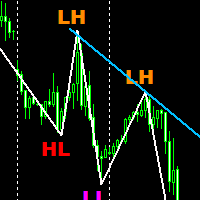
Free Market structure zig zag to assist in price action trading the screenshots describe how to use and how to spot patterns new version comes with alerts, email alert and  push notification alert can be used on all pairs  can be used on all timeframes  you can add additional confirmation indicators the indicator shows you your higher high and low highs as well as your lower lows and lower highs  the indication makes price action analysis easier to spot.
FREE
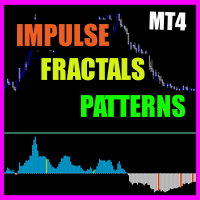
Impulse fractals indicator - is counter-trend oriented complex market fractal pattern.  Market creates bull/bear impulse, trend starts, fractals on impulsed wave are an agressive pullback signals. Buy arrow is plotted when market is bearish and it's impulse showed up-side fractal, and sell arrow is plotted when market is bullish and it's impulse showed dn-side fractal. Main indicator's adjustable inputs : impulsePeriod - main period of impulse histogram  filterPeriod  - smoothes impulse accordi
TPO Profile MT4
Kyra Nickaline Watson-gordon
5 (1)
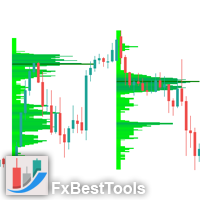
Definition : TPO is a Time Price Opportunity. Instead of using bars or candles with an Open, High, Low, and Close price, each "bar" in a Market Profile is represented by horizontal bars against the price It is called Market Profile terminology. In other words time-price-opportunity (TPO) profiles are histograms of how much time was spent at each price within the span of the profile. By using a TPO chart, you are able to analyze the amount of trading activity, based on time, for each price level
Buzzer Gold EA
Sukhpreet Singh Bedi
Buzzer Gold EA for MT4 Automated Expert Advisor for XAUUSD (Gold) Buzzer Gold EA is an automated Expert Advisor (EA) developed for MetaTrader 4 (MT4). It is designed primarily for trading XAUUSD (Gold) on the M5 timeframe using a rule-based trading methodology combined with configurable money management and risk control features. The EA continuously monitors market conditions and executes trades automatically when its predefined trading criteria are satisfied. It is intended for traders who pre
ForexEagle
Hadj Ahmed Slimani
ForexEagle - Elevate Your Trading Experience to New Heights Ready to revolutionize your trading game? Introducing ForexEagle, the ultimate Expert Advisor meticulously crafted to dominate the GBPUSD, AUDCAD, USDCAD markets on the M5 timeframe. With a winning combination of advanced Price Action strategy and trend detection algorithm, ForexEagle is your go-to tool for unlocking the full potential of GBPUSD, AUDCAD, USDCAD trading. The EA operates during specific hours, from 12:01 AM to 11:59 PM. G
Stellar Trend Pro
Ignacio Agustin Mene Franco
StellarTrend Pro is a professional Expert Advisor specializing in trading XAUUSD (Gold) on the M5 timeframe. Developed with a clear and robust trend-following and momentum strategy, it combines classic technical analysis with proven breakout systems, all within a beautiful, space-inspired visual theme. Key Features Hybrid Trend and Momentum System: Trend + RSI Momentum: Trend EMA (50) combined with RSI (14) to confirm momentum. It only trades when the trend and momentum are aligned, avoiding
KT Advanced Ichimoku MT4
KEENBASE SOFTWARE SOLUTIONS
KT Advance Ichimoku plot the arrows and provide alerts for the four trading strategies based on Ichimoku Kinko Hyo indicator. The generated signals can be filtered by other Ichimoku elements.  Four Strategies based on the Ichimoku Kinko Hyo 1.Tenkan-Kijun Cross Buy Arrow: When Tenkan-Sen cross above the Kijun-Sen. Sell Arrow: When Tenkan-Sen cross below the Kijun-Sen. 2.Kumo Cloud Breakout Buy Arrow: When price close above the Kumo cloud.  Sell Arrow: When price close below the Kumo cloud. 3.C
Dear Trader It is my pleasure to introduce to you my tool called the " Forex Sniper Indicator" . The major aim of this tool is to help serious traders and investors in all type of Financial Markets to catch price next movement right at the moment the price direction is about to change. This tool can be used to snipe the price direction in both down trend, uptrend and ranging markets. This tool can be used as the stand alone tool though it may be combined with other tools as well. My goal is to h
BRAHMASTRA - MetaTrader 4를 위한 고대 인도 수학 EA BRAHMASTRA는 MetaTrader 4를 위한 완전 자동화 전문가 어드바이저로, 다섯 가지 고대 인도 수학 시스템을 단일 신호 수렴 엔진으로 통합하여 구축되었습니다. 다섯 시스템 중 최소 세 개가 동시에 같은 방향을 가리킬 때만 거래가 실행됩니다. 5가지 신성한 시스템 핑갈라 마트라-메루 (기원전 2세기) — 최근 34개 봉 기준 피보나치 되돌림 구간(0.236–0.786). 차크라발라 사이클 감지 (7세기) — CCI 기반 사이클 오실레이터로 모멘텀 반전 감지. 브라흐마굽타 보간법 (628년) — 세 개의 역사적 피벗 포인트를 이용한 2차 보간으로 방향성 모멘텀 측정. 아리아바타 신호 엔진 (499년) — RSI와 이중 EMA 크로스오버에 가격 확인 결합. 판차부타 멀티타임프레임 바이어스 — H4 및 H1의 매크로 추세에 역행하는 거래 필터링. 나바-수트라 복구 시스템 손실 후 황금 비율 승수(1.61
Pocioli
Mike Amega
Pocioli X  The Smart AI That Trades for You Trade Smarter. Profit Faster. Relax More. Say hello to Pocioli X, the next-generation AI trading robot designed to think, learn, and adapt just like a professional trader. Unlike traditional robots that follow fixed rules, Pocioli X evolves with the market. It studies patterns, learns from every move, and adjusts its strategy automatically to keep you ahead  whether you trade Forex, Crypto, Indices, or Commodities. Why Traders Love Pocioli
Extreme Reversal EA EA is designed to trade CS ATR Fibo Channels Indicator :  https://www.mql5.com/en/market/product/60415 Extreme Reversal EA opens trades according to the following calculations: - ATR - TMA  - Cycles - Murrey Math Calculations - Moving Averages Extreme Reversal EA works on every timeframe and instrument. Full alert and push notification functions. INPUTS: GLOBAL VARIABLES: MAGIC NUMBER: CHANGE THE VALUE TO TRADE ON THE SAME INSTRUMENT / TIMEFRAME ORDER LOTS: MANUAL / USER DEF
IQ Signals
Eadvisors Software Inc.
The best indicator for Binary Options is now available at the MQLMarket, this version is already configured and optimized to operate with Binary Options, Forex and Cryptocurrencies. It is composed of a momentum algorithm that looks for better opportunities in the market, bringing you the best points to open your positions with low risk and high proportion of gain. The MQL version can also be incorporated into the MT2 signal automator.     Product features Common signals (Oscillator) Super
ToTheMoon MT4
Daniel Moraes Da Silva
5 (1)
ONE OF THE FEW ROBOTS WITH A SIGNAL HISTORY OF MORE THAN 3 YEARS AND AMONG THE TOP 10.   LINK TO MY ROBOTS AND SIGNAL PRESETS: In my profile there is a link to download the PRESETS that I use in my SIGNALS, you can download and Backtest for free, there are explanations in the my WebSite. https://www.mql5.com/en/users/tec_daniel   LINK TO OTHER ROBOT VERSIONS: MT4:  https://www.mql5.com/en/market/product/97963 MT5:  https://www.mql5.com/en/market/product/97962   SOME EXAMPLES OF SIGNALS ON “mql5.
Breakout Monster Mini
Abdulfattah Yahya Mohammed Alhazmi
5 (3)
It is a very profitable EA, to trade trends breakout, and manage trades, takeprofit, stoploss, move to breakeven, and trailing stop. I work with this EA, and the reversal/pullback version since 2014.  This is a demo   version of the full   Breakout Monster EA . It works on Real and Demo accounts. Demo version restrictions: Money Management is disabled. Lot size is restricted to 0.01 lots only (Or the minimum allowed by broker). Numerical, SL and TP set to 100 pips. They cannot be modified in
FREE
Breakout Monster Expert Advisor
Abdulfattah Yahya Mohammed Alhazmi
For The English Manual you can contact me. The Most advanced and comprehensive EA to trade Trend Breakout The “Breakout Monster EA” trades breakouts when the current price of the currency pair breaks a predefined horizontal level or trendline on the currency pair's chart. The opening of the position can be immediate after breaking the drawn trendline OR after closing the candle above/below this trend, provided that all technical and non-technical filters, defined by the trader through the exp
Al in one level
Kundan Kumar Srivastava
5 (1)
This indicator is collection of important dynamic support and resistance giving a trader crystal clear idea , where to sell and where to buy. it completely complements trend lines, support, resistance, and sideways market and allow a trader to make sustainable profits. The thickness of lines suggests its strengths, the thicker the dynamic line, the stronger is rejection or pullback allowing a trader to make multi-fold profit, as they can clearly see them. Introducing Your Ultimate Trading Edge:
Binary Option Signal
Yaroslav Varankin
Indicator for binary options arrow is easy to use and does not require configuration works on all currency pairs, cryptocurrencies buy signal blue up arrow sell signal red down arrow tips do not trade during news and 15-30 minutes before their release, as the market is too volatile and there is a lot of noise it is worth entering trades one or two candles from the current period (recommended for 1 candle) timeframe up to m 15 recommended money management fixed lot or fixed percentage of the depo
Atena Gold EA
Igor Pereira Calil
The Atena specialist is a EA for Meta Trader with the objective of working with the robot's own trends and strategies. GET Atena Gold EA FREE INSTALLED AND OPERATING ON YOUR ACCOUNT, ASK ME PRIVATE MESSAGE. Atena was developed to operate with greater security on American metal (GOLD, XAUUSD). Atena GOLD is a long-term robot, with WEEKLY AND MONTHLY profits, don't be too alarmed if it sometimes takes some time to close. Remember that Athena operates in both market trends, buying and selling, re
Buy Sell Signal Pro Looking for a precise and efficient swing detection tool that clearly identifies market structure turning points? Need consistent and easy-to-read buy and sell signals across different timeframes and instruments? Buy Sell Signal Pro  is designed to deliver accurate swing identification with a clean and practical approach, helping traders interpret price structure with confidence. Overview This indicator detects key market structure points, including: Higher Highs (HH) Higher
이 제품의 구매자들이 또한 구매함
Miraculous Indicator Binary & Forex v3 StrategySafe Miraculous Indicator Binary & Forex v3 StrategySafe 는 명확한 신호, 강력한 확인 도구, 그리고 Binary 및 Forex 시장에서 사용할 수 있는 체계적인 거래 방식을 원하는 트레이더를 위한 전문 지표입니다. v3 버전에는 MIR Dashboard, Miraculous Confirmation Dashboard, GANN Law, Square of 9 레벨, GANN 각도, 그리고 더욱 강화된 Forex 모드가 포함되어 있습니다. 주요 기능 Binary 모드와 Forex 모드를 하나의 지표에서 지원. MIR Dashboard로 빠른 시장 흐름 확인. Miraculous Confirmation Dashboard로 진입 신호 확인. Forex 분석을 위한 GANN Law drawing lines. Square of 9 라인, 레벨, 방향 표시. 1x1 G
FFx Engulfing Setup Alerter gives trade suggestions with Entry, Target 1, Target 2 and StopLoss. Below are the different options available: Entry suggestion - pips to be added over the break for the entry 3 different options to calculate the SL - by pips, by ATR multiplier or at the pattern High/Low 3 different options to calculate the 2 TPs - by pips, by ATR multiplier or at Risk/Reward Offset the dashboard - any place on the chart Remove the suggestion once the price reached the SL line Lines
FFx InsideBar Setup Alerter gives trade suggestions with Entry, Target 1, Target 2 and StopLoss. Below are the different options available: Entry suggestion - pips to be added over the break for the entry Minimum candle size - to avoid too close buy/sell entry suggestions 3 different options to calculate the SL - by pips, by ATR multiplier or at the pattern High/Low 3 different options to calculate the 2 TPs - by pips, by ATR multiplier or at Risk/Reward Offset the dashboard - any place on the c
FFx OutsideBar Setup Alerter gives trade suggestions with Entry, Target 1, Target 2 and StopLoss. Below are the different options available: Entry suggestion - pips to be added over the break for the entry. 3 different options to calculate the SL - by pips, by ATR multiplier or at the pattern High/Low. 3 different options to calculate the 2 TPs - by pips, by ATR multiplier or at Risk/Reward. Offset the dashboard - any place on the chart. Remove the suggestion once the price reached the SL line.
FFx PinBar Setup Alerter gives trade suggestions with Entry, Target 1, Target 2 and StopLoss. Below are the different options available: Entry suggestion - pips to be added over the break for the entry Minimum candle size - to avoid too small candles 3 different options to calculate the SL - by pips, by ATR multiplier or at the pattern High/Low 3 different options to calculate the 2 TPs - by pips, by ATR multiplier or at Risk/Reward Offset the dashboard - any place on the chart Remove the sugges
Lineverse Trendlines
Arkady Segal
5 (1)
Automatic, live & interactive picture of all trendlines. Assign push, email and sound alerts to the lines of your choice and be informed about price rollback, breakout, rollback after breakout, number of rollbacks, line expiration by double breakout. Correct, drag or delete the lines and interactively tune the line system. https://youtu.be/EJUo9pYiHFA . Chart examples https: //www.mql5.com/en/users/efficientforex Price Interaction Events All events are effective immediately and only after one
FFx MACD Divergences
Eric Venturi-Bloxs
The purpose of this new version of the MT4 standard indicator provided in your platform is to display in a sub-window multiple timeframes of the same indicator with its divergences. See the example shown in the picture below. But the display isn't like a simple MTF indicator. This is the real display of the indicator on its timeframe. Here's the options available in the FFx divergences indicator: Select the timeframes to be displayed (M1 to Monthly) Define the width (number of bars) for each tim
FFx RSI Divergences
Eric Venturi-Bloxs
The purpose of this new version of the MT4 standard indicator provided in your platform is to display in a sub-window multiple timeframes of the same indicator with its divergences. See the example shown in the picture below. But the display isn't like a simple MTF indicator. This is the real display of the indicator on its timeframe. Here's the options available in the FFx divergences indicator: Select the timeframes to be displayed (M1 to Monthly) Define the width (number of bars) for each tim
FFx CCI Divergences
Eric Venturi-Bloxs
The purpose of this new version of the MT4 standard indicator provided in your platform is to display in a sub-window multiple timeframes of the same indicator with its divergences. See the example shown in the picture below. But the display isn't like a simple MTF indicator. This is the real display of the indicator on its timeframe. Here's the options available in the FFx divergences indicator: Select the timeframes to be displayed (M1 to Monthly). Define the width (number of bars) for each ti
The FFx Dashboard MTF alerter will show you on a single chart all the timeframes (M1 to Monthly) with their own status for the indicator. 2 Alert Options: Single timeframe: each selected timeframe alert separately when a signal occurs Multi timeframes: all selected timeframes must agree for an alert to be triggered Both options have an input to select the timeframes to be used for the alert(s). How to Understand the Status: Green/Red square: histogram above/below 0 line Green square + Red bord
The FFx Dashboard MTF alerter will show you on a single chart all the timeframes (M1 to Monthly) with their own status for the indicator. 2 Alert Options: Single timeframe: each selected timeframe alert separately when a signal occurs Multi timeframes: all selected timeframes must agree for an alert to be triggered Both options have an input to select the timeframes to be used for the alert(s). How to understand the status: Green/Red square: RSI above/below 50 line Green square + Red border: R
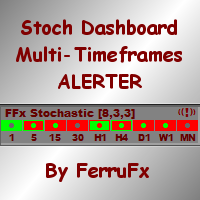
The FFx Dashboard MTF alerter will show you on a single chart all the timeframes (M1 to Monthly) with their own status for the indicator. 2 Alert Options: Single timeframe: each selected timeframe alert separately when a signal occurs Multi timeframes: all selected timeframes must agree for an alert to be triggered Both options have an input to select the timeframes to be used for the alert(s). How to understand the status: Green/Red square: Stoch above/below 50 line Green square + Red border:
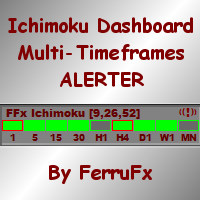
The FFx Dashboard MTF alerter will show you on a single chart all the timeframes (M1 to Monthly) with their own status for the indicator. 2 Alert Options: Single timeframe: each selected timeframe alert separately when a signal occurs Multi timeframes: all selected timeframes must agree for an alert to be triggered Both options have an input to select the timeframes to be used for the alert(s). How to understand the status: Green/Red square: Price above/below Cloud (Kumo) Green square + Red bo
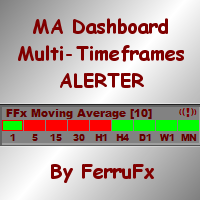
The FFx Dashboard MTF alerter will show you on a single chart all the timeframes (M1 to Monthly) with their own status for the indicator. 2 Alert Options: Single timeframe: each selected timeframe alert separately when a signal occurs Multi timeframes: all selected timeframes must agree for an alert to be triggered Both options have an input to select the timeframes to be used for the alert(s). How to understand the status: Green/Red square: MA pointing Up/Down Green square + Red border: MA po
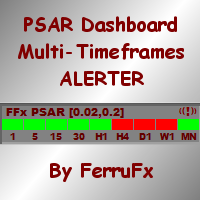
The FFx Dashboard MTF alerter will show you on a single chart all the timeframes (M1 to Monthly) with their own status for the indicator. 2 Alert Options: Single timeframe: each selected timeframe alert separately when a signal occurs. Multi timeframes: all selected timeframes must agree for an alert to be triggered. Both options have an input to select the timeframes to be used for the alert(s). How to understand the status: Green square: Price above PSAR Red square: Price below PSAR Options
The FFx Dashboard MTF alerter will show you on a single chart all the timeframes (M1 to Monthly) with their own status for the indicator. 2 Alert Options: Single timeframe: each selected timeframe alert separately when a signal occurs Multi timeframes: all selected timeframes must agree for an alert to be triggered Both options have an input to select the timeframes to be used for the alert(s). How to understand the status: Green/Red square: CCI above/below levels (ie. 100/-100) Grey square: C
The FFx Dashboard MTF alerter will show you on a single chart all the timeframes (M1 to Monthly) with their own status for the indicator. 2 Alert Options: Single timeframe: each selected timeframe alert separately when a signal occurs Multi timeframes: all selected timeframes must agree for an alert to be triggered Both options have an input to select the timeframes to be used for the alert(s). How to understand the status: Green/Red square: ADX above level Grey square: ADX below level Red bor
The FFx Dashboard MTF alerter will show you on a single chart all the timeframes (M1 to Monthly) with their own status. 2 Alert Options: Single timeframe: each selected timeframe alert separately when a signal occurs Multi timeframes: all selected timeframes must agree for an alert to be triggered Both options have an input to select the timeframes to be used for the alert(s). How to understand the status: Green/Red square: bullish/bearish candle Options available in the FFx Dashboard Alerter
The indicator of a Professional Trader is an arrow indicator for predicting the direction of price movement. I have been working on this indicator since 2014. You can use this indicator as your main indicator, use its entry signals, and use it as your only indicator to find entry points. About the product: Recommended TF [H4-D1-W1]   . The indicator predicts the direction of the next candle. Fits a variety of tools; Flexibility in settings for different instruments and intervals through the MO
THE GRAFF III
Charles Harper
The [GRAFF] III manual trading system is based on multiple MetaTrader (MT4) indicators. Together, the entire PACK of GRAFF III indicators makes an advanced trading tool. The system consists of over 20 different custom-built indicators which have been carefully selected and tested in the long term to produce strong and efficient trading signals. The particular indicators are based on different mathematical formulas, so the entire system is calibrated to remove false signals from its own indicator
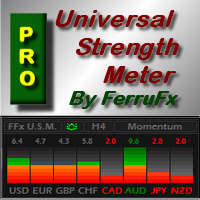
FFx Universal Strength Meter PRO is more than a basic strength meter. Instead of limiting the calculation to price, it can be based on any of the 19 integrated strength modes + 9 timeframes. With the FFx USM, you are able to define any period for any combination of timeframes. For example, you can set the dashboard for the last 10 candles for M15-H1-H4… Full flexibility! Very easy to interpret... It gives a great idea about which currency is weak and which is strong, so you can find the best pai
A simplistic indicator informing a user on RSI divergence by sending messages to mobile device and email. The indicator draws 2 vertical lines, marking two RSI extrema that formed the divergence. You get the alert, open the charts and make a decision. The indicator does not show past divergences, thus when you attach it to a chart for the first time you see nothing. Graphics and alerts will appear as soon as divergences do. Drop it in Tester to see how it works. Parameters: RSIPeriod - number of
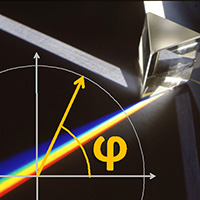
Pan PrizMA CD Phase is an analogue of the МetaТrader 5 indicator , and is an option based on the Pan PrizMA indicator. Details . Averaging by a quadric-quartic polynomial increases the smoothness of lines, adds momentum and rhythm. Extrapolation by the sinusoid function near a constant allows adjusting the delay or lead of signals. The value of the phase - wave status parameter (which is close in meaning to the trigonometric phase or the angle of the radius-vector rotation in the trigonometric p
Green Wall Arrows
Daniel Luchinger
1 (1)
The Name Green Wall : Arrows hits a lot of TP, by changing the idea of non using SL as something bad, but instead use Small TP and a lot of free Margin and Patience. Use micro TP and a lot of Free Margin with this indicator on Forex. It also can be used with Binary Options. This strategy is intended to be traded Manually. This Indicator runs on Open Bar, arrows will delete when price are against it. The only Indicator Parameter is Alerts true/false, all the rest is included inside the code. Arro
Golden Monowave
Ahmed Mohamed Ali
Golden Monowave is monowave indicator, the monowave theory is one of Elliott wave approach and one of most complicate and accurate method. Golden Monowave can shortcut many major steps to identify and describe the monowave. It works on any timeframe and with any trading instrument, including currencies, indices, futures, etc. Input Parameters initial_Bars - set the initial number of bars to calculate. wave_color - select the color of the wave. label_color - select the color of labels. temp_labe
Ticks Size
Viktor Kolmakov
This indicator displays in a separate window the difference between the number of points which increased the price, and the number of points that decreased the price during the time interval specified in the settings. The time interval for calculation is expressed as the number of bars of the chart the indicator is attached to. This approach allows you to evaluate the movement direction (growth or fall) of the instrument's price, the strength of the movement and the size of the movement in point
FFx Basket Scanner
Eric Venturi-Bloxs
MetaTrader 5 version available here : https://www.mql5.com/en/market/product/24882 FFx Basket Scanner is a global tool scanning all pairs and all timeframes over up to five indicators among the 16 available. You will clearly see which currencies to avoid trading and which ones to focus on. Once a currency goes into an extreme zone (e.g. 20/80%), you can trade the whole basket with great confidence. Another way to use it is to look at two currencies (weak vs strong) to find the best single pairs
NostradamusMT4
Andrey Spiridonov
1 (1)
NostradamusMT4 is a powerful indicator from the set of professional trader. The indicator is based on Andrei Spiridonov's original price calculation method (ESTIMATED PRICE) for the current candle price. Advantages The indicator does not redraw. It works on any timeframes. Works with any trading instruments. Perfectly suitable for scalping and trading binary options. Parameters Color - color of the ESTIMATED PRICE FUTURE line. How to work with the indicator The indicator forms the ESTIMATED P
제작자의 제품 더 보기
ORB Seeker MT5
Marcela Goncalves De Oliveira
한정 수량 판매 및 제품 희소성 유지를 위한 특별 가격입니다! 단돈 599달러! 구매 후 저에게 연락 주시면 보너스 ORB Seeker EA와 개인 최적화 설정 파일을 보내드립니다. 깔끔한 세션 브레이크아웃을 자신감 있게 활용하세요! ORB Seeker MT5는 정확성, 단순성, 유연성 및 명확한 차트 구조를 원하는 트레이더를 위해 개발된 전문적인 시가 범위 돌파(ORB) 지표입니다. 이 프로그램은 모든 금융 상품에 대해 장전 거래 또는 사용자 지정 세션 범위를 자동으로 표시하고, 진입, 손절매, 목표 수익 및 선택적으로 50% 부분 목표 수익 수준을 포함한 명확한 돌파 신호를 제공합니다. 모든 계산은 실시간으로 차트에 직접 표시됩니다. 런던 개장, 뉴욕 세션, 아시아 세션 또는 사용자 지정 시장 시간대를 선택하여 거래하세요. ORB Seeker MT5는 사용자가 선택한 세션 시간에 맞춰 작동하므로 시장 범위, 돌파 레벨 및 거래 레벨을 정확하게 확인할 수 있습니다. 모든 구매


필터:
Gabriele Bozzolan
348
Gabriele Bozzolan 2026.08.22 10:13 

I purchased the indicator in question on August 12, 2026, and installed it on my MT4, as is standard practice. I used the set file given to me by the indicator's owner, along with the free EA—and that's not something everyone gets for free. I want to clarify one thing: I only used the files given to me, never changed anything, and used the default settings. The following day, everything went well. On Friday, two stops in a row—that's understandable. I should point out that the stop losses are double the winnings. On Monday, nothing happened, for some reason. On Tuesday, two stops in a row, and I didn't like it. On Wednesday morning, I found myself with another two stops in a row. At this point, I decided to unplug everything, as I was dissatisfied with the results. Too many stops in a row, in three days. I repeat: I only used the settings given to me. I'm reporting this to the indicator's owner. A series of messages begins with these, in which I reiterate that I used the settings he sent me and that I haven't made any changes. Finally, I say I'll leave a negative review for the indicator. The owner responds: I'm not cooperating, the indicator is profitable, as I told you, I'm using it myself and I'm not losing money, so there's something wrong on your end. What do I have to do with this? As I've said several times, I only used the settings provided to me, as they were. The owner adds: Users never like to admit they're wrong, they always blame the product. It's a shame. I repeat for the umpteenth time: what do I have to do with this? I only used the recommended settings. I reply to the messages the owner of the indicator sent me, confirming that I will leave a negative review and that I will no longer respond to his messages. He responds: You're responding like someone who doesn't want to admit they're at fault, that's fine, it's common human behavior. I know I'm right because the indicator is profitable; even last night I won and had more wins than losses. So why are you losing, while I and my other users are winning? Logic suggests that something is wrong on your end, whether you like it or not. Furthermore, you've only been using the indicator for a week. A week is not enough time to properly evaluate a product, especially if you haven't tested it first on a demo account to familiarize yourself with all its features. To understand if a product really works, you need to give it more time; every professional trader knows this. You're not cooperating, and if you continue to leave a negative review, as you're threatening, I'll simply respond with the truth and publish all the screenshots of this conversation so everyone can see the entire history and understand that your negative statement is false and that I'm not hiding anything. I wish you'd let me help you so you can try the indicator like me and other users, but you don't want to. It doesn't have to be this way; I want all my users to be happy. I'm sorry I tried. I'm replying to this last message I received, published in its entirety. I never threatened anyone; the threats are different. I simply stated what happened to me with the indicator, and nothing more. Feel free to publish all the conversations I had with him; I have nothing to fear. Everyone who reads this review should make their own assessment.

Marcela Goncalves De Oliveira
505
개발자의 답변 Marcela Goncalves De Oliveira 2026.08.24 18:49
I'm going to repeat a few things that I told you in our chat for you to understand, again. What I said is true; I don't understand how you could have lost when the other users and I did not. Clearly there is something wrong on your side. Furthermore, like I said, you had only been using the indicator for a week. One week is not enough time to properly evaluate a product, especially if you haven't tested it first on a demo account to familiarize yourself with all its features. To understand if a product really works, you need to give it more time. I attempted to assist you multiple times, but you were uninterested in receiving help; after a few days, you simply gave up and made your decision. You expected instant perfect results, which does not exist. I've said before that the indicator can lose sometimes; such a result is perfectly normal. Your expectations are not. I'm sorry that you have closed your mind to receiving any help so you can use the indicator successfully and make profit like the rest of us are doing. Good luck.
리뷰 답변