 MetaTrader 5
 Experts
 지표
지표
 라이브러리
라이브러리
 유틸리티
유틸리티
 위젯
위젯
 규칙
규칙
MetaTrader 5용 새 트레이딩 유틸리티 - 77
 다음은 MetaTrader 5의 거래를 단순화하는 거래 프로그램입니다. 유틸리티의 설명과 목적을 읽으려면 유틸리티 위에 마우스를 놓으십시오.
Shows various helpful informations lik: ATR (in Pips) Spread (in Pips) Spread in percent of ATR (very helpful when your SL/TP is based on ATR Time left to next candle period Change in percent of last X candles (configurable) Spread warning, when its higher then 1/3 of the ATR Next-candle warning, when it appears shortly (2.5% of period) Please follow me on Twitter https://twitter.com/semager and stay up to date with the newest Indicators and EAs.
FREE

The Universal Dashboard is a tool for multidimension technical analysis of the market. It allows you to collect a customizable set of trading signals and important performance indicators, and display them in a single table. Multiple symbols, timeframes, and conditions can be monitored and alerted at once. The conditions are specified as expressions which support all built-in indicators, custom indicators, math functions, arithmetic operators and more. The dashboard is implemented as a non-tradi
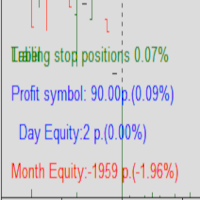
Protected profit это логическое продолжение проекта Equity monitor. Исправлены недочёты и внесены дополнительные моменты. В данном продукте разработан процентный Traling stop, как на отдельную позицию, так и на дневную прибыль в целом. Есть возможность закрыть позицию по заданному проценту убытка, а так же можно закрыть все позиции по проценту дневной прибыли. Настройки просты и понятны. Например: Риск на позицию 1% Позиция закроется если процент убытка превысит 1%. Traling 3% допустимое сниже

MT5 차트를 실시간 렌코 차트로 전환 KT Renko Live Charts는 적용한 심볼을 기반으로 MetaTrader 5에서 실시간 렌코 차트를 만듭니다. 벽돌은 사용자 정의 심볼로 저장되므로 렌코 차트가 별도의 창에서 열리고, 평소 사용하는 차트 도구와 사용자 지정 지표를 그대로 사용할 수 있습니다. 작동 방식 변환할 심볼의 일반 차트에 유틸리티를 적용하세요. 심볼의 1분 데이터로 렌코 히스토리를 만든 뒤 실시간 틱으로 새 벽돌을 추가합니다. 렌코 차트는 EURUSD_10_PIPS처럼 알아보기 쉬운 이름으로 열리며, MetaTrader를 다시 시작하거나 원본 차트의 시간 프레임을 바꿔도 같은 차트가 계속 사용됩니다. 원본 차트의 작은 상태 패널에는 벽돌 크기, 벽돌 수, 마지막 벽돌이 형성된 시간, 그리고 EA에서 사용할 심볼 이름이 표시됩니다. 설정 Box Size Type: 핍, 포인트 또는 틱 중에서 선택합니다. 벽돌은 항상 가격 단위의 정수배이므로 선물과 지수 심볼에도

Little experience in trading?
Do you want to try yourself as a professional scalper?
This advisor is just for you! Better to use a brokers Rannforex.com or IcMarkets.com
The essence of the strategy - from the lower line (blue) we buy, from the upper (red) we sell.
You choose a relatively flat instrument. For example EURGBP in the evening. Turn on the Timeframe M1-M5. And launch the EA on the chart.
The EA builds a channel at the start. And it displays a panel with buttons and informatio

In the current version this filter will only work with my night scalpers and the EA Profitection Filter or with other EAs that utilize the global variables set by this EA. An MT4 version is availalble here . Many scalpers these days have a "normal" news filter, which filters calendar news such as interest rate decisions or CPI releases. However, this breaking news filter is able to filter non-standard breaking news. It will check every minute for news and if it finds a news event, it will

zap 43996914141 pelo valor de 50 + brinde
ProTrader B3 Mini é um utilitário para a plataforma de negociação MetaTrader 5
Foi programado especialmente para os ativos WIN (mini índice bovespa) e WDO (mini dólar)
O conceito do B3 Mini é ser simples, prático e intuitivo, um excelente assistente para scalpers/day traders!
Opere totalmente pelo teclado do seu PC, experimente, você vai gostar de usar! ( 'ω' )
Nota:
1 - Este utilitário não funciona no testador de estratégia
2 - Teste a versão demo

This utility is designed to receive volumes from order books from larger crypto exchanges and transfer information to the indicator RealCryptoLevels . The RealCryptoLevels indicator by downloading the order book of crypt exchanges with maximum depth shows horizontal volumes of popular crypto currencies on the chart, so you can see not only the volumes, but also the levels and them strength (see screenshots), which is very important for successful trading in all strategies from scalping to m
FREE
Boleta de negociação, para aglizar operação manual no Metatrader 5 no mercado de futuros.
Principais Funções :
Utilização de teclas de atalho para pre-visualizar ordens pendentes; Botões para operações a mercado; Botões para ordens atrás do preço, as quais ajustam o ponto de entrada, esperando o preço voltar uma quantidade de pontos definida no campo "Dist. Atras" para abrir a posição; Botões para zerar posições e para cancelar as ordens pendentes; Botão para colocar uma ordem Tr

It transforms imprecise and crooked lines INTO perfectly STRAIGHT and HORIZONTAL Lines!
DO NOT WASTE your TIME anymore trying to draw perfectly straight lines!
This useful tool straightens crooked lines and saves you from the nervousness!
You can also switch, with a button, between Normal Trendlines and STRAIGHT Horizontal lines! Enjoy it and have a nice trading!
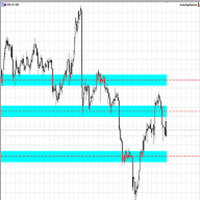
Making Charting simple!
The Support/Resistance EA combines a sophisticated neural network algorithm with an Average Range computation to make your supply and demand zones easy to spot! The EA is very easy to use and can save you valuable time when charting through financial instruments. Areas of consolidation are highlighted according to your preference and timeframe, making it easier to identify areas of break-out or small regions to scalp. Features :
Choose two Timeframes (From 1 Minute up
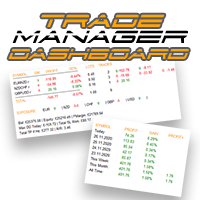
외환 포트폴리오를 관리하십시오. 당신이 서 있는 위치, 효과가 있는 것과 통증을 유발하는 것을 즉시 확인하십시오! MT4 버전은 여기에서 사용 가능: https://www.mql5.com/en/market/product/58375
Trade Manager 대시보드는 현재 외환 시장에서 각 포지션이 어디에 있는지 한 눈에 보여주고 위험 관리 및 통화 노출을 더 쉽게 이해할 수 있도록 설계되었습니다. 여러 포지션 또는 거래 그리드 및 바스켓 전략을 사용하여 점진적으로 시장으로 확장하는 거래자의 경우 이것이 핵심 정보입니다. 터미널에서 여러 위치를 모니터링하는 것은 종종 관리하기 어렵습니다.
저조한 위험을 과도하게 활용하고 사용하는 것은 신규 거래자와 일부 숙련된 거래자가 직면한 주요 문제입니다. 거래 관리자는 각 통화에 대한 노출을 개별적으로 표시하여 한 번에 양방향 거래를 하지 않도록 합니다.
특징: 공개 거래 - 통화 쌍별로 정렬된 현재 공개 거래를 모두 봅니다. 쌍뿐만 아니

Backtesting PRO: Make a review of the market based on the available history of your broker. Practice your strategies and verify them in seconds. Remember to maintain excellent risk management, check your days and hours of operation. R emember to start it in the shortest period to operate. Any questions or suggestions can be sent to this email: autoeducacion0110@gmail.com
FREE

Closes a losing position. Due to the previous continuous, profitable series. SymbolsWork: Currency instruments (pairs) for the EA to work with. There may be variations when setting a pair. If set simply as EURUSD , GBPUSD: or AUDUSD:ALL , the EA opens both buy and sell orders. If a specific order type is set after a colon USDJPY:BUY , then the EA opens only buy orders and in case of eurjpy:sell , it performs only sell orders. The pairs are separated by commas. For example, the following entry "E

Notify To Telegram MT5 Expert Advisor will send notifications via Telegram when orders are opened/modified/closed on your MetaTrader 5 account. Send message to person, channel or group chat. Easy to customize message. Support custom message for all languages Support full Emoji. Parameters Telegram Bot Token - create bot on Telegram and get token. Telegram Chat ID - input your Telegram user ID, group / channel ID, use comma to input multi chat ID as chat_id_1, chat_id_1 Magic number f
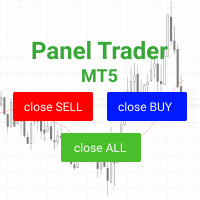
Trading panel for fast and convenient trading. The panel allows you to quickly open and close orders. Separate closing of orders for Sell and Buy positions. It is also possible to close all orders completely.
The trading panel displays information about profit, total volume and number of orders for Sell and Buy positions.
Sometimes some positions may not be closed due to market volatility. In this case, click close the position again.

If you want to try the Demo Version, please use this one: https://www.mql5.com/en/market/product/58262
Features: easy positioning of stoploss and takeprofit with horizontal Assistance-lines
automatic Volume calculation fixed risk, set by the trader Closing of all trades of one type, with the click of one button (long or short, for this symbol) Creation of pending orders with one click Direct feedback through responsive buttons
Made for all your needs: Forex Indices Crypto Gold, Silver, Platin

Quickly Helper is a tool to help us deal with multiple orders quickly. It has five function keys. They are: The "清空" button to quickly level out all orders; Quick flat out the long position "平多单" button; Quick flat out the short position "平空单" button; The "买多" button to quickly buy at the current price; The "买空" button to sell quickly at the current price; It has seven display information items. They are: bp: the total income of multiple orders; ( profit of buy/long position ) avgb: avera

This is the demo Version of Money and Trade Manager, which can be found here: https://www.mql5.com/en/market/product/58163# The Demo is limited to EUR/USD , but otherwise fully functional.
Features: easy positioning of stoploss and takeprofit with horizontal Assistance-lines
automatic Volume calculation fixed risk, set by the trader Closing of all trades of one type, with the click of one button (long or short, for this symbol) Creation of pending orders with one click Direct feedback throug
FREE

Com este Expert Advisor tenha a possibilidade de fechar todas as posições de forma automatizada.
Tenha em mãos o recurso de fechar as posições e ordens pendentes por ações, Dólar, Índice ou TODOS estes juntos, algo inovador no mercado.
Ideal para quem quer uma segunda camada de segurança para suas operações automatizadas ou ainda que o próprio robô feche suas operações manuais em um horário programado.
Promoção de 30 dólares para a três primeiras assinatura, posteriormente será cobrado 50 dól

The program is used to calculate the lot to be used given a certain amount of financial risk. It allows the creation of lines that will mark the entry and stop prices. From these two values the lot is calculated and shown in a small panel. The program also allows choosing the risk-return ratio and creating a horizontal line marking the target. The system does not create orders. These must be created manually by the user.

Hi you, I need your help! Be my Patron, let's make it possible!
https://www.patreon.com/joaopeuko https://github.com/Joaopeuko/Mql5-Python-Integration
Channel: English version - Versão Inglês:
https://www.mql5.com/en/channels/Mql5_Python_Integration_EN
Portuguese version - Versão Português:
https://www.mql5.com/en/channels/Mql5_Python_Integration_PT
Free version with 5 indicators: https://www.mql5.com/en/market/product/57574
This version has 38 indicators, 5 from the free version plus
FREE

IN DEMO VERSION, "CLOSE BY PIPS & ALERTS" ARE DISABLED. FOR COMPLETE ACCESS PLEASE BUY. : https://www.mql5.com/en/market/product/58097 FIRST 10 COPIES AT 30 USD, NEXT PRICE WOULD BE 50 USD RISK AND TRADE MANAGER RISK AND TRADE MANAGER is an advanced trading panel designed for manual trading. Utility helps to manage trades effectively and efficiently with a single click. You can also try our high probability indicator HAWA Price Action HAWA Price Action WITH 90% WIN RATE
MT4 VERSION:
https:/
FREE

THIS PRODUCT CAN NOT BE TEST IN STRATEGY TESTER. PLEASE TRY DEMO VERSION: https://www.mql5.com/en/market/product/58096 RISK AND TRADE MANAGER RISK AND TRADE MANAGER is an advanced trading panel designed for manual trading. Utility helps to manage trades effectively and efficiently with a single click. MAIN FEATURES Convert and display Stop Loss (SL) Pips into % and amount to view the clear picture of the trades if SL hits. Fund allocation for individual trade in % and in amount. Get alert

This application is now replaced by Ofir Notify Light Edition (Free) or Ofir Notify (paid).
Thank all for your positive feedbacks.
Telegram Alerts is a tool which send alerts on trades to Telegram Alert on any event concerning a position : Opening, Closing, modification (SL, TP) Alert on Equity change Display Risk, Reward and progress of profit/lost for each position Send signals from your indicators or experts Multi-lingual If you are facing any issue using this utility, please contact me to
FREE

Tax Buddy creates a simple, sortable trading report which you can send to your local tax authorities alongside your annual declaration. I've been using this kind of report for the German Finanzamt in order to declare my capital gains ("Kapitalerträge") in a readily comprehensible manner. For testing purposes, the Demo version places random trades in the Strategy Tester on the symbol of your choice and creates a demo report for them.
Conveniently, all reports are stored in the common path for al

Chart Link allows you to control multiple charts from one chart or multiple charts from multiple charts. Features 1. Synchronised Scrolling : Scrolling the master chart also scrolls all linked sub charts to the same position. Sub charts inherit offset and auto-scroll settings from the master chart. 2. Synchronised Timeframe : Switching the master chart timeframe also switches all linked sub charts. 3. Synchronised Symbol : Switching the master chart symbol also switches all
FREE
A "simple design" trading panel, which is characterized by small byte size, low CPU usage, simple steps, and quick operation, 1 to 2 clicks to complete a functional operation,
saving time and increasing efficiency . The panel is easy to use, and it is not complicated to set parameters, which is in line with traders' habits. At the same time, its compact-
design, clear at a glance, and comprehensive functions are a powerful tool for manual trading! Key features of the panel: Click "Bid/Ask P
FREE

Hi you, I need your help! Be my Patron, let's make it possible!
https://www.patreon.com/joaopeuko https://github.com/Joaopeuko/Mql5-Python-Integration
Channel: English version - Versão Inglês:
https://www.mql5.com/en/channels/Mql5_Python_Integration_EN
Portuguese version - Versão Português:
https://www.mql5.com/en/channels/Mql5_Python_Integration_PT
Paid version with 38 indicator: https://www.mql5.com/en/market/product/58056
I believe that development in PYTHON is easier and simpler
FREE

Quick Trade is a simple but needful utility for MT5 that allows to set SL, TP and entry price for a trade in a couple of seconds, allowing also shaping right position size based on risk wanted. It provide shortcuts to save more time and of course, you can also put values typing with keyboard or drag lines at your desired value! Shortcut Action CTRL + Click Set SL Shift + Click
Set TP z + Click Set Price A simple utility that you will start to love if you do manual trading. Stop calculating risk
FREE

izi hedge is a tool that helps you manage risk, manage hedge orders and rebalance losing orders.
How it works It will place an order opposite to the order you placed with that currency pair. If the order you place is correct, the reverse order will be automatically deleted If the market unfortunately goes against your order and touches the hedge order, it will begin to calculate the hedging volume to limit the risk of the market going in reverse.
FREE

izi hedge is a tool that helps you manage risk, manage hedge orders and rebalance losing orders.
How it works It will place an order opposite to the order you placed with that currency pair. If the order you place is correct, the reverse order will be automatically deleted If the market unfortunately goes against your order and touches the hedge order, it will begin to calculate the hedging volume to limit the risk of the market going in reverse.

Trade Copier는 거래 계정 간의 거래를 복사하고 동기화하도록 설계된 전문 유틸리티입니다. 복사는 공급자의 계정/단말기에서 동일한 컴퓨터 또는 vps에 설치된 수신자의 계정/단말기로 발생합니다. 프로모션 - 이미 "Trade copier MT5"를 구매하셨다면, "Trade copier MT4"를 무료로 받으실 수 있습니다 (MT4 → MT5 및 MT4 ← MT5 복사용). 조건에 대한 자세한 정보를 원하시면, 개인 메시지를 통해 저희에게 문의해 주시기 바랍니다! 구매하기 전에 데모 계정에서 데모 버전을 테스트할 수 있습니다. 데모 버전 여기 . 전체 지침 여기 . 주요 기능 및 이점: 복사기는 "МТ5> МТ5", "МТ4> МТ5", "МТ5> МТ4" 복사를 지원합니다. 복사기는 데모 계정 > 실 계정, 실 계정 > 데모 계정, 데모 계정 > 데모 계정 및 실제 계정 > 실 계정 복사를 지원합니다. 복사기는 읽기 전용 암호가 적용된 투자자 계정에서 복사를 지원합니다. 하

Indicator to create and manage your own watchlists. It allows you to load one symbol to multiple charts with just one click.
There is an addon to save objects from drawings (lines, fibos etc.) and load when the symbol is changed.
Functions
Supports Multi-Timeframe-Usage
Load one symbols to multiple charts with just one click
Automatically created list with all tradeable symbols
Custom watchlists can be created
Symbols can be added and deleted from the created watchlists
Sortfunction to sort a
A "simple design" trading panel, which is characterized by small byte size, low CPU usage, simple steps, and quick operation, 1 to 2 clicks to complete a functional operation,
saving time and increasing efficiency . The panel is easy to use, and it is not complicated to set parameters, which is in line with traders' habits. At the same time, its compact-
design, clear at a glance, and comprehensive functions are a powerful tool for manual trading! Key features of the panel:
Click "Bid/Ask Pri

News: IDEA 2.0 is out with lot of features, like telegram bot notifications and Limits order! Check the changelog at bottom of page (*).
Hi all,
here you can find my Expert Advisor, called IDEA (Intelligent Detection & managEr Algorithm) . In short, with this software you can: Have a clear view of market status , with an indication of current trend. Simply add symbols you want to monitor to your market watch, and IDEA will notify you if some of them are in trend; Have an automatic lots ca
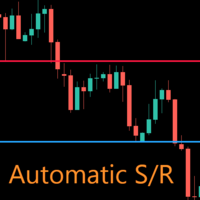
AutoLevels is a precise tool for identifying support and resistance levels. Allows you to trade with reliable information, making your analysis fast and easy. Usage
https://www.youtube.com/watch?v=7tqX4f_QhaA&ab
Features and settings Features : Data based levels Dynamic coloring and width Works on any timeframe Settings : period : sets the averaging the period of the ATR; scale_factor : sets the ATR's multiplicator; levels_number : sets the maximum number of levels on the chart; dynamic_col

복사기->편리하고 빠른 인터페이스 상호작용으로 사용자가 바로 사용 가능 ->>>> Windows 컴퓨터 또는 VPS Windows에서 사용하는 것이 좋습니다. 특징: 다양하고 개인화된 복사 거래 설정: 1. 다양한 신호 소스에 대해 다양한 로트 모드를 설정할 수 있습니다. 2. 다양한 신호 소스를 포워드 및 리버스 복사 거래에 대해 설정할 수 있습니다. 3. 신호는 주석으로 설정할 수 있습니다. 4. 계약 로트에 따라 로트를 교정할지 여부 다양하고 개인화된 복사 주문 설정 2: 1. 다양한 품종에 대해 다양한 로트 모드를 설정할 수 있습니다. 2. 정방향 및 역방향 복사 주문에 대해 다양한 품종을 설정할 수 있습니다. 3. 주석으로 신호를 설정할 수 있습니다. 4. 계약 로트에 따라 로트를 교정할지 여부
댓글 필터링, MAGIC 필터링, 시그널 로트 필터링, 로컬 제품 필터링 근무시간 설정 역동기화 SLAVE 닫힘 주문 바인딩 기능: 모든 주문은 설정된 신호 소스 주문
복사기->편리하고 빠른 인터페이스 상호작용으로 사용자가 바로 사용 가능 ->>>> Windows 컴퓨터 또는 VPS Windows에서 사용하는 것이 좋습니다. 특징: 다양하고 개인화된 복사 거래 설정: 1. 다양한 신호 소스에 대해 다양한 로트 모드를 설정할 수 있습니다. 2. 다양한 신호 소스를 포워드 및 리버스 복사 거래에 대해 설정할 수 있습니다. 3. 신호는 주석으로 설정할 수 있습니다. 4. 계약 로트에 따라 로트를 교정할지 여부 다양하고 개인화된 복사 주문 설정 2: 1. 다양한 품종에 대해 다양한 로트 모드를 설정할 수 있습니다. 2. 정방향 및 역방향 복사 주문에 대해 다양한 품종을 설정할 수 있습니다. 3. 주석으로 신호를 설정할 수 있습니다. 4. 계약 로트에 따라 로트를 교정할지 여부
댓글 필터링, MAGIC 필터링, 시그널 로트 필터링, 로컬 제품 필터링 근무시간 설정 역방향 동기화 SLAVE 닫힘 주문 바인딩 기능: 모든 주문은 설정된 신호 소스
FREE
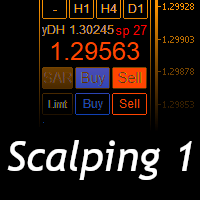
Scalping Day Trading Support Utility Scalping One
setting faile (for white Chart) http://www.emkyuradias.shop/indexenglish.html
One position is displayed with one button. View P & L, Lot, and Point in real time. It is possible to switch the display of positions of only chart currencies and all currency pairs. Supports automatic identification in Japanese and English Account currency notation corresponds to dollar, euro, pound, yen (automatic identification) Lot, take profit and stop los

The script is intended for synchronization and loading into the Terminal of the desired (or maximum possible) history of quotes of the timeframes specified by the user for the symbols in the "Market Watch" window. The first download of the full history for one "new" symbol takes approximately one and a half to two minutes.
Input parameters for running the script: 1. Desired history length (bars) - here we indicate the number of bars in the quote history that we would like to receive from t
FREE
ATM Auto Trade Manager Expert Advisor will manage all transactions you make using Expert Advisor, or manually from all platforms (Web Trade, MT5 Windows, MT5 Mac, MT5Mobile phone) Multi Currency In one chart, the Tool will manage transactions of all currencies or according to the available list.
Currency Selection All Transactions of All Pairs Based on the Pairs List
Auto Manage, with setup parameters on one chart Auto Close Profit Average Auto Close Profit only Auto SL / TP Auto Trailing
B
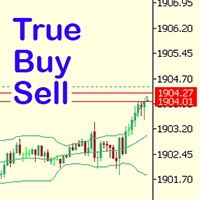
Have you ever noticed how on the forex symbols, the buy / sell button's price doesn't match the buy / sell lines on the chart? The spread always looks a lot tighter on the chart, you open a position and then realise the spread is huge. This is a very simple utility, it adds lines on the chart which match the buy / sell price on the buttons. Once installed I recommend right clicking the chart, go to Properties and uncheck "Show bid price line" and "Show ask price line", now click OK. Then righ
FREE

AW Workpad는 수동 및 반자동 거래를 위해 설계된 다기능 거래 컨트롤 패널입니다. 예약 주문, 시장 포지션을 관리하고 광범위한 통계 데이터를 제공하며 고전적인 지표 그룹의 다중 기간 분석을 제공합니다. 이 유틸리티는 5개의 탭으로 표시됩니다. Positions, Pending, Close, Indicators, Info . 각 탭에는 현재 시장 상황에 대한 주문 또는 정보를 처리하기 위한 자체 기능 그룹이 있습니다. MT4 버전 -> 여기 / 문제 해결 -> 여기 기능 또는 이점: 이 유틸리티는 모든 시간대와 기호(통화, 지수, 석유, 금속, 주식)에서 작동합니다. 각 패널의 모든 요소에는 추가로 레이블이 지정되어 있어 요소 위로 마우스를 가져가기만 하면 됩니다. AW Workpad 거래 패널에는 유연한 설정과 직관적인 패널 인터페이스가 있습니다. 가장 필요한 모든 기능을 하나의 제품에 담았습니다. 트레이딩 패널 탭: Positions - 이 탭에서는

The tool allows user to easily add: Stop Loss, Take Profit, railing Stop, Break Even, Target Manually editing the lines. Parameters : Magic Number : number to identify your EA, used when applied to multiple assets. Distance from Bid Price (ticks): Current price value to place the buy or sell order in ticks (each tick represents the smallest price variation). Slippage (0 = off): represents the maximum difference in pips for the order to go through. Volume: Lot size. Example (EURUSD, volume =

Set your Stop Loss, Take Profit and enter the operation and with the Close Position button, exit the operation whenever you want and safely. What's more, let us control your operation with Trailing Stop. With Expert Trade Control, you can enter a trade with your stop loss and take profit defined, but if you want to leave before the market reaches these targets, just click on "close position" and your position will be closed at the same time.
Mechanisms like this prevent a counter-order from be

FX Trade Manager is a tool used to open and manage your buy and sell orders with few clicks and with ease in MetaTrader 5 . Through this fantastic tool you can open orders like: SELL BUY SELL LIMIT BUY LIMIT You can open an order just by informing the lot volume you want, your takeprofit and stoploss and clicking on the opening button, or just placing the lot volume you want and clicking on the opening button.
If you don't know the lot size you want to open, let the FX Trade Manager tool do it
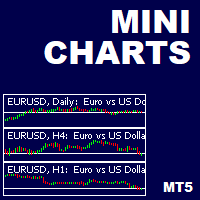
This is a utility indicator that creates mini charts on left side of the chart you are looking at.
It is very useful to watch many timeframes simultaneously, without having to change between multiple charts. Its configuration is very simple. You can have up to 4 mini charts opened. They automatically load the template of the "parent" chart. If you have any doubt please contact me. Enjoy!
This is a free indicator, but it took hours to develop. If you want to pay me a coffee, I appreciate a lot
FREE

Protect your EA from unauthorized use. With EA Locker you can generate individual licenses for your EA to your customers.
Product blog page Download MT4 version from here
Protection consists of three parts: 1. Your Unique EA identifier 2. User Identifier 3. Expiration date
Description of parts: 1. EA ID is your internal EA identifier. Itcan be the short name of the EA. (MyGridEA, TradeCopierEA...) 2. User identifier can be anything user specific data (Mt4 account number, Account number + User
MOST IMPORTANT INFORMATION
<1>
Exactly this program was used to set World Record in Trading 2020
Account Equity was increased from $1,000,000 to $100,000,000 in 16 days
Details => www.mql5.com/en/users/AIS
<2>
In the last days of this record the position was creating by 1000-2000 orders
It was used the computer with 1 core Pentium 4 CPU at 2.8 GHz and 1 GB memory
In the last two days the daily profit was $40,000,000 every day
<3>
It was 100% manual trading
And this special program was used to s

Trader's Panel is a simple EA for managing trades once open. Your options for managing open trades are to close an entire open trade, close a percent of an open trade, which can be input from the trader panel, and then set stop loss to break even on an open trade. The Trader's Panel hovers at top left of screen right below the one click order buttons. **Note that this EA does not open trades. It only manages trades once they are open.

This utility sends notification to trader’s MT5 (for MT4 version, checkout this link ) mobile app, to remind traders about their open positions. Super useful for part time traders to keep track and not forget any positions. To turn on notification, please visit this link (https://www.metatrader4.com/en/trading-platform/help/setup/settings_notifications)
Features Keep track on open orders (pending orders, running orders) Customize time to send notification Customize notification interval (se

Overview
The Expert Advisor allows you to receive notifications to the mobile phone (or tablet PC), mailbox or play the sound alert when some events occured: opening or closing position (also closing all positions), placing or deleting pending order; changing open price, stop loss or take profit; the account balance, equity, margin level, free margin or drawdown has reached the user specified level. You can specify a notification interval, notification text template and audio file for sound aler

This is Advanced NotifyMe version with large interface.
Overview
The Expert Advisor allows you to receive notifications to the mobile phone (or tablet PC), mailbox or play the sound alert when some events occured: opening or closing position (also closing all positions), placing or deleting pending order; changing open price, stop loss or take profit; the account balance, equity, margin level, free margin or drawdown has reached the user specified level. You can specify a notification interval,

Excellent dashboard for analytics. The panel helps to analyze the values of the TRIX (Triple Exponential Moving Average) indicator and its signals.
With this panel you can: watch the current signal from TRIX on all timeframes; watch the current signal from TRIX for different symbols; watch the current TRIX value; several types of signals for analytics.
Values in a table cell: value of TRIX
Signal type: TRIX crosses "0" line TRIX upper/lower "0" line
Work option: all symbols added to t
The VR Close orders script is designed to close positions in the terminal at a profit or loss mark set by the trader. The program is written as a script and can work together on the same chart with any other indicators and expert advisors. The program has a simple visual panel and is easy to configure with the mouse. With this program's help, the trader can automatically close positions and delete orders depending on the conditions set. There is often a situation when you need to close position
FREE

The Expert Advisor helps in manual trading or closes the positions of another Expert Advisor. He is designed to automatically close position or group positions when the total conditions is reached. He does not open deals on his own. The EA can close positions on one symbol, on the entire account or on a specified magic number. You can specify in the settings the general Take and the general StopLoss for a group of positions for close. If you have any questions, comments or suggestions, write me
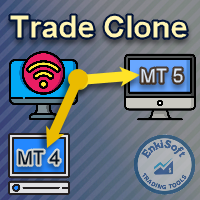
EnkiSoft Trade Clone EA new!
User description in MQL5 blog
You can use it on unlimilted clients for unlimited time! MT4 version download here
With Trade Clone EA you can trade on multiple MetaTrader 4 and MetaTrader 5 accounts simultaneously, clone the trades of any trading robot from server account to your friends and family accounts. Note: All MetaTrader 4 and MetaTrader 5 must run in same computer, or you need copy the trade file to the Client computer. You can run multiple Tr
EnkiSoft Trade Clone EA
User description in MQL5 blog New version 1.57 Read updates MT4 version download here
With Trade Clone EA you can trade on multiple MetaTrader 4 and MetaTrader 5 accounts simultaneously, clone the trades of any trading robot from server account to your friends and family accounts. Note: All MetaTrader 4 and MetaTrader 5 must run in same computer, or you need copy the trade file to the Client computer. You can run multiple Trade Clone EA as server, and yo

Fast closing of all positions in one click. A very useful button when you use position averaging, adding new orders, and when the price returns for a few seconds to the desired point, and there are more than 10 orders, it is very important to have time to close all of them. The second time the price may not return. Super fast execution. Orders are closed asynchronously without waiting for the previous result. The utility allows you to add a button to any window. Multiple buttons can be added fo
Simple countdown indicator for the next candle. Only claim is to be light! The indicator inserts a text object to the right of the current price and calculates how much time is left for the new bar, showing this to the trader. Leave your comment if the indicator helped you in any way! If you have any suggestions, let me know to evaluate the improvements. Success and Good Trades!
FREE

Xrade EA is an expert advisor as technical indicator. For short period trade it's the best for next previsions of the trend of the market.
+--------------------------------------------------------------------------------------- Very Important Our robot(data anylizer) does'nt take a trade procedure. If using only our robot you must take positions by yoursels +---------------------------------------------------------------------------------------
The technical indiator provide for a given sma

Time Closer can help you closing all the open position at the specified time "Everyday". Mainly for Day trader that don't want to hold position overnight, or over different session, or over a specific time. Simple Parameter to use. Usage Download and drag Time Closer on the chart (Chart Symbol should be the same Chart Symbol as you want the position close) Check Allow AutoTrading is "On" Set parameters
Input Parameters Turnon True - Turnon the utility
False - Turnoff the utility Close all Symb

PanelCME - это инструмент для помощи трейдеру в ручной торговле. Данная панель автоматически выставляет стоп лосс и тейк профик к каждому ордеру. Имеет функцию перевода позиции в безубыток и функцию трала стоп лосса. Основное преимущество данной панели то, что тейк профит выставляется встречным лимитным ордером , что позволяет избежать проскальзывания при закрытии позиции. Данная панель делалась для скальпинга на СМЕ, но может так же работать и на форексе.

Excellent dashboard for analytics. The panel helps to analyze the values of the Momentum indicator and its signals.
With this panel you can: watch the current signal from Momentum on all timeframes; watch the current signal from Momentum for different symbols; watch the current Momentum value; several types of signals for analytics.
Values in a table cell: value of Momentum
Signal type: Momentum crosses "100" line Momentum upper/lower "100" line Momentum direction
Work option: all

NS Financas Clear All Objects Automatically Script for quick removal of all objects from your chart (lines, shapes, symbols, etc ...) Don't waste any more time trying to find all the objects on your screen for removal. Use this script and in one click all objects will be removed from the chart automatically. Also, it is possible to configure hotkeys to make the script even faster in its use. NS Financas Clear All Objects Automatically does not remove indicators. Take the opportunity to visit our
FREE

NS Financas Automatic Clear All Chart Indicators Script
Automatically remove all indicators from your chart offered for free by NS Financas! Don't waste any more time deleting the indicators one by one. With this script it is possible in one click to remove all indicators from the screen to adjust your new strategy while still using the settings of your graph, in addition to the possibility of configuring keyboard shortcuts for quick access to the script.
Take the opportunity to visit our cha
FREE

Script for quick insertion of Limit orders offered for free by NS Finanças! Do not waste more time entering the price manually in order creation manually in the metatrader, with this script it is possible to save sets of your main limits entries and execute it quickly, in addition to the possibility of configuring the keyboard shortcut for quick access of the script . In addition, it is also possible to use the Qty Orders function, which will automatically create limit type orders with the gap s
FREE
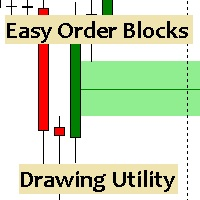
Esta utilidad dibuja Order Blocks y otros bloques fácilmente mediante el trazado rápido de lineas y rectángulos con 1 click y 1 tecla. Las teclas Hotkeys son programables y son 5: Order Blocks Fair Value Gaps (o Liquidity Void) Rejection Blocks Mitigation/Breaker Blocks Fast Object Delete (Borrado Rápido de objetos) Las 4 teclas de dibujo toman las coordenadas de la barra donde se clickeo y trazan 1 linea horizontal y 1 rectángulo delimitando la zona de OTE (Optimal Trade Entry). Automáticamente

What this tool does Assistant AutoClose monitors open trades and closes them when selected conditions are met. You can automatically close trades by: Profit in points Loss in points Profit in deposit currency Loss in deposit currency
It can work: On Buy and Sell trades Only Buy trades Only Sell trades
You can also: Limit by number of deals Control total profit per symbol Close trades per-trade or based on overall result Typical use cases Closing trades after fixed profit without using b
MetaTrader 마켓은 과거 데이터를 이용한 테스트 및 최적화를 위해 무료 데모 거래 로봇을 다운로드할 수 있는 유일한 스토어입니다.
어플리케이션의 개요와 다른 고객의 리뷰를 읽어보시고 터미널에 바로 다운로드하신 다음 구매 전 트레이딩 로봇을 테스트해보시기 바랍니다. 오직 MetaTrader 마켓에서만 무료로 애플리케이션을 테스트할 수 있습니다.
