 MetaTrader 5
 Experts
 지표
지표
 라이브러리
라이브러리
 유틸리티
유틸리티
 위젯
위젯
 규칙
규칙
MetaTrader 5용 새 Expert Advisor 및 지표 - 433
 트레이딩 로봇과 지표를 사용하여 외환 거래를 더 수익성 있게 만들 수 있습니다. 트레이딩용 로봇을 사용하면 개점 및 폐점 거래를 자동화할 수 있으며, 지표는 시장 행동을 보다 정확하게 예측할 수 있습니다.
이 페이지에는 MetaTrader 5 응용 프로그램의 카탈로그가 나와 있습니다.
트레이딩 로봇과 지표를 사용하여 외환 거래를 더 수익성 있게 만들 수 있습니다. 트레이딩용 로봇을 사용하면 개점 및 폐점 거래를 자동화할 수 있으며, 지표는 시장 행동을 보다 정확하게 예측할 수 있습니다.
이 페이지에는 MetaTrader 5 응용 프로그램의 카탈로그가 나와 있습니다. 
If you have been anywhere near Forex forums or social media lately, you have no doubt been hearing people talk about Smart Money Concepts (SMC) trading. You may be wondering what SMC is, and whether it deserves all the hype. In this post, we will introduce Smart Money Concepts trading to you so you can make an informed decision about whether or not to give this strategy a try in your own trading. What is SMC Forex trading? Smart Money Concepts (SMC) is one of many forex trading methods. SMC

What is this indicator? This indicator is for comparing multiple charts and verifying the chart pattern. Synchronize each chart position with the common vertical line. By changing the chart mode, you can also display the chart like a real trade.
How to set up
1. Scroll the chart of the target currency pair to the end in the past direction and download all the historical data of that currency pair. 2. Install this indicator in the main window of each chart. 3. Customize each parameter on the In
Boom Scalper Gold It is an indicator, programmed to scalp in a timeframe of 1/5 and 15 Minutes, perfect for hunting spikes and trend sails, where in the parameters of (70) it sends you a sale/sell alert and in the level parameter (8) it sends you a buy signal It is used for indices (BOOM) of synthetic indices (Deriv) It's easy and simple to use, it does all the work by sending you the alerts! the indicator during this period will remain on SALE! Without further ado, enjoy! Good profit. World Inv
Crash Scalper Gold It is an indicator, where it marks points of purchase and points of sale As the name says, it is used to scalp in the pairs of (Crash) 1000/500/300 where it sends you signals of sale/Sell and purchase/Buy at level points (90) he sends you the sell signal, (Spike) at the level point (27) it sends you the buy signal, (Trend Candles) It is very simple and easy to use. to make the best tickets possible! For this period it will remain on sale! Without further ado, enjoy! Good profi
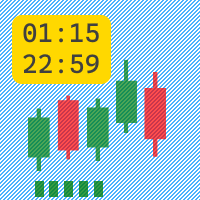
The Active Session indicator displays an active trading session in the form of green candles in a separate window.
Indicator parameters:
Monday = true/false - trade on Monday if the parameter is true.
Tuesday = true/false - trade on Tuesday if the parameter is true.
Wednesday = true/false - trade on Wednesday if the parameter is true.
Thursday = true/false - trade on Thursday if the parameter is true.
Friday = true/false - trade on Friday if the parameter is true.
StartHour - start o

Introducing the APOLAKI MT5: The Dynamic Grid Expert Advisor *Set Files for EURUSD available on the Comments Section
*RESULTS SHOWN HERE ARE NOT OVER OPTIMIZED UNLIKE OTHER BOTS THE IS FOR SALE! ONLY REALISTIC RESULTS!
*The default settings of APOLAKI MT5 are optimized for EURUSD, based on rigorous back-testing over a 4-year period. For safe and effective operation, it's recommended to use the default settings with an account balance of at least $3,000 USD.
Dive into a world where technology
Step Scalper , It is an indicator with alerts, where it sends you buy and sell alerts accompanied by a moving average of 21 periods It is very easy and simple to use. where on the path of the green period marks the purchase of the asset , and the path of the red period marks the sale of the asset, It is used for scalping on M5/M15 but it is also recommended use it in periods of 1 hour since it captures the buying or selling trend, to get more profit! no more to enjoy good profit World Investor!

Wizard Boom 1000 EA – Automated MACD + Stochastic System Wizard Boom 1000 EA is an expert advisor specifically designed to trade the Deriv Boom 1000 synthetic index, optimized for the M1 timeframe and accounts starting at $300 USD.
Strategy The EA combines two classic and robust indicators to filter high-probability entries:
MACD (12/26/9 based on closing price) to detect the direction of momentum.
Stochastic (5,3,3) as an overbought/oversold filter, with independently configurable buy and
Volumen del especulador Es un indicador que captura la fuerza del volumen de compra y venta. donde es muy fácil de usar, mostrándote la fuerza alcista y la fuerza bajista. En este gráfico está el claro ejemplo de cómo se utiliza, en el par VOLATILITY 75 donde esta la tea verde junto con la flecha que indica la compra, y ahí está la vela roja con la flecha marcando la venta del par, los parámetros a utilizar son Volumen : 5 Tiempo : 1000 para que capte toda la tendencia y se note mejor cuando co

The "AI Forecast" indicator is the result of a unique experiment in which I asked an AI how to create the best indicator to anticipate the market. The AI suggested measuring the past history of the price and its reactions to different levels, and then calculating the probabilities of the price reaction in the future.
With this idea, I designed with the help of another AI the "AI Forecast" indicator, which adapts to any MetaTrader chart and shows you three lines: one for entry and two for possi

Demo version T Position Size Calculator doesn't work in the strategy tester. The Strategy Tester does not support the processing of ChartEvent. It does not support most of the panel's functionality. Contact me for any questions or ideas for improvement or in case of a bug found. Control and manage your trading like a professional trader with T Position Size Calculator. T Position Size Calculator – an MT5 Expert Adviser, is a user-friendly custom tools (Dialog Panel and Three Lines, Order Line
3つの時間軸を分析に使います。 3つの時間軸が、全て同じ方向になった場合、上昇方向または、下降方向になった場合 その方向にエントリーをします。 決済は、上記同様全て同じ方向になった場合、上昇方向または、下降方向になった場合 その方向に決済をかけます。
時間軸は、変数として定義されています。 移動平均も、各変数として定義されています。
基本的に、単発ポジションをもち、追加購入はしません。 途中決済は、手動で行うことも可能です。 その場合、EA内では、ポジションなしとして処理されます。
ロット数、利益確保、ストップロスも変数として設定できます。
使用する前に、最適化等を行ったほうが精度をあげてトレードできると思います。 また、100%任せきりにするのは、おすすめしません。
FREE

Demo version T Trading Simulator doesn't work in the strategy tester. The Strategy Tester does not support the processing of ChartEvent. It does not support most of the panel's functionality. Contact me for any questions or ideas for improvement or in case of a bug found. Hi everyone, Trobotrader here. By T Trading Simulator , You can go back to past then analysis and trade with this simulator to develop trading skill. We are going to walk through step-by-step how you can use T Trading Simul

This is a multi-timeframe indicator that detects and displays support and resistance (S&R) lines using the ZigZag indicator.
Features
The support and resistance lines are not redrawing. The indicator is capable of adding new support and resistance levels as they appear. Each S&R line has a tooltip that displays the price level and start time. Save time for multi-timeframe analysis on trades. All types of alerts (sound, pop-up, email, mobile push notification) are available. Working with all p

The Scalper Mars MT5 Expert Advisor uses an intraday scalping strategy and is a modified version of the MT4 Expert Advisor.
The EA uses standard MACD, RSI, EMA indicators in its trading, does not use martingale and order grid.
A stop order is placed next to local extrema if it does not exceed the maximum value specified by the MaxStopLoss parameter.
The EA uses a take profit equal to the stop.
The Expert Advisor is affected by news releases.
Requirements
Recommended for working on timeframes
A visual Order Book is a powerful tool used in the financial market to provide a detailed view of buy and sell orders in a given financial instrument in real time.
This visual representation allows traders to observe the liquidity available in the market, identify the supply and demand levels at different prices and follow the evolution of orders as they are placed, modified or withdrawn.
By analyzing the visual Order Book, traders can identify trading patterns, detect possible reversal point
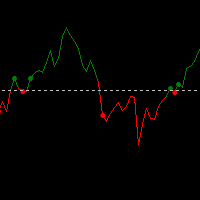
This trading strategy is built around Open-Close Crossovers , a method of analyzing price movement based on the relationship between a bar's open and close prices. The system is designed to identify potential entry and exit points when these values cross over each other. Setup and Customization The strategy's performance can be customized by adjusting the resolution. A higher resolution, typically 3-4 times that of the chart , may be used to identify crossover signals earlier. However, this can
FREE

MAYA is a smart trading system that uses a grid strategy and has been working well on real accounts for many years. Unlike other systems that are made to fit past data, Maya was built to take advantage of real, ongoing patterns in the market. So, it’s not just guessing and hoping to win. It actually understands how the market works and uses that to make money. It just needs a onetime setup and then you can relax and see its working. LIVE ACCOUNT WITH 2.5 YEARS OLD STATS CAN BE CHECKED ON MYFXB
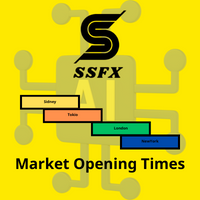
The index makes it easy for traders to know the opening and closing times of global markets :
- Sidney - Tokyo - London - New York
Where it misleads each time zone and enables us to know the times of overlapping the markets when the liquidity is high.
To get more indicators and signals, follow us on the Telegram channel link
https://t.me/tuq98
Or our YouTube channel, which has explanations in Arabic and a technical analysis course
https://www.youtube.com/@SSFX1
FREE
El sistema IBT-R.BOLLINGER hace uso de tres indicadores, el RSI, las Bandas de Bollinger y el volumen para operar diversos activos el M5. El indicador Índice de Fuerza Relativa, RSI por sus siglas en inglés, es un oscilador de tipo momentum que nos permite distinguir cuando el precio se encuentra en zonas de sobrecompra o sobreventa. Para interpretar este indicador, establecemos dos zonas: 1. Zona de sobreventa. Cuando el RSI toma valores inferiores al nivel 20 indica una señal de compra. 2. Zon

Property of Vertical Capital Edition: Gugol_Quants
About BOT_DowJones-US30: This is a bot created by math modulation to be used as a trading algorithm, which was developed in MQL. (MT5) This Bot is for use only with US30. It’s based on Intraday/Swing Trades whose main timeframe is H1. However, you can use it with other assets by testing with the appropriate settings.
**DM for free trial (only in TradingView)** @copyright
***All the settings are external , so that everyone can set the ro
El sistema IBT-ATR.120 hace uso de dos indicadores, el ATR y el Ratio de Volatilidad para operar diversos activos en M5. El indicador Average True Range, conocido como ATR por sus siglas en inglés, fue desarrollado por Wilder (1978), junto con otros indicadores como el RSI o el sistema parabólico. Para definir el rango verdadero (True Range) el autor distingue entre tres situaciones distintas: - Primer Rango. Distancia entre el máximo de la vela actual y el mínimo de la vela actual.

Green Hawk is a professional scalping expert. The strategy is based on smart scalping algorithms which trades in certain periods of the market. The system does not use risky strategies such as grid or martingale. Trading is done based on the return of the price in short periods. All trades are closed within hours. I will increase the price in the near future. Next Price: $700
The final price will be $2000. Selling only through the mql5 site MT4 Version can be found here FEATURES Support thro

Neuron Net GOLD is an integration of the Python programming language, deep learning machine and mql5 code to be able to predict XAUUSD price movements so as to produce entries and exits based on artificial intelligence.
How it works: At the start of asian session, Neuron Net Gold will carry out analysis based on historical data and predict gold price movements. If the price prediction is up, Neuron Net Gold will take a long position, and vice versa. Neuron Net Gold will close the position au

Awesomo - это инновационный полностью автоматизированный скальперский советник, который работает по стратегии прорыва линий поддержки и сопротивления. С помощью этого советника можно торговать с фиксированным лотом или настроить автоматический расчет значения лота в зависимости от заданного уровня риска. Стоит отметить, что Awesomo использует стоп-лосс для каждого ордера и алгоритм ступенчатой фиксации прибыли. Его алгоритм не использует никаких индикаторов, хеджирование, сетку, мартингейл и арб
Introducing News Catcher Wizard: Your Expert Advisor for Profitable News-Based Trading
Are you looking for an advanced and reliable Expert Advisor (EA) that can help you harness the power of news events in the forex market? Look no further! We are excited to introduce News Catcher Wizard, the ultimate EA designed to optimize your trading strategy during key news releases.
News Catcher Wizard is specifically designed to open pending orders just before major news events, allowing you to capitali

The CSV File Reader Utility executes commands received by text files of type "csv" (Comma Separated Values). This type of utility is ideal for those who process signals in other applications, and want to manage signals and positions based on text files . To read signal commands from the text file, the file must contain a header with column names and the column names must match the input parameter settings . The utility also has some extra functions, such as the possibility of filtering commands

This is the automated trading program used. All five indicators MA18 MA50 RSI STD ATR are put together to find the best value. point to open an order A good time to trade each time using the system. Neural Network 24 core. THE BEST TRADING POSSIBILITIES Backtested for 20 years from 2003 to 2023, the test results are very good for trading EURUSD, 15 minutes, use a fast trading system(Scalping), make small profits to get good trading results. Symbol EURUSD Type of account
Classic, ECN, Leverage 1

This strategy uses two indicators: Commodity Channel Index (CCI) and Envelopes. It opens a buy position when the CCI crosses above the lower level and closes it when the price crosses above the upper band of the Envelopes. It opens a sell position when the CCI crosses below the upper level and closes it when the price crosses below the lower band of the Envelopes. It also uses a fixed stop loss and take profit, and a trailing stop based on the previous bar’s high or low. It has some parameters t

Indicator show best signals for buy and sell orders. Indicator uses only 2 inputs: DEMA Fast Period - fast double exponential moving average period DEMA Slow Period - slow double exponential moving average period Crossings of fast and slow double double exponential moving averages shows buy and sell signals, which are drawn as green and magenta arrows respectively.
Indicator show best signals for buy and sell orders. Indicator uses only 3 inputs: DEMA Fast Period - fast double exponential moving average period DEMA Slow Period - slow double exponential moving average period DEMA Trend Period - trend double exponential moving average period
Position of price according to trend double double exponential moving average and crossings of fast and slow double double exponential moving averages shows buy and sell signals, which are drawn as gre

Indicator show best signals for buy and sell orders. Indicator uses only 2 inputs: PEMA Bounce Period - bounce percentage exponential moving average period PEMA Confirm Period - confirm percentage exponential moving average period Positions of price according to bounce and confirm percentage exponential moving averages and directions of bounce and confirm percentage exponential moving average shows buy and sell signals, which are drawn as green and magenta arrows respecti

BOT SMILES EA IS MADE OUT OF LOVE AND EMPOWERMENT. ONLY FOR FEW BUYERS THAT IS THE REASON OF THE PRICE . BOT SMILES EA is an aggressive multi-cycle scalper designed for EURUSD M1 . Each cycle is independent. it uses a sequence of orders and has its own TP and SL . It uses a martingale system.
This EA is using strong recurrences of the past to take position and achieve a high success rate . MODELLING :- 1 minute OHLC
INPUTS:- Buy default........... Check Drawdown Then BUY..
FREE

Don't want to risk or loose your personal trading account or prop trading firm account because of a simple Margin Call or exceeded Loss Limit?
Then this Utility Expert Advisor is the solution for you! This Expert Advisor monitors your account Equity or Balance or even both! If the Equity and/ or Balance fall under your defined stop limits, the EA closes all of your positions and keeps you so on track.
Options and Variables: Monitored Values: Choose which values should get monitored Equity: if

Bill Williams Advanced is designed for automatic chart analysis using Bill Williams' "Profitunity" system. The indicator analyzes four timeframes at once.
Manual (Be sure to read before purchasing)
Advantages
1. Analyzes the chart using Bill Williams' "Profitunity" system. Signals are displayed in a table in the corner of the screen and on the price chart. 2. Finds all known AO and AC signals, as well as zone signals. Equipped with a trend filter based on the Alligator. 3. Finds "Divergence Bar
거래 계산기를 사용하면 거래를 열기 전에 거래의 매개 변수를 계산하고 마진, 거래량 및 위험의 값을 얻을 수 있으므로 가능한 손실 및 이익 측면에서 거래를 상당히 정확하게 평가할 수 있습니다. 또한 현재 상품, 이익 통화, 전환율, 기준 통화, 자기자본 크기, 포지션 볼륨, 퍼센트 위험, 손절매 및 이익실현 크기(포인트, 돈 및 백분율), 손절매 크기 비율에 대한 계산 방법을 표시합니다. 이익을 얻으십시오. 거래 계산기는 두 가지 모드로 작동할 수 있습니다. 그 중 하나는 주어진 거래량에 따라 거래당 위험을 백분율로 계산하는 것입니다. 다른 하나는 사용 가능한 자금의 백분율로 주어진 위험에 따라 거래량을 계산하는 것입니다. 마우스로 차트 주위를 이동할 수 있는 해당 수평선을 표시하여 포지션 개시 지점, 손절매 및 이익 실현의 특정 조건에서 계획된 거래 값의 변화를 시각적으로 모니터링할 수 있습니다. 따라서 차트에서 원하는 위치로 선을 이동하면 거래 매개변수가 실시간으로 계산되고 표
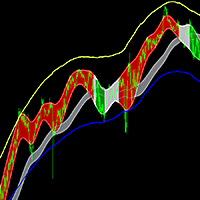
King of Dragon 채널, King of Dragon 표시기, King of Dragon 시스템, King of Dragon MT5, King of Dragon 클래식 표시기, King of Dragon 스와이프 시스템, 킹 오브 드래곤 올인원
클래식 채널 거래 시스템인 King of Dragon 채널 거래 시스템은 많은 사용자가 MT5 버전을 강력하게 요청합니다. 이 프로그램은 여러 버전에서 성능을 위해 최적화되었으며 이미 비교적 원활한 시스템입니다. 49$ → 59$ 빨간색 영역, 긴 추세, 짧지 않고 길기만 함 녹색 영역, 짧은 추세, 짧고 길지 않음 회색 영역, 통합 추세, 충격 지표의 길고 짧은 작동 참조 https://www.mql5.com/ko/market/product/96760
매개변수 "===== 메인 =====" int CalcalueBars = 1000;//계산된 막대 수 color BeltColor = clrGray;//트렌드 벨트의 색상 bool

XAUEUR에 특화된 궁극의 거래 로봇 XAUEUR를 위한 무적의 Hunter를 만나보세요. 자본을 보존하면서 이익을 극대화할 수 있는 완벽한 솔루션을 찾고 있다면 더 이상 찾지 마십시오.
많은 사람들이 포지션을 여는 로봇에 대해 이야기하지만 시장 반전 중에 자본을 보호하기 위한 건전한 전략에 대해 이야기하는 사람은 거의 없습니다. XAUEUR의 무적의 헌터가 돋보이는 곳입니다. 지지선과 저항선에 기반한 동적 손절매 기능을 갖춘 이 로봇은 가격이 이러한 주요 수준에서 반등하면 테이크 이익을 +1%로 지능적으로 조정합니다. 이 새로운 접근 방식을 통해 수입과 자본을 보호하면서 시장을 따를 수 있는 자신감을 얻을 수 있습니다.
타의 추종을 불허하는 XAUEUR 헌터는 20핍 스윙에서 스캘핑에 탁월하지만 개인 목표에 따라 레버리지를 조정해야 합니다. 귀하의 거래 스타일에 적응하는 유연한 솔루션입니다.
당신은 단지 우리의 말을 받아들일 필요가 없습니다. 지난 몇 주 동안 로봇을

TrendMaster MACD는 MACD 기본 지표를 기반으로 한 혁신적인 트레이딩 로봇입니다. 개선된 알고리즘과 독특한 기술을 통해 시장에서 성공을 이룰 수 있도록 도와줍니다. 이 로봇은 안정적이고 신뢰할 수 있는 트레이딩을 제공하면서도 사용하기 간편합니다. TrendMaster MACD는 자체 지능형 시스템을 사용하여 시장을 분석하고 트렌드와 전환점을 인식하여 최적의 포지션 진입과 청산을 도와줍니다. 이 시스템은 스톱 로스와 테이크 프로핏을 포함한 리스크 관리 기능을 제공합니다. TrendMaster MACD를 활용하여 거래를 개선하고 외환 시장에서 새로운 기회를 발견해보세요. 사용 가이드: MACD 매개변수: MACD 매개변수(fast_ema, slow_ema, signal)는 사용자의 선호에 따라 조정할 수 있습니다. 이 값을 높일수록 움직임이 크며, 변경 사항마다 이익을 극대화하려는 트레이더에게 적합합니다. 낮은 값은 주문을 더 자주 개시하려는 사용자에게 적합합니다. 거래
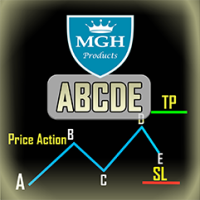
ABCDE 지표
이 지표는 가격 행동의 기본 abc 패턴에 기반합니다 (즉, 돌파, 당기기, 이동).
거의 정확한 거래 신호를 제공하며 거래를 열고 닫을 때 최적인 시점을 알려줍니다. 외환, 암호화폐, 금속, 주식, 지수 등 모든 금융 자산에 적용할 수 있습니다.
주요 기능:
• 사용이 매우 쉽습니다.
• 다중 시간대 알림
• 고정 가격으로의 손실 제한 및 이익 실현 주문.
• 어떤 거래 기기와도 작동 가능합니다 (외환, CFD, 선물 등).
• 이메일 알림
• 전화 알림
• 상당히 정확한 거래 신호를 제공하며 거래를 열 때와 닫을 때 최적인 시점을 알려줍니다.
• 차트에서 개시 라인, 손실 제한, 이익 실현 여부를 보여줍니다.
• 무료 데모 사용이 가능합니다.
추천 설정:
EURUSD, M15 (15분 차트)
추세 검증 표시: True
거래량 증가 캔들 표시: True
어떤 것이 이상적인 진입 시점인가요?
거래에 가장
If your strategy requires trading during a certain period of market activity - calm or turbulent, this indicator will help you find such periods of time within a week for each currency pair using statistics.
The principle of the indicator is quite simple.
The entire trading week, from Monday 00:00 to Friday 23:59, is divided into timeslots, the duration of which corresponds to the current timeframe.
For each timeslot, activity is calculated - the average value of the difference between the slow
FREE
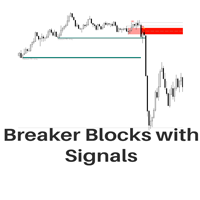
The Breaker Blocks with Signals indicator aims to highlight a complete methodology based on breaker blocks. Breakout signals between the price and breaker blocks are highlighted and premium/discount swing levels are included to provide potential take profit/stop loss levels.
This script also includes alerts for each signal highlighted.
SETTINGS
Breaker Blocks
Length: Sensitivity of the detected swings used to construct breaker blocks. Higher values will return longer term break

Close Partial: You can close half of your opened positions (Close Partial). If, for example, you set a predefined number of 100 points, the system will immediately close half of your position when it reaches that profit level. Risk-Free: All your positions in various symbols. For example, when your profit reaches 120 points, the system will automatically adjust your stop loss to secure your profits and minimize risk. Trail Stop: All your positions in various symbols. For example, when your prof

The initial balance (IB) is a range in which the price spent its first two OPT periods after the opening. In other words, the opening balance is a range of the first hour after the market opened. The opening balance arose from room trading, as room traders observed the various ranges after the market opened.
This indicator allows you to enter the starting and ending hours and minutes of a specific hourly time range so that the trader can set up different IBs according to the market.
Automatic
FREE

Introducing our Trailing Stop Tool, a powerful solution designed to enhance your trading strategy by trailing your trades based on a selected number of candles. This tool provides an advanced feature that allows you to dynamically adjust your stop loss level as the market moves in your favor, aiming to lock in profits while minimizing potential losses. With the Trailing Stop Tool, you have the flexibility to choose the number of candles you want the tool to trail. Whether you prefer a conservat

This is a powerful crash spike detector indicator. It design to work on crash only it might be crash 100 ,crash 500 or crash 300 .binary.com broker provide crash indices .on 1minete only make sure to take signals consistence .it have a notification that makes sound whenever the spike it about to shown ,it proven 98% correct since 2017 . Try it now. check the recent result on the screenshot.

Advanced harmonic filter is a reliable and smart utility that uses an author's algorithm to process continuous data and present them in the form of harmonic oscillations. The utility can identify regularities and patterns in the input data, which are then used to generate output data that is most similar to the input data. This makes it a powerful tool to use with other indicators to predict future trends and identify Elliott waves on selected intervals. The utility is most effective when us
FREE
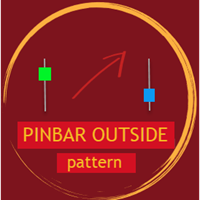
Pinbar Outside Pattern indicator shows in a table symbol, time frame and direction of the last price candle if it matches outside pinbar input parameters. Outside pinbar means that the candle is extreme in the chosen time frame. By clicking ' Open chart ' button you can view drawn pattern. You can choose to scan through all the symbols in Market Watch or enter your favorite symbols, and also you can enter time frames you need to scan. ---------Main settings-------- Select all symbols from Market
Product settings Opentimehour=10 Opentimemin=00 Closetimehour=12 Closetimemin = 00 Tp= 6000 Sl= 2000
The Pipsquirt Expert Advisor is a trading tool designed to trade volatility 75 synthetic pair. This expert advisor takes a few trades a day, but it can be customized to take as many trades as the user wants. The expert advisor uses a combination of indicators to determine the trend and uses a trailing stop to minimize losses. The expert advisor uses technical analysis indicators to identify the
Channel Stochastic Boom 1000 I am pleased to present the pack (Tendence Boom 1000) where on this occasion I present the Channel Stochastic Boom 1000 indicator for (Deriv Broker) where is 1 of the 4 indicators that the pack brings! The indicator consists of the sthochastic strategy, where it reaches the point of (0 Level) the purchase is made, taking advantage of hunting spike, where it reaches the point of (90 Level) the sale is made taking advantage of the trend candles! It is used in 1 minute

Advanced harmonic filter is a reliable and smart utility that uses an author's algorithm to process continuous data and present them in the form of harmonic oscillations. The utility can identify regularities and patterns in the input data, which are then used to generate output data that is most similar to the input data. This makes it a powerful tool to use with other indicators to predict future trends and identify Elliott waves on selected intervals. The utility is most effective when us
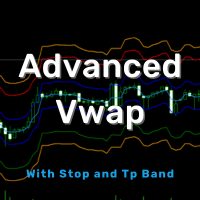
"Advanced Daily VWAP with Standard Deviation and Trading Bands" Description: "The 'Advanced Daily VWAP with Standard Deviation and Trading Bands' indicator offers a comprehensive view for traders who wish to make the Volume Weighted Average Price (VWAP) the crux of their trading strategy. It not only calculates the VWAP on a daily basis but also incorporates standard deviation to give an accurate representation of market volatility. The trading bands are calculated using a 1.5% multiplier for th

Advanced RSI Grid Hedge is an Expert Advisor that identifies short-term price reversals within overbought and oversold zones, while aligning trades with the main market trend. The system applies a grid-based hedging mechanism and does not use martingale or averaging. It uses two RSI indicators combined with a built-in trend filter to determine entry conditions under specific technical setups. Main Features Grid hedging system without martingale Dual RSI confirmation (main and secondary) Optional
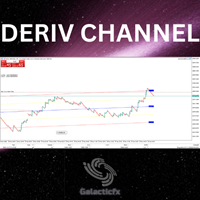
Key Features: Smart Channel Indicator: The robot utilizes an advanced smart channel indicator that employs machine learning algorithms to analyze market trends and identify potential channels. This indicator adapts to various market conditions, recognizing key support and resistance levels, and dynamically adjusts its strategy accordingly. Multi-Timeframe Trading: DerivTrader is capable of trading on multiple timeframes simultaneously, ranging from short-term intraday trades to long-term invest

BotGPT edition 2024 is different from what you have seen so far, it independently adapts to market conditions in real time. In 10 years, it will still be at the cutting edge and will fulfill its role flawlessly, guided by customer suggestions in order to create a perfect system, only 150 traders will be able to use it. Its success rate is exceptional, download the demo version for free and see its results for yourself : Try it ! It's an intraday, it trades at its own pace, programmed for (EURU
This EA has no stop loss. All risks are at your discretion.
CHIQUITA MT5 EA is a fully automatic Expert Advisor for Scalping Trading on XAUUSD timeframe M1. The basic strategy starts with Market order in Trend Following, so this EA Follow the Trend . M1 Trend…. very very fast. MT4 version Recommendations The Expert is programmed to work on XAUUSD M1, but you can use all others timeframes with the appropriate settings. An ECN broker is always recommended A low latency VPS is alwa
FREE
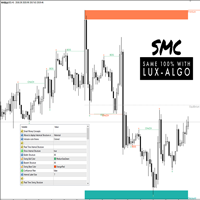
This all-in-one indicator displays real-time market structure (internal & swing BOS / CHoCH), order blocks, premium & discount zones, equal highs & lows, and much more...allowing traders to automatically mark up their charts with widely used price action methodologies. Following the release of our Fair Value Gap script, we received numerous requests from our community to release more features in the same category. "Smart Money Concepts" (SMC) is a fairly new yet widely used term amongst price a

The ChanLun or Chan theory is one of the most popular trading theories in China. But it seems like that it has little influence in western countries. Actually, the Chan Theory is based on a sophisticated mathematical model. The basic idea ChanLun is to simplify the bar chart by its model. With the help of ChanLun, a trader can analyze and predict the trend of future goods, stocks.
In ChanLun, there are several basic elements called fractals, strokes, line segments and pivots . A trader should pa
This EA has no stop loss. All risks are at your discretion.
This is Free EA, It can make you profitable if you use it carefully. Please don't ask for the MQ5 file, I'm using it to develop other robots.
Gegenpressing MT5 EA is a fully automatic Expert Advisor for Scalping Trading on XAUUSD timeframe M1 but also in others. The basic strategy starts with Market order in Trend Following, so this EA Follow the Trend . M1 Trend…. very very fast.
If you like this EA and want to help me
FREE

This EA has no stop loss. All risks are at your discretion.
Fed Chair Gringott MT5 EA is a fully automatic Expert Advisor for Scalping Trading on XAUUSD timeframe M1. The basic strategy starts with Market order in Trend Following, so this EA Follow the Trend .
Fed Chair Gringott MT5 EA is similar to a Plug And Play package, please test it yourself. hundreds of times before making a purchase. I choose how it works. You choose the capital to invest. If you like it, buy it. Investing
FREE
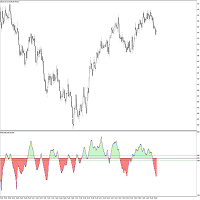
The Fisher Transform is a technical indicator created by John F. Ehlers that converts prices into a Gaussian normal distribution. The indicator highlights when prices have moved to an extreme, based on recent prices. This may help in spotting turning points in the price of an asset. It also helps show the trend and isolate the price waves within a trend. The Fisher Transform is a technical indicator that normalizes asset prices, thus making turning points in price clearer. Takeaways Turning poi
FREE

Logarithmic chart in new window You can use both chart as half or full window All features are active in both arithmetic and logarithmic charts Magnet in arithmetic chart is standard metatrader magnet in logarithmic chart magnet have two modes: first mode only select high or low, if this mode is enabled, you can set how many candles will be search before and after to find the highest or lowest points second mode select the closest point of the candle to click, its choose between 4 points (High,
FREE

The seven currencies mentioned are: GBP (British Pound): This is the currency of the United Kingdom. AUD (Australian Dollar): This is the currency of Australia. NZD (New Zealand Dollar): This is the currency of New Zealand. USD (United States Dollar): This is the currency of the United States. CAD (Canadian Dollar): This is the currency of Canada. CHF (Swiss Franc): This is the currency of Switzerland. JPY (Japanese Yen): This is the currency of Japan. Currency strength indexes provide a way to
FREE

candlestick time it a useful indicator ,it help to keep you alert with the candlestick time ,how far to be completed at the chosen period , it help to keep you patience which is a biggest thing that holds trades down ,try it to improve you way of trading. it work on any broker any time frame and any symbol. you can customize the color on input. it can work on multiple timeframe. Thank you !
FREE

The Boom And Crash Spike Entry This Indicator is Also Developed To milk the BOOM and CRASH indices . Free EA/Robot Also available based on the indicator DM after purchase of the indicator to get the EA/Robot for free and it's results. You get the EA only if you buy the indicator not rent it. It works On all Boom and Crash pairs (boom 300, 500, 1000 & Crash 300, 500, 1000) I would Highly recommend that you use this indicator to Catch spikes on Boom and Crash for higher win rate and accuracy

Ranger EA is the advanced grid system which already works on demo accounts for months. Instead of fitting the system to reflect historical data (like most people do) it was designed to exploit existing market inefficiencies. Therefore it is not a simple "hit and miss" system which only survives by using grid. Instead it uses real market mechanics to its advantage to make a profit. Link to the Signals live results Link to the MT4 version Supported currency pairs: AUDCAD, AUDNZD, NZDCAD, C

Gold Multi Hunter is a Fully Automated, Open and Multi-Currency System for Trading XAU.
DO NOT Use Grid or Martingale. Default Settings for one chart XAUUSD m15.
Each trade has a fixed SL and Virtual Profit Tracking. The System works on One XAUUSD m15 chart.
The Algorithm trades in the evening quiet time after 22:00 .
Gold Multi Hunter is able to simultaneously trade on 5 currency pairs XAUUSD, XAUJPY, XAUGBP, XAUEUR, XAUCHF.
The strategy independently determines the GMT of the broker .
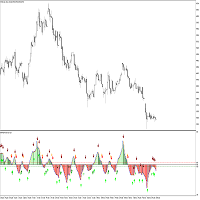
The Fisher Transform is a technical indicator created by John F. Ehlers that converts prices into a Gaussian normal distribution. The indicator highlights when prices have moved to an extreme, based on recent prices. This may help in spotting turning points in the price of an asset. It also helps show the trend and isolate the price waves within a trend. The Fisher Transform is a technical indicator that normalizes asset prices, thus making turning points in price clearer. Takeaways Turning poi

*This is trading view indicator converted in mql5*
The HA Market Bias Indicator is a popular tool used in trading and technical analysis, designed to help traders identify market bias and potential trend reversals. It is commonly used in conjunction with candlestick charts and provides valuable insights into market sentiment. The indicator is based on the Heiken Ashi (HA) candlestick charting technique, which aims to filter out market noise and provide a smoother representation of price action.

Phoenix MT5 Telegram Notifier is a trading utility that integrates with both MetaTrader5 and Telegram. The utility publishes all your trades as signals in your channels or groups. This allows you to track in real time what is happening with your account via Telegram.
Notifications for :
Opened order Closed order Modified order
Parameters :
Telegram Bot Token - create a bot on Telegram and get a token Telegram Chat Id - input your Telegram group/channel Id Notify for opened order - notifies wh
트레이딩 전략과 기술 지표를 판매하기에 가장 좋은 장소가 왜 MetaTrader 마켓인지 알고 계십니까? 광고나 소프트웨어 보호가 필요 없고, 지불 문제도 없습니다. 모든 것이 MetaTrader 마켓에서 제공됩니다.
