 MetaTrader 5
 Experts
 지표
지표
 라이브러리
라이브러리
 유틸리티
유틸리티
 위젯
위젯
 규칙
규칙
MetaTrader 4용 트레이딩 유틸리티 - 10
 다음은 MetaTrader 4에서 외환 거래를 단순화하는 거래 프로그램입니다. 아래 목록의 유틸리티 위로 마우스를 가져가면 해당 설명과 용도를 읽을 수 있습니다.
MQT Prop Guard DD는 프롭펌 계좌를 일일 손실 한도와 총 드로다운 초과로부터 보호합니다. 자기자본을 매초 감시하여 챌린지의 일일 한도에 도달하기 전에 모든 포지션을 청산한 뒤, 다음 일일 리셋까지 거래를 잠급니다. FTMO, The5ers, FundedNext 같은 프롭펌의 규칙과 호환됩니다(회사의 정확한 리셋 시간과 한도를 항상 확인하세요). 작동 방식(로직 요약): 설정한 리셋 시간(서버 시간)에 당일 시작 기준값을 기록합니다: 잔고, 자기자본 또는 둘 중 큰 값(기본값은 보수적 선택). 매초 현재 자기자본(미실현 손실 포함)을 기준값에서 일일 한도(% 또는 고정 금액)를 뺀 값과 비교합니다. 설정 가능한 경고 수준(기본 한도의 80%)에서 하루에 한 번 경고합니다: 팝업, 저널, 선택적 푸시 알림. 한도를 초과하면 모든 심볼의 모든 포지션을 청산하고 대기 주문을 삭제하며 다음 리셋까지 거래를 잠급니다. 잠금 중에 열린 것은 즉시 청산됩니다. 선택적 총 드로다운 한도
FREE

RR Visualizer - Enhance Your MT4 Risk Management RR Visualizer is an essential MT4 utility for traders looking to optimize their risk management effortlessly. This tool calculates the ideal lot size based on your preferred risk percentage and the custom stop-loss distance you set, giving you full control over your money management. Designed with a user-friendly and attractive interface, RR Visualizer keeps the focus on your trading, not on complex calculations. Key Features Customizable Ris
FREE

Telegram Signals Copier is a fully automated software that reads messages from Telegram and inserts them as orders on your MT4 terminal.
It comes with an advanced risk management tool, that can risk based on a % of your balance, fixed loss, and many other options.
You can fully customize how you take the signals, change the TP and SL level.
With an advanced analytics tool, you can see where your favorite signal providers are doing the most profit, and improve the profits even more.
Contact
FREE

This practical tool let you setup your keyboard to have shortcuts and hotkeys to change Chart TimeFrame.
Bring your trading to another level by actually take fast and smooth control of switching Time Frames without losing time clicking all over the Meta Trader Terminal. This tool is born due to scalping issues, where switching from higher timeframe and lower timeframes is really mandatory to make a multi timeframe analysis of the trading setup. Uplift your trading activity, by letting your ke
FREE

Binary analyzer is a great opportunity to write your own indicators and trading strategies based on ready-made calculations based on binary code. The analyzer works on all currency pairs with 5 decimal places "0.00001" EUR / USD, GBP / USD ITD Recommended Session M1 Included in the Catalog. Indicator - "Binary reference" and 4 indicators measuring Bullish and Bearish market sentiment // ------------------------------------------------ ------------------- // Indicator "Binary reference" The algo
FREE

바 닫을 때까지의 카운트다운 타이머, + 진행 상태 %: #1 다기능 유틸리티 : 66+ 기능, 이 도구 포함 | 질문이 있으면 저에게 연락 하세요 | MT5 버전 인디케이터 설정에서 다음을 구성할 수 있습니다: 계산용 시간 프레임; true / false: 더 높은 시간 프레임 옵션 (현재 사용 중인 다음: M15->M30, H4->D1...) 위치:
1 = 왼쪽 하단 모서리;
2 = 오른쪽 하단 모서리;
3 = 왼쪽 상단 모서리;
4 = 오른쪽 상단 모서리; 폰트 크기; 색상; 폰트 스타일; #1 다기능 유틸리티 : 66+ 기능, 이 도구 포함 | 질문이 있으면 저에게 연락 하세요 | MT5 버전 #1 다기능 유틸리티 : 66+ 기능, 이 도구 포함 | 질문이 있으면 저에게 연락 하세요 | MT5 버전
//----------
FREE

A "simple design" trading panel, which is characterized by small byte size, low CPU usage, simple steps, and quick operation, 1 to 2 clicks to complete a functional operation,
saving time and increasing efficiency . The panel is easy to use, and it is not complicated to set parameters, which is in line with traders' habits. At the same time, its compact-
design, clear at a glance, and comprehensive functions are a powerful tool for manual trading! Key features of the panel:
Click "Bid Price"
FREE

당신 없이도 손익분기점에 성공하는 거래가 되는 것에 지치셨나요? Unwickable Stop Loss(USL)로 거래를 계속할 수 있습니다!
당신은 꼼꼼하게 거래를 계획하고, 인내심을 갖고, '완벽한' 순간에 진입했습니다. 거래가 귀하에게 유리하게 진행됨에 따라 귀하는 위험에 처한 자본 없이 안전하다고 느끼면서 손절매 손실을 손익 분기점으로 이동합니다. 그러나 시장은 예상치 못한 방향으로 방향을 틀어 여러분을 가로막고 여러분이 의도한 방향으로 나아갑니다(스크린샷 A 참조). 무엇을 다르게 할 수 있는지 궁금하신가요? 정류장 이동 시간을 정하는 것은 입장 시간을 정하는 것만큼 어렵고, 잘못하면 조기 종료되는 경우가 많습니다. 이동 정지의 불확실성을 탐색하는 더 좋은 방법이 있다면 어떨까요? 조기 종료를 제거하여 거래를 더 오래 유지하는 것 하드 스톱로스와 원활하게 작동하는 위험 관리의 판도를 바꾸는 Unwickable Stop Loss(USL)를 소개합니다. USL은 심지가 조기
FREE

Tentu, saya akan memperluas versi bahasa Korea (한국어) agar lebih mendalam dan informatif, sehingga memenuhi persyaratan jumlah karakter dengan tetap menjaga profesionalisme deskripsi produk. Korean (한국어) - Extended Version Umagads Lot Calculation and Auto SL TP Assistant MT4 는 MetaTrader 4(MT4) 플랫폼을 위한 전문적인 반자동 트레이딩 유틸리티입니다. 이 도구는 엄격한 리스크 관리를 유지하면서도 번개처럼 빠른 체결 속도를 중요시하는 전문 트레이더들을 위해 특별히 설계되었습니다. 이 어시스턴트를 사용하면 더 이상 수동으로 로트 크기를 계산하거나, 시장 진입 후 긴박하게 손절선을 설정하기 위해 서두를 필요가 없습니다. 모든 리스크 관리는 시스템에 의해 즉각적이
FREE

If you can not create a background image for yourself (photo size and format must be changed), let me know. I make your photo for free. Otherwise, you can read the help file . A tool for chart management You can change the background image You can change the background color Change the color of the candles Volume colors, line charts and everything else You can also enable and disable some items Read the help file for more information
Settings:
Save Changes After Remove Tool
Back Ground Photo
FREE

ClosureMaster Utility closes all orders and offers 7 additional modes. If you have dozens or even hundreds of orders and need to close them all or some of them selectively by comment, magic number, buy only, sell only, if Stop Loss is not set, only profitable or losing trades, then ClosureMaster Utility can take care of this task.
External parameters:
Close all Losing trades Close all Profitable trades Close all orders without Stop Loss Close Buy orders only Close Sell orders only Close by Magic
FREE
-It deletes all graphical objects on a chart. You choose the chart , then you execute the script on the chart. After the execution, all objects will disappear. Objects can be lines: trend lines, horizontal lines, vertical lines. They can be buttons, texts, labels , rectangles, edit boxes... parts of a panel. It executes fast within a second. You can use as many times as you want.
FREE
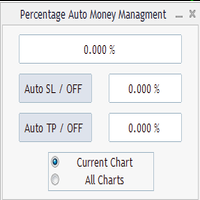
Percentage Auto MM sends automatic orders to close all positions immediately after reaching percentage SL/TP target, set by the User . Orders will be sent if the market is open and the SL / TP application buttons are pressed ( they can be used separately or together ) . It could be applied for current chart/all charts, depending on selected option. It works independently of SL and TP order settings for individual positions. SWAP, Commision can be also included ( look at input options ).
Atte
FREE

This reliable, professional trade copier system is without a doubt one of the best on the market, it is able to copy trades at very fast speeds from one master account (sender) to one or multiple slave accounts (receivers). The system works very fast and mimics the master account a full 100%. So changing stop losses, take profits, pending orders on the master account is executed on the slave accounts too, like each other action. It is a 100% full copy (unlike many other copiers who only copy mar
FREE

Artemis Prop Guard Pro Artemis Prop Guard Pro is a professional risk-control utility for MT4, built for manual traders who want a disciplined, rule-based trading environment. It does not generate signals, predict market direction, or automate strategy logic. Its sole purpose is protecting account equity from avoidable rule breaks, over-risking, emotional trading, and unmanaged exposure. Why account discipline matters Most traders do not lose accounts in a single trade. They lose them through a c
FREE

功能 勾选需要显示的内容,(当前版本包括当前K线倒计时,市场信息)并显示到图表右下角。
显示格式参数 fontsize 字体大小
c 颜色 font 字体类型
自定义显示的内容 参数 Symbol candle time left SPREAD DIGITS STOPLEVEL LOTSIZE LOTSIZE TICKSIZE SWAPLONG SWAPSHORT STARTING EXPIRATION TRADEALLOWED MINLOT LOTSTEP MAXLOT SWAPTYPE PROFITCALCMODE MARGINCALCMODE MARGININIT MARGINMAINTENANCE MARGINHEDGED MARGINREQUIRED FREEZELEVEL CLOSEBY_ALLOWED
FREE

The Buffer Reader will help you to check and export the custom indicators buffers data for your current chart and timeframe. You can select the number of buffer and historical bars to read/export. The data can be exported in a CSV format and the files will be stored in the folder: \MQL4\Files .
How it works Put the number of buffers to read in the Buffers_Total input parameter. Put the number of rows to display in the Rows_Total. Choose the CSV separator in the parameter. Copy the correct name
FREE

This tool can delete any object drawn on MT4 platform charts. you can delete: Line_Objects (Vertical_Line, Horizontal_Line, Trend_Line, TrendLinebyAngle, Cycle_Line) Channel_Objects (Fibo_Channel, Equidistant, Linear_Regression, Standard_Deviation, Andrews_Pitchfork) Gann_Objects (Gann_Line, Gann_Fan, Gann_Grid) Fibonacci_Objects (Fibo_Retracement, Fibo_TimeZones, Fibo_Fan, Fibo_Arcs, Fibo_Expansion) Shapes_Objects (Rectangle, Triangle, Ellipse, Text, Label) Arrows_Objects or you can Delete_All_
FREE
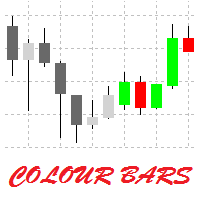
This is a simple utility for visual market analysis. Users can select trading day and time. Bullish candles located within the necessary time interval are shown in green, while bearish ones - in red. Candles outside of the trading time interval are shown in gray and dark gray.
Parameters Trade_Time = "00:00-00:00" - enter trading time. TradeSunday - trade on Sunday. TradeMonday - trade on Monday. TradeTuesday - trade on Tuesday. TradeWednesday - trade on Wednesday. TradeThursday - trade on
FREE

Clonify PRO - Local Trade Copier for MT5 and MT4 Professional tool for copying trades between MT5 and MT4 accounts (via the shared "Common" folder). FEATURES: 1. SENDER: Exports trades in real-time Sends everything (no filters) Requires no additional settings 2. RECEIVER: Copies trades. Magic Number: Uses the sender's account ID (default) or a custom number. Lot Modes: Analogous: Exactly the same volume as the sender. The Lot Multiplier allows you to decrease or increase the transmitted lot. Pr
FREE

This script paces itself to zoom into the deepest setting of ZOOM +
You may be in tune to know a few keyboard easter eggs. Pressing the minus <-> button has the capability to Zoom the Chart Outward! Interesting to see the price reevaluate itself in perspective. This we could see is quite contagiously useful if we wanted to be quick with analyzing, examining through your tools, in your plans and such.
So, if you ever wanted to zoom IN and OUT, here is Your play around with the chart poin
FREE

The new version of MirrorSoftware 2021 has been completely rewriten and optimized.
This version requires to be loaded only on a single chart because it can detect all actions on every symbol and not only the actions of symbol where it is loaded.
Even the graphics and the configuration mode have been completely redesigned. The MirrorSoftware is composed of two components (all components are required to work): MirrorController (free indicator): This component must be loaded into the MASTER
FREE

Ultimate MT4 to Telegram Public Channel sends controlled trades (via symbol, magic, comment) to a public telegram channel. It sends open and closed trades, including pending orders and TP/SL modifications, along with chart screenshots, to this public telegram channel. Additionally, you can send trade reports of open trades and summary profit/pip reports for day, week, or month. You can customize the design of the trade actions or reports with variables and emoticons.
A beautiful panel allows
FREE

Basket Recovery System : is useful for trading multiple pair on a single account, single chart.
Functions Of this Ea
with a simple click on a button in any Symbol row, this Utilities will,
Open new Order, Set Lot, Close Order, Reverse Order, Add new Symbol, Delete Symbol, with a simple click on a Navigation Button, this Utilities will,
Select all Symbol Available on Broker, ReSet Symbol Lots, Close all Order, Set Low Risk for all Symbol, Remove all Pair with spread above 2two.
FREE

The panel for the MT4 terminal is designed to help the trader quickly set pending orders for a breakout of the previous bar.
The utility calculates the order lot itself at the specified stop loss price and maximum loss percentage.
The panel also has a button for converting to breakeven. When you click, the stop loss of an open position is converted to the order opening price.
FREE
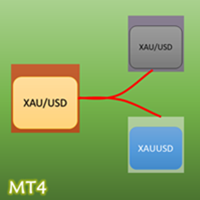
- The Symbol Changer Utility for MetaTrader is a tool that enables traders to switch between various symbols on the MetaTrader trading platform easily and quickly. - It is designed to change the symbol of the current and all open chart windows and the timeframe of the current chart window (by clicking the button). - The tool retrieves symbols from the Market Watch, displaying only the necessary symbols in the market watch.
FREE

Orders Manager is a simple and indispensable assistant for managing all your orders. Inputs: Magic = 999; // Magic TakeProfit = 1000; // Take Profit. If = 0 the level is not setts. StopLoss = 0; // Stop Loss. If = 0 the level is not setts. Slippage = 10; // Slippage GeneralProfit = false; // Closing all orders based on total profit. If false the function is disabled and works according to TakePr
FREE
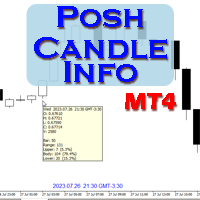
Show candle info with: Time in selected timezone Bar number Candle range points Upper wick points and percentage Body points and percentage Lower wick points and percentage Mark large/small candle body with customizable line. Settings group: Broker and local timezone. Lookback bars for candle marking. Large candle body Small candle body Date and time info with auto position or custom the x and y coordinate.
FREE

Investment Castle Panel — Your Trades, At a Glance
The Panel puts the numbers that matter right on your chart: floating profit and loss, drawdown and more — for manual trades and for any Expert Advisor. A clean, movable dashboard so you always know exactly where you stand.
What it does for you Live P/L on the chart: floating profit/loss for the current symbol, for both buy and sell orders, in your base currency and in pips. Max drawdown at a glance: keep an eye on risk without digging through
FREE

Panoramica Pending Order Assistant è progettato per automatizzare la creazione di ordini pendenti Buy Stop e Sell Stop su coppie di valute specifiche ( EURUSD, GBPUSD, AUDUSD ). Questo EA consente ai trader di impostare facilmente livelli di entrata strategici senza dover posizionare manualmente gli ordini.
Funzionalità Principali Creazione Automatica di Ordini Pendenti L'EA genera automaticamente 4 ordini Buy Stop e 4 ordini Sell Stop appena viene attivato sul grafico. Gli ordini sono distanzi
FREE

변동성에 적응,거래 위치를 보상 할 수있는 잠재적 인 위험은 평균 실제 범위에 따라 표시됩니다. 위험 보상-'구매 또는 판매'버튼을 클릭하면 상자가 표시됩니다! 아트리움 계산의 유틸리티,거래를 종료 할 때 어려운 결정의 일부가 아닌 문제로 기뻐. 이 문제는 위험 관리 결정에 도움이 될 것입니다.
사양: 평균 진정한 범위는 핍 또는 가격에 시장의 변동성을 측정하는 일반적으로 사용되는 지표입니다. 진정한 범위는 가장 낮은 거래 가격과 촛대의 가장 높은 거래 가격의 차이입니다,주어진 기간에. 평균 실제 범위는 모두"이전"기간의 이러한 최고치와 최저치를 평균화합니다. 예를 들어,기본 설정은 우리에게 14 일 기간을 제공합니다. 14 일로 나눈 핍 값에서 최고치와 최저치를 수집합니다.
그러나 물론 이것은 일반적인 지표를 넘어서는 것입니다. 문제 사실,세 가지 완전히 다른 주가는 전적으로 다른 핍 소비를 위해 자신의 시간대에 의존합니다. 촛대의 규칙은 각 기간에 기술적으로 다르다. 그래
FREE

Descripción del Asesor Experto "Mr. Beast Analyze" Nombre del Robot: Mr. Beast Analyze Descripción General: El Asesor Experto (EA) Mr. Beast Analyze está diseñado para proporcionar una visión completa y detallada del mercado a través de la visualización de información clave en la pantalla de MetaTrader 4 (MT4). Aunque el EA no realiza operaciones automáticamente, ofrece una amplia gama de datos útiles y gráficos que pueden ayudar a los operadores a tomar decisiones informadas. El EA se enfoca en
FREE

IzaRP - Risk / Profit Monitor (MT4) IzaRP — это вспомогательный индикатор для трейдеров, предназначенный для анализа открытых позиций и контроля рисков в реальном времени. Индикатор автоматически рассчитывает ожидаемый риск и ожидаемую прибыль по всем открытым сделкам на торговом счёте на основе установленных уровней Stop Loss и Take Profit и отображает результат непосредственно на графике. Основные возможности Анализирует все открытые рыночные ордера (BUY и SELL) Игнорирует отложенные орде
FREE

Elevate your trading with this Breakeven and Trailing Stop Manager, an Expert Advisor (EA) built for MetaTrader 4 to streamline risk management by automating breakeven and trailing stop strategies. This EA helps secure profits and minimize losses without requiring constant manual intervention, giving you more time to focus on market analysis and strategy.
### Key Features:
- **Automatic Breakeven Adjustment:** Automatically move the Stop Loss to the breakeven level once your position reac
FREE

Close_All_Trades_with_TP_SL is a reliable and efficient MQL4 Expert Advisor designed to simplify and automate trade management for all open positions on your MT4 account. This EA is especially useful for traders who open multiple trades quickly or use high-frequency strategies where manual TP/SL placement becomes difficult and time-consuming. The primary purpose of the EA is to ensure that every open trade—whether Buy or Sell—always has a predefined Take Profit (TP) and Stop Loss (SL) applied. M
FREE

This utility allows to switch among symbols. You have to insert in the input your favorite tickers. it is possible to customize up to 5 symbols
Shortcut Keys : Switch among Symbols : A -Forward D -Backward
Inputs You can setup your favorite keys to switch among symbols.
You can customize the color of background and the edge of the buttons .
You can customize the labels : dimension and font.
FREE
Server Time On Chart is a simple indicator that shows the time of the broker's server with hours, minutes and seconds in the lower left corner of the chart's. Within the inputs you can only change the size of the font and the color you want depending on your taste. You can see more of my publications here: https://www.mql5.com/en/users/joaquinmetayer/seller
FREE

The Quick Style utility is designed for facilitation and acceleration of working with the properties of graphical objects. Left-click a graphical object while holding the Shift key to open the quick access window for configuring the object properties. In the window, you can change the color, style and line width with one click, including those of other graphical objects. All changes are displayed immediately. To close the Quick Style , simply click the free space on the chart. The utility is eas
FREE

In version 4.2 we have combined this tool with our own indicator written by our experts. You can download the indicator (Volume Time Marvel) for free from the Indicators section of MQL5.com and use it alongside this tool to better manage your open positions with a better understanding of market timing and trading volume.
Forex trading is conduct 24 hours a day, but trading volume is not the same at all hours. Identifying the best times to trade can significantly improve your trading strategy. Wi
FREE

ขอบคุณ แรงบันดาลใจ จากโค้ชแพม ที่ทำให้เริ่มทำ Close all ตัวนี้ Close all and update profit Version 3.03 Full version Give you free
For MT5 Click https://www.mql5.com/en/market/product/95989
V3.03 Fix TPSL calculate USDxxx and xxxUSD or XXX/XXX and add Decimal Digi, 0 is default
Program function
Tab 1 Close order function and show break port
1.Can show and hidden all button
2.Update sell and buy total lots easy to manage order
3.Close all order and update all profit
4.Close all sell a
FREE

FREE
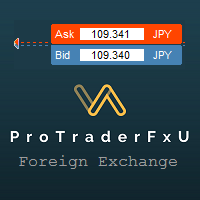
Description: - BidAskLine Indicator is very simple and easy, but each utility can be important in the probability that we will win in our trade. This utility Indicator shows lines and prices of the Bid, Ask and Spread. Input Parameters: - Visual Aspect Options : Select between 2 options with Box or Simple Style. - Parameters Bid Price : Select between show or hide line or box objects, change color, style or width line. - Parameters Ask Price : Select between show or hide line or
FREE

이것은 전략 테스터에서 효율적인 테스트 및 분석을 가능하게 하는 재생 속도 관리 도구입니다. 전략 테스터의 사용성을 향상시키고, 거래 전략의 개발 및 평가를 간소화하는 수단으로 사용될 수 있습니다.
도구의 특징: 재생 속도 제어: 사용자는 전략 테스터의 재생 속도를 자유롭게 변경할 수 있으며, 빨리 감기, 속도를 올려서 재생하거나 원하는 지점에서 일시 정지할 수 있습니다. 한 바, 한 틱 앞으로: 'Next Bar' 버튼을 사용하여 사용자는 한 번에 한 바씩 앞으로 나아갈 수 있습니다. 또한, 더 상세한 분석을 위해 한 틱씩 앞으로 나아가는 것도 가능합니다. 시간대 및 통화 쌍의 동기화: " Practice Simulator Sync (무료)"를 사용하면 다양한 시간대 및 통화 쌍과 동기화하여 재생할 수 있습니다. 이를 통해 MTF 및 다른 통화 조건을 동시에 볼 수 있습니다. 자동 일시 정지: 매일 특정 시간(예: 시장 개장 시)에 멈추어 그 지점부터 움직임을 분석할 수 있습니다
FREE

a Perfect TradingPanel for who wants to have entry in a RANGE .
Join my channel ===> https://t.me/Ash_TheTrader
For example : You have a zone and you don't know where of the zone will be your entry so , you will use this Tool , to separate your risk per position and it will automatically calculate your LOT SIZE . Total risk base on martingale rules or Grid input . You can choose how many positions you want to have and it will calc the Lot size for you .
Features :
Enter in a range of p
FREE
SmartClose(Close All Orders) helps you close all your trades. You can use it on any symbol. You can also set a warm value to manage the risk. With these functions: Close Open Orders : Close all open trades in the trading account. You don't need to set a value for the "value" parameter. Close by Profit : Close trades when profit reaches a specific predefined level. You need to set a value for the "value" parameter. Close by Percentage : Close trades based on a certain percentage of the balance.
FREE

Signalator Lot Size Evaluator MT4 is a free local MetaTrader 4 utility for manual traders. It helps calculate an estimated lot size before opening a trade manually. The calculation is based on account size, trade direction, entry price, stop loss, risk percentage or fixed money risk, and broker symbol settings. The main purpose is simple: Enter your setup → define your risk → get the suggested lot size. The panel also shows useful pre-trade information such as spread, risk amount, SL/TP distance
FREE

CopyStar – File-based Trade Copier (MT5 Master/Slave, MT4-compatible) Short description
CopyStar mirrors changes to your open net positions from the master to any slaves – quickly, robustly, and without network configuration. Communication runs via common files (shared file folder), enabling CopyStar to support MT5↔MT5, MT5→MT4, MT4→MT4, and MT4→MT5. Supports symbol mapping, lot multiplication, optional SL/TP copying, magic/comment filters, and a clear chart status display including heartbeat.
FREE

MT4 to Telegram & Discord Notifier MT4 to Telegram & Discord Notifier is a lightweight and practical notification utility for MetaTrader 4 that automatically sends real-time trade updates to your Telegram and Discord channels. It is designed for traders who want to stay informed about trading activity without constantly watching the terminal. Once connected, the notifier delivers instant alerts whenever a trade is opened or closed, helping you monitor live activity, improve communication, and ke
FREE
New version 1.22. Partagas
The AG algorithm is an element of a comprehensive trading system for trading a basket of currencies across 8 major currencies across all 28 currency pairs. The algorithm serves as a signal block for determining entry/exit from a position. To collect initial values, AG uses data from the CSS Currency Slope Strength cluster indicator. This indicator was not chosen by chance - it performed very well during testing of the algorithm. A. AG determines the width of the e
FREE

This application is now replaced by Ofir Notify Light Edition (Free) or Ofir Notify (paid).
Thank all for your positive feedbacks.
Ofir Notify is a tool which send alerts on trades to Telegram Alert on any event concerning a position : Opening, Closing, modification (SL, TP) Send alerts to Chats, Groups and Channel Alert on Equity change Display Risk, Reward and progress of profit/lost for each position Customization of alerts ( only in full edition ) Sending charts screenshots with alerts
FREE

K-line Terminator - a countdown tool that accurately grasps every second Core Summary: Still anxious about not knowing when the current candlestick will end? 'Candlestick Terminator' is an indispensable tool in your trading toolbox! It utilizes a clear and intuitive countdown timer to display the precise time remaining for the currently active candlestick in real-time, helping you avoid making hasty decisions during the chaotic moments of candlestick transitions, thus allowing you to enter, exit
FREE

you can close all your positions in profit or lost when you use this robot. 1.you set your max profit and max lost for all your positions. 2.the robot show you in a window beside your chart. 3.when your equity reach your target close all your positions. 4.you can use one of them or both (profit or lost)togather. 5.this robot close all your positions. ((if you have any idea or want somthing i can help you)) i hope you win in all your times of life. best regard
FREE
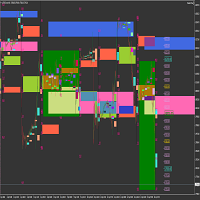
Market Viewer This utility seeks to assist the trader in identifying potential areas of interest on the price chart. Different components integral to decision making have been automated, allowing the user to engage with perfectly calculated levels. Some components include the weeks initial balance, session Min and Max areas and a round number indicator altogether forming templates providing confidence to the trader. Have a look at the screenshots for a sneak peak into the components. The utility
FREE
iExposure SYL displays information about opened trades considering commissions and swap, which affects the open price and the final outcome and and also allows drawing virtual transactions and calculating possible profits and losses in advance.
Differences from iExposure indicator of MT4: Separate profit column for BUY and SELL Trade open price considers commission and swap The indicator will come in handy for any hedging strategies that involve opening a large number of oppositely directed
FREE

This tool will allow you to export candles data (Open, High, Low, Close, Volume) for any financial instrument present in your MetaTrader 4. You can download the data of multiple Symbols and TimeFrames in the same csv file at once. You can schedule the frequency, simply choose the refresh interval (1 minute minimum, if 0 then the extraction will be done once) and the tool will do the work. No need to open a lot of charts in order to get the last sync, the tool will download the data directly. The
FREE

If you need to quickly open grid of pending orders (Buy Limit, Sell Limit, Buy Stop, Sell Stop) on a certain distance from the current price, this script will do all the routine for you.
Usage Run the Script on a chart.
Input Parameters Lots - Lot size for pending orders. OpenDirection (SELL_LIMIT, BUY_LIMIT, SELL_STOP, BUY_STOP) - Type of pending orders. HowManyOrders - Number of orders to be opened. StepPoints - Distance between orders in points. StopLoss - SL Level Points TakeProfit - TP Le
FREE

Protectron — Account Protection System A utility that monitors account equity in real time and closes all open positions automatically when a defined upper or lower threshold is reached. Works alongside any Expert Advisor or manual trading strategy without interfering with their logic. Overview Protectron attaches to a chart and monitors total account equity continuously — including floating positions. When equity reaches a configured threshold in either direction, all open positions are closed
FREE

The FX Indicators Alert is a Scanner Tool that allow you to set up alerts for any Indicator, and display or send notifications to your email box and/or mobile device. It will monitor your rules in the selected TimeFrames and Symbols. The tool can manage the standard indicators and the Custom one (7 buffers for the custom indicators). You can create your alerts by combining different indicators.
Please note that this tool is not supported in the strategy tester due to multi Symbols, TimeFrames,
FREE

This tool will allow you to export MetaTrader indicators data (Buffers) for any financial instrument present in your MetaTrader 4. You can download multiple Symbols and Timeframes in the same csv file. Also, you can schedule the frequency of download (every minute, 5 minutes, 60 minutes, etc.). No need to open a lot of charts in order to get the last data, the tool will download the data directly. The CSV File will be stored in the folder: \MQL4\Files . MetaTrader 5 version : https://www.
FREE

This is a very simple yet useful tool to close positions with different conditions and methods. You can use panel buttons to close positions or set multiple rules to close all positions. Panel has two main tab, Active Order and Pending Orders:
Active Tab:
You can set profit or loss target to close all positions.
You can set equity target to close all positions,
You can set a special time to close all positions. Moreover, by panel buttons you can close only buy/sell positions or only negative/pos
FREE

Automatic Trend Scanner for MT4 24/7 Global Market Monitoring and Instant Trend Identification. Are you still wasting valuable hours manually analyzing dozens of charts looking for the right market direction? Let technology do the heavy lifting for you. Automatic Trend Scanner is a powerful tool designed specifically for MetaTrader 4 that continuously scans global markets, identifying institutional trends and price direction reversals with surgical precision. Our tool completely eliminates the
FREE
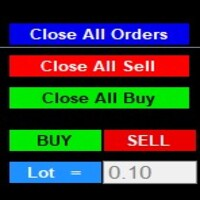
After purchase : - Please contact me at telegram https://t.me/SmartForex777 This Smart Dashboard Penal Very Easy , Fast And Accurate to Enter And Exit Trade Manually... Unique features Close All Orders... Close All Sell... Close All Buy... Buy / Sell... Lot Size Change Option... Works on any account type and broker... Works with all times frames and currency...
FREE

Find Your Fibonacci Entry Levels Automatically Fibonacci Entries is a FREE trading utility that automatically displays key Fibonacci entry levels from the selected candle—so you can quickly identify potential pullback areas without manually drawing Fibonacci levels. KEY FEATURES Automatic Fibonacci Entries
Automatically calculate and display Fibonacci levels from the selected candle. Key Entry Levels
Displays: 23.6% • 38.2% • 50.0% Last Candle Analysis
Use the previous candle as
FREE

Simple Grid Dynamic Engine – Expert Advisor for Automated Grid Trading Simple Grid Dynamic Engine is a flexible grid-based trading Expert Advisor designed for traders who want structured order management and dynamic position expansion in trending or ranging markets. Signal https://www.mql5.com/en/signals/2364992 Important Note: This is ideally to be used with a trade pad which will close the positions and if needed accrue a basket to TP/SL at a profit.
Compatibility with manual trade panels suc
FREE

Msg2Line은 무료 텍스트를 보내고 텍스트 상자에서 "LINE 메신저"로 캡처합니다.
그래프에 선이나 표시, 설명을 적으면 이미지가 전송됩니다.
자신이나 그룹에게 문제를 해결할 수 있습니다.
매우 유용하고 간단한 도구입니다.
- 무료 메시지 보내기
1. EDIT 상자에 자유 텍스트를 입력합니다.
2. 보내기 버튼을 누르세요.
- 무료 메시지 보내기 + 이미지 캡처
1. EDIT 상자에 텍스트를 입력합니다. 2.
2. w/img 버튼을 누릅니다.
- 캡쳐한 이미지 보내기
1. w/IMG 버튼을 누르기만 하면 됩니다.
*매개변수로 LINE TOKEN이 필요합니다.
*이 도구는 "WebRequest"를
이는 간단한 기능이지만 LINE 사용자에게 유용한 도구가 될 것입니다.
모르겠다고 물어보십시오.
FREE

Msg2Slack은 MT4/MT5 텍스트 상자에서 Slack으로 메시지를 보내는 도구입니다. 텍스트 상자 오른쪽에 있는 버튼을 한 번만 클릭하면 슬랙 채널에 텍스트와 차트 이미지를 쉽게 보낼 수 있습니다. 차트에 선, 마크, 댓글 등을 그려도 이미지가 올라갑니다.
자신에게 메시지를 보내든 그룹에 메시지를 보내든 이 간단하면서도 강력한 도구를 사용하면 차트 이미지를 캡처하고 즉시 메시지를 보내는 것이 매우 쉽습니다.
Msg2Slack 도구가 차트 하단에 표시됩니다. 메시지를 입력하고 우측의 버튼을 클릭하기만 하면 메시지 또는 이미지가 포함된 메시지를 게시할 수 있습니다.
유용성의 수준은 사람마다 다르지만 커뮤니케이션에 Slack을 사용하는 사람은 누구나 차트 이미지를 즉시 보낼 수 있는 Msg2Slack의 기능을 활용할 수 있습니다.
Slack API TOKEN을 가져와 이 도구의 매개변수로 설정합니다.
전략 테스터를 사용하여 작동하는지 확인할 수도 있습니다.
FREE

MQL5 블로그: https://www.mql5.com/en/blogs/post/765148 MT4 버전: https://www.mql5.com/en/market/product/154458 MT5 버전: https://www.mql5.com/en/market/product/154459
기간 한정 무료 제공
Telegram Order [tambangEA]는 더 빠르고 깔끔하며 체계적인 거래 실행 워크플로우를 원하는 트레이더를 위해 개발된 전문적인 반자동 거래 지원 도구입니다.
이 제품은 이미 자체적인 시장 분석을 보유하고 있으며 거래 실행, 관리 및 모니터링을 위한 더 나은 방법을 필요로 하는 트레이더를 위해 설계되었습니다. 경직된 블랙박스 전략을 강요하는 대신, 거래 결정을 효율적인 실행으로 전환하는 데 도움이 되는 실용적인 차트 대시보드를 제공합니다.
프리미엄급 시각적 레이아웃, 빠른 접근 버튼, 라인 트리거 기능, 심볼 변경 기능, 실시간 거래 통계 및 텔레그램 통합 기
FREE

흠(수평 마크 업)은 수평 레벨의 수동 마킹을 위해 설계되었습니다. 마크 업에는 레벨 및 가격 값이 포함됩니다. 라인의 두께와 색상 및 가격 값은 설정에서 설정됩니다. 레벨은 시간대에 로컬로 배치하거나 모든 시간대에 대해 공개적으로 설정할 수 있습니다.
그의 작업은 매우 간단합니다:
1)-당신이 수준을 표시하는 설정에서 설정 한 키를 누릅니다;
2–-우리는 원하는 위치에 라인을 가지고;
3)-마우스 오른쪽 버튼을 클릭하고 레벨이 연결되어 있습니다.
앞으로 이러한 수준을 이동하고 조정할 수 있습니다.
차트에서 제거 된 후,표시기는 자체에 대한 수준을 청소하지 않습니다. 그들은 수동으로 제거해야 할 것입니다.
가장 효과적인 응용 프로그램은 한 번에 선택한 거래 상품에 다른 설정과 여러 흠을 사용하는 것입니다.
입력:
선 스타일-선 스타일
선 폭-선 간격
마크 스타일-가격 태그의 크기
오프셋 표시–픽셀)-화면 왼쪽 가장자리를 기준으로 오프셋 표시
선 색상
FREE

Chart Buddy는 거래 차트에 재미를 더하기 위해 설계된 엔터테인먼트 도구입니다. 캐릭터가 차트 오른쪽을 따라 움직이며, 가격 움직임을 응원하는 듯한 인상을 주어 거래 경험에 독특하고 즐거운 요소를 추가합니다. 거래에 직접적인 영향을 미치지는 않지만, 애니메이션은 가벼운 휴식을 제공하며 개인적인 지원자가 있는 것처럼 느끼게 합니다. 주요 기능: 가격 움직임 지원 : 캐릭터는 가격 방향(상승, 하락 또는 포지션에 따라) 응답하여 움직이며, 마치 시장을 응원하는 것처럼 보입니다. 캐릭터 선택 : 세 가지 캐릭터(다람쥐, 스모 선수, 소녀) 중에서 선택하거나 사용자 지정 이미지를 업로드하여 경험을 개인화할 수 있습니다. 커스터마이징 가능한 애니메이션 : 캐릭터의 이동 속도와 타이밍을 설정하여 사용자 취향에 맞게 조정할 수 있습니다. 시각적 엔터테인먼트 : 애니메이션 캐릭터는 거래 환경에 생동감 있고 인터랙티브한 요소를 추가합니다. illust STAMPO 소개 이 도구는 무료 이미지
FREE

The script opens 5 sell orders with 1 stop loss and 5 different take profits. And places 4 limit orders (sell). The following parameters are set by default: Stop loss for all open orders - 120 pips Take profit for 1 order (lot 0.1) - 30 pips take profit for other 4 orders (lot 0.04) - 50, 90, 140, 200 pips.
Stop loss for limit orders is 135-140 pips from the current price (at the time of placing orders). The distance of each limit order is 20 pips. Lot size with micro-martingale - 0.04, 0.05,
FREE
MetaTrader 마켓은 MetaTrader 플랫폼용 애플리케이션을 구입할 수 있는 편리하고 안전한 환경을 제공합니다. Strategy Tester의 테스트를 위해 터미널에서 Expert Advisor 및 인디케이터의 무료 데모 버전을 다운로드하십시오.
MQL5.community 결제 시스템을 이용해 성능을 모니터링하고 원하는 제품에 대해 결제할 수 있도록 다양한 모드로 애플리케이션을 테스트할 수 있습니다.
