 MetaTrader 5
 Experts
 지표
지표
 라이브러리
라이브러리
 유틸리티
유틸리티
 위젯
위젯
 규칙
규칙
MetaTrader 4용 새 트레이딩 유틸리티 - 45
 다음은 MetaTrader 4에서 외환 거래를 단순화하는 거래 프로그램입니다. 아래 목록의 유틸리티 위로 마우스를 가져가면 해당 설명과 용도를 읽을 수 있습니다.
A script that allows you to deselect all selected items on the current chart.
Very simple, but at the same time can be a very useful script, especially when a keyboard shortcut is assigned to it.
MT4 has the same functionality under the right mouse button, but using the keyboard shortcut running this script is much faster and more convenient.
The script does not have any input parameters.
Have fun using this free tool.
FREE

Данная утилита предоставляет возможность работать с ордерами, переключатся по периодам и менять шаблон графика используя клавиши
клавиатуры. Быстрое открытие и закрытие ордеров, установка и удаление отложенных приказов пригодится как скальперам, так и
трейдерам торгующих на новостях. Смена периода или шаблона в одно нажатие клавиши, упростит анализ графиков. Также предусмотрено
закрытие части позиции. Возможность назначения любых клавиш и различные настройки ордеров, поможет собрать торговый пул

Auto tactic trade with two Lines:
They are (Top Line) and (Bottom Line), for tactic trade.
Big Features: Line will be auto created and detect the Top of shape, and Bottom of shape. Display how far the Line from market price. When Market Price *Touch (Top Line), will create a new order : **Sell**. When Market Price *Touch (Bottom Line),will create a new order:**BUY**. Moving the Lines:
Double Clicks on Line,it will be movable by User's Mouse. You can let a Line longer by Double Clicks on

The utility TradeKeeper Lite can show your profits for different periods and bip a sound when you reach a profit target value. Click the tachometer to quickly switch to the next profit period. There are 5 of them: This Day, This Week, This Month, Last 90 Days and All I Made. With the utility TradeKeeper Pro , available at this link , you can also open trades with a magic number and volume of your choice, trail any orders with a simple trail or iSAR-based trail, as well as close any open trades a
FREE

What Exactly Is A Smart Trading Tool? Smart Trading Tool was developed for fast and comfortable trading of the financial markets especially for ORDER BLOCKS TRADERS . It provides traders functionalities, such as: A Drawing Tool One-Click Trading Panel Automated Lot Sizes Calculation based on your risk appetite & Money Management ( Watch this video , how this tool can help manage your risk per trade better!) Built in PRICE LEVELS (Fibonacci, Round Numbers, Daily hi-low, etc) Shows Trading Informa
Parameters
AutoTargetMoney If the total profit on the account equals or exceeds the target that has been filled in this column, EA will close the order of all transactions AutoTarget % If the total profit on the account equals or exceeds the target in the percentage of the balance that has been filled in this column, EA will close the order of all transactions DeletePendingOrders If TRUE is when the profit transaction is reached from TargetMoney or Target Percennt column, then EA will delete Pe

"Quick Copier" is designed to copy trading without any complicated settings. It copies master orders faster than "Just Copier". The copy can be done in one PC. Please also check this product at fxina.hostingerapp.com. One EA can be set as master (provider) or slave (receiver). The receiver lot can be set to multiple providers lots. Any type of copy is available. MT4 -> MT5 MT4 -> MT4 MT5 -> MT5 MT5 -> MT4 If you want to copy MT4 -> MT5 or MT5 -> MT4, please purchase "Quick Copier MT4" and "Quic

The advantage of using this EA This EA directly updates takeprofit and stop losses that are still empty in a manual order
Parameters Multiplier: Multiplier value of the previous transaction Distance: Distance hedging from the previous order Takeprofit: take profit taken from the last price + the value of this column
We recommend that you do not add more than one manual transaction in the same pair martingale hedging | manual hedging | hedging manual | hedging lot | best robot | best ea

The utility is designed for placing pending orders Buy Stop, Sell Stop, Buy Limit, Sell Limit with predefined values for each type of orders, number 0 ... 15, distance from current price, Lot, Take Profit, Stop Loss, Magic. Expose and delete by pressing the hot key. How to place and delete orders by voice using the utilities of this type, see the video below the description. https://www.youtube.com/channel/UCTpVWJkEic6TzoXr0qc9RIw/featured Key "A" sends a request for placing orders Buy Stop. Ke
FREE

The utility Filled Area Chart adds to the standard set of price presentations. It is a brand new, nice price chart. You will certainly like it if you want to feel yourself a trader born under the Bloomber lucky star.
The Properties allow to set the colors and other things: Color preset - choose a preset or set to "Custom" and set your own colors using the properties below.
Custom area color - color of the area below the price line. Works only with Color preset = Custom.
Custom chart color - col
FREE

Notify To Telegram MT4 Expert Advisor will send notifications via Telegram when orders are opened/modified/closed on your MetaTrader 4 account. Send message to person, channel or group chat. Easy to customize message. Support custom message for all languages. Support full Emoji.
Parameters: Telegram Bot Token - create bot on Telegram and get token. Telegram Chat ID - input your Telegram user ID, group / channel ID Magic number filter - default all, or input magic number to notify with com

这是一个MT4自动跟单的EA,发送端下单以后接收端自动秒跟,包括手数,止盈,止损同时设置,下单手数可以根据自己的情况设置加倍也可以固定手数,适合多帐户同时交易的朋友们。 可以多个平台跟单,可以 一个主发送帐户多个跟单帐户,也可以同时跟多个主帐户。 参数说明:
DirectionSelection=Receive;为主发送端。--SendOut为接收端。发送端其它无设置 Receiving Parameters;以下是接收端设置。 SendingEndID = " ";填写发送端交易帐户的ID,全为数字。 AcceptanceMode=Multiplication;接收端下单模式,加倍模式。--Fixed为固定手数下单。 MultiplicationLots = 1; Multiplication模式下的下单倍数 FixedLots = 0.01;Fixed模式下,固定手数。 SymSuffix="";接收端交易品种名称如果有后缀,请正确填写,比如:EURUSDxxx填写xxx就可以。
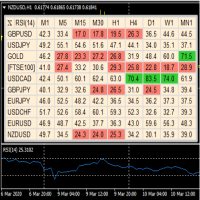
A useful dashboard that shows the RSI values for multiple symbols and Time-frames. It can be easily hidden/displayed with a simple click on the X top left of the dashboard. You can input upper and lower RSI values and the colours can be set to show when above/below these values. The default values are 70 and 30. Symbols and time-frames are input separated by commas. Symbols can also be loaded from the Market Watch window. If there are more than 30 symbols, only the first 30 will be loaded. You
FREE
* Based on this product "BRiCK Convert4To5 MT5 Free" was created. "Convert4To5" is a Script that converts MQL4 source files into MQL5 source files.
Experts, Indicators, Scripts, and Libraries with extension ".mq4" will be available for MT5.
Parameter
None.
Procedure
1. Open the following folder.
terminal_data_folder\MQL4\Files\ (in the terminal menu select to view "File" - "Open the data directory") 2. Confirm that the BRiCK_Convert4To5 folder exists.
If it does not exist, insert
FREE

The Sensitive Price Level indicator (SPL) draws fixed horizontal levels on charts that allow seeing sensitive target prices, helping to find more accurate entry points to open or close your trades. It is a needful instrument to take a decision in trading activity and to give a clear orientation on charts. A simple control panel allows calculating operation costs and lots. Features 1.Grid visualization price levels multiple of 10X,100X,1000X, identified by colors: - 10X : DIMGRAY dot lines. -

The InfoTrade indicator is designed for those who open many trades at the same time and place many pending orders. If you are hedging and placing grid orders, and maybe you are indulging in martingale, then the indicator will help you greatly in your work. For correct display of profit and stop loss it is necessary that Take Profit and Stop Loss are placed in orders.
Your account settings shown:
Max. allowable lot- The maximum lot that is possible for a pair of graphics. It is advisable to avo

This indicator helps you control several pairs in a small workspace, therefore, it is not necessary to open several charts on the platform to do so. The indicator shows sequentially up to 6 different pairs, besides that each of these pairs has a button with which you can stop the indicator to observe the selected pair. Place the indicator on a chart to monitor several pairs and the rest of your space use it on the chart of the pair you wish to observe in detail. MT5 version Parameter

The purpose of this utility is to manage one or more subwindow in the same chart by opening and closing them through a button or the keyboard keys
How it works: If you want to handle more than one subwindow you need to reinstall the indicator . In this case some setups has to be customized onlu in the last subwindow installed and others setups in the installed subwindow during the first time installation. They are denoted in the input rispectively as ' LW ' and ' IW '.
First of all install

This indicator copies graphical objects (vertical lines, horizontal lines, text labels, fibo and etc.) from master chart to other charts.
For example, you can copy lines from the chart GBPUSD with period H1 to chart GBPUSD with period M15. It's makes technical analyses more simple. Show label - show label on the Master chart, where you draw graphical objects to copy; Font size - font size of label; Type of synchronisation - type of synchronisation Copy text - on/off copy of text objects
Copy la
FREE

The script is based on the indicator Stochastic Oscillator.
The script draws up arrows or down arrows.
The tooltip arrows indicate the recommended price level.
The script can signal an alert, which also indicates the price level.
The script draws an up arrow when the Stochastic Oscillator lines go out of the oversold zone.
The script draws a down arrow when the Stochastic Oscillator lines out of the overbought zone.
Indicator signals are not filtered in any way - this is the classic Stocha
FREE

What is InvisibleStopLoss? InvisibleStopLoss is a tool designed to allow the trader to hide his/her stop loss from other market participants. Unlike the usual stop loss attached to an order pernamently and visible to the broker, InvisibleStopLoss exists only on the MT4 termina l side and is visible only to the trader.
How to use it in trading?
With the help of the InvisibleStopLoss you can hide your stop order from the broker and set it up as a normal stop loss.
Additionally, InvisibleStopLos

What is InvisibleTakeProfit?
InvisibleTakeProfit is a tool designed to allow the trader to hide his/her take profit from other market participants. Unlike the usual take profit attached to an order pernamently and visible to the broker, InvisibleTakeProfit exists only on the MT4 terminal side and is visible only to the trader.
How to use it in trading?
With the help of the InvisibleTakeProfit you can hide your take profit order from the broker and set it up as a normal take profit. Additionall

스프레드 경보 는 스프레드를 모니터링하고 스프레드 가 정상보다 높으면 경고하거나 설정한 임계값을 초과하면 경고합니다 . 특징:
스프레드가 정상 인지, 정상 보다 높 거나, 경고를 유발 했는지에 따라 3가지 색상을 선택 합니다.
사용자 지정 사운드 를 설정할 수 있는 선택적 사운드 경고 (.wav 파일이어야 함)
레이블 위로 마우스를 가져가면 가장 낮게 기록된 스프레드 , 스프레드 경고 , 경고 핍 및 스프레드 상태 를 도구 설명에 표시합니다.
매개변수:
이름
설명
소리 경고 경고 임계값이 충족되면 사운드 파일을 재생합니다. 경고음 파일(.wav 파일이어야 함) 경고가 꺼지면 재생될 wav 파일
경고음 끄기 시작(브로커 시간) 소리 알람이 음소거되는 시작 시간
경고음 끄기 종료(브로커 시간) 소리 알람이 음소거 해제되는 종료 시간
경고 핍 가격이 충족하거나 초과해야 하는 임계값(핍)
경고 핍 표시 현재 스프레드 옆에 설정한 임계값을 표시합니다.
경고 레이블: 확대 활성화된 경우 경고
FREE

Smart Watermark는 자동으로 크기를 조정하고 중앙에 맞추는 동안 기호와 기간을 표시합니다. 또한 차트를 다른 사람과 공유하기 위한 사용자 지정 서명을 설정할 수 있습니다.
매개변수:
매개변수 설명
폰트
워터마크를 표시하는 데 사용되는 글꼴 유형
글꼴 색상
워터마크를 표시하는 데 사용되는 글꼴 색상
글꼴 스타일
글꼴의 스타일입니다. 없음, 기울임꼴, 밑줄 또는 취소선 중에서 선택합니다. 기본값은 없음입니다.
글꼴 두께
글꼴의 무게입니다. 옵션은 Thin에서 Black까지 다양합니다. 기본값은 보통입니다.
글꼴 비율 백분율(0 - 100)
차트 너비를 기준으로 글꼴 크기를 조정해야 하는 백분율입니다. 기본값은 10입니다.
최소 글꼴 크기
차트가 너무 작으면 워터마크를 읽을 수 없습니다. 이렇게 하면 워터마크를 항상 읽을 수 있도록 최소 글꼴 크기를 설정할 수 있습니다. 기본값은 47입니다.
투명도(0 - 255)
워터마크의 투명도. 0은 완전히 투명합니다. 기본값은 25

Trade Space PRO Профессиональная торговая панель для MT4. Главное ПРЕИМУЩЕСТВО - все настройки выведены на график символа. Запоминаются автоматически для каждого символа отдельно. Трейдинг/риски/блок контроля новостей и тайминга/панель сигналов . Вся важная информация отображается на панелях. Вам нужно только открыть позицию одним щелчком мыши. Управление открытой позицией так же просто, насколько это возможно: вы можете легко настроить уровни Стоп Лосса (S/L) и Тейк Профита (T/P). В о
FREE
Introduction
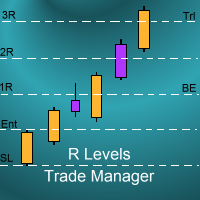
The SDS_TradeManager EA is a powerful EA designed to manage your positions once you have been filled. It basically works a break-even stop and also a trailing stop where the trigger levels and trail levels are all specified in "R's", that is to say multiples of the initial trade risk. Many successful professional traders think about all their trades and profit taking in terms of multiples of the initial risk R. So for example, if your initial risk on your trade is 50 pips and you wa

Advisor "Orders Assistant" is designed to control the positions and orders that are opened manually by the trader. The control is performed by automatically placing TakeProfit and StopLoss orders after the position is opened by the trader, or setting a pending order and further tracking the position using the services “Transfer StopLoss to breakeven” and “Trailing Stop”.
The Expert Advisor also provides the ability to install virtual TakeProfit and StopLoss, which allows you to use scalping str

This indicator is a tool to show history orders on chart. Indicator show open time and price, close time and price and profit in pips on chart. It can to help the trader to see all history orders which are opened either manually or by an automated system.
You can to use indicator on any symbol and any time frame.
You can to get the source code from here .
Parameters
Delete Objects If Terminated Indicator - Delete objects of chart if terminate indicator. Size Fonts Of Info On Chart - Size of
FREE

시간대 변환기는 차트의 시간을 현지 시간 으로 자동 변환하여 표시합니다 . 사전 설정 파일 자동 로드 지침:
이 기능은 표시기를 항상 실행하고 싶지 않지만 표시기를 사용자 정의하고 표시기를 추가할 때 해당 사용자 정의를 적용하려는 경우에 유용합니다. 표시기를 로드하고 표시기 속성으로 이동한 다음 "입력" 탭을 클릭합니다. 원하는대로 설정을 사용자 정의 완료되면 "저장"을 클릭하고 폴더 디렉토리 트리에서 한 번 위로 이동한 다음 "파일 > 시간대 변환기" 폴더로 이동합니다.
사전 설정 파일의 이름을 입력하고 "저장"을 클릭합니다. 이제부터 표시기를 로드할 때마다 사용자 정의 설정이 자동으로 적용됩니다. 사전 설정을 변경하려는 경우 다음 중 하나를 수행해야 합니다. a) "로드"를 클릭하여 표시기의 "입력" 탭을 통해 다시 로드한 다음 원하는 변경 사항을 적용하고 파일을 다시 저장합니다.
b) Timezone Converter 폴더에서 파일을 삭제하고 위의 지침을 반복하십시오. 로컬 브
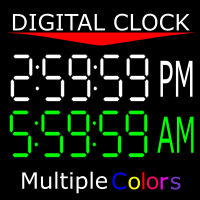
Shows you the time of the server you're on as well as the current time of the time zone you're in. 12-hour clock format (12:00:00 am to 11:59:59 pm) Charts from 1-5 mins are in hour:min:sec format Charts from 15 mins to 1 month are in hour:min format" You can also change the color of the clock to any color MT4 offers. If there is anything you would like me to add ask. As long as it isn't extensive, I might add it.
FREE

It's demo version of Auto StopLoss Defender , you can buy on page - https://www.mql5.com/ru/market/product/33112 or extended version of the program is Auto StopLoss Premium , you can set stoploss and takeprofit - https://www.mql5.com/ru/market/product/33113
Demo restrictions: Stop-loss reset to 0.10% for new order.
While you are trading, Auto StopLoss Defender doing all the routine work. "Must have" for scalping. Best way to save account balance in case of force majeure.(Internet connec
FREE

This EA facilitates sending multiple orders simultaneously. It also facilitates a function designed to be executed in a specific hour, ideal to facilitate its operation during the night, allowing to schedule positions while we are not next to the graph. The system can send direct orders at the market price or pending orders, speeding up the execution of operations with multiple Take Profit as well as controlling the Slippage of each order. The parameters of the system are: • Broker Info

What is EmailAlerts?
EmailAlerts is a handy, effective and extremely useful tool designed for the price alerts management.
With the help of this tool you can easily and quickly predefine up to 4 different price alerts on any chart. Once the price reaches your price level you will be immediately informed about it. Program will send you an e-mail message or/and an instant push notification directly to your smartphone or tablet.
How to use it in trading?
Price alerts can be used in an active t

С этим драйвером вы можете превратить трендовую линию в линию Ганна, поместив значение угла в виде NxM в ее описании, например 4x1, где N - это количество поинтов, а M - количество таймфреймов на текущем графике. Драйвер автоматически отображает значение угла в виде метки у правого конца линии. По умолчанию, размер поинта равен размеру пипса, но в настройках вы можете сами указать подходящий вам размер поинта. Вы можете комбинировать этот индикатор с индикатором Colored Channels , разделяя проб
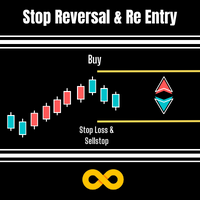
Stop Reversal & Re Entry is a varied way to exit trades and manage your losses.
I all in have made it into a 4 option utility of stop reversal, re entry with break even and partial close features for good measure.
These 4 systems are :
Stop Reversal : When true will place an opposite pending order exactly where the stop level is on your current trade. In the possibility of your trade being wrong it will get you in again in the opposite direction.
Ive added a Only Recover Loss feature that

Советник риск-менеджер с огромным арсеналом возможностей защиты вашего депозита. Для инвесторов, которые решили передать капитал в доверительное управление. Когда у трейдера нет доступа к настройкам - нивелирует торговые риски. А также для трейдеров, которые осознали необходимость стороннего контроля за их торговлей для улучшения торговых результатов. Для максимальных результатов - должен стоять на отдельном VPS сервере и у трейдера не должно быть возможности менять настройки в торговый период.
FREE

Советник риск-менеджер с огромным арсеналом возможностей защиты вашего депозита. Для инвесторов, которые решили передать капитал в доверительное управление. Когда у трейдера нет доступа к настройкам - нивелирует торговые риски. А также для трейдеров, которые осознали необходимость стороннего контроля за их торговлей для улучшения торговых результатов. Для максимальных результатов - должен стоять на отдельном VPS сервере и у трейдера не должно быть возможности менять настройки в торговый период.

Work with gold and Japanese yen. Now working without pips! While you are trading, Auto StopLoss Defender doing all the routine work. "Must have" for scalping. Best way to save account balance in case of force majeure.(Internet connection loss, power outage, sharp change in price direction) The Utilite automatically adds a stop loss to open and pending orders that have no stoploss set. The anti-requote system is built into the Utilite. That means the stop loss will be registered anyway! In the

While you are trading, Auto StopLoss Premium doing all the routine work. "Must have" for scalping. Best way to save account balance in case of force majeure.(Internet connection loss, power outage, sharp change in price direction) The Utilite automatically adds a stop loss to open and pending orders that have no stoploss set. Also adds a take profit. The anti-requote system is built into the Utilite. That means the stop loss will be registered anyway! In the settings you can set any stop los

This positions risk visualization indicators, indicators allow you to clearly know how much price go back will be generated account Stop Out.
This is a very useful indicator for Controlling Risk when account is open positions, attach this indicator to the chart of the open positions, the indicator will draw a Line Of Stop Out Price on the chart, and output Stop Out Point Value in the upper left corner.
Stop Out Price can give you clearly know what price is Account Stop Out, can give y

This EA will replicate active order. Using for duplicate the orders when you copy from signals in mql5 but your balance is less than the balance of the signal of provider. The replicated orders will close when the active orders close. PARAMETER coefficient=1; //Replicate new order with lots equal active order x 1 DisplayInfo=true; // Display information of your account Please test demo before use in real account.

Description: Please tick "Show object descriptions" in chart properties to enable hrays views
That utility converts a trendline into a horizontal ray known as tool for drawing supply and demand zones. Simply create a trendline on a chart and once selected, it will get converted. Ray remains horizontal while dragging.
Quick ray plot: press "R" key to create horizontal ray. It will be snapped to the nearest OHLC value
Further versions will be improved. For feature request please post new comm

나는 모두가"안전"과 같은 돈 관리 규칙을 알고 있다고 생각합니다. 인식하지 못하는 사람들을 위해,금고는 거래에 대한 이익이 정지의 크기를 같게 한 후 위치의 절반을 마감한다고 가정합니다. 따라서,가격이 반전하고 정지를 잡는다 할지라도,이전에 위치의 일부를 닫을 때 정확히 같은 양의 이익을 받았기 때문에 돈을 잃지 않을 것입니다.
안전 전문가 고문은 단 하나의 설정,즉 폐쇄 로트 만 있습니다. 위치 0 에 남겨두면 고문은 거래의 정확히 절반을 닫을 것입니다.
전문가 어드바이저를 설치 한 후,이익의 일부가 전문가 어드바이저에 의해 고정 될 위치에 빨간색 점선이 차트에 나타납니다. 당신이 고문이 다른 수준에서 트랜잭션의 일부를 닫으려면 안전하게 다른 장소로이 라인을 이동할 수 있습니다.
동일한 통화 쌍에 여러 개의 거래가 열려 있는 경우 마우스 커서로 시장을 차트로 끌어다 놓고 안전한 거래로 마감하려는 주문 시작 수준 근처에 시장을 놓아야 합니다. 전문가 고문은 주문 티켓을 고려
FREE

Trade Simulator With this toolbar you have both: a compact surface, which simultaneously shows you the most important information you need for trading.
You can use it with your real account or also in the strategytester mode. This toolbar allows you to trade in the strategytester as real as possible with every option available from the MT4 platform. Settings available: Magic Number - When the 'MagicNumber' number is 0, the toolbar will watch all orders without a 'MagicNumber'. If th
FREE
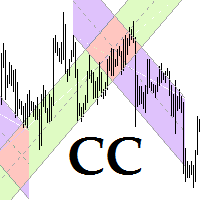
This program is for traders who plot price channels on charts. You just need to specify the width of the channel in the description of the trend line. Enter the "Description" field in the trend line properties and type canal: xxxxx without a space, where xxxxx is the width of the channel in pips. Channel color is set automatically depending on the channel width. The middle line of the channel is also automatically drawn. If the channel width is set to a positive number, the channel is drawn ab

Introduction
Auto Chart Alert is a convenient tool to set alert for your trading in your chart. With Auto Chart Alert, you can set the alert line in one click in your desired location in your chart. You can even set alert over the sloped lines in your chart. Auto Chart Alert is a great tool when you have to watch out importnat support and resistance levels for your trading. You can receive the sound alert, email and push notification when the price hit the alert line at you desired location. Au
FREE

The expert advisor is a product for traders that help draw line or ray in prices to determine the position for buy or sell. This product will help the user instantly place horizontal line or ray using a hotkey drawing in each timeframe and by color. Also, the settings of product can be adjusted like the thickness of the line and the color of choice for each timeframe so that the user can recognize the line imediately. Another feature of the product, it can draw a line with added text "BUY" or "
Возможности : 1) Утилита, при поступлении сигнала от индикатора RSI, открывает позицию, и далее следит за этой позицией, если убыток, открывает новые позиции. Пока серия не закрыта все сигналы от индикатора игнорируются. 2) Трейдер открывает первую сделку в ручном режиме, а далее утилита уже следит за ситуацией, если был убыток, то открывает новые ордера. 3) Серия состоит из 22 - х позиций, на каждую позицию лот, TP и SL задаются в настройках утилиты. В случае если первая сделка была закрыта по
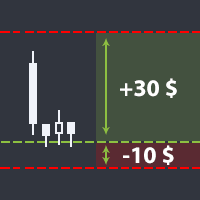
Утилита помогает открыть сделку со стоп-лоссом не больше той суммы, которую вы указали, или же вообще отказаться от сделки. То есть, она определяет количество лотов, на которые нужно совершить сделку, чтобы стоп-лосс был максимально приближен, но не больше суммы, которую вы указали. Например, она будет незаменима при торговле по стратегии Герчика. То есть, при торговле от рисков, когда у вас фиксированный риск и фиксированный тейк-профит по отношению к стоп-лоссу. Например, если вы всегда входит
Утилита помогает открыть сделку со стоп-лоссом не больше той суммы, которую вы указали, или же вообще отказаться от сделки. То есть, она определяет количество лотов, на которые нужно совершить сделку, чтобы стоп-лосс был максимально приближен, но не больше суммы, которую вы указали. Например, она будет незаменима при торговле по стратегии Герчика. То есть, при торговле от рисков, когда у вас фиксированный риск и фиксированный тейк-профит по отношению к стоп-лоссу. Например, если вы всегда входит

Increase the lot size of the signal you have subscribed When you are using trade copy service, you will have the option to trade more lot sizes with this EA. For example, if the signal provider is trading micro lots, you will be able to add increased lot sizes in the next tick after receiving the trade signal. Parameter description: Enabled : Enable/Disable EA EA magic number : EA Magic number New lot size to trade : Percentage from the providers lot size. This lot size will be used to open
FREE

SonicTradeCopier: (Best for scalping)
Easy Fast Reliable trade copier. Copy trades from one terminal to an other (internet copy feature coming soon.)
MT4 to MT4. MT4 to MT5. MT5 to MT5. MT5 to MT4. MT4/MT5 to any other platform copy possibility for custom made solutions. Reverse trading. Advance filters for traders.
Features:
(Setting up copying policies) Sender only has to setup signal name and start sending signals [ You must start signal sender first always ]. Receiver sets up signal na

Fibonacci Expansion and Retracement Analysis
Fibonacci retracing and extended line tools for the MT4 platform, ideal for traders who use the DiNapoli point trading method and the Golden Section trading
The main function:
1. You can draw multiple sets of Fibonacci retracements directly, and the relationship between important return points is clear at a glance.
2. Can draw Fibonacci extensions
3. The Fibonacci foldback and extension of the line can be moved left and right for easy observation

This is the Free Version of "Just Copier MT4" (Please check : https://www.mql5.com/en/market/product/20920) This free version is available to be used within 2 hours only, and it has limited features. Please also check this product at fxina.hostingerapp.com.
"Just copier" is designed to copy trading without any complicated settings. The copy can be done in one PC. One EA can be set as master (provider) or slave (receiver). The receiver lot can be set to multiple providers lots. Any type of cop
FREE
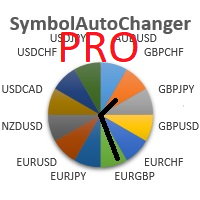
SymbolAutoChanger PRO There is also version for MetaTreader5 This tool allows you to automatically change the chart symbols in a row. Example: EUR → GBP → JPY → CHF → CAD → AUD → NZD You need only to set up interval in seconds between auto switch. Also, you can choose whether to switch between all symbols provided by your broker or only between symbols available in the Market Watch window.
PRO version has following featuters: Next button Previous button Pause/Continue botton With this extra

Overview
The Expert Advisor allows you to receive notifications to the mobile phone (or tablet PC), mailbox or play the sound alert when some events occured: opening or closing position, placing or deleting pending order; changing open price, stop loss or take profit; the account balance, equity, margin level, free margin or drawdown has reached the user specified level. You can specify a notification interval, notification text template and audio file for sound alerts. Expert Advisor saves the
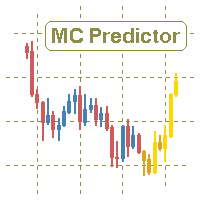
The utility refers to probabilistic analysis tools, in particular the Monte Carlo method. The Monte Carlo method is defined as the simulation of processes in purpose to evaluate their probabilistic characteristics and apply them to the solvable task.
Operation features The simulation uses a tick model with the subsequent transformation to the candles form, as a model as close as possible to the real market process. The utility generates a stream of a random tick sequence until a result with the

Very usefull expert advisor for ichimoku kinko hyo indicator. this expert advisor will notify you whenever there is a cross over/below the clouds or tenken sen /kijun crossing. All Ichimoku traders know the importance and valuable signals when crosses done below or above the clouds or tenkan and kijun crosses. Now you will be alerted quickly to make benefits from the markets This will help you to be alerted for possible trade action. it will simplify your chart observation and be notified wtith
FREE

This EA is based on the relationship between the three currencies, interaction, and thus hedging, I now find the most ideal pair of currencies is the default parameter of the three pairs of currencies, On the parameters
Parameter setting is very simple, "Huoli" is profitable n USD. Users can determine the number of orders according to the funds of the account.
CSV Trader reads CSV files and executes the orders written in. When you need to send orders to mt4 using different platforms or softwares you can easily set them to write their orders to CSV file and then use this EA to execute them in MT4. Many time I read in Freelance section that people needed a CSV trade executor and now I coded a generic one that can fits all your need. Pay attention: if you are in live/demo you should put your CSV files in " MQL4\Files\CSV_Orders\ " , when you backtest it

This indicator shows the remaining time for the candle to close, even if the price does not change in value, the clock keeps counting backward. You can also program price alert levels using trend lines.
It can be used together with Expert Advisors and other panels, such as Controller without limit .
MT5 version
Instructions To set a price alert level, you must draw a trend line. Once the object has been drawn, it must be named so that the indicator recognizes the object. In the name, th

Hola Traders. Lot - lot size for pending orders. Martingale - double lot size of pending orders. *(No Martingale = 1.00) TotalGridEachSide - unit each side of pending orders. SpaceOfFirstOrder - distance for the first order in points. Take Profit - profit in points. Stop Loss - loss in points. The entire positioning uses POINTS only. (10 point = 1 pip)
and you can open order BUYSTOP, SELLSTOP, ALLBUYANDSELL you can Close Pending, Close orders Profit and Loss and Close All *** ideas for using

Panel "panel_kjutaMultiTerminal" for trading. Opens, modifies, closes and deletes trading and pending orders from the chart using virtual lines, buttons and the active information terminal. Automatically opens an order by indicator levels. Hints in Russian, English or disabled. It has a number of functions for trailing virtual Take Profit lines and limit orders. Displays information on the active information terminal. Hides and includes virtual lines S/L , T / P, buttons "<>","M","X", as well a

Hola Traders. Lot - lot size for pending orders. Martingale - double lot size of pending orders. *(No Martingale = 1.00) TotalGridEachSide - unit each side of pending orders. SpaceOfFirstOrder - distance for the first order in points. Take Profit - profit in points. Stop Loss - loss in points. The entire positioning uses POINTS only. (10 point = 1 pip)
and you can open order BUYLIMIT, SELLLIMIT, ALLBUYANDSELL you can Close Pending, Close orders Profit and Loss and Close All *** ideas for usin

Modify SELL orders v1.0 Managing Orders During trading, you may need to modify orders, i.e. to change stop levels or take profit. This can be done with one click with the script Modify SELL orders v1.0
The script modifies all orders (market ) with specified Take Profit and Stop Loss.(pip or price) If the take profit or(and) stop loss is incorrect, then the value is not changed.
Parameters script : Take Profit (PIP) Stop Loss (PIP) Take Profit (price) Stop Loss (price)

Modify BUY orders_v1.0 Managing Orders During trading, you may need to modify orders, i.e. to change stop levels or take profit. This can be done with one click with THE SCRIPT Modify BUY orders v1.0
The script modifies all orders (market ) with specified Take Profit and Stop Loss.(pip or price) If the take profit or(and) stop loss is incorrect, then the value is not changed.
Parameters SCRIPT; Take Profit (PIP) Stop Loss (PIP) Take Profit (price) Stop Loss (price)

The script opens a separate window and displays information about the current open positions in it.
The informer will be useful to those who operate with a large number of positions open on different instruments in different directions.
It allows you to quickly decompose the loading of the deposit by instruments, visually identify the most tense places in the aggregate position. For the exposed stop orders, it calculates the total risks and goals.

This is a script used for placing pending orders. However, this does not create a trivial grid of orders, but a little "thinks and counts" ;) The general idea that guided me when writing this script is the concept of playing the demand and supply zones by setting pending "limits", but with a predetermined level of risk that I accept. Operating principles: - put a rectangle on the graph, which is supposed to reflect the "zone" we are going to play, - drag the Pending_Orders_1v6_Rectangle script t

Buffer Scanner is a Scripts to help you export only 2 buffers of your custom indicator data with history date time and open&close price in CSV file, The file name already has rename. More like for BinaryOptions indicators, analyzes, you can modify the input from script parameters,especially~!No need to worry about the indicator sets bars limited, some of the indicators have parameters, but important thing is bars limited, remind you this script just only for "The indicator which has one paramet
FREE

If you need to follow more than 1 open position , you would ike to use this simple TrailingStop EA.
Input 1 You have 4 options to set the TrailingStop , Follow the positions of the graph's symbol. Follow a position that has a given ticket number. Follow the positions that has a given Magic number. Follow All the positions. Input 2 Ticket Number ( if 2nd option is selected as input 1) Input 3
Magic Number ( if 3rd option is selected as input 1) Input 4
Trailing Stop amount in Pips Input 5
2
FREE
MetaTrader 마켓 - 트레이더를 위한 로봇 및 기술 지표는 거래 터미널에서 바로 사용할 수 있습니다.
The MQL5.community 결제 시스템은 MQL5.com 사이트의 모든 등록된 사용자가 MetaTrader 서비스에서 트랜잭션을 수행할 수 있습니다. 여러분께서는 WebMoney, 페이팔, 또는 은행 카드를 통해 자금을 예치하거나 인출하실 수 있습니다.
